
FastColabCopy
FastColabCopy
Python3 script to transfer files in Google Colab 10-50x faster.
About The Project • How To Use • Examples • Best Practice • Credits • More Examples
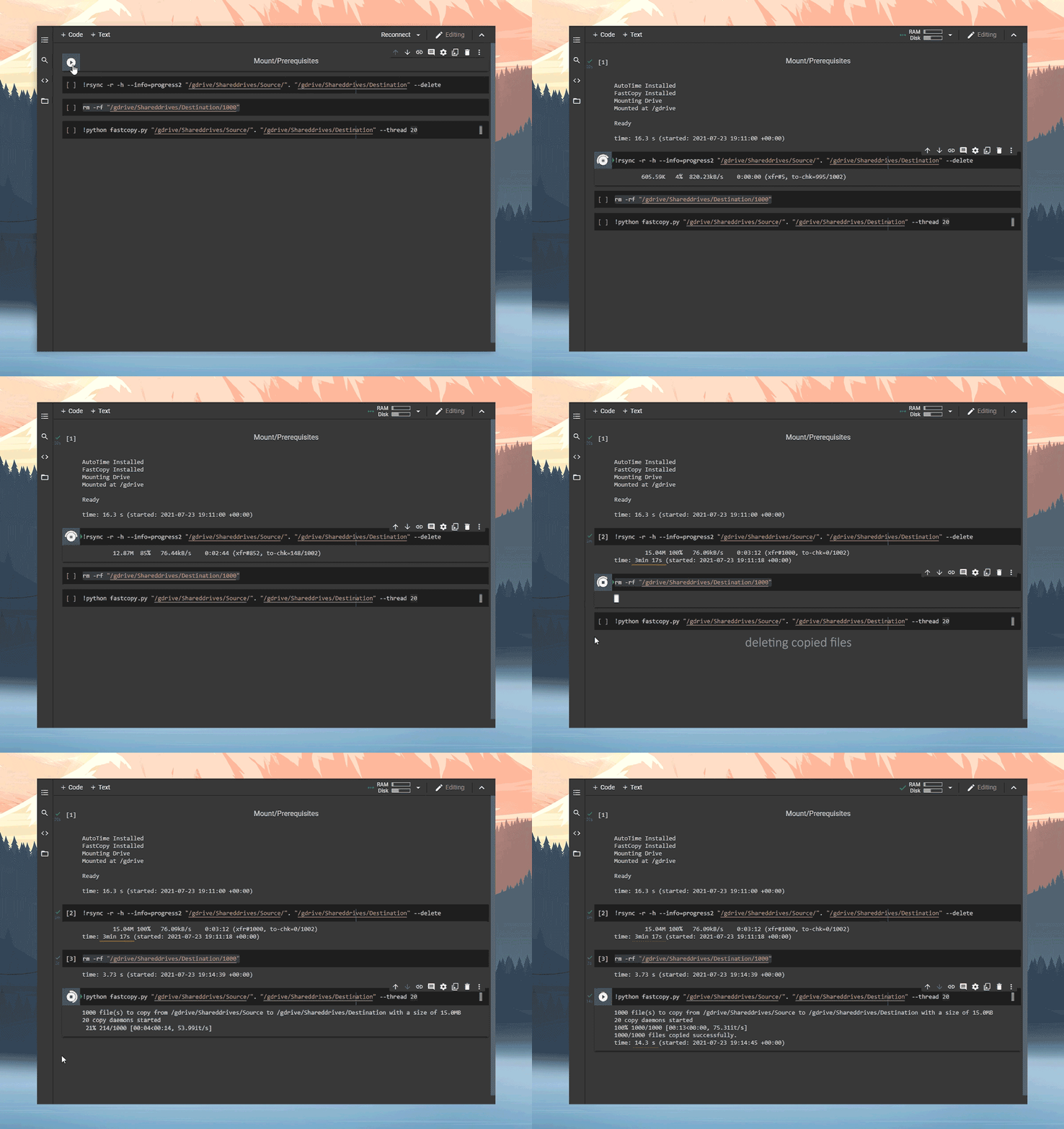
## About The Project FastColabCopy is a Python script for parallel (multi-threading) copying of files between two locations. Currently developed for Google-Drive to Google-Drive transfers using Google-Colab. This script frequently achieves 10-50x speed improvements when copying numerous small files. ## Importing Import from GitHub: ```py !wget https://raw.githubusercontent.com/L0garithmic/fastcolabcopy/main/fastcopy.py import fastcopy ``` Import from Google Drive: ```py !cp /gdrive/MyDrive/fastcopy.py . import fastcopy ``` ## Usage ```sh usage: fast-copy.py [-h HELP] source destination [-d DELETE] [-s SYNC] [-r REPLACE] optional arguments: -h --help show this help message and exit source the drive you are copying from destination the drive you are copying to -d --delete delete the source files after copy -s --sync delete files in destination if not found in source (do not use, if using with rsync) -r --replace replace files if they exist -t --thread set the amount of parallel threads used -l --size-limit set max size of files copied (supports gb, mb, kb) eg 1.5gb ``` The `source` and `destination` fields are required. Everything else is optional. ## Examples ```py from google.colab import drive drive.mount('/gdrive', force_remount=False) import os !wget -q https://raw.githubusercontent.com/L0garithmic/fastcolabcopy/main/fastcopy.py import fastcopy !python fastcopy.py /gdrive/Shareddrives/Source/. /gdrive/Shareddrives/Destination --thread 20 --size-limit 400mb ``` If you want to see copy execution time: ```mod !pip install -q ipython-autotime %load_ext autotime ``` Check out examples.md for some more examples. ## Best Practice Colab has wildly varying transfer speeds, because of this, the best we can offer are suggestions: - For large groups of medium/small files, 15-40 threads seems to work best. - For 50+ files with significantly varying sizes, try 2 sequentially copies. `-t 15 -l 400` then `-t 2` - For files that are 100MB+, it is best to use 2 threads. It is still faster then rsync. - Currently `--sync` breaks if rsync is ran after. If you are mirroring drives. Disable `--sync` and use the rsync's `--delete` function. ## Credits - Credit to [ikonikon](https://github.com/ikonikon/fast-copy) for the base multi-threading code. - Thanks to [@Ostokhoon](https://www.freelancer.com/u/Ostokhoon) for ALL argument and folder hierarchy functionality.