[**中文**](./README.md) · [**English**](./README_EN.md)
# 🐋 Dsh-Desktop
**A desktop companion plugin for DeepSeek Harness** — tray whale icon · desktop shortcut · auto-start (opens desktop app or web browser per setting) · one-click desktop/web switching
[](https://github.com/topics/dsh-plugin)
[](cordis.patch.yml)
[](package.json)
[](LICENSE)
[](#requirements)
[](package.json)
**A Windows desktop companion for DeepSeek Harness: system tray (whale) icon, desktop shortcut, login auto-start (opens exactly the client you chose: desktop app window or web browser), and one-click desktop/web switching.**
> ⚠️ **Windows-only**: This plugin is for **Windows 10 / 11**. On macOS / Linux it loads without crashing, but the desktop features — tray, desktop shortcut, auto-start — **will not work**, because they depend on Windows PowerShell and Task Scheduler.
> 📌 **Before you install**: requires **Node.js ≥ 20** (same as DeepSeek Harness); **Microsoft Edge or Google Chrome** is recommended (the app-mode desktop window needs a Chromium engine — with neither, it falls back to a plain default-browser window); **no admin rights** required; uninstall needs manual cleanup (tray, auto-start, shortcut, `%LOCALAPPDATA%\dsh-desktop`).
> 🚀 **Key point: the desktop experience = DeepSeek Harness + one plugin — no extra installation.**
> DeepSeek Harness's desktop experience is delivered entirely as a **Web plugin**. No separate desktop client to download, no reinstall, no admin rights required.
> If you already have a DeepSeek Harness Web environment, install this plugin and restart to get the full desktop experience.
## ✨ Features
| Feature | Description |
| --- | --- |
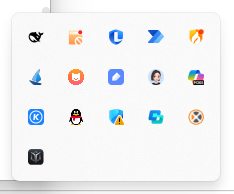
| 🐋 **System tray companion** | A whale icon in the notification area; **left-click to open/focus**, right-click menu: **Open / Restart / Quit** the harness |
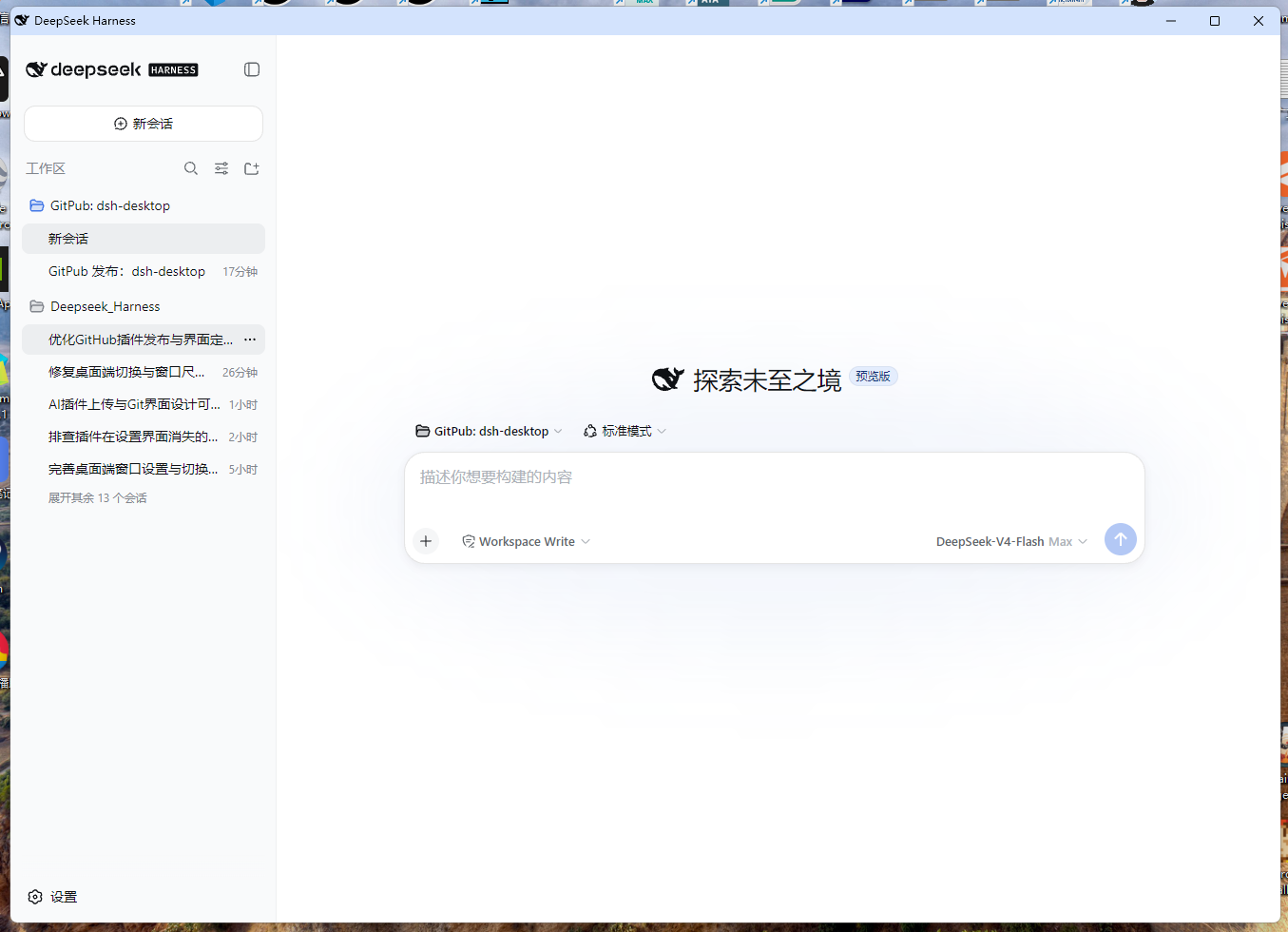
| 🖥️ **Native desktop window** | Rendered by your local Chromium in app mode (`--app`): 1352:972 adaptive ratio, centered, freely resizable; a dedicated browser profile suppresses Google Translate popups and keeps extensions, notifications and sign-in prompts out of the window; no startup flicker |
| 🔄 **One-click desktop/web switching** | The Settings button shows **Switch to Desktop** in web mode and **Switch to Web** in desktop mode; state is detected without WMI, so the label is always truthful |
| ⚡ **Fast boot & service-first shortcut launcher** | Fast launchers (`dsh-open.vbs` / `dsh-autostart.vbs`) start Node service directly while window prepares in parallel; displays the **built-in boot page** immediately (visible in 3–5s), then navigates directly via **DevTools Protocol** without `SameSite=Strict` cookie blocks or dual-window issues |
| 🔁 **Login auto-start (two options)** | Registers a **Task Scheduler logon trigger** (the `DSHDesktop` task, no admin rights; `HKCU\...\Run` fallback); embeds `--no-open` to prevent dual-window popups, and introduces **`autoStartMode` setting (desktop app window or web browser)** — strictly opens one client |
| 🚀 **No console flash** | Every external PowerShell launch (shortcut / tray / logon task) goes through a `wscript.exe` hidden runner (Win32 `SW_HIDE`) — no console window ever flashes during boot, open or switching |
| 🛡️ **Port safety · circuit breaker · tray self-heal** | Reopen immediately after quit; precise launch timestamp prevents competing Node flows from fighting over ports; automatic circuit breaker trips after 3 failed launches (records to `launch-failures.json`); full lifecycle marker cleanup |
| 🪟 **Show/hide terminal** | Toggle the harness terminal window from Settings |
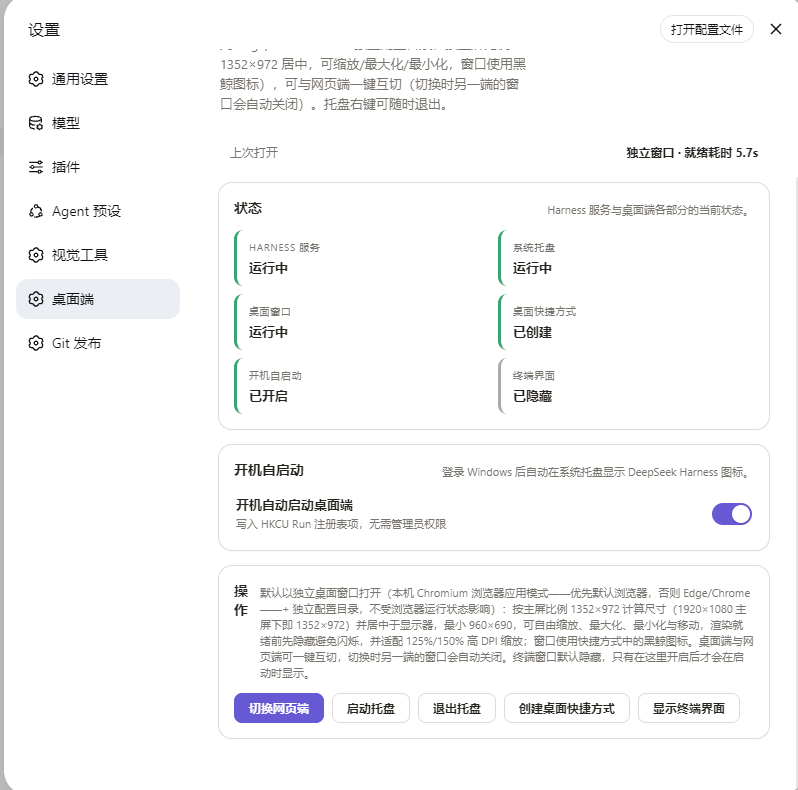
| ⚙️ **Native Settings panel** | A new **Desktop** section in the DSH Web UI: skeleton loading, eliminated redundant probes, client open mode selector, status cards, last-open diagnostics |
### 0.8.1 / 0.8.0 iteration
- **Fast shortcut launch**: `dsh-open.vbs` upgraded to a fast launcher that starts Node directly; cold-start is no longer serialized behind PowerShell CLR startup and window setup.
- **Fixed dual-window popup at login**: Added `--no-open` to the logon launcher, eliminating the duplicate default browser tab on boot.
- **New `autoStartMode` setting**: Added option in Settings to choose whether login auto-start opens the dedicated desktop app window or the default web browser (strictly one client).
- **Port gate & relaunch protection**: Rewrote launch gate in `Start-Harness` to avoid spawning a second Node when one is already starting; added auto-relaunch circuit breaker after 3 failures (`launch-failures.json`).
- **Suppressed Google Translate bubble**: Automatically sets `translate.enabled: false` in dedicated profile to prevent translate popups in Chrome 138+.
- **Readiness detection & port auto-correction**: `Test-HarnessHttp` rejects 404 responses during startup; `Wait-HarnessToken` waits until the full plugin tree is loaded before opening windows (eliminating workspace loading delay); `harness.json` auto-corrects port from `webServer.port`.
- **Performance optimizations**: Byte-identical file write skipping; pure timestamp checks for shortcut/autostart sync without spawning PowerShell; skeleton loading in Settings panel.
### 0.7.8 / 0.7.7 iteration
## 📦 Installation
### Requirements
| Item | Requirement |
| --- | --- |
| OS | Windows 10 / 11 (built-in Windows PowerShell 5.1) |
| Runtime | Node.js ≥ 20 (the same Node you use for DeepSeek Harness) |
| Harness | DeepSeek Harness Web profile (`dsh web`) |
| Browser | Chromium-based recommended (Edge ships with Windows); the desktop window uses your default browser when it is Chromium-based, otherwise Edge → Chrome |
### ⚡ Option 1: Install with a single command (recommended)
Run in any terminal with an installed, working `dsh` CLI; the plugin manager handles dependency installation:
```sh
dsh plugin --profile web add github:LvsH13/dsh-desktop
```
Then **restart the running Web profile**:
- A 🐋 whale tray icon appears in the notification area;
- A new **Desktop** section shows up in Settings;
- Once auto-start is enabled, the logon task opens the selected client with the boot page within seconds (no console flash).
### Option 2: Install from a source checkout
```sh
git clone https://github.com/LvsH13/dsh-desktop.git
dsh plugin --profile web add "ABSOLUTE/PATH/TO/cloned/dsh-desktop"
```
Restart the Web profile afterwards.
### Option 3: Manual install (standard Web plugin flow)
1. Go to the web profile directory (default `%USERPROFILE%\.dsh\profiles\web`);
2. Add this package to the `dependencies` of `package.json` — one command:
```sh
npm install github:LvsH13/dsh-desktop
```
3. Add the following entry to the `insert` list of the profile's `cordis.patch.yml`:
```yaml
- insert:
- id: dsh-desktop
name: '@dsh-external/dsh-desktop'
```
4. Restart the Web profile — the plugin is now active.
### Uninstall
```sh
dsh plugin --profile web remove "@dsh-external/dsh-desktop"
```
Optionally: quit the tray, disable auto-start (delete the `DSHDesktop` scheduled task; if the Run-key fallback was used, also delete the `DSHDesktop` value under `HKCU\...\Run`), delete the desktop shortcut and remove `%LOCALAPPDATA%\dsh-desktop`.
## 🚀 Usage
Open **Settings → Desktop**:
| Panel | What it does |
| --- | --- |
| Status | Live state of the harness service, tray, desktop window, desktop shortcut, auto-start, terminal |
| Auto-start | Enable/disable login auto-start (Task Scheduler logon trigger, Run-key fallback); select **Auto-start Mode** (desktop app window or web browser, strictly opens one client) |
| Actions | **Switch to Desktop / Switch to Web** (labeled by the current mode), start/quit tray, create desktop shortcut, show/hide terminal |
The **Last open** line reports the previous launch: readiness time (e.g. `ready in 1.2s`) and window mode (`standalone window` / `default browser`), or the failure reason — check this first when something feels slow.
## ⚙️ Configuration
| Item | Location / Notes |
| --- | --- |
| Companion directory | `%LOCALAPPDATA%\dsh-desktop\` (auto-migrated from v0.1's `$DSH_HOME\desktop`) |
| `dsh-tray.ps1` | Core tray/launcher script (window layout, single instance, readiness polling, quit signal) |
| `harness.json` | Exact CLI entry of the running installation: node, DSH_HOME, origin, actual bound port |
| `state.json` | `showTerminal` / `autoStart` / `autoStartMode` state |
| `open-state.json` | Last-open diagnostics (readiness time, window mode) |
| `launch-failures.json` | Circuit breaker diagnostics (only generated when auto-relaunch trips after 3 failed attempts) |
| Boot page | `boot.html` — the black-whale-on-white page shown in the desktop window until the service is ready, then auto-redirects to the UI |
| Auto-start method | Task Scheduler logon trigger (the `DSHDesktop` task, no admin rights); `HKCU\...\Run` is only the fallback when registration fails; the active method is recorded in `%LOCALAPPDATA%\dsh-desktop\autostart-method.json` (`task` / `runkey`) |
| Desktop/web state detection | Dual-channel: recorded window PID (primary) + WMI command-line match (fallback) — reliable even without WMI |
| Runtime dependency | `schemastery` (the only runtime dependency) |
> ⚠️ Keep `dsh-tray.ps1` as **UTF-8 with BOM** — Windows PowerShell 5.1 misreads BOM-less UTF-8.
## 📸 Showcase
| 🖥️ Desktop DeepSeek Harness | 🐋 Tray icon |
| :---: | :---: |
|  |  |
| 📌 Desktop shortcut | 🗔 Taskbar |
| :---: | :---: |
|  |  |
| ⚙️ Settings panel · dsh-desktop | |
| :---: | :---: |
|  | |
## 📄 License
[MIT](./LICENSE) · Copyright © 2026 [LvsH13](https://github.com/LvsH13)
---
🔖 Part of the **dsh-plugin** ecosystem: [dsh-plugin topic](https://github.com/topics/dsh-plugin) · [GitHub repository](https://github.com/LvsH13/dsh-desktop)