# 🎨 dsh-media-skills
### Image review and image generation skills for DeepSeek Harness v0.1.6
[](LICENSE)
[](https://python.org)
[](https://github.com/deepseek-ai/deepseek-harness/releases/tag/dsh-v0.1.6-alpha.2)
[](#configure-keys)
[](docs/lang/README_ZH.md)
A lightweight DSH plugin that contributes two bring-your-own-key media skills:
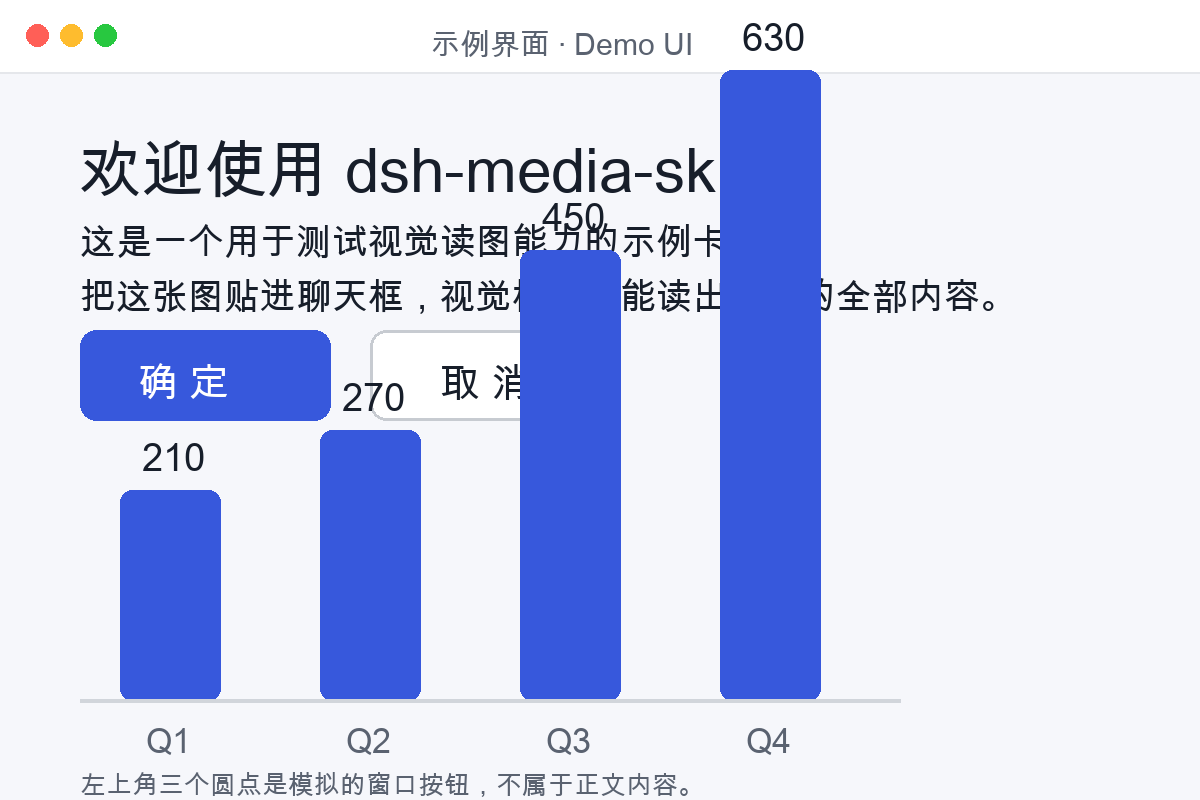
- 👁️ **`vision-review`** — describe images, run OCR, inspect screenshots, detect UI issues such as overlapping or overflowing text, and output optional structured evidence.
- 🎨 **`media-tools`** — generate illustrations, avatars, backgrounds and banners through SenseNova U1 Fast or SiliconFlow Kolors.
The plugin uses the DSH v0.1.6 skill-provider lifecycle and **does not patch DSH core, modify model settings, register providers, or write hidden configuration**.
[Why](#why) · [Install](#install) · [Configure keys](#configure-keys) · [Usage](#usage) · [Manual directory install](#manual-directory-install) · [Verification](#verification) · [FAQ](#faq)
[**English**](README.md) · [**简体中文**](docs/lang/README_ZH.md) · [**繁體中文**](docs/lang/README_ZH_TW.md) · [**日本語**](docs/lang/README_JA.md) · [**한국어**](docs/lang/README_KO.md) · [**Español**](docs/lang/README_ES.md) · [**Deutsch**](docs/lang/README_DE.md) · [**Português**](docs/lang/README_PT.md) · [**Русский**](docs/lang/README_RU.md)
---
## Why
DeepSeek Harness v0.1.6 already supports modern image attachments and file workflows for models that accept image input. This bundle focuses on two complementary jobs that remain useful after native attachment support:
| Need | Skill | How it helps |
|---|---|---|
| Explicit screenshot QA | `vision-review` | Checks rendering completeness, overlap, overflow, misalignment, watermarks and visual consistency. |
| OCR and image-to-text | `vision-review` | Turns screenshots, photos and scanned content into text, with an optional structured JSON contract. |
| Provider failover | `vision-review` | Uses configured engines in a predictable chain and reports each failed attempt. |
| Image asset production | `media-tools` | Generates usable image files through a configured SenseNova or SiliconFlow key. |
The plugin leaves model routing to DSH and its **Models** UI. That makes it compatible with v0.1.6 runtime enabling, disabling, uninstalling and restarting without leaving global state behind.
## What changed for v0.1.6
- Registers both bundled skills through `ctx.skills.registerProvider(...)`.
- Removes the old implicit `llm-pi-ai` settings mutation and all model-route seeding.
- Reads skill metadata directly from each `SKILL.md`, preventing copy drift.
- Supports runtime plugin lifecycle: registration is owned by the plugin fiber and can be removed cleanly.
- Treats old core patches as historical material for DSH `<= v0.1.1-rc.2`; they are not required for v0.1.6.
- Adds static manifest validation and a runtime fake-context provider test.
## Install
### Option 1: DSH Plugin Manager
Open DSH's Plugin Manager and add:
```text
github:MJorgin/dsh-media-skills
```
Then restart the profile.
### Option 2: CLI
For the common web profile:
```sh
dsh plugin --profile web add github:MJorgin/dsh-media-skills
```
Replace `web` with the DSH profile you actually use. Restart that profile after installation so the new bundle is mounted.
No build step is required: the package ships ready-to-run ESM and Python scripts and has no dependency installation or `prepare` script.
## Configure keys
Keys are never stored in this repository. Skill scripts read environment variables first, then:
```text
~/.dsh/secrets/media-tools.env
~/.codex/secrets/media-tools.env # legacy fallback
```
`vision-review` can also read compatible keys from:
```text
~/.dsh/.credentials.yaml
```
`media-tools` reads environment variables and the two `media-tools.env` files; configure its keys explicitly in one of those locations.
| Key | Used by | Notes |
|---|---|---|
| `GLM_API_KEY` | `vision-review` | Primary Zhipu `glm-4v-flash` engine; verify current Zhipu pricing/free-tier terms. |
| `DEEPSEEK_API_KEY` | `vision-review` | Optional paid DeepSeek vision model; also read from DSH credential storage. |
| `SILICONFLOW_API_KEY` | Both skills | Qwen3-VL for review and Kolors for generation. |
| `SENSENOVA_API_KEY` | Both skills | SenseNova vision model for review and U1 Fast for generation. |
| `GEMINI_API_KEY` | `vision-review` | Optional Gemini fallback; may require `GEMINI_PROXY` on some networks. |
Example secrets file:
```sh
# ~/.dsh/secrets/media-tools.env, chmod 600
GLM_API_KEY=...
SILICONFLOW_API_KEY=...
SENSENOVA_API_KEY=...
GEMINI_API_KEY=...
```
### Native DSH image models
This plugin does not add a model to the DSH model picker. To have a normal DSH conversation natively accept images, configure a multimodal model/provider in DSH's **Models** settings. Then use DSH's native attachment flow.
Use `vision-review` when you want a dedicated scripted review/OCR workflow, a provider failover chain, or structured evidence instead of only a multimodal chat response.
## Usage
### Vision review
Ask DSH to use `vision-review`, or run its script from the skill directory:
```bash
python3 scripts/vision.py screenshot.png
python3 scripts/vision.py a.png b.png --structured
python3 scripts/vision.py screenshot.png --provider=siliconflow-qwen
python3 scripts/vision.py --doctor
```
The default prompt checks rendering completeness, overlapping/misaligned/overflowing text, color hierarchy, watermarks and obvious visual bugs. For a specific task, pass a focused prompt:
```bash
python3 scripts/vision.py page.png --prompt="检查按钮、标题和图表是否有重叠,并指出具体位置"
```
The failover chain joins engines only when their keys are available. Optional `--structured` output includes summary, OCR, reading-order layout, semantics, visual notes and uncertainty.
### Image generation
```bash
python3 skills/media-tools/scripts/generate.py "a cinematic Chinese palace in the clouds, realistic, grand scale" palace.jpg 16:9
```
SenseNova is used when `SENSENOVA_API_KEY` is available. Otherwise the script uses SiliconFlow Kolors when `SILICONFLOW_API_KEY` is available. SenseNova sizes can be supplied as exact dimensions or common ratios; the script maps them to the nearest supported size.
## Manual directory install
Plugin installation is recommended because this repository contains multiple skills. The v0.1.6 filesystem provider scans only one directory level under a skill root, so cloning the repository directly into `~/.dsh/skills/` will not discover nested `skills/*/SKILL.md` files.
To install manually, link each skill separately:
```sh
git clone https://github.com/MJorgin/dsh-media-skills.git ~/.dsh/bundles/dsh-media-skills
mkdir -p ~/.dsh/skills
ln -s ~/.dsh/bundles/dsh-media-skills/skills/vision-review ~/.dsh/skills/vision-review
ln -s ~/.dsh/bundles/dsh-media-skills/skills/media-tools ~/.dsh/skills/media-tools
```
Restart DSH after creating the links.
## Verification
Run the complete local checks:
```sh
npm test
```
This runs DSH bundle manifest validation, runtime provider registration/loading through a fake DSH-like context, JavaScript syntax validation, and Python compilation for both skill scripts.
## Historical patches
The old core patches remain available for users maintaining legacy DSH builds:
- [Chinese notes](docs/HARNESS_PATCH.md)
- [English notes](docs/HARNESS_PATCH_EN.md)
They apply to historical builds through `v0.1.1-rc.2`. New v0.1.6 users should not apply them.
## Project layout
```text
dsh-media-skills/
├── package.json # DSH bundle manifest and test commands
├── cordis.patch.yml # Cordis plugin insertion
├── index.js # Registers the bundled skill provider
├── skills/
│ ├── vision-review/ # Image analysis and screenshot QA
│ └── media-tools/ # Image generation
├── scripts/ # Bundle validation helpers
├── examples/ # Example images and test card
└── docs/ # Setup guides, translations and historical notes
```
## FAQ
**Do I need a core patch on DSH v0.1.6?**
No. Configure a multimodal model in DSH for native image conversations, or use the skill scripts for dedicated review and generation workflows.
**Does the plugin add a model to the model selector automatically?**
No. DSH v0.1.6 provides model and plugin management; the plugin only registers skills and never mutates model settings.
**Are all providers free?**
Provider pricing and free-tier policies can change. GLM-4V-Flash and Kolors have been free-tier friendly, while DeepSeek usage is paid. Check the provider's current terms before relying on a workflow.
**Are API keys included?**
No. Keys stay in your environment, DSH credential storage, or local secrets files.
**Where should I send sensitive internal screenshots?**
Only to providers approved by your organization. Avoid Gemini or other external providers for internal documents unless company policy permits them.
## Examples


 More details: [examples/README.md](examples/README.md).
## License
[MIT](LICENSE)
More details: [examples/README.md](examples/README.md).
## License
[MIT](LICENSE)