
 For upgrade notes and breaking changes, please refer to the
[ChangeLog.md](ChangeLog.md). From time to time, we may rename
units/types or adjust procedure/function signatures; the
changelog is the authoritative place to see what changed between
versions and what you may need to update in your code.
Fuel the Magic, Inspire Innovation
----------------------------------
By joining MagicFoundation as an Associate, you'll enter a
community that's actively shaping the future of Alcinoe—while
unlocking a suite of exclusive perks. Associates receive priority
support for bugs they submit via the issue tracker or by email,
including faster triage, dedicated investigation, and ongoing
updates until resolved.
Example of an App Built with Alcinoe
------------------------------------
#### Alcinoe Firemonkey Controls Demo ####
The Alcinoe FireMonkey Controls Demo highlights the power and
flexibility of Alcinoe's UI components. It demonstrates how to
build high-performance, visually stunning, and responsive
FireMonkey applications with ease, showcasing advanced
features and custom styling capabilities.
For upgrade notes and breaking changes, please refer to the
[ChangeLog.md](ChangeLog.md). From time to time, we may rename
units/types or adjust procedure/function signatures; the
changelog is the authoritative place to see what changed between
versions and what you may need to update in your code.
Fuel the Magic, Inspire Innovation
----------------------------------
By joining MagicFoundation as an Associate, you'll enter a
community that's actively shaping the future of Alcinoe—while
unlocking a suite of exclusive perks. Associates receive priority
support for bugs they submit via the issue tracker or by email,
including faster triage, dedicated investigation, and ongoing
updates until resolved.
Example of an App Built with Alcinoe
------------------------------------
#### Alcinoe Firemonkey Controls Demo ####
The Alcinoe FireMonkey Controls Demo highlights the power and
flexibility of Alcinoe's UI components. It demonstrates how to
build high-performance, visually stunning, and responsive
FireMonkey applications with ease, showcasing advanced
features and custom styling capabilities.


 Embarcadero Quality Reports
---------------------------
Please request the resolution of these quality reports. Due
to the unresolved issues from Embarcadero, we have been
forced to apply patches to the original Delphi source files:
* [iOS Deployment via PAServer Fails for App Extensions (.appex)](https://embt.atlassian.net/servicedesk/customer/portal/1/RSS-5343)
* [iOS: Missing application:handleEventsForBackgroundURLSession:completionHandler: delegate in FMX](https://embt.atlassian.net/servicedesk/customer/portal/1/RSS-4669)
* [FMX Android: Zoom gesture (TInteractiveGesture.Zoom) only fires on very fast pinches](https://embt.atlassian.net/servicedesk/customer/portal/1/RSS-4509)
* [Enhance MouseEvent Handling by Providing Access to MotionEvent (Android) and UIEvent (iOS)](https://embt.atlassian.net/servicedesk/customer/portal/1/RSS-3002)
* [Improve Rendering Timing by Using Choreographer Instead of Runnable](https://embt.atlassian.net/servicedesk/customer/portal/1/RSS-2865)
* [Allow TTexture to Define a Material (GLSL Shader) to Use](https://embt.atlassian.net/servicedesk/customer/portal/1/RSS-1549)
* [TControl.SetBounds: Missing ParentContentChanged Call on Size-Only Updates](https://embt.atlassian.net/servicedesk/customer/portal/1/RSS-3264)
* [Missing ResetUpdatingState call in TCustomForm.DoRemoveObject](https://embt.atlassian.net/servicedesk/customer/portal/1/RSS-4302)
* [Effect ProcessTexture is not working and function TFilter.InputTexture: TTexture do unecessary work](https://quality.embarcadero.com/browse/RSP-20825)
* [Add ExtractContentStream to TURLResponse / IURLResponse to allow taking ownership without copying.](https://embt.atlassian.net/servicedesk/customer/portal/1/RSS-4664)
* [Architectural Issues in FMX.Skia.Canvas.GL](https://embt.atlassian.net/servicedesk/customer/portal/1/RSS-1541)
* [FMX.VirtualKeyboard.Android: Unused variable and unnecessary logic in Delphi 13 update](https://embt.atlassian.net/servicedesk/customer/portal/1/RSS-4311)
* [Project option to define where to look/create the LaunchScreen.TemplateiOS directory](https://quality.embarcadero.com/browse/RSP-33503)
* [Support configuration-specific deployment templates (AndroidManifest / Info.plist / Entitlements)](https://embt.atlassian.net/servicedesk/customer/portal/1/RSS-4922)
* [Replace Pointer-based signatures in iOS/macOS bridges with strongly typed wrappers](https://embt.atlassian.net/servicedesk/customer/portal/1/RSS-4433)
* [Win64: AnsiString equality comparison significantly slower than UnicodeString](https://embt.atlassian.net/servicedesk/customer/portal/1/RSS-5052)
* [Allow linking of Swift compatibility frameworks](https://quality.embarcadero.com/browse/RSP-38700)
* [need to uncomment _GetAUDIO_ATTRIBUTES_DEFAULT from JNotificationClass](https://quality.embarcadero.com/browse/RSP-21296)
* [Resolve Circular Reference in JBitmapClass by Refactoring JHardwareBuffer Declaration](https://quality.embarcadero.com/browse/RSP-44100)
* [Update Pressed Property Setter in TControl to Enhance State Change Tracking](https://embt.atlassian.net/servicedesk/customer/portal/1/RSS-1323)
* [Add Additional Notification Icon Sizes for iOS 16+](https://embt.atlassian.net/servicedesk/customer/portal/1/RSS-2171)
* [ForceQueue with Delay Does Not Work on Android](https://embt.atlassian.net/servicedesk/customer/portal/1/RSS-3206)
* [AndroidManifest merge in Delphi does not respect tools:node="remove" directive for uses-permission](https://embt.atlassian.net/servicedesk/customer/portal/1/RSS-3867)
* [Uncomment missing init overloads in JCipher to enable standard Android Crypto API usage](https://embt.atlassian.net/servicedesk/customer/portal/1/RSS-3921)
* [FMX: TAlignLayout.TopLeft ignores Margins on child control](https://embt.atlassian.net/servicedesk/customer/portal/1/RSS-4335)
* [iOS: UNNotificationPresentationOptionNone removed from iOSapi.UserNotifications in Delphi 13](https://embt.atlassian.net/servicedesk/customer/portal/1/RSS-4325)
* [CVOpenGLESTextureCacheCreate expects raw Obj-C pointer for eaglContext](https://embt.atlassian.net/servicedesk/customer/portal/1/RSS-4333)
* [macOS: Align NSTextField.setDelegate signature with other AppKit setters](https://embt.atlassian.net/servicedesk/customer/portal/1/RSS-4352)
* [UIViewAutoresizing changed from NSUInteger to NSInteger in Delphi 13](https://embt.atlassian.net/servicedesk/customer/portal/1/RSS-4410)
* [iOS API regression: UNNotificationAttachment.attachmentWithIdentifier returns Pointer](https://embt.atlassian.net/servicedesk/customer/portal/1/RSS-4411)
* [iOS API regression: UNNotificationRequest.requestWithIdentifier returns Pointer](https://embt.atlassian.net/servicedesk/customer/portal/1/RSS-4412)
* [iOS: UNNotificationPresentationOptionNone removed from iOSapi.UserNotifications in Delphi 13](https://embt.atlassian.net/servicedesk/customer/portal/1/RSS-4325)
* [Security.framework: kSec* constants return type inconsistent between macOS (NSString) and iOS (CFStringRef)](https://embt.atlassian.net/servicedesk/customer/portal/1/RSS-4404)
* [Inconsistent NSUserDefaultsClass.standardUserDefaults return type (macOS = Pointer, iOS = NSUserDefaults)](https://embt.atlassian.net/servicedesk/customer/portal/1/RSS-4389)
* [Foundation/NSURL: fileURLWithPath: return type inconsistent between macOS and iOS headers](https://embt.atlassian.net/servicedesk/customer/portal/1/RSS-4402)
* [NSURL factory methods return types are inconsistent in D13](https://embt.atlassian.net/servicedesk/customer/portal/1/RSS-4401)
* [Foundation: NSURLCredentialPersistence changed from NSUInteger to NSInteger in Delphi 13](https://embt.atlassian.net/servicedesk/customer/portal/1/RSS-4399)
* [Foundation: NSKeyValueObservingOptions changed from NSUInteger to NSInteger in Delphi 13](https://embt.atlassian.net/servicedesk/customer/portal/1/RSS-4398)
* [CoreText: CTParagraphStyleCreate parameter type changed to NativeUInt in D13 — should be NativeInt ](https://embt.atlassian.net/servicedesk/customer/portal/1/RSS-4397)
* [CoreText: CTParagraphStyleSpecifier widened from 32-bit to 64-bit in Delphi 13](https://embt.atlassian.net/servicedesk/customer/portal/1/RSS-4396)
* [CGImageAlphaInfo mapped to NSInteger in Delphi 13 (was UInt32 in Delphi 12)](https://embt.atlassian.net/servicedesk/customer/portal/1/RSS-4393)
* [CGBlendMode mapped to NSInteger in Delphi 13 (was UInt32 in Delphi 12)](https://embt.atlassian.net/servicedesk/customer/portal/1/RSS-4392)
* [CGBitmapInfo mapped to NSInteger in Delphi 13 (was UInt32 in Delphi 12)](https://embt.atlassian.net/servicedesk/customer/portal/1/RSS-4391)
* [UNUserNotificationCenter.setDelegate changed from UNUserNotificationCenterDelegate to Pointer](https://embt.atlassian.net/servicedesk/customer/portal/1/RSS-4344)
* [macOS/iOS: Inconsistent CIFilterClass.filterWithName return type (macOS = Pointer, iOS = CIFilter)](https://embt.atlassian.net/servicedesk/customer/portal/1/RSS-4348)
* [macOS/iOS: Inconsistent NSNumberClass.numberWithFloat return type (macOS = Pointer, iOS = NSNumber)](https://embt.atlassian.net/servicedesk/customer/portal/1/RSS-4349)
* [macOS/iOS: Inconsistent CIContextClass.contextWithOptions return type (macOS = Pointer, iOS = CIContext)](https://embt.atlassian.net/servicedesk/customer/portal/1/RSS-4350)
* [macOS/iOS: Inconsistent CIImageClass.imageWithCGImage return type (macOS = Pointer, iOS = CIImage)](https://embt.atlassian.net/servicedesk/customer/portal/1/RSS-4347)
* [Missing Functions in Macapi.QuartzCore.pas](https://embt.atlassian.net/servicedesk/customer/portal/1/RSS-4346)
* [macOS: Add missing NSTextField APIs (delegate getter/setter + placeholder getters/setter)](https://embt.atlassian.net/servicedesk/customer/portal/1/RSS-4353)
* [iOS vs macOS mismatch in CGImageDestinationFinalize declaration (Boolean vs Integer return type)](https://embt.atlassian.net/servicedesk/customer/portal/1/RSS-4714)
* [Delphi language enhancement: allow multiple inline variant parts inside records (not only trailing)](https://embt.atlassian.net/servicedesk/customer/portal/1/RSS-4920)
* [TCommonCustomForm.ClientRect loses precision because GetClientWidth/Height round float client size](https://embt.atlassian.net/servicedesk/customer/portal/1/RSS-4999)
* [iOS: TApplicationEvent.OpenURL is not fired on cold start when app is launched from URL](https://embt.atlassian.net/servicedesk/customer/portal/1/RSS-5196)
* [iOS: Add support for explicitly setting the preferred status bar style](https://embt.atlassian.net/servicedesk/customer/portal/1/RSS-5587)
* [[Android] Incorrect handling of AMOTION_EVENT_ACTION_UP after the fix for ACTION_CANCEL](https://embt.atlassian.net/servicedesk/customer/portal/1/RSS-5611)
Install Alcinoe
---------------
To set up Alcinoe, start by running the [BuildAll.bat](https://github.com/MagicFoundation/Alcinoe/tree/master/BuildAll.bat)
script. This batch file performs a series of tasks,
including retrieving and patching the original Delphi
source code, downloading the necessary iOS/Android
libraries, generating the Alcinoe JAR files, building
the BPL (Borland Package Library), compiling the tools
in the [Tools](https://github.com/MagicFoundation/Alcinoe/tree/master/Tools/)
directory, and finally compiling all demos found in the
[Demos](https://github.com/MagicFoundation/Alcinoe/tree/master/Demos/)
directory. Please note that some demos require
components from [devexpress](https://www.devexpress.com/).
If you only need to use Alcinoe's non-visual components,
no further steps are necessary. Simply ensure that
[Source](https://github.com/MagicFoundation/Alcinoe/tree/master/Source)
is included in your project's search path.
To use Alcinoe's visual components at design time, you
will need to install the BPL. Open Delphi, go to
Component > Install Packages..., and select the BPL
from [Libraries\bpl\Alcinoe](https://github.com/MagicFoundation/Alcinoe/tree/master/Libraries/bpl/Alcinoe).
Additionally, include both [Source](https://github.com/MagicFoundation/Alcinoe/tree/master/Source)
and all subdirectories from [Embarcadero\Florence](https://github.com/MagicFoundation/Alcinoe/tree/master/Embarcadero/Florence/)
in your search path.
Propose a Change on GitHub
--------------------------
If you'd like to suggest changes to the Alcinoe directory,
please follow these steps:
1. **Fork the Alcinoe Repository**: First, you'll need
to fork the repository. Forking creates a personal copy
of the Alcinoe source code that you can modify as needed..

2. **Make Your Edits**: After forking, make the necessary
changes to the source code. Then, commit and push these
changes to your forked repository.
3. **Submit a Pull Request**: Once you're happy with your
changes, go to your forked repository, click on 'Contribute,'
and select 'Open a pull request' to submit your proposal.

Embarcadero Quality Reports
---------------------------
Please request the resolution of these quality reports. Due
to the unresolved issues from Embarcadero, we have been
forced to apply patches to the original Delphi source files:
* [iOS Deployment via PAServer Fails for App Extensions (.appex)](https://embt.atlassian.net/servicedesk/customer/portal/1/RSS-5343)
* [iOS: Missing application:handleEventsForBackgroundURLSession:completionHandler: delegate in FMX](https://embt.atlassian.net/servicedesk/customer/portal/1/RSS-4669)
* [FMX Android: Zoom gesture (TInteractiveGesture.Zoom) only fires on very fast pinches](https://embt.atlassian.net/servicedesk/customer/portal/1/RSS-4509)
* [Enhance MouseEvent Handling by Providing Access to MotionEvent (Android) and UIEvent (iOS)](https://embt.atlassian.net/servicedesk/customer/portal/1/RSS-3002)
* [Improve Rendering Timing by Using Choreographer Instead of Runnable](https://embt.atlassian.net/servicedesk/customer/portal/1/RSS-2865)
* [Allow TTexture to Define a Material (GLSL Shader) to Use](https://embt.atlassian.net/servicedesk/customer/portal/1/RSS-1549)
* [TControl.SetBounds: Missing ParentContentChanged Call on Size-Only Updates](https://embt.atlassian.net/servicedesk/customer/portal/1/RSS-3264)
* [Missing ResetUpdatingState call in TCustomForm.DoRemoveObject](https://embt.atlassian.net/servicedesk/customer/portal/1/RSS-4302)
* [Effect ProcessTexture is not working and function TFilter.InputTexture: TTexture do unecessary work](https://quality.embarcadero.com/browse/RSP-20825)
* [Add ExtractContentStream to TURLResponse / IURLResponse to allow taking ownership without copying.](https://embt.atlassian.net/servicedesk/customer/portal/1/RSS-4664)
* [Architectural Issues in FMX.Skia.Canvas.GL](https://embt.atlassian.net/servicedesk/customer/portal/1/RSS-1541)
* [FMX.VirtualKeyboard.Android: Unused variable and unnecessary logic in Delphi 13 update](https://embt.atlassian.net/servicedesk/customer/portal/1/RSS-4311)
* [Project option to define where to look/create the LaunchScreen.TemplateiOS directory](https://quality.embarcadero.com/browse/RSP-33503)
* [Support configuration-specific deployment templates (AndroidManifest / Info.plist / Entitlements)](https://embt.atlassian.net/servicedesk/customer/portal/1/RSS-4922)
* [Replace Pointer-based signatures in iOS/macOS bridges with strongly typed wrappers](https://embt.atlassian.net/servicedesk/customer/portal/1/RSS-4433)
* [Win64: AnsiString equality comparison significantly slower than UnicodeString](https://embt.atlassian.net/servicedesk/customer/portal/1/RSS-5052)
* [Allow linking of Swift compatibility frameworks](https://quality.embarcadero.com/browse/RSP-38700)
* [need to uncomment _GetAUDIO_ATTRIBUTES_DEFAULT from JNotificationClass](https://quality.embarcadero.com/browse/RSP-21296)
* [Resolve Circular Reference in JBitmapClass by Refactoring JHardwareBuffer Declaration](https://quality.embarcadero.com/browse/RSP-44100)
* [Update Pressed Property Setter in TControl to Enhance State Change Tracking](https://embt.atlassian.net/servicedesk/customer/portal/1/RSS-1323)
* [Add Additional Notification Icon Sizes for iOS 16+](https://embt.atlassian.net/servicedesk/customer/portal/1/RSS-2171)
* [ForceQueue with Delay Does Not Work on Android](https://embt.atlassian.net/servicedesk/customer/portal/1/RSS-3206)
* [AndroidManifest merge in Delphi does not respect tools:node="remove" directive for uses-permission](https://embt.atlassian.net/servicedesk/customer/portal/1/RSS-3867)
* [Uncomment missing init overloads in JCipher to enable standard Android Crypto API usage](https://embt.atlassian.net/servicedesk/customer/portal/1/RSS-3921)
* [FMX: TAlignLayout.TopLeft ignores Margins on child control](https://embt.atlassian.net/servicedesk/customer/portal/1/RSS-4335)
* [iOS: UNNotificationPresentationOptionNone removed from iOSapi.UserNotifications in Delphi 13](https://embt.atlassian.net/servicedesk/customer/portal/1/RSS-4325)
* [CVOpenGLESTextureCacheCreate expects raw Obj-C pointer for eaglContext](https://embt.atlassian.net/servicedesk/customer/portal/1/RSS-4333)
* [macOS: Align NSTextField.setDelegate signature with other AppKit setters](https://embt.atlassian.net/servicedesk/customer/portal/1/RSS-4352)
* [UIViewAutoresizing changed from NSUInteger to NSInteger in Delphi 13](https://embt.atlassian.net/servicedesk/customer/portal/1/RSS-4410)
* [iOS API regression: UNNotificationAttachment.attachmentWithIdentifier returns Pointer](https://embt.atlassian.net/servicedesk/customer/portal/1/RSS-4411)
* [iOS API regression: UNNotificationRequest.requestWithIdentifier returns Pointer](https://embt.atlassian.net/servicedesk/customer/portal/1/RSS-4412)
* [iOS: UNNotificationPresentationOptionNone removed from iOSapi.UserNotifications in Delphi 13](https://embt.atlassian.net/servicedesk/customer/portal/1/RSS-4325)
* [Security.framework: kSec* constants return type inconsistent between macOS (NSString) and iOS (CFStringRef)](https://embt.atlassian.net/servicedesk/customer/portal/1/RSS-4404)
* [Inconsistent NSUserDefaultsClass.standardUserDefaults return type (macOS = Pointer, iOS = NSUserDefaults)](https://embt.atlassian.net/servicedesk/customer/portal/1/RSS-4389)
* [Foundation/NSURL: fileURLWithPath: return type inconsistent between macOS and iOS headers](https://embt.atlassian.net/servicedesk/customer/portal/1/RSS-4402)
* [NSURL factory methods return types are inconsistent in D13](https://embt.atlassian.net/servicedesk/customer/portal/1/RSS-4401)
* [Foundation: NSURLCredentialPersistence changed from NSUInteger to NSInteger in Delphi 13](https://embt.atlassian.net/servicedesk/customer/portal/1/RSS-4399)
* [Foundation: NSKeyValueObservingOptions changed from NSUInteger to NSInteger in Delphi 13](https://embt.atlassian.net/servicedesk/customer/portal/1/RSS-4398)
* [CoreText: CTParagraphStyleCreate parameter type changed to NativeUInt in D13 — should be NativeInt ](https://embt.atlassian.net/servicedesk/customer/portal/1/RSS-4397)
* [CoreText: CTParagraphStyleSpecifier widened from 32-bit to 64-bit in Delphi 13](https://embt.atlassian.net/servicedesk/customer/portal/1/RSS-4396)
* [CGImageAlphaInfo mapped to NSInteger in Delphi 13 (was UInt32 in Delphi 12)](https://embt.atlassian.net/servicedesk/customer/portal/1/RSS-4393)
* [CGBlendMode mapped to NSInteger in Delphi 13 (was UInt32 in Delphi 12)](https://embt.atlassian.net/servicedesk/customer/portal/1/RSS-4392)
* [CGBitmapInfo mapped to NSInteger in Delphi 13 (was UInt32 in Delphi 12)](https://embt.atlassian.net/servicedesk/customer/portal/1/RSS-4391)
* [UNUserNotificationCenter.setDelegate changed from UNUserNotificationCenterDelegate to Pointer](https://embt.atlassian.net/servicedesk/customer/portal/1/RSS-4344)
* [macOS/iOS: Inconsistent CIFilterClass.filterWithName return type (macOS = Pointer, iOS = CIFilter)](https://embt.atlassian.net/servicedesk/customer/portal/1/RSS-4348)
* [macOS/iOS: Inconsistent NSNumberClass.numberWithFloat return type (macOS = Pointer, iOS = NSNumber)](https://embt.atlassian.net/servicedesk/customer/portal/1/RSS-4349)
* [macOS/iOS: Inconsistent CIContextClass.contextWithOptions return type (macOS = Pointer, iOS = CIContext)](https://embt.atlassian.net/servicedesk/customer/portal/1/RSS-4350)
* [macOS/iOS: Inconsistent CIImageClass.imageWithCGImage return type (macOS = Pointer, iOS = CIImage)](https://embt.atlassian.net/servicedesk/customer/portal/1/RSS-4347)
* [Missing Functions in Macapi.QuartzCore.pas](https://embt.atlassian.net/servicedesk/customer/portal/1/RSS-4346)
* [macOS: Add missing NSTextField APIs (delegate getter/setter + placeholder getters/setter)](https://embt.atlassian.net/servicedesk/customer/portal/1/RSS-4353)
* [iOS vs macOS mismatch in CGImageDestinationFinalize declaration (Boolean vs Integer return type)](https://embt.atlassian.net/servicedesk/customer/portal/1/RSS-4714)
* [Delphi language enhancement: allow multiple inline variant parts inside records (not only trailing)](https://embt.atlassian.net/servicedesk/customer/portal/1/RSS-4920)
* [TCommonCustomForm.ClientRect loses precision because GetClientWidth/Height round float client size](https://embt.atlassian.net/servicedesk/customer/portal/1/RSS-4999)
* [iOS: TApplicationEvent.OpenURL is not fired on cold start when app is launched from URL](https://embt.atlassian.net/servicedesk/customer/portal/1/RSS-5196)
* [iOS: Add support for explicitly setting the preferred status bar style](https://embt.atlassian.net/servicedesk/customer/portal/1/RSS-5587)
* [[Android] Incorrect handling of AMOTION_EVENT_ACTION_UP after the fix for ACTION_CANCEL](https://embt.atlassian.net/servicedesk/customer/portal/1/RSS-5611)
Install Alcinoe
---------------
To set up Alcinoe, start by running the [BuildAll.bat](https://github.com/MagicFoundation/Alcinoe/tree/master/BuildAll.bat)
script. This batch file performs a series of tasks,
including retrieving and patching the original Delphi
source code, downloading the necessary iOS/Android
libraries, generating the Alcinoe JAR files, building
the BPL (Borland Package Library), compiling the tools
in the [Tools](https://github.com/MagicFoundation/Alcinoe/tree/master/Tools/)
directory, and finally compiling all demos found in the
[Demos](https://github.com/MagicFoundation/Alcinoe/tree/master/Demos/)
directory. Please note that some demos require
components from [devexpress](https://www.devexpress.com/).
If you only need to use Alcinoe's non-visual components,
no further steps are necessary. Simply ensure that
[Source](https://github.com/MagicFoundation/Alcinoe/tree/master/Source)
is included in your project's search path.
To use Alcinoe's visual components at design time, you
will need to install the BPL. Open Delphi, go to
Component > Install Packages..., and select the BPL
from [Libraries\bpl\Alcinoe](https://github.com/MagicFoundation/Alcinoe/tree/master/Libraries/bpl/Alcinoe).
Additionally, include both [Source](https://github.com/MagicFoundation/Alcinoe/tree/master/Source)
and all subdirectories from [Embarcadero\Florence](https://github.com/MagicFoundation/Alcinoe/tree/master/Embarcadero/Florence/)
in your search path.
Propose a Change on GitHub
--------------------------
If you'd like to suggest changes to the Alcinoe directory,
please follow these steps:
1. **Fork the Alcinoe Repository**: First, you'll need
to fork the repository. Forking creates a personal copy
of the Alcinoe source code that you can modify as needed..

2. **Make Your Edits**: After forking, make the necessary
changes to the source code. Then, commit and push these
changes to your forked repository.
3. **Submit a Pull Request**: Once you're happy with your
changes, go to your forked repository, click on 'Contribute,'
and select 'Open a pull request' to submit your proposal.

 ## Key Alcinoe Controls for Material 3 Design
### 1. **TALButton**
**TALButton** offers full customization for states such as **Enabled,
Pressed**, and **Disabled**, allowing for modern Material 3 button
styles. You can adjust properties like **fill, border, shadow**, and
**font** to match Material 3’s bold, clear design principles. It
supports HTML content, enabling you to easily include icons or
rich text.
## Key Alcinoe Controls for Material 3 Design
### 1. **TALButton**
**TALButton** offers full customization for states such as **Enabled,
Pressed**, and **Disabled**, allowing for modern Material 3 button
styles. You can adjust properties like **fill, border, shadow**, and
**font** to match Material 3’s bold, clear design principles. It
supports HTML content, enabling you to easily include icons or
rich text.
 ### 2. **TALToggleButton**
**TALToggleButton** is a customizable toggle control with distinct styles
for On and Off across all states — **Enabled**, **Pressed**, **Focused**, **Hovered**,
and **Disabled**. It supports **fill, border, shadow**, and **font** customization,
as well as HTML content for icons or rich text, making it ideal for
interactive Material 3 components.
### 2. **TALToggleButton**
**TALToggleButton** is a customizable toggle control with distinct styles
for On and Off across all states — **Enabled**, **Pressed**, **Focused**, **Hovered**,
and **Disabled**. It supports **fill, border, shadow**, and **font** customization,
as well as HTML content for icons or rich text, making it ideal for
interactive Material 3 components.
 ### 3. **TALCheckBox and TALRadioButton**
Both controls follow Material 3’s minimalistic and responsive
design. They include customizable properties for **checkmark,
border**, and **shadow** and utilize smooth transitions between states.
Their highly customizable nature allows you to create checkbox
and radio button components that align with Material 3’s aesthetic.
### 3. **TALCheckBox and TALRadioButton**
Both controls follow Material 3’s minimalistic and responsive
design. They include customizable properties for **checkmark,
border**, and **shadow** and utilize smooth transitions between states.
Their highly customizable nature allows you to create checkbox
and radio button components that align with Material 3’s aesthetic.
 ### 4. **TALSwitch**
**TALSwitch** is designed for easy customization, allowing you to
control the design of the switch in states such as **Enabled**,
**Hovered**, **Focused**, **Pressed**, and **Disabled**. The
control provides smooth, responsive transitions between on and
off states, reflecting the fluid, adaptable nature of
Material 3’s switches. The customizable design ensures that
TALSwitch fits seamlessly into a modern, minimalistic interface,
offering both visual appeal and optimized performance for
Delphi applications.
### 4. **TALSwitch**
**TALSwitch** is designed for easy customization, allowing you to
control the design of the switch in states such as **Enabled**,
**Hovered**, **Focused**, **Pressed**, and **Disabled**. The
control provides smooth, responsive transitions between on and
off states, reflecting the fluid, adaptable nature of
Material 3’s switches. The customizable design ensures that
TALSwitch fits seamlessly into a modern, minimalistic interface,
offering both visual appeal and optimized performance for
Delphi applications.
 ### 5. **TALTrackBar and TALRangeTrackBar**
**TALTrackBar** allows for extensive customization of its appearance
and behavior, making it an ideal choice for implementing Material 3’s
clean and modern slider design. You can easily customize the track and
thumb with properties such as **fill**, **stroke**, and **shadow** to
achieve the sleek, minimalistic look that defines Material 3. The
slider's interactions, including value indicators and stop indicators,
are smooth, ensuring responsive feedback as the user interacts with the
control. Its transitions between states like **Enabled**, **Focused**,
and **Pressed** contribute to a polished, fluid user experience.
### 5. **TALTrackBar and TALRangeTrackBar**
**TALTrackBar** allows for extensive customization of its appearance
and behavior, making it an ideal choice for implementing Material 3’s
clean and modern slider design. You can easily customize the track and
thumb with properties such as **fill**, **stroke**, and **shadow** to
achieve the sleek, minimalistic look that defines Material 3. The
slider's interactions, including value indicators and stop indicators,
are smooth, ensuring responsive feedback as the user interacts with the
control. Its transitions between states like **Enabled**, **Focused**,
and **Pressed** contribute to a polished, fluid user experience.
 ### 6. **TALEdit and TALMemo**
Alcinoe’s native **TALEdit** and **TALMemo** controls are designed to
match Material 3’s input fields, offering customizable **border,
shadow**, and **font** properties. These controls adapt across platforms
while maintaining a consistent, clean interface for text input,
with features like autosizing and prompt text.
### 6. **TALEdit and TALMemo**
Alcinoe’s native **TALEdit** and **TALMemo** controls are designed to
match Material 3’s input fields, offering customizable **border,
shadow**, and **font** properties. These controls adapt across platforms
while maintaining a consistent, clean interface for text input,
with features like autosizing and prompt text.
 Effortless Theming with TALStyleManager
=======================================
All Alcinoe controls can be easily styled using **TALStyleManager**. To achieve
this, you simply define a custom style for each control by modifying
**Alcinoe.FMX.CustomStyles.pas**.
In addition, the **TALStyleManager** makes it straightforward to implement light
and dark theme variants—or any other custom theme.
The core of this flexibility lies in the fact that each Alcinoe control associates
a **ColorKey** with every **Color** property. You can assign a symbolic value to
this key, such as **Material3.Color.Primary**. Then, within **TALStyleManager**,
you define the actual color value mapped to **Material3.Color.Primary**.
This design allows you to switch effortlessly between light, dark, or custom
themes—ensuring both consistency and maintainability.
Effortless Theming with TALStyleManager
=======================================
All Alcinoe controls can be easily styled using **TALStyleManager**. To achieve
this, you simply define a custom style for each control by modifying
**Alcinoe.FMX.CustomStyles.pas**.
In addition, the **TALStyleManager** makes it straightforward to implement light
and dark theme variants—or any other custom theme.
The core of this flexibility lies in the fact that each Alcinoe control associates
a **ColorKey** with every **Color** property. You can assign a symbolic value to
this key, such as **Material3.Color.Primary**. Then, within **TALStyleManager**,
you define the actual color value mapped to **Material3.Color.Primary**.
This design allows you to switch effortlessly between light, dark, or custom
themes—ensuring both consistency and maintainability.
 High-Performance Text Control with HTML Formatting and Interactive Capabilities
===============================================================================
**TALText** is a robust component similar to **TText**, but
with enhanced capabilities like basic HTML text formatting
support. Despite incorporating HTML formatting, **TALText**
delivers substantial performance improvements over **TText**.
This is achieved through its double-buffered engine,
which renders text on an internal buffer and then draws
only the buffer onto the form during each paint cycle. This
design ensures that **TALText** is extremely fast and efficient.
Additionally, **TALText** enhances functionality by supporting
mouse event handling, allowing it to detect specific
HTML elements (such as span IDs and bounds) under the mouse
pointer. This feature enables interactive text elements,
making it ideal for applications requiring dynamic,
responsive text behavior. Learn more at
[Demos/ALFmxControls](https://github.com/MagicFoundation/Alcinoe/tree/master/Demos/ALFmxControls)
High-Performance Text Control with HTML Formatting and Interactive Capabilities
===============================================================================
**TALText** is a robust component similar to **TText**, but
with enhanced capabilities like basic HTML text formatting
support. Despite incorporating HTML formatting, **TALText**
delivers substantial performance improvements over **TText**.
This is achieved through its double-buffered engine,
which renders text on an internal buffer and then draws
only the buffer onto the form during each paint cycle. This
design ensures that **TALText** is extremely fast and efficient.
Additionally, **TALText** enhances functionality by supporting
mouse event handling, allowing it to detect specific
HTML elements (such as span IDs and bounds) under the mouse
pointer. This feature enables interactive text elements,
making it ideal for applications requiring dynamic,
responsive text behavior. Learn more at
[Demos/ALFmxControls](https://github.com/MagicFoundation/Alcinoe/tree/master/Demos/ALFmxControls)


 Imagine you're building a chat app: when the user taps **Send**,
you could send the message on the **main thread**, but this freezes
the UI and is forbidden by mobile operating systems. Another option
is a **background thread**, however this fails when the user switches
apps (incoming phone call, home button, etc.), since iOS and Android
suspend or kill HTTP networking in background mode. You also have to
deal with unreliable mobile connectivity (temporary loss of Wi-Fi /
4G / 5G) and manually manage retries and server unavailability.
**TALHttpWorker** solves all these problems. Simply enqueue the
upload using **`TALHttpWorker.enqueue`**, and you no longer need
to worry about network reliability, app switching, app termination,
or temporary server errors (`HTTP 5xx`, unreachable host, etc.).
**TALHttpWorker** handles everything automatically and posts a
**`TWorkResultMessage`** when the job is completed.
Imagine you're building a chat app: when the user taps **Send**,
you could send the message on the **main thread**, but this freezes
the UI and is forbidden by mobile operating systems. Another option
is a **background thread**, however this fails when the user switches
apps (incoming phone call, home button, etc.), since iOS and Android
suspend or kill HTTP networking in background mode. You also have to
deal with unreliable mobile connectivity (temporary loss of Wi-Fi /
4G / 5G) and manually manage retries and server unavailability.
**TALHttpWorker** solves all these problems. Simply enqueue the
upload using **`TALHttpWorker.enqueue`**, and you no longer need
to worry about network reliability, app switching, app termination,
or temporary server errors (`HTTP 5xx`, unreachable host, etc.).
**TALHttpWorker** handles everything automatically and posts a
**`TWorkResultMessage`** when the job is completed.
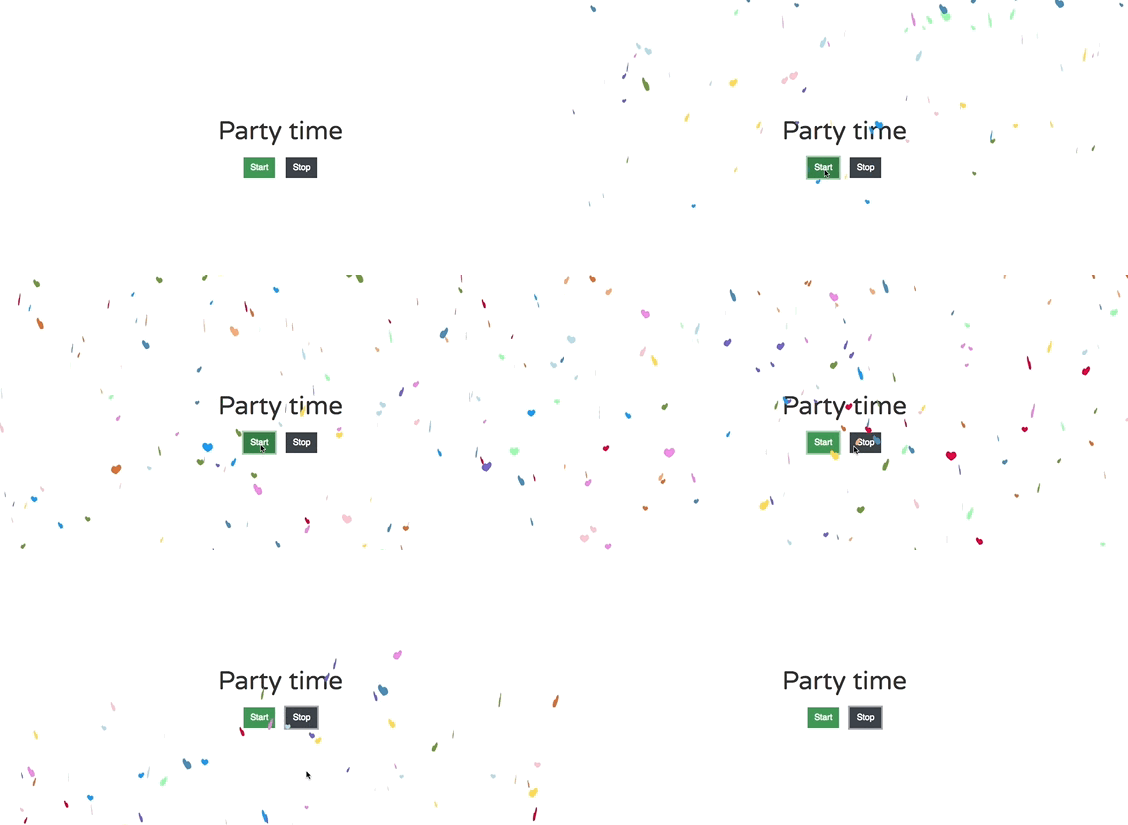
 An Android library, also known as an Android Archive (AAR),
contains everything needed to build an app, including source
files, resource files, and the manifest. Unlike JARs, AARs
can include resource files in addition to compiled bytecode.
Integrating an AAR into a Delphi project can be a long and
complex process, involving extracting resources, manually
adding them to Delphi deployment files, compiling the
**R.java** class, checking dependencies, and more.
With **AndroidMerger**, this entire process is automated
in a single command line. In short, **AndroidMerger** will:
- Use Gradle or an internal implementation to list all dependencies.
- Download libraries and dependencies from local or central Maven repositories.
- Merge the resources of all AARs into a single directory.
- Combine the **AndroidManifest** files of all AARs into **AndroidManifest.template.xml**.
- Merge **google-services.json** into the project's resources.
- Create the **R.jar** with all resource IDs using **aapt** or **aapt2**.
- Update the project file (*.dproj*) to include all resources.
- Generate the Delphi native bridge file from the Java libraries.
Learn more at [Tools/AndroidMerger](https://github.com/MagicFoundation/Alcinoe/tree/master/Tools/AndroidMerger)
An Android library, also known as an Android Archive (AAR),
contains everything needed to build an app, including source
files, resource files, and the manifest. Unlike JARs, AARs
can include resource files in addition to compiled bytecode.
Integrating an AAR into a Delphi project can be a long and
complex process, involving extracting resources, manually
adding them to Delphi deployment files, compiling the
**R.java** class, checking dependencies, and more.
With **AndroidMerger**, this entire process is automated
in a single command line. In short, **AndroidMerger** will:
- Use Gradle or an internal implementation to list all dependencies.
- Download libraries and dependencies from local or central Maven repositories.
- Merge the resources of all AARs into a single directory.
- Combine the **AndroidManifest** files of all AARs into **AndroidManifest.template.xml**.
- Merge **google-services.json** into the project's resources.
- Create the **R.jar** with all resource IDs using **aapt** or **aapt2**.
- Update the project file (*.dproj*) to include all resources.
- Generate the Delphi native bridge file from the Java libraries.
Learn more at [Tools/AndroidMerger](https://github.com/MagicFoundation/Alcinoe/tree/master/Tools/AndroidMerger)
 **UsesCleaner** is a command-line tool for Delphi that detects and removes unused
units from `uses` clauses. It works safely by removing or moving one unit at a
time, rebuilding the project with MSBuild, and keeping the change only when all
selected configurations and platforms still compile without new errors or
warnings.
The tool can clean both `interface` and `implementation` `uses` clauses. When a
unit cannot be removed from the `interface` section, UsesCleaner also tries to
move it to the `implementation` section, preserving any surrounding conditional
compilation directives such as `{$IFDEF}`, `{$ELSE}`, or `{$ENDIF}`.
Learn more at [Tools/UsesCleaner](https://github.com/MagicFoundation/Alcinoe/tree/master/Tools/UsesCleaner)
**UsesCleaner** is a command-line tool for Delphi that detects and removes unused
units from `uses` clauses. It works safely by removing or moving one unit at a
time, rebuilding the project with MSBuild, and keeping the change only when all
selected configurations and platforms still compile without new errors or
warnings.
The tool can clean both `interface` and `implementation` `uses` clauses. When a
unit cannot be removed from the `interface` section, UsesCleaner also tries to
move it to the `implementation` section, preserving any surrounding conditional
compilation directives such as `{$IFDEF}`, `{$ELSE}`, or `{$ENDIF}`.
Learn more at [Tools/UsesCleaner](https://github.com/MagicFoundation/Alcinoe/tree/master/Tools/UsesCleaner)
 Alcinoe Code Profiler is a powerful source code instrumentation
profiler for Delphi, designed to help developers identify
performance bottlenecks and optimize their applications across
multiple platforms, including Windows, macOS, iOS, and Android.
By automatically injecting performance markers into your Delphi
source code, Alcinoe Code Profiler logs execution times for each
procedure call. These logs can then be analyzed using the provided
graphical interface, enabling you to pinpoint inefficiencies
and enhance application performance with precision.
### **With Alcinoe Code Profiler, you can:**
✅ **Detect performance bottlenecks** with minimal effort
Alcinoe Code Profiler is a powerful source code instrumentation
profiler for Delphi, designed to help developers identify
performance bottlenecks and optimize their applications across
multiple platforms, including Windows, macOS, iOS, and Android.
By automatically injecting performance markers into your Delphi
source code, Alcinoe Code Profiler logs execution times for each
procedure call. These logs can then be analyzed using the provided
graphical interface, enabling you to pinpoint inefficiencies
and enhance application performance with precision.
### **With Alcinoe Code Profiler, you can:**
✅ **Detect performance bottlenecks** with minimal effort
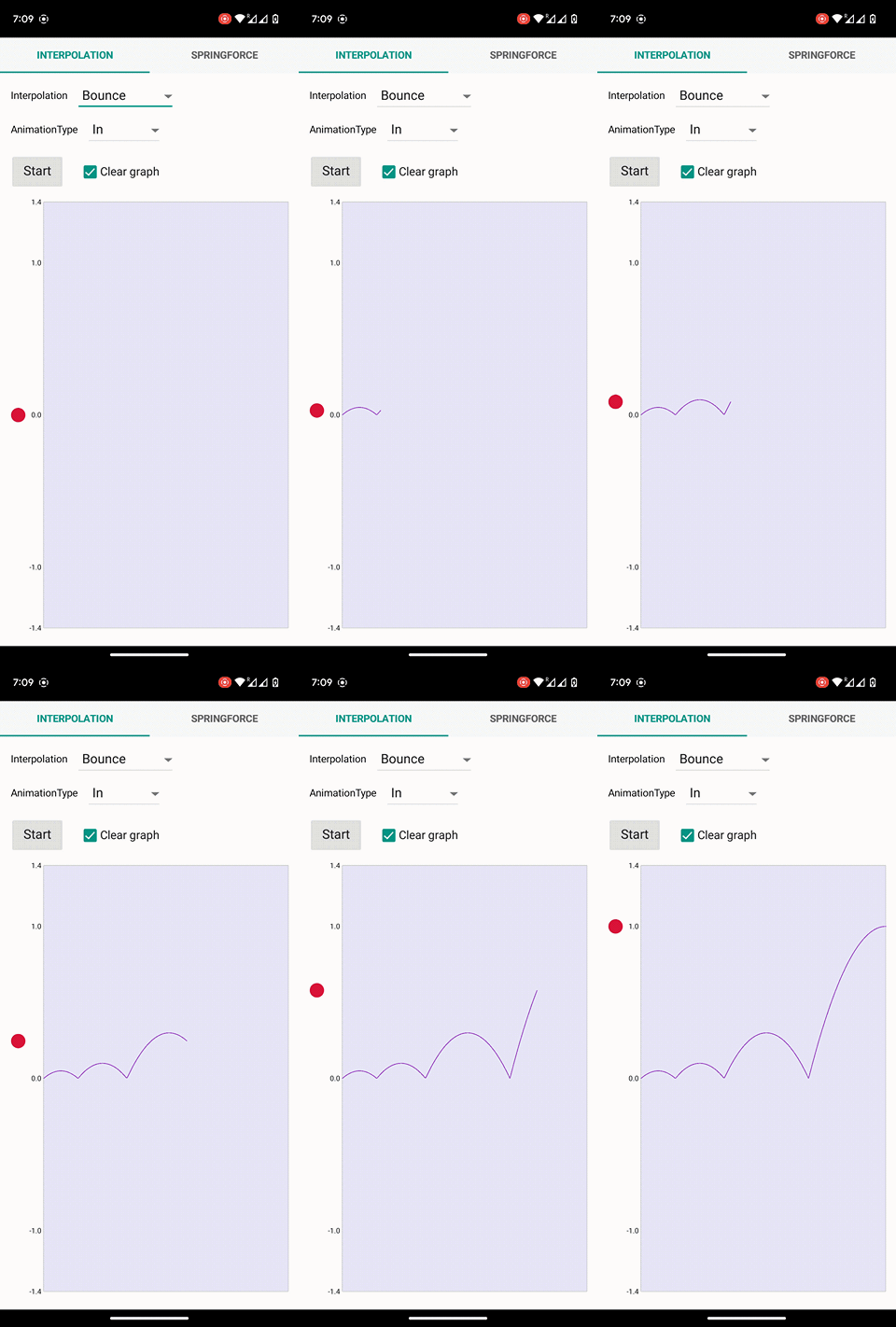
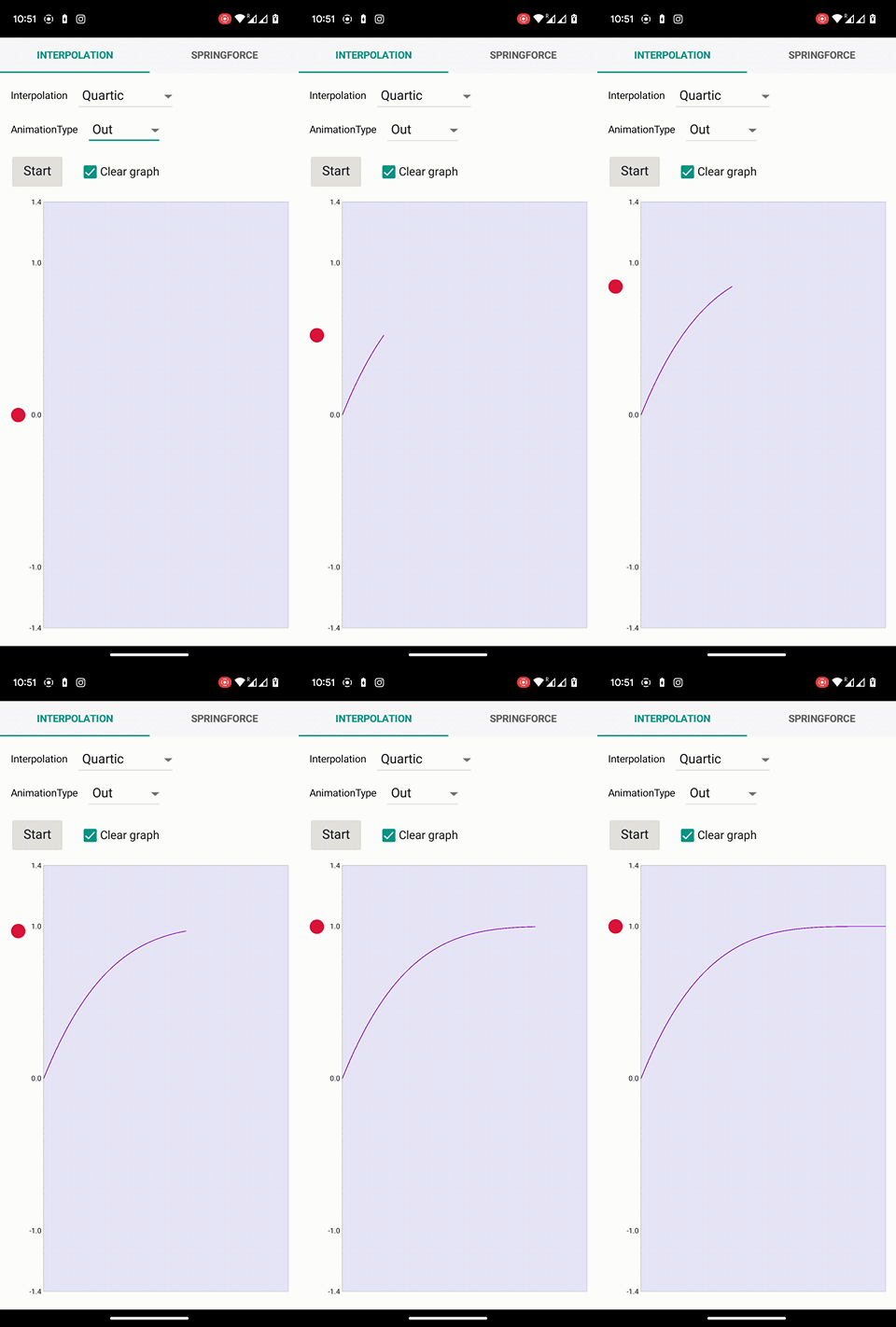
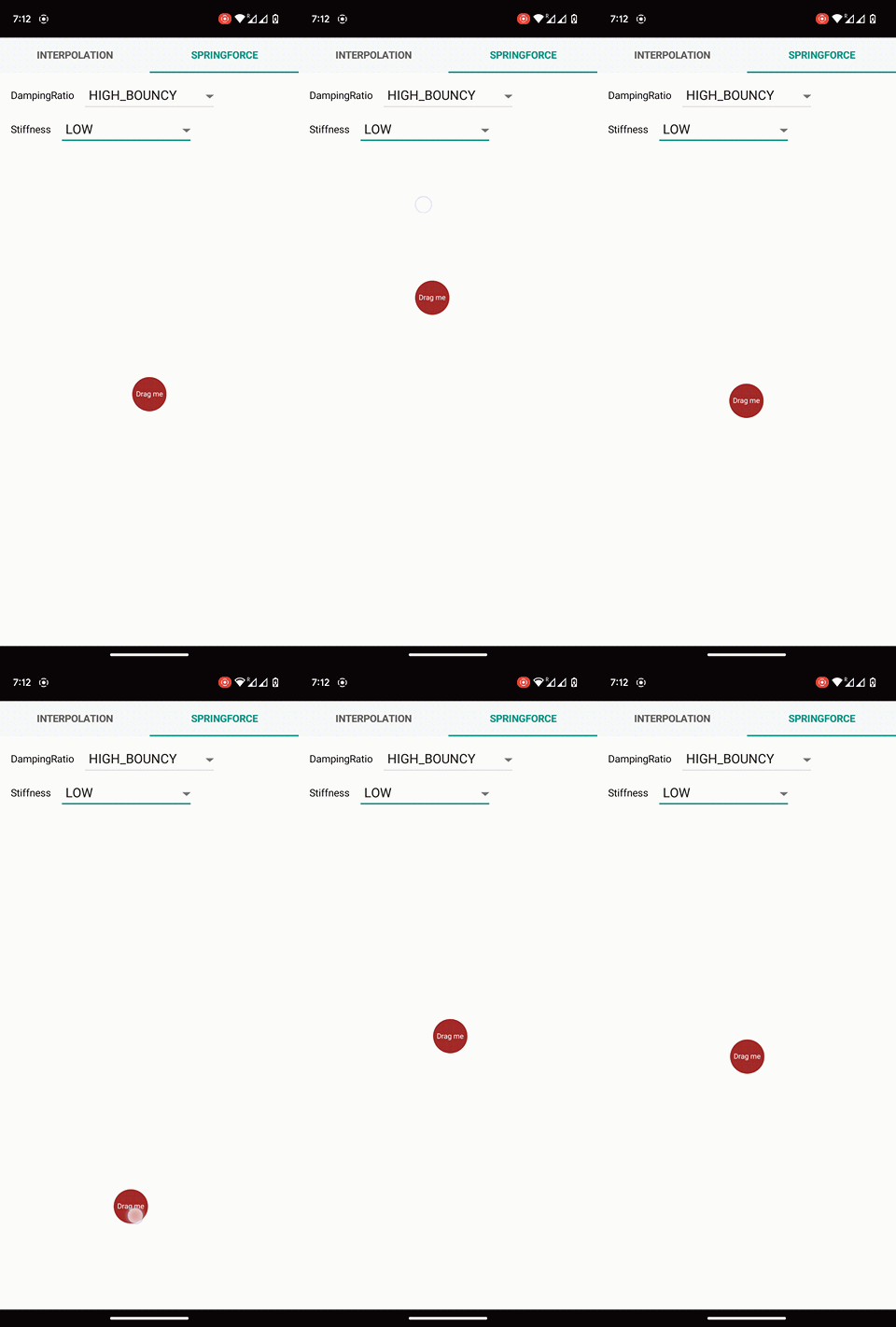 Inspired by Android's **SpringForce**, the **TALSpringForceAnimation**
component brings the dynamics of physics-based animations to the
Delphi platform. This component simulates the real-world behavior
of objects influenced by spring mechanics, producing animations that
stretch, bounce, and settle, mirroring the physical world.
Developers can fine-tune various physical properties of the spring,
such as stiffness and damping ratio, allowing for a wide range of
animation behaviors. This flexibility enables developers to create
animations tailored to the specific nuances of different applications,
offering a more realistic and engaging user experience.
This version improves the flow and clarity of the description
while keeping the markdown formatting
Learn more at
[Demos/ALFmxAnimation](https://github.com/MagicFoundation/Alcinoe/tree/master/Demos/ALFmxAnimation)
Inspired by Android's **SpringForce**, the **TALSpringForceAnimation**
component brings the dynamics of physics-based animations to the
Delphi platform. This component simulates the real-world behavior
of objects influenced by spring mechanics, producing animations that
stretch, bounce, and settle, mirroring the physical world.
Developers can fine-tune various physical properties of the spring,
such as stiffness and damping ratio, allowing for a wide range of
animation behaviors. This flexibility enables developers to create
animations tailored to the specific nuances of different applications,
offering a more realistic and engaging user experience.
This version improves the flow and clarity of the description
while keeping the markdown formatting
Learn more at
[Demos/ALFmxAnimation](https://github.com/MagicFoundation/Alcinoe/tree/master/Demos/ALFmxAnimation)
 **TALOverScroller** and **TALVelocityTracker** are key components
of the **TALScrollEngine**, enhancing user interface interactions.
**TALOverScroller** manages scrolling and flinging with smooth
deceleration when users scroll past a view's edge, while
**TALVelocityTracker** measures touch velocity to determine gesture
speed and direction. Together, they provide smooth animations and
intuitive feedback within the scrolling engine.
Rather than reinventing the wheel, we based the **TALScrollEngine**
on proven Android components, translating **VelocityTracker** and
**OverScroller** from Java and C++ to Delphi. This ensures a
high-quality, reliable scrolling experience for Delphi developers,
using trusted, efficient technologies.
Learn more at
[Demos/ALFmxControls](https://github.com/MagicFoundation/Alcinoe/tree/master/Demos/ALFmxControls)
**TALOverScroller** and **TALVelocityTracker** are key components
of the **TALScrollEngine**, enhancing user interface interactions.
**TALOverScroller** manages scrolling and flinging with smooth
deceleration when users scroll past a view's edge, while
**TALVelocityTracker** measures touch velocity to determine gesture
speed and direction. Together, they provide smooth animations and
intuitive feedback within the scrolling engine.
Rather than reinventing the wheel, we based the **TALScrollEngine**
on proven Android components, translating **VelocityTracker** and
**OverScroller** from Java and C++ to Delphi. This ensures a
high-quality, reliable scrolling experience for Delphi developers,
using trusted, efficient technologies.
Learn more at
[Demos/ALFmxControls](https://github.com/MagicFoundation/Alcinoe/tree/master/Demos/ALFmxControls)
 The Delphi implementation of the latest version of **Firebase Cloud
Messaging (FCM)** using the **HTTP V1 protocol** enables you to
send advanced push notifications, including rich media like
images, to Android and iOS devices. This allows developers to deliver
real-time alerts, updates, and user-specific notifications directly
to mobile users, improving engagement and communication within
their apps.
Learn more at
[Demos\ALFmxNotificationService](https://github.com/MagicFoundation/Alcinoe/tree/master/Demos/ALFmxNotificationService)
The Delphi implementation of the latest version of **Firebase Cloud
Messaging (FCM)** using the **HTTP V1 protocol** enables you to
send advanced push notifications, including rich media like
images, to Android and iOS devices. This allows developers to deliver
real-time alerts, updates, and user-specific notifications directly
to mobile users, improving engagement and communication within
their apps.
Learn more at
[Demos\ALFmxNotificationService](https://github.com/MagicFoundation/Alcinoe/tree/master/Demos/ALFmxNotificationService)
 The **TALGeoLocationSensor** component is a Delphi component that
provides access to location services on iOS and Android devices.
It allows developers to retrieve the device's current location
and receive updates as the location changes. The component supports
various location providers, including GPS, cellular network
triangulation, and Wi-Fi positioning.
In addition to accessing location services, **TALGeoLocationSensor**
automates the process of requesting user permission to use location
data on both iOS and Android. It also handles scenarios where users
have previously denied location access. By using this component,
developers can seamlessly integrate location-based functionality
into their apps without needing to manage the underlying
implementation details.
Learn more at [Demos\ALFmxGeoLocationSensor](https://github.com/MagicFoundation/Alcinoe/tree/master/Demos/ALFmxGeoLocationSensor)
The **TALGeoLocationSensor** component is a Delphi component that
provides access to location services on iOS and Android devices.
It allows developers to retrieve the device's current location
and receive updates as the location changes. The component supports
various location providers, including GPS, cellular network
triangulation, and Wi-Fi positioning.
In addition to accessing location services, **TALGeoLocationSensor**
automates the process of requesting user permission to use location
data on both iOS and Android. It also handles scenarios where users
have previously denied location access. By using this component,
developers can seamlessly integrate location-based functionality
into their apps without needing to manage the underlying
implementation details.
Learn more at [Demos\ALFmxGeoLocationSensor](https://github.com/MagicFoundation/Alcinoe/tree/master/Demos/ALFmxGeoLocationSensor)
 The **Facebook SDK** for Android and iOS allows users
to sign into your app using their Facebook credentials.
Once logged in, users can grant permissions to your app, enabling you
to retrieve information or perform actions on Facebook
on their behalf.
Learn more at [Demos\ALFmxFacebookLogin](https://github.com/MagicFoundation/Alcinoe/tree/master/Demos/ALFmxFacebookLogin)
The **Facebook SDK** for Android and iOS allows users
to sign into your app using their Facebook credentials.
Once logged in, users can grant permissions to your app, enabling you
to retrieve information or perform actions on Facebook
on their behalf.
Learn more at [Demos\ALFmxFacebookLogin](https://github.com/MagicFoundation/Alcinoe/tree/master/Demos/ALFmxFacebookLogin)


 Advantages of using http.sys:
- Kernel-mode HTTP stack → runs directly inside Windows networking core, giving you
IIS-level performance, stability, and security without needing a heavyweight web server.
- Port sharing → multiple apps can listen on the same port with different URL prefixes.
- I/O Completion Ports → your thread only spends time building the response.
Receiving requests and sending responses (even to very slow clients) is
handled in the kernel, so your thread never blocks. Concretely, this means
a single thread can handle thousands of simultaneous connections.
- TLS/SSL handled in kernel → you don’t manage OpenSSL/Schannel yourself
- Modern protocols → supports HTTP/1.1, HTTP/2, and HTTP/3 (QUIC) out of the box.
- Automatic timeout handling → idle, header, and entity-body timeouts enforced by kernel.
- Kernel-mode response caching → frequently requested responses can be cached directly
in kernel space, bypassing user-mode, which reduces latency and CPU usage.
- Kernel-managed W3C logging → http.sys writes W3C logs for you and handles
file rotation and I/O off the request path, so your app avoids blocking.
- Quality of Service (QoS) → bandwidth throttling and connection limits built in.
- Widely tested → same engine IIS uses under the hood
Learn more at [Demos\ALHttpServer](https://github.com/MagicFoundation/Alcinoe/tree/master/Demos/ALHttpServer)
Advantages of using http.sys:
- Kernel-mode HTTP stack → runs directly inside Windows networking core, giving you
IIS-level performance, stability, and security without needing a heavyweight web server.
- Port sharing → multiple apps can listen on the same port with different URL prefixes.
- I/O Completion Ports → your thread only spends time building the response.
Receiving requests and sending responses (even to very slow clients) is
handled in the kernel, so your thread never blocks. Concretely, this means
a single thread can handle thousands of simultaneous connections.
- TLS/SSL handled in kernel → you don’t manage OpenSSL/Schannel yourself
- Modern protocols → supports HTTP/1.1, HTTP/2, and HTTP/3 (QUIC) out of the box.
- Automatic timeout handling → idle, header, and entity-body timeouts enforced by kernel.
- Kernel-mode response caching → frequently requested responses can be cached directly
in kernel space, bypassing user-mode, which reduces latency and CPU usage.
- Kernel-managed W3C logging → http.sys writes W3C logs for you and handles
file rotation and I/O off the request path, so your app avoids blocking.
- Quality of Service (QoS) → bandwidth throttling and connection limits built in.
- Widely tested → same engine IIS uses under the hood
Learn more at [Demos\ALHttpServer](https://github.com/MagicFoundation/Alcinoe/tree/master/Demos/ALHttpServer)
 TALHandlebars is a fast, lightweight Delphi implementation of the Handlebars
and Mustache template languages. It lets you generate HTML, JSON, emails,
configuration files, or any other text-based content by combining reusable
templates with dynamic JSON data. Designed to integrate naturally with
Alcinoe's JSON classes, TALHandlebars provides context-aware value resolution,
block helpers, partials, subexpressions, automatic HTML escaping, and
extensible custom helpers without requiring an external scripting engine
or runtime.
Advantages of using TALHandlebars:
- Native Delphi implementation → no JavaScript engine, external runtime, or
third-party template processor is required.
- JSON integration → templates can directly access values, objects, and arrays
stored in `TALJsonNodeA` structures.
- Context-aware resolution → supports nested properties, `this`, parent contexts,
depth traversal, and special values such as `@index`.
- Block helpers → supports constructs such as `{{#if}}`, `{{#unless}}`,
`{{#each}}`, and `{{#with}}`, including `{{else}}` branches.
- Custom helpers → easily register helpers that return strings, numbers,
booleans, arrays, objects, or any other JSON node type.
- Subexpressions → helpers can be nested and composed using expressions such as
`{{#if (eq status "active")}}`.
- Partials → reusable template fragments can be included with `{{> partial}}`
and supplied with custom contexts and named parameters.
- Automatic HTML escaping → regular expressions such as `{{value}}` are safely
escaped, while triple-stache expressions such as `{{{value}}}` allow
intentional unescaped output.
- Whitespace control → supports Handlebars whitespace trimming syntax using
`{{~` and `~}}`.
- Template precompilation → templates are parsed and prepared in advance,
reducing the amount of work required during rendering.
- Extensible architecture → new helpers, block behaviors, partial resolvers,
and application-specific template features can be added without modifying
the template parser.
- Cross-platform → works anywhere Delphi and Alcinoe are supported, including
Windows, macOS, Linux, Android, and iOS.
Example:
```handlebars
{{#if user}}
TALHandlebars is a fast, lightweight Delphi implementation of the Handlebars
and Mustache template languages. It lets you generate HTML, JSON, emails,
configuration files, or any other text-based content by combining reusable
templates with dynamic JSON data. Designed to integrate naturally with
Alcinoe's JSON classes, TALHandlebars provides context-aware value resolution,
block helpers, partials, subexpressions, automatic HTML escaping, and
extensible custom helpers without requiring an external scripting engine
or runtime.
Advantages of using TALHandlebars:
- Native Delphi implementation → no JavaScript engine, external runtime, or
third-party template processor is required.
- JSON integration → templates can directly access values, objects, and arrays
stored in `TALJsonNodeA` structures.
- Context-aware resolution → supports nested properties, `this`, parent contexts,
depth traversal, and special values such as `@index`.
- Block helpers → supports constructs such as `{{#if}}`, `{{#unless}}`,
`{{#each}}`, and `{{#with}}`, including `{{else}}` branches.
- Custom helpers → easily register helpers that return strings, numbers,
booleans, arrays, objects, or any other JSON node type.
- Subexpressions → helpers can be nested and composed using expressions such as
`{{#if (eq status "active")}}`.
- Partials → reusable template fragments can be included with `{{> partial}}`
and supplied with custom contexts and named parameters.
- Automatic HTML escaping → regular expressions such as `{{value}}` are safely
escaped, while triple-stache expressions such as `{{{value}}}` allow
intentional unescaped output.
- Whitespace control → supports Handlebars whitespace trimming syntax using
`{{~` and `~}}`.
- Template precompilation → templates are parsed and prepared in advance,
reducing the amount of work required during rendering.
- Extensible architecture → new helpers, block behaviors, partial resolvers,
and application-specific template features can be added without modifying
the template parser.
- Cross-platform → works anywhere Delphi and Alcinoe are supported, including
Windows, macOS, Linux, Android, and iOS.
Example:
```handlebars
{{#if user}}
User not found
{{/if}} ``` Create the JSON context and render the template: ```delphi var LJsonContext := TALJSONDocumentA.CreateFromJSONString( '{"user":{"firstname":"John","roles":["Administrator","Developer"]}}'); try var LResult := LHandlebars.Render( LTemplate, LJsonContext); finally LJsonContext.Free; end; ``` Rendered result: ```html `TAlSChannelTlsClient` is a high-performance TLS socket client component for
Delphi that runs directly on top of the Windows **SChannel** security package,
the native TLS/SSL implementation built into the Windows operating system.
By leveraging the same kernel-integrated cryptographic stack used by Windows,
IIS, WinHTTP, and .NET, it provides production-grade security, compatibility,
and performance without requiring any external libraries or DLLs, with **no
external dependencies** such as OpenSSL or third-party components and no
redistribution or licensing concerns.
`TAlSChannelTlsClient` transparently upgrades an existing TCP socket to TLS
and handles encryption, decryption, handshake, renegotiation, and shutdown
entirely through the Windows SSPI/SChannel APIs. It supports **TLS 1.2 and
TLS 1.3**, automatically negotiating the best protocol version supported by
both client and server in accordance with Windows security policy, and is
designed for building robust SMTP, HTTPS, WebSocket, or custom protocol
clients where full control over the transport layer is required.
Learn more at [Demos\ALTSLClient](https://github.com/MagicFoundation/Alcinoe/tree/master/Demos/ALTSLClient)
`TAlSChannelTlsClient` is a high-performance TLS socket client component for
Delphi that runs directly on top of the Windows **SChannel** security package,
the native TLS/SSL implementation built into the Windows operating system.
By leveraging the same kernel-integrated cryptographic stack used by Windows,
IIS, WinHTTP, and .NET, it provides production-grade security, compatibility,
and performance without requiring any external libraries or DLLs, with **no
external dependencies** such as OpenSSL or third-party components and no
redistribution or licensing concerns.
`TAlSChannelTlsClient` transparently upgrades an existing TCP socket to TLS
and handles encryption, decryption, handshake, renegotiation, and shutdown
entirely through the Windows SSPI/SChannel APIs. It supports **TLS 1.2 and
TLS 1.3**, automatically negotiating the best protocol version supported by
both client and server in accordance with Windows security policy, and is
designed for building robust SMTP, HTTPS, WebSocket, or custom protocol
clients where full control over the transport layer is required.
Learn more at [Demos\ALTSLClient](https://github.com/MagicFoundation/Alcinoe/tree/master/Demos/ALTSLClient)
 Designed for reliable and secure email delivery, `TALSMTPClient` is a Delphi
SMTP client component that sends messages directly over the SMTP protocol
while leveraging the native Windows TLS stack for transport security. By
relying on the operating system’s integrated security infrastructure, it
provides production-grade reliability, security, and compatibility without
requiring any external libraries or additional DLLs to be deployed.
`TALSMTPClient` supports modern email security requirements with full
**TLS 1.2 and TLS 1.3** support, automatically negotiating the best protocol
version supported by both client and server in accordance with Windows
security policy. It works seamlessly with the **Multipart Alternative** and
**Multipart Mixed** encoders, enabling the creation of emails with plain-text
and HTML alternatives as well as file attachments, while giving developers
full control over the SMTP session and message composition.
Learn more at [Demos\ALSMTPClient](https://github.com/MagicFoundation/Alcinoe/tree/master/Demos/ALSMTPClient)
Designed for reliable and secure email delivery, `TALSMTPClient` is a Delphi
SMTP client component that sends messages directly over the SMTP protocol
while leveraging the native Windows TLS stack for transport security. By
relying on the operating system’s integrated security infrastructure, it
provides production-grade reliability, security, and compatibility without
requiring any external libraries or additional DLLs to be deployed.
`TALSMTPClient` supports modern email security requirements with full
**TLS 1.2 and TLS 1.3** support, automatically negotiating the best protocol
version supported by both client and server in accordance with Windows
security policy. It works seamlessly with the **Multipart Alternative** and
**Multipart Mixed** encoders, enabling the creation of emails with plain-text
and HTML alternatives as well as file attachments, while giving developers
full control over the SMTP session and message composition.
Learn more at [Demos\ALSMTPClient](https://github.com/MagicFoundation/Alcinoe/tree/master/Demos/ALSMTPClient)
 **TALJSONDocument** is a high-performance JSON parser and generator for
Delphi, offering both **DOM** and **SAX** APIs for maximum flexibility.
However, **TALJSONDocument is much more than a traditional JSON
parser**. It implements an **extended JSON model inspired by MongoDB's BSON
(Binary JSON)**.
Standard JSON supports only a very limited set of primitive types:
- `number` (double precision)
- `string`
- `boolean`
- `null`
- arrays
- objects
In real-world applications this is often insufficient. Developers
frequently need additional primitives such as:
- **32-bit integers**
- **64-bit integers**
- **datetime values**
- **binary data**
With standard JSON these values must usually be encoded as **strings**,
which is inefficient and error-prone.
**TALJSONDocument solves this limitation** by supporting an extended set
of primitives compatible with **BSON** while remaining fully compatible
with standard JSON.
This means data can be exchanged in two formats:
• **Binary BSON format** --- compact and efficient\
• **MongoDB shell / Extended JSON format**
Example of extended JSON representation:
{
myInt32: NumberInt(42),
myInt64: NumberLong(58954488559885),
created: ISODate("2026-03-06T18:45:17.478Z"),
id: ObjectId("507f1f77bcf86cd799439011"),
payload: BinData(0,"SGVsbG8=")
}
Because BSON supports many more primitive types than JSON, it is an
**excellent container for RPC payloads, APIs, and high-performance data
exchange**.
Naturally, **TALJSONDocument is also the ideal component for working
with MongoDB**.
#### Example ####
{
_id: 1, // comments
name: { first: "John", last: "Backus" },
birth: new Date('1999-10-21T21:04:54.234Z'),
contribs: [ "Fortran", "ALGOL", "Backus-Naur Form", "FP" ],
awards: [
{
award: "National Medal of Science",
year: 1975,
by: "National Science Foundation"
},
{
award: "Turing Award",
year: 1977,
by: "ACM"
}
],
spouse: "",
address: {},
phones: []
}
#### Accessing document nodes ####
MyJsonDoc.GetChildValueInt32('_id', 0{default if node not exists});
MyJsonDoc.GetChildValueText(['name','first'], ''{default if node not exists});
MyJsonDoc.GetChildValueDateTime('birth', Now{default if node not exists});
Learn more at [Source/Alcinoe.JSONDoc.pas](https://github.com/MagicFoundation/Alcinoe/tree/master/Source/Alcinoe.JSONDoc.pas)
**TALJSONDocument** is a high-performance JSON parser and generator for
Delphi, offering both **DOM** and **SAX** APIs for maximum flexibility.
However, **TALJSONDocument is much more than a traditional JSON
parser**. It implements an **extended JSON model inspired by MongoDB's BSON
(Binary JSON)**.
Standard JSON supports only a very limited set of primitive types:
- `number` (double precision)
- `string`
- `boolean`
- `null`
- arrays
- objects
In real-world applications this is often insufficient. Developers
frequently need additional primitives such as:
- **32-bit integers**
- **64-bit integers**
- **datetime values**
- **binary data**
With standard JSON these values must usually be encoded as **strings**,
which is inefficient and error-prone.
**TALJSONDocument solves this limitation** by supporting an extended set
of primitives compatible with **BSON** while remaining fully compatible
with standard JSON.
This means data can be exchanged in two formats:
• **Binary BSON format** --- compact and efficient\
• **MongoDB shell / Extended JSON format**
Example of extended JSON representation:
{
myInt32: NumberInt(42),
myInt64: NumberLong(58954488559885),
created: ISODate("2026-03-06T18:45:17.478Z"),
id: ObjectId("507f1f77bcf86cd799439011"),
payload: BinData(0,"SGVsbG8=")
}
Because BSON supports many more primitive types than JSON, it is an
**excellent container for RPC payloads, APIs, and high-performance data
exchange**.
Naturally, **TALJSONDocument is also the ideal component for working
with MongoDB**.
#### Example ####
{
_id: 1, // comments
name: { first: "John", last: "Backus" },
birth: new Date('1999-10-21T21:04:54.234Z'),
contribs: [ "Fortran", "ALGOL", "Backus-Naur Form", "FP" ],
awards: [
{
award: "National Medal of Science",
year: 1975,
by: "National Science Foundation"
},
{
award: "Turing Award",
year: 1977,
by: "ACM"
}
],
spouse: "",
address: {},
phones: []
}
#### Accessing document nodes ####
MyJsonDoc.GetChildValueInt32('_id', 0{default if node not exists});
MyJsonDoc.GetChildValueText(['name','first'], ''{default if node not exists});
MyJsonDoc.GetChildValueDateTime('birth', Now{default if node not exists});
Learn more at [Source/Alcinoe.JSONDoc.pas](https://github.com/MagicFoundation/Alcinoe/tree/master/Source/Alcinoe.JSONDoc.pas)
 Use **ImageMagick®** to create, edit, compose, or convert bitmap
images. It supports over 200 image formats, including **PNG**,
**JPEG**, **GIF**, **HEIC**, **TIFF**, **DPX**, **EXR**, **WebP**,
**Postscript**, **PDF**, and **SVG**.
With ImageMagick, you can resize, flip, mirror, rotate, distort,
shear, and transform images. Additionally, it allows for color
adjustments, the application of various special effects, and the
drawing of text, lines, polygons, ellipses, and Bézier curves.
This powerful tool enables a wide range of image manipulations
within Delphi projects.
Example :
```
//Create the ImageMagick Library
ALCreateImageMagickLibrary({alcinoe} + '\Libraries\dll\ImageMagick\Win64');
try
//create the wand pointer
var LWand := NewMagickWand;
try
//load the image
if MagickReadImage(LWand, pansiChar(aInputFilename)) <> MagickTrue then RaiseLastMagickWandError(LWand);
//Set the compression quality
if MagickSetImageCompressionQuality(LWand,80) <> MagickTrue then RaiseLastMagickWandError(LWand);
//autorate the image
if MagickAutoOrientImage(LWand) <> MagickTrue then RaiseLastMagickWandError(LWand);
//Resize the image using the Lanczos filter
if MagickResizeImage(LWand, 640, 480, LanczosFilter) <> MagickTrue then RaiseLastMagickWandError(LWand);
//save the image
MagickWriteImage(LWand, pansiChar(aOutputFilename));
finally
DestroyMagickWand(LWand);
end;
finally
ALFreeImageMagickLibrary;
end;
```
Learn more at [Demos\ALImageMagick](https://github.com/MagicFoundation/Alcinoe/tree/master/Demos/ALImageMagick)
Use **ImageMagick®** to create, edit, compose, or convert bitmap
images. It supports over 200 image formats, including **PNG**,
**JPEG**, **GIF**, **HEIC**, **TIFF**, **DPX**, **EXR**, **WebP**,
**Postscript**, **PDF**, and **SVG**.
With ImageMagick, you can resize, flip, mirror, rotate, distort,
shear, and transform images. Additionally, it allows for color
adjustments, the application of various special effects, and the
drawing of text, lines, polygons, ellipses, and Bézier curves.
This powerful tool enables a wide range of image manipulations
within Delphi projects.
Example :
```
//Create the ImageMagick Library
ALCreateImageMagickLibrary({alcinoe} + '\Libraries\dll\ImageMagick\Win64');
try
//create the wand pointer
var LWand := NewMagickWand;
try
//load the image
if MagickReadImage(LWand, pansiChar(aInputFilename)) <> MagickTrue then RaiseLastMagickWandError(LWand);
//Set the compression quality
if MagickSetImageCompressionQuality(LWand,80) <> MagickTrue then RaiseLastMagickWandError(LWand);
//autorate the image
if MagickAutoOrientImage(LWand) <> MagickTrue then RaiseLastMagickWandError(LWand);
//Resize the image using the Lanczos filter
if MagickResizeImage(LWand, 640, 480, LanczosFilter) <> MagickTrue then RaiseLastMagickWandError(LWand);
//save the image
MagickWriteImage(LWand, pansiChar(aOutputFilename));
finally
DestroyMagickWand(LWand);
end;
finally
ALFreeImageMagickLibrary;
end;
```
Learn more at [Demos\ALImageMagick](https://github.com/MagicFoundation/Alcinoe/tree/master/Demos/ALImageMagick)
 **TALMongoDBClient** is a Delphi MongoDB client built on top of the
**MongoDB C Driver 2.x** (`libmongoc2` / `libbson2`). It’s designed
for high-throughput, **multi-threaded** applications: for each
database operation, the calling thread borrows a `mongoc_client_t`
from an internal `mongoc_client_pool_t`, uses it to execute the
request, and then returns it to the pool as soon as the operation
completes—avoiding a new connection per call, reducing overhead,
and scaling cleanly with concurrency.
It includes the usual MongoDB operations (**Find** via callback or as
`TALJsonNodeA`, Insert/Update/Replace/Delete, **FindAndModify**),
plus **transactions** (`StartTransaction` / `CommitTransaction` /
`AbortTransaction`) and **change streams** via
`TALMongoDBChangeStreamListener` (background `TThread` with
`OnChange` / `OnError`, watching collection/database/client).
Learn more at [Demos\ALMongoDBClient](https://github.com/MagicFoundation/Alcinoe/tree/master/Demos/ALMongoDBClient)
**TALMongoDBClient** is a Delphi MongoDB client built on top of the
**MongoDB C Driver 2.x** (`libmongoc2` / `libbson2`). It’s designed
for high-throughput, **multi-threaded** applications: for each
database operation, the calling thread borrows a `mongoc_client_t`
from an internal `mongoc_client_pool_t`, uses it to execute the
request, and then returns it to the pool as soon as the operation
completes—avoiding a new connection per call, reducing overhead,
and scaling cleanly with concurrency.
It includes the usual MongoDB operations (**Find** via callback or as
`TALJsonNodeA`, Insert/Update/Replace/Delete, **FindAndModify**),
plus **transactions** (`StartTransaction` / `CommitTransaction` /
`AbortTransaction`) and **change streams** via
`TALMongoDBChangeStreamListener` (background `TThread` with
`OnChange` / `OnError`, watching collection/database/client).
Learn more at [Demos\ALMongoDBClient](https://github.com/MagicFoundation/Alcinoe/tree/master/Demos/ALMongoDBClient)