---
**English** · [العربية](README.ar.md) · [中文](README.zh.md) · [Français](README.fr.md) · [Deutsch](README.de.md) · [Italiano](README.it.md) · [日本語](README.ja.md) · [Português (Brasil)](README.pt-BR.md) · [Русский](README.ru.md) · [Español](README.es.md) · [Türkçe](README.tr.md)
[](LICENSE)
[](https://hub.docker.com/r/omnirise/linkbreeze)
[](https://linkbreeze.omnirise.dev/)
[](https://omnirise.dev)
[](https://www.youtube.com/watch?v=_Ipf-_1B4BY)
[](https://github.com/OmniRise/LinkBreeze/actions/workflows/ci.yml)
[](https://github.com/OmniRise/LinkBreeze/releases/latest)
[](https://discord.gg/bAJMW3bAJa)
---
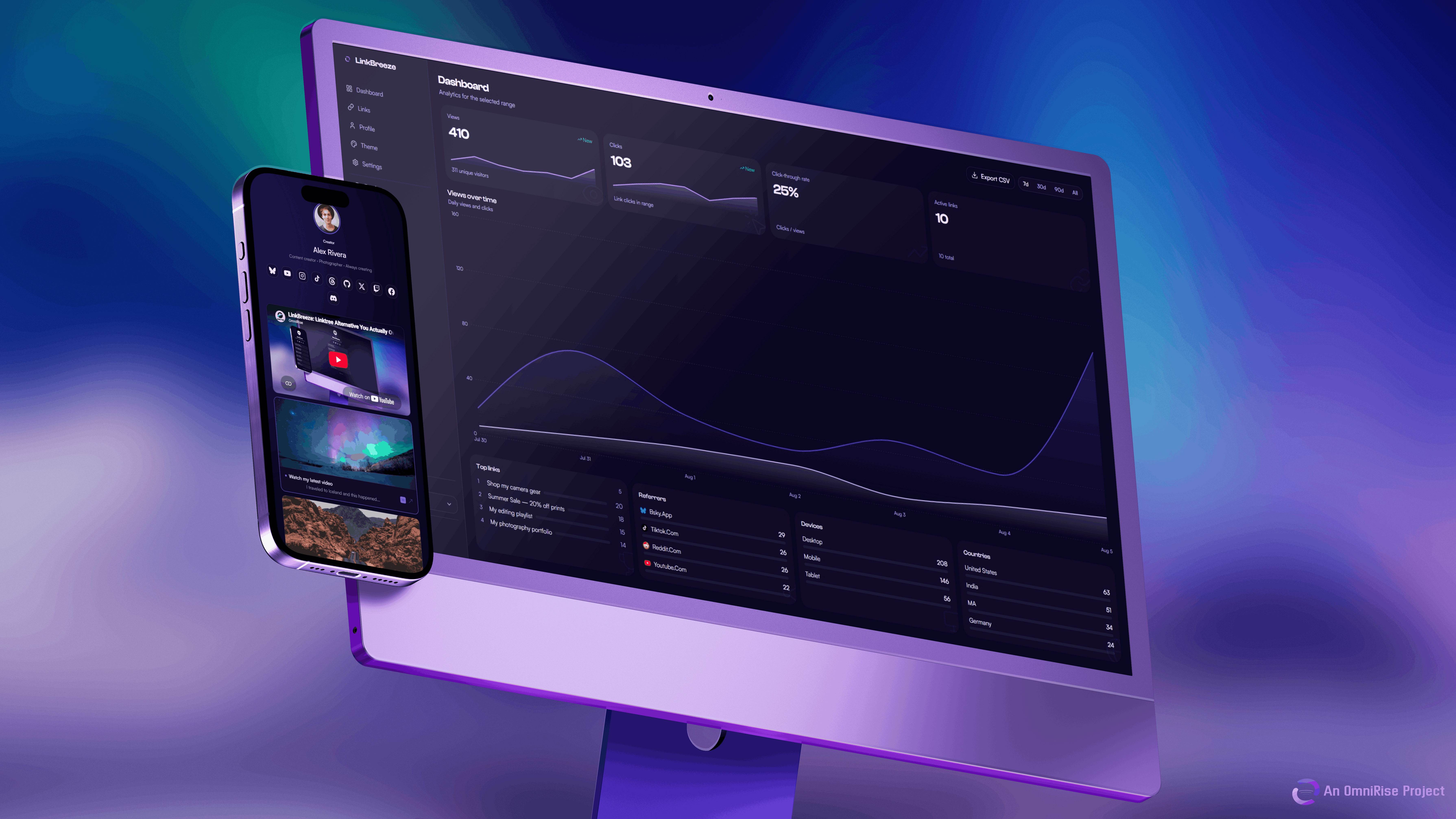
> **Stop paying $15/mo for Linktree.** LinkBreeze is a free, self-hosted link hub: fast, customizable, with built-in analytics. **Install in one command.**
[**🔗 Live Demo**](https://linkbreeze-demo.omnirise.dev/linkbreeze) ·
[**🔐 Demo Dashboard**](https://linkbreeze-demo.omnirise.dev/dashboard)
---
## ✨ Features
🔗 Multi-Page Support
Unlimited pages, each with its own slug, theme, links and analytics |
🎨 Themes + Customizer
11 presets plus a full token-based customizer with import/export |
📊 Privacy-first Analytics
Views, clicks, referrers, devices. Cookieless, IPs hashed, auto-pruned |
🧭 Migration Wizard
Import from Linktree, Bento, Hopp.bio, LittleLink or any HTML/JSON export |
🔒 Self-Hosted
Your data, your server. No trackers, no ads, no subscription |
🐳 One-Command Install
One curl command. Auto-detects Docker or Podman and you are live |
📱 Embed Widgets
YouTube, Spotify, SoundCloud, Vimeo and Bandcamp on your page |
🎯 QR Codes
Auto-generated, custom colors, avatar or favicon center, SVG/PNG up to 1024px |
🌐 Custom Domains
Bind your own domains to pages — visitors land on jane.com, no /slug |
⏰ Scheduled Backups
Daily/weekly/monthly app-internal backups with one-click restore, no cron needed |
⚡ **Zero client-side JavaScript. Loads in under 300ms. Pure server-rendered HTML.**
✨ All features
- **🔗 Link Management** - Add, reorder and customize unlimited links with drag-and-drop
- **🌐 Auto-Favicon Links** - Links automatically show the target site's favicon, no icon uploads needed
- **🖼️ Link Thumbnails** - Add images to your links for visual preview cards
- **⏰ Link Scheduling** - Schedule links to appear or disappear automatically with date/time controls
- **🏷️ Custom Redirect Slugs** - Stable, shareable `/go/your-name` short links that survive delete-and-recreate
- **🧪 A/B Testing** - Split a link's traffic between two destinations with sticky per-visitor assignment, per-variant analytics, lift percentage and one-click promote-to-winner ([guide](docs/ab-testing.md))
- **📈 External Analytics** - Inject Plausible, Umami, Matomo or Google Analytics with one paste
- **🖼️ Social Preview (OG) Images** - Share cards auto-rendered from your page's theme, or upload your own with fit, position and zoom control
- **✏️ Custom CSS** - Fine-tune your page with raw CSS injection
- **📧 Email Capture** - Collect subscriber emails on your public page, export to CSV
- **🔔 Update Notifications** - Dashboard banner when a new version is available. No phone-home, no auto-update
- **🔑 Fast Admin Panel** - Everything above from one clean, instant dashboard
- **🌐 Custom Domains** - Bind your own domains to pages; exclusive or hub scope, automatic canonical redirects, strict admin host lock
- **⏰ Scheduled Backups** - Daily/weekly/monthly app-internal backups with retention and one-click restore, no cron required
## 🚀 Quick Start
**One command. Zero config. Live in 30 seconds:**
```bash
curl -fsSL https://linkbreeze.omnirise.dev/install.sh | bash
```
The script detects Docker or Podman, pulls the image and starts the container. Run it with `sudo bash` and answer **y** to also enable auto-start on boot.
Then open **http://localhost:3000** - the setup wizard takes under 30 seconds.
🔍 Want to inspect the script before running it?
```bash
curl -fsSL https://linkbreeze.omnirise.dev/install.sh -o install.sh
less install.sh
bash install.sh
```
**Prefer a different method?** Expand one below.
🐳 Docker
No Node.js, no npm, no config files. Multi-arch images: `linux/amd64` and `linux/arm64` (Raspberry Pi 3/4/5, Apple Silicon, ARM VPS).
**Linux / macOS / Windows CMD:**
```bash
docker run -d --name linkbreeze --restart unless-stopped -p 3000:3000 -v linkbreeze-data:/app/data docker.io/omnirise/linkbreeze:latest
```
**Windows PowerShell** - use backticks for line breaks:
```powershell
docker run -d `
--name linkbreeze `
--restart unless-stopped `
-p 3000:3000 `
-v linkbreeze-data:/app/data `
docker.io/omnirise/linkbreeze:latest
```
> Database migrations run automatically on container startup.
🧩 Docker Compose
Create a `docker-compose.yml`:
```yaml
services:
linkbreeze:
image: docker.io/omnirise/linkbreeze:latest
ports:
- "3000:3000"
volumes:
- linkbreeze-data:/app/data
restart: unless-stopped
volumes:
linkbreeze-data:
```
```bash
docker compose up -d
```
Upgrade: `docker compose pull && docker compose up -d` · Logs: `docker compose logs -f linkbreeze`
Prefer building from source? `git clone https://github.com/OmniRise/LinkBreeze.git && cd LinkBreeze && docker compose up -d --build`
☁️ Coolify
1. **+ New Resource** → **Docker Compose Empty**
2. Paste the compose file from the section above
3. Set a domain (e.g. `links.yourdomain.com`) - Coolify handles Let's Encrypt automatically
4. Click **Deploy**
📦 Synology NAS
Container Manager (DSM 7.2+):
1. Pull the image `docker.io/omnirise/linkbreeze:latest` (**Image** → **Add**, if not found)
2. **Create** a container: name `linkbreeze`, port `3000 → 3000`, volume `/docker/linkbreeze/data → /app/data`, restart policy `Unless stopped`
3. Click **Done** - live at `http://:3000`
Data persists in the volume across image updates.
🔧 Podman
```bash
podman run -d --name linkbreeze --restart unless-stopped -p 3000:3000 -v linkbreeze-data:/app/data docker.io/omnirise/linkbreeze:latest
```
Permission errors on the volume? Run `podman volume create linkbreeze-data` first. The install script at the top detects Podman automatically.
🖥️ Portainer
1. **Stacks** → **Add stack**, name it `linkbreeze`
2. Paste the compose file from the Docker Compose section above
3. Click **Deploy the stack**
Updates: **Stacks** → `linkbreeze` → **Editor** → **Pull and redeploy**.
🔨 Manual (without Docker)
Requires Node.js 18+.
```bash
git clone https://github.com/OmniRise/LinkBreeze.git
cd LinkBreeze
npm install
cp .env.example .env
# Edit .env to set your SECRET_KEY and DATABASE_PATH if needed
npm run db:migrate
npm run dev
```
For production: `npm run build && npm start`
🌍 Go live on your domain
Once deployed, your page is at `https://your-domain.com/your-slug`.
1. Point your domain's A record to your server IP
2. Expose port 3000 or put a reverse proxy in front
3. Done
**Ready-made compose files** live in [`examples/`](examples/) - one self-contained file per scenario:
| What you want | Use this file |
|---------------|---------------|
| Automatic TLS, no manual config | `docker-compose.caddy.yml` or `docker-compose.https-portal.yml` |
| Automatic TLS with a dashboard (Traefik) | `docker-compose.traefik.yml` |
| No open ports (zero-trust) | `docker-compose.cloudflare-tunnel.yml` |
| You already use Nginx + Certbot | `docker-compose.nginx.yml` |
| Scheduled backups from the UI (no sidecar) | Built in - enable in Settings -> Data |
| Scheduled SQLite backups (raw dump sidecar, S3 offsite) | `docker-compose.with-backup.yml` |
| Running on Kubernetes | `kubernetes.yaml` |
**Caddy** (recommended - auto HTTPS):
```
links.example.com {
reverse_proxy localhost:3000
}
```
**Nginx:**
```nginx
server {
server_name links.example.com;
location / {
proxy_pass http://localhost:3000;
proxy_set_header Host $host;
proxy_set_header X-Real-IP $remote_addr;
proxy_set_header X-Forwarded-For $proxy_add_x_forwarded_for;
proxy_set_header X-Forwarded-Proto $scheme;
}
}
```
**Cloudflare Tunnel** (no open ports, no domain purchase needed):
```bash
cloudflared tunnel --url http://localhost:3000
```
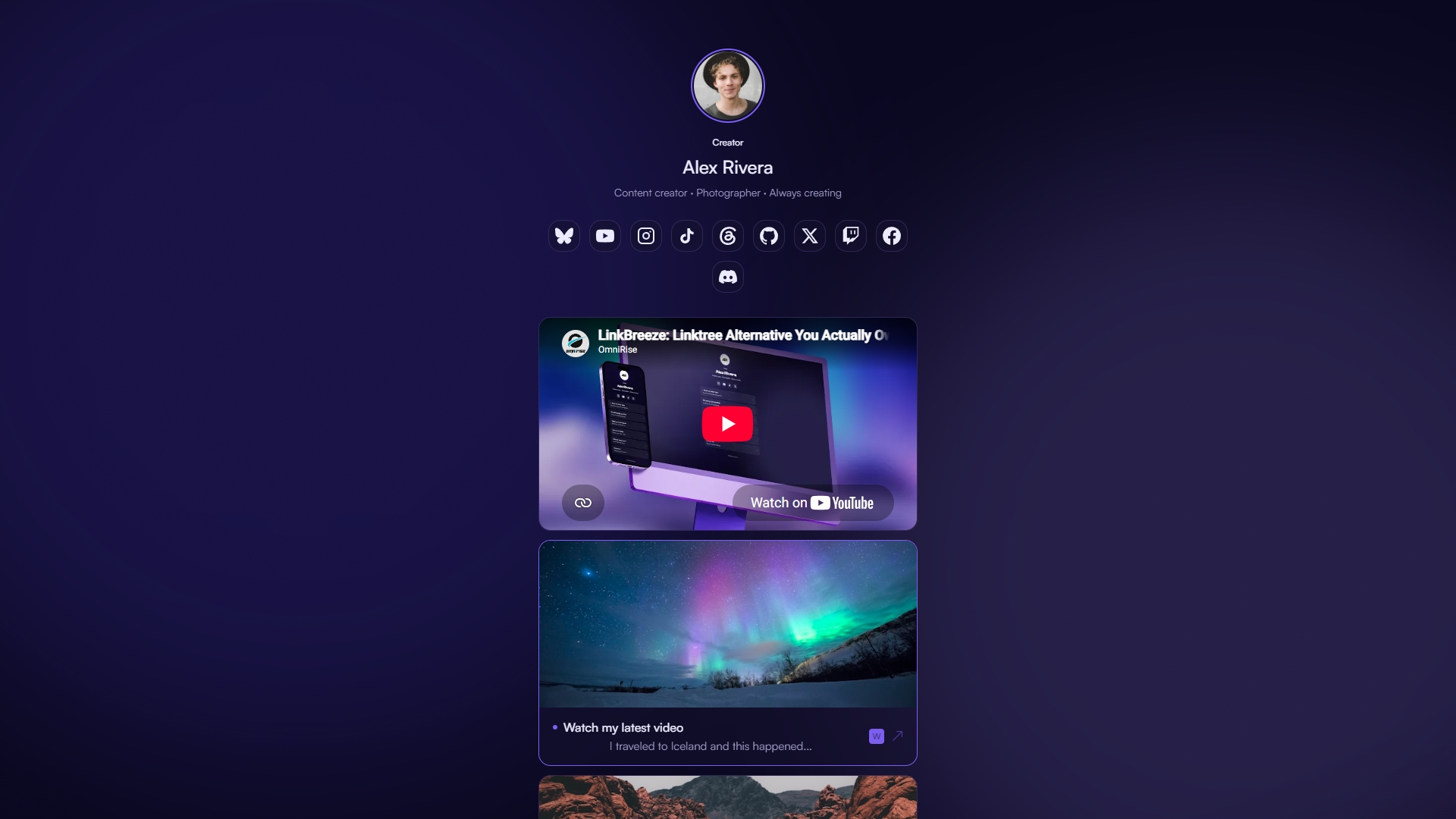
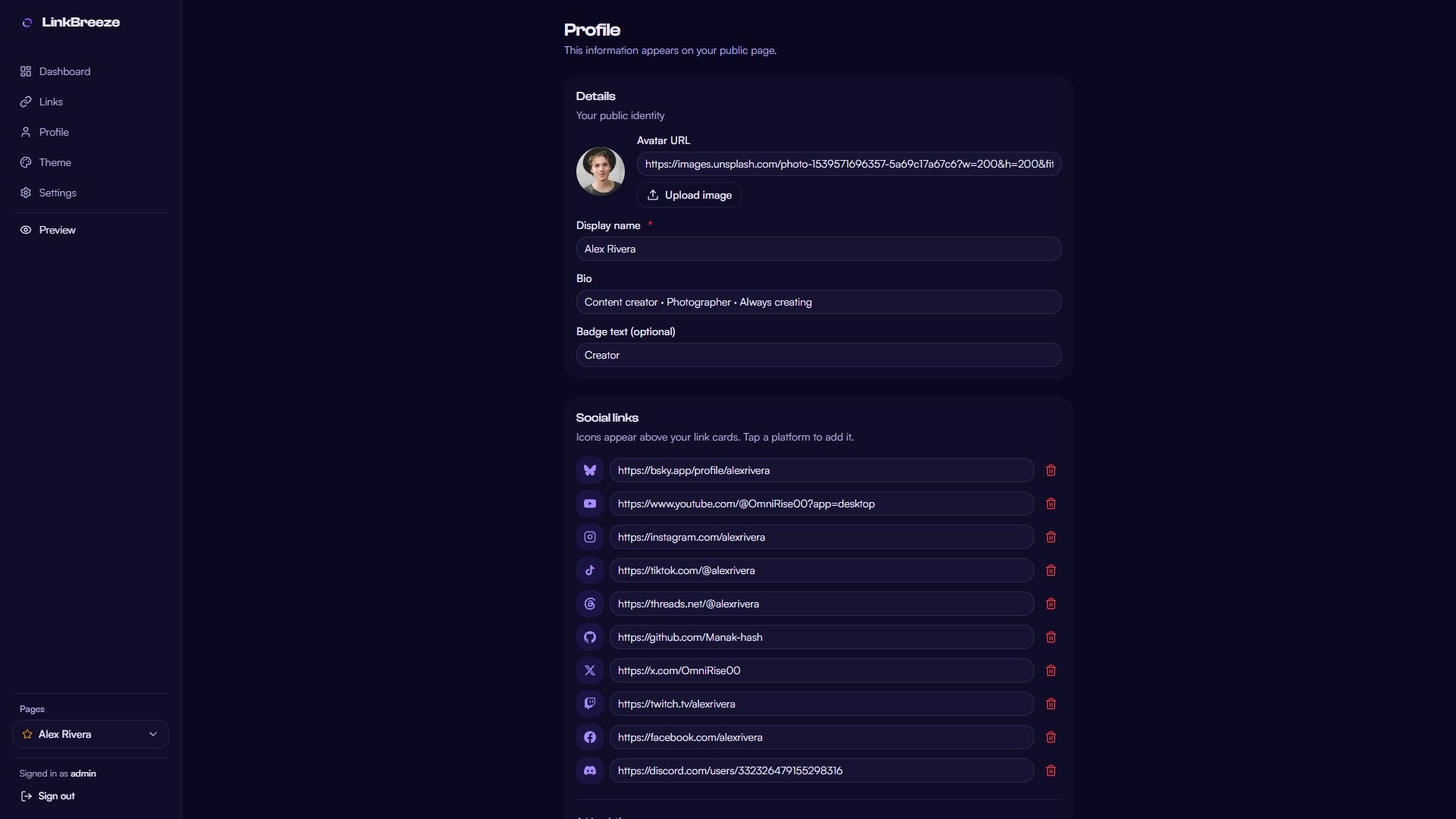
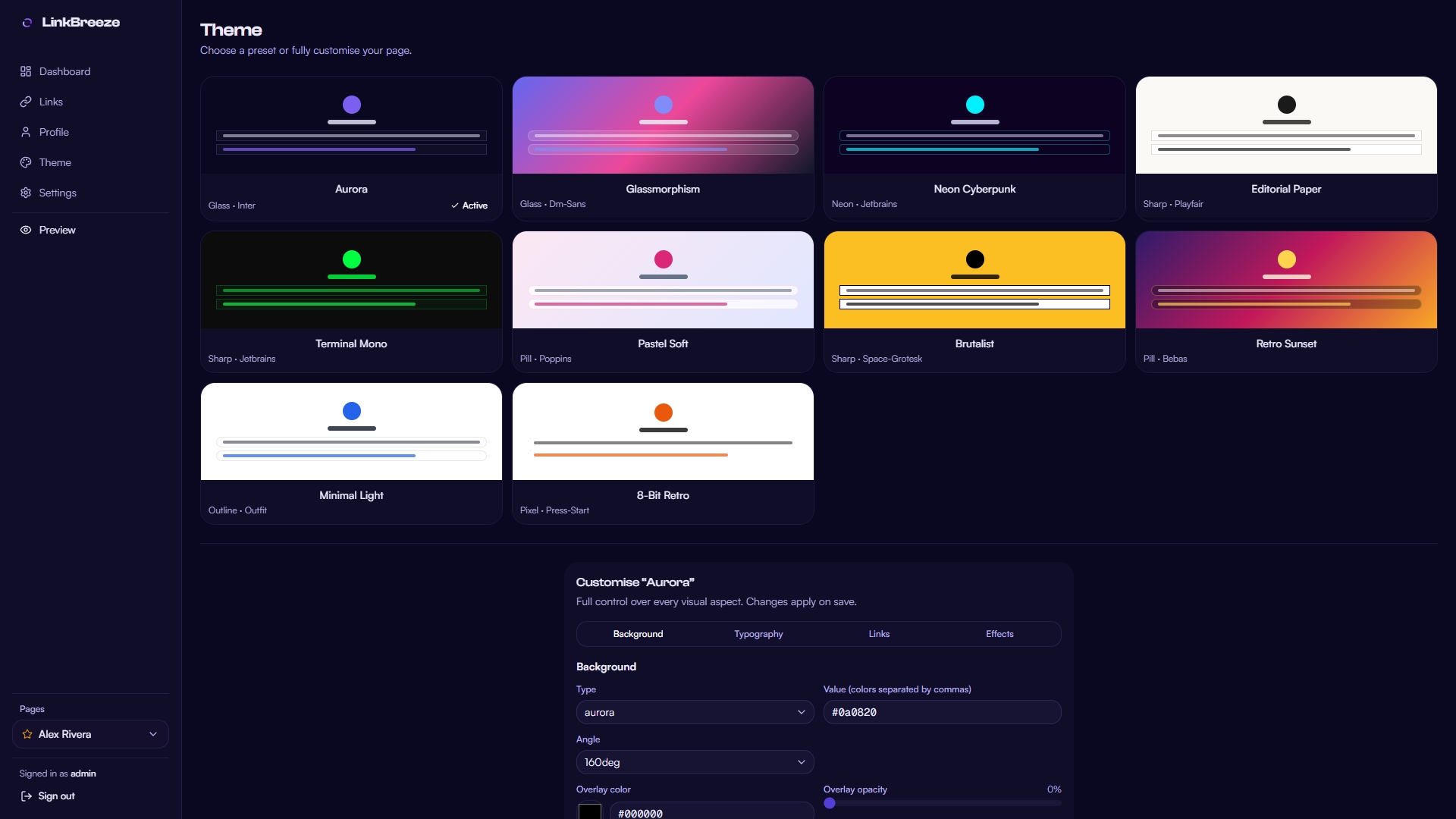
## 📸 Screenshots
Click to expand
| Public Page |
Admin Dashboard |
 |
 |
| Links |
Profile |
 |
 |
| Theme |
Live Preview Pane |
 |
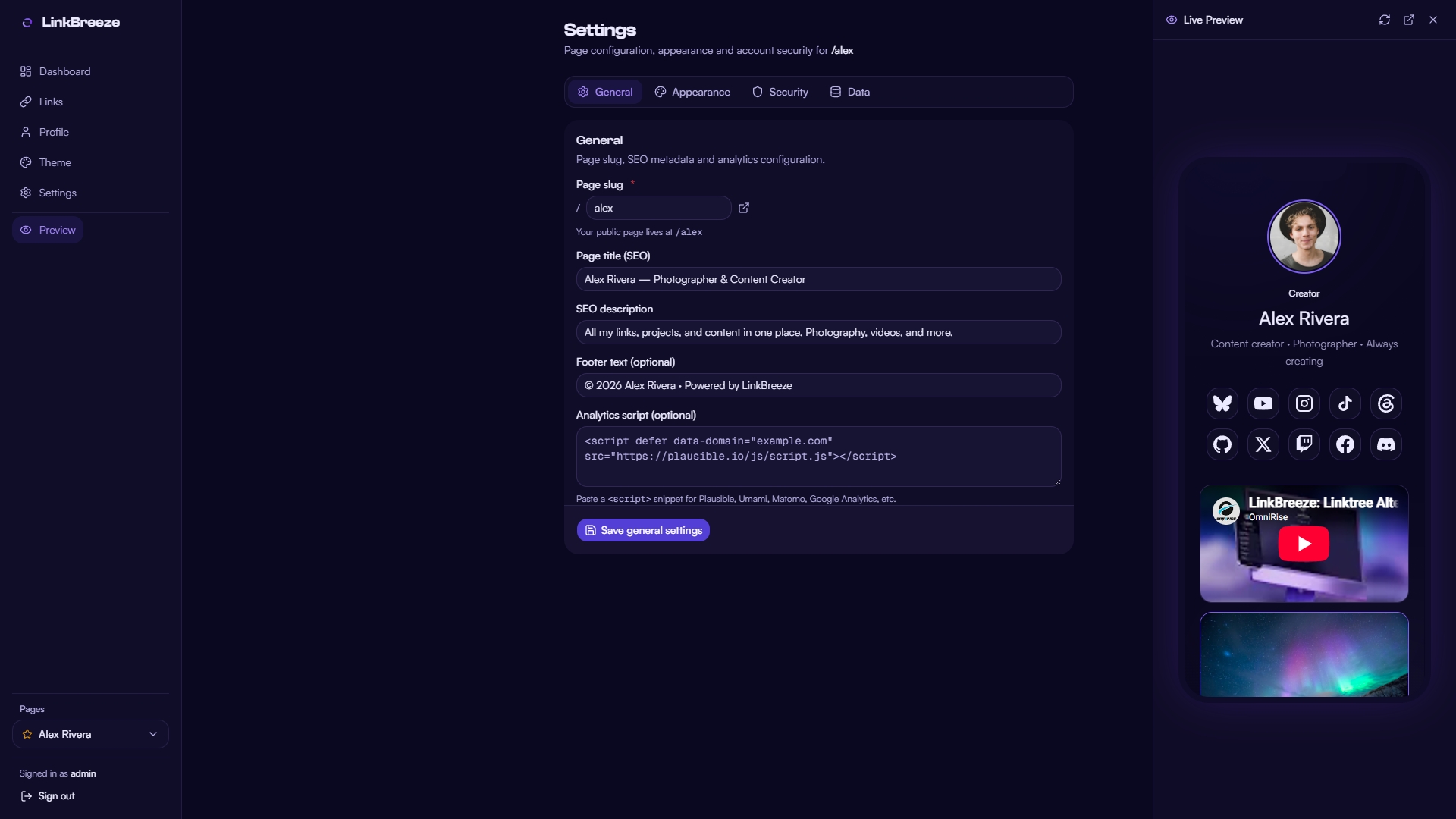 |
| Settings [General] |
Settings [Appearance] |
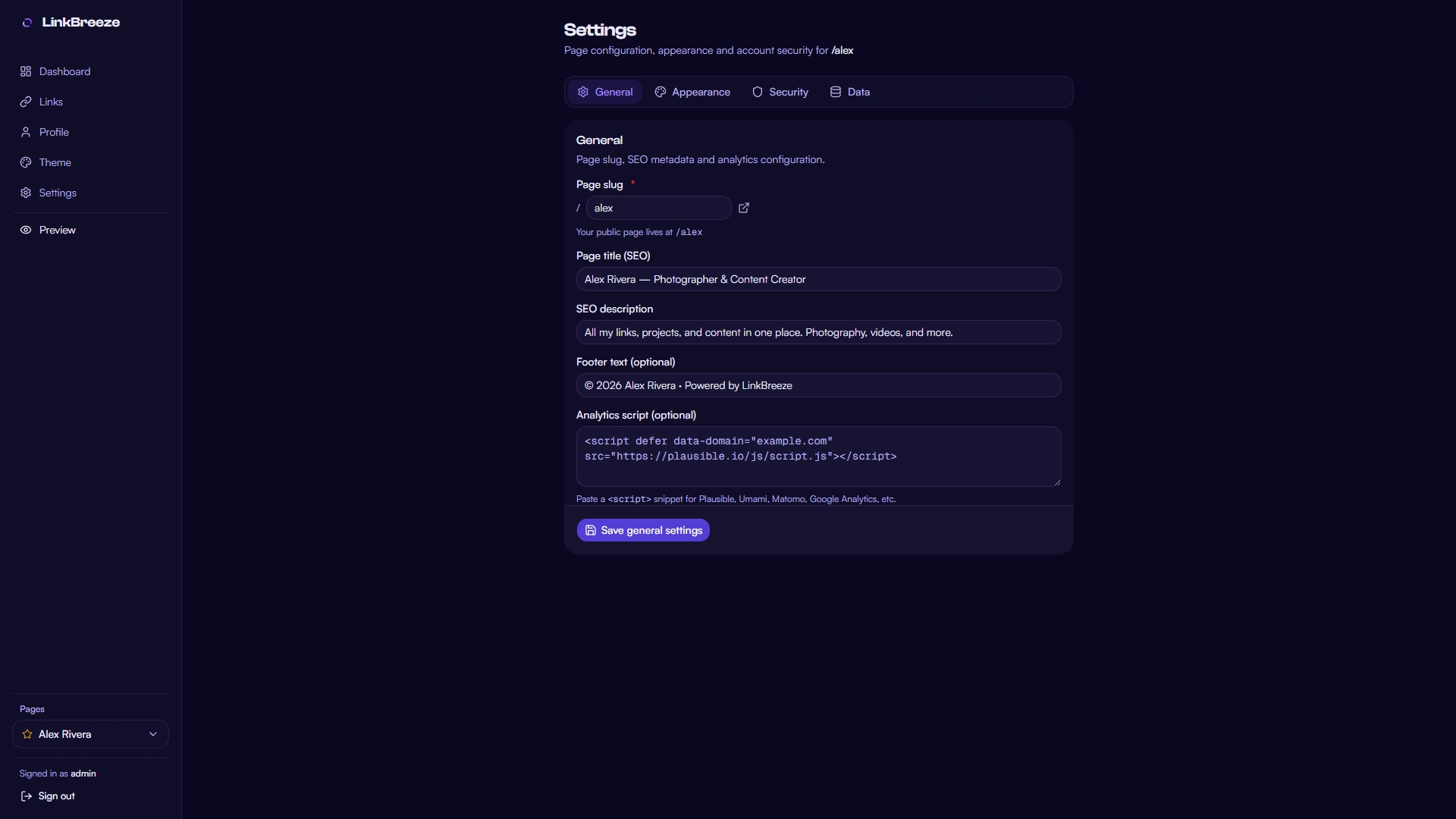 |
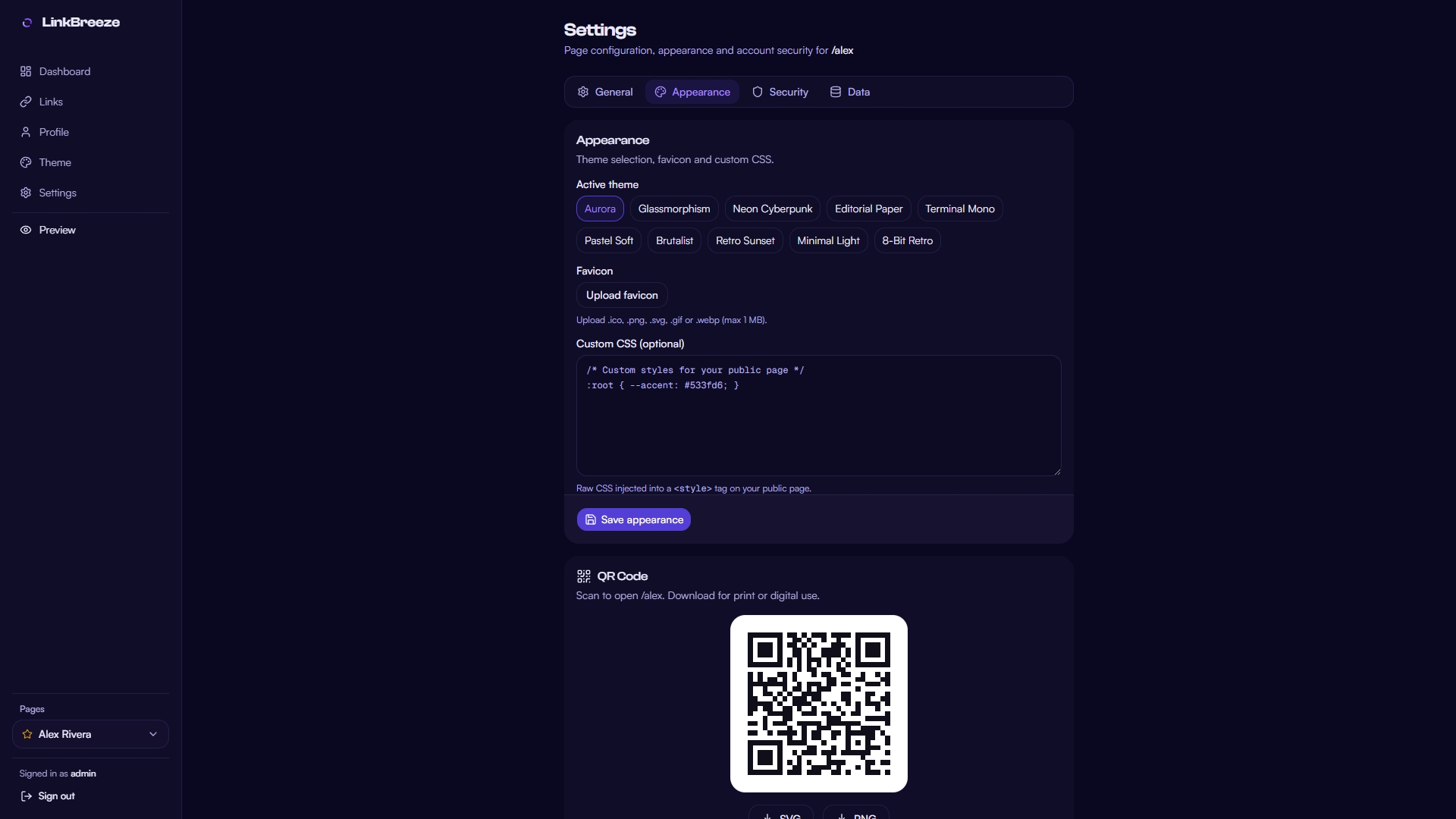 |
| Settings [Security] |
Settings [Data] |
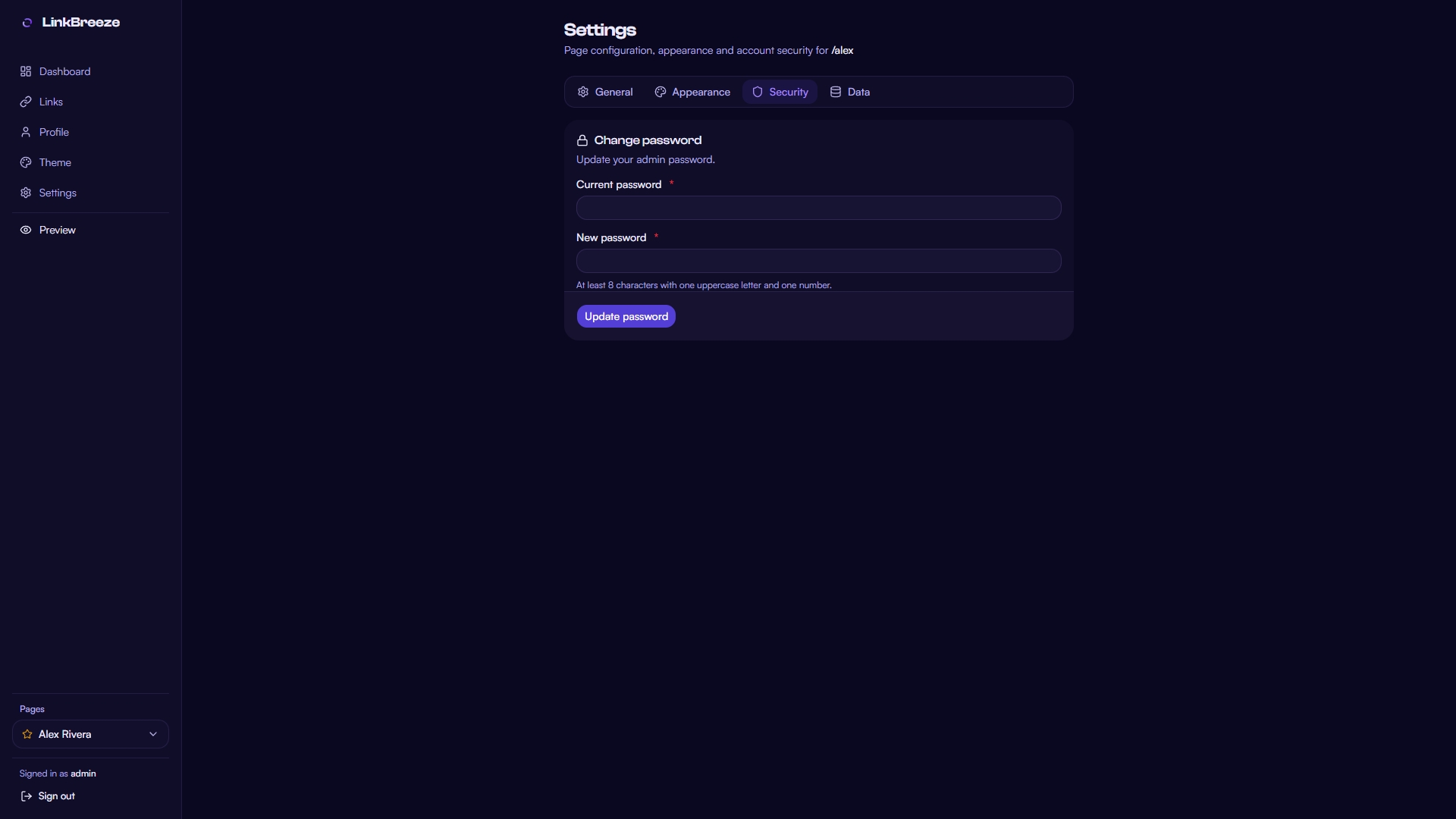 |
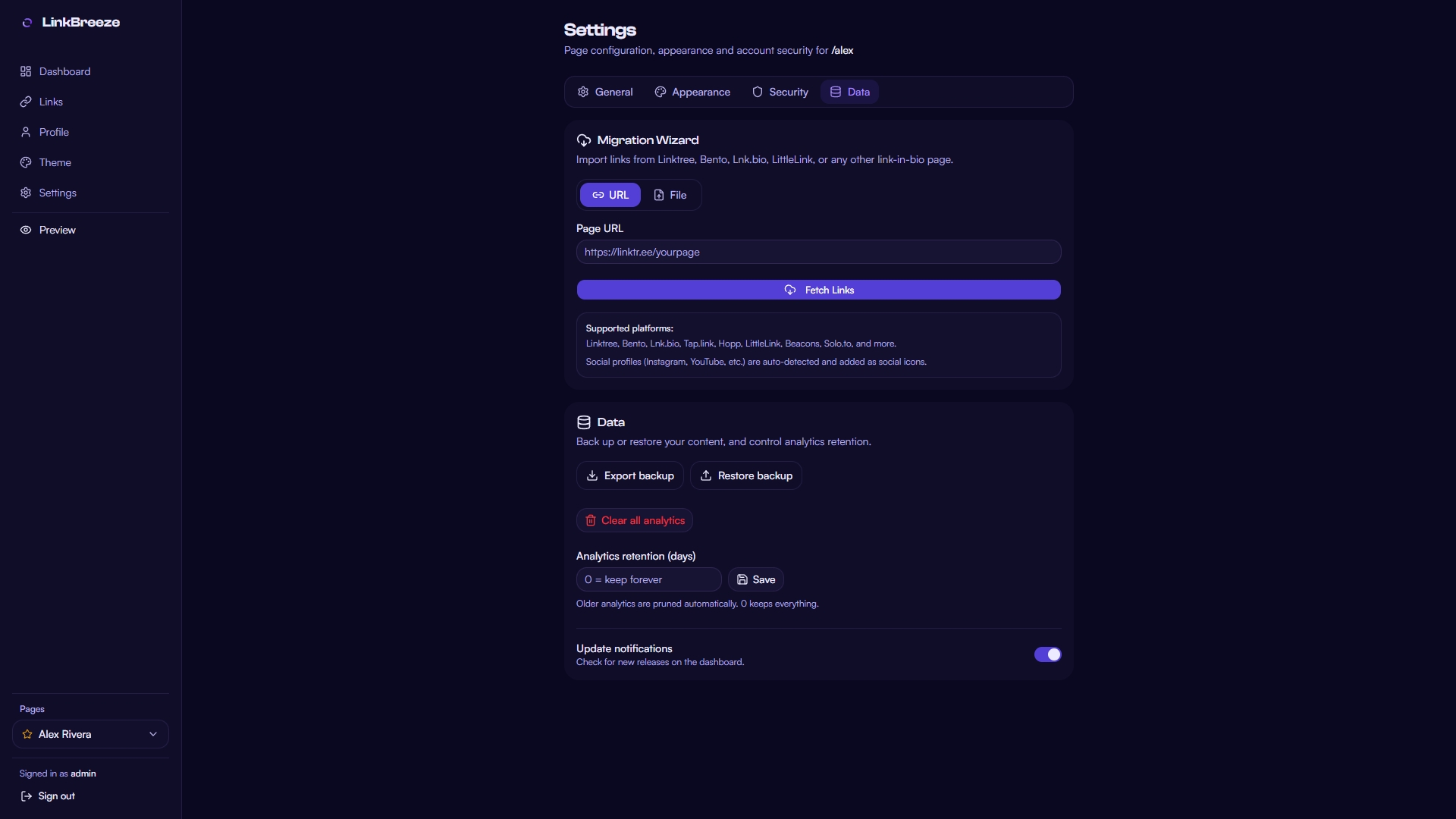 |
## 🆚 Comparison
| Feature | Linktree | LinkStack | LittleLink | Shako | **LinkBreeze** |
|---------|----------|-----------|------------|-------|----------------|
| **Price** | Free - $35/mo | Free | Free | Free | **Free** |
| **Admin Panel** | ✅ | ✅ | ❌ | ❌ | **✅ Fast** |
| **Multi-Page** | ❌ | ❌ | ❌ | ❌ | **✅ Unlimited** |
| **Auto-Favicon Links** | ❌ | ❌ | ❌ | ❌ | **✅** |
| **Migration Wizard** | ❌ | ❌ | ❌ | ❌ | **✅** |
| **Built-in Analytics** | Basic, full is paid | Basic | ❌ | ❌ | **✅ Full & private** |
| **Email Capture** | Paid | ❌ | ❌ | ❌ | **✅** |
| **Embed Widgets** | Partial | ❌ | ❌ | ❌ | **✅** |
| **Link Scheduling** | Paid | ❌ | ❌ | ❌ | **✅** |
| **Themes** | Paid | Limited | CSS only | Config file | **✅ Full token system** |
| **QR Codes** | ✅ | ✅ | ❌ | ❌ | **✅ Customizable** |
| **Self-Hosted** | ❌ | ✅ | ✅ | ✅ | **✅** |
| **Page Load** | Hosted | PHP app | Fast (static) | Fast (static) | **<300ms, zero JS** |
## 💬 Community
**Get help, show off your page, vote on what ships next.**
[](https://discord.gg/bAJMW3bAJa)
## ⚙️ Configuration
All configuration is via environment variables. **[`.env.example`](.env.example) is the canonical reference** - copy it and every variable is documented inline, including the wallet blocks.
| Variable | Default | Description |
|----------|---------|-------------|
| `PORT` | `3000` | Server port |
| `DATABASE_PATH` | `./data/linkbreeze.db` | SQLite database file path |
| `BACKUP_DIR` | `./data/backups` | Scheduled-backup storage directory (keep inside the persistent `./data` volume) |
| `BACKUP_MIN_FREE_MB` | `50` | Skip writing backups when free space drops below this |
| `SECRET_KEY` | Auto-generated | HMAC signing key for sessions |
| `EXTRA_SCRIPT_SRC` | _(empty)_ | Space-separated analytics domains for CSP (e.g. `plausible.io umami.is`) |
| `LINKBREEZE_PRIMARY_HOST` | _(empty)_ | Primary host your admin lives on; the custom-domains admin lock 404s every other host (env beats the admin setting) |
| `LINKBREEZE_TRUST_X_FORWARDED_HOST` | `false` | Trust `X-Forwarded-Host` for domain routing - only enable behind a proxy that OVERWRITES it (nginx, Caddy); the default `Host` header cannot be spoofed |
| `OIDC_CLIENT_SECRET` | _(empty)_ | Client secret for OIDC single sign-on (#124 multi-user). Issuer, client ID, JIT provisioning, and the sign-in mode are configured in Settings → Security. Secrets stay env-only - settings are exported verbatim into backups |
| `LINKBREEZE_ALLOW_HTTP_ISSUER` | `false` | Testing escape hatch: allow an http OIDC issuer on a trusted LAN (production requires https) |
💳 Wallet pass variables (Google Wallet / Apple Wallet)
| Variable | Description |
|----------|-------------|
| `GOOGLE_WALLET_ISSUER_ID` | Numeric issuer ID from the Google Pay & Wallet Console. Enables "Add to Google Wallet" buttons |
| `GOOGLE_WALLET_SERVICE_ACCOUNT_JSON` | Service-account JSON (`client_email` + `private_key`) authorized for the Wallet API |
| `APPLE_WALLET_CERT_PEM` | Pass Type ID signing certificate (PEM). Enables "Add to Apple Wallet" buttons |
| `APPLE_WALLET_KEY_PEM` | Private key matching the signing certificate (PEM) |
| `APPLE_WALLET_KEY_PASSPHRASE` | Passphrase for the signing key, if encrypted |
| `APPLE_WALLET_WWDR_PEM` | Apple WWDR intermediate certificate (PEM) |
| `APPLE_WALLET_TEAM_ID` | Your 10-character Apple Team ID |
| `APPLE_WALLET_PASS_TYPE_ID` | Your Pass Type ID (must start with `pass.`) |
Every public page renders a share block with a "Save contact" button (universal vCard, always on). The wallet buttons light up automatically when the credentials above are configured. Google Wallet: free issuer account, but passes only save for whitelisted test users until Google grants production access. Apple Wallet: requires a paid Apple Developer account and installs from Safari only. Passes are static snapshots - the QR on the pass always opens the live page. Settings → Integration shows per-wallet credential status and warns when the Apple signing certificate is about to expire.
**Using external analytics?** Paste your provider snippet into Settings → Integration → Analytics script, then add the provider's domain to `EXTRA_SCRIPT_SRC` so CSP allows it (e.g. `EXTRA_SCRIPT_SRC=plausible.io umami.is`). Rebuild after changing it - CSP is baked into the build.
Runtime settings (page slug, title, SEO, theme) are managed via the admin dashboard and stored in the database - no code changes needed.
## 🌐 Custom Domains
Point your own domains at pages — one instance, many identities. Visitors land on `https://jane.com/` and see Jane's page directly, with automatic canonical redirects, SEO-ready sitemaps and a strict admin host lock. Bindings activate on their first real visit (self-verifying DNS), and per-page scope decides whether a domain IS the page (exclusive) or a hub for all slugs.
Full setup — DNS, wildcard TLS and copy-paste reverse-proxy configs for Caddy, nginx and Traefik — in **[docs/custom-domains.md](docs/custom-domains.md)**.
## 🔌 REST API
Manage links, your profile and analytics from scripts, CI pipelines or third-party tools. Generate an API key in **Settings → Security → API access** (the full key is shown once - store it securely), then send it in the `Authorization` header using the HTTP Bearer scheme. Rotation is instant by default; if the admin enabled the optional one-hour grace, the previous key may keep working until the window closes or the admin revokes it. Rate limit: 120 requests/minute per key, plus a per-IP guard. Mutating endpoints are blocked in demo mode. Every instance serves its own OpenAPI 3.1 reference at `/api/v1/docs` and `/api/v1/openapi.json`.
🔗 Endpoints
| Method | Path | Description |
|--------|------|-------------|
| GET | `/api/v1/links` | List links (`?limit`/`?cursor` pages, `?fields=` sparse rows) |
| GET | `/api/v1/links/:id` | Get one link by id |
| POST | `/api/v1/links` | Create a link |
| PUT | `/api/v1/links/:id` | Update a link (partial - only fields you send change) |
| DELETE | `/api/v1/links/:id` | Delete a link |
| PUT | `/api/v1/links/reorder` | Reorder links (`{ "ids": [3, 1, 2] }`) |
| POST | `/api/v1/links/import` | Bulk-create links (1-100 items, per-item results) |
| GET | `/api/v1/sections` | List sections (`?pageId=N` filters) |
| POST | `/api/v1/sections` | Create a section |
| PUT | `/api/v1/sections/:id` | Update a section (partial) |
| DELETE | `/api/v1/sections/:id` | Delete a section (its links fall back to uncategorized) |
| PUT | `/api/v1/sections/reorder` | Reorder sections (`{ "ids": [3, 1, 2] }`) |
| GET | `/api/v1/profile` | Get the profile |
| PUT | `/api/v1/profile` | Update the profile (partial) |
| GET | `/api/v1/analytics` | Views, clicks and top links (`?range=7d\|30d\|90d`) |
Success responses wrap the payload in `data`; errors are `{ "error": { "code", "message" } }` with matching HTTP statuses (401 missing or invalid key, 400 validation, 403 demo mode, 429 rate limited). Link writes run the same validation as the admin UI - URL scheme allowlist included. Read endpoints also send an `ETag`; send it back as `If-None-Match` to receive an empty `304` until something changes. Every response also carries the header contract: `X-RateLimit-Limit`, `X-RateLimit-Remaining`, and `X-RateLimit-Reset` show the per-minute budget (a `429` also sends `Retry-After`), `Cache-Control: no-store` keeps authenticated responses out of caches, and `401` answers with `WWW-Authenticate`.
📦 API cookbook (curl)
```bash
# One-time setup
export LB_API_KEY="lbk_..."
export BASE="https://your-instance.example/api/v1"
```
```bash
# List links: full list, or a paginated page with sparse fields
# (--oauth2-bearer sends the Bearer auth header for you)
curl -s --oauth2-bearer "$LB_API_KEY" "$BASE/links" | jq '.data | length'
curl -s --oauth2-bearer "$LB_API_KEY" "$BASE/links?limit=10&fields=title,url" | jq '.meta'
```
```bash
# Create a link (201 returns the created row, including its id)
curl -s -X POST --oauth2-bearer "$LB_API_KEY" -H "Content-Type: application/json" \
-d '{"title":"Docs","url":"https://example.com/docs","cardStyle":"rich"}' \
"$BASE/links" | jq '.data.id'
```
```bash
# Partial update: only the fields you send change (null clears)
curl -s -X PUT --oauth2-bearer "$LB_API_KEY" -H "Content-Type: application/json" \
-d '{"isActive": false}' "$BASE/links/12" | jq '.data.isActive'
```
```bash
# Reorder links, then read a metric
curl -s -X PUT --oauth2-bearer "$LB_API_KEY" -H "Content-Type: application/json" \
-d '{"ids":[3,1,2]}' "$BASE/links/reorder" | jq '.data'
curl -s --oauth2-bearer "$LB_API_KEY" "$BASE/analytics?range=30d" | jq '.data.ctr'
```
```bash
# Create a section, then bulk-import links (per-item results)
curl -s -X POST --oauth2-bearer "$LB_API_KEY" -H "Content-Type: application/json" \
-d '{"pageId":1,"title":"Work"}' "$BASE/sections" | jq '.data.id'
curl -s -X POST --oauth2-bearer "$LB_API_KEY" -H "Content-Type: application/json" \
-d '{"items":[{"title":"A","url":"https://a.example"},{"title":"","url":"https://bad.example"}]}' \
"$BASE/links/import" | jq '.data.results'
```
```bash
# Conditional read: replay the ETag → empty 304 while nothing changed
ETAG=$(curl -sI --oauth2-bearer "$LB_API_KEY" "$BASE/links" | tr -d '\r' | grep -i '^etag:' | cut -d' ' -f2)
curl -s -o /dev/null -w '%{http_code}\n' --oauth2-bearer "$LB_API_KEY" -H "If-None-Match: $ETAG" "$BASE/links" # → 304
```
Follow `meta.nextCursor` (pass it back as `?cursor=`) to walk every page. The full machine-readable contract is at `$BASE/openapi.json`.
## 🎨 Theme System
11 presets are included out of the box: **Aurora** (animated flagship), **Glassmorphism**, **Neon Cyberpunk**, **Editorial Paper**, **Terminal Mono**, **Pastel Soft**, **Brutalist**, **Retro Sunset**, **Minimal Light**, **8-Bit Retro** and **Frutiger Aero**.
🎛️ What the customizer controls
The theme engine is a CSS custom property (`--lb-*`) token system - every color, radius, shadow and font on the public page is a token.
- **Background** - 8 types (solid, gradient, radial, mesh, aurora, animated gradient, image, pattern) with angle, overlay and opacity controls
- **Colors** - accent, secondary, text, muted text, card background, card border (hex or rgba)
- **Typography** - 15 curated Google Fonts, font scale, weight, letter spacing - or upload your own woff2/woff (max 2 MB). Uploaded fonts are served same-origin, embedded in theme exports and carried through backups
- **Card style** - 7 link styles (pill, rounded, sharp, glass, outline, neon, pixel), hover effects, button size, corner radius, border width, shadow strength
- **Layout** - container width, alignment (left/center/right), density (compact/normal/relaxed)
- **Effects** - glow with custom color, glass blur, noise texture, reveal animation
- **Duplicate / import / export** - clone any theme as an editable copy and share it as JSON
## 📖 Docs & Links
[Contributing](CONTRIBUTING.md) · [Security Policy](SECURITY.md) · [Changelog](CHANGELOG.md) · [Troubleshooting](TROUBLESHOOTING.md) · [Custom Domains](docs/custom-domains.md) · [Architecture Decisions](docs/adr/) · [Configuration reference](.env.example)
Source: [GitHub](https://github.com/OmniRise/LinkBreeze) (canonical) · [GitLab](https://gitlab.com/omnirise00/linkbreeze) (public pull mirror, synced automatically) · Image: [`docker.io/omnirise/linkbreeze`](https://hub.docker.com/r/omnirise/linkbreeze)
Issues and PRs are welcome on either forge.
## 🤝 Contributing
Contributions are welcome! See [CONTRIBUTING.md](CONTRIBUTING.md) for guidelines.
## 📜 License
MIT - do whatever you want. See [LICENSE](LICENSE).
## 🏢 About
Built by [Manak-hash](https://github.com/Manak-hash) · An [OmniRise](https://omnirise.dev) project.