# minio-dash
**Full S3 admin dashboard for MinIO — no `mc` CLI needed**
[](LICENSE)

[](https://github.com/MarceliRacis/minio-dash/commits/main)

[](https://www.docker.com)

[](https://flask.palletsprojects.com)

[](https://min.io)

[](https://jwt.io)

[](https://gunicorn.org)

[](https://git.racis.dev/marceliracis/minio-dash)

[](https://github.com/MarceliRacis/minio-dash)

A web-based admin panel for MinIO — manage buckets, files, users, policies and permissions directly in the browser.
Uses the MinIO Python SDK and admin REST API with AWS Signature V4 signing. No external tools required.
[**GitLab (source)**](https://git.racis.dev/marceliracis/minio-dash) · [**GitHub (mirror)**](https://github.com/MarceliRacis/minio-dash)
---
## Screenshots
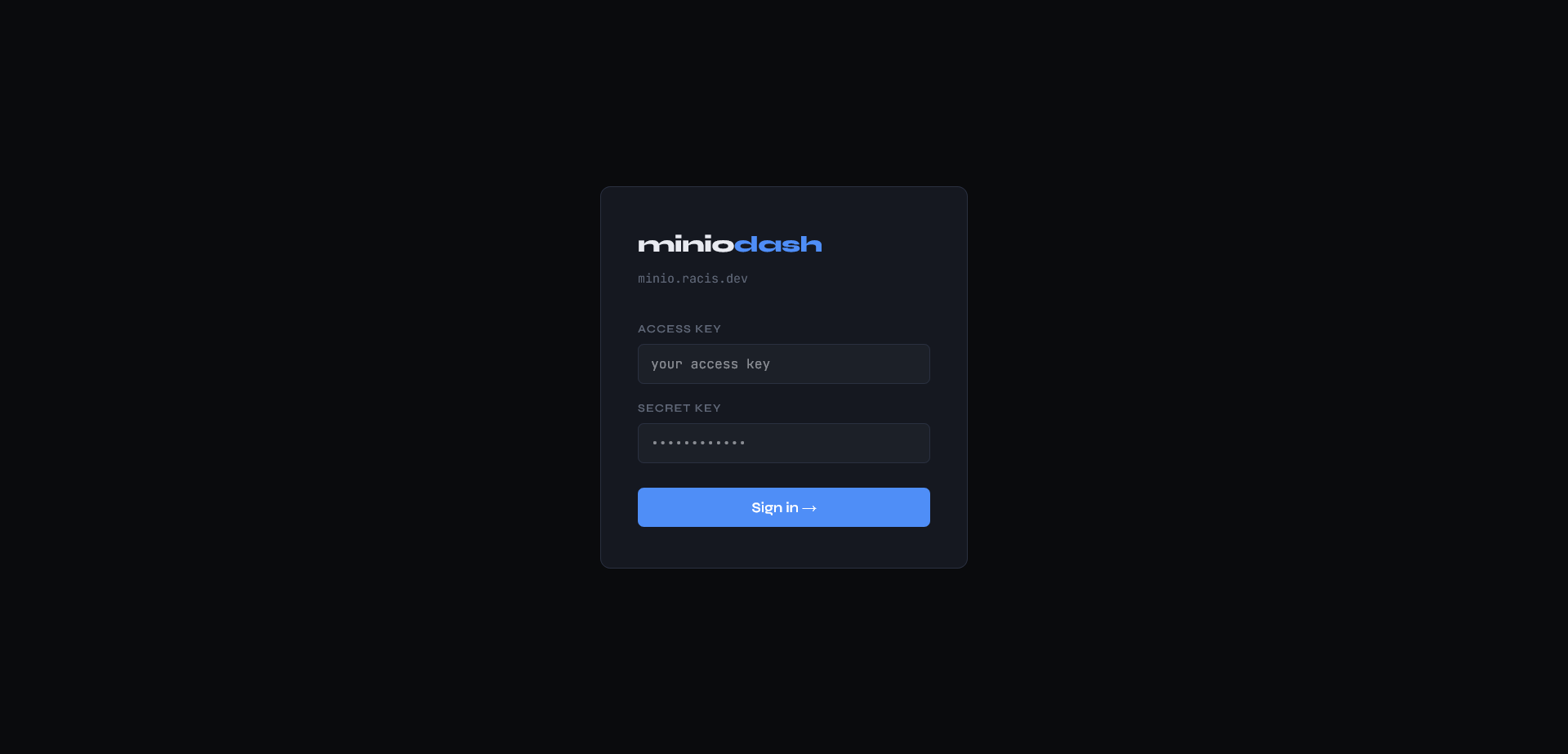
**Login**
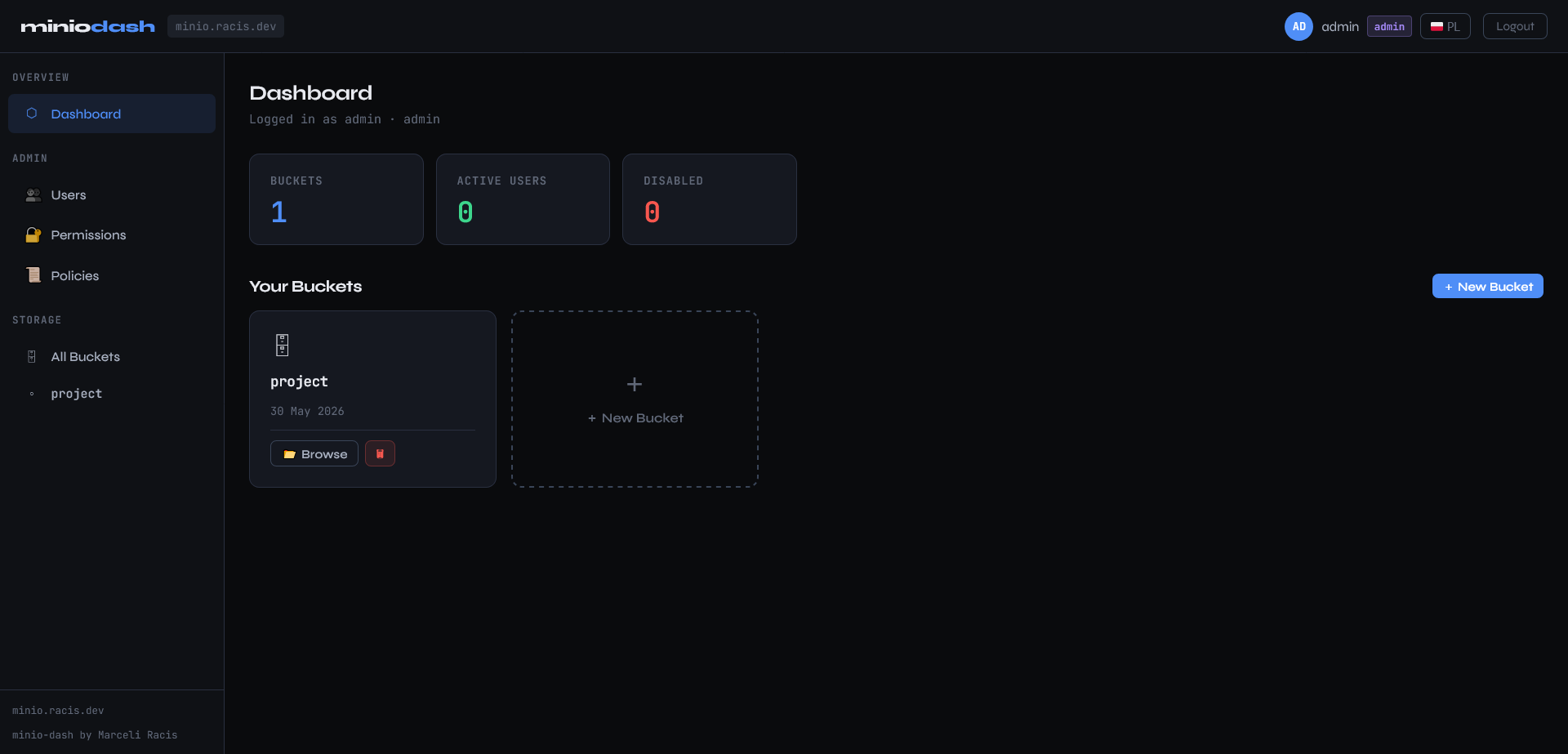
**Dashboard**
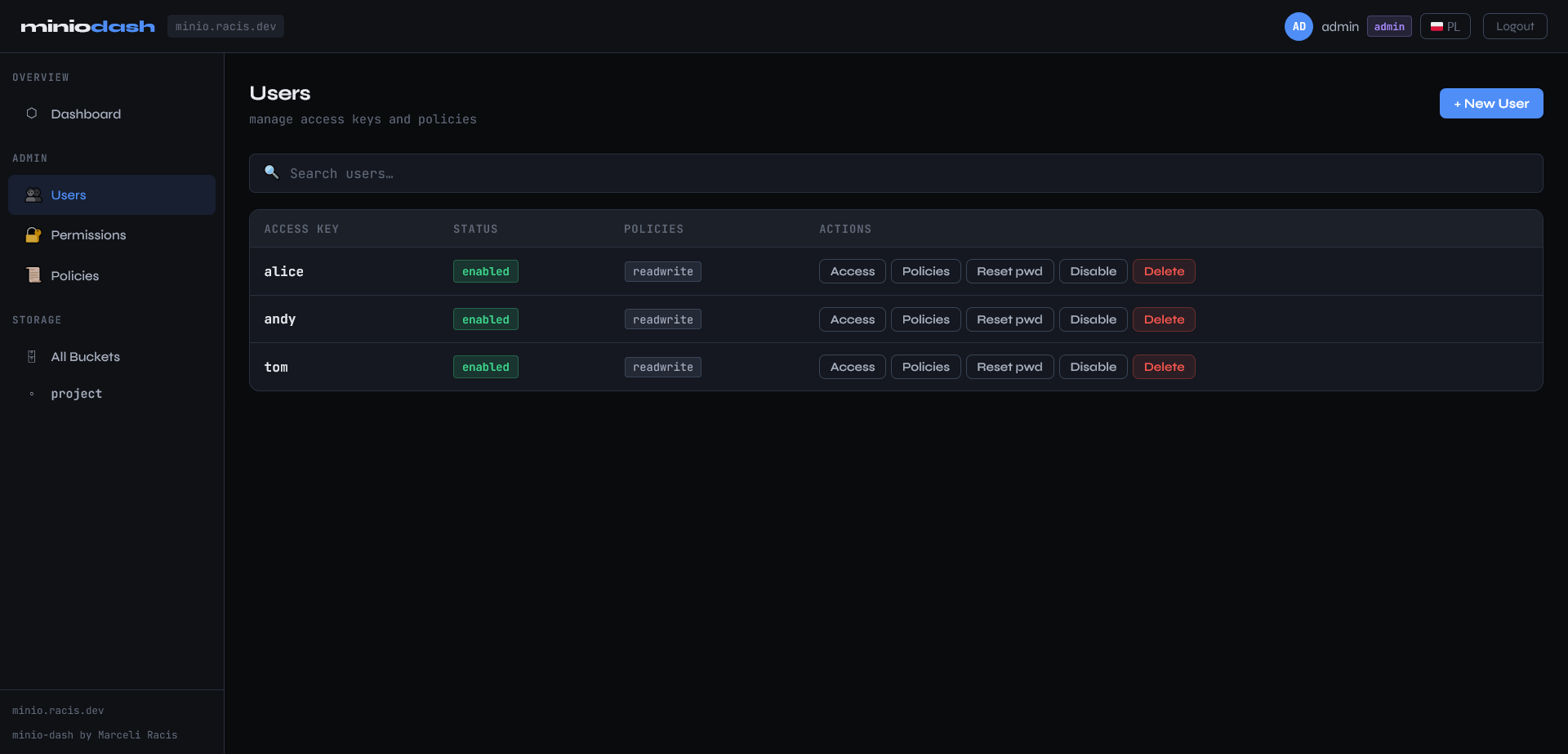
**Users**
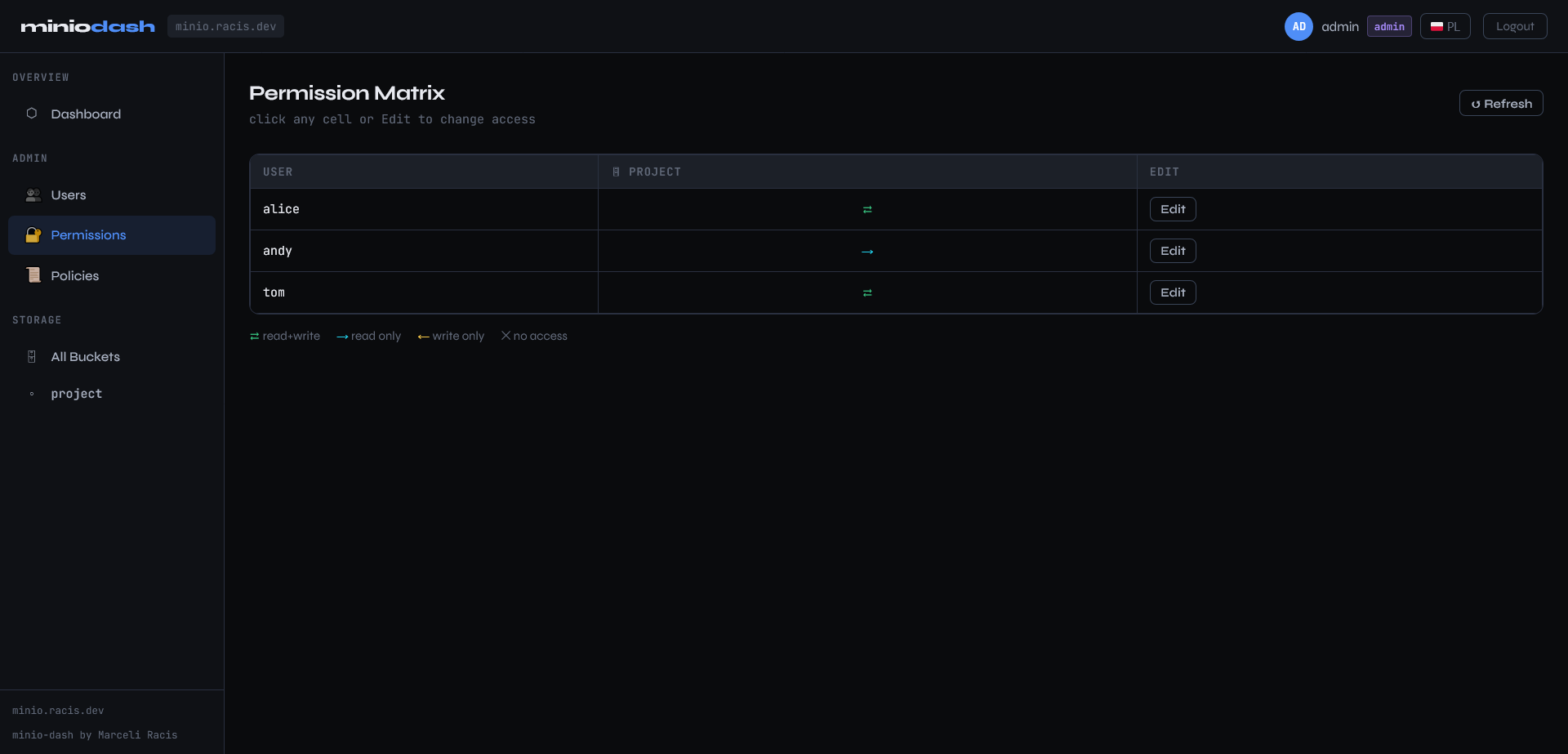
**Permission Matrix**
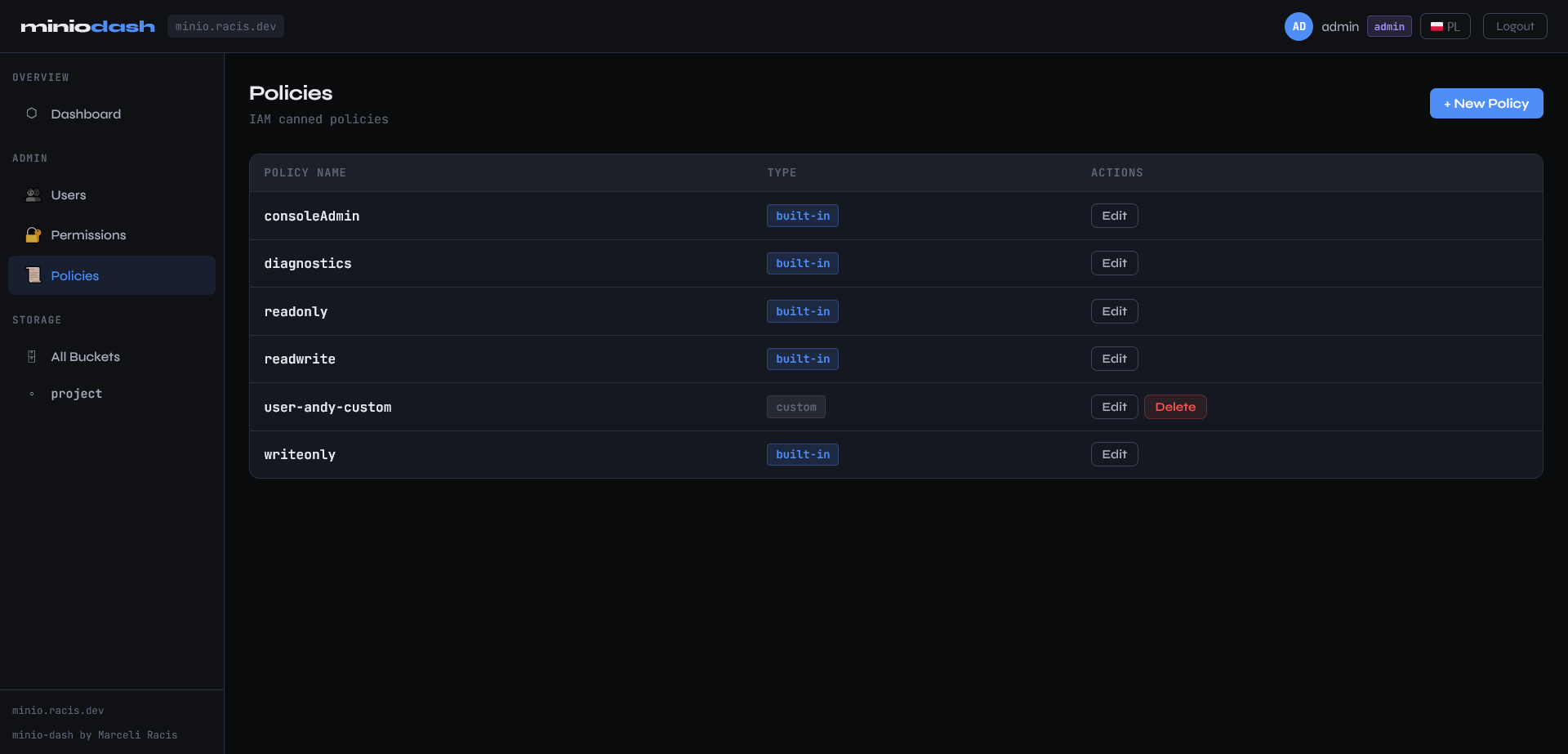
**Policies**
---
## Features
- **Bucket management** — create, delete (with optional force-delete of all contents), browse
- **File browser** — upload, download, view inline, rename, delete, create folders, generate share links
- **User management** — create/delete users, enable/disable accounts, reset passwords, assign policies
- **Policy management** — list, view, create and delete IAM policies
- **Permission matrix** — visual table showing which user has read/write access to which bucket
- **Bucket-level access editor** — set per-bucket `r` / `w` / `rw` / `none` for any user via auto-generated custom policy
- **JWT authentication** — login with MinIO access key + secret key; sessions last 8 hours
- **Admin auto-detection** — automatically detects if the logged-in user has admin privileges
- **i18n** — English and Polish UI (🇬🇧 / 🇵🇱)
- **Multi-arch Docker image** — runs on both `amd64` and `arm64`
---
## Quick Start (Docker) ⭐
### 1. Configure environment
```bash
cp .env.example .env
```
Fill in `.env`:
```env
MINIO_ENDPOINT=https://s3.example.com
SECRET_KEY=your-long-random-jwt-secret
ENCRYPTION_KEY=your-long-random-aes-key
PORT=7474
WEBUI_HOST=https://minio-dash.example.com
GUNICORN_WORKERS=2
GUNICORN_THREADS=1
```
Generate secure secrets for `SECRET_KEY` and `ENCRYPTION_KEY`:
```bash
python -c "import secrets; print(secrets.token_hex(32))"
```
> **Note:** `SECRET_KEY` and `ENCRYPTION_KEY` are **both required** — the server exits with an error at startup if either is missing (unless `DEBUG=1` is set, which uses insecure dev-only defaults). They are **not** auto-generated. Use a persistent value so sessions survive restarts.
### 2. Run
**With Docker Compose (recommended):**
```bash
docker compose up -d
```
**Using the prebuilt image directly:**
```bash
docker run -d \
--name minio-dash \
--restart unless-stopped \
-p 7474:7474 \
-e MINIO_ENDPOINT=https://s3.example.com \
-e SESSION_BACKEND=jwt \
-e SECRET_KEY=changeme \
-e ENCRYPTION_KEY=changeme-encryption-key \
-e PORT=7474 \
-e WEBUI_HOST=https://minio-dash.example.com \
-e GUNICORN_WORKERS=2 \
-e GUNICORN_THREADS=1 \
registry.racis.dev/marceliracis/minio-dash:latest
```
**Using with Redis (Stateful session storage):**
```bash
docker run -d \
--name minio-dash-redis \
--restart unless-stopped \
-p 7474:7474 \
-e MINIO_ENDPOINT=https://s3.example.com \
-e SESSION_BACKEND=redis \
-e REDIS_URL=redis://your-redis-host:6379/0 \
-e SECRET_KEY=changeme \
-e PORT=7474 \
registry.racis.dev/marceliracis/minio-dash:latest
```
**Build from source:**
```bash
docker build -t minio-dash .
docker run -d \
--name minio-dash \
--restart unless-stopped \
-p 7474:7474 \
--env-file .env \
minio-dash
```
### 3. Open
```
http://localhost:7474
```
Log in with your MinIO **access key** (username) and **secret key** (password).
---
## How It Works
1. **Log in** — enter your MinIO access key and secret key.
2. The server verifies credentials against your MinIO instance. Admin privileges are auto-detected.
3. A signed **JWT token** (HS256, TTL 8h) is generated.
4. **Session Storage**: Depending on `SESSION_BACKEND`, credentials are either encrypted inside the JWT (stateless) or stored in Redis (stateful).
5. The token is stored in a **Secure, HttpOnly Cookie**, protecting it from XSS attacks.
6. All subsequent API calls are authenticated via this cookie and protected by **CSRF validation** (X-Requested-With header).
---
## Authentication & Security
minio-dash uses industry-standard security practices to protect your S3 credentials:
- **No Local Storage**: JWT is stored in an `HttpOnly` cookie. JavaScript cannot access it.
- **CSRF Protection**: All modifying requests (`POST`, `PUT`, `DELETE`) require an `X-Requested-With` header.
- **Session Flexibility**: Choose between stateless JWT-based sessions or stateful Redis-based sessions.
- **Encryption**: In `jwt` mode, S3 credentials are encrypted with `AES-256-GCM` before being placed in the token payload.
| Security Layer | Mechanism |
|-----------------|-------|
| **JWT Storage** | `HttpOnly`, `SameSite=Lax` Cookie |
| **CSRF** | Mandatory `X-Requested-With: XMLHttpRequest` header |
| **Encryption** | `AES-256-GCM` (using `ENCRYPTION_KEY`) |
Admin-only endpoints return `403 Forbidden` if the logged-in user does not have MinIO admin privileges.
---
## Running Locally Without Docker
```bash
# Install dependencies
pip install flask minio PyJWT gunicorn pycryptodome
# Or using requirements.txt
pip install -r requirements.txt
# Set env vars and start (Stateless JWT mode)
MINIO_ENDPOINT=https://s3.example.com \
SESSION_BACKEND=jwt \
SECRET_KEY=your-jwt-secret \
ENCRYPTION_KEY=your-aes-key \
PORT=7474 \
WEBUI_HOST=https://minio-dash.example.com \
GUNICORN_WORKERS=2 \
GUNICORN_THREADS=1 \
python server.py
# Or with Redis backend (Stateful mode)
MINIO_ENDPOINT=https://s3.example.com \
SESSION_BACKEND=redis \
REDIS_URL=redis://localhost:6379/0 \
SECRET_KEY=your-jwt-secret \
PORT=7474 \
python server.py
```
---
## Production Deployment (VPS)
1. Set `MINIO_ENDPOINT` to your MinIO instance URL
2. Set persistent `SECRET_KEY` and `ENCRYPTION_KEY`
3. Place a reverse proxy (nginx or Caddy) in front of port 7474
**nginx config:**
```nginx
server {
server_name minio-dash.yourdomain.com;
location / {
proxy_pass http://localhost:7474;
proxy_http_version 1.1;
proxy_set_header Host $host;
proxy_set_header X-Real-IP $remote_addr;
proxy_set_header X-Forwarded-Proto $scheme;
# Required for large file uploads/downloads
client_max_body_size 0;
proxy_read_timeout 300s;
proxy_send_timeout 300s;
}
}
```
---
## Environment Variables
| Variable | Required | Default | Description |
|----------|----------|---------|-------------|
| `MINIO_ENDPOINT` | ✅ | `localhost:9000` | MinIO endpoint (with or without `https://`) |
| `SECRET_KEY` | ✅ | _(none — required)_ | JWT signing secret — server exits if unset (unless `DEBUG=1`) |
| `ENCRYPTION_KEY` | ✅ | _(none — required)_ | AES key for encrypting S3 creds — server exits if unset (unless `DEBUG=1`) |
| `SESSION_BACKEND`| ❌ | `jwt` | Session storage: `jwt` (stateless) or `redis` (stateful) |
| `REDIS_URL` | ⚠️ | None | Required if `SESSION_BACKEND=redis` |
| `PORT` | ❌ | `7474` | HTTP port to listen on |
| `WEBUI_HOST` | ❌ | `http://localhost:7474` | Public URL shown in startup banner |
| `GUNICORN_WORKERS` | ❌ | `2` | Number of Gunicorn worker processes |
| `GUNICORN_THREADS` | ❌ | `1` | Number of threads per worker |
> **Security Note:** `SECRET_KEY` and `ENCRYPTION_KEY` are mandatory. If either is missing the server refuses to start (exits with an error) unless `DEBUG=1` is set, which falls back to insecure hardcoded keys for local development only — never use `DEBUG=1` in production.
---
## API Reference
All endpoints (except `/api/login`) require a valid session cookie and `X-Requested-With: XMLHttpRequest` header for write operations.
### Auth
| Method | Endpoint | Auth | Description |
|--------|----------|------|-------------|
| `POST` | `/api/login` | — | Login with `{username, password}` → returns JWT |
| `POST` | `/api/logout` | User | Invalidates session |
| `GET` | `/api/me` | User | Returns current user info + admin flag |
### Buckets
| Method | Endpoint | Auth | Description |
|--------|----------|------|-------------|
| `GET` | `/api/buckets` | User | List all buckets |
| `POST` | `/api/buckets` | Admin | Create bucket `{name}` |
| `DELETE` | `/api/buckets/:bucket` | Admin | Delete bucket; `{force: true}` removes all objects first |
| `GET` | `/api/buckets/:bucket/info` | User | Object count and total size |
| `GET` | `/api/buckets/:bucket/policy` | Admin | Get bucket IAM policy |
| `PUT` | `/api/buckets/:bucket/policy` | Admin | Set or delete bucket IAM policy |
### Files
| Method | Endpoint | Auth | Description |
|--------|----------|------|-------------|
| `GET` | `/api/buckets/:bucket/files?prefix=` | User | List files/folders at prefix |
| `POST` | `/api/buckets/:bucket/files/upload?prefix=` | User | Upload file (multipart) |
| `GET` | `/api/buckets/:bucket/files/view?key=` | User | Stream file (inline for images, video, PDF, text) |
| `GET` | `/api/buckets/:bucket/files/download?key=` | User | Force-download file |
| `POST` | `/api/buckets/:bucket/files/delete` | User | Delete file or folder `{key, recursive?}` |
| `POST` | `/api/buckets/:bucket/files/rename` | User | Rename/move `{src, dst}` |
| `POST` | `/api/buckets/:bucket/files/mkdir` | User | Create folder `{prefix, name}` |
| `POST` | `/api/buckets/:bucket/files/share` | User | Generate presigned URL `{key, expire}` (hours, default 168) |
### Users
| Method | Endpoint | Auth | Description |
|--------|----------|------|-------------|
| `GET` | `/api/users` | Admin | List all users with status and policies |
| `POST` | `/api/users` | Admin | Create user `{username, password?, policies?}` |
| `DELETE` | `/api/users/:username` | Admin | Delete user |
| `POST` | `/api/users/:username/enable` | Admin | Enable user |
| `POST` | `/api/users/:username/disable` | Admin | Disable user |
| `GET` | `/api/users/:username/info` | Admin | Get full user info |
| `GET` | `/api/users/:username/policies` | Admin | List user's policies |
| `PUT` | `/api/users/:username/policies` | Admin | Replace user's policies `{policies: [...]}` |
| `POST` | `/api/users/:username/reset-password` | Admin | Generate and set a new random password |
| `PUT` | `/api/users/:username/bucket-access` | Admin | Set per-bucket access `{access: {bucket: 'rw'\|'r'\|'w'\|'none'}}` |
### Policies
| Method | Endpoint | Auth | Description |
|--------|----------|------|-------------|
| `GET` | `/api/policies` | Admin | List all policies |
| `GET` | `/api/policies/:name` | Admin | Get policy JSON |
| `POST` | `/api/policies` | Admin | Create policy `{name, policy}` |
| `DELETE` | `/api/policies/:name` | Admin | Delete policy |
### Permission Matrix
| Method | Endpoint | Auth | Description |
|--------|----------|------|-------------|
| `GET` | `/api/permission-matrix` | Admin | Returns `{users, buckets, matrix, userPolicies}` |
---
## Project Structure
```
minio-dash/
├── Dockerfile # Python 3.11-slim image
├── docker-compose.yml
├── .env.example
├── requirements.txt
├── server.py # Flask app — all routes, JWT auth, MinIO SDK
├── ui.html # Single-file frontend (HTML + CSS + JS)
└── locales/
├── en.json # English translations
└── pl.json # Polish translations
```
---
## Useful Docker Commands
```bash
# Pull latest image
docker pull registry.racis.dev/marceliracis/minio-dash:latest
# Start in background
docker compose up -d
# Stop
docker compose down
# View logs
docker compose logs -f
# Check container status
docker ps | grep minio-dash
# Open a shell inside the container (debug)
docker exec -it minio-dash sh
# Build and push a new version
docker build -t registry.racis.dev/marceliracis/minio-dash:latest .
docker push registry.racis.dev/marceliracis/minio-dash:latest
```
---
## License
[MIT](LICENSE) © [Marceli Racis](https://racis.dev)