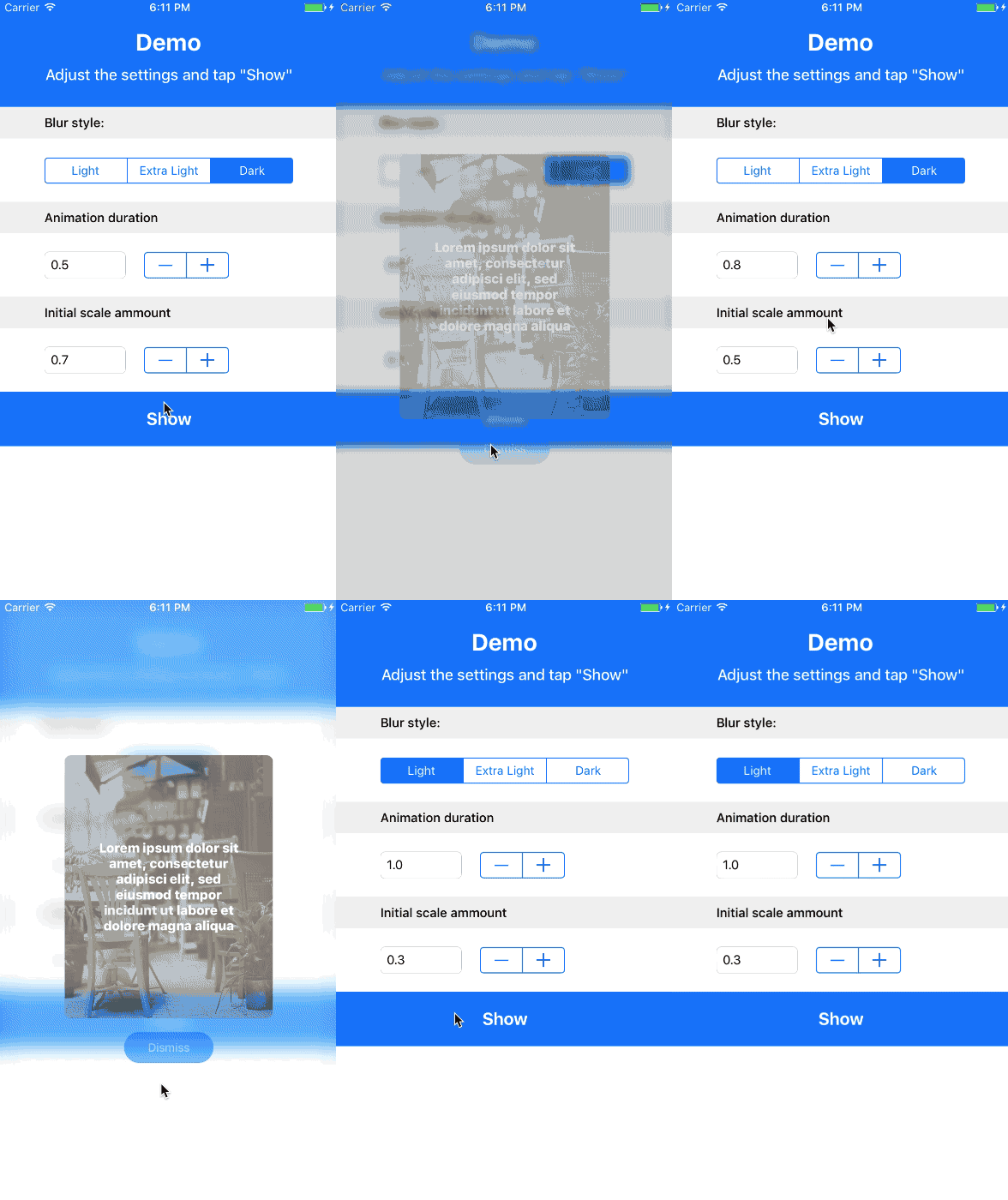
 # Setup
1. Add ```pod 'MIBlurPopup'``` to your Podfile or copy the "MIBlurPopup.swift" into your project
2. Make sure the view controller you want to present conforms the protocol ```MIBlurPopupDelegate```
3. Present the view controller with: ```MIBlurPopup.show(popupViewController, on:
# Setup
1. Add ```pod 'MIBlurPopup'``` to your Podfile or copy the "MIBlurPopup.swift" into your project
2. Make sure the view controller you want to present conforms the protocol ```MIBlurPopupDelegate```
3. Present the view controller with: ```MIBlurPopup.show(popupViewController, on: 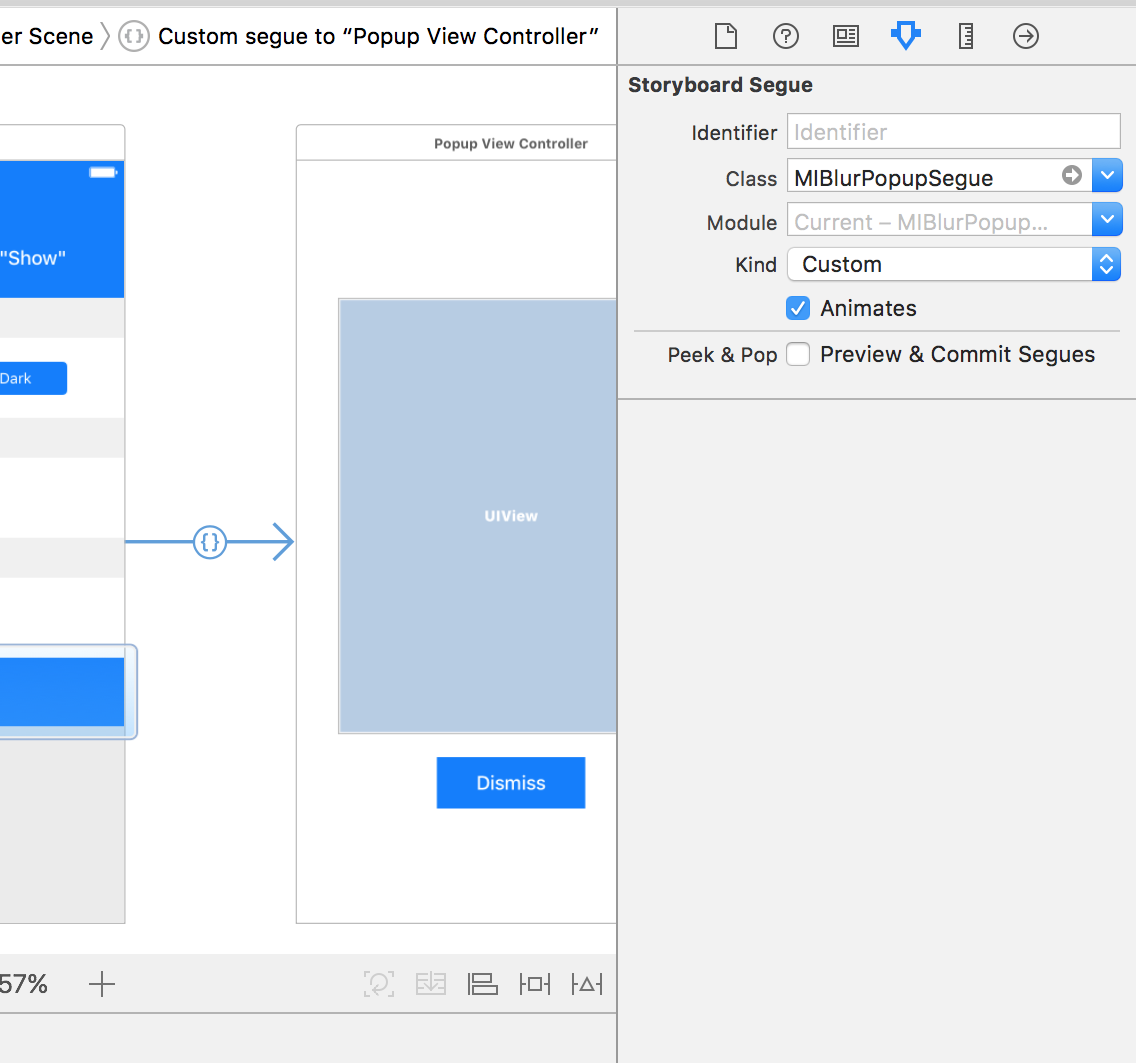
**NB:** If you have added MIBlurPopup through pod, you also have to set the Module as "MIBlurPopup". # Customization You can customize the popup behavior with the MIBlurPopupDelegate protocol - ```popupView: UIView // the view that contains the popup``` - ```blurEffectStyle: UIBlurEffectStyle // the blur effect style you want to apply to the background``` - ```initialScaleAmmount: CGFloat // ∈(0, 1), this property will be used to calculate size that the popupView will have at the begin of the presentation and at the end of the dismiss. When != 1 it will induce a zoom-effect.``` - ```animationDuration: TimeInterval // the transitions animations duration``` # TODO * [x] Add a todo list * [x] Add storyboard support (eg: with custom segue) # Demo In this repository you can also find a demo. # Info If you like this git you can follow me here or on twitter :) [@MarioIannotta](http://www.twitter.com/marioiannotta) Cheers from Italy!