M-Courtyard Logo # M-Courtyard **Zero-code local LLM fine-tuning & data prep on Apple Silicon. Privacy-first, powered by MLX.** [![macOS 14+](https://img.shields.io/badge/macOS-14%2B-black?logo=apple)](https://www.apple.com/macos) [![Apple Silicon](https://img.shields.io/badge/Apple-Silicon_M1--M4-black?logo=apple)](#) [![License: AGPL v3](https://img.shields.io/badge/License-AGPL_v3-blue.svg)](https://opensource.org/licenses/AGPL-3.0) [![Discord](https://img.shields.io/discord/1338515093796585523?label=Discord&logo=discord&logoColor=white&color=7289da)](https://discord.gg/v9ajdTSZzA) [![Release](https://img.shields.io/github/v/release/Mcourtyard/m-courtyard?label=Download)](https://github.com/Mcourtyard/m-courtyard/releases/latest) [English](README.md) | [简体中文](README_zh-CN.md)

---
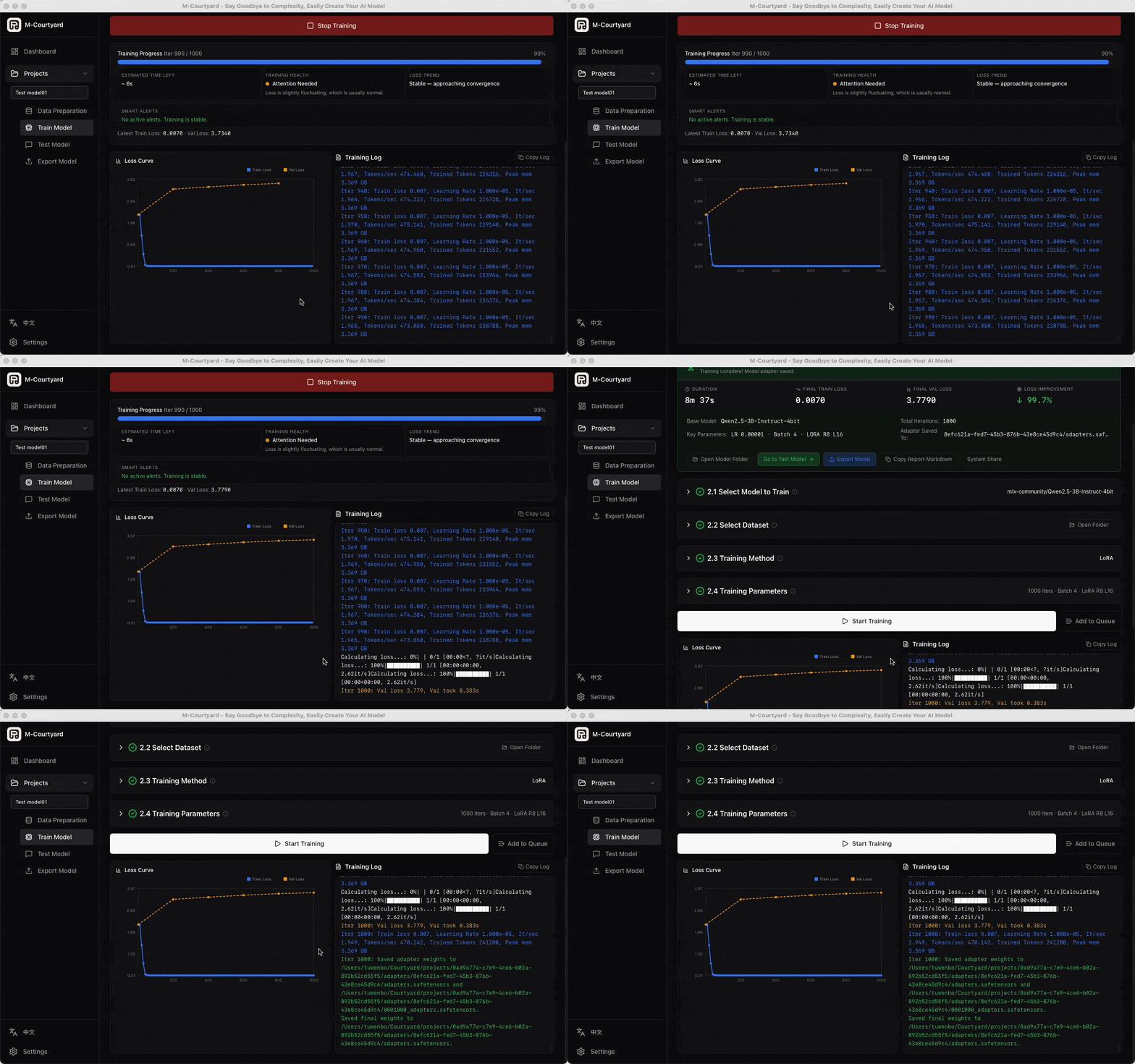
M-Courtyard Training Showcase

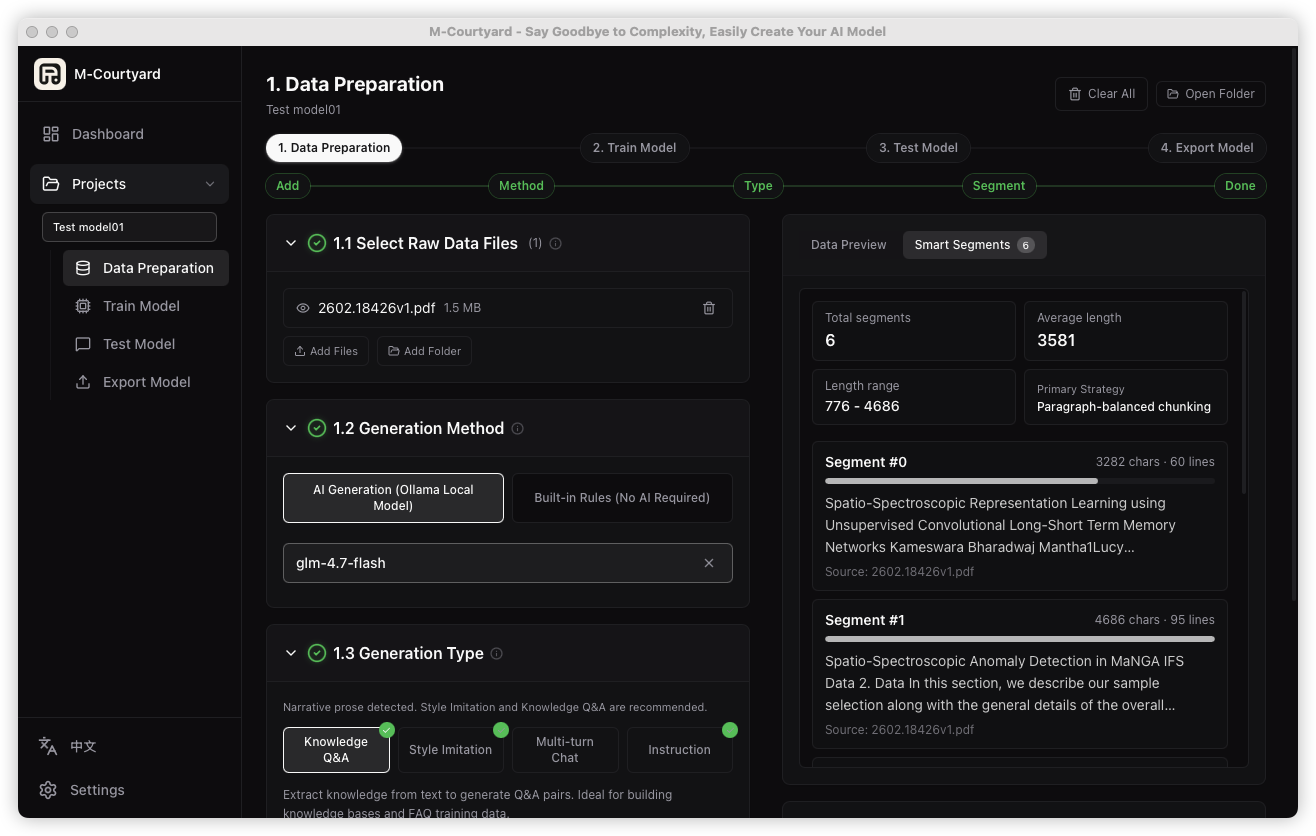
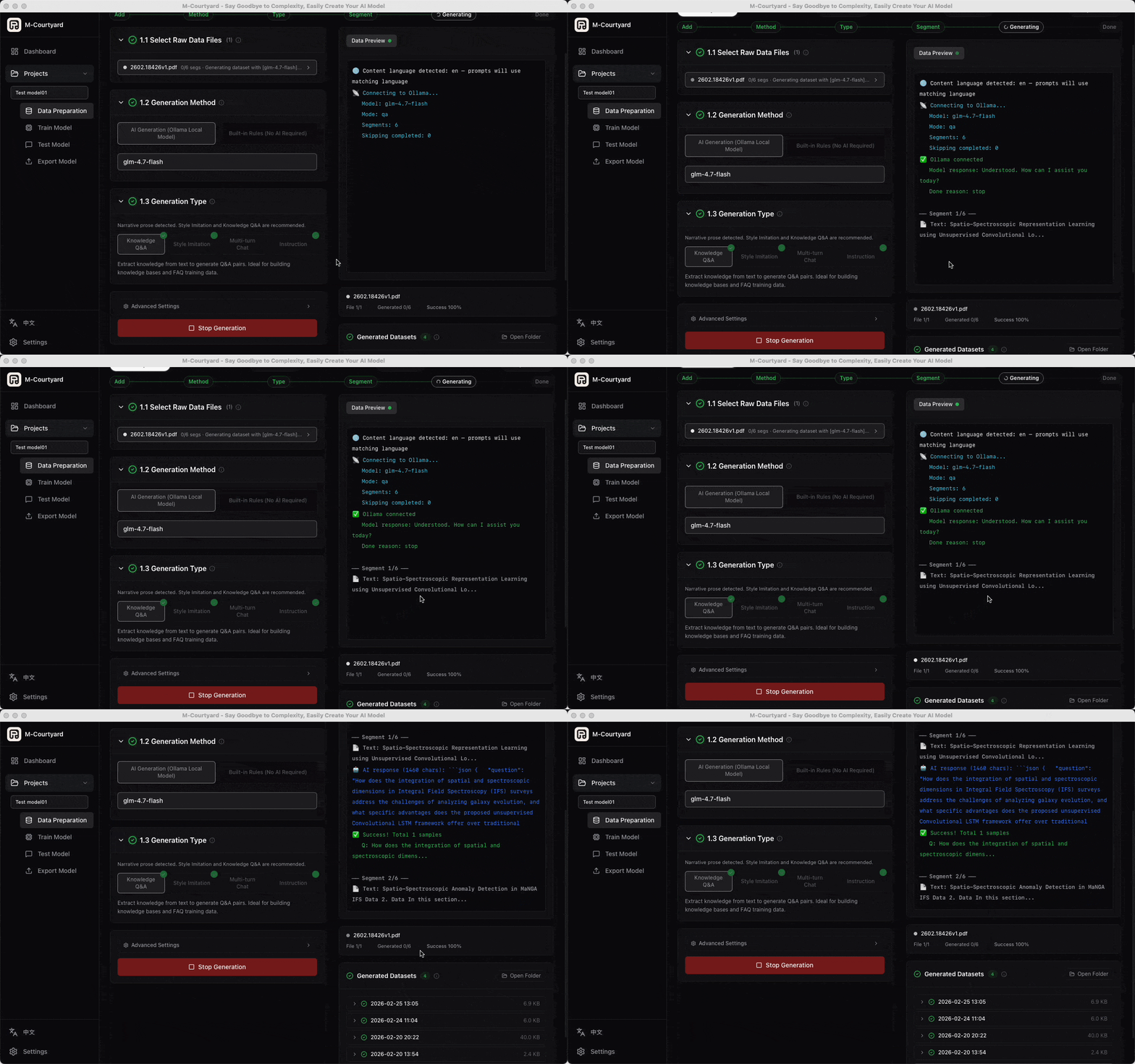
## Why M-Courtyard? M-Courtyard is a **desktop assistant** designed to demystify LLM fine-tuning. Forget about writing Python scripts, managing CUDA dependencies, or renting expensive cloud GPUs. If you have an Apple Silicon Mac, you can build your own custom AI locally. - **Zero-Code Pipeline**: From raw PDF/DOCX files to local datasets, MLX fine-tuning, and exportable local runtimes in 4 easy steps. - **100% Local & Private**: No data leaves your machine. Perfect for fine-tuning on sensitive enterprise data or personal journals. - **Optimized for Apple MLX**: Powered by `mlx-lm`, maximizing the potential of unified memory on M1/M2/M3/M4 chips. - **AI-Powered Data Prep**: Automatically turn unstructured documents into high-quality instruction datasets using local models, or fall back to built-in rules when you do not want AI generation. ## Latest Update (v0.5.9) - **Reliable mlx-lm Detection**: Settings and Dashboard now read the installed `mlx-lm` package metadata instead of importing its full runtime, preventing a valid installation from being shown as missing. - **Setup Verification**: Environment setup now verifies the installed `mlx-lm` version before reporting success. - **uv Environment Setup Compatibility**: The managed Python environment setup now rebuilds incomplete or existing `.venv` directories correctly with newer uv versions. - **macOS Tahoe + MLX Training Stability**: M-Courtyard now automatically sets `AGX_RELAX_CDM_CTXSTORE_TIMEOUT=1` for training subprocesses to mitigate the upstream MLX / macOS Tahoe Metal watchdog regression that can crash LoRA runs with `kIOGPUCommandBufferCallbackErrorImpactingInteractivity`. - **Clearer Recovery Guidance**: Smart Alerts now recognize this Metal watchdog signature and explain the fallback path if it still appears on Tahoe. ## Features ### Automated Data Preparation - **Multi-format Import**: Drag & drop `.txt`, `.pdf`, `.docx`. - **Smart Segmentation**: Automatically clean and chunk documents. - **AI Dataset Generation**: Use local Ollama models to generate *Knowledge Q&A*, *Style Imitation*, or *Instruction Training* datasets. - **Built-in Rules Mode**: Generate datasets without any external runtime when you prefer a fully self-contained workflow. ### Effortless Fine-tuning (LoRA) - **Unified Model Hub**: Auto-detect local HuggingFace / ModelScope / Ollama assets, or pull the latest models online (Qwen, DeepSeek, GLM, Gemma, Llama, GPT-OSS, etc.). - **Live Visuals**: Real-time training loss charts, ETA, and resource monitoring. - **Presets**: 1-click configurations (Quick / Standard / Thorough) for different needs. ### Test & Export - **Built-in Chat**: Test your fine-tuned adapter instantly. - **One-Click Ollama Export**: Merge, quantize (Q4/Q8/F16), and export straight to Ollama. Play with your model immediately. - **MLX Export for Local Runtimes**: Export fused MLX models that can be used with `mlx-lm.server` and loaded in LM Studio on Apple Silicon. ## Local Runtime Support - **`mlx-lm` is the core engine**: training and built-in inference are powered by Apple MLX rather than Ollama. - **`Ollama` is currently optional but recommended**: it is used for Ollama-based AI dataset generation and one-click Ollama export. - **`LM Studio` is supported as a parallel local runtime**: use its local OpenAI-compatible server for AI dataset generation, or load exported MLX models there on Apple Silicon. - **Built-in rules remain available with no extra runtime**: if you do not want to install Ollama or LM Studio, you can still generate datasets with the built-in rules path. ## Interface Tour ### 1. Data Preparation Import documents, auto-clean, and generate training datasets using local LLMs.
Data Prep Setup   Data Prep Generation
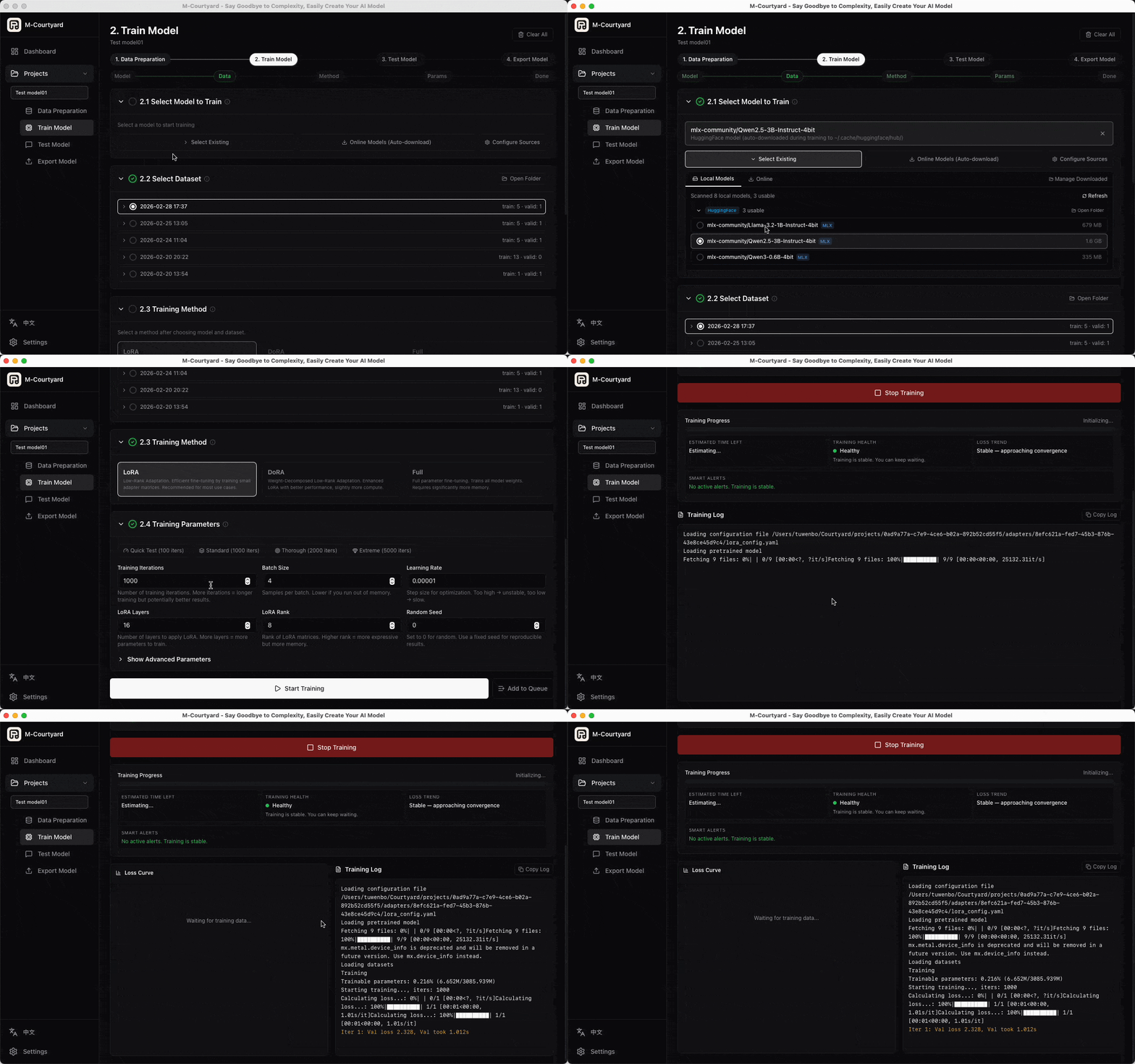
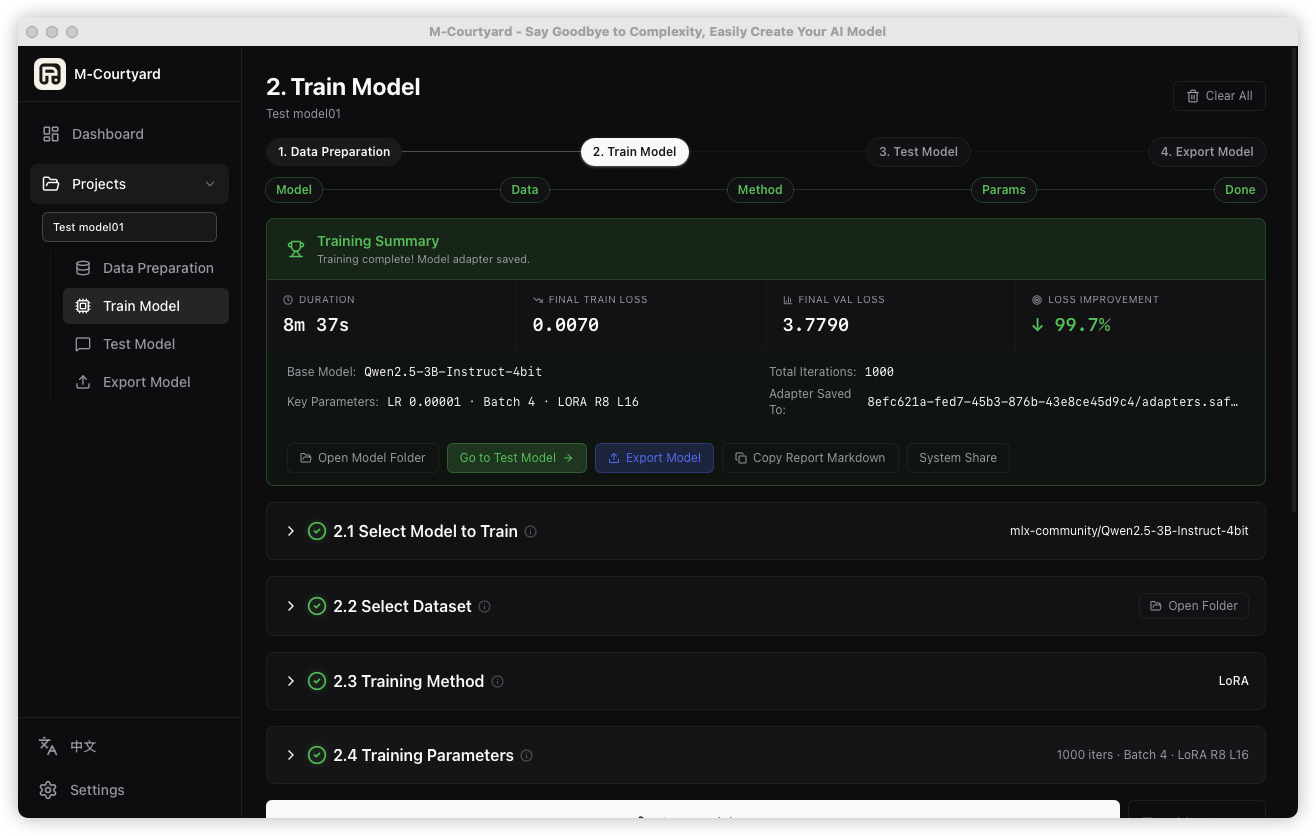
### 2. Model Training Real-time loss curves, ETA, and progress tracking powered by Apple MLX.
Training Live Loss   Training Summary
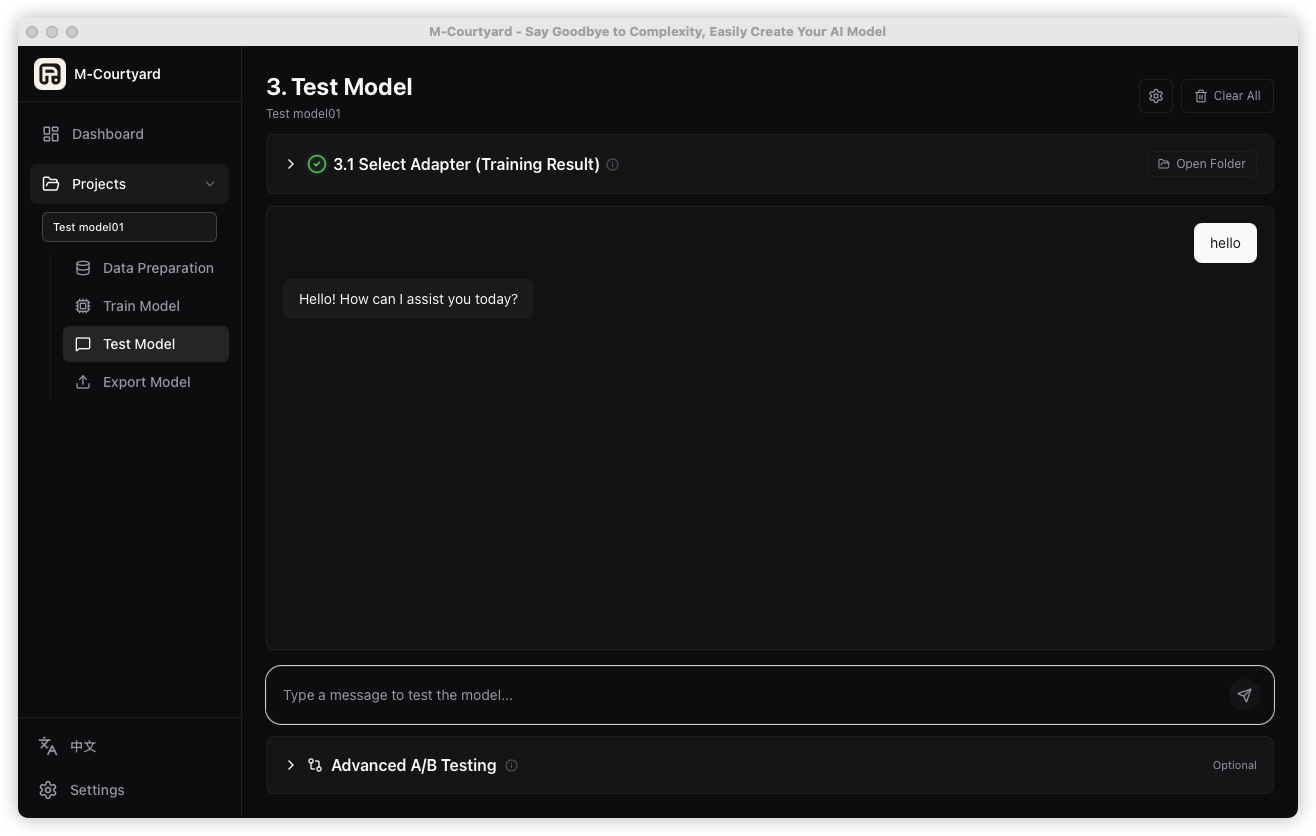
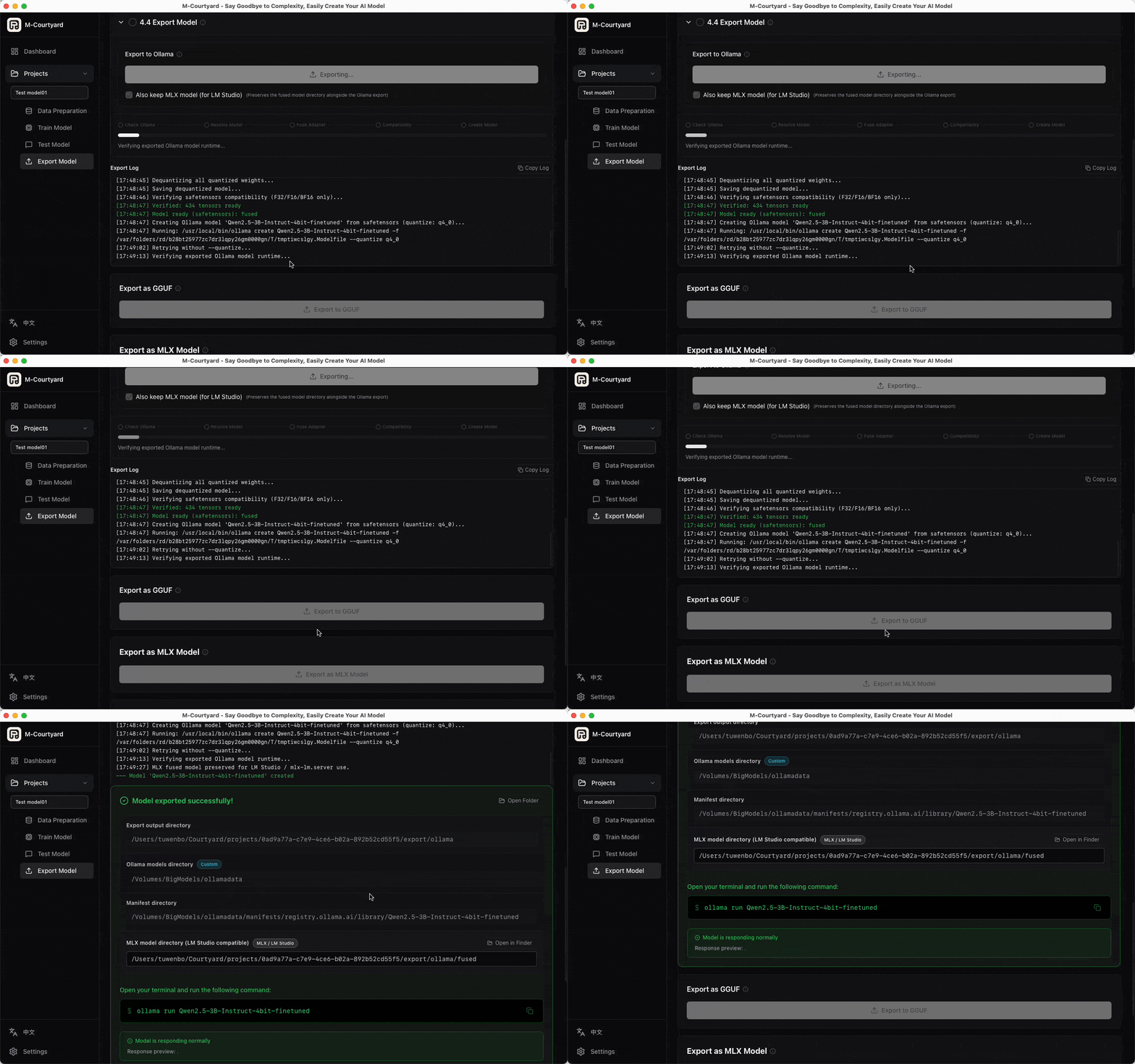
### 3. Testing & Export Instantly chat with your fine-tuned model and export it either to Ollama or as MLX assets for LM Studio / local MLX workflows.
Test Model   Export to Ollama
## Requirements - **OS**: macOS 14+ (Sonoma or later) - **Chip**: Apple Silicon (M1 / M2 / M3 / M4 series) - **RAM**: 16 GB+ recommended (for 7B/8B models); 8 GB works for small models (1.5B/3B) - **Core Runtime**: M-Courtyard guides the local `uv` / Python / `mlx-lm` setup inside the app - **Optional Local Runtime**: [Ollama](https://ollama.com) installed and running if you want Ollama-based AI dataset generation or Ollama export - **Optional Local Runtime**: [LM Studio](https://lmstudio.ai) if you want LM Studio-based AI dataset generation or to load exported MLX models there - **No extra runtime required**: the built-in rules path can generate datasets without Ollama or LM Studio ## Quick Start ### Download the Pre-built App (Recommended) 1. Go to [**Releases**](https://github.com/Mcourtyard/m-courtyard/releases/latest) and download the latest `.dmg`. 2. Open the `.dmg` and drag **M-Courtyard.app** to your Applications folder. 3. Open Terminal and run this command to allow the app to run (since it's not code-signed yet): ```bash sudo xattr -rd com.apple.quarantine /Applications/M-Courtyard.app ``` 4. Launch M-Courtyard from Applications!
Build from Source **Prerequisites:** - Node.js 18+ & `pnpm` - Rust toolchain - Xcode Command Line Tools (`xcode-select --install`) ```bash # 1. Clone the repo git clone https://github.com/Mcourtyard/m-courtyard.git cd m-courtyard/app # 2. Install dependencies pnpm install # 3. Development mode pnpm tauri dev # OR: Production build pnpm tauri build ```
## Tech Stack - **Frontend**: React 19 + TypeScript + TailwindCSS v4 + Vite + Zustand - **Desktop Framework**: Tauri 2.x (Rust) - **AI Core**: `mlx-lm` (Apple MLX), local Python `venv` managed automatically - **Storage**: SQLite + local filesystem ## Community & Support Join our community to share your fine-tuned models, get help, or suggest features! - [Discord](https://discord.gg/v9ajdTSZzA) — Live chat & support - [GitHub Discussions](https://github.com/Mcourtyard/m-courtyard/discussions) — Feature ideas and Q&A - [GitHub Issues](https://github.com/Mcourtyard/m-courtyard/issues) — Bug reports If M-Courtyard helps you build your local AI, please consider giving it a star on GitHub! ## Support If M-Courtyard saves you time, consider buying me a coffee — it helps keep the project alive! ☕ Buy Me a Coffee at ko-fi.com Chinese supporters can also use [爱发电](https://afdian.com/a/mcourtyard) (WeChat Pay / Alipay supported). ## License M-Courtyard is open-source software licensed under the [AGPL-3.0 License](LICENSE). For brand name and logo usage, see [Brand and Logo Usage Notice](BRANDING.md). For commercial use or different licensing terms, please contact: `tuwenbo0112@gmail.com`