


English · 中文
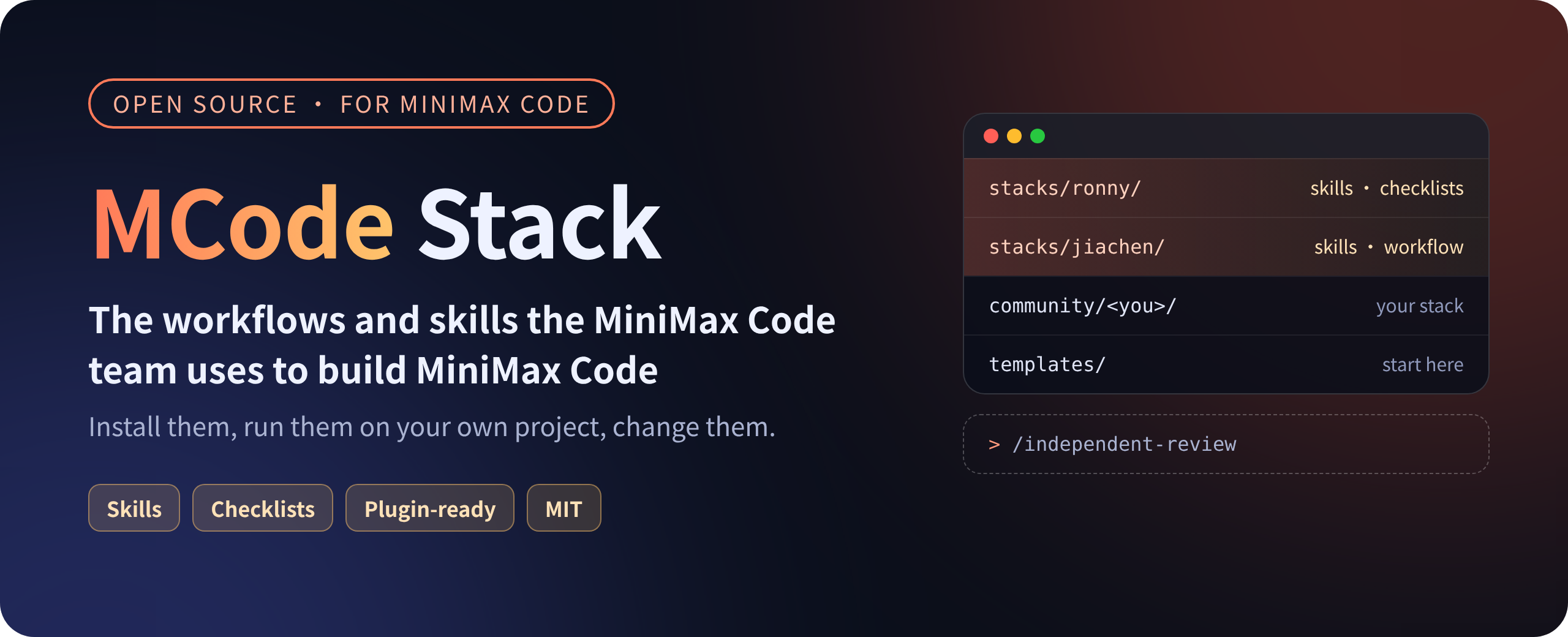
**The workflows and skills the MiniMax Code team uses to build MiniMax Code. Open source, install and use.**
This is not a prompt collection or a list of "best practices". It is what
people on the team actually use every day: how to keep AI-written code at a
high bar, how to decide whether a task should go to a subagent, how long to
wait on a long command, how to keep long sessions from going dull, and what
goes into context on every turn. Each piece is a `SKILL.md` skill or
checklist that installs straight into
[MiniMax Code](https://github.com/MiniMax-AI/minimax-code).
- [Quick start](#quick-start)
- [What's inside](#whats-inside)
- [How it works](#how-it-works)
- [Articles](#articles)
- [Stacks](#stacks)
- [Contributing](#contributing)
## Quick start
**Claude Code, one command.** The command adds this marketplace and installs
a whole stack. In a shell:
```bash
claude plugin install ronny --marketplace MiniMax-AI/mcode-stack
```
Inside a Claude Code session:
```bash
/plugin install ronny --marketplace MiniMax-AI/mcode-stack
```
Use `jiachen`, `req-tpm` or `youfang` in place of `ronny` for those stacks. From a clone of this
repository, `scripts/install.sh` installs `ronny` (`scripts/install.sh jiachen`,
`scripts/install.sh req-tpm` or `scripts/install.sh youfang` for the others) with `claude` or `codex` when either is on `PATH`, and
otherwise copies that stack's skills into `~/.agents/skills/`.
Older Claude Code can add the marketplace first, then install:
```bash
/plugin marketplace add MiniMax-AI/mcode-stack
/plugin install ronny@mcode-stack
```
**Codex.** Add the marketplace, then install from the Plugins Directory or the
CLI:
```bash
codex plugin marketplace add MiniMax-AI/mcode-stack
codex plugin add ronny@mcode-stack
```
Substitute `jiachen`, `req-tpm` or `youfang` the same way. To take a single skill instead of the
plugin, copy that skill's folder into `~/.agents/skills/`. Codex and MiniMax
Code both scan that directory; the copy steps are below.
**One skill, for all your projects:**
```bash
git clone https://github.com/MiniMax-AI/mcode-stack.git ~/mcode-stack
mkdir -p ~/.agents/skills
cp -R ~/mcode-stack/stacks/ronny/skills/long-command-check ~/.agents/skills/
```
Open a new session and type `/skills` in MiniMax Code to see it. Run it with
`/long-command-check`, or let the agent load it from its description.
**The whole stack, as a plugin:**
```bash
mcode plugin marketplace list # shows your local plugin directory
```
Copy the whole `stacks/ronny` directory into that directory, then open
`/plugins` in MiniMax Code and press `Ctrl+R` to refresh. A local plugin is
installed as soon as it is in that directory; press Space in the panel to
enable or disable it.
**Every stack, from the MiniMax Code marketplace:**
This repository is also a plugin marketplace, so you can install a stack
without copying files and pick up updates later. In MiniMax Code desktop, open
**Plugins**, choose **Add marketplace** and enter `MiniMax-AI/mcode-stack`; each
stack then shows up as one plugin you can install, update or uninstall. Adding
marketplaces is rolling out gradually, so your version may not have it yet.
More install options
MiniMax Code discovers skills in these directories (one subdirectory per
skill, containing `SKILL.md`):
- For the current project only: `.minimax/skills/`, `.claude/skills/` or
`.agents/skills/` in the project
- For all projects: `~/.agents/skills/` (`~/.claude/skills/` and
`~/.codex/skills/` are read too)
`mcode plugin add` installs from the official catalog only; it does not take
a GitHub URL or a local path.
The skills use the common `SKILL.md` format, so most of them also work in
other agents that support skills.
## What's inside
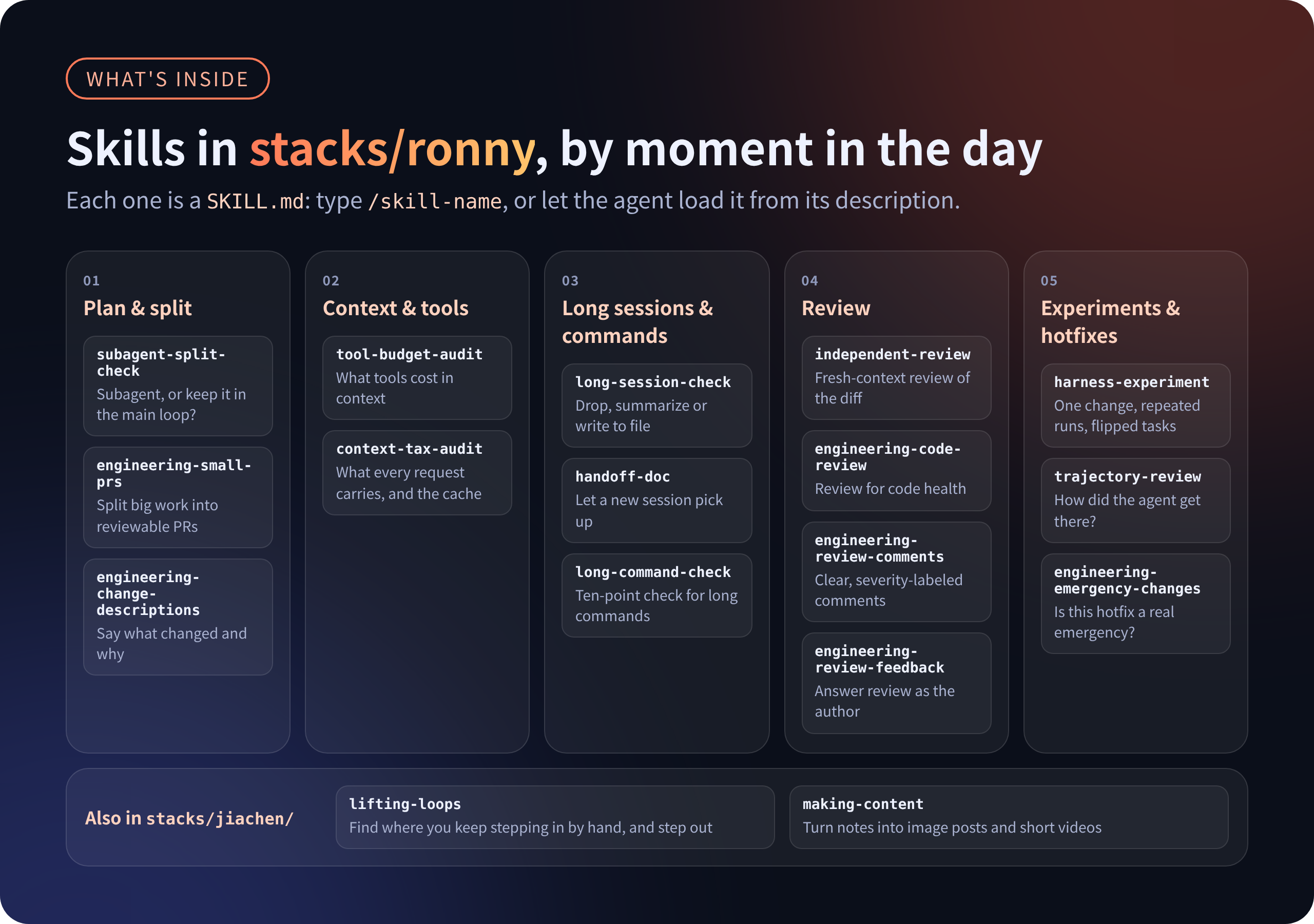
| When | Skill | What it does |
| --- | --- | --- |
| Plan & split | [`subagent-split-check`](stacks/ronny/skills/subagent-split-check/SKILL.md) | Decide whether work goes to a subagent or stays in the main loop |
| | [`engineering-small-prs`](stacks/ronny/skills/engineering-small-prs/SKILL.md) | Split large features, refactors and migrations into small reviewable PRs |
| | [`engineering-change-descriptions`](stacks/ronny/skills/engineering-change-descriptions/SKILL.md) | Write PR and commit descriptions that say what changed and why |
| Context & tools | [`tool-budget-audit`](stacks/ronny/skills/tool-budget-audit/SKILL.md) | Measure what tools cost in context; trim, tool search or programmatic tool calling |
| | [`context-tax-audit`](stacks/ronny/skills/context-tax-audit/SKILL.md) | What gets injected into every request, and what it does to the prompt cache |
| Long sessions & commands | [`long-session-check`](stacks/ronny/skills/long-session-check/SKILL.md) | Drop, summarize or write to file; compact or start fresh; memory scoping |
| | [`handoff-doc`](stacks/ronny/skills/handoff-doc/SKILL.md) | A hand-off doc so a new session can pick up the work |
| | [`long-command-check`](stacks/ronny/skills/long-command-check/SKILL.md) | Ten-point audit of long shell commands and background tasks |
| Review | [`independent-review`](stacks/ronny/skills/independent-review/SKILL.md) | Review a diff from a clean context: only diff, requirement and test results |
| | [`engineering-code-review`](stacks/ronny/skills/engineering-code-review/SKILL.md) | Review a change for code health: design, functionality, complexity, tests, approval risk |
| | [`engineering-review-comments`](stacks/ronny/skills/engineering-review-comments/SKILL.md) | Write clear, severity-labeled review comments that explain the reasoning |
| | [`engineering-review-feedback`](stacks/ronny/skills/engineering-review-feedback/SKILL.md) | Handle reviewer comments as the author: fix, clarify, resolve disagreements |
| Experiments & hotfixes | [`harness-experiment`](stacks/ronny/skills/harness-experiment/SKILL.md) | Small eval, one change at a time, repeated runs, look at flipped tasks |
| | [`trajectory-review`](stacks/ronny/skills/trajectory-review/SKILL.md) | Look at how the agent got its result, not only whether it passed |
| Owning agent work | [`agent-brief`](stacks/ronny/skills/agent-brief/SKILL.md) | Before delegating: stakes, hypothesis, scope, what "verified" means |
| | [`evidence-first-review`](stacks/ronny/skills/evidence-first-review/SKILL.md) | When an agent says done: evidence first, what checks miss, silent decisions |
| | [`review-capacity-check`](stacks/ronny/skills/review-capacity-check/SKILL.md) | Don't launch more agents than we can stand behind |
| | [`taste-to-checks`](stacks/ronny/skills/taste-to-checks/SKILL.md) | Turn a repeat correction into a test, lint, hook or CI step |
| | [`engineering-emergency-changes`](stacks/ronny/skills/engineering-emergency-changes/SKILL.md) | Decide whether a hotfix is a real emergency and run expedited review safely |
The table above is [`stacks/ronny`](stacks/ronny/).
[`stacks/jiachen`](stacks/jiachen/) adds **MCode Review**, PR review that has
to prove its findings: the same rules in your agent
([`pr-review`](stacks/jiachen/skills/pr-review/SKILL.md)) and in GitHub or
GitLab CI, a verdict decided by a script, and a weekly loop
([`pr-review-tuning`](stacks/jiachen/skills/pr-review-tuning/SKILL.md)) that
tunes its rules on your own PRs. It also adds
[`lifting-loops`](stacks/jiachen/skills/lifting-loops/SKILL.md), which finds
the loops where you keep acting as a manual step for your agents and lifts you
out of them, and [`making-content`](stacks/jiachen/skills/making-content/SKILL.md),
which turns notes and material into Xiaohongshu image posts and short vertical
videos.
[`stacks/req-tpm`](stacks/req-tpm/) is an optional stack for requirement
management. The person who raises a product or technical requirement acts as
its TPM together with their own agent: challenge it at intake and fix a
measurable expected outcome, get a priority decision from the owner, record
the design decision, track it on a cadence and flag stale items, pass ship
gates, and close only with evidence against the expected outcome. The body
lives in a Feishu doc; status and flow live in Meegle (Feishu Project). It is
v0 and needs the `meegle` and `lark-cli` CLIs plus a one-time look-up of your
Meegle space's fields and states; see
[`stacks/req-tpm/README.md`](stacks/req-tpm/README.md).
[`stacks/youfang`](stacks/youfang/) has
[`magic-move-deck`](stacks/youfang/skills/magic-move-deck/SKILL.md), which
turns an architecture or flow walkthrough into a Keynote-style Magic Move
slide deck: every slide is a diagram seen through a camera, and the boxes and
titles two slides share morph between them. The agent shows one sample slide
in each of four styles (hand-drawn, minimal, dark neon, neo-brutalist) and
builds the deck in the one you pick, as a single offline HTML file.
A stack usually has three kinds of things:
| Kind | What it is | How to use it |
| --- | --- | --- |
| Skill | A directory with a `SKILL.md` | Invoke it in MiniMax Code with `/`, or let the agent load it from its description |
| Checklist | Also a skill: the agent walks your project item by item. A plain-text copy lives in `checklists/` | Same as above, or just read it |
| Workflow | A `WORKFLOW.md` describing how this person works with MiniMax Code every day | Read it |
## How it works
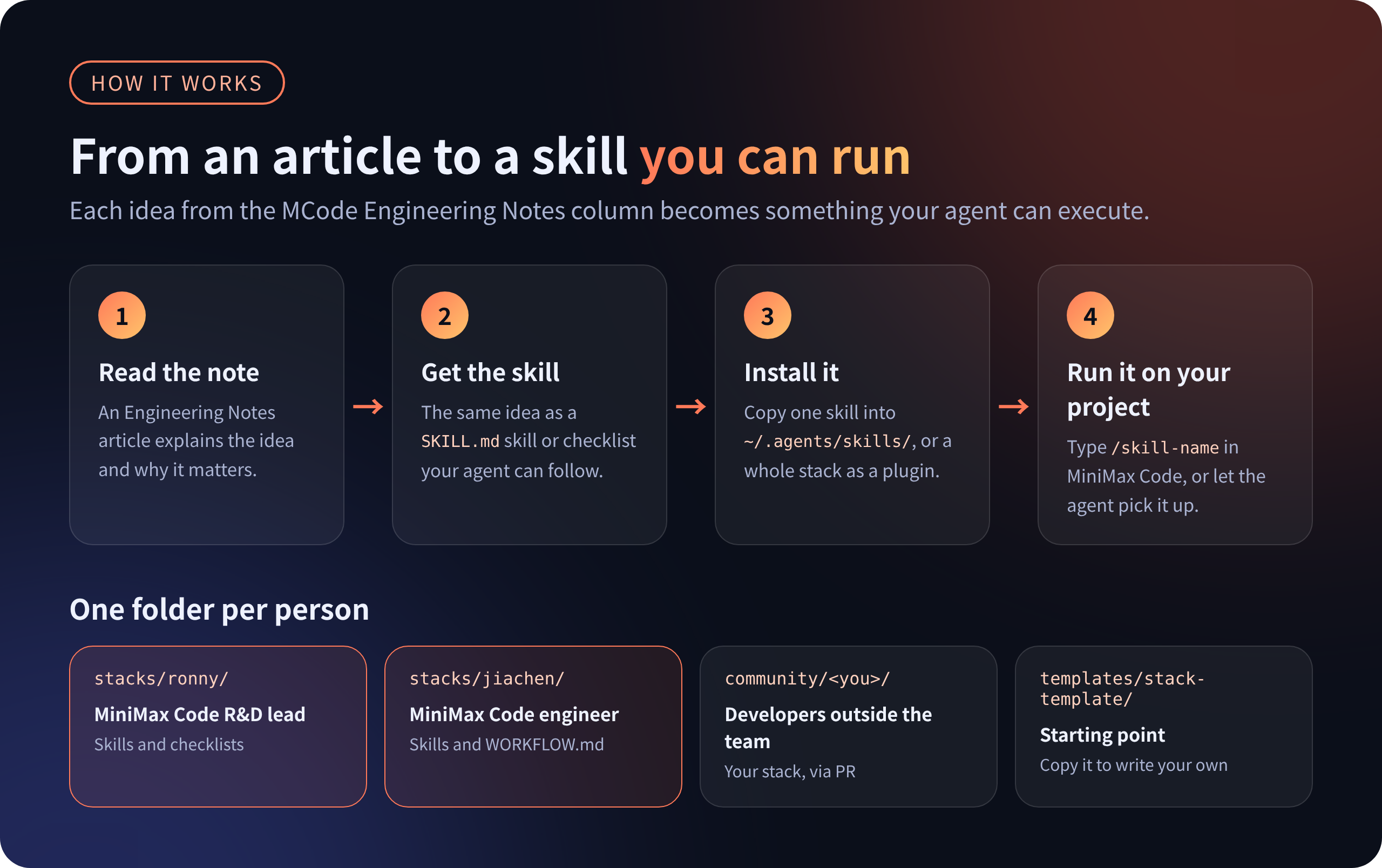
AI writes code faster every month. What separates results now is the layer
of engineering habits around the agent: when to make it stop and check its
own work, who reviews, where state lives, what counts as a real experiment.
Those habits are hard to follow from an article, so we turned them into
skills and checklists. They pair with our *MCode Engineering Notes* column:
the article explains the idea, this repository makes it runnable.
We also believe harness engineering is a craft that moves forward by
experiment. Everything here will keep changing as we learn. Take it and
change it. To suggest a change here, open an issue; see
[Contributing](#contributing).
## Articles
| # | MCode Engineering Notes | Companion skills |
| --- | --- | --- |
| 01 | [More subagents isn't better: manage context first, then parallelize](notes/01-subagent.md) | `independent-review`, `subagent-split-check`, `harness-experiment` |
| 02 | [Too many tools will eat your context: from tool search to PTC](notes/02-tool-context.md) | `tool-budget-audit` |
| 03 | [Keeping long sessions sharp: compaction vs. memory](notes/03-compaction-memory.md) | `long-session-check`, `handoff-doc` |
| 04 | [How long should one bash command wait: from foreground blocking to background tasks](notes/04-bash-background.md) | `long-command-check` |
| 05 | [One small field can break the whole prefix cache](notes/05-prefix-cache.md) | `context-tax-audit` |
## Stacks
```text
stacks/ronny/ Ronny's stack (MiniMax Code R&D lead), the first and most complete one
stacks/jiachen/ Jiachen's stack: MCode Review (PR review in your agent and in CI), getting out of the agent loop, notes into posts and videos
stacks/req-tpm/ Optional: the requester and their agent act as a requirement's TPM (Feishu doc body, Meegle status); v0
stacks/youfang/ Youfang's stack: architecture walkthroughs as Magic Move slide decks, in four styles
stacks// One directory per team member; teammates are welcome to add theirs
notes/ Which runnable piece goes with each Engineering Notes article
community/ Stacks from outside the team, added by collaborators
templates/stack-template/ Template for a new stack
```
Every stack is also a MiniMax Code plugin package. See
[`stacks/ronny`](stacks/ronny/), [`stacks/jiachen`](stacks/jiachen/),
[`stacks/req-tpm`](stacks/req-tpm/) and [`stacks/youfang`](stacks/youfang/) for
what each one contains.
## Contributing
Issues and discussion are welcome. For now, pull requests for code,
documentation, and stacks are accepted only from repository collaborators.
If you are not a collaborator, [open an issue](https://github.com/MiniMax-AI/mcode-stack/issues/new/choose)
to discuss first.
We still want to hear how you work with MiniMax Code, or any other agent,
day to day. Share that in an issue. Collaborators adding a stack:
1. Copy `templates/stack-template/` to `community//`.
2. Write a `WORKFLOW.md`: how you use the agent every day, what you hand to it
and what you keep an eye on yourself.
3. Add at least one skill or checklist you really use.
4. Run `node scripts/check.mjs`, then open a PR with the output and a short
record of real usage.
Details in [CONTRIBUTING.md](CONTRIBUTING.md). Using something from here in
your own agent? Tell us with an **I use this** issue.
## Relationship to MiniMax Code
MiniMax Code itself lives in
[MiniMax-AI/minimax-code](https://github.com/MiniMax-AI/minimax-code). This
repository only holds workflows and skills, no MiniMax Code source code.
## License
[MIT](LICENSE), except where a stack's `NOTICE.md` says otherwise. The
`engineering-*` skills are adapted from Google Engineering Practices; the
adapted material stays under CC-BY 3.0. See
[`stacks/ronny/NOTICE.md`](stacks/ronny/NOTICE.md).