# AZDialogViewController
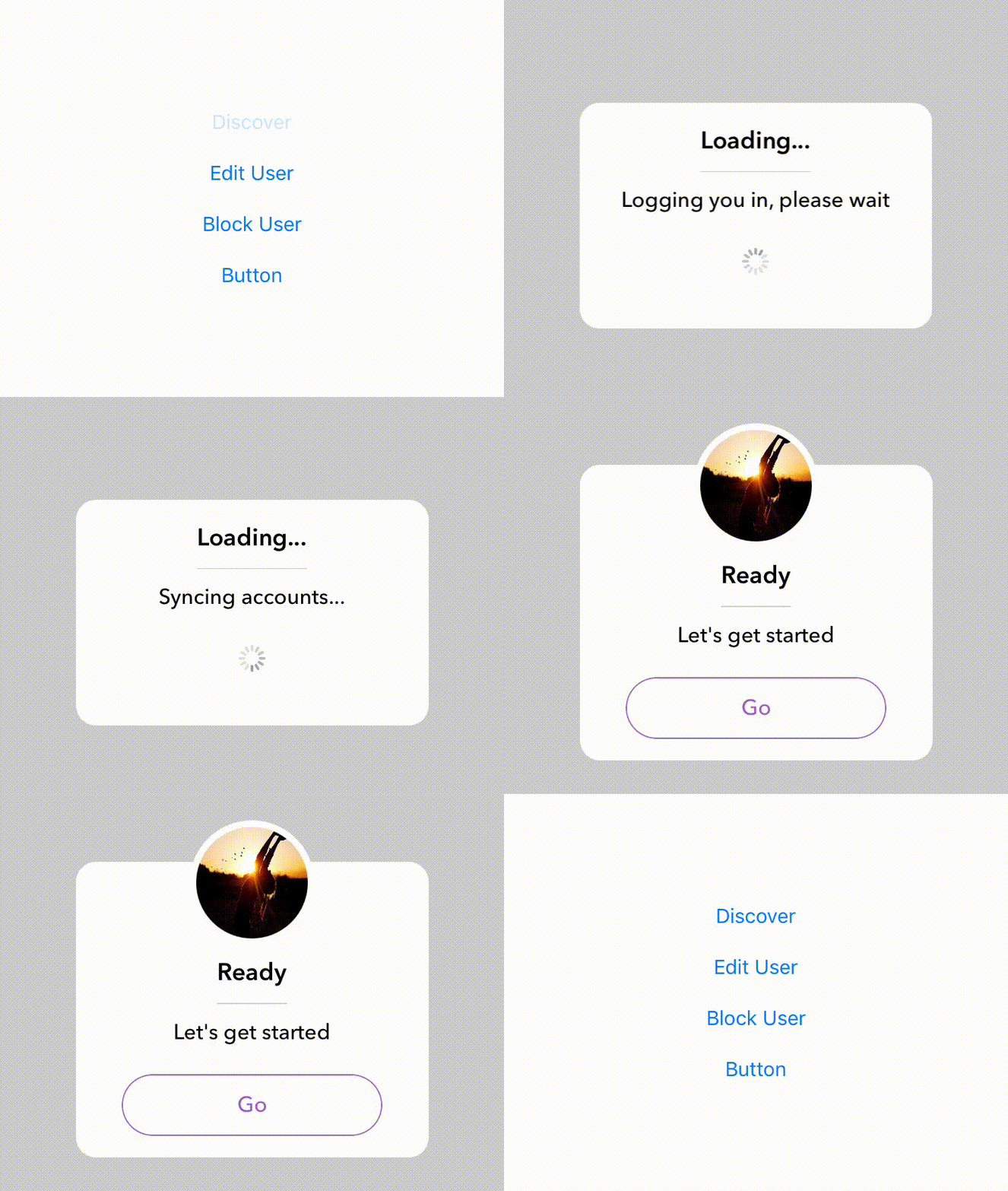
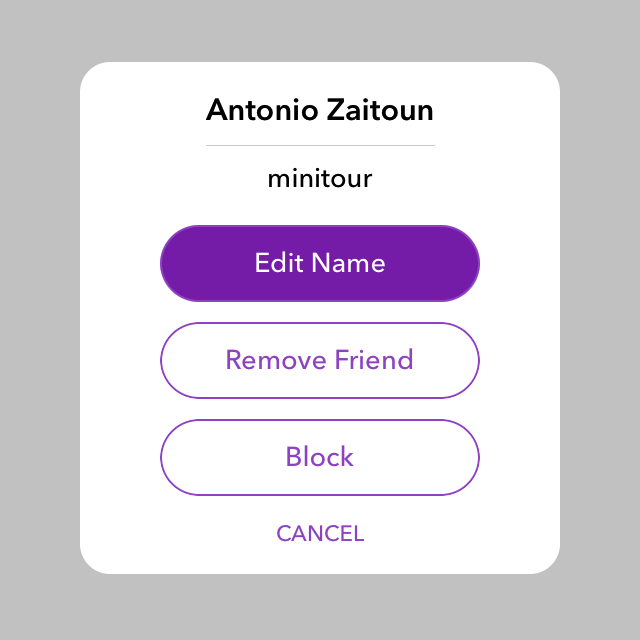
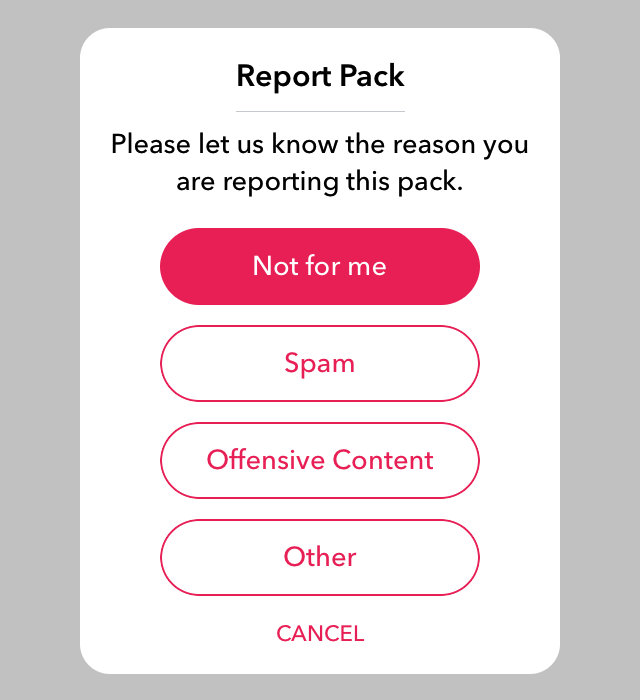
A highly customizable alert dialog controller that mimics Snapchat's alert dialog.
[]()
[]()
[]()
## Screenshots

 ## Installation
### CocoaPods:
```ruby
pod 'AZDialogView'
```
### Carthage:
```ruby
github "Minitour/AZDialogViewController"
```
### Manual:
Simply drag and drop the ```Sources``` folder to your project.
## Usage
Create an instance of AZDialogViewController:
```swift
//init with optional parameters
let dialog = AZDialogViewController(title: "Antonio Zaitoun", message: "minitour")
```
#### Customize:
```swift
//set the title color
dialog.titleColor = .black
//set the message color
dialog.messageColor = .black
//set the dialog background color
dialog.alertBackgroundColor = .white
//set the gesture dismiss direction
dialog.dismissDirection = .bottom
//allow dismiss by touching the background
dialog.dismissWithOutsideTouch = true
//show seperator under the title
dialog.showSeparator = false
//set the seperator color
dialog.separatorColor = UIColor.blue
//enable/disable drag
dialog.allowDragGesture = false
//enable rubber (bounce) effect
dialog.rubberEnabled = true
//set dialog image
dialog.image = UIImage(named: "icon")
//enable/disable backgroud blur
dialog.blurBackground = true
//set the background blur style
dialog.blurEffectStyle = .dark
//set the dialog offset (from center)
dialog.contentOffset = self.view.frame.height / 2.0 - dialog.estimatedHeight / 2.0 - 16.0
```
#### Add Actions:
```swift
dialog.addAction(AZDialogAction(title: "Edit Name") { (dialog) -> (Void) in
//add your actions here.
dialog.dismiss()
})
dialog.addAction(AZDialogAction(title: "Remove Friend") { (dialog) -> (Void) in
//add your actions here.
dialog.dismiss()
})
dialog.addAction(AZDialogAction(title: "Block") { (dialog) -> (Void) in
//add your actions here.
dialog.dismiss()
})
```
#### Add Image:
```swift
dialog.imageHandler = { (imageView) in
imageView.image = UIImage(named: "your_image_here")
imageView.contentMode = .scaleAspectFill
return true //must return true, otherwise image won't show.
}
```
### Custom View
```swift
/*
customViewSizeRatio is the precentage of the height in respect to the width of the view.
i.e. if the width is 100 and we set customViewSizeRatio to be 0.2 then the height will be 20.
The default value is 0.0.
*/
dialog.customViewSizeRatio = 0.2
//Add the subviews
let container = dialog.container
let indicator = UIActivityIndicatorView(activityIndicatorStyle: .gray)
dialog.container.addSubview(indicator)
//add constraints
indicator.translatesAutoresizingMaskIntoConstraints = false
indicator.centerXAnchor.constraint(equalTo: container.centerXAnchor).isActive = true
indicator.centerYAnchor.constraint(equalTo: container.centerYAnchor).isActive = true
indicator.startAnimating()
```
#### Present The dialog:
```swift
dialog.show(in: self)
//or
//Make sure to have animated set to false otherwise you'll see a delay.
self.present(dialog, animated: false, completion: nil)
```
**Show with completion**
```swift
dialog.show(in: self) { dialog in
// show and then change the offset
dialog.contentOffset = self.view.frame.height / 2.0 - dialog.estimatedHeight / 2.0 + 15
}
```
## Design
#### Change Dialog Width
This has been a requested feature and so I decided to add it. You can change the width of the dialog frame as a ratio in respect to the width of the main view. This can only be doing using the initalizer and the width cannot be modified afterwards.
```swift
let dialog = AZDialogViewController(title: "Switch Account", message: "My Message", widthRatio: 1.0)
```
This will display a dialog which has the same width as the the controller it is presented in.
The default value is `0.75`
#### Customize Action Buttons Style:
```swift
dialog.buttonStyle = { (button,height,position) in
button.setBackgroundImage(UIImage.imageWithColor(self.primaryColorDark), for: .highlighted)
button.setTitleColor(UIColor.white, for: .highlighted)
button.setTitleColor(self.primaryColor, for: .normal)
button.layer.masksToBounds = true
button.layer.borderColor = self.primaryColor.cgColor
}
```
#### Use custom UIButton sub-class:
```swift
dialog.buttonInit = { index in
//set a custom button only for the first index
return index == 0 ? HighlightableButton() : nil
}
```
#### Customize Tool Buttons:
```swift
dialog.rightToolStyle = { (button) in
button.setImage(UIImage(named: "ic_share"), for: [])
button.tintColor = .lightGray
return true
}
dialog.rightToolAction = { (button) in
print("Share function")
}
dialog.leftToolStyle = { (button) in
button.setImage(UIImage(named: "ic_share"), for: [])
button.tintColor = .lightGray
return true
}
dialog.leftToolAction = { (button) in
print("Share function")
}
```
#### Customize Cancel Button Style:
```swift
dialog.cancelEnabled = true
dialog.cancelButtonStyle = { (button,height) in
button.tintColor = self.primaryColor
button.setTitle("CANCEL", for: [])
return true //must return true, otherwise cancel button won't show.
}
```
## Installation
### CocoaPods:
```ruby
pod 'AZDialogView'
```
### Carthage:
```ruby
github "Minitour/AZDialogViewController"
```
### Manual:
Simply drag and drop the ```Sources``` folder to your project.
## Usage
Create an instance of AZDialogViewController:
```swift
//init with optional parameters
let dialog = AZDialogViewController(title: "Antonio Zaitoun", message: "minitour")
```
#### Customize:
```swift
//set the title color
dialog.titleColor = .black
//set the message color
dialog.messageColor = .black
//set the dialog background color
dialog.alertBackgroundColor = .white
//set the gesture dismiss direction
dialog.dismissDirection = .bottom
//allow dismiss by touching the background
dialog.dismissWithOutsideTouch = true
//show seperator under the title
dialog.showSeparator = false
//set the seperator color
dialog.separatorColor = UIColor.blue
//enable/disable drag
dialog.allowDragGesture = false
//enable rubber (bounce) effect
dialog.rubberEnabled = true
//set dialog image
dialog.image = UIImage(named: "icon")
//enable/disable backgroud blur
dialog.blurBackground = true
//set the background blur style
dialog.blurEffectStyle = .dark
//set the dialog offset (from center)
dialog.contentOffset = self.view.frame.height / 2.0 - dialog.estimatedHeight / 2.0 - 16.0
```
#### Add Actions:
```swift
dialog.addAction(AZDialogAction(title: "Edit Name") { (dialog) -> (Void) in
//add your actions here.
dialog.dismiss()
})
dialog.addAction(AZDialogAction(title: "Remove Friend") { (dialog) -> (Void) in
//add your actions here.
dialog.dismiss()
})
dialog.addAction(AZDialogAction(title: "Block") { (dialog) -> (Void) in
//add your actions here.
dialog.dismiss()
})
```
#### Add Image:
```swift
dialog.imageHandler = { (imageView) in
imageView.image = UIImage(named: "your_image_here")
imageView.contentMode = .scaleAspectFill
return true //must return true, otherwise image won't show.
}
```
### Custom View
```swift
/*
customViewSizeRatio is the precentage of the height in respect to the width of the view.
i.e. if the width is 100 and we set customViewSizeRatio to be 0.2 then the height will be 20.
The default value is 0.0.
*/
dialog.customViewSizeRatio = 0.2
//Add the subviews
let container = dialog.container
let indicator = UIActivityIndicatorView(activityIndicatorStyle: .gray)
dialog.container.addSubview(indicator)
//add constraints
indicator.translatesAutoresizingMaskIntoConstraints = false
indicator.centerXAnchor.constraint(equalTo: container.centerXAnchor).isActive = true
indicator.centerYAnchor.constraint(equalTo: container.centerYAnchor).isActive = true
indicator.startAnimating()
```
#### Present The dialog:
```swift
dialog.show(in: self)
//or
//Make sure to have animated set to false otherwise you'll see a delay.
self.present(dialog, animated: false, completion: nil)
```
**Show with completion**
```swift
dialog.show(in: self) { dialog in
// show and then change the offset
dialog.contentOffset = self.view.frame.height / 2.0 - dialog.estimatedHeight / 2.0 + 15
}
```
## Design
#### Change Dialog Width
This has been a requested feature and so I decided to add it. You can change the width of the dialog frame as a ratio in respect to the width of the main view. This can only be doing using the initalizer and the width cannot be modified afterwards.
```swift
let dialog = AZDialogViewController(title: "Switch Account", message: "My Message", widthRatio: 1.0)
```
This will display a dialog which has the same width as the the controller it is presented in.
The default value is `0.75`
#### Customize Action Buttons Style:
```swift
dialog.buttonStyle = { (button,height,position) in
button.setBackgroundImage(UIImage.imageWithColor(self.primaryColorDark), for: .highlighted)
button.setTitleColor(UIColor.white, for: .highlighted)
button.setTitleColor(self.primaryColor, for: .normal)
button.layer.masksToBounds = true
button.layer.borderColor = self.primaryColor.cgColor
}
```
#### Use custom UIButton sub-class:
```swift
dialog.buttonInit = { index in
//set a custom button only for the first index
return index == 0 ? HighlightableButton() : nil
}
```
#### Customize Tool Buttons:
```swift
dialog.rightToolStyle = { (button) in
button.setImage(UIImage(named: "ic_share"), for: [])
button.tintColor = .lightGray
return true
}
dialog.rightToolAction = { (button) in
print("Share function")
}
dialog.leftToolStyle = { (button) in
button.setImage(UIImage(named: "ic_share"), for: [])
button.tintColor = .lightGray
return true
}
dialog.leftToolAction = { (button) in
print("Share function")
}
```
#### Customize Cancel Button Style:
```swift
dialog.cancelEnabled = true
dialog.cancelButtonStyle = { (button,height) in
button.tintColor = self.primaryColor
button.setTitle("CANCEL", for: [])
return true //must return true, otherwise cancel button won't show.
}
```