# [🧪 Experimental] Widgets
> [!IMPORTANT]
> Widgets are an experimental feature and as such, may not get official support or work as expected.
These widgets are made through the awesome [`react-native-android-widget` package by Stefan Aleksovski](https://github.com/sAleksovski/react-native-android-widget).
Widget design is pretty limited as we have to account for the different Android versions and home screen layouts. For example, a `1×1` area on the home screen might not necessarily be a square.
> [!NOTE]
> `react-native-android-widget` uses the [`WorkManager` API](https://developer.android.com/jetpack/androidx/releases/work) which adds in the [`android.permission.RECEIVE_BOOT_COMPLETED` permission](https://developer.android.com/reference/android/Manifest.permission#RECEIVE_BOOT_COMPLETED). This permission has been explicitly removed as [it should be fine as long as our app becomes "alive" in a different way](https://issuetracker.google.com/issues/129362589), but it might break something unexpectedly.
## Current Widgets
What all widgets have in common is that if no track is queued / the app has been dismissed when `Continue Playback on Dismiss` is disabled, clicking on the widget will open the app instead.
- So for the "best" experience, it's recommended to enable the `Continue Playback on Dismiss` experimental feature as well.
There's no indicator for playback progress as I don't want to trigger a widget update every second.
### [2×2] Artwork Player
 Displays the current playing track artwork. Clicking on the widget will play/pause the current track.
### [2×1] Now Playing
Displays the current playing track artwork. Clicking on the widget will play/pause the current track.
### [2×1] Now Playing
 Offers quick access to media controls (Play/Pause). **When the widget is wide enough, it also offers Prev & Next controls.** Clicking anywhere but the media controls will open the app.
> **Supports:** Customizations, Resizing (Horizontal)
### [2×2] Now Playing
Offers quick access to media controls (Play/Pause). **When the widget is wide enough, it also offers Prev & Next controls.** Clicking anywhere but the media controls will open the app.
> **Supports:** Customizations, Resizing (Horizontal)
### [2×2] Now Playing
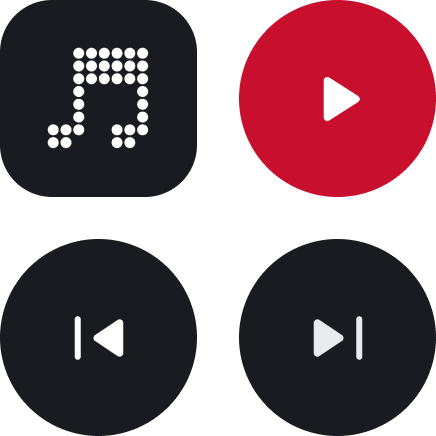 Offers quick access to media controls (Play/Pause, Prev, Next). Clicking on the artwork will open the app.
> **Supports:** Customizations
### [4×2] Now Playing
Offers quick access to media controls (Play/Pause, Prev, Next). Clicking on the artwork will open the app.
> **Supports:** Customizations
### [4×2] Now Playing
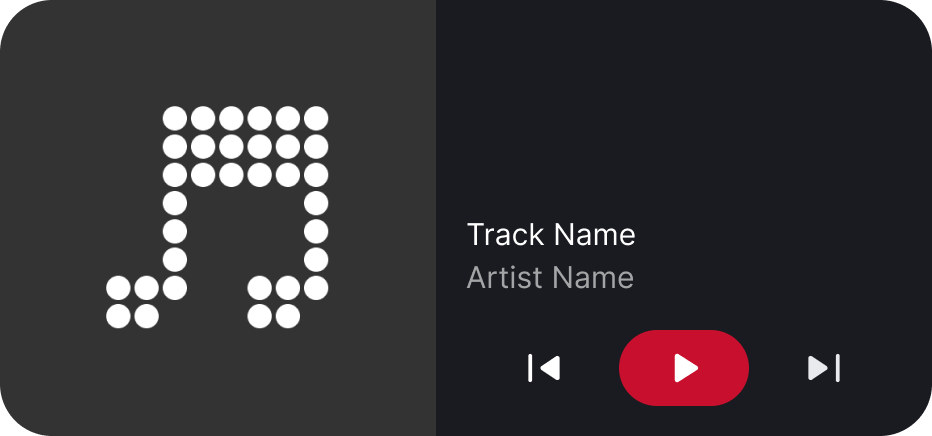 Offers quick access to media controls (Play/Pause, Prev, Next). Clicking anywhere but the media controls will open the app.
> **Supports:** Customizations, Resizing (Horizontal)
## Customizations
We support customizing the colors used by our widgets. **These are applied per-widget-instance.** This is currently supported on the following widgets:
- `[2×1] Now Playing`
- `[2×2] Now Playing`
- `[4×2] Now Playing`
## Known Issues
- The widget when placed might be initially invisible (launching the app at least once should fix it).
- Dismissing the app (with `Continue Playback on Dismiss` disabled) then immediately clicking the widget may "crash" the app (you get the app launch animation, then it closes).
- This is probably due to us delaying destroying the foreground service by `350ms` to let the widget get updated one final time.
- Widget won't update on screen reorientation ([ref](https://github.com/sAleksovski/react-native-android-widget/issues/96)).
- Some interactions/animations may become slower/laggier when using the "Now Playing" widget (or in general multiple widgets).
- This can be seen when pressing the play/pause button and seeing the "pressed" state lasting a bit longer.
- This is probably due to the JS thread becoming blocked/busy as we're notifying each widget to update.
Offers quick access to media controls (Play/Pause, Prev, Next). Clicking anywhere but the media controls will open the app.
> **Supports:** Customizations, Resizing (Horizontal)
## Customizations
We support customizing the colors used by our widgets. **These are applied per-widget-instance.** This is currently supported on the following widgets:
- `[2×1] Now Playing`
- `[2×2] Now Playing`
- `[4×2] Now Playing`
## Known Issues
- The widget when placed might be initially invisible (launching the app at least once should fix it).
- Dismissing the app (with `Continue Playback on Dismiss` disabled) then immediately clicking the widget may "crash" the app (you get the app launch animation, then it closes).
- This is probably due to us delaying destroying the foreground service by `350ms` to let the widget get updated one final time.
- Widget won't update on screen reorientation ([ref](https://github.com/sAleksovski/react-native-android-widget/issues/96)).
- Some interactions/animations may become slower/laggier when using the "Now Playing" widget (or in general multiple widgets).
- This can be seen when pressing the play/pause button and seeing the "pressed" state lasting a bit longer.
- This is probably due to the JS thread becoming blocked/busy as we're notifying each widget to update.