简体中文

 PalmClaw
Your private AI assistant on your phone: simple, safe, and ready anytime.
⬇️ Just want to download? Jump to Quick Start
## 📌 Overview
PalmClaw is a personal assistant on your phone inspired by [OpenClaw](https://github.com/openclaw/openclaw), but designed for direct mobile deployment: run your AI agent on your phone without a PC.
- 📱 Deploy and operate directly on Android.
- 🔒 Local-first runtime for a safer and more private workflow.
- ⚡ Simpler setup and daily use, while still supporting channels, tools, and automation.
## ✨ Key Features
- 📱 **Mobile-native deployment**
Deploy and run directly on Android, with built-in access to local hardware and files.
- ✨ **Simple workflow**
All operations are done directly in the app UI, making setup and usage easier.
- 🔐 **Stronger safety**
Android App sandbox isolation provides a naturally safer runtime boundary.
- 🧠 **Full agent stack included**
Memory, skills, tools, and channels are all available in one mobile runtime.
## 🎬 Demos
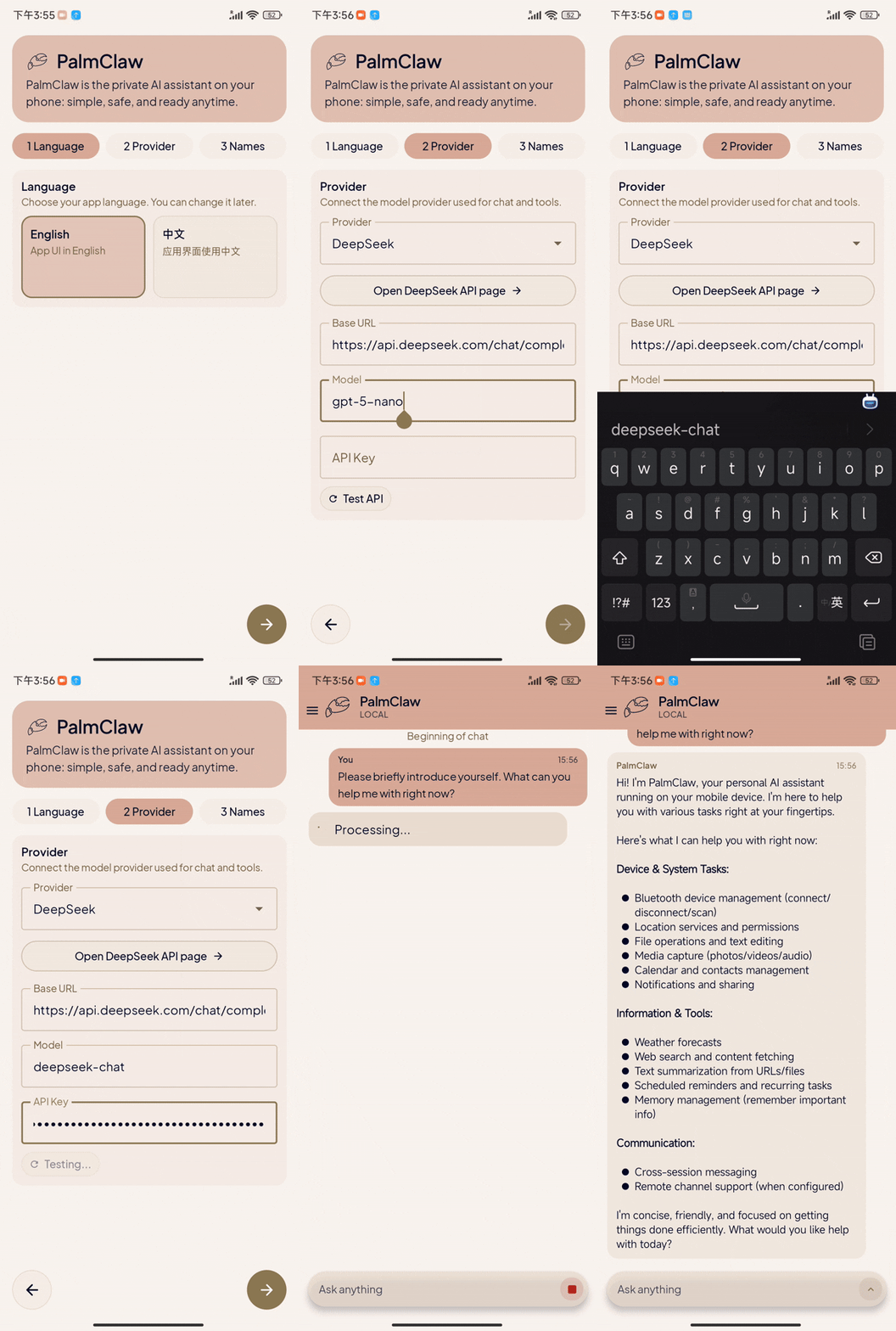 |
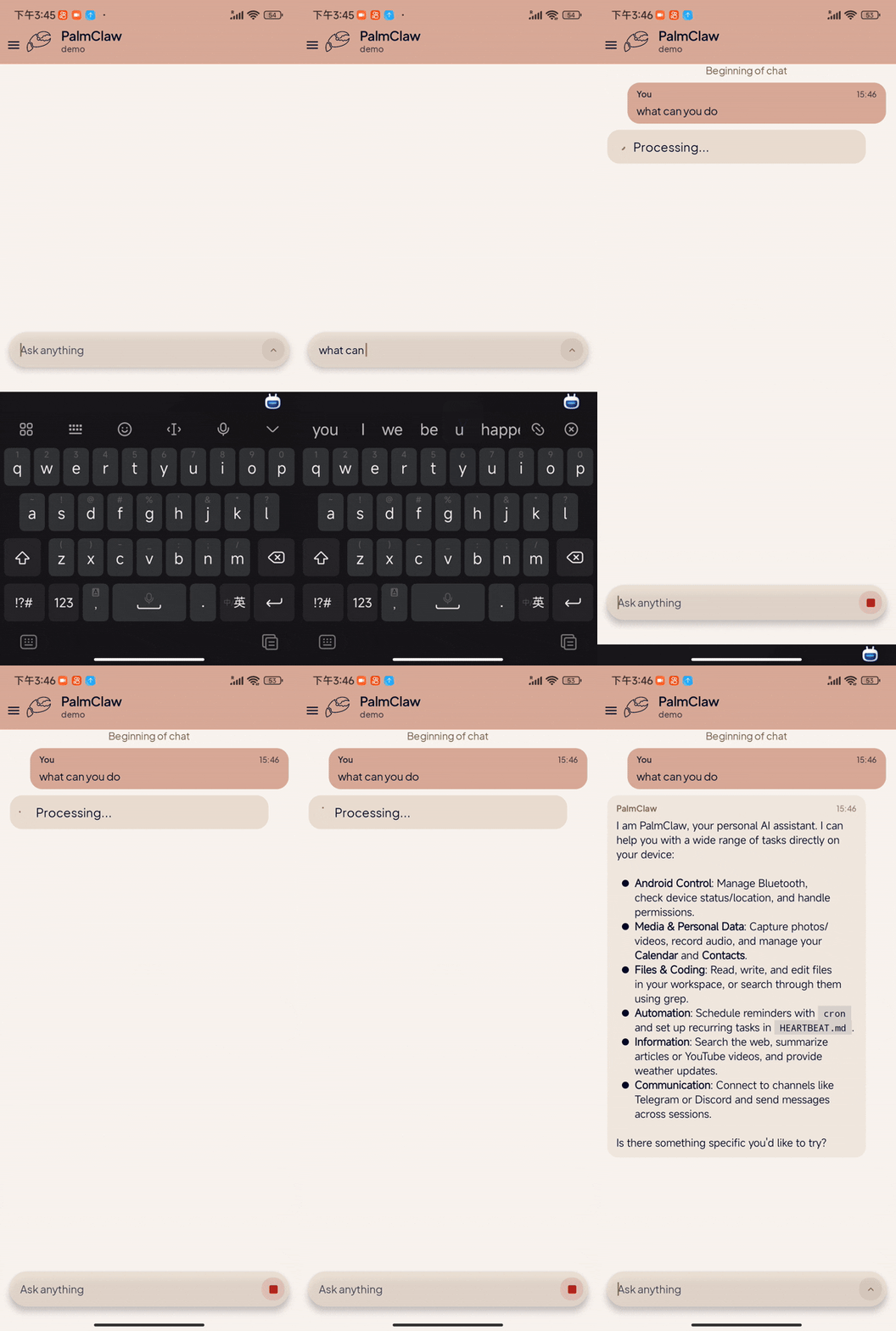 |
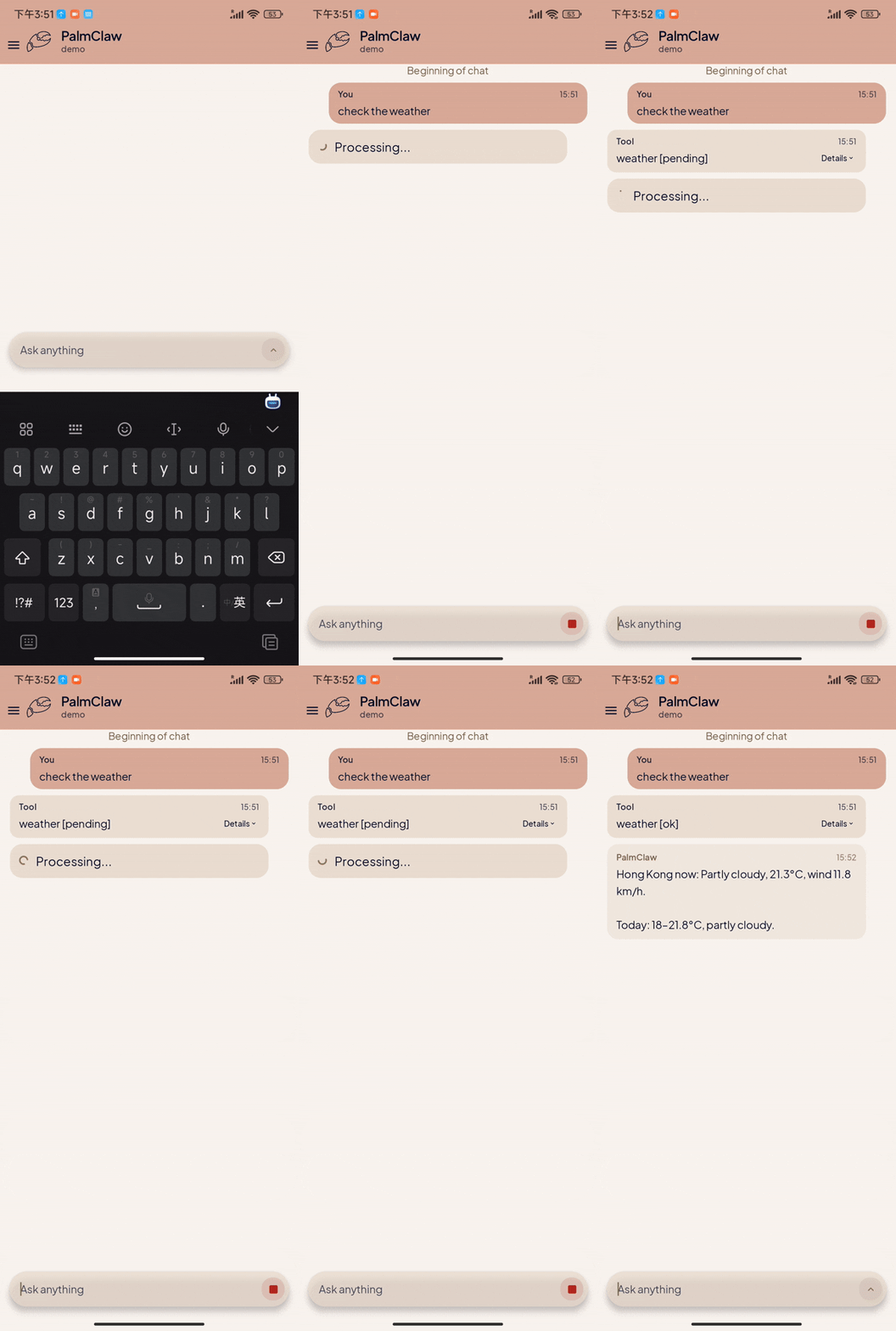 |
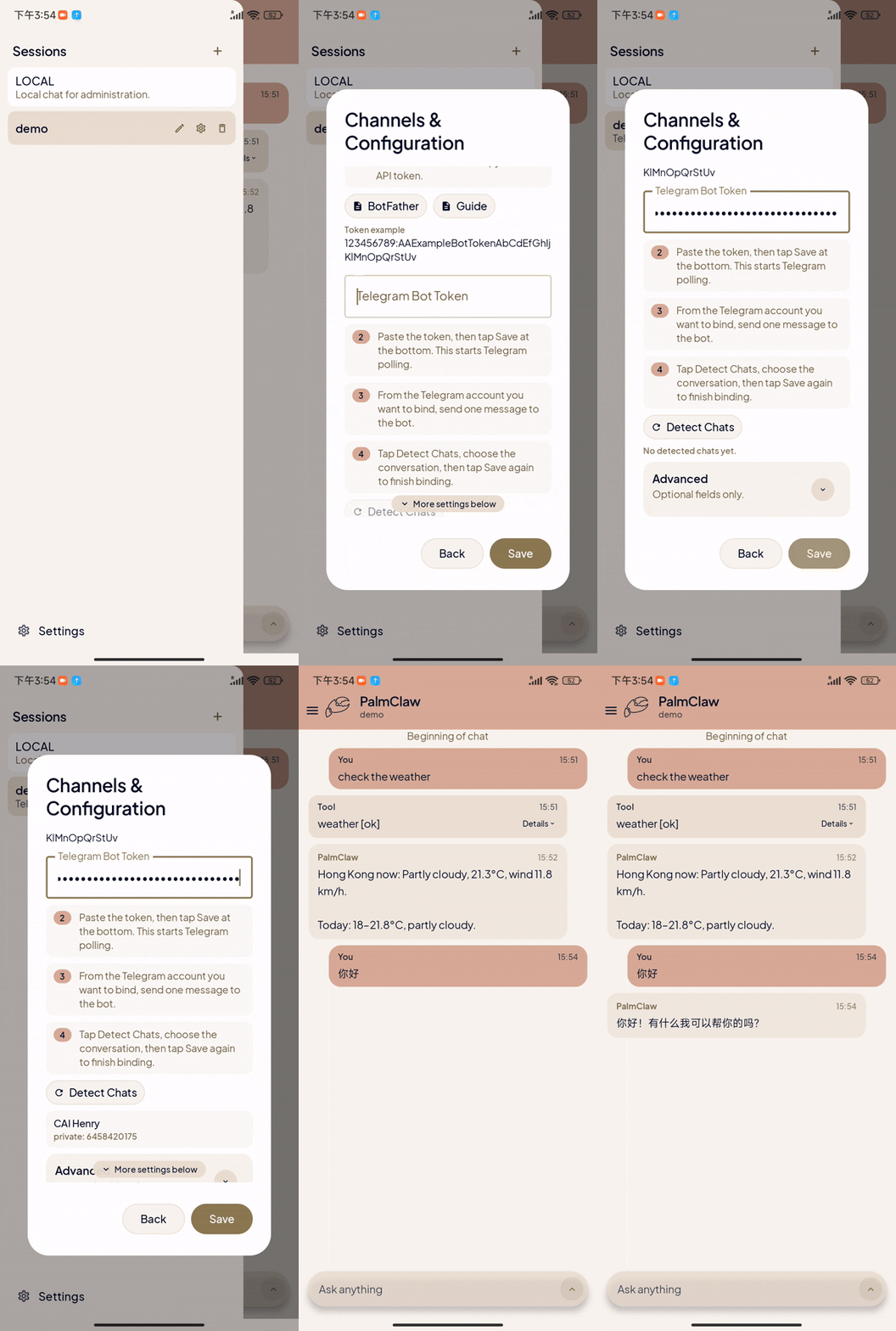 |
| Initial Setup |
Core Features |
Tool Usage |
Channels Setup |
## 📰 News
- ✨ **[2026.03.28] v0.1.4 Channels, UI & Auto Update:** Improved channel connection flow and stability, refined UI structure, added more unit tests, and introduced automatic update checks and downloads.
- ✨ **[2026.03.25] v0.1.3 Custom Provider & Auto-Detect Update:** Added custom provider naming, improved endpoint auto-detection, and remembered successful provider resolution.
- ✨ **[2026.03.24] v0.1.2 Provider & Settings Refresh:** Added Volcengine, BytePlus, and Mistral presets, improved model setup, and refined settings UX.
- 🌏 **[2026.03.21] v0.1.1 Chinese Docs & UX Update:** Added a Chinese README, improved Chinese error messages, and fixed the MiniMax API endpoint.
- 🚀 **[2026.03.16] Initial Release:** PalmClaw **v0.1.0** is now live! 🎉
### 🛣️ Roadmap
- [ ] Integrate SkillHub.
- [ ] Build a conversion skill: desktop skill -> mobile-ready skill.
- [ ] More channel integrations.
- [ ] Better tool support.
- [ ] Stronger web search tools, like brave or tavily.
- [ ] Expand Android-native capabilities.
- [ ] Local app integration.
- [ ] Screen reading and interaction.
- [ ] Multimodal input and output.
## 📑 Table of Contents
- [📌 Overview](#-overview)
- [✨ Key Features](#-key-features)
- [🎬 Demos](#-demos)
- [📰 News](#-news)
- [🛣️ Roadmap](#️-roadmap)
- [📑 Table of Contents](#-table-of-contents)
- [🚀 Quick Start](#-quick-start)
- [👤 For Normal Users](#-for-normal-users)
- [🛠️ For Developers](#️-for-developers)
- [🔌 Channels Configuration](#-channels-configuration)
- [⚙️ How PalmClaw Works](#️-how-palmclaw-works)
- [🗂️ Repository Structure](#️-repository-structure)
- [🤝 Community](#-community)
- [⚖️ License](#️-license)
## 🚀 Quick Start
### 👤 For Normal Users
1. Download the latest APK from the [Releases page](https://github.com/ModalityDance/PalmClaw/releases).
2. Install the APK on your Android phone.
3. Open PalmClaw and follow the in-app onboarding guide.
4. Finish provider setup, then start chatting in the local session!
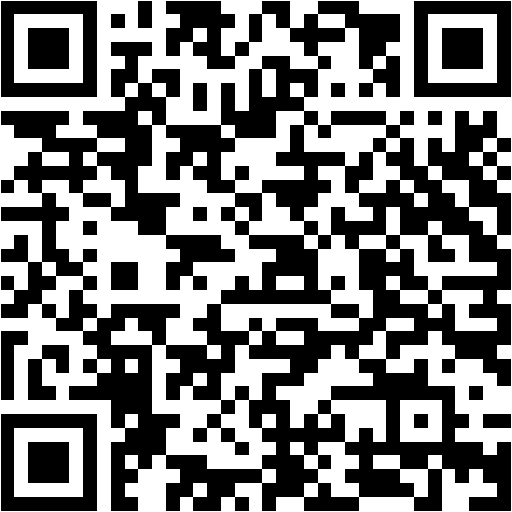 Scan to download the latest APK
> [!IMPORTANT]
> PalmClaw does not include hosted model access by default. You need to configure your own provider API key during setup.
### 🛠️ For Developers
1. Install Android Studio and JDK 17.
2. Clone the repository:
```bash
git clone https://github.com/ModalityDance/PalmClaw.git
cd PalmClaw
```
3. Open the project in Android Studio and wait for Gradle sync.
4. Ensure `local.properties` points to your Android SDK path.
5. Run the app on a physical device or emulator.
> [!NOTE]
> `local.properties` is machine-specific and should not be committed.
## 🔌 Channels Configuration
PalmClaw currently supports these channels:
Telegram
1. Set `Channel = Telegram`.
2. Fill `Telegram Bot Token` and save.
3. Send one message to your bot in Telegram.
4. Tap `Detect Chats`.
5. Select detected chat, then save binding.
Discord
1. Set `Channel = Discord`.
2. Fill `Discord Bot Token`.
3. Set target `Discord Channel ID`.
4. Choose response mode (`mention` or `open`), optionally set allowed user IDs.
5. Save binding.
> [!TIP]
> Invite the bot to the target server/channel first.
>
> If using `mention` mode, mention the bot once to trigger replies in guild channels.
Slack
1. Set `Channel = Slack`.
2. Fill `Slack App Token (xapp...)` and `Slack Bot Token (xoxb...)`.
3. Set target `Slack Channel ID`.
4. Choose response mode (`mention` or `open`), optionally set allowed user IDs.
5. Save binding.
> [!IMPORTANT]
> Slack prerequisites:
>
> - Socket Mode enabled
> - App token with `connections:write`
> - Bot token with required message/reply scopes
Feishu
1. Set `Channel = Feishu`.
2. Fill `Feishu App ID` and `Feishu App Secret`, then save once in PalmClaw.
3. In Feishu Open Platform, make sure Bot capability is enabled. In `Events & Callbacks`, select `Long Connection`, then add `im.message.receive_v1`.
4. In `Permission Management`, add `im:message` (send messages) and `im:message.p2p_msg:readonly` (receive messages). If you test by `@`-mentioning the bot in a group, also add `im:message.group_at_msg:readonly`.
5. Publish the app, open it in Feishu, and confirm the `Long Connection` configuration while PalmClaw is still running.
6. Send one message to the bot from Feishu.
7. Tap `Detect Chats`.
8. Select detected target (`open_id` for private chat, `chat_id` for group), then save again.
9. Optional: set `Allowed Open IDs`.
> If outbound works but inbound does not, the usual cause is that the receive permission, event subscription, publish/open step, or Long Connection confirmation is still incomplete.
Email
1. Set `Channel = Email`.
2. Enable consent.
3. Fill IMAP settings: host, port, username, password.
4. Fill SMTP settings: host, port, username, password, from address.
5. Save once to start mailbox polling.
6. Send one email to this mailbox from target sender.
7. Tap `Detect Senders`.
8. Select sender and save again.
9. Optional: toggle auto-reply on/off.
WeCom
1. Set `Channel = WeCom`.
2. Fill `WeCom Bot ID` and `WeCom Secret`.
3. Save once to start long connection.
4. Send one message to the bot from WeCom.
5. Tap `Detect Chats`.
6. Select detected target and save again.
7. Optional: set `Allowed User IDs`.
> [!NOTE]
> Recommended order for any channel:
>
> 1. Open the target session.
> 2. Go to `Session Settings` -> `Channels & Configuration`.
> 3. Select channel type and follow the setup instructions.
## ⚙️ How PalmClaw Works
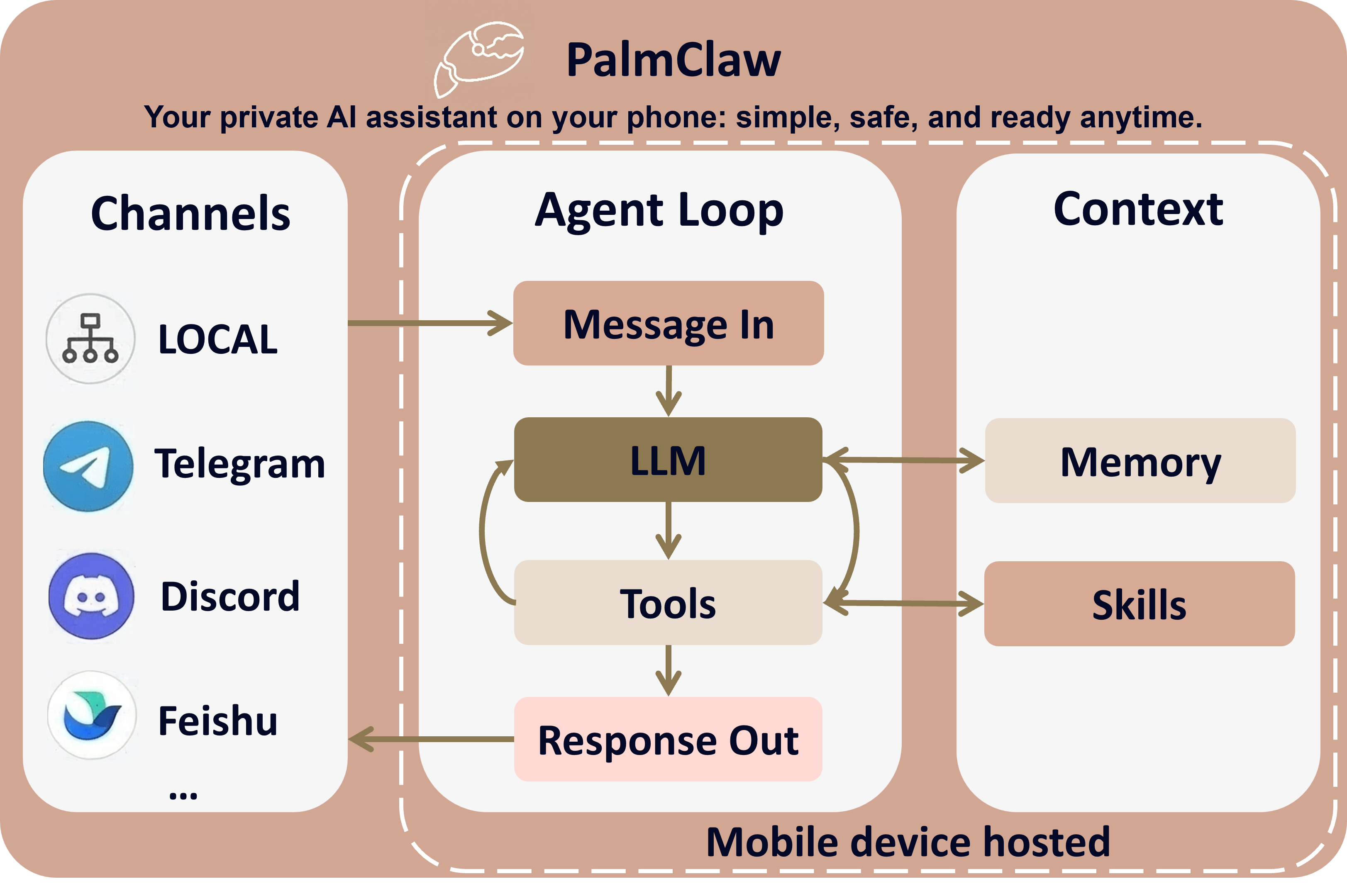
- 📩 **Message in**: input comes from local chat or connected channels.
- 🤖 **Agent loop**: LLM decides, calls tools when needed, then generates response.
- 🧠 **Context**: memory + skills guide every turn.
- 📤 **Response out**: result is written to the session and sent back to the channels.
## 🗂️ Repository Structure
```text
PalmClaw/
├─ app/
│ ├─ src/main/java/com/palmclaw/
│ │ ├─ ui/ # Compose UI, settings, chat, onboarding
│ │ ├─ runtime/ # agent runtime, always-on, routing
│ │ ├─ channels/ # Telegram / Discord / Slack / Feishu / Email / WeCom
│ │ ├─ config/ # config store and storage paths
│ │ ├─ cron/ # scheduled jobs
│ │ ├─ heartbeat/ # heartbeat runtime
│ │ ├─ tools/ # mobile tools exposed to the agent
│ │ └─ skills/ # skill loading and matching
│ └─ src/main/assets/
│ ├─ templates/ # AGENT / USER / TOOLS / MEMORY / HEARTBEAT
│ └─ skills/ # bundled skills and guidance
├─ docs/assets/
│ ├─ brand/ # shared brand logos and artwork
│ ├─ site/ # docs site fonts, icons, demos, qr and diagrams
│ └─ promo/ # promotional articles and social-media resources
├─ gradle/ # Gradle wrapper files
└─ README.md
```
## 🤝 Community
We welcome researchers, builders, and mobile AI practitioners to join the PalmClaw community. 🌍
**Thanks to all contributors.**

[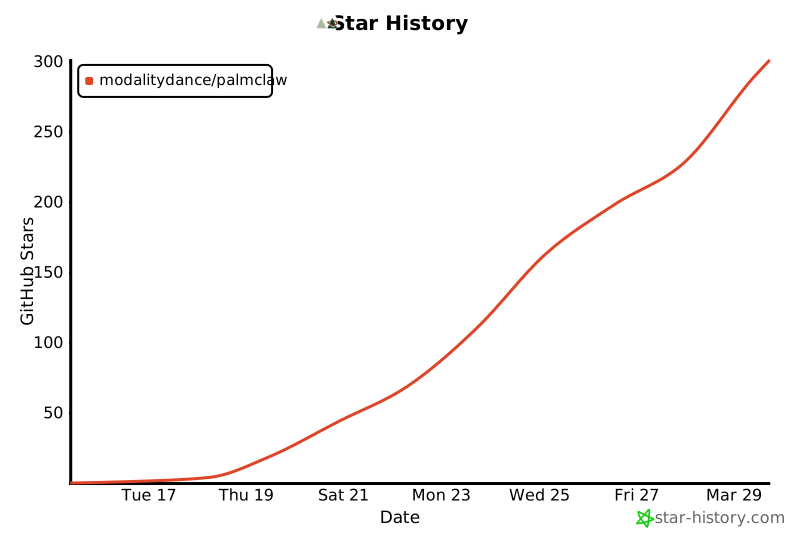](https://star-history.com/#ModalityDance/PalmClaw&Date)
Thanks for visiting PalmClaw!