
# ReceiptBI
**Turn CSV, Excel, and read-only databases into verified, editable business reports.**
[Download the desktop app](https://github.com/MoonMao42/ReceiptBI/releases/latest) · [Try the sample](#try-the-sample) · [中文](README.md)
[](https://github.com/MoonMao42/ReceiptBI/actions/workflows/ci.yml)
[](https://github.com/MoonMao42/ReceiptBI/releases/latest)
[](LICENSE)

Interact with databases, Excel files and more via natural language (read-only). Generate charts and summaries.
## Try the sample
1. Install the [ReceiptBI desktop app](https://github.com/MoonMao42/ReceiptBI/releases/latest), or run it from source.
2. Download the [coffee retail order sample](examples/retail/orders.csv).
3. Choose a model provider in Settings, then add the sample file to your project.
4. Ask:
> Analyze sales, gross profit, and refunds for the latest month. Compare regions and channels.
## Download & Run Locally
The current desktop release is [ReceiptBI 1.0.0](https://github.com/MoonMao42/ReceiptBI/releases/tag/v1.0.0).
First launch on macOS
1. Open the DMG and move ReceiptBI to Applications.
2. The current 1.0.0 build is unsigned. If macOS blocks the first launch, run in Terminal:
```bash
xattr -cr /Applications/ReceiptBI.app
```
Run from source
Requires Python 3.11+, Node.js 24 LTS, and `uv`:
```bash
./start.sh
```
See [docs/DEVELOPMENT.md](docs/DEVELOPMENT.md) for full development and environment details.
## Features
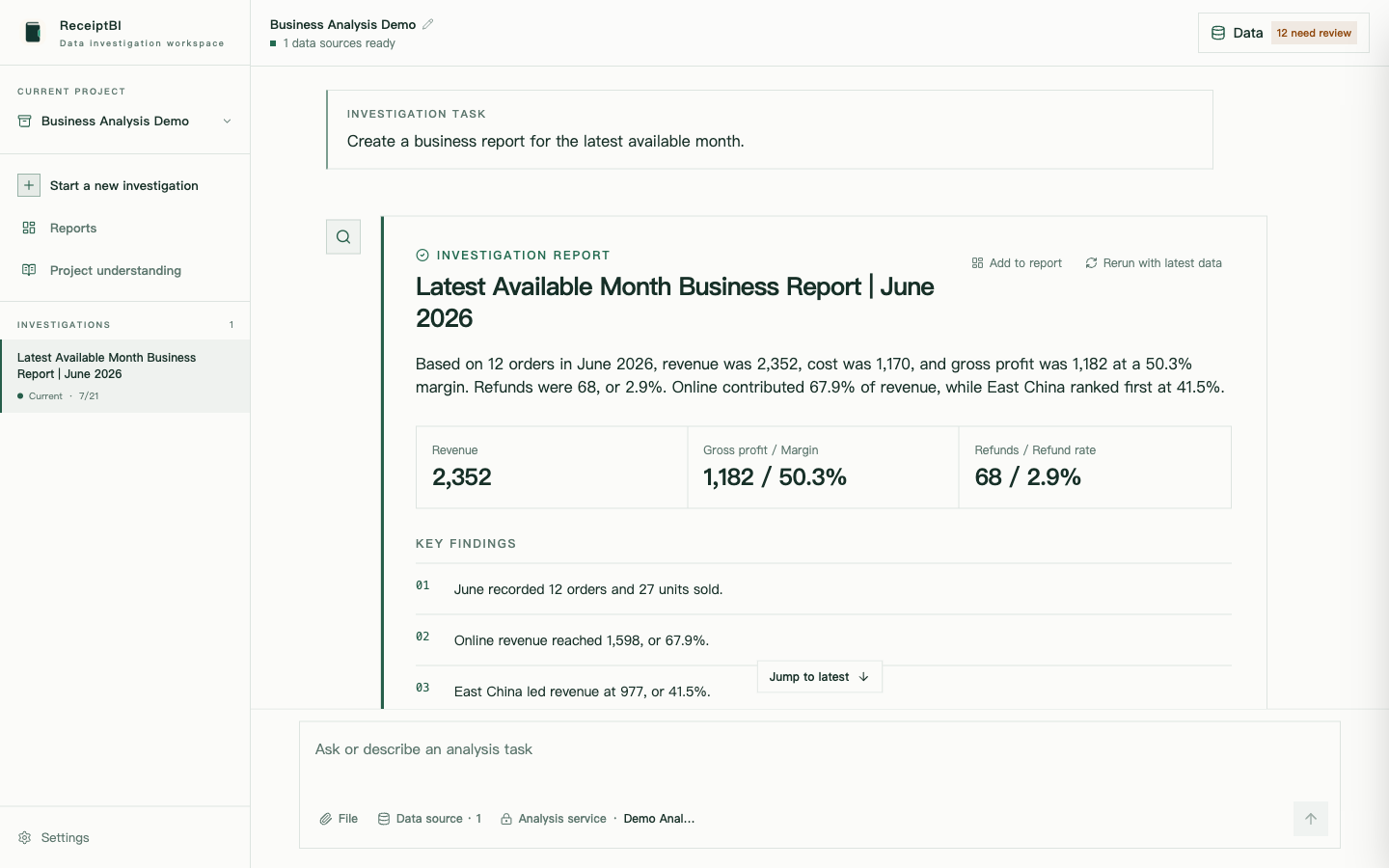
### Full analysis process with highlights and charts
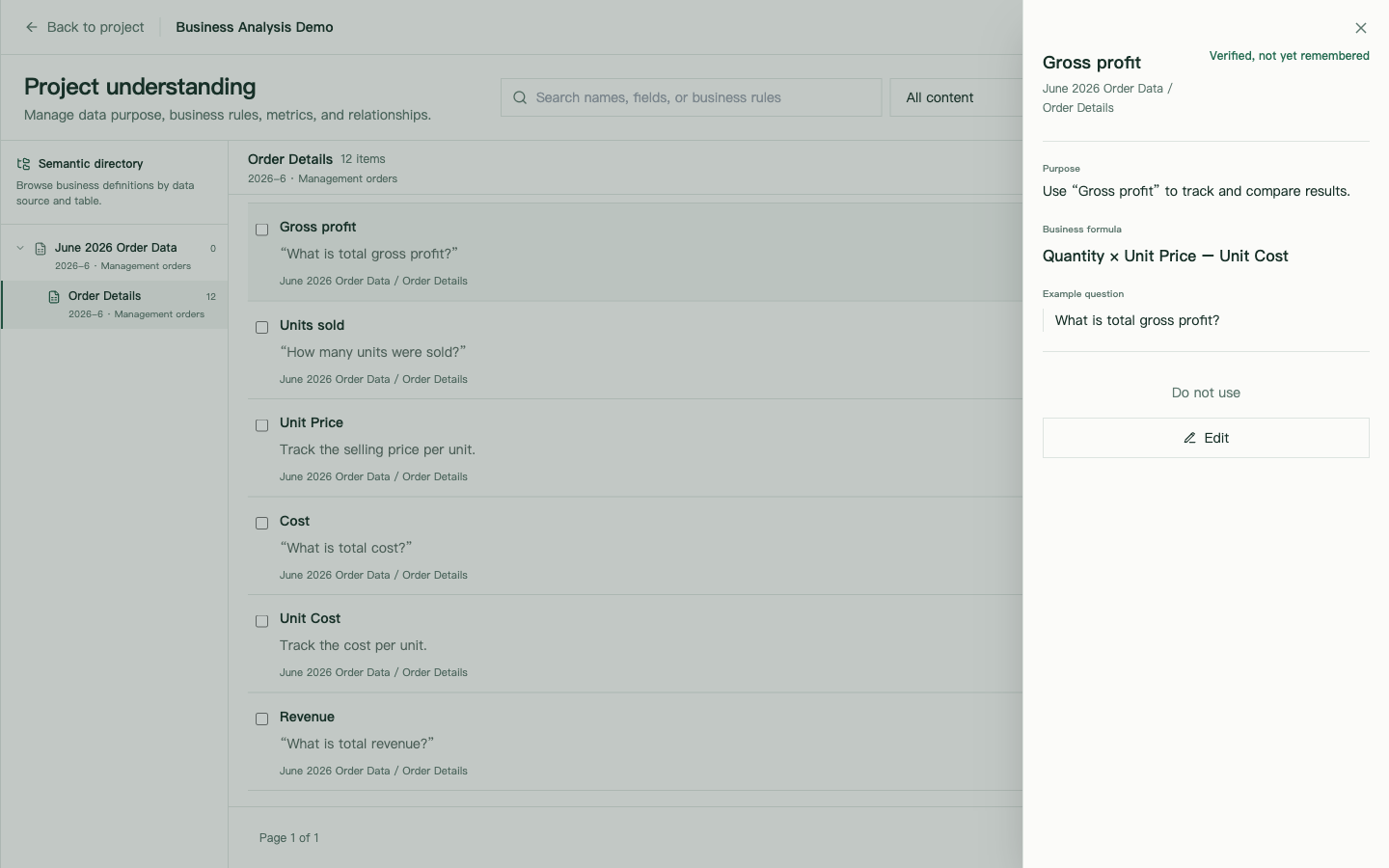
### Semantic layer per data source
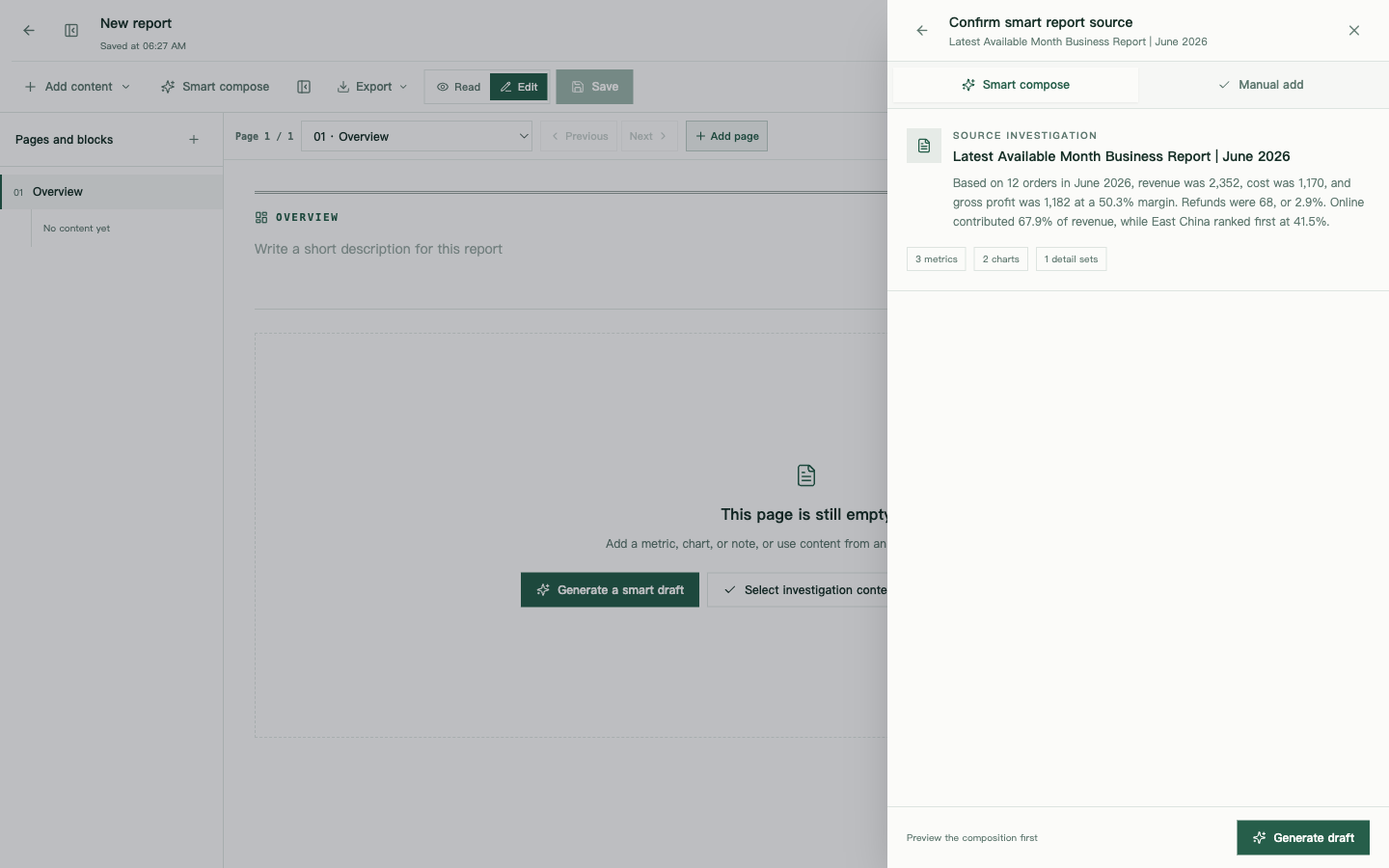
### Convert to editable reports
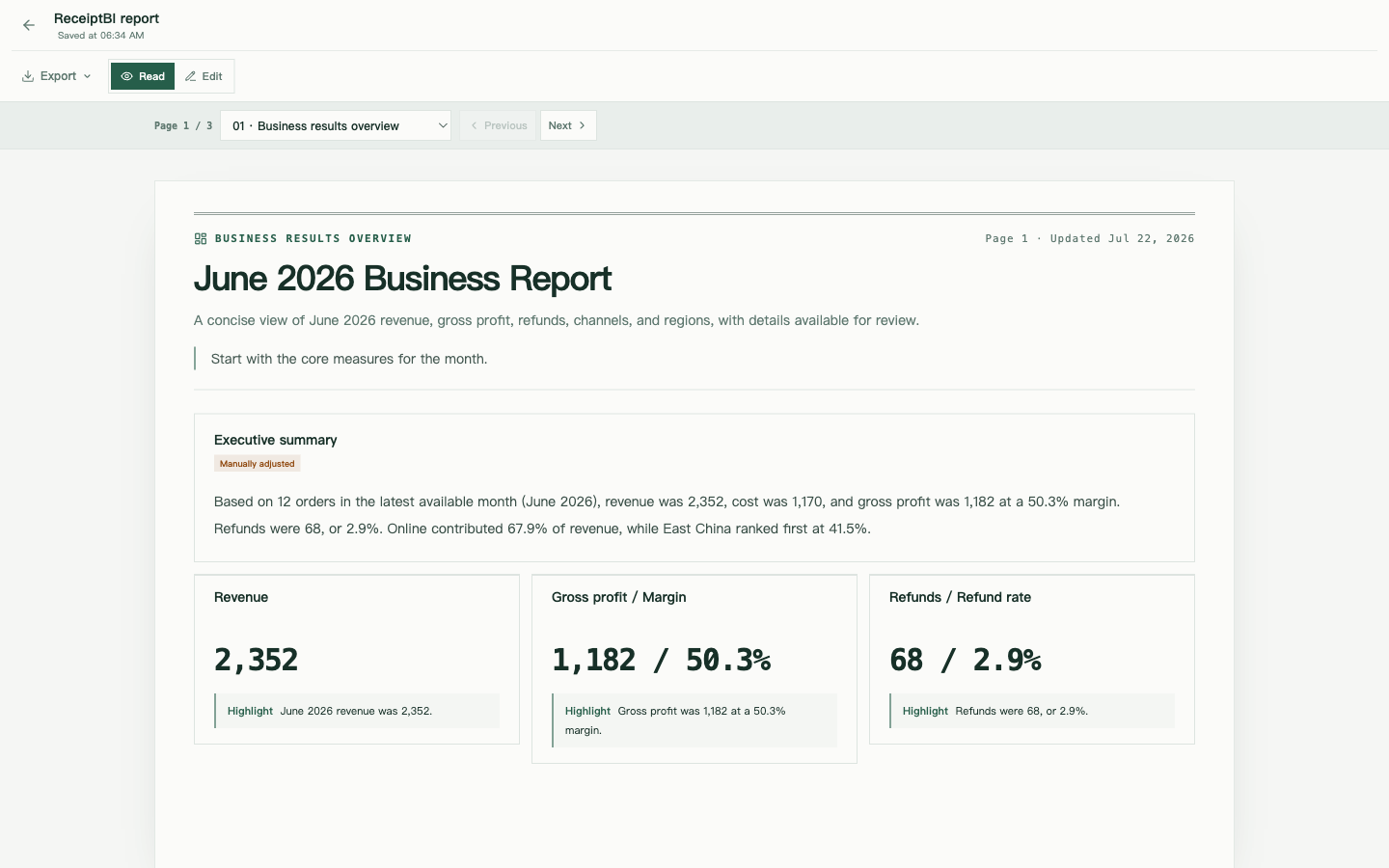
### Preview pagination before export
[⭐ Star ReceiptBI](https://github.com/MoonMao42/ReceiptBI)
## How it works
```mermaid
flowchart LR
data["Files / Read-only DBs"] --> prep["Prepare data"]
prep --> semantic["Confirm business context"]
semantic --> ask["Ask a question"]
ask --> run["Analyze"]
run --> validate["Check the evidence"]
validate -->|Needs another pass| run
validate --> report["Editable report"]
```
Confirmed data preparation steps and business definitions are saved. When data updates but the schema stays the same, you can reuse existing definitions to re-run analysis and refresh reports.
## Previous versions
| Version | Based on | Branch |
|---|---|---|
| v2 | [gptme](https://github.com/gptme/gptme) | [v2](https://github.com/MoonMao42/ReceiptBI/tree/v2) |
| v1 | [Open Interpreter 0.4.3](https://github.com/OpenInterpreter/open-interpreter) | [v1](https://github.com/MoonMao42/ReceiptBI/tree/v1) |
## Optional model service: OrcaRouter
[Sign up through our OrcaRouter affiliate link to support ReceiptBI](https://www.orcarouter.ai/ref/ref_86d1b2f35d6800d5f85b). OrcaRouter offers an OpenAI-compatible model gateway. It is an optional ReceiptBI provider; all existing providers remain available.
Select **OrcaRouter** in model settings and enter your own API key. The preset uses `https://api.orcarouter.ai/v1` and `orcarouter/auto`; you can replace the model with a full ID from its catalog. Save and run the connection test before analyzing the sample data. Automatic routing is not necessarily free; availability and charges depend on your OrcaRouter account.
[Integration docs](https://docs.orcarouter.ai/introduction) · [Get an API key](https://www.orcarouter.ai/console/token)
Affiliate disclosure: new users who sign up through this link and are successfully attributed by OrcaRouter can generate a 5% maintainer commission on subsequent eligible spending. Existing accounts are not automatically attributed by changing their API endpoint or selecting this preset. Commission rates, settlement and withdrawal remain subject to OrcaRouter's partner rules.
## License
[MIT](LICENSE)