
# ReceiptBI
**将 CSV、Excel 和只读数据库转换为可核查、可编辑的业务报表。**
[下载桌面版](https://github.com/MoonMao42/ReceiptBI/releases/latest) · [使用示例数据](#使用示例数据) · [English](README.en.md)
[](https://github.com/MoonMao42/ReceiptBI/actions/workflows/ci.yml)
[](https://github.com/MoonMao42/ReceiptBI/releases/latest)
[](LICENSE)
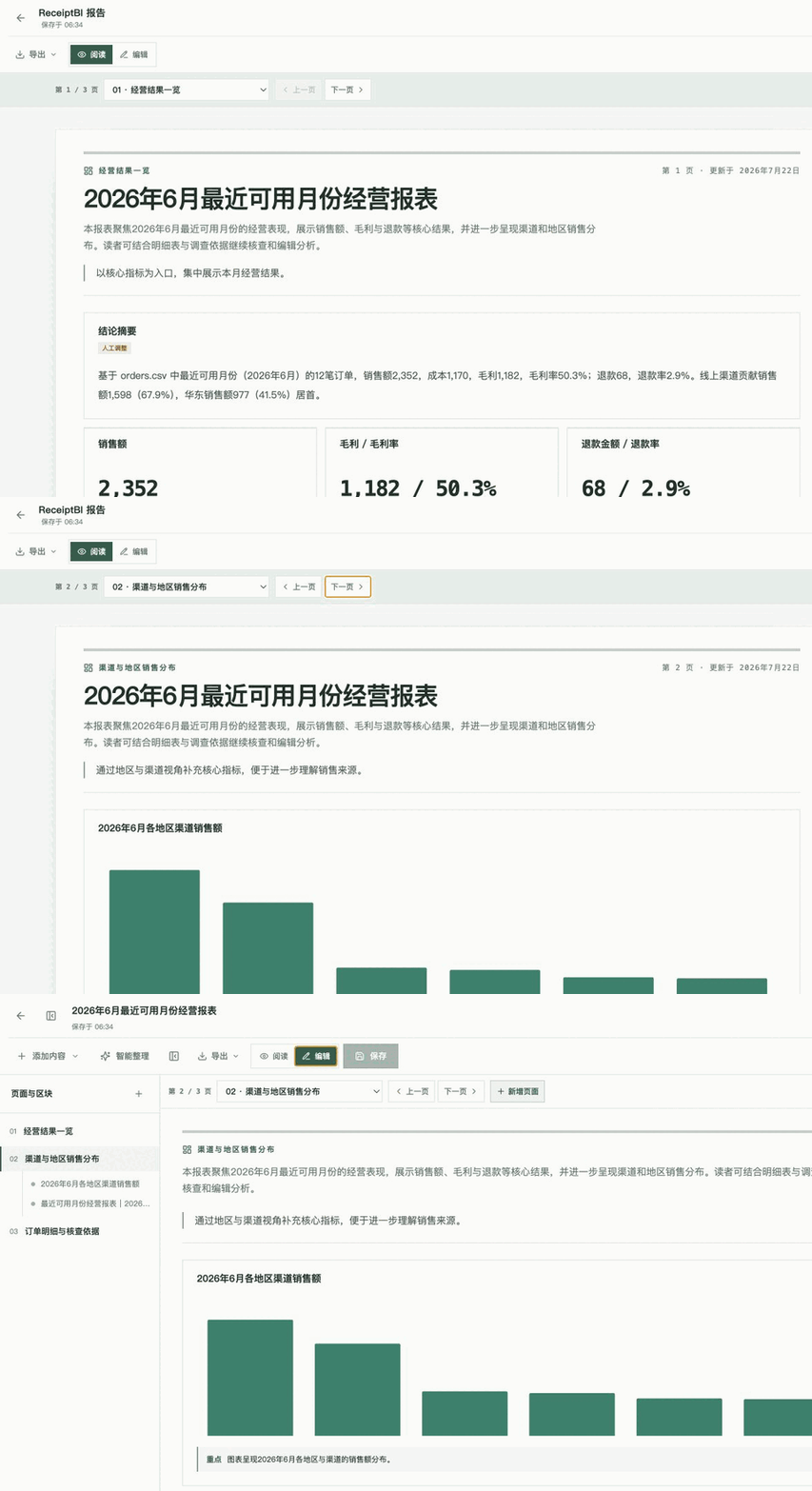
可以通过自然语言和数据库、Excel 等进行只读交互,生成图表,汇总
## 使用示例数据
1. 安装 [ReceiptBI 桌面版](https://github.com/MoonMao42/ReceiptBI/releases/latest),或从源码启动。
2. 下载 [咖啡零售订单示例](examples/retail/orders.csv)。
3. 在设置中配置模型服务,将示例文件加入项目。
4. 输入以下问题:
> 请分析最近一个月的销售额、毛利和退款,并按地区和渠道比较。
## 下载与本地运行
当前桌面版为 [ReceiptBI 1.0.0](https://github.com/MoonMao42/ReceiptBI/releases/tag/v1.0.0)。
macOS 首次打开
1. 打开 DMG,将 ReceiptBI 拖入“应用程序”文件夹。
2. 当前 1.0.0 版本尚未签名。如果 macOS 阻止首次打开,请在终端运行:
```bash
xattr -cr /Applications/ReceiptBI.app
```
从源码启动
需要 Python 3.11+、Node.js 24 LTS 与 `uv`:
```bash
./start.sh
```
完整开发与环境说明请参考 [docs/DEVELOPMENT.md](docs/DEVELOPMENT.md)。
## 核心特性
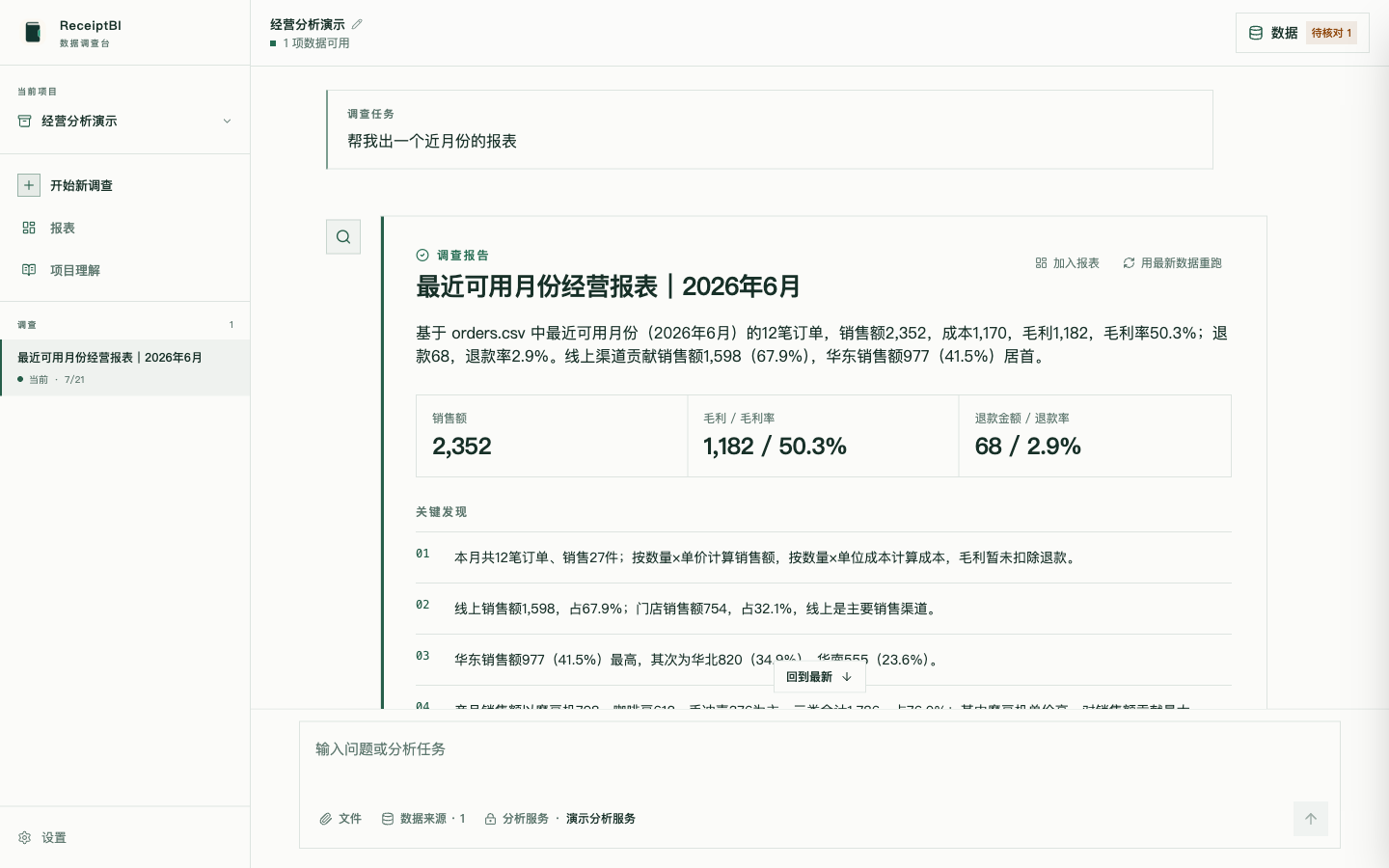
### 完整分析过程,含重点和图表
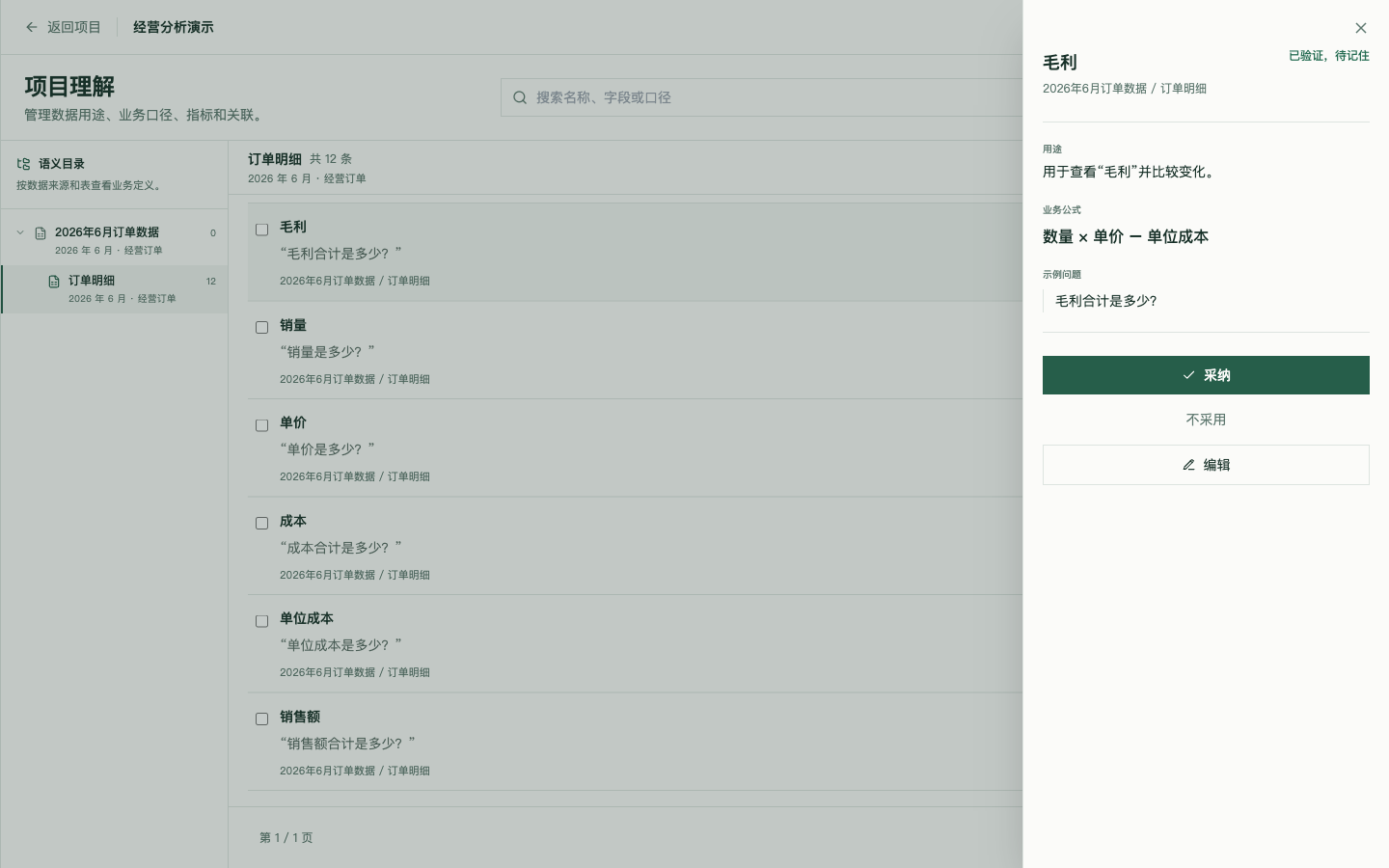
### 按数据源整理业务语义
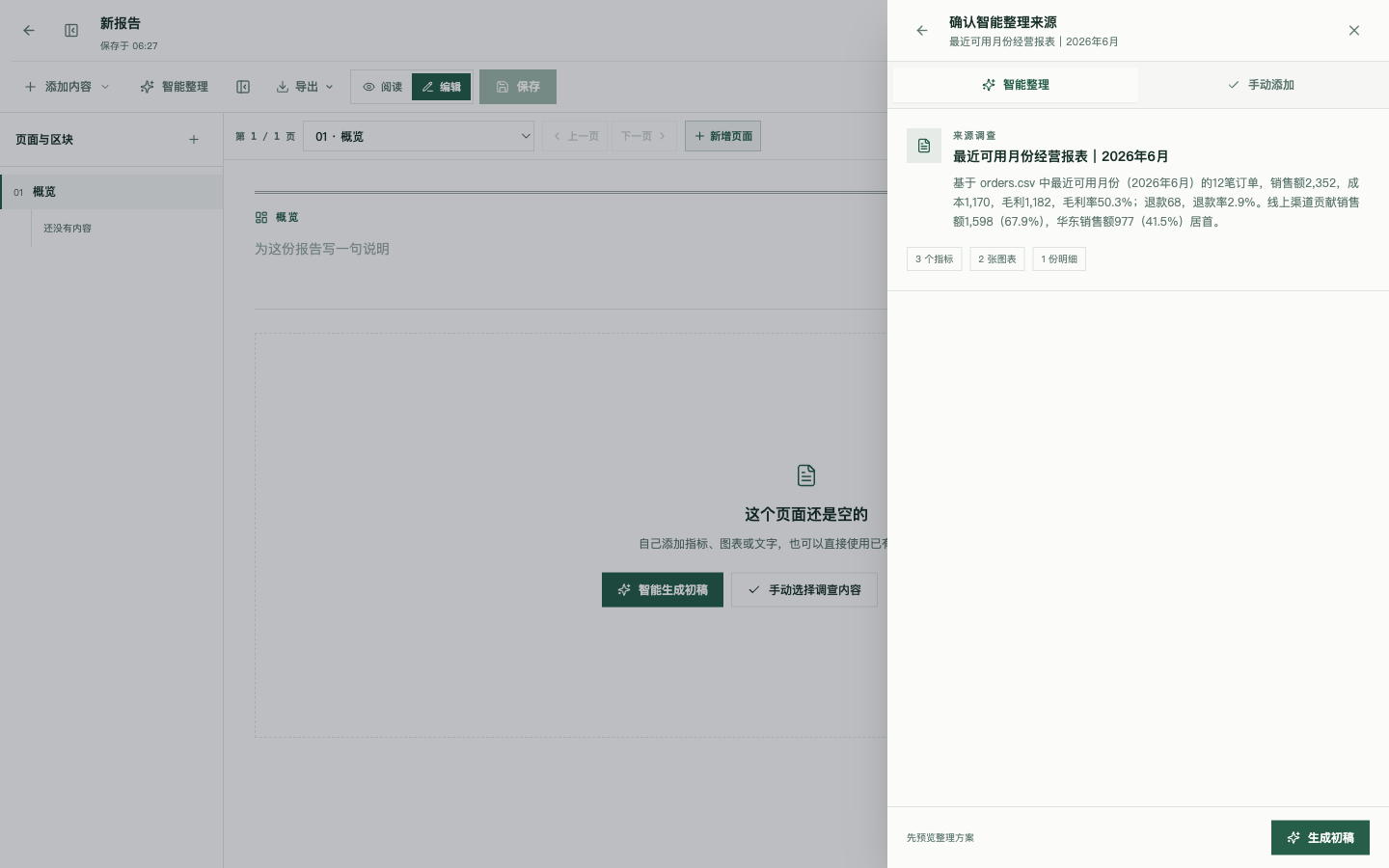
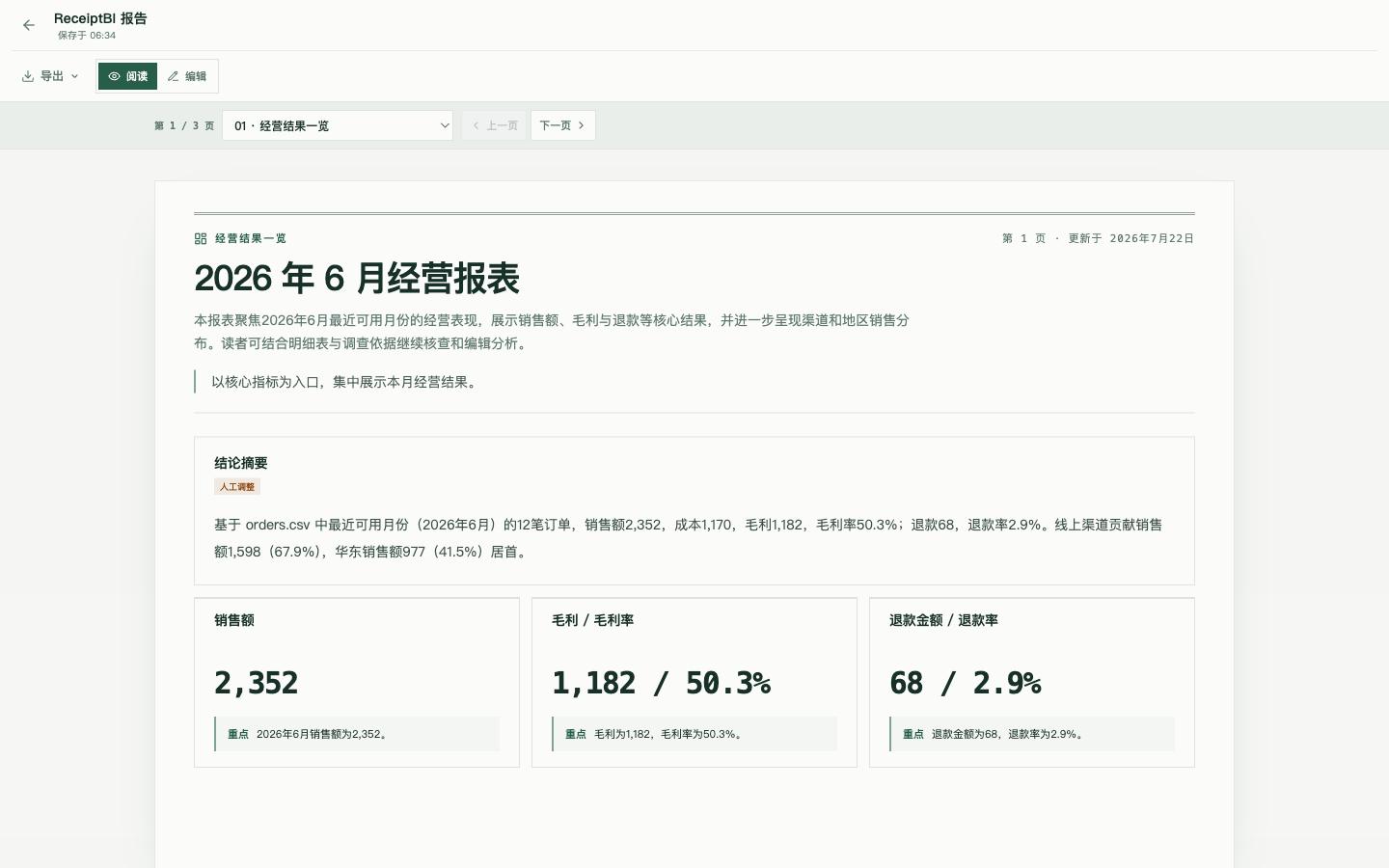
### 转换为可编辑报表
### 导出前预览分页
[⭐ Star ReceiptBI](https://github.com/MoonMao42/ReceiptBI)
## 工作流
```mermaid
flowchart LR
data["文件 / 只读数据库"] --> prep["准备数据"]
prep --> semantic["确认业务背景"]
semantic --> ask["提出问题"]
ask --> run["进行分析"]
run --> validate["核查依据"]
validate -->|还需调整| run
validate --> report["可编辑报表"]
```
已确认的数据准备步骤和业务定义会被保存。数据更新但结构未变时,可沿用原有口径重新运行分析并刷新报表。
## 历史版本
| 版本 | 基础项目 | 分支 |
|---|---|---|
| v2 | [gptme](https://github.com/gptme/gptme) | [v2](https://github.com/MoonMao42/ReceiptBI/tree/v2) |
| v1 | [Open Interpreter 0.4.3](https://github.com/OpenInterpreter/open-interpreter) | [v1](https://github.com/MoonMao42/ReceiptBI/tree/v1) |
## 可选模型服务:OrcaRouter
[通过推广链接注册 OrcaRouter,支持 ReceiptBI](https://www.orcarouter.ai/ref/ref_86d1b2f35d6800d5f85b)。OrcaRouter 提供兼容 OpenAI 的模型网关,可作为 ReceiptBI 的模型服务之一;现有服务商仍可自由选择。
在 **设置 → 模型服务** 中选择 **OrcaRouter**,填写自己的 API Key。预设地址为 `https://api.orcarouter.ai/v1`,模型为 `orcarouter/auto`;也可填写其模型目录中的完整模型 ID。保存后使用连接测试验证当前密钥与模型,再运行示例数据。自动路由不代表免费,费用与可用模型以你的 OrcaRouter 账户为准。
[接入文档](https://docs.orcarouter.ai/introduction) · [获取 API Key](https://www.orcarouter.ai/console/token)
推广披露:通过上述专属链接新注册且被 OrcaRouter 成功归因的用户,其符合平台规则的后续消费可为 ReceiptBI 作者带来 5% 分成,用于支持项目维护。已有账户仅更换 API 地址或选择该预设,不会自动归因。分成比例、结算与提现以 OrcaRouter 合作伙伴规则为准。
## 许可证
[MIT](LICENSE)