# Plan: audio-reactive live performance, each band member drives the lights
Draft for the product owner's approval. A band plays, and the lights answer each musician separately: a drum hit splashes, a key pressed on a MIDI keyboard lights its own spot and fades when the key is released, a bass line or a voice moves its own part of the rig, and moving heads follow each musician across the stage. Today the lights hear the whole mix through one microphone and react to it as one signal.
## The design basis
Analyzed when the plan was picked, and settled:
- **Notes are performance data, not control-surface input.** A desk sets controls; a keyboard's notes are read by an effect, which decides what a note means, the way it reads audio.
- **Two frames, kept separate.** A `MidiFrame` carries what arrived as notes; an `AudioFrame` per analyzed channel carries what arrived as sound. A per-band onset never pretends to be a note-on with a fake pitch and velocity.
- **MIDI first.** Electronic drums, MIDI keyboards, hex-pickup guitars and pitch-to-MIDI voice boxes all speak MIDI, so the transport alone reaches most of a band with no analysis.
- **The frame budget bounds on-device analysis:** one analyzed mono input costs about 8 ms per tick on a P4, so a board analyzes one or two channels, not a band.
## The bench instrument
An **Akai MPK261**: 61 semi-weighted keys, 16 RGB-backlit pads, 8 knobs, 8 faders and 8 buttons, sustain and expression pedal inputs, and USB MIDI that needs no driver, with a 5-pin MIDI out besides. One instrument covers both first effects: the keys for step 2, the pads as a drum kit for step 3, and its knobs and faders reach the control surface through MIDI learn.
## What exists
- **`MidiService`** with three transports: the browser (Web MIDI), the board's own USB port (USB MIDI host, on the ESP32-S3 and P4 images), and the network (RTP-MIDI), plus `share` to pass a USB device on to the network. It decodes two desk profiles, Mackie Control and the Akai APC40 mkII, onto the control surface.
- **`AudioService`** publishing an `AudioFrame` per block: level, sixteen bands, the dominant frequency, spectral flux and `onset`, the block a hit was detected, which effects read through `latestFrame()` and MoonLive scripts through builtins. `BeatRipplesEffect` already splashes on `onset`.
- **Layers, layouts and modifiers,** which already give each musician a place: one layer per band member, placed on its own part of the rig.
- **The MovingHead effect and fixture profiles,** which already aim heads: pan and tilt per fixture, in formations, from the profiles' Pan and Tilt roles.
- **The input-mapping plan's sensors** ([input mapping and scripted sensors](Plan-20260901%20-%20Input%20mapping%20and%20scripted%20sensors%20(7%20of%2012).md)): a PIR, a VL53L0X distance sensor, a VL53L8CX zone grid and an MPU6050, on the I2C seam that plan builds.
## The shape
**One band member is one layer.** An effect in that layer listens to one source, a MIDI channel or an audio channel, and draws only that musician; the layer's opacity, blend mode and modifiers place and mix it. A band is a stack of layers, so no new composition mechanism exists.
**MIDI by the book.** A stage gives each instrument its own MIDI channel, so a channel select on the effect is the routing. Drums follow the General MIDI percussion map, so a kit means something with no setup: note 36 a kick, 38 a snare, 42 a closed hi-hat, 49 a crash, the same numbers every electronic kit sends on channel 10.
**The `MidiFrame`,** published by `MidiService` from any transport, in the `AudioFrame`'s publish-and-read shape:
- per channel, which of the 128 notes are held and how hard (velocity);
- the note starts and ends since the last frame as ordered events, each with its channel, pitch and velocity, so two hits of the same pitch between frames stay two and a note shorter than a frame still fires;
- pitch bend, modulation and sustain per channel;
- the MIDI clock's beat phase when a clock runs, the field [the audio plan, step 5](Plan-20261028%20-%20Audio%20that%20answers%20the%20music%20(0%20of%205).md) fills from the music when none does.
An effect opts in, as audio effects do, and on a board with no MIDI it sees an empty frame and draws its idle state.
**Latency is the requirement that decides the design.** A light that trails the hit by more than a few tens of milliseconds looks late on stage. A note-on reaches the next frame, so at 100 frames a second the render adds at most 10 ms. USB MIDI on the board is the shortest path; the browser and WiFi RTP-MIDI add jitter, and the plan measures each rather than guessing.
## Steps
Each step ends in something verified on the bench.
### 1. Notes reach effects ⏳
- `MidiService` publishes the `MidiFrame` from every transport, alongside its desk profiles, which stay as they are.
- MoonLive gains builtins for it (a note's velocity, whether it is held, whether it started this frame), so a script reacts to notes the way it reacts to `level` and `bands`.
- Unit tests pin the frame: notes started and ended between two frames, two note-on and note-off cycles of one pitch between frames read as four events in order, a note shorter than a frame, running status, a note-on with velocity 0 read as a note-off.
- Verify with the PO's Akai MPK261 over the board's USB port and over the browser.
### 2. A keyboard lights per key ⏳
- **`KeysEffect`:** each held note lights its own position along the layer, velocity sets the brightness, and a released note decays over a `release` time; sustain holds it. The note range follows a `low` and `high` setting, so a 25-key controller and an 88-key piano both span the layer.
- Verify on the MPK261's 61 keys: chords, fast runs, the sustain pedal, and the latency from key to light, measured with slow-motion video.
### 3. Drums splash ⏳
- **`DrumsEffect`:** each General MIDI drum fires its own shape: the kick a pulse from the floor, the snare a burst, the hi-hat a sparkle, a crash a wash over the layer. Velocity sets the size and brightness; a hit's shape is a splash with a decay, not a held light.
- Verify on the MPK261's 16 pads, which send notes like a drum kit, then on an electronic kit. The pads are RGB-lit, so the way back can light each pad with its splash's color, as the APC40 profile already lights its pads.
### 4. A band on the rig ⏳
- A demo preset: a keys layer and a drums layer side by side on one installation, each listening to its own channel.
- Several boards on one stage take the same notes through `share` and RTP-MIDI, so every board sees every musician.
- Verify with two instruments playing at once.
### 5. Acoustic drums ⏳
Two routes, the first needing no code:
- **Drum triggers:** clip-on triggers into a trigger module send MIDI, so steps 1 to 3 already cover an acoustic kit.
- **Per-band onsets**, built by [the audio plan, step 4](Plan-20261028%20-%20Audio%20that%20answers%20the%20music%20(0%20of%205).md): an onset per range (low for the kick, mid and high for the snare and cymbals). Best with a direct out or an aux send from the mixer giving the kit alone.
- Verify with a kit, or a recorded kit track, through one microphone or line input.
### 6. Analog instruments, an investigation ⏳
Decided per instrument, cheapest first:
| Instrument | Route by the book | On the device |
|---|---|---|
| Guitar | a hex pickup or a guitar-to-MIDI converter: MIDI, so steps 1 and 2 cover it | strummed chords are polyphonic transcription, out of scope |
| Bass, lead lines | a pitch-to-MIDI pedal | monophonic pitch tracking (YIN) on one clean channel, as a `pitch` in that channel's `AudioFrame` |
| Voice | a pitch-to-MIDI box | pitch plus loudness envelope on one clean channel |
| Any instrument, loudness only | a direct out or aux send | the existing level and bands on its own channel |
The on-device column needs a second audio channel: the multi-channel front-ends [the audio plan's backlog](Plan-20261028%20-%20Audio%20that%20answers%20the%20music%20(0%20of%205).md#backlog) lists, such as a 4-channel TDM codec (the ES7210 on the Waveshare RGB-Matrix board) or line inputs from the mixer. The budget allows one or two analyzed channels per board.
### 7. Follow the musicians ⏳
Automated follow spots split the job in two, by the book: **tracking** delivers each performer's position in stage coordinates, and **aiming** turns a position into pan and tilt per fixture, from the fixture's position and its mounting, which is the inverse kinematics behind every console's XYZ focus. Between them sits an open standard for live position data, **PosiStageNet (PSN)**, a UDP multicast protocol that professional trackers and media servers speak.
- **A position frame,** in the shape of the audio and MIDI frames: tracked targets, each with an ID and stage coordinates, published by a tracking service from whatever sensor feeds it.
- **The MovingHead effect gains a `follow` formation:** each head aims at a target instead of sweeping, from its position in the layout plus two mounting settings (floor or truss, and which way is forward).
- **A pixel effect that follows a target:** a glow under the singer on an LED floor or wall, from the same frame.
- **One musician per layer** carries over: the singer's layer follows target 1, the guitarist's target 2.
The sensors, from what is listed to what a stage needs:
| Picture | Sensor | Gives | Fit for a stage | Price |
|---|---|---|---|---|
| 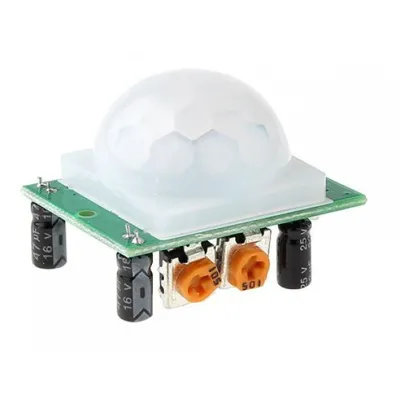 | [PIR, HC-SR501](https://www.tinytronics.nl/en/sensors/motion/ir-pyroelectric-infrared-pir-motion-sensing-detector-module) | presence, about 3 to 7 m | wakes a show, follows no one | Tinytronics €3.50 |
|
| [PIR, HC-SR501](https://www.tinytronics.nl/en/sensors/motion/ir-pyroelectric-infrared-pir-motion-sensing-detector-module) | presence, about 3 to 7 m | wakes a show, follows no one | Tinytronics €3.50 |
| 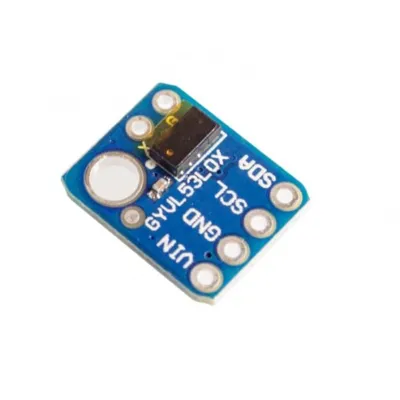 | [VL53L0X distance](https://www.tinytronics.nl/en/sensors/distance/vl53l0x-time-of-flight-tof-distance-sensor) | one distance, up to about 1.2 m | one person on one axis: a walkway, a lectern | Tinytronics €5.75 |
|
| [VL53L0X distance](https://www.tinytronics.nl/en/sensors/distance/vl53l0x-time-of-flight-tof-distance-sensor) | one distance, up to about 1.2 m | one person on one axis: a walkway, a lectern | Tinytronics €5.75 |
| 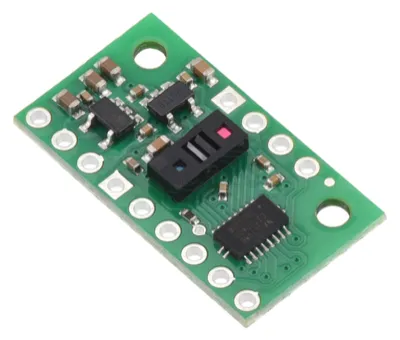 | [VL53L8CX zone grid](https://eckstein-shop.de/Pololu-VL53L8CX-Time-of-Flight-8x8-Zone-Distance-Sensor-Carrier-with-Voltage-Regulators-400cm-Max-EN) (Pololu) | 8 × 8 depth zones, about 4 m | coarse position of one or two people on a small stage | Eckstein €23.95 |
|
| [VL53L8CX zone grid](https://eckstein-shop.de/Pololu-VL53L8CX-Time-of-Flight-8x8-Zone-Distance-Sensor-Carrier-with-Voltage-Regulators-400cm-Max-EN) (Pololu) | 8 × 8 depth zones, about 4 m | coarse position of one or two people on a small stage | Eckstein €23.95 |
| 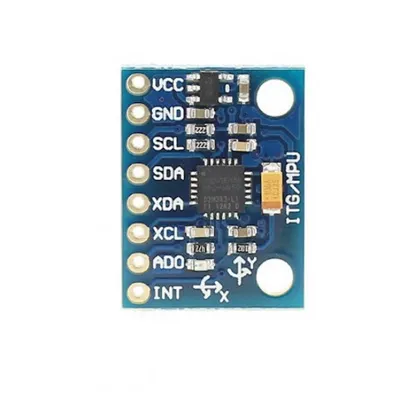 | [MPU6050, worn](https://www.tinytronics.nl/en/sensors/acceleration-rotation/mpu-6050-accelerometer-and-gyroscope-3-axis-module-3.3v-5v) | orientation | a gesture, not a position | Tinytronics €8.75 |
|
| [MPU6050, worn](https://www.tinytronics.nl/en/sensors/acceleration-rotation/mpu-6050-accelerometer-and-gyroscope-3-axis-module-3.3v-5v) | orientation | a gesture, not a position | Tinytronics €8.75 |
| 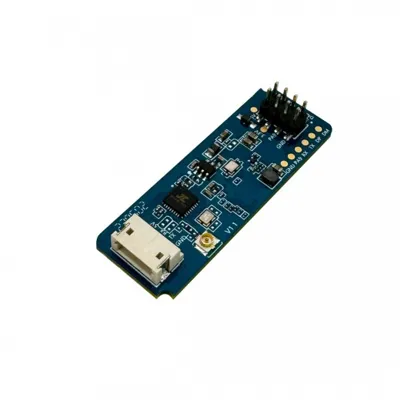 | [mmWave radar, HLK-LD2450](https://www.tinytronics.nl/en/sensors/motion/hi-link-hlk-ld2450-24ghz-radar-sensor-module-with-bluetooth) | up to 3 targets with x and y, about 6 m, UART | the cheapest real tracker, working in darkness and haze | Tinytronics €7.00 |
|
| [mmWave radar, HLK-LD2450](https://www.tinytronics.nl/en/sensors/motion/hi-link-hlk-ld2450-24ghz-radar-sensor-module-with-bluetooth) | up to 3 targets with x and y, about 6 m, UART | the cheapest real tracker, working in darkness and haze | Tinytronics €7.00 |
|  | [UWB, Qorvo DWM3000EVB](https://www.digikey.nl/nl/products/detail/qorvo/DWM3000EVB/24367408) | about 10 cm, with anchors and a tag per performer | how professional radio trackers work | DigiKey €31.34 per node |
| | [PosiStageNet in](https://posistage.net/) | positions from a professional system | MoonLight joining a rig that already tracks | free, open protocol, MIT-licensed SDK |
|
| [UWB, Qorvo DWM3000EVB](https://www.digikey.nl/nl/products/detail/qorvo/DWM3000EVB/24367408) | about 10 cm, with anchors and a tag per performer | how professional radio trackers work | DigiKey €31.34 per node |
| | [PosiStageNet in](https://posistage.net/) | positions from a professional system | MoonLight joining a rig that already tracks | free, open protocol, MIT-licensed SDK |
| 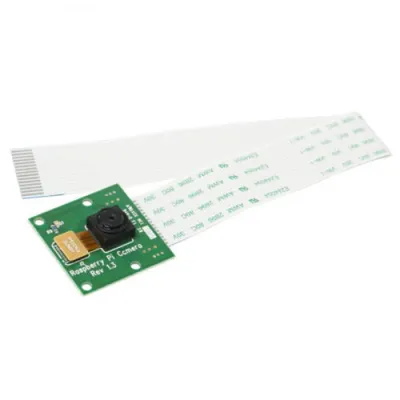 | [A camera on the P4](https://www.tinytronics.nl/en/raspberry-pi/raspberry-pi-compatible-camera-5mp-v1.3) (OV5647, MIPI-CSI) | person detection | later, with the [streams](Plan-20261013%20-%20Streams%2C%20every%20frame%20from%20outside%20(11%20of%2013).md) work | Tinytronics €8.00 |
**On the bench (2026-10-19): two HLK-LD2450 kit B** from Hi-Link's own store, each with a USB-to-serial adapter, a Bluetooth antenna and a cable. The adapter lets the radar be tried on a computer with Hi-Link's tool before the UART seam exists: targets, range and zone exclusion on day one. Two units answer the stage questions: whether two 24 GHz radars side by side interfere, and how their targets merge where their views overlap.
Whether kit B's Bluetooth carries live target frames, or only firmware updates and configuration, is unverified: Hi-Link's tool on the bench answers it. The plan reads over UART either way, since a wire needs no pairing and puts no second 2.4 GHz radio beside the WiFi, and its protocol is simple with plenty of open firmware to read as prior art. Two siblings fit other jobs: the **LD2451** is larger and reaches further, far enough to track cars, and the **LD2410** is low-powered, so it does not see through walls and needs no distance gates set to stop it. The **LD2410C** also sends its UART data over Bluetooth Low Energy when it is only powered from 5 V, with an option to switch that off or require pairing, which would let a board read a radar with no wire. The radar's UART seam is the same one wired DMX-512 needs, [RS-485 / DMX-512 wired output](../future/backlog-drivers.md#rs-485-and-dmx-512-wired-output-the-physical-dmx-driver), so one seam serves both.
The order: the radar first, which needs a UART seam the platform does not have yet; PosiStageNet in second, which is UDP and needs no new seam; the ToF zone grid as the indoor alternative once the input-mapping plan's I2C step lands and a VL53L8CX read is measured that does not stall the render task: an 8 × 8 frame over I2C is large, so the candidates are SPI, a lower ranging rate, or reading on a task off the render core. Verify with a person walking the bench stage and the heads following.
## Backlog
On the topic and not a step. What remains here when the plan ships moves to `docs/work/future/`, item by item, then.
- **MIDI learn: any note or CC onto any control (robwomp, 2026-10-12).** The MIDI service decodes two known layouts, Mackie Control and an Akai APC40 mkII profile, so a controller sending plain notes or CCs outside them drives nothing: a user with a generic controller on Linux got no note or CC data in. The infrared and gamepad services already map an arbitrary input onto any control with `learn` rows, and MIDI gets the same rows: each one's `learn` arm captures the next note or CC with its channel, a target names the control, and the value scales into the target's range (a CC's 0 to 127, a note's velocity, or a note as a toggle). That is MIDI learn as consoles and DAWs offer it, through the same primitive, so one mechanism maps every input. The two profiles stay for the desks whose layout they describe, since they carry the way back (motor faders, knob rings, lit pads); a learned row has none unless the controller echoes its CCs. The bench instrument's knobs and faders reach the control surface through it.
- **The OpenLamp convention (2026-09-22).** [openlamp-spec-midi](https://github.com/openlamp/openlamp-spec-midi) is an MIT-licensed convention for driving WLED over MIDI: notes 59-68 for hues plus black and white, notes 48-56 for off, on, toggle and blackout, CC 1 for brightness, CC 3-4 for hue and saturation, CC 5-8 for effect, speed, intensity and palette, Program Change for presets, MIDI channel for targeting, and MIDI clock for beat sync. The [organization](https://github.com/openlamp) also has an Ableton Link and MIDI-clock tempo library, worth reading when step 1 wires the clock's beat phase, and a CC0 asset set of 72 palette illustrations and 216 effect previews in eight languages. Its engine is Python and cloud-free by design, so nothing there ports to a device; the value is in agreeing what a note and a CC *mean*, which buys a user their existing mappings. Judged against principle 2 before adopting: a candidate standard, but a draft "likely to change, and early on to change quickly" with low single-digit stars, so the sequence is MIDI learn above with the OpenLamp numbers as the default mapping where they fit, rather than a port of their model. It maps notes to *fixed meanings*, the control-surface half; notes as performance data (step 1) is the opposite, and the transport delivers raw messages so each consumer interprets.
## Open questions
- **Does a note decay in the frame or in the effect?** The proposal: the frame carries held notes and edges only, and each effect owns its own decay, since a splash and a held key want different curves. **Recommended (2026-10-25):** the proposal: the effect owns the decay.
- **One board for the band, or a board per musician?** RTP-MIDI makes both possible; the first gig decides. **Recommended (2026-10-25):** one board for the band first, one RTP-MIDI session; a board per musician once the cable runs ask for it.
- **How far on-device analysis goes** before the musicians' own converters are the better answer, measured per instrument in step 6.
- **Which tracker for the first stage:** the mmWave radar covers a small stage for the price of a sensor; UWB is the accurate route and the larger build. **Recommended (2026-10-25):** the mmWave radar first, cheap and enough for a small stage; UWB when a larger stage needs the accuracy.
## What it removes
Nothing in code: it adds a MIDI frame, a position frame, two effects and a follow formation on the existing transports and fixtures, plus the UART seam the radar needs. In the docs, the five backlog sections on its topic are gone from the core backlog, since a plan is where an item goes when it is picked: three (notes as an effect input, the rest of the band, everything as MIDI) settled the design basis above, and two (MIDI learn, the OpenLamp convention) sit in the backlog above.
| [A camera on the P4](https://www.tinytronics.nl/en/raspberry-pi/raspberry-pi-compatible-camera-5mp-v1.3) (OV5647, MIPI-CSI) | person detection | later, with the [streams](Plan-20261013%20-%20Streams%2C%20every%20frame%20from%20outside%20(11%20of%2013).md) work | Tinytronics €8.00 |
**On the bench (2026-10-19): two HLK-LD2450 kit B** from Hi-Link's own store, each with a USB-to-serial adapter, a Bluetooth antenna and a cable. The adapter lets the radar be tried on a computer with Hi-Link's tool before the UART seam exists: targets, range and zone exclusion on day one. Two units answer the stage questions: whether two 24 GHz radars side by side interfere, and how their targets merge where their views overlap.
Whether kit B's Bluetooth carries live target frames, or only firmware updates and configuration, is unverified: Hi-Link's tool on the bench answers it. The plan reads over UART either way, since a wire needs no pairing and puts no second 2.4 GHz radio beside the WiFi, and its protocol is simple with plenty of open firmware to read as prior art. Two siblings fit other jobs: the **LD2451** is larger and reaches further, far enough to track cars, and the **LD2410** is low-powered, so it does not see through walls and needs no distance gates set to stop it. The **LD2410C** also sends its UART data over Bluetooth Low Energy when it is only powered from 5 V, with an option to switch that off or require pairing, which would let a board read a radar with no wire. The radar's UART seam is the same one wired DMX-512 needs, [RS-485 / DMX-512 wired output](../future/backlog-drivers.md#rs-485-and-dmx-512-wired-output-the-physical-dmx-driver), so one seam serves both.
The order: the radar first, which needs a UART seam the platform does not have yet; PosiStageNet in second, which is UDP and needs no new seam; the ToF zone grid as the indoor alternative once the input-mapping plan's I2C step lands and a VL53L8CX read is measured that does not stall the render task: an 8 × 8 frame over I2C is large, so the candidates are SPI, a lower ranging rate, or reading on a task off the render core. Verify with a person walking the bench stage and the heads following.
## Backlog
On the topic and not a step. What remains here when the plan ships moves to `docs/work/future/`, item by item, then.
- **MIDI learn: any note or CC onto any control (robwomp, 2026-10-12).** The MIDI service decodes two known layouts, Mackie Control and an Akai APC40 mkII profile, so a controller sending plain notes or CCs outside them drives nothing: a user with a generic controller on Linux got no note or CC data in. The infrared and gamepad services already map an arbitrary input onto any control with `learn` rows, and MIDI gets the same rows: each one's `learn` arm captures the next note or CC with its channel, a target names the control, and the value scales into the target's range (a CC's 0 to 127, a note's velocity, or a note as a toggle). That is MIDI learn as consoles and DAWs offer it, through the same primitive, so one mechanism maps every input. The two profiles stay for the desks whose layout they describe, since they carry the way back (motor faders, knob rings, lit pads); a learned row has none unless the controller echoes its CCs. The bench instrument's knobs and faders reach the control surface through it.
- **The OpenLamp convention (2026-09-22).** [openlamp-spec-midi](https://github.com/openlamp/openlamp-spec-midi) is an MIT-licensed convention for driving WLED over MIDI: notes 59-68 for hues plus black and white, notes 48-56 for off, on, toggle and blackout, CC 1 for brightness, CC 3-4 for hue and saturation, CC 5-8 for effect, speed, intensity and palette, Program Change for presets, MIDI channel for targeting, and MIDI clock for beat sync. The [organization](https://github.com/openlamp) also has an Ableton Link and MIDI-clock tempo library, worth reading when step 1 wires the clock's beat phase, and a CC0 asset set of 72 palette illustrations and 216 effect previews in eight languages. Its engine is Python and cloud-free by design, so nothing there ports to a device; the value is in agreeing what a note and a CC *mean*, which buys a user their existing mappings. Judged against principle 2 before adopting: a candidate standard, but a draft "likely to change, and early on to change quickly" with low single-digit stars, so the sequence is MIDI learn above with the OpenLamp numbers as the default mapping where they fit, rather than a port of their model. It maps notes to *fixed meanings*, the control-surface half; notes as performance data (step 1) is the opposite, and the transport delivers raw messages so each consumer interprets.
## Open questions
- **Does a note decay in the frame or in the effect?** The proposal: the frame carries held notes and edges only, and each effect owns its own decay, since a splash and a held key want different curves. **Recommended (2026-10-25):** the proposal: the effect owns the decay.
- **One board for the band, or a board per musician?** RTP-MIDI makes both possible; the first gig decides. **Recommended (2026-10-25):** one board for the band first, one RTP-MIDI session; a board per musician once the cable runs ask for it.
- **How far on-device analysis goes** before the musicians' own converters are the better answer, measured per instrument in step 6.
- **Which tracker for the first stage:** the mmWave radar covers a small stage for the price of a sensor; UWB is the accurate route and the larger build. **Recommended (2026-10-25):** the mmWave radar first, cheap and enough for a small stage; UWB when a larger stage needs the accuracy.
## What it removes
Nothing in code: it adds a MIDI frame, a position frame, two effects and a follow formation on the existing transports and fixtures, plus the UART seam the radar needs. In the docs, the five backlog sections on its topic are gone from the core backlog, since a plan is where an item goes when it is picked: three (notes as an effect input, the rest of the band, everything as MIDI) settled the design basis above, and two (MIDI learn, the OpenLamp convention) sit in the backlog above.