[](https://discord.gg/N2W9pE7qWM)
Join the Discord server · Download releases
# Super Metroid — C# port
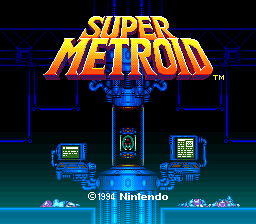
Title screen |
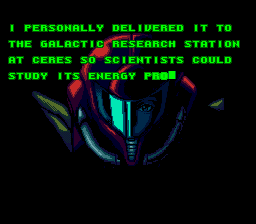
Opening cinematic |
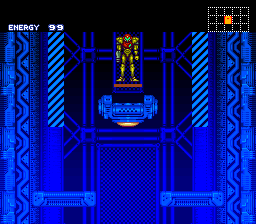
Ceres Station |
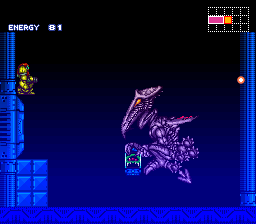
Ridley battle |
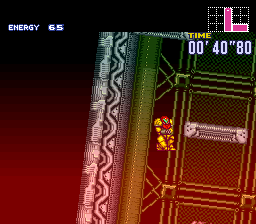
Ceres escape |
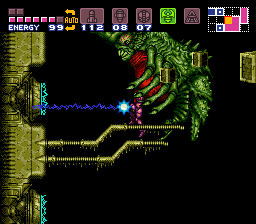
Draygon Grapple Beam kill |
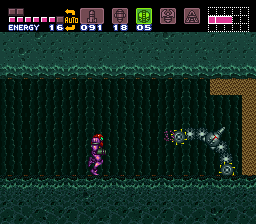
Maridia |
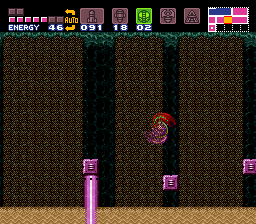
Exploring underwater |
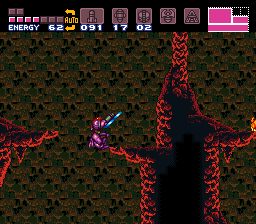
Norfair |
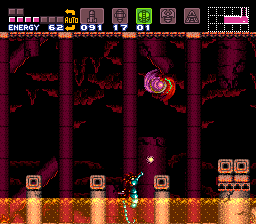
Lower Norfair |
The recomp is fully playable from beginning to end. Only minor known glitches remain.
## How to set up and play
You need your own **Super Metroid Japan/USA NTSC v1.0 ROM** (`.smc` or `.sfc`).
ROMs and extracted game assets are not included in the downloads or this repository.
The app checks your ROM, copies it into application storage, and extracts the required
audio automatically. Your original file is kept.
### Windows
1. Open [Releases](https://github.com/MrJackSpade/SuperMetroidDecomp/releases) and download **SuperMetroid-windows-x64.zip**.
2. Extract the entire ZIP into a folder.
3. Run **SuperMetroid.Game.exe**. The download includes the .NET runtime; no separate installation is needed.
4. Click **Choose ROM** and select your ROM. Once setup finishes, the game starts.
Later launches use the installed copy. Game data, settings, saves, and recordings live
under `%LOCALAPPDATA%\SuperMetroid`. Keep the extracted application files together when
moving the app or installing an update.
### Android
1. Open [Releases](https://github.com/MrJackSpade/SuperMetroidDecomp/releases) on your device and download **SuperMetroid-android-arm64.apk**.
2. Install the APK. If Android asks, allow your browser or file manager to install apps.
3. Open **Super Metroid C# Testing**, tap **Choose ROM**, and select your ROM through the file picker.
4. Wait for extraction to finish, then play using your handheld's controls or a connected controller.
The Android build targets **ARM64 devices running Android 8.0 or newer** and has been
tested on the **Retroid Pocket Classic**, including ROM import and audio playback.
It keeps its ROM copy and saves in app-private storage. Install new APKs over the existing
app to keep your data; uninstalling the app or clearing its storage removes that data.
### Controls and saves
On Windows, use a gamepad or these default keyboard controls:
| Action | Keyboard |
| --- | --- |
| Move / aim | Arrow keys |
| Jump / confirm | `Space` or `X` |
| Dash / cancel | `Z` |
| Fire | `S` |
| Cancel selected item | `A` |
| Aim up / down | `Q` / `W` |
| Start / pause | `Enter` |
| Select item | `Shift` |
Use the game's save stations or gunship for normal saves. The desktop toolbar also
provides debugger save-state slots. On Android, press **Back/Mode** or long-press the game
surface to open **Testing tools**, including save states, settings, and controller bindings.
Setup accepts both the unheadered 3 MiB ROM and a copy with a 512-byte copier header.
ZIP archives, PAL images, other revisions, and patched ROMs are not supported.
See [ROM setup and storage](csharp/ROM-SETUP.md) for the expected ROM hash, command-line
installation, and recovery details.
For help, release announcements, and playtesting discussion, [join Discord](https://discord.gg/N2W9pE7qWM).
Report bugs through [GitHub Issues](https://github.com/MrJackSpade/SuperMetroidDecomp/issues),
including your platform, release version, and steps to reproduce the problem.
## About the project
This project translates Super Metroid's original program into readable, heavily commented
C#. It aims to preserve the cartridge's behavior while making the game's systems easier
to inspect, debug, and understand. The original ROM supplies the graphics, room data,
tables, and audio resources used by the translated code.
The Windows and Android applications share the same managed game core. Windows uses
a Direct3D11 renderer with a software fallback; Android uses the software renderer.
Music and sound effects run through a managed C# audio engine, with resources extracted
from the player's ROM during setup.
**The recomp is fully playable end to end, from the opening through the ending.** Movement,
combat, enemies, bosses, rooms, menus, saving, rendering, and audio are all implemented.
Minor known glitches and differences from the original game remain, so playtesting reports
are welcome.
### Development and references
Start with the [developer guide](csharp/README.md) for build requirements, runnable
projects, controls, diagnostics, and verification commands. Additional documentation:
- [Desktop renderer build requirements](csharp/D3D11_BUILD.md)
- [Android builds and testing](csharp/ANDROID-TESTING.md)
- [Shared ROM extraction and installation](csharp/ROM-SETUP.md)
- [Tagged releases and Discord announcements](docs/releases.md)
Translation and diagnostics cross-check the original cartridge against these references:
- [InsaneFirebat's annotated disassembly](https://github.com/InsaneFirebat/sm_disassembly), pinned to `362be646929cf8e483f692b73a6561cfc2dc1d0d`.
- [snesrev's native C reconstruction](https://github.com/snesrev/sm), pinned to `578f90b3cc49557bb70060ad033bb90b8cf8ac50`.
- [Patrick Johnston's bank reference](https://patrickjohnston.org/bank/index.html).
Original addresses, data tables, ordering, and side effects guide the translation.
Reference annotations support diagnosis; reproduced behavior and regression tests are
used to check the implementation against the supported ROM revision.