# NEDrobotics – WRO Future Engineers 2025
This repository documents the work of **Team NEDrobotics** for the **World Robot Olympiad (WRO) 2025 Future Engineers** category.
Our team consists of three members:
- [Nicat Vəliyev](https://www.linkedin.com/in/nicat-vəliyev-2816b3269)
- [Elnur Məmmədov](https://www.linkedin.com/in/elnurmammadovv)
- [Davud Məmmədov](https://www.linkedin.com/in/davud-məmmədov-383a292a7)
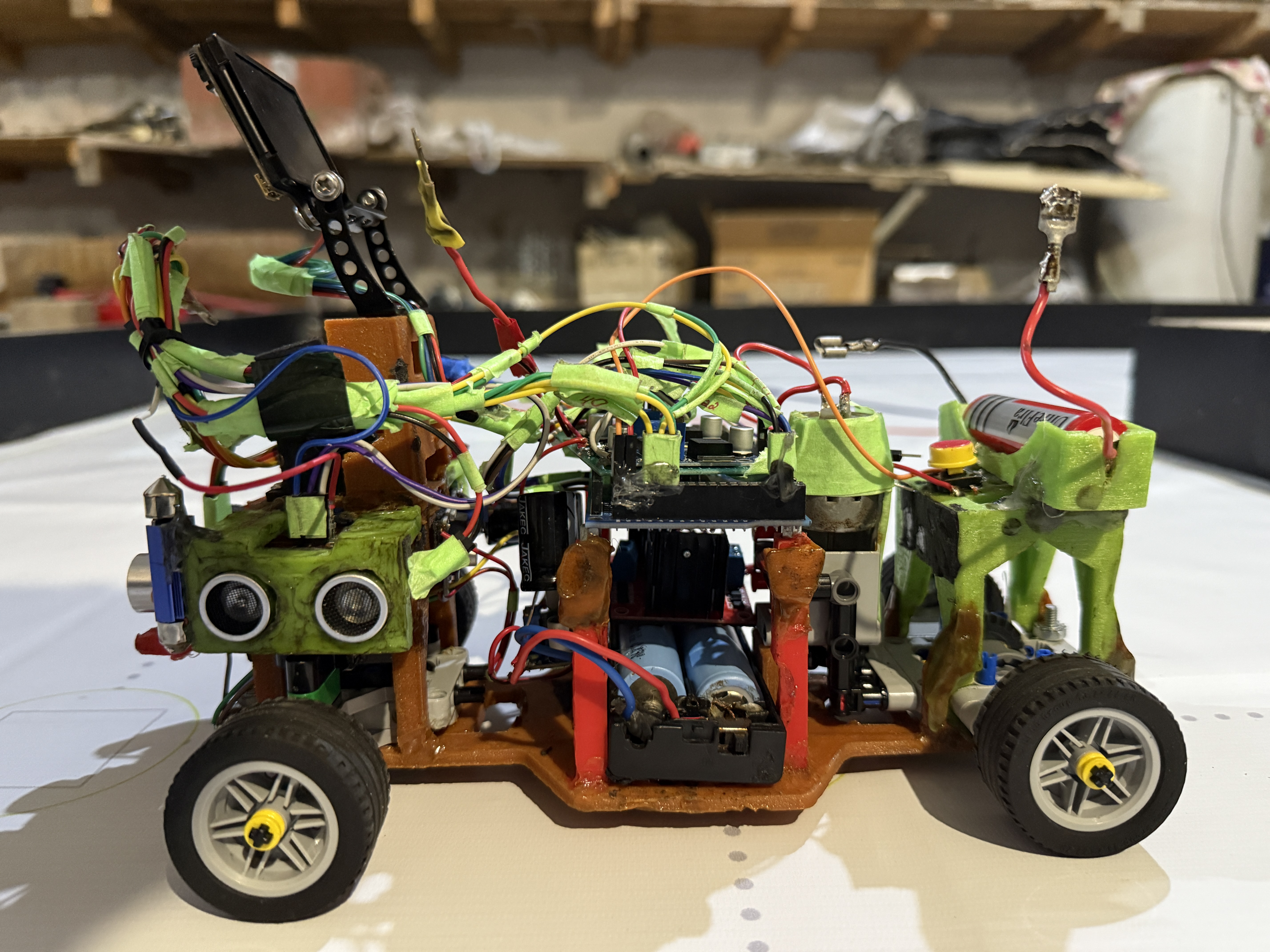
We designed, built, and programmed an autonomous vehicle capable of competing in the WRO Future Engineers challenges.
This README explains our hardware, electronics, software modules, and the process to build and upload code to our robot.
The goal is to make our work **clear, reproducible, and useful for other teams.**




---
## 📋 Contents
- 👀 [Project Overview](#project-overview)
- 🏎️ [Hardware and Chassis Design](#hardware)
- 🔧 [3D Print The Parts](#3dparts)
- ⚡ [Electronics and Components](#electronics)
- 🔋 [Li-ion Battery and Li-Po Battery](#li-ion-and-li-po)
- 🖥️ [Arduino Mega 2560](#arduinomega2560)
- 👁️ [HC-SR04 Ultrasonic Sensors](#hc-sr04)
- ⚙️ [L298N Driver and LM2596 Regulators](#l298n-and-lm2596)
- 🛞 [Lego Wheels](#wheels)
- 📷 [HuskyLens Pro](#huskylens)
- 🔄 [MG90 Servos and DC Motor](#servos-and-motor)
- ⚙️ [Lego Differential](#differential)
- 🛠️ [Wiring and Integration](#wiringandintegration)
- 🔋 [Power Management](#powermanagement)
- 🤖 [Arduino Pins](#arduinopins)
- 👨💻 [Software and Control Architecture](#software)
- 🖥️ [Arduino Code (Low-Level Control)](#arduino)
- 📷 [Vision and AI Processing](#vision)
- 🏎️ [Obstacle and Race Management](#obstacle)
- 🧠 [The robot's operating logic and code sequence](#logic)
- ⚙️ [Pseudo code](#pseudo)
- 💵 [Bill of Materials](#billofmaterials)
- 📦 [Component Costs](#components)
- 🖨️ [3D Printing Cost](#printingcost)
- 🔩 [Other Materials (Screws, Nuts, Jumpers, Heat shrinks)](#othermaterials)
- 💵 [Total Costs](#totalcosts)
- 📷 [Photos and Media](#media)
- 🏁 [The robot's mission rounds](#mission)
- 🖼️ [Photos of the robot](#photosofrobot)
- 📝 [The robot's electronic schematic](#schematic)
- 🖼️ [Photos of the team](#photosofteam)
- 🛠️ [Changes and Improvements](#changes)
- 🔮 [Reproducibility and Future Work](#future)
- 📏 [Techinal Specifications](#techinal)
- 📑 [Conclusion](#conclusion)
---
## 👀 Project Overview
Team NEDrobotics joined the WRO Future Engineers challenge with the goal of creating a reliable and intelligent self-driving robot.
The competition requires designing a car that can:
- Drive autonomously on a race track
- Detect and avoid obstacles
- Handle turns, walls, and markers
- Demonstrate efficient use of sensors and algorithms
Our design integrates **Arduino Mega 2560** for control, **HuskyLens Pro camera** for color recognition of traffic signs, **ultrasonic sensors** for distance detection from various targets.
We combined **3D-printed parts, 12V DC motor, and servo-based steering** to create a modular, flexible and upgradable robot.
---
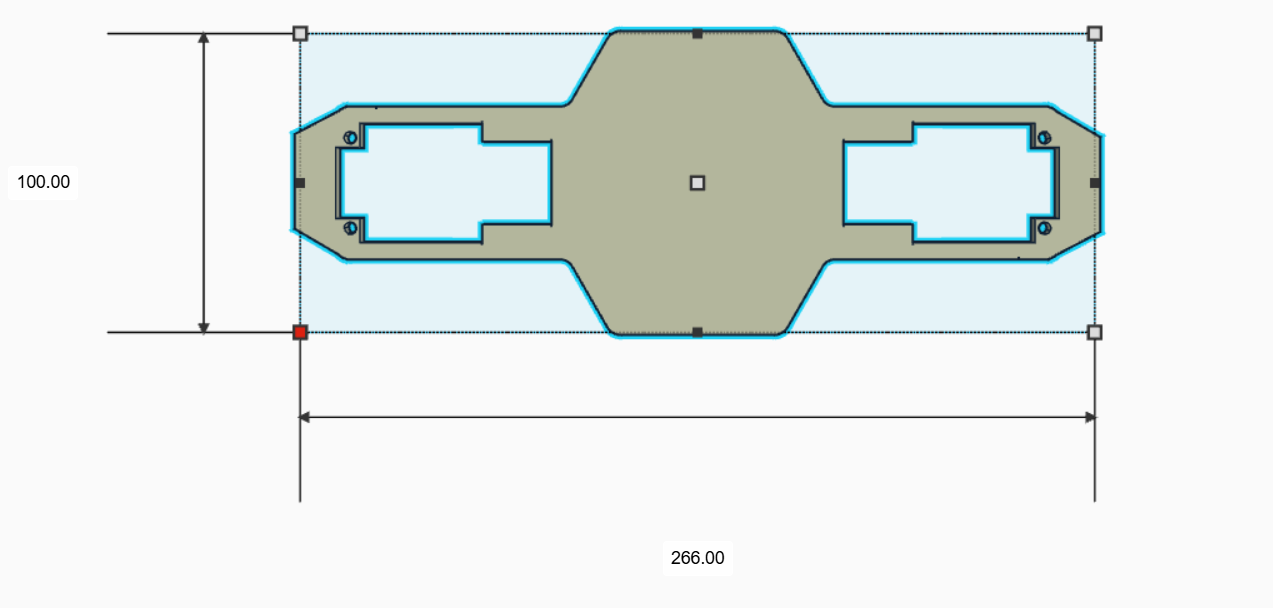
## 🏎️ Hardware and Chassis Design
- **🔧 Chassis:** Built with 3D-printed parts for structure and flexibility
- **🔧 Custom 3D Parts:** Hold electronics, motor, and sensors in place
- **🔧 Motor:** One 12V DC motor for precise speed and torque control
- **🔧 Drive train:** Differential drive and steering system with LEGO parts
- **🔧 Steering:** One MG90 180° servo motor with Lego gears
- **🔧 Stability:** Low center of gravity increases balance during turns
|  | Details |
| ------------------------------------------------------------------------ | ------- |
|**Dimensions:** 100x266mm |**Filament Type:** PLA |
The final build is **strong, lightweight, reliable, and modular**.
---
## ⚡ Electronics and Components
### 🔋 Li-ion Battery and Li-Po Battery
|
| Details |
| ------------------------------------------------------------------------ | ------- |
|**Dimensions:** 100x266mm |**Filament Type:** PLA |
The final build is **strong, lightweight, reliable, and modular**.
---
## ⚡ Electronics and Components
### 🔋 Li-ion Battery and Li-Po Battery
|  |
|  |
| ----------------------------- | -------------- |
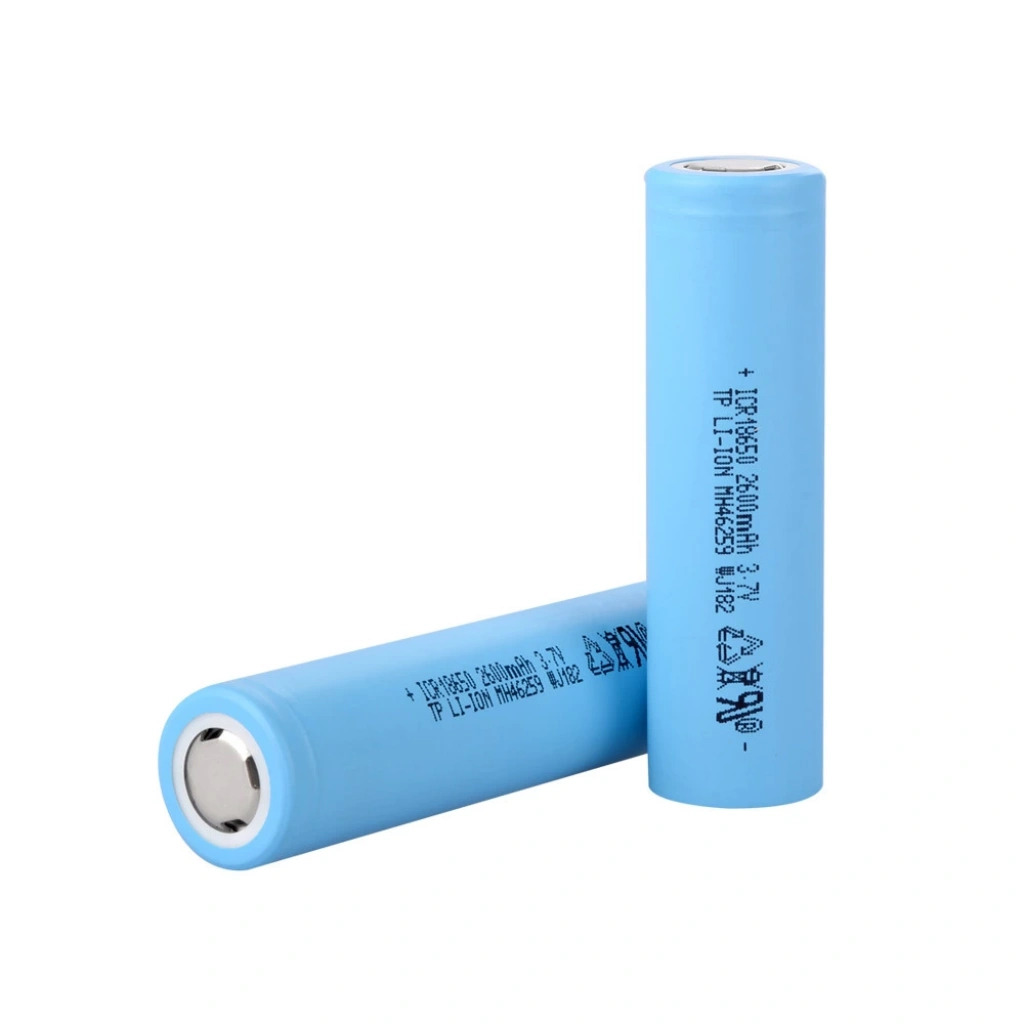
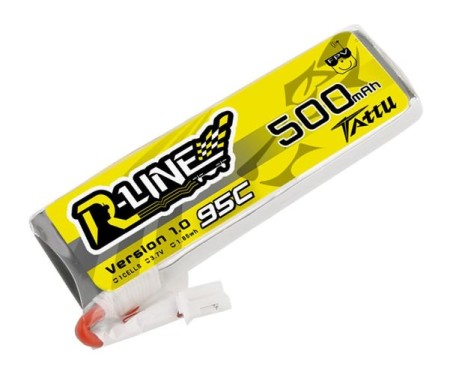
|**Model:** Li-ion 18650 Battery |**Model:** 2s Li-Po Tattu Battery |
|**Voltage:** 3.7v |**Voltage:** 7.4v |
|**Weight:** 45g |**Weight:** 31g |
|**Discharge Rate:** 2C |**Discharge Rate:** 95C |
|**Functions:** Power the motors/leds |**Functions:** Power the modules
|**Capacity:** 2600mAh |**Capacity:** 500mAh |
---
### 🖥️ Arduino Mega 2560
|
|
| ----------------------------- | -------------- |
|**Model:** Li-ion 18650 Battery |**Model:** 2s Li-Po Tattu Battery |
|**Voltage:** 3.7v |**Voltage:** 7.4v |
|**Weight:** 45g |**Weight:** 31g |
|**Discharge Rate:** 2C |**Discharge Rate:** 95C |
|**Functions:** Power the motors/leds |**Functions:** Power the modules
|**Capacity:** 2600mAh |**Capacity:** 500mAh |
---
### 🖥️ Arduino Mega 2560
|  | Details |
| ------------------------------------------------------------------ | ------- |
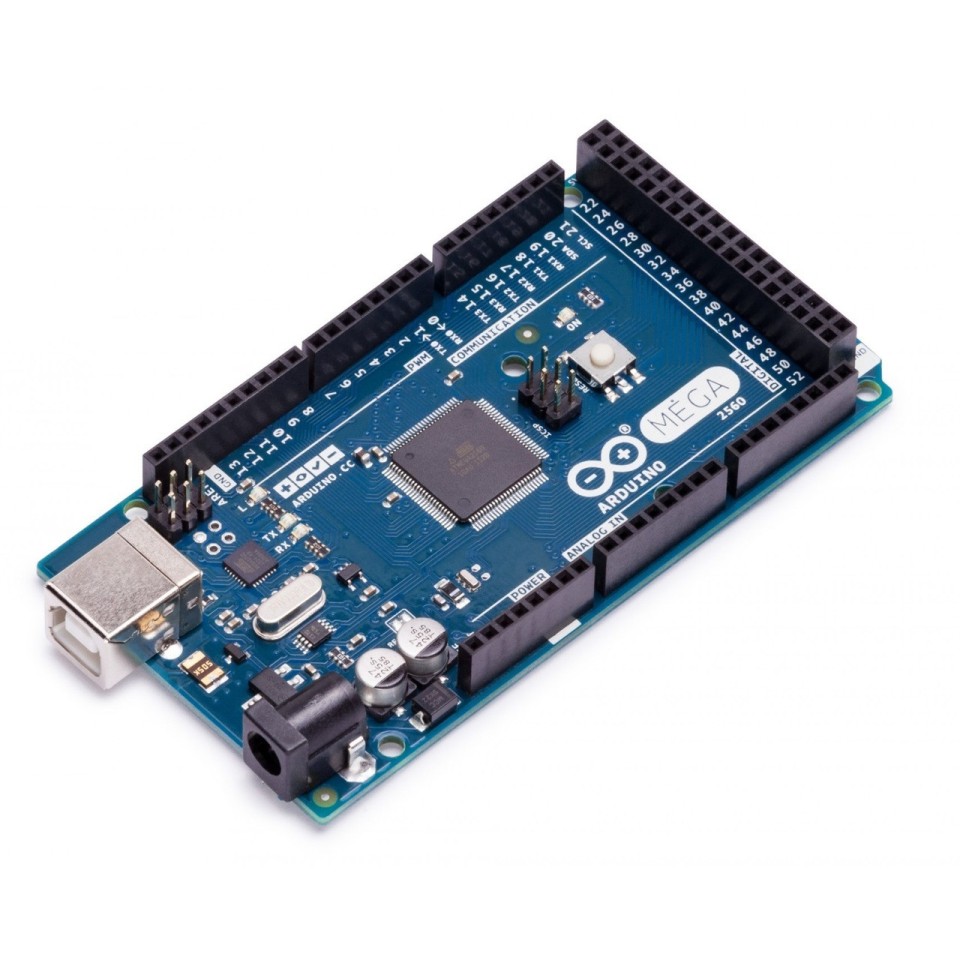
|**Microcontroller:** ATmega2560 |**SRAM:** 8KB |
|**Operating Voltage:** 5V |**EEPROM:** 4KB |
|**Input Voltage:** 7-12V (recomd.) |**Memory:** 256KB |
|**Digital I/O Pins:** 54 |**Clock speed:** 16 MHz |
|**PWM Pins:** 15 |**Weight:** 37g |
|**Current Draw:** 50mA |**Dimensions:** 102x53x30mm|
---
### 👁️ HC-SR04 Ultrasonic Sensors
|
| Details |
| ------------------------------------------------------------------ | ------- |
|**Microcontroller:** ATmega2560 |**SRAM:** 8KB |
|**Operating Voltage:** 5V |**EEPROM:** 4KB |
|**Input Voltage:** 7-12V (recomd.) |**Memory:** 256KB |
|**Digital I/O Pins:** 54 |**Clock speed:** 16 MHz |
|**PWM Pins:** 15 |**Weight:** 37g |
|**Current Draw:** 50mA |**Dimensions:** 102x53x30mm|
---
### 👁️ HC-SR04 Ultrasonic Sensors
| 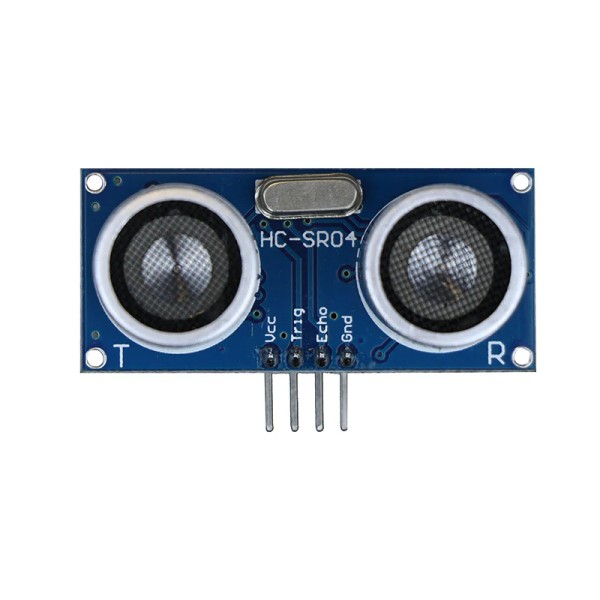 | Details |
| ---------------------------------------------------------------------- | ------- |
|**Model:** HC-SR04 |**Min range:** 2cm |
|**Operating Voltage:** 5V |**Max range:** 4m |
|**Ultrasonic Frequency:** 40Hz |**Measuring Angle:** 15 degree |
|**Weight:** 8.5g |**Dimensions:** 45x20x15mm |
|**Current Draw:** 15mA |**Accuracy:** 0.3cm (3mm) |
---
### ⚙️ L298N Driver and LM2596 Regulators
|
| Details |
| ---------------------------------------------------------------------- | ------- |
|**Model:** HC-SR04 |**Min range:** 2cm |
|**Operating Voltage:** 5V |**Max range:** 4m |
|**Ultrasonic Frequency:** 40Hz |**Measuring Angle:** 15 degree |
|**Weight:** 8.5g |**Dimensions:** 45x20x15mm |
|**Current Draw:** 15mA |**Accuracy:** 0.3cm (3mm) |
---
### ⚙️ L298N Driver and LM2596 Regulators
| 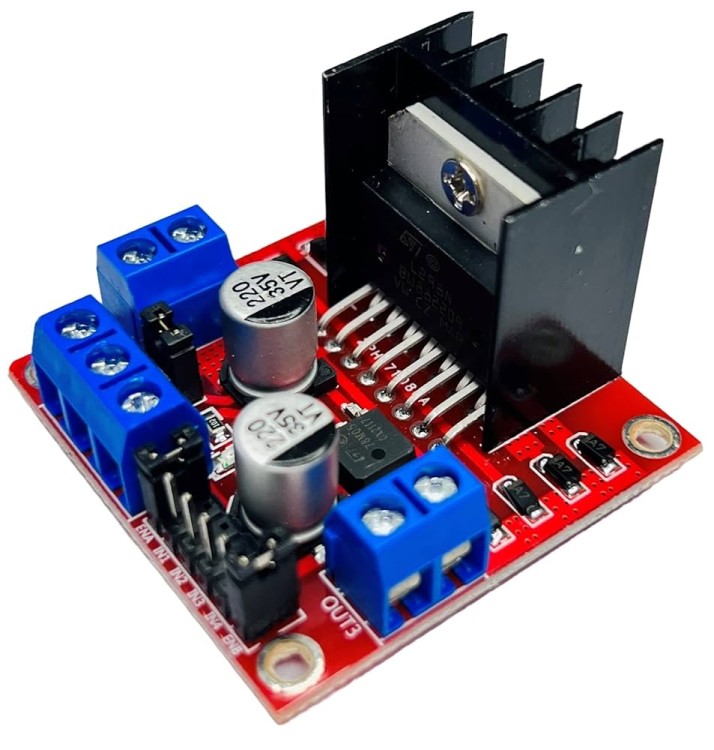 |
| 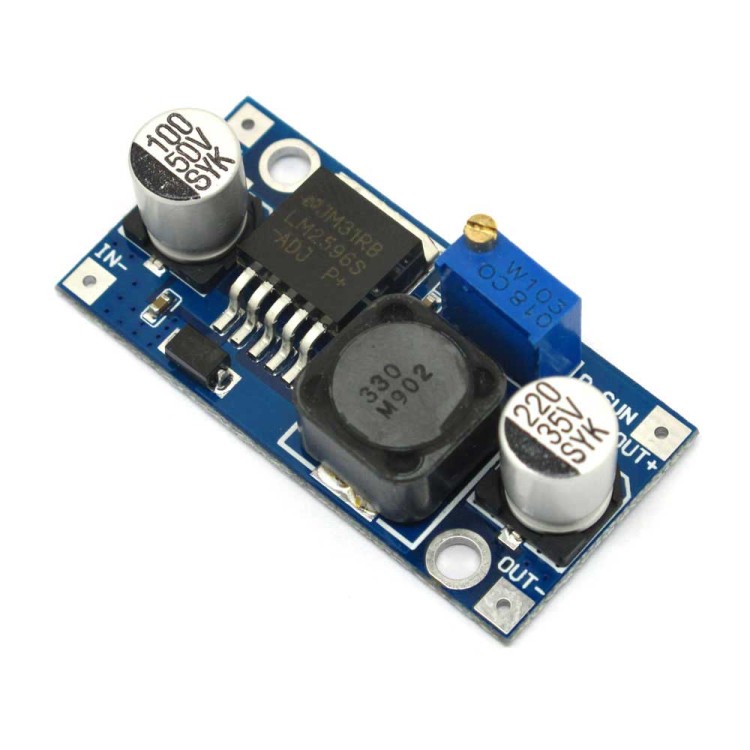 |
| ------------------------------------------------------------------------ | ------- |
|**Driver Model:** L298N 2A |**Model:** LM2596 Buck Converter |
|**Driver Chip:** Double H Bridge L298N |**Input Voltage:** 4V-35V |
|**Logic Voltage:** 5V |**Output Voltage:** 1.23V-30V |
|**Driver Voltage:** 5-35V |**Output Current:** 3A (max) |
|**Weight:** 25g |**Weight:** 11g |
|**Idle Current:** 36mA|**Idle Current:** 5mA
---
### 🛞 Lego Wheels
|
|
| ------------------------------------------------------------------------ | ------- |
|**Driver Model:** L298N 2A |**Model:** LM2596 Buck Converter |
|**Driver Chip:** Double H Bridge L298N |**Input Voltage:** 4V-35V |
|**Logic Voltage:** 5V |**Output Voltage:** 1.23V-30V |
|**Driver Voltage:** 5-35V |**Output Current:** 3A (max) |
|**Weight:** 25g |**Weight:** 11g |
|**Idle Current:** 36mA|**Idle Current:** 5mA
---
### 🛞 Lego Wheels
| 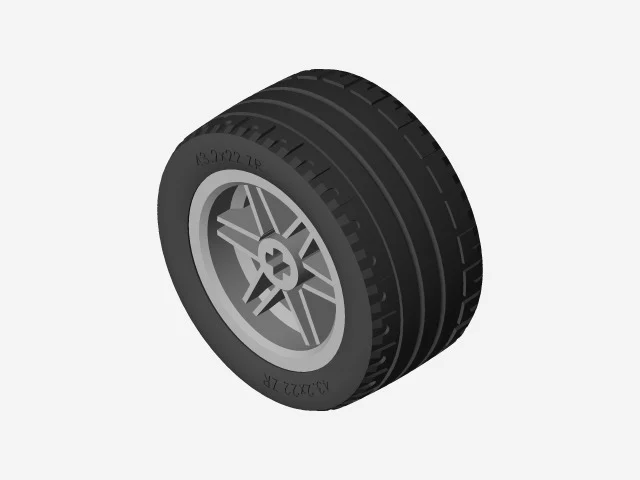 | Details |
| ---------------------------------------------------------------------- | ------- |
|**Part Number:** 56145c01 |**Model Number:** 11218 |
|**Size:** 43.2x22mm |**Rim Size:** 20.66mm (0.79inches) |
|**Weight:** 59g |**Wheel Size:** 22mm |
---
### 📷 HuskyLens Pro
|
| Details |
| ---------------------------------------------------------------------- | ------- |
|**Part Number:** 56145c01 |**Model Number:** 11218 |
|**Size:** 43.2x22mm |**Rim Size:** 20.66mm (0.79inches) |
|**Weight:** 59g |**Wheel Size:** 22mm |
---
### 📷 HuskyLens Pro
| 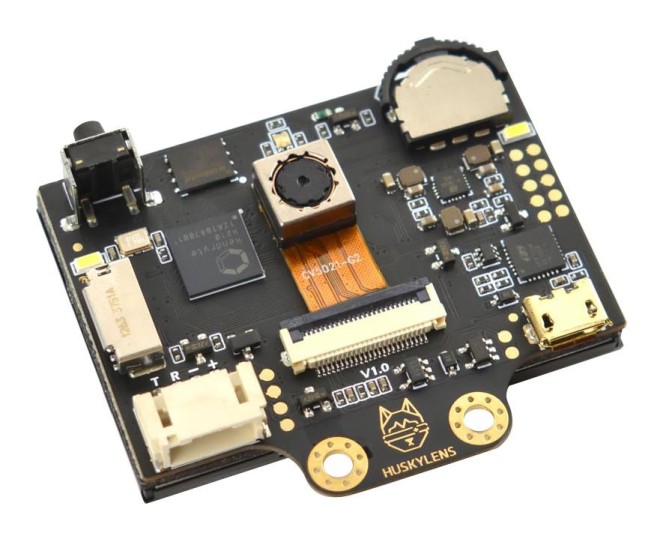 | Details |
| ---------------------------------------------------------------------- | ------- |
|**SKU:** SEN0336 |**Camera:** OV5640 5.0MegaPixel |
|**Functions:** Face Recognition, Object Tracking, Object Recognition, Line Tracking, Color Recognition, Tag Recognition, Object Classification, QR Recognition, Barcode recognition | **Weight:** 40g |
|**Current Draw:** 320mA @3.3V, 230mA @5.0V | **Dimensions:** 52x44.5mm |
---
### 🔄 MG90 Servos and DC Motor
|
| Details |
| ---------------------------------------------------------------------- | ------- |
|**SKU:** SEN0336 |**Camera:** OV5640 5.0MegaPixel |
|**Functions:** Face Recognition, Object Tracking, Object Recognition, Line Tracking, Color Recognition, Tag Recognition, Object Classification, QR Recognition, Barcode recognition | **Weight:** 40g |
|**Current Draw:** 320mA @3.3V, 230mA @5.0V | **Dimensions:** 52x44.5mm |
---
### 🔄 MG90 Servos and DC Motor
| 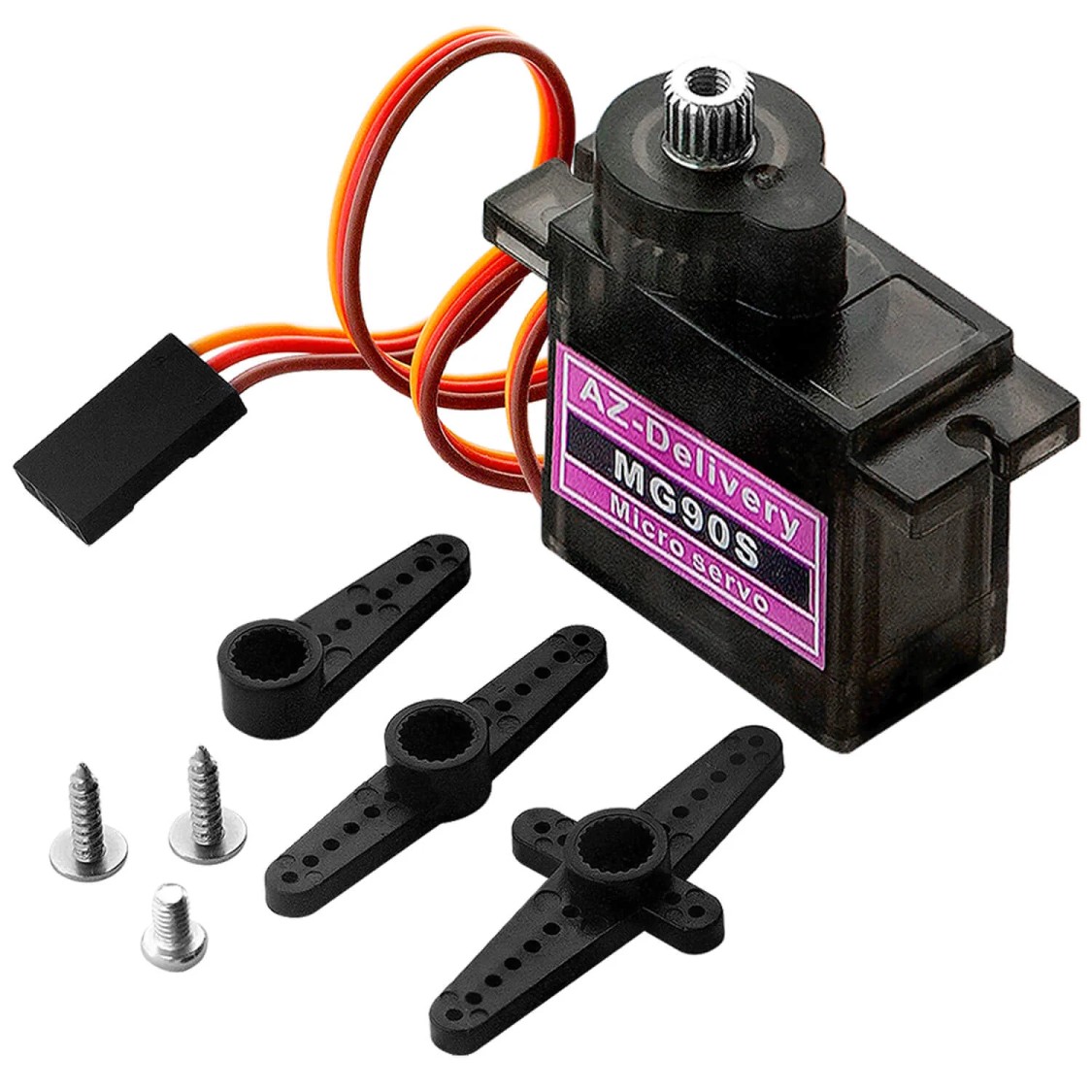 |
| 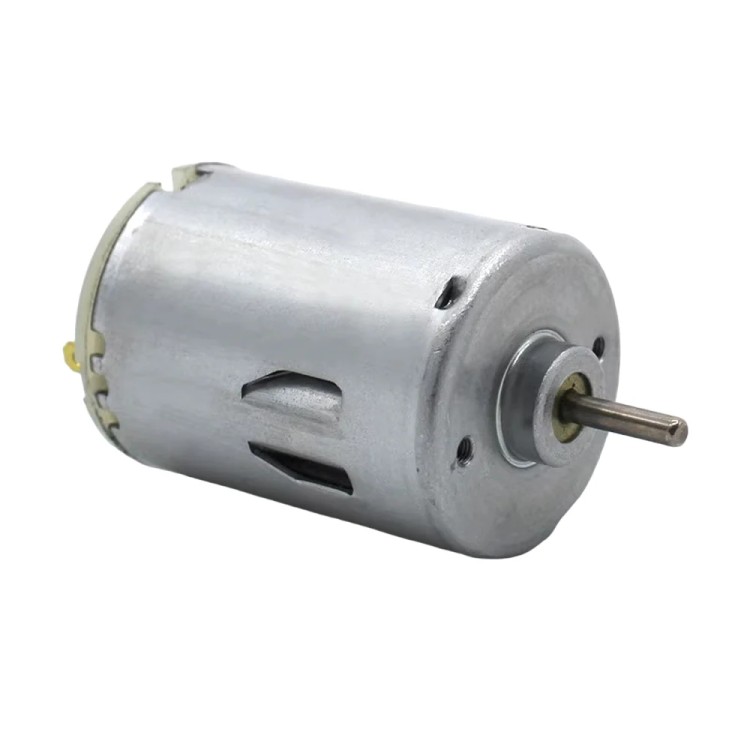 |
| -------------------------------- | ----------------------------------- |
|**Operating Voltage:** 4.8V to 6V (Typically 5V) |**Motor:** RS-280 |
|**Gear Type:** Metal |**Operating Voltage:** 6V – 12V |
|**Stall Torque:** 1.8kg/cm (4.8V) |**Body diameter:** ~24mm |
|**Max Stall Torque:** 2.2kg/cm (6V) |**Shaft diameter:** ~2.0mm
|**Weight:** 13.4g |**Weight:** 55g (appr.) |
|**Rotation:** 0°-180° | **Torque:** 4.46mNm |
|**Rated Current:** 250mA | **Rated Current:** 280mA |
|**Stall Current:** 850mA | **Stall Current:** 1.5A |
---
### ⚙️ Lego Differential
|
|
| -------------------------------- | ----------------------------------- |
|**Operating Voltage:** 4.8V to 6V (Typically 5V) |**Motor:** RS-280 |
|**Gear Type:** Metal |**Operating Voltage:** 6V – 12V |
|**Stall Torque:** 1.8kg/cm (4.8V) |**Body diameter:** ~24mm |
|**Max Stall Torque:** 2.2kg/cm (6V) |**Shaft diameter:** ~2.0mm
|**Weight:** 13.4g |**Weight:** 55g (appr.) |
|**Rotation:** 0°-180° | **Torque:** 4.46mNm |
|**Rated Current:** 250mA | **Rated Current:** 280mA |
|**Stall Current:** 850mA | **Stall Current:** 1.5A |
---
### ⚙️ Lego Differential
| 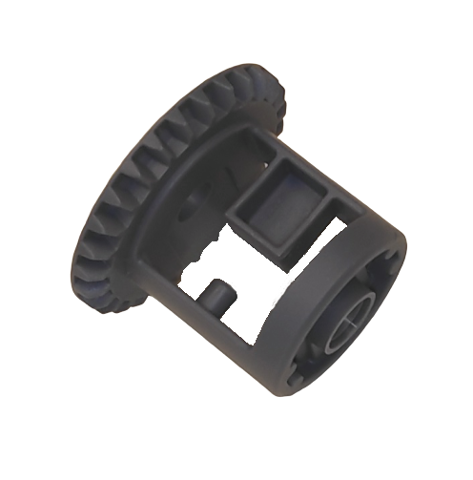 | Details |
| ------------------------------------------------------------------------------ | ------- |
|**Part Number:** 62821 |**Gear Type:** 28-tooth bevel gear |
|**Weight:** 2.8g (appr.) |**Color:** Dark Bluish Gray |
---
## 🛠️ Wiring and Integration
### 🔋 Power Management
- **2S 18650 (Main) → XL6009 Voltage regulator (12V) & (LM2596 - B) → L298N Driver → DC Motor & LEDs**
- **2S Li-Po (Other) → (LM2596 - A) & (LM2596 - C) & (Arduino)**
- **LM2596 - A → Ultrasonic Sensors**
- **LM2596 - B → Servo**
- **LM2596 - C → HuskyLens Pro**
### 🤖 Arduino Pins
- **D8~ → 🛞 Motor Driver ENA**
- **D9~ → 🛞 Motor Driver ENB**
- **D22 → 🛞 Motor Driver IN1**
- **D23 → 🛞 Motor Driver IN2**
- **D24 → 🛞 Motor Driver IN3**
- **D25 → 🛞 Motor Driver IN4**
- **D11~ → 🔄 Servo PWM**
- **D16 → 📷 HuskyLens RX Pin**
- **D17 → 📷 HuskyLens TX Pin**
- **D44 → ⬅️ Left Ultrasonic Echo Pin**
- **D45 → ⬅️ Left Ultrasonic Trig Pin**
- **D46 → ➡️ Right Ultrasonic Echo Pin**
- **D47 → ➡️ Right Ultrasonic Trig Pin**
- **D48 → ⬆️ Front Ultrasonic Echo Pin**
- **D49 → ⬆️ Front Ultrasonic Trig Pin**
- **D53 → 🚩 Start Button**
- **🚩 Start Button → GND**
###### ( ~ ) = PWM Pins
###### ( D ) = Digital Pins
---
## 👨💻 Software and Control Architecture
### 🖥️ Arduino Code (Low-Level Control)
- Runs on Arduino Mega
- Handles motor control, servo steering, ultrasonic readings
- Uses PWM and smooth acceleration
### 📷 Vision and AI Processing
- Managed by HuskyLens Pro
- Detects colors of the traffic signs
- Sends data to Arduino for decisions
### 🏎️ Obstacle and Race Management
- State-machine logic with behaviors:
- START
- DETERMINE DIRECTION
- EXIT PARKING LOT
- REPEAT UNTIL 3 LAPS COMPLETED:
- DETECT COLOR OF THE TRAFFIC SIGN
- TURN LEFT AND FOLLOW LEFT WALL / TURN RIGHT AND FOLLOW RIGHT WALL
- DETECT COLOR OF THE NEXT TRAFFIC SIGN AND MAKE SUITABLE CORNER TURN
- PARK
- FINISH
### 🧠 The robot's operating logic and code sequence
- **PID wall-following**
- The robot uses a classic PID loop to maintain a set distance from the wall: `error = targetdistance - measured_distance` (measured from the active side ultrasonic). Readings are first smoothed with an EMA to suppress noise. The PID output (clamped to a maximum correction in degrees) is translated into servo angle offsets around `spos`; when following the right wall the output sign is inverted so a positive command always means “steer left” in code. Forward motor PWM is automatically scaled down based on how large the steering correction is, so the robot slows during aggressive steering.
- **Ultrasonic sensors**
- The ultrasonic sensors on the right and left sides determine how far away the robot is from the wall and in which way it should move. During the loop, if the robot is moving clockwise, it uses the data from the left sensor to orient itself (PID wall following); if it is moving counterclockwise, it uses the data from the right sensor. When it's time to turn, if the front sensor data is smaller than given threshold value, it checks both sides to learn which direction it should go then makes turn to that way, then realigns itself with **PID wall following algorithm** to move to the next turning point. *The front sensor is also checks the distance to the parking walls during parking time, enabling it to park in an orderly manner.*
- **HuskyLens**
- The Huskylens camera sends the colors of traffic signs it sees in the distance to the Arduino as raw data and colorID, and the Arduino processes them, enabling the robot to maneuver right or left.
- **Motor driver**
- The L298N motor driver allows us to control the motor's speed and direction and adjust the brightness of the LEDs.
- **Button**
- The button allows us to run the code.
- **LEDs**
- The LEDs we placed on the front side assist the huskylens, making the colors of traffic signs appear more *vivid* and easier to see.
- **Conventors and capacitors**
- The LM2596 regulators reduce the voltage of the power coming from the battery and send it to the sensors/husklens and other components. *The capacitors supply the sudden current surge.*
### ⚙️ Pseudo code
| Details |
| ------------------------------------------------------------------------------ | ------- |
|**Part Number:** 62821 |**Gear Type:** 28-tooth bevel gear |
|**Weight:** 2.8g (appr.) |**Color:** Dark Bluish Gray |
---
## 🛠️ Wiring and Integration
### 🔋 Power Management
- **2S 18650 (Main) → XL6009 Voltage regulator (12V) & (LM2596 - B) → L298N Driver → DC Motor & LEDs**
- **2S Li-Po (Other) → (LM2596 - A) & (LM2596 - C) & (Arduino)**
- **LM2596 - A → Ultrasonic Sensors**
- **LM2596 - B → Servo**
- **LM2596 - C → HuskyLens Pro**
### 🤖 Arduino Pins
- **D8~ → 🛞 Motor Driver ENA**
- **D9~ → 🛞 Motor Driver ENB**
- **D22 → 🛞 Motor Driver IN1**
- **D23 → 🛞 Motor Driver IN2**
- **D24 → 🛞 Motor Driver IN3**
- **D25 → 🛞 Motor Driver IN4**
- **D11~ → 🔄 Servo PWM**
- **D16 → 📷 HuskyLens RX Pin**
- **D17 → 📷 HuskyLens TX Pin**
- **D44 → ⬅️ Left Ultrasonic Echo Pin**
- **D45 → ⬅️ Left Ultrasonic Trig Pin**
- **D46 → ➡️ Right Ultrasonic Echo Pin**
- **D47 → ➡️ Right Ultrasonic Trig Pin**
- **D48 → ⬆️ Front Ultrasonic Echo Pin**
- **D49 → ⬆️ Front Ultrasonic Trig Pin**
- **D53 → 🚩 Start Button**
- **🚩 Start Button → GND**
###### ( ~ ) = PWM Pins
###### ( D ) = Digital Pins
---
## 👨💻 Software and Control Architecture
### 🖥️ Arduino Code (Low-Level Control)
- Runs on Arduino Mega
- Handles motor control, servo steering, ultrasonic readings
- Uses PWM and smooth acceleration
### 📷 Vision and AI Processing
- Managed by HuskyLens Pro
- Detects colors of the traffic signs
- Sends data to Arduino for decisions
### 🏎️ Obstacle and Race Management
- State-machine logic with behaviors:
- START
- DETERMINE DIRECTION
- EXIT PARKING LOT
- REPEAT UNTIL 3 LAPS COMPLETED:
- DETECT COLOR OF THE TRAFFIC SIGN
- TURN LEFT AND FOLLOW LEFT WALL / TURN RIGHT AND FOLLOW RIGHT WALL
- DETECT COLOR OF THE NEXT TRAFFIC SIGN AND MAKE SUITABLE CORNER TURN
- PARK
- FINISH
### 🧠 The robot's operating logic and code sequence
- **PID wall-following**
- The robot uses a classic PID loop to maintain a set distance from the wall: `error = targetdistance - measured_distance` (measured from the active side ultrasonic). Readings are first smoothed with an EMA to suppress noise. The PID output (clamped to a maximum correction in degrees) is translated into servo angle offsets around `spos`; when following the right wall the output sign is inverted so a positive command always means “steer left” in code. Forward motor PWM is automatically scaled down based on how large the steering correction is, so the robot slows during aggressive steering.
- **Ultrasonic sensors**
- The ultrasonic sensors on the right and left sides determine how far away the robot is from the wall and in which way it should move. During the loop, if the robot is moving clockwise, it uses the data from the left sensor to orient itself (PID wall following); if it is moving counterclockwise, it uses the data from the right sensor. When it's time to turn, if the front sensor data is smaller than given threshold value, it checks both sides to learn which direction it should go then makes turn to that way, then realigns itself with **PID wall following algorithm** to move to the next turning point. *The front sensor is also checks the distance to the parking walls during parking time, enabling it to park in an orderly manner.*
- **HuskyLens**
- The Huskylens camera sends the colors of traffic signs it sees in the distance to the Arduino as raw data and colorID, and the Arduino processes them, enabling the robot to maneuver right or left.
- **Motor driver**
- The L298N motor driver allows us to control the motor's speed and direction and adjust the brightness of the LEDs.
- **Button**
- The button allows us to run the code.
- **LEDs**
- The LEDs we placed on the front side assist the huskylens, making the colors of traffic signs appear more *vivid* and easier to see.
- **Conventors and capacitors**
- The LM2596 regulators reduce the voltage of the power coming from the battery and send it to the sensors/husklens and other components. *The capacitors supply the sudden current surge.*
### ⚙️ Pseudo code
Click to see!
```cpp
# --- Constants / Globals ---
DEFINE pins, servo mids, motor pins, button pin
DEFINE targetdistance, Kp, Ki, Kd, I_MAX, I_MIN
DEFINE alpha, servoUpdateInterval, MAX_CORRECTION_DEG
DEFINE TURN_DEGREE, TURN_PWM, TURN_SETTLE_MS, TURN_TIMEOUT_MS
DEFINE SIDE_TURN_STOP_CM, DELTA_TO_TRIGGER, IGNORE_AFTER_TURN_MS
DEFINE BASE_SPEED, MIN_SPEED, SMALL_STEER_DEG
DEFINE TURN_SIDE_MODE (0=auto,1=left,2=right)
GLOBAL filteredLeft, filteredRight, filteredFront
GLOBAL oldLeft, oldRight, baselineLeft, baselineRight
GLOBAL integralTerm, lastError, lastPidTime
GLOBAL lastServoUpdate, lastS1pos, lastS2pos
GLOBAL ignoreUntil, turnCount, firstTurnDone, activeTurnMode
# --- Low-level helpers ---
FUNCTION readUltrasonicCm(trig, echo):
pulse trigger, measure echo with timeout
IF timeout return -1
RETURN distance_cm
FUNCTION preciseSampleUltrasonics(samples=8, delayMs=20):
read sensors multiple times, average valid readings
assign to filteredLeft, filteredRight, filteredFront
FUNCTION stopMotors():
set motor PWMs = 0
FUNCTION setMotorsForward(forward, speed):
set motor driver pins and PWM for both motors (account wiring)
# --- Steering helpers ---
FUNCTION setSteerLeftMax(): write servos to s1mid+TURN_DEGREE, s2mid-TURN_DEGREE, update timestamp
FUNCTION setSteerRightMax(): write servos to s1mid-TURN_DEGREE, s2mid+TURN_DEGREE, update timestamp
FUNCTION centerSteering(): write servos to mids, update timestamp
FUNCTION rotateUntilSideUnder(side, stopCm=SIDE_TURN_STOP_CM, timeoutMs=TURN_TIMEOUT_MS):
turnCount += 1
steer fully to side, start motors (low then TURN_PWM)
loop until filtered side < stopCm or timeout:
read that side, EMA-update filtered value
stopMotors(), delay(TURN_SETTLE_MS), centerSteering()
preciseSampleUltrasonics()
ignoreUntil = now + IGNORE_AFTER_TURN_MS
# --- PID ---
FUNCTION computePidOutput(measured):
dt = max(epsilon, (now - lastPidTime)/1000)
error = targetdistance - measured
integralTerm = clamp(integralTerm + error*dt, I_MIN, I_MAX)
derivative = (error - lastError)/dt
output = Kp*error + Ki*integralTerm + Kd*derivative
output = clamp(output, -MAX_CORRECTION_DEG, MAX_CORRECTION_DEG)
lastError = error; lastPidTime = now
RETURN output
FUNCTION writeServosFromOutput(output):
rate-limit by servoUpdateInterval
s1pos = constrain(s1mid - output,0,180)
s2pos = constrain(s2mid + output,0,180)
write servos, update last positions and timestamp
# --- Setup / Main loop ---
FUNCTION setup():
Serial begin, configure pins and servos, write mids
lastPidTime = now; lastServoUpdate = now
LOOP main:
IF button pressed -> call testProgram()
ELSE delay(20)
# --- Test routine (compact) ---
FUNCTION testProgram():
WHILE turnCount < 12:
drive forward (high speed)
read sensors once, EMA update filtered values
IF filteredFront < 50:
turnCount++
IF first-time-flag:
preciseSampleUltrasonics(6)
choose activeTurnMode by checking filteredLeft (if >80 then left else right)
pulse big servo deflection toward activeTurnMode for ~800ms, return to center
small nudge: if activeTurnMode==left and filteredRight<20 -> tiny left nudge; analogous for right
stopMotors()
# --- Main autonomous routine (compact) ---
FUNCTION runProgram():
delay(500); ignoreUntil=0; turnCount=0; firstTurnDone=false
preciseSampleUltrasonics(10); baselineLeft=filteredLeft; baselineRight=filteredRight
oldLeft = baselineLeft; oldRight = baselineRight
determine startInMiddle if both filtered sides > 35 cm
IF TURN_SIDE_MODE forced -> set activeTurnMode accordingly
ELSE IF startInMiddle -> activeTurnMode = 0 (unlocked)
ELSE activeTurnMode = side with smaller initial distance
WHILE turnCount < 11:
read sensors once, EMA update filteredLeft/Right/Front
turned = false
# 1) Auto-first-turn detection (only if AUTO mode & not done)
IF not firstTurnDone AND TURN_SIDE_MODE==0 AND now > ignoreUntil:
leftDelta = filteredLeft - oldLeft
rightDelta = filteredRight - oldRight
IF max(leftDelta, rightDelta) >= DELTA_TO_TRIGGER:
chosenSide = side with larger delta
preciseSampleUltrasonics(6)
IF (filteredChosen - oldChosen) >= DELTA_TO_TRIGGER:
activeTurnMode = chosenSide
firstTurnDone = true
perform simple timed servo turn toward chosenSide (short motor pulse + servo deflection)
reset PID (integralTerm, lastError, lastPidTime)
turned = true
stopMotors()
preciseSampleUltrasonics(6)
# 2) Side-specific trigger (locked mode)
IF not turned AND now > ignoreUntil:
IF activeTurnMode == LEFT AND filteredLeft - oldLeft >= DELTA_TO_TRIGGER:
preciseSampleUltrasonics(6)
IF still triggered: rotateUntilSideUnder(LEFT); reset PID; firstTurnDone=true; turned=true
ELSE IF activeTurnMode == RIGHT AND filteredRight - oldRight >= DELTA_TO_TRIGGER:
analogous for RIGHT
# 3) Normal wall-following if not turning
IF not turned:
beforeFirstTurn = (not firstTurnDone AND TURN_SIDE_MODE==0)
IF beforeFirstTurn AND filteredLeft>35 AND filteredRight>35:
centerSteering(); setMotorsForward(true, moderate_speed)
ELSE:
measured = (activeTurnMode==RIGHT) ? filteredRight : filteredLeft
pidOutput = computePidOutput(measured)
IF beforeFirstTurn: clamp pidOutput to SMALL_STEER_DEG
servoOutput = pidOutput * (activeTurnMode==RIGHT ? -1 : 1)
writeServosFromOutput(servoOutput)
compute speed reduction based on |pidOutput| and setMotorsForward(true, speed)
oldLeft = filteredLeft; oldRight = filteredRight
delay(20)
# finish sequence
driveForwardStraight(120)
apply small final servo offset then stopMotors()
# --- End of pseudocode
```
## 💵 Bill of Materials
### 📦 Component Costs
| Amount | Component | Notes | Prices |
|--------|-----------|-------|--------|
| 1 | [Arduino Mega 2560](other/arduinomega.jpg) | Main controller | 18.2₼ (10.7$) |
| 4 | [LM2596 buck converters](other/lm2596.jpg) | Voltage regulation | 2.6₼ (1.52$) |
| 1 | [L298N motor driver](other/l298n.jpg) | Motor control | 3.5₼ (2.05$) |
| 1 | [12V DC Motor](other/dc.jpg) | Drive | Free\* |
| 3 | [Ultrasonic sensors](other/ultrasonic.jpg) | Distance measurement | 8₼ (4.7$) |
| 1 | [HuskyLens Pro AI camera](other/huskylens.jpg) | Vision | Free\* |
| 1 | [MG90 servo motor (180°)](other/mg90.jpg) | Steering | 4.5₼ (2.64$) |
| 4 | [Li-ion 18650 Battery](other/li-ion.jpg) | Power source | 19₼ (11.17$) |
| 1 | [2S Li-Po Tattu 500mAh](other/li-po.jpg) | Power source | Free\* |
| 1 | [2x18650 Battery Holder](other/holder.jpg) | Misc | 4.3₼ (2.52$) |
| 1 | [Lithium Batter charger](other/charger.jpg) | Misc | 13.9₼ (8.17$) |
| 3 | [LEDs](other/light.jpg) | Misc | Free\* |
| 1 | [16v 4700µ Capacitor](other/16v.jpg) | Misc | 3₼ (1.76$) |
| 2 | [25v 4700µ Capacitors](other/25v.jpg) | Misc | 3.5₼ (2.05$) |
| - | - | - | - |
| **Total Component Cost:** | - | - | **80.5₼ (47.3$)**
### 🖨️ 3D Printing Cost
| Amount | Name | Notes | Prices |
| ------ | ---- | ----- | ------ |
| 1000g | 1.75mm PLA Filament | Material | 44.2₼ (26$) |
| **Total Printing Cost:** | - | - | **44.2₼ (26$)** |
### 🔩 Other Materials (Screws, Nuts, Jumpers, Heat shrink)
| Amount | Name | Notes | Prices |
| ------ | ---- | ----- | ------ |
| 120 | Jumpers | Cables | 3₼ (1.76$) |
| 8 | Nuts | Fasteners | Free\* |
| 2meter | Heat Shrinks | Fasteners | Free\* |
| **Total Other Materials Cost:** | - | - | **3₼ (1.76$)** |
### 💵 Total Costs
| Category | Notes | Prices |
| ------ | ---- | ----- |
| Components | - | 80.5₼ (47.3$) |
| 3D Printing | - | 44.2₼ (26$) |
| Other Materials | - | 3₼ (1.76$) |
|**Total Cost:** | - | **127.7₼ (74.7$)** |
##### We paid 70₼ (41.1$) for the map, and we already had the boards for the walls, which we painted with black spray paint.
###### \*Items marked with “Free” are parts that we had in previous races.
##### Engineering is not about creating something with unlimited resources, it's about creating wonders with the resources you have!
---
## 📷 Photos and Media
### 🏁 The robot's mission rounds *( /videos )*


### 🖼️ Photos of the robot *( /v-photos )*




### 📝 The robot's electronic schematic *( /schemes )*

### 🖼️ Photos of the team *( /t-photos )*


---
## 🛠️ Changes and Improvements
During development we made important modifications:
- ✔ Since the color sensor did not work very well and **the values it provided could not be very accurate**, we decided to remove the **TCS3200** from the robot.
- ✔ Although the distance between the robot and the wall was small, the ultrasonic sensors perceived the distance as **far** because they were facing the wall **at an angle** slightly below it. This caused the robot to approach the wall **even closer**, leading to errors. While searching for a practical solution in the robot's driving algorithm, we added various automation algorithms such as the **PID** driving algorithm. Finally, to further improve performance, we decided to place the ultrasonic sensors **on the front of the robot.**
- ✔ We updated our HuskyLens camera with *HUSKYLENSWithModelV0.5.1bNorm* so it can better distinguish object colors and operate with fewer errors. The newer version slightly improved color recognition performance on the robot.
- ✔ We made the robot **rear-wheel drive** to **minimize the friction force** on the wheels and make it more **stable** and **powerful**.
- ✔ Previously, there were no LEDs in front of the robot. Later, through experience, we realized that **it couldn't fully identify the colors of traffic signs**, so we placed three powerful **LEDs** on the front.
- ✔ Initially, we used **a single power source for the entire system**, but this later caused a number of problems. The reason for this was that the motor drew a sudden surge of current during startup, causing **voltage sag**. As a result, the Arduino and other modules would shut down and restart. As a solution, we **separated the power sources** for the motors (drive and servo motors). We also added **three capacitors** to handle the current demand **at peak times.**
---
## 🔮 Reproducibility and Future Work
We aim to make our robot easy to reproduce.
This repository includes source code, wiring diagrams, and 3D files.
Future improvements:
- ⏳ Upgrade motor for higher speed
- ⏳ Use more advanced **AI camera system**
- ⏳ Improve overall performance quality
- ⏳ Use more **precise** sensors
- ⏳ **Shortening** the robot's sizes
- ⏳ Use more **powerful** and more **efficient** batteries
###### The road goes to success is always under construction.
---
## 📏 Technical specifications
- **Dimensions:** 275mm (L) x 168mm (W) x 200mm (H)
- **Weight:** 727g
- **Maximum speed:** 0.5m/s
- **Driving system:** Rear-wheel drive (RWD)
- **Steering Torque:** 20.6Ncm
---
## 📑 Conclusion
Team NEDrobotics’ project shows how teamwork, electronics, and coding can solve the WRO Future Engineers challenge.
We created a **reliable, modular, and efficient autonomous robot** with Arduino, HuskyLens, and Lego EV3.
This repository is a **complete guide** for anyone who wants to understand, rebuild, or improve our design.