# GR00T Dreams
[](https://www.youtube.com/watch?v=8Mwrfvq-GeY)
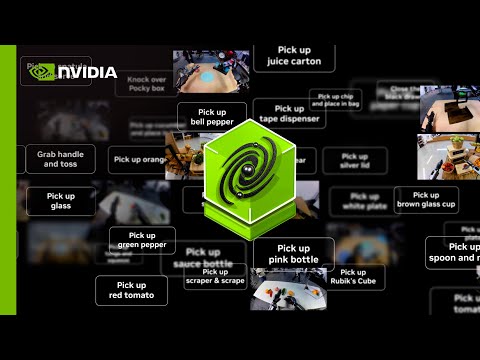
NVIDIA Isaac GR00T-Dreams blueprint generates vast amounts of synthetic trajectory data using NVIDIA Cosmos world foundation models, prompted by a single image and language instructions. This enables robots to learn new tasks in unfamiliar environments without needing specific teleoperation data.
As a first step, we release DreamGen: Unlocking Generalization in Robot Learning through Video World Models Website | Paper
We provide the full pipeline for DreamGen, as Cosmos-Predict2 as the video world model in the repository. This repository is divided into:
1. [Finetuning video world models](#1-fine-tuning-video-world-models)
2. [Generating synthetic videos](#2-generating-synthetic-robot-videos-using-fine-tuned-video-world-models)
3. [Extracting IDM actions](#3-extracting-robot-actions-using-a-fine-tuned-idm-model-to-lerobot-format)
4. [Fine-tuning on GR00T N1](#4-fine-tuning-on-gr00t-n1)
5. [Replicating the DreamGenBench numbers](#5-dreamgen-bench)
Install the environment for `cosmos-predict2` following [cosmos-predict2-setup](https://github.com/nvidia-cosmos/cosmos-predict2/blob/main/documentations/post-training_video2world_gr00t.md#prerequisites).
See the high-level workflow in the [Reference Architecture](reference_architecture/reference_architecture.md).
## 1. Fine-tuning video world models
See [cosmos-predict2/documentations/training_gr00t.md](https://github.com/nvidia-cosmos/cosmos-predict2/blob/main/documentations/post-training_video2world_gr00t.md#video2world-post-training-for-dreamgen-bench) for details.
## 2. Generating Synthetic Robot Videos using Fine-tuned Video World Models
See [cosmos-predict2/documentations/training_gr00t.md#inference-for-dreamgen-benchmark](https://github.com/nvidia-cosmos/cosmos-predict2/blob/main/documentations/post-training_video2world_gr00t.md#4-inference-for-dreamgen-benchmark) for details.
## 3. Extracting robot actions using a fine-tuned IDM model to LeRobot Format
### 3.1 Convert the directory structure
This step convert the directory structure from step 2 to the format required by step 3.2.
```markdown
This scripts convert the directory structure from step 2 for step 3
in step 2, the directory structure is like this:
results/dream_gen_benchmark/
└── cosmos_predict2_14b_gr1_object/
├── 0_Use_the_right_hand_to_pick_up_the_spatula_and_perform_a_serving_motion_from_the_bowl_onto_the_metal_plate.mp4
├── 1_Use_the_right_hand_to_close_lunch_box.mp4
└── ...
For step 3, the directory structure is like this:
results/dream_gen_benchmark/
└── cosmos_predict2_14b_gr1_object_step3/
├── Use_the_right_hand_to_pick_up_the_spatula_and_perform_a_serving_motion_from_the_bowl_onto_the_metal_plate/0.mp4
├── Use_the_right_hand_to_close_lunch_box/0.mp4
└── ...
```
Save the generated video from cosmos-predict2 in `${COSMOS_PREDICT2_OUTPUT_DIR}` in step2.
```bash
python IDM_dump/convert_directory.py \
--input_dir "${COSMOS_PREDICT2_OUTPUT_DIR}" \
--output_dir "results/dream_gen_benchmark/cosmos_predict2_14b_gr1_object_step3"
```
### 3.2 Preprocess the generated videos
Scripts are below `IDM_dump/scripts/preprocess` folder. Replace the `source_dir` with your own dataset path that contains generated videos in the command. Each script is designed for a specific embodiment. We currently support the following embodiments:
- `franka`: Franka Emika Panda Robot Arm
- `gr1`: Fourier GR1 Humanoid Robot
- `so100`: SO-100 Robot Arm
- `robocasa`: RoboCasa (Simulation)
### (Optional) 3.3 Training Custom IDM model
**NOTE: This is only needed if the target embodiment is different from the 4 embodiments that we provide (franka, gr1, so100, and robocasa).**
#### Training IDM model within the `DreamGen` environment
Given a few ground-truth trajectories of a specific embodiment, we can train an IDM model.
The following example command will train an IDM model on `robot_sim.PickNPlace` demo dataset.
```bash
PYTHONPATH=. torchrun scripts/idm_training.py --dataset-path demo_data/robot_sim.PickNPlace/ --embodiment_tag gr1
```
Here's another example command that will train an IDM model on the `robocasa_panda_omron` embodiment (RoboCasa simulation).
```bash
PYTHONPATH=. torchrun scripts/idm_training.py --dataset-path --data-config single_panda_gripper --embodiment_tag "robocasa_panda_omron"
```
For other embodiments, you need to add two things: 1)`modality.json` and `stats.json` below `IDM_dump/global_metadata/{embodiment_name}`, 2) data config information for the new embodiment below `gr00t/experiment/data_config_idm.py`.
## 4. Fine-tuning on GR00T N1
Scripts are below `IDM_dump/scripts/finetune` folder. Each script is designed for a specific embodiment. We currently support the following embodiments:
- `franka`: Franka Emika Panda Robot Arm
- `gr1`: Fourier GR1 Humanoid Robot
- `so100`: SO-100 Robot Arm
- `robocasa`: RoboCasa (Simulation)
The recommended finetuning configurations is to boost your batch size to the max, and train for 20k steps.
Run the command within the `DreamGen` environment.
## 5. DreamGen Bench
We provide the code to evaluate Instruction Following (IF) and Physics Alignment (PA) from the DreamGen paper.
### Environment
### Before evaluation
make sure that your directory of video & name of videos is structured as:
```md
/mnt/amlfs-01/home/joelj/human_evals/
└── cosmos_predict2_gr1_env/
├── 0_Use_the_right_hand_to_pick_up_the_spatula_and_perform_a_serving_motion_from_the_bowl_onto_the_metal_plate.mp4
├── 1_Use_the_right_hand_to_close_lunch_box.mp4
├── 2_Use_the_right_hand_to_close_the_black_drawer.mp4
├── 3_Use_the_right_hand_to_close_the_lid_of_the_soup_tureen.mp4
.......
```
### Eval
```bash
# success rate (evaluated by Qwen2.5-VL)
video_dir={YOUR_VIDEO_DIR} # structured as mentioned above
csv_path={PATH_TO_SAVE}
device="cuda:0"
python -m dreamgenbench.eval_sr_qwen_whole \
--video_dir "$video_dir" \
--output_csv "$csv_path" \
--device "$device"
# if you are a zero-shot model, you can specify zeroshot as the flag
python -m dreamgenbench.eval_sr_qwen_whole \
--video_dir "$video_dir" \
--output_csv "$csv_path" \
--device "$device" \
--zeroshot true
# success rate (evaluated by GPT-4o)
video_dir={YOUR_VIDEO_DIR} # structured as mentioned above
csv_path={PATH_TO_SAVE}
api_key={YOUR_OPENAI_API_KEY}
device="cuda:0"
python -m dreamgenbench.eval_sr_gpt4o_whole \
--video_dir "$video_dir" \
--output_csv "$csv_path" \
--api_key "$api_key"
# if you are a zero-shot model, you can specify zeroshot as the flag
python -m dreamgenbench.eval_sr_gpt4o_whole \
--video_dir "$video_dir" \
--output_csv "$csv_path" \
--zeroshot true \
--api_key "$api_key"
# physical alignment (using QWEN-VL, get PA score I)
python -m dreamgenbench.eval_qwen_pa
--video_dir "$video_dir" \
--output_csv "$csv_path" \
--device "$device"
```
please refer to the README in videophy folder to evaluate the PA score II, then average the score of PA score I & II
Our benchmark hopes to be friendly enough to the research community, thus only choosing ~50 videos for each dataset and using a relatively small open source VLM for major evaluation. Thus, our evaluation protocol might not be generalized well to some OOD scenarios like multi-view videos, judging physics in a detailed manner, etc.
```
@article{jang2025dreamgen,
title={DreamGen: Unlocking Generalization in Robot Learning through Video World Models},
author={Jang, Joel and Ye, Seonghyeon and Lin, Zongyu and Xiang, Jiannan and Bjorck, Johan and Fang, Yu and Hu, Fengyuan and Huang, Spencer and Kundalia, Kaushil and Lin, Yen-Chen and others},
journal={arXiv preprint arXiv:2505.12705v2},
year={2025}
}
```