
A lightweight cosmetic plugin for DeepSeek Harness: a comet-like light band that flows along the window edge while a session is thinking.
简体中文 · English
Live preview · Install · Settings · License
## Effect 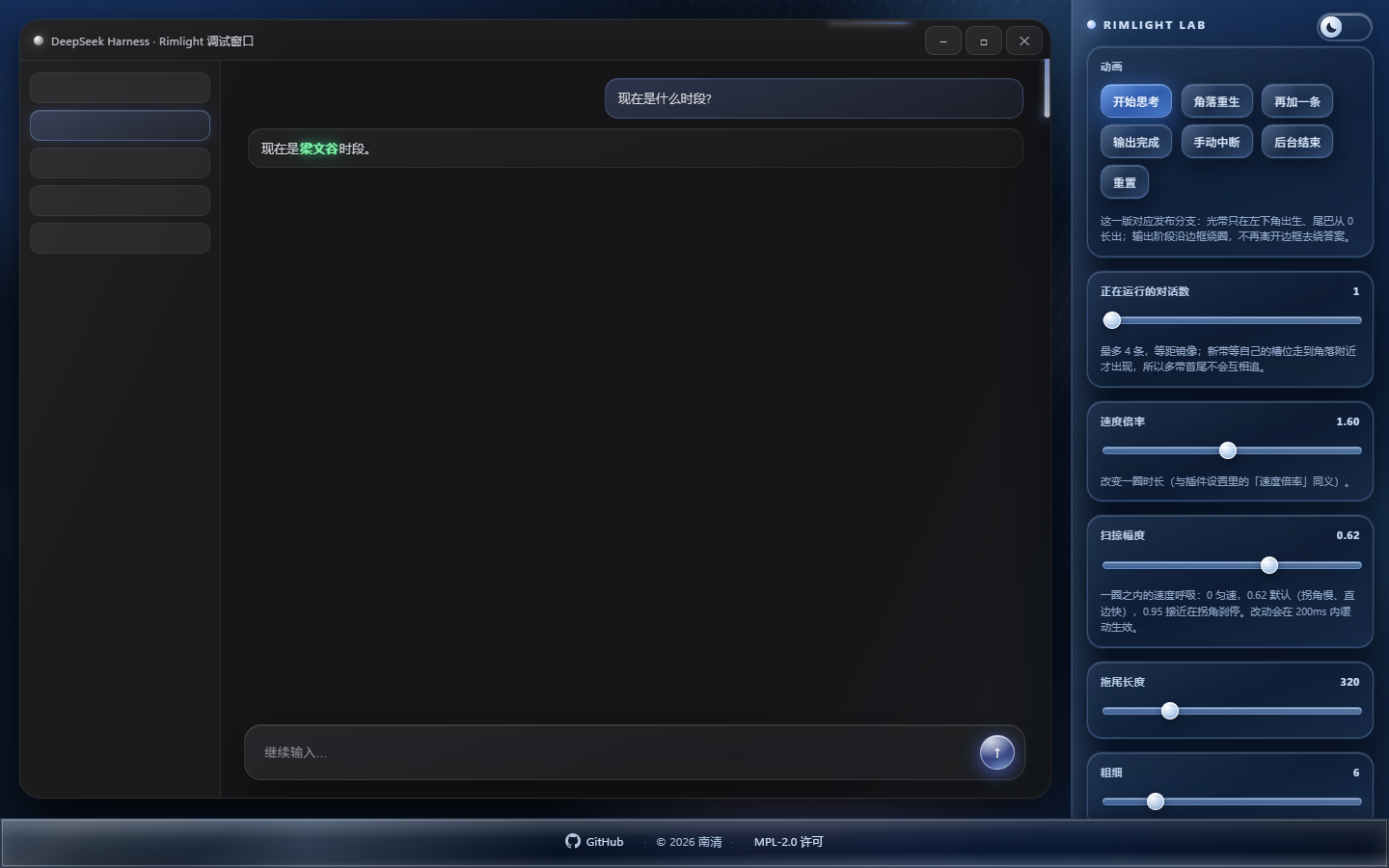 *The lab has a dark / light switch in its top-right corner, dark by default.* Captured from the lab page, which renders a replica of the client window in the dark theme. ## How it works Once a session enters the thinking state, a comet-like light band appears on the rounded frame of the client window and travels around it. Every session that is thinking at the same time gets its own band — up to four — colored by the model that session is using and evenly spaced along the same loop. When a session finishes, its band flies to the matching spot in the interface, makes one lap around it, and fades out. ## Features | Behavior | Description | | --- | --- | | **Flow while thinking** | While a session runs, the band travels clockwise along the rounded frame: the head is the brightest, the tail trails off in a gradient, and the band bends along the rounded corners of the track. | | **Multiple sessions** | Up to four bands, one per session. When a new band joins, all bands adjust their speed together and settle on evenly spaced positions within 4 seconds. | | **Reverse while waiting** | When a session waits for user input, the direction flips to counter-clockwise; it returns to clockwise after the reply. Direction changes are eased. | | **Model-based colors** | Each band takes its color from the model of its own session. Twelve presets ship with the plugin (see below); a single global palette can be pinned in the settings. | | **Edge glow** | A white highlight and a soft halo are layered around the band. Can be turned off in the settings. | | **Exit path** | When a session ends, its band flies to the matching target and fades out after one lap: current conversation → input box; background session → its row in the sidebar; row not visible → workspace area; sidebar collapsed → the expand button. | | **Render isolation** | Drawn on a separate overlay. No host code is modified, no pointer events are captured, and all DOM and geometry access is guarded, so a plugin failure cannot break client rendering. | | Evenly spaced bands | Reverse flow while waiting | | --- | --- | | 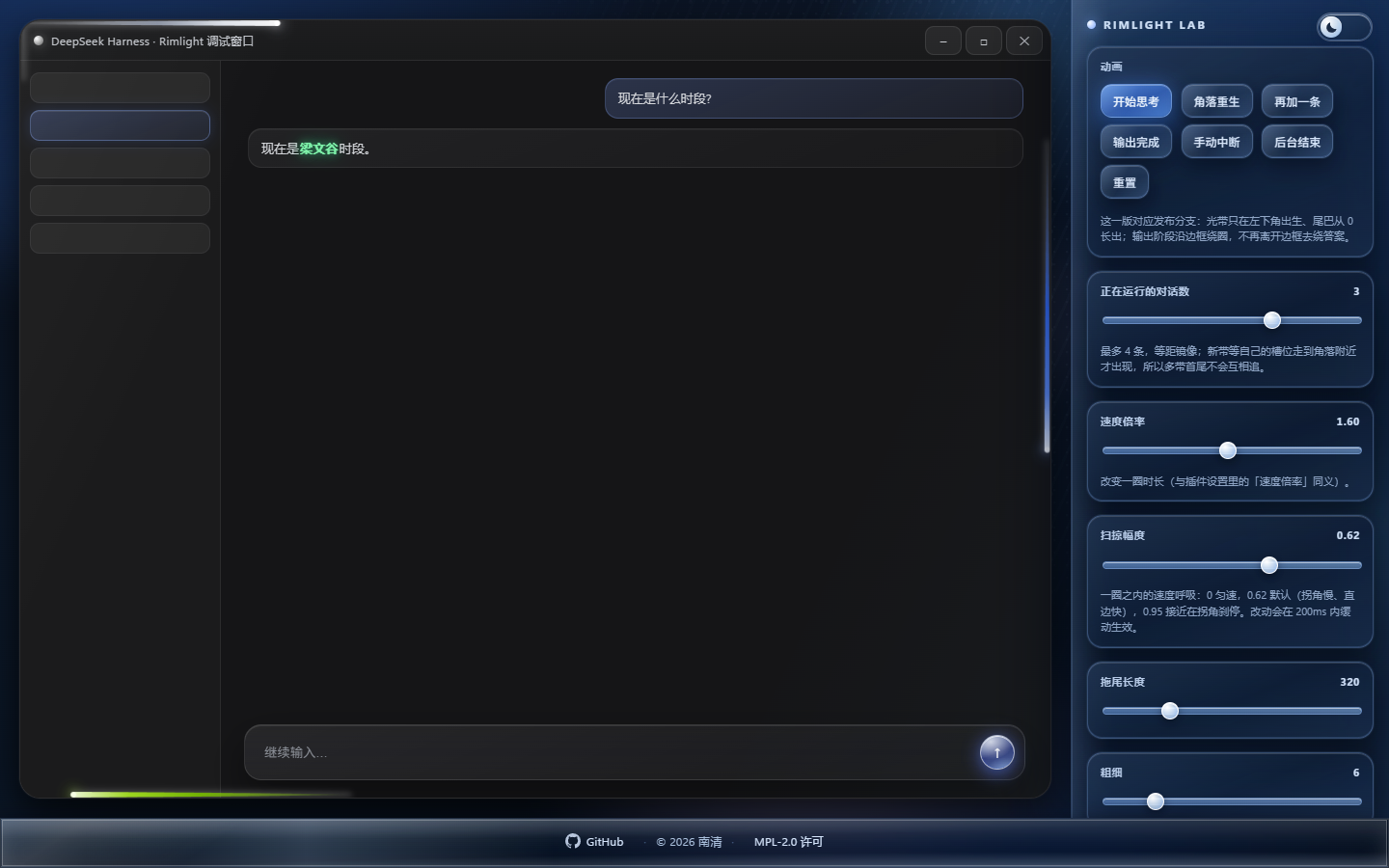 | 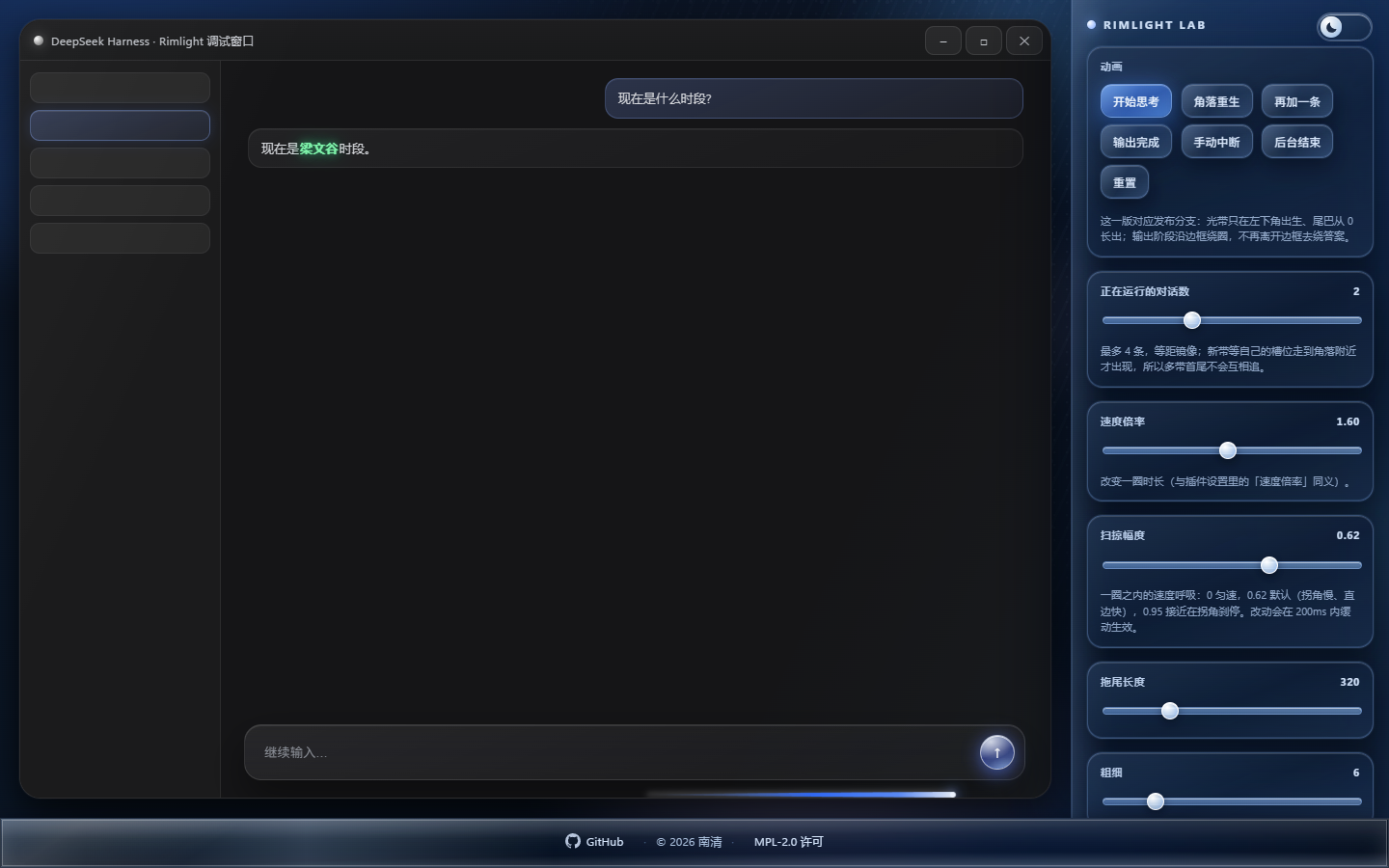 |  ## Colors Gradients run from tail to head. The table lists the solid stops; the tail starts and ends with the same color at low opacity, so the first fully opaque stop is used as the starting point: | key | Name | Gradient (tail → head) | Notes | | --- | --- | --- | --- | | `deepseek` | DeepSeek | `#2f6bff` → `#5b8dff` → `#eaf2ff` | — | | `kimi` | Kimi | `#8f97a8` → `#e6eaf2` → `#ffffff` | Floating particles in the tail | | `openai` | OpenAI | `#6f9b8b` → `#cfe6dd` → `#f4fffa` | — | | `claude` | Claude | `#e07a4f` → `#b64f28` → `#ffeada` | — | | `zhipu` | GLM | `#7285ab` → `#bccce8` → `#f4f8ff` | — | | `gemini` | Gemini | `#34a853` → `#fbbc05` → `#ea4335` → `#ffffff` | Google's four colors | | `qwen` | Qwen | `#1d3fd6` → `#3f6bff` → `#dbe6ff` | — | | `grok` | Grok | `#141518` → `#c9ccd4` → `#ffffff` | Black to white | | `minimax` | MiniMax | `#ff5fc0` → `#ff2d63` → `#ffdcec` | — | | `meta` | Meta | `#2f7bff` → `#0866ff` → `#e2eeff` | — | | `nvidia` | NVIDIA | `#76b900` → `#a4e01f` → `#f4ffd9` | — | | `unknown` | Prism | Layered translucent whites | Liquid glass: dispersion and edge deformation | Model detection uses the model id and name first, and the provider only as a fallback. When nothing matches, **Prism** is used; a different palette can be chosen in the settings. ## Installation Requirement: **DeepSeek Harness**. The plugin is a standard DSH bundle package (`cordis.patch.yml` plus a client module) and can be installed into any profile. ### Option 1: From the plugins page (recommended) 1. Get this directory (`dsh-rimlight/`). 2. Open the **Plugins** page, choose to install a local plugin, and point it at that directory. 3. A successful install returns `application: applied` and takes effect immediately. If the UI does not update, restart the client once. ### Option 2: Command line `dsh` ships with the client (next to `DeepSeek Harness.exe`, at `runtime/cli/bin/dsh.cmd`; the installer usually adds it to `PATH`, otherwise call it by full path). It forwards its arguments to the pnpm of the target profile: ```bash # Link the plugin directory into a profile (desktop is an example; substitute the actual profile name) dsh plugin --profile desktop add "link:/absolute/path/to/dsh-rimlight" ``` The `link:` prefix links the local directory instead of pulling from a registry. The client writes the package into the profile's `dependencies` and merges it into `dsh.profile.bundles` according to the `dsh.bundle.patch` declared in the package. The plugin becomes active after the client restarts. ### Option 3: From npm Once published to npm, the package name alone is enough: ```bash dsh plugin --profile desktop add dsh-rimlight ``` pnpm fetches the prebuilt artifact. The plugin has no install-time build step, so no `allowBuilds` approval is needed. ### Option 4: From GitHub Installing straight from the repository also works: ```bash dsh plugin --profile desktop add "github: