---
InkOS is an AI Agent system for story creation and multilingual translation: long-form novels, standalone short fiction, scripts, storyboards, fan fiction, spinoffs, style imitation, continuation, interactive film projects, interactive worlds, and long-document translation all start from the same workbench. Studio Chat, CLI, and TUI share the same action surface for discussion, confirmed actions, generation, review, persistent editing, and cross-language delivery.
Thanks to Kimi for sponsoring this project! Kimi K3 is Moonshot AI's most capable model and the world's first open 3T-class model, featuring native vision and a 1-million-token context window. With InkOS, K3 can assist with planning, drafting, reviewing, and revising novels, scripts, interactive stories, and multilingual content, while InkOS manages characters, worldbuilding, plot threads, and persistent story state to keep long-form creation coherent and controllable.
**[kkaiapi](https://kkaiapi.com/?utm_source=inkos&utm_medium=repo&utm_campaign=kk-models-readme&utm_content=en-brand) | One API key for models. One MCP connection for data and tools.**
Use Claude, GPT, Gemini, DeepSeek and more for writing, reviewing and cover generation in InkOS. Pay as you go from one shared balance.
[Models and pricing →](https://kkaiapi.com/models?utm_source=inkos&utm_medium=repo&utm_campaign=kk-models-readme&utm_content=en-models) · [InkOS setup guide →](https://kkaiapi.com/docs/inkos?utm_source=inkos&utm_medium=repo&utm_campaign=kk-models-readme&utm_content=en-guide) · [Connect via MCP →](https://kkaiapi.com/api/information/skill?utm_source=inkos&utm_medium=repo&utm_campaign=kk-models-readme&utm_content=en-mcp)
## v2.0.0 Unified Pi Agent Harness and Professional Creation Kernel
Preview a 1.x upgrade with `inkos work migrate --json`, then apply it with `inkos work migrate --apply`. Migration converts book defaults, rules and state snapshots while retaining the original directories and unspecified historical values. The original files retain retired writing settings; 2.0 uses Profile action policies. Projects missing runtime state enter the library as drafts requiring reconstruction.
InkOS 2.0 converges the Chat Agent and every production workflow on one pi-agent-centered harness. Models understand, propose, and invoke capabilities; InkOS owns confirmation, context, state, atomic persistence, and artifact truth. Long fiction, short fiction, scripts, storyboards, interactive films, Play, and translation keep their own craft methods while sharing execution, retrieval, observation, and recovery infrastructure.
- **Model setup**: Studio includes provider settings, model routing, cover-service settings, [kkaiapi](https://kkaiapi.com/models?utm_source=inkos&utm_medium=repo&utm_campaign=kk-models-readme&utm_content=en-models) / OpenRouter aggregator entries, and custom OpenAI-compatible endpoints.
- **One production harness**: Studio Chat, TUI, `inkos interact`, and production workers share the pi-agent tool loop and typed action/result boundary. Existing pipelines are deterministic, interruptible capabilities rather than parallel natural-language decision engines.
- **19 built-in professional Skills**: dedicated `SKILL.md` packages cover long-form writing/review, commercial shorts, Play, scripts, storyboards, interactive film, translation, analysis, market research, import, covers, and semantic de-slopping. Each medium shares the Skill architecture, not long-form-specific prompts.
- **Unified local retrieval**: story memory, archived materials, and Skill references use one rebuildable SQLite FTS5 / BM25 projection. Source files remain authoritative and retrieved evidence keeps source locations.
- **Book-bound references**: imported material can be explicitly bound to a book with intended uses, then retrieved by task instead of injecting every file in full.
- **Safe chapter workspaces**: prose, state, hooks, and run snapshots are validated in a chapter workspace and committed atomically, preventing state from advancing when prose persistence fails.
- **Cross-format production consistency**: Short, script, storyboard, interactive-film, Play, and translation runs share snapshots, Skill binding, length observations, cancellation, and recovery while retaining medium-specific state and craft.
- **More reliable long tasks**: multi-chapter writing runs sequentially as one recoverable task; first-token and stream-idle deadlines, stale-state repair, and atomic file sets reduce passive hangs and partial completion.
- **TUI parity with Studio**: explicit `/new`, `/short`, `/play`, `/cover`, and `/write` surfaces; structured `/confirm` / `/cancel`; session-level `/model`; and adaptive light/dark terminal colors. Ordinary free text still goes to the Agent.
- **Models and workbench**: LM Studio support, persistent dynamic model catalogs and external canon imports, custom cover Base URLs, wider chapter previews, and a safe chapter rewrite workspace.
### Core Creation Modes
**Long-form novels** — create from a brief, generate foundations, chapter intent, context packages, prose, review, revision, and state settlement. Context is governed with protected / compressible layers so long books remain steerable.
**Narrative forecast** — before writing the next chapter, generate 2-5 isolated future branches from current canon and compare their chapter beats, character decisions, projected changes, risks, and author-intent alignment directly in Studio Chat. Selecting a branch writes only `selected-branch-plan.md`; it does not change prose, outlines, or canonical state. Forecasts are marked stale when canon changes.
**InkOS Short** — Studio chat and CLI can create a complete standalone short-fiction package: full manuscript, outline records, review records, synopsis, selling points, cover prompt, and an optional cover image when a cover provider is configured.
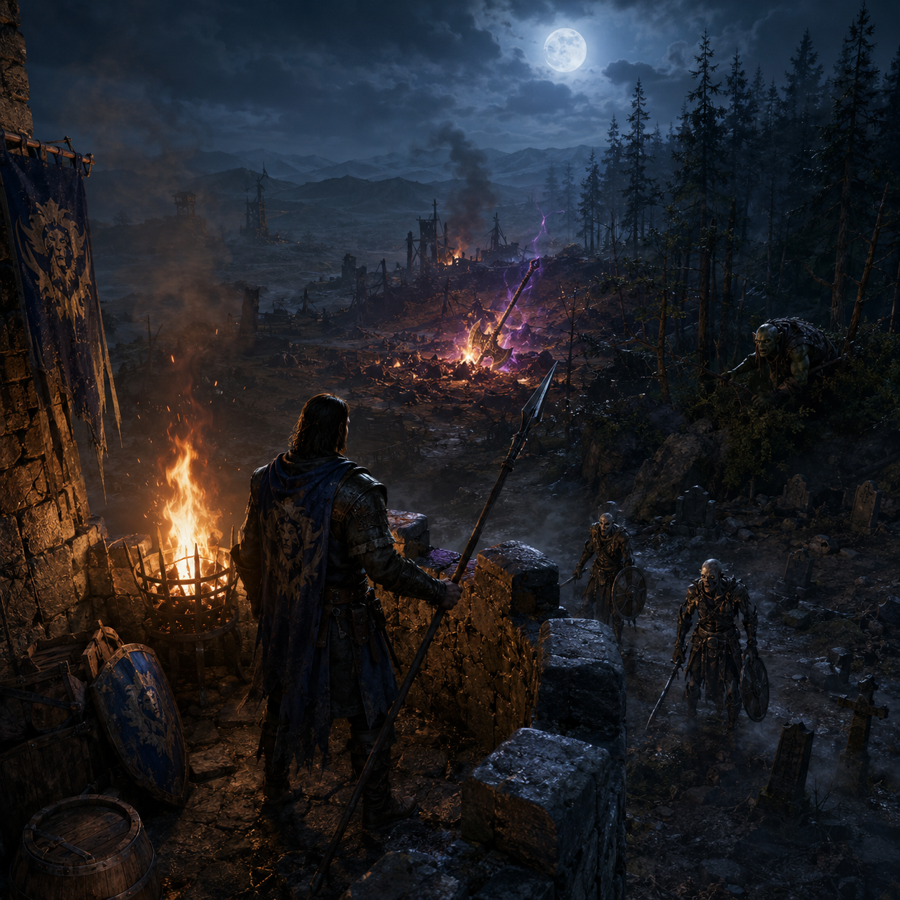
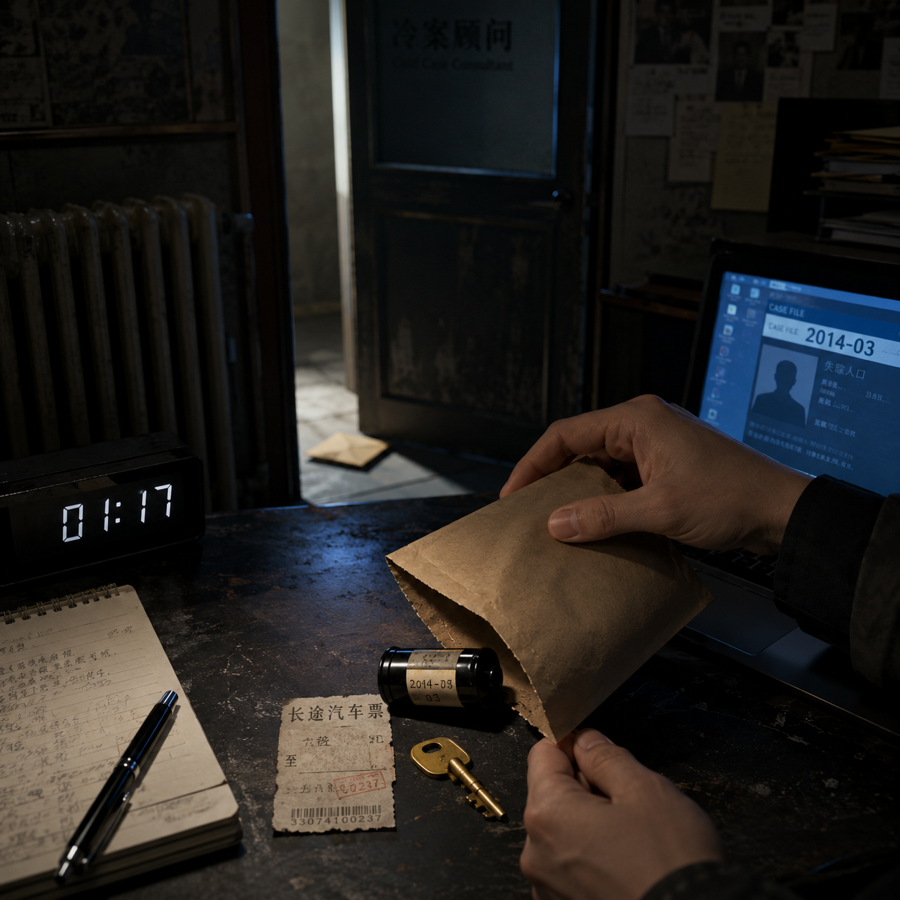
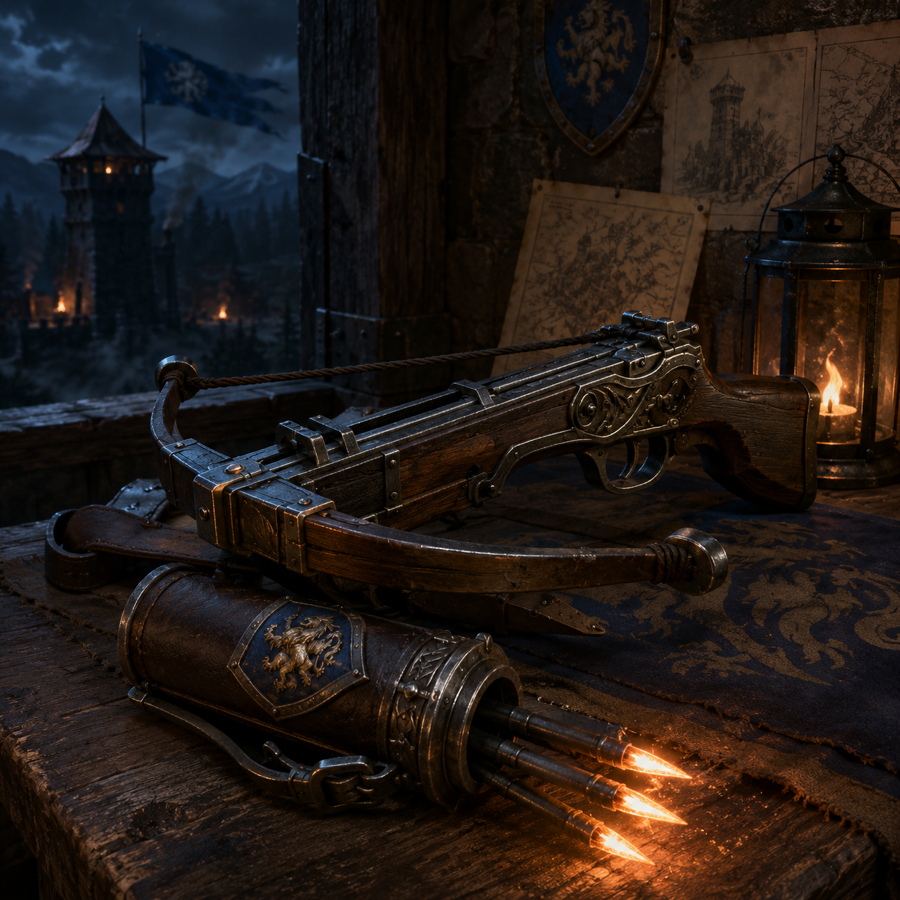
**InkOS Play** — build open worlds or branching interactive fiction from natural-language world contracts: time flow, character agents, inventory, evidence, relationships, scene state, visual rules, guided choices, free actions, and optional image generation.
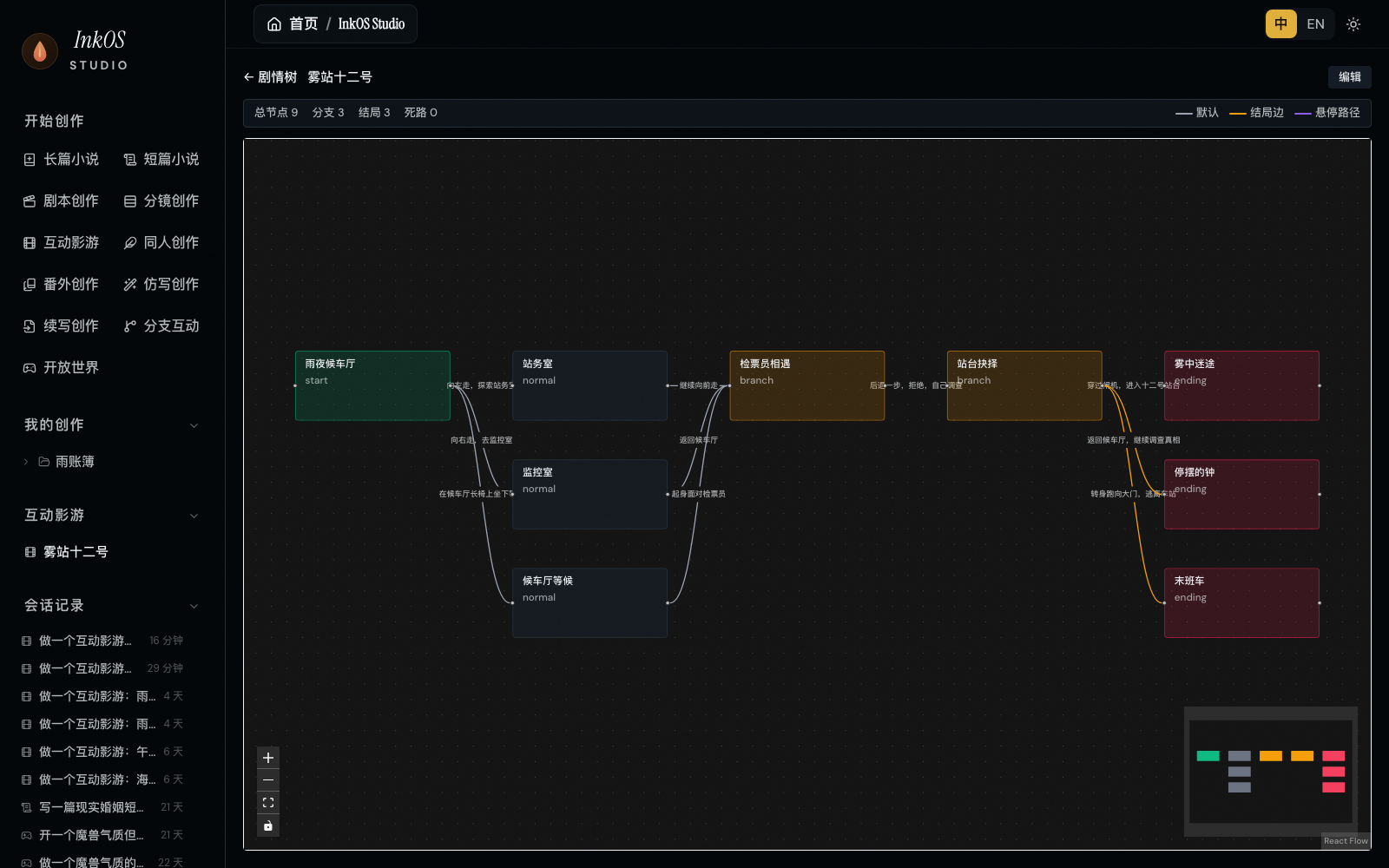
**Interactive film/games** — turn an idea, script, or prose reference into branching scenes, variables, endings, image prompts, node images, and an exportable project package.
**Studio Chat** — a persistent chat surface for answering questions, proposing actions, creating books, launching Short / Play, generating covers, and editing text artifacts without pretending an action succeeded before the tool result exists.
**Agent Skills and research** — add standard `SKILL.md` packages under `.agents/skills/` or another AgentSkills directory, force them with `@skill-id`, or ask for web research to generate a sourced Markdown report.
**Native English creation is supported** — set `--lang en`; professional methodology comes from the active Skill rather than hard-coded genre scoring rules.
## Quick Start
### Install
Requires **Node.js 22.16 or later**.
```bash
npm i -g @actalk/inkos
```
### Use via OpenClaw 🦞
InkOS is published as an [OpenClaw](https://clawhub.ai/narcooo/inkos) Skill, callable by any compatible agent (Claude Code, OpenClaw, etc.):
```bash
clawhub install inkos # Install from ClawHub
```
If you installed via npm or cloned the repo, `skills/SKILL.md` is already included — 🦞 can read it directly without a separate ClawHub install.
Once installed, Claw should prefer the shared interaction entry:
```bash
inkos interact --json --message "continue the current book, but keep the pacing tighter"
```
This routes through the same conversation executor used by the project TUI, so OpenClaw, TUI, and Studio stay on the same control brain. The current JSON output includes assistant response text and the interaction session; real completion should still be derived from tool results and files, not from prose claims.
Atomic commands (`plan chapter` / `compose chapter` / `draft` / `audit` / `revise` / `write next`) are still available, but they are now lower-level tools rather than the preferred OpenClaw entry. You can also browse it on [ClawHub](https://clawhub.ai) by searching `inkos`.
### Agent Skills
InkOS uses the standard `SKILL.md` format directly and no longer maintains a separate InkOS-specific skill protocol. A skill gives the Chat Agent professional guidance and static references, but no extra execution authority. Creating, writing, editing, and image generation still go through InkOS tools and confirmation gates.
How to use them:
- Use standard AgentSkills / OpenClaw locations: project `skills/` and `.agents/skills/`, plus `~/.agents/skills/` and `~/.openclaw/skills/`. Studio can import a complete folder containing `SKILL.md` and its static references; project imports are saved under `.agents/skills/`.
- Or set `INKOS_SKILL_DIRS=/abs/path/to/skills`; the path may point to one skill directory or a directory containing multiple skill subdirectories. Use the platform path delimiter for multiple paths.
- Force one for a turn with `@skill-id`, for example: `@detective-play create an evidence-chain open world`.
- Without `@skill-id`, the Chat Agent decides from the user's current intent whether to call `use_skill`. Session kinds, trigger phrases, and substring matching no longer activate skills.
- External skills provide instructions and static references only. InkOS never auto-executes their scripts, and a skill cannot bypass existing tool permissions or confirmation gates.
- Professional creation methods live in Skills. Import a project Skill with the same ID to override a built-in method; Agent code keeps only dynamic tasks, context, and tool contracts.
Minimal `SKILL.md`:
```md
---
name: Detective Play
description: Detective evidence and suspect-board play.
---
Use evidence chains; do not turn clues into generic atmosphere.
```
### Configure
InkOS now separates two configuration paths: **Studio uses visual service settings**, while **CLI / daemon / deployment can still use env overrides**. They do not silently overwrite each other.
**Option 1: Studio service settings (recommended for local writing)**
```bash
inkos init my-novel
cd my-novel
inkos
```
Open Studio at the local URL printed at startup. The local server accepts same-origin browser requests by default; custom embeddings or reverse proxies can declare trusted origins through the server's `allowedOrigins` startup option.
Then go to **Model Settings**:
1. Choose a service such as Google Gemini, Moonshot, MiniMax, DeepSeek, kkaiapi, OpenRouter, or a custom endpoint.
2. Paste the API key and test the connection.
3. Pick an available model and save.
4. Return to Studio Chat or your book page.
Studio uses project service settings and `.inkos/secrets.json`. It may show env-detection hints, but env files do not override the Studio-selected service/model/base URL/API key.
MiniMax uses the official OpenAI-compatible `/v1/chat/completions` endpoint. InkOS disables returned thinking by default for `MiniMax-M3*`; M2.x thinking cannot be disabled by the upstream service.
**Option 2: CLI / daemon / deployment env config**
```bash
inkos config set-global \
--lang en \
--provider \
--base-url \
--api-key \
--model
# provider: openai / anthropic / custom (use custom for OpenAI-compatible proxies)
# base-url: your API provider URL
# api-key: your API key
# model: your model name
```
`--lang en` sets English as the default writing language for CLI / daemon runs. Saved to `~/.inkos/.env`.
You can also edit global `~/.inkos/.env` or project `.env` manually:
```bash
# Required
INKOS_LLM_PROVIDER= # openai / anthropic / custom (use custom for any OpenAI-compatible API)
INKOS_LLM_BASE_URL= # API endpoint
INKOS_LLM_API_KEY= # API Key
INKOS_LLM_MODEL= # Model name
# Language (defaults to global setting or genre default)
# INKOS_DEFAULT_LANGUAGE=en # en or zh
# Optional
# INKOS_LLM_TEMPERATURE=0.7 # Temperature
# INKOS_LLM_THINKING_BUDGET=0 # Anthropic extended thinking budget
```
CLI resolution starts from Studio/project service settings, then layers service secrets, global env, project env, process env, and CLI flags. That means CLI can reuse the service you configured in Studio, while env and command-line flags remain explicit overrides.
**Option 3: Multi-model routing (optional)**
Assign different models to different agents — balance quality and cost:
```bash
# Assign different models/providers to different agents
inkos config set-model writer --provider --base-url --api-key-env
inkos config set-model auditor --provider
inkos config show-models # View current routing
```
Agents without explicit overrides fall back to the global model.
**Configuration troubleshooting**
```bash
inkos doctor
```
`doctor` prints the current effective config mode, where the service / model / API key come from, and runs an API connectivity check. Common modes:
| Mode | Meaning |
|------|---------|
| `studio-project` | Studio runtime: only Studio/project settings and secrets are used |
| `cli-project` | CLI runtime: Studio settings as the base, with env and CLI flags layered on top |
| `environment` | CLI / daemon uses the current environment configuration directly |
If a service test fails, first check that the service, model, and protocol match each other. Google Gemini AI Studio API keys work with the Gemini OpenAI-compatible endpoint; InkOS automatically disables the OpenAI `store` parameter that Google does not support. MiniMax defaults to the official OpenAI-compatible `/v1/chat/completions` endpoint and prefers a working non-streaming transport, avoiding streams that return usage but no text; `MiniMax-M3*` disables returned thinking by default, while M2.x thinking cannot be disabled upstream.
### LLM Configuration Notes
- **Studio / CLI config isolation**: Studio always uses the service page settings and `.inkos/secrets.json`; the CLI, daemon, and deployment environments support env overrides and one-off command flags.
- **Provider bank capability table**: built-in baseUrl, protocol, models, and compatibility policies for 15 services — Google Gemini, Moonshot, MiniMax, Zhipu (GLM), Bailian (Alibaba Cloud Model Studio), DeepSeek, SiliconFlow, Volcengine, Tencent Hunyuan, Baidu ERNIE (Wenxin), iFlytek Spark, OpenRouter, kkaiapi, Ollama, and CodingPlan.
- **Model ownership validation**: mismatches like `--service google --model kimi-k2.5` fail immediately, so requests are never sent to the wrong provider.
- **Google Gemini compatibility fix**: AI Studio API keys work directly with the Gemini OpenAI-compatible endpoint; InkOS automatically disables the OpenAI `store` parameter Google does not support.
- **MiniMax transport probing**: MiniMax / MiniMax CodingPlan use the official OpenAI-compatible `/v1` entry and automatically pick a working non-streaming transport, working around streams that report usage but return an empty body.
- **Environment configuration**: CLI accepts `INKOS_LLM_BASE_URL + INKOS_LLM_MODEL + INKOS_LLM_API_KEY`; without `INKOS_LLM_SERVICE`, the current baseUrl identifies the service.
### Current Interaction Entry Points
**Studio Chat + CLI + TUI share the same execution surface**
- **Studio Chat**: discuss, create books, run Short, generate covers, launch Play, and edit persistent files from one chat surface; heavy actions show confirmation cards.
- **Creation entries**: Long-form Novel, Short Fiction, Fan Fiction, Spinoff, Style Imitation, Continuation, Branching Interactive, and Open World are available as first-class Studio entries.
- **TUI dashboard**: `inkos tui` opens the full-screen terminal interface with `/new`, `/short`, `/play`, `/cover`, `/write`, `/confirm`, `/cancel`, and session-level `/model ` commands.
- **External agent entry**: `inkos interact --json --message "..."` remains the structured entry for OpenClaw and other agents.
- **Explicit commands remain**: `write next`, `revise`, `review`, import, and export stay directly callable; Harness owns internal planning and context stages.
### Write Your First Book
English is the default for English genre profiles. Pick a genre and go:
```bash
inkos book create --title "The Last Delver" --genre litrpg # LitRPG novel (English by default)
inkos write next my-book # Write and persist the next chapter; review and revision remain explicit actions
inkos status # Check status
inkos review my-book # Inspect persisted review observations
inkos export my-book --format epub # Export EPUB (read on phone/Kindle)
```
Language is set per-genre by default. Override explicitly with `--lang en` or `--lang zh`. Use `inkos genre list` to see all available genres and their default languages.
### Write Complete Short Fiction
In Studio chat, ask for a complete short-fiction deliverable:
```text
Write a 12-chapter short fiction piece about a modern marriage reversal where the heroine wins with hard evidence.
```
Or run it from the CLI:
```bash
inkos short run \
--direction "modern short fiction marriage reversal evidence-driven heroine" \
--chapters 12 \
--chars 1000
```
Outputs are saved under `shorts//final/`, including `full.md`, `sales-package.md`, `cover-prompt.md`, and `cover.png` when cover generation is configured.
### Generate a Standalone Cover
To generate only a cover for an existing title or synopsis, do not rerun the short-fiction pipeline. Ask Studio chat directly:
```text
Generate a short-fiction cover for "The Divorce Papers He Regretted", modern city, high-drama reversal.
```
The cover tool writes `covers//cover-prompt.md` and `covers/<title>/cover.png`. If no cover provider is configured yet, set the cover provider and API key in Studio model settings first.
After generation, you can keep editing the cover prompt through chat, for example: "move the character closer, make the title text bigger, and give her a colder smile." InkOS will pass the revised direction as `coverPrompt`, rewrite `cover-prompt.md`, and regenerate the cover without rewriting the story.
<p align="center">
<img src="assets/inkos-short-demo-cover.png" width="260" alt="InkOS Short cover example">
<img src="assets/play-openworld-warcraft.png" width="260" alt="InkOS Play open-world example">
<img src="assets/play-openworld-detective.png" width="260" alt="InkOS Play detective example">
</p>
### Launch an Open World or Branching Story
In Studio Chat, choose **Open World** or **Branching Interactive**, then describe the world in natural language:
```text
Create a Warcraft-like border watchtower open world. Time is not fixed per turn: patrols take an hour, training can take several days. Equipment has rarity, but no stat sheet; show rarity through material, glow, and atmosphere.
```
InkOS creates the world, characters, items, evidence, relationships, current scene, and suggested actions. Open World supports free-form actions; Branching Interactive provides clickable choices. When image generation is configured, characters, items, evidence, and scenes can render images directly inside the chat stream.
---
## English Creation Metadata
InkOS ships with lightweight metadata for common English serial-fiction genres. Creative method comes from Skills and the user's Work constraints:
| Genre | Key Mechanics |
|-------|--------------|
| **LitRPG** | Numerical system, power scaling, stat progression |
| **Progression Fantasy** | Power scaling, no numerical system required |
| **Isekai** | Era research, world contrast, cultural fish-out-of-water |
| **Cultivation** | Power scaling, realm progression |
| **System Apocalypse** | Numerical system, survival mechanics |
| **Dungeon Core** | Numerical system, power scaling, territory management |
| **Romantasy** | Emotional arcs, dual POV pacing |
| **Sci-Fi** | Era research, tech consistency |
| **Tower Climber** | Numerical system, floor progression |
| **Cozy Fantasy** | Low-stakes pacing, comfort-first tone |
Also supports 5 Chinese web novel genres (xuanhuan, xianxia, urban, horror, other) for bilingual creators.
---
## Key Features
### Studio Chat + Action Surface
Studio Chat is not just a Q&A box. It can create long-form books, run Short, generate covers, launch Play, edit persistent text artifacts, and ask for confirmation before heavy actions. Plain discussion remains plain text; explicit creation requests become tool actions.
### InkOS Play: Open Worlds and Branching Interaction
Play maintains a durable interactive world state: characters, locations, items, evidence, relationships, time, current scene, HUD, and images. It is not a hard-coded RPG system. A cultivation world may use rarity and realms; a romance story may use emotional stages; a detective story may use evidence lifecycle and credibility. The rules come from the user's world contract and stay in the world state.
### Qualitative Review + Explicit Revision
The reviewer compares the artifact with user intent, canon, current state, chapter planning, and the activated review Skill. It returns concrete observations with evidence and repair direction. Review never scores, rejects, or automatically rewrites prose; revision is an explicit action with a traceable artifact revision.
### Style Cloning
`inkos style analyze` uses the activated analysis and imitation Skills to compile an evidence-backed operational style guide. `inkos style import` binds that guide to a Work for writing and revision.
### Creative Brief
`inkos book create --brief my-ideas.md` passes brainstorming notes, worldbuilding, or character sheets. Architect creates `outline/story_frame.md`, `outline/volume_map.md`, role cards, and `book_rules.md/json`, while preserving long-horizon direction in `story/author_intent.md`.
### Input Governance Control Surface
Every book now has two long-lived Markdown control docs:
- `story/author_intent.md`: what this book should become over the long horizon
- `story/current_focus.md`: what the next 1-3 chapters should pull attention back toward
Adjust direction through Studio Chat, TUI, or `inkos agent`. Planner first selects a task-relevant semantic working set and writes `story/runtime/chapter-XXXX.intent.md`; Composer persists `context.json` and `trace.json` with the actual sources, protection tiers, retrieval results, and compaction evidence.
### Length Governance
`write next` and `revise` share deterministic length telemetry:
- `--words` sets a target band, not an exact hard promise
- Chinese chapters default to `zh_chars`; English chapters default to `en_words`
- InkOS never truncates prose or marks a chapter failed because of length drift
- When a chapter is outside the hard range, it is still saved with structured telemetry and an observation
### Continuation Writing
`inkos import chapters` imports existing novel text and rebuilds structured state, chapter summaries, hooks, character relationships, and readable Markdown projections. It supports `Chapter N`, custom split patterns, and resumable import. After import, `inkos write next` can continue the story.
### Fan Fiction
`inkos fanfic init --from source.txt --mode canon` creates a fanfic book from source material. Four modes: canon, au, ooc, and cp. The typed canon importer and fanfic Skill preserve source facts and information boundaries.
### Multi-Model Routing
Different agents can use different models and providers. Writer on Claude (stronger creative), Auditor on GPT-4o (cheaper and fast), Radar on a local model (zero cost). `inkos config set-model` configures per-agent; unconfigured agents fall back to the global model.
### Daemon Mode + Notifications
`inkos up` starts an autonomous background loop that writes chapters on a schedule. The pipeline continues through handleable non-critical issues, pausing with reviewable results when human judgment is needed. Notifications via Telegram, Feishu (Lark), WeCom (Enterprise WeChat), and Webhook (HMAC-SHA256 signing + event filtering). Logs to `inkos.log` (JSON Lines), `-q` for quiet mode.
### Local Model Compatibility
Supports OpenAI Chat Completions, OpenAI Responses, Anthropic Messages, and custom compatible endpoints. Missing structured output, interrupted streams, and output-limit stops are surfaced or continued completely rather than accepted as partial success.
### Reliability
Every chapter creates a state snapshot. Prose, index, and structured state are committed as one atomic file set; file locks and Action queues prevent concurrent writes. Review records evidence-backed observations, while revision remains an explicit user or Agent action.
The hook system uses Zod schema validation — `lastAdvancedChapter` must be an integer, `status` can only be open/progressing/deferred/resolved. JSON deltas from the LLM are processed through `applyRuntimeStateDelta` (immutable update) and `validateRuntimeState` (structural check) before persistence. Corrupted data is rejected, not propagated.
Model output limits are managed by provider model cards in the provider bank. Reserved keys in `llm.extra` (max_tokens, temperature, model, messages, stream, etc.) are stripped to prevent accidental overrides of core request parameters.
---
## How It Works
InkOS uses a pi-agent harness as its shared reasoning and tool-call kernel. The Agent interprets user intent and emits typed actions; the host executes deterministic tools, enforces confirmation and permissions, manages state, and derives completion from real files and tool results. Long fiction, short fiction, scripts, storyboards, interactive film, Play, and translation share this architecture while retaining dedicated Skills, state models, and production steps.
<p align="center">
<img src="assets/arch-system.svg" width="900" alt="System architecture">
</p>
Long-form chapters are produced by multiple agents in sequence:
<p align="center">
<img src="assets/arch-pipeline.svg" width="900" alt="Chapter pipeline">
</p>
| Agent | Responsibility |
|-------|---------------|
| **Radar** | Scans platform trends and reader preferences to inform story direction (pluggable, skippable) |
| **Planner** | Reads author intent + current focus + memory retrieval results, produces chapter intent (must-keep / must-avoid) |
| **Composer** | Selects task-relevant context from structured state, control docs, and Markdown projections, then compiles rule stack and runtime artifacts |
| **Architect** | Generates foundation files during book creation, import, or spinoff setup: story frame, rules, characters, and long-horizon control files |
| **Writer** | Produces prose from the composed context (length-governed, dialogue-driven) |
| **Observer** | Over-extracts 9 categories of facts from the chapter text (characters, locations, resources, relationships, emotions, information, hooks, time, physical state) |
| **Reflector** | Outputs a JSON delta (not full markdown); code-layer applies Zod schema validation then immutable write |
| **Continuity Auditor** | Validates the draft against structured state, control docs, and chapter context |
| **Reviser** | Applies an explicit revision request from the user, Agent, or persisted review observations and atomically records the new version |
Chapter prose and derived story state are committed atomically after hard validation. Continuity and craft findings are persisted as observations, while revision remains an explicit action with its own traceable artifact version.
### Long-Term Memory
Canonical memory and retrieval projections are separate:
| Layer | Purpose |
|-------|---------|
| `story/state/*.json` | Authoritative structured state: current state, hooks, chapter summaries, and related runtime data, validated with Zod schemas |
| `story/*.md` | Human-readable projections such as `current_state.md`, `pending_hooks.md`, `chapter_summaries.md`, and `character_matrix.md` |
| `story/memory.db` | Rebuildable SQLite FTS5/BM25 retrieval projection; never canonical story truth |
The Continuity Auditor checks drafts against this state. If a character "remembers" something they never witnessed, or pulls a weapon they lost two chapters ago, the auditor catches it.
Settler submits a complete incremental delta through a typed tool. The host applies and validates it immutably; Markdown remains a readable projection. Retrieval indexes are rebuilt from canonical JSON, then LLM semantic selection is applied to BM25 candidates.
<p align="center">
<img src="assets/arch-memory.svg" width="900" alt="Memory and state">
</p>
### Control Surface and Runtime Artifacts
Alongside runtime state, InkOS splits guardrails from customization into reviewable control docs:
- `story/author_intent.md`: long-horizon author intent
- `story/current_focus.md`: near-term steering
- `story/runtime/chapter-XXXX.intent.md`: chapter goal, keep/avoid list, conflict resolution
- `story/runtime/chapter-XXXX.context.json`: the actual context selected for this chapter
- `story/runtime/chapter-XXXX.trace.json`: compilation trace for this chapter
That means briefs, outline nodes, book rules, and current requests are no longer mashed into one prompt blob; InkOS compiles them first, then writes.
### Writing Rule System
Professional creation methods live in Work Profile Skills and can be overridden by a project `SKILL.md` with the same ID. Agent code retains only dynamic tasks, authority context, and typed tool protocols.
Each Work carries its own readable `book_rules.md`, typed `book_rules.json`, `outline/story_frame.md`, `outline/volume_map.md`, `author_intent.md`, and `current_focus.md`. The current instruction and explicit Work constraints govern each action; the outline is supporting context rather than an automatic override.
## Usage Modes
InkOS provides four interaction modes, all sharing the same atomic operations:
### 1. Full Pipeline (One Command)
```bash
inkos write next my-book # Plan → compose → write → review observations → atomic commit
inkos write next my-book --count 5 # Write 5 chapters in sequence
```
`write next` uses the single `plan -> compose -> write -> review -> commit` creative path. Review produces observations; technical validation controls atomic persistence, and semantic feedback is never converted into a failed chapter state.
### 2. Explicit Capability Commands
```bash
inkos write next my-book --count 3
inkos revise my-book 31 --json
inkos review my-book --json
inkos export my-book --format epub
```
These commands express already-determined user actions. Natural-language intent still enters the pi-agent Harness and is resolved against the current Work Profile capability surface.
### 3. Natural Language Agent Mode
```bash
inkos agent "Write a LitRPG novel where the MC is a healer class in a dungeon world"
inkos agent "Write the next chapter, focus on the boss fight and loot distribution"
inkos agent "Create a progression fantasy about a mage who can only use one spell"
```
Agent mode exposes only capabilities allowed by the current Work Profile. It may load Skills by intent, inspect Works, propose creation, write, review, or revise; completion comes only from ActionResult and real artifact revisions.
### 4. Studio Play Mode
Studio's **Open World** and **Branching Interactive** entries launch interactive creation without first creating a book. Describe how the world runs, how time advances, whether characters act as agents, and how items/evidence matter. InkOS writes the result back to a local world state so the session can continue.
## Studio Screenshots and Run Outputs
<p align="center">
<img src="assets/studio-dashboard.png" width="760" alt="InkOS Studio creation entry screenshot">
</p>
<p align="center">
<img src="assets/inkos-short-demo-cover.png" width="230" alt="Short-fiction cover output">
<img src="assets/play-openworld-romance.png" width="230" alt="Romance interactive-world output">
<img src="assets/play-openworld-detective.png" width="230" alt="Detective interactive-world output">
<img src="assets/play-item-warcraft.png" width="230" alt="Interactive-world item image output">
</p>
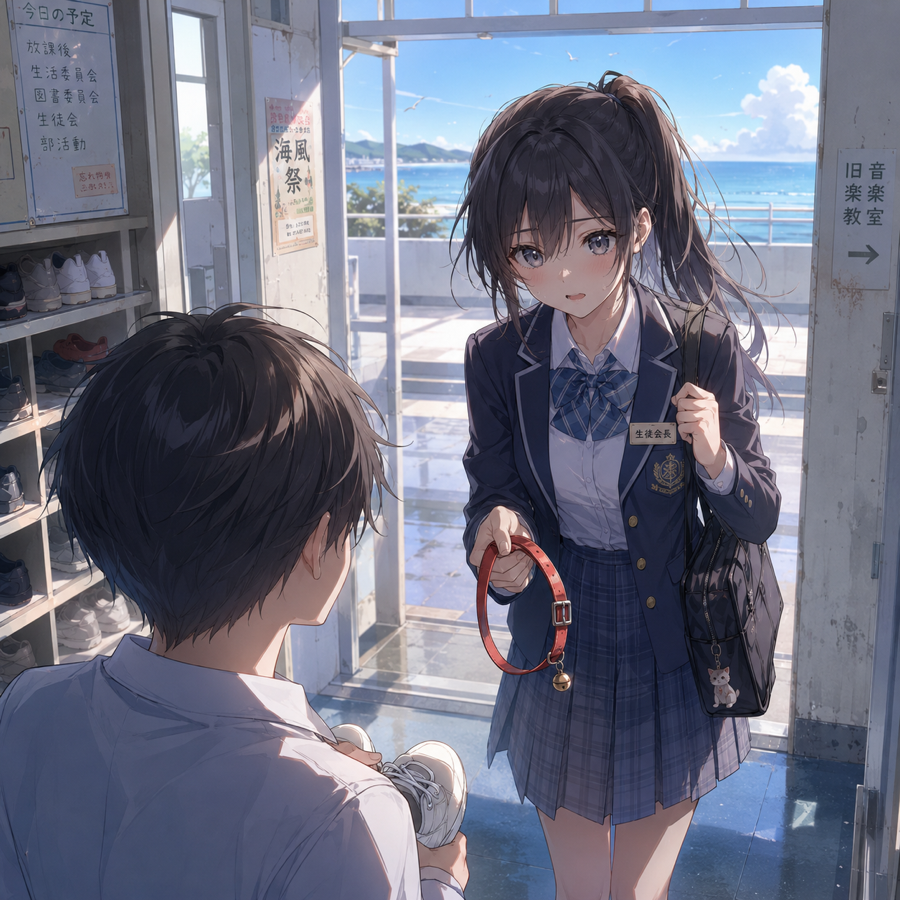
The first image is a local Studio screenshot. The other images are real local outputs from InkOS Short and InkOS Play: mobile-first short-fiction covers, open-world scenes, detective evidence visuals, and item imagery.
## CLI Reference
| Command | Description |
|---------|-------------|
| `inkos init [name]` | Initialize project (omit name to init current directory) |
| `inkos book create` | Create a new book (`--genre`, `--chapter-words`, `--target-chapters`, `--brief <file>`, `--lang en/zh`) |
| `inkos book update [id]` | Update book settings (`--chapter-words`, `--target-chapters`, `--status`, `--lang`) |
| `inkos book list` | List all books |
| `inkos book delete <id>` | Delete a book and all its data (`--force` to skip confirmation) |
| `inkos genre list/show/copy/create` | View, copy, or create genres |
| `inkos write next [id]` | Full pipeline: write next chapter (`--words` to override, `--count` for batch, `-q` quiet mode) |
| `inkos write rewrite [id] <n>` | Rewrite chapter N (restores state snapshot, `--force` to skip confirmation) |
| `inkos revise [id] [n]` | Revise a specific chapter |
| `inkos agent <instruction>` | Natural language agent mode |
| `inkos review [id]` | Inspect persisted review observations |
| `inkos status [id]` | Project status |
| `inkos export [id]` | Export book (`--format txt/md/epub`, `--output <path>`) |
| `inkos radar scan` | Scan market / trend inputs for new-book direction |
| `inkos fanfic init` | Create a fanfic book from source material (`--from`, `--mode canon/au/ooc/cp`) |
| `inkos short run` | Generate a standalone short-fiction package |
| `inkos forecast create/show/select` | Create, re-check, and select non-canonical long-form branches; selection saves a candidate plan only |
| `inkos interact` | External-agent / CLI natural-language entry (`--json`, `--message`, `--book`) |
| `inkos config set-global` | Set the global CLI / daemon / deployment LLM env config (`~/.inkos/.env`) |
| `inkos config show-global` | Show the global config |
| `inkos config set/show` | View or update project configuration |
| `inkos config set-model <agent> <model>` | Per-agent model override (`--base-url`, `--provider`, `--api-key-env`) |
| `inkos config remove-model <agent>` | Remove a per-agent model override (fall back to the default) |
| `inkos config show-models` | Show current model routing |
| `inkos doctor` | Diagnose setup issues (API connectivity test + provider compatibility hints) |
| `inkos detect [id] [n]` | AIGC detection (`--all` for all chapters, `--stats` for statistics) |
| `inkos style analyze <file>` | Analyze reference text to extract style fingerprint |
| `inkos style import <file> [id]` | Import style fingerprint into a book |
| `inkos import canon [id] --from <parent>` | Import parent canon into a spinoff book |
| `inkos import chapters [id] --from <path>` | Import existing chapters for continuation (`--split`, `--resume-from`) |
| `inkos analytics [id]` / `inkos stats [id]` | Book analytics (observations, chapter lengths, token usage) |
| `inkos update` | Update to the latest version |
| `inkos` / `inkos studio` | Start web workbench (`-p` for port, default 4567) |
| `inkos tui` | Start terminal full-screen TUI |
| `inkos up / down` | Start/stop daemon (`-q` quiet mode, auto-writes `inkos.log`) |
`[id]` is auto-detected when the project has one book. `write next` accepts `--context` for steering and `--words` for target length; `book create` accepts `--brief <file>`. Internal intent, context, and trace artifacts are inspectable in Studio.
The CLI also accepts one-off LLM override flags at runtime: `--service`, `--model`, `--api-key-env`, `--base-url`, `--api-format <chat|responses>`, `--stream`, `--no-stream`. For example:
```bash
inkos write next --service google --model gemini-2.5-flash
inkos up --service moonshot --model kimi-k2.5 --api-key-env MOONSHOT_API_KEY
```
## Roadmap
- [x] ~~`packages/studio` Web UI workbench (Vite + React + Hono)~~ — shipped, run `inkos` or `inkos studio`
- [x] ~~Interactive fiction / open worlds (branching choices + free actions + generated images)~~ — shipped in Studio Play
- [ ] Partial chapter intervention (rewrite half a chapter + cascade truth file updates)
- [ ] Custom agent plugin system
- [ ] Platform-format export (Qidian, Fanqie, etc.)
## Contributing
Contributions welcome. Open an issue or PR.
Development is moving quickly. More features and writing-quality improvements will keep landing. Feedback, feature requests, and project follow-up are all welcome. The goal is to build the strongest AI novel-writing Agent.
```bash
pnpm install
pnpm dev # Watch mode for all packages
pnpm test # Run tests
pnpm typecheck # Type-check without emitting
```
## Star History
<a href="https://www.star-history.com/#Narcooo/inkos&type=date&legend=top-left">
<picture>
<source media="(prefers-color-scheme: dark)" srcset="https://api.star-history.com/svg?repos=Narcooo/inkos&type=date&theme=dark&legend=top-left" />
<source media="(prefers-color-scheme: light)" srcset="https://api.star-history.com/svg?repos=Narcooo/inkos&type=date&legend=top-left" />
<img alt="Star History Chart" src="https://api.star-history.com/svg?repos=Narcooo/inkos&type=date&legend=top-left" />
</picture>
</a>
## Skills Download History
<div align="center">
<a href="https://skill-history.com/narcooo/inkos">
<img alt="Skills Download History" src="https://skill-history.com/chart/narcooo/inkos.svg" />
</a>
</div>
## Repobeats
## Contributors
<a href="https://github.com/Narcooo/inkos/graphs/contributors">
<img src="https://contrib.rocks/image?repo=Narcooo/inkos" />
</a>
## Acknowledgments
InkOS's agent runtime is built on [pi](https://github.com/badlogic/pi-mono) (`@mariozechner/pi-ai` and `@mariozechner/pi-agent-core`) by Mario Zechner. Thanks to pi for the solid foundation.
## License
[AGPL-3.0](LICENSE)