---
name: lit-sheet-music
description: Learn how to create a Lit web component that renders MusicXML using OpenSheetMusicDisplay, allowing you to display sheet music dynamically from a source attribute or inline XML.
metadata:
url: https://rodydavis.com/posts/lit-sheet-music
last_modified: Tue, 03 Feb 2026 20:04:18 GMT
---
# Lit Sheet Music
In this article I will go over how to set up a [Lit](https://lit.dev/) web component and use it to render [musicxml](https://www.musicxml.com/) from a src attribute or inline xml using [opensheetmusicdisplay](https://github.com/opensheetmusicdisplay/opensheetmusicdisplay).

Now any sheet music can be rendered based on the browser width as an svg or canvas (and will resize when the viewport changes).
> **TLDR** The final source [here](https://github.com/rodydavis/lit-sheet-music) and an online [demo](https://rodydavis.github.io/lit-sheet-music/).
## Prerequisites
* Vscode
* Node >= 16
* Typescript
## Getting Started
We can start off by navigating in terminal to the location of the project and run the following:
```
npm init @vitejs/app --template lit-ts
```
Then enter a project name `lit-sheet-music` and now open the project in vscode and install the dependencies:
```
cd lit-sheet-music
npm i lit opensheetmusicdisplay
npm i -D @types/node
code .
```
Update the `vite.config.ts` with the following:
```
import { defineConfig } from "vite";
import { resolve } from "path";
export default defineConfig({
base: "/lit-sheet-music/",
build: {
lib: {
entry: "src/lit-sheet-music.ts",
formats: ["es"],
},
rollupOptions: {
input: {
main: resolve(__dirname, "index.html"),
},
},
},
});
```
## Template
Open up the `index.html` and update it with the following:
```
Lit Sheet Music
```
If local [musicxml](https://www.musicxml.com/) is intended to be used update `index.html` with the following:
```
Lit Sheet Music
```
We are passing a src attribute to the web component for this example but we can also add a script tag with the type attribute set to `text/xml` with the contents containing the json.
## Web Component
Before we update our component we need to rename `my-element.ts` to `sheet-music.ts`
Open up `sheet-music.ts` and update it with the following:
```
import { html, css, LitElement } from "lit";
import { customElement, property, query } from "lit/decorators.js";
import { IOSMDOptions, OpenSheetMusicDisplay } from "opensheetmusicdisplay";
type BackendType = "svg" | "canvas";
type DrawingType = "compact" | "default";
@customElement("sheet-music")
export class SheetMusic extends LitElement {
_zoom = 1.0;
@property({ type: Boolean }) allowDrop = false;
@property() src = "";
@query("main") canvas!: HTMLElement;
controller?: OpenSheetMusicDisplay;
options: IOSMDOptions = {
autoResize: true,
backend: "canvas" as BackendType,
drawingParameters: "default" as DrawingType,
};
static styles = css`
main {
overflow-x: auto;
}
`;
render() {
return html``;
}
async renderMusic(content: string) {
if (!this.controller) return;
await this.controller.load(content);
this.controller.zoom = this._zoom;
this.controller.render();
this.requestUpdate();
}
private async getMusic(): Promise {
// Check if src attribute is set and prefer it over the slot
if (this.src.length > 0) return fetch(this.src).then((res) => res.text());
// Check if slot children exist and return the xml
const elem = this.parentElement?.querySelector(
'script[type="text/xml"]'
) as HTMLScriptElement;
if (elem) return elem.innerHTML;
// Return nothing if neither is found
return "";
}
async firstUpdated() {
this.controller = new OpenSheetMusicDisplay(this.canvas, this.options);
this.requestUpdate();
// Check for any music and update if found
const music = await this.getMusic();
if (music.length > 0) this.renderMusic(music);
}
}
declare global {
interface HTMLElementTagNameMap {
"sheet-music": SheetMusic;
}
}
```
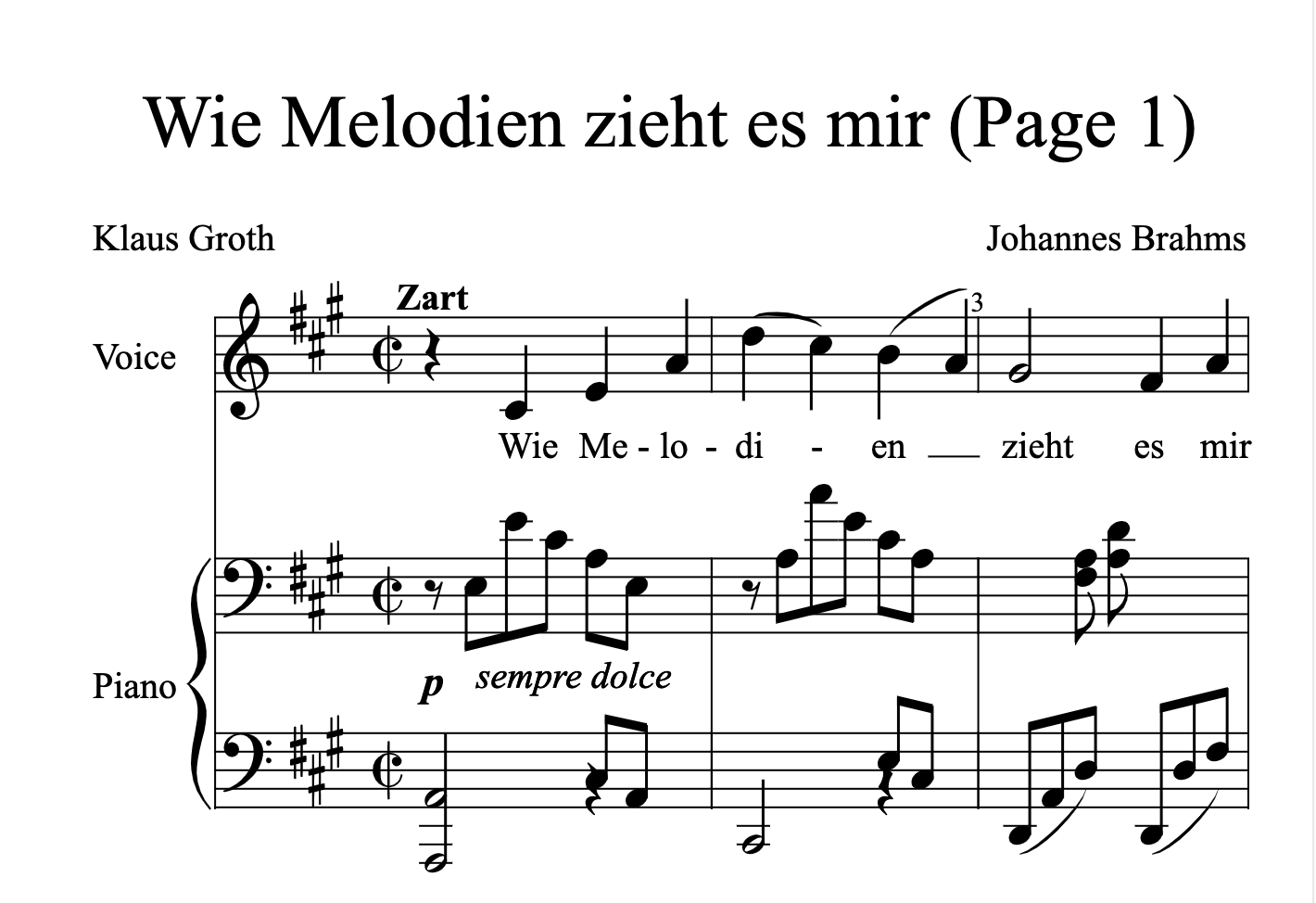
Run `npm run dev` and the following should appear if all went well:
## Conclusion
If you want to learn more about building with Lit you can read the docs [here](https://lit.dev/).
The source for this example can be found [here](https://github.com/rodydavis/lit-sheet-music).