Point at the bug. Your agent fixes it.
A desktop editor where your app, your code and your coding agent live in one window.
Download · Install · Set up · Use · Design notes
Coding agents are great at code and blind to the UI. Lookingglass gives them eyes. Run your dev server, open it in the built-in browser, click the button that looks wrong and ask. The agent gets the element's HTML, styles, a screenshot and the **source file that rendered it**. It edits the code, HMR reloads, it takes its own screenshot to check, and you review the result hunk by hunk. ## ✨ Why you'll like it - 🎯 **Point, don't describe.** Pick an element and the agent sees what you see: markup, matched CSS rules, computed styles, accessibility info and a screenshot. - 📍 **From pixel to file.** `src/components/Hero.tsx:42`, found through React, Vue and Svelte dev metadata, source maps and search. - 🤖 **The agent checks its own work.** It can click, type, resize to a phone viewport, read the console and screenshot, so "fix it and verify" is one turn. - 🔑 **Bring your own agent.** No new account, no proxied keys. Claude Code works out of the box; Codex, Gemini CLI or any [ACP](https://agentclientprotocol.com) agent plug in with a few lines of JSON. - 🧐 **Review before you keep.** Keep or undo every hunk. Every message takes a checkpoint, so one click rolls everything back, even outside git. - ↗️ **Hand off to your own editor.** One click opens the file at the right line in VS Code, Cursor, Windsurf or a JetBrains IDE. - 🛠️ **A real editor around it.** File tree, search, git, diagnostics and a terminal. You can work without the agent too. ## 🚀 Quick start 1. **Download** the installer for your OS from [Releases](https://github.com/NietThijmen/looking-glass/releases) (macOS `.dmg`, Windows installer, Linux AppImage). 2. **Log in** to Claude Code: run `claude` once in a terminal, or set `ANTHROPIC_API_KEY`. 3. **Open your project** with `⌘O`, start your dev server in the terminal (`` ⌃` ``) and open the URL it prints. 4. **Pick an element** with `⌘⇧C`, type your question, press `Enter`. Details: [Installation](docs/installation.md) · [Setup](docs/setup.md) · [Usage guide](docs/usage.md) ## 🎬 See it in action **Pick an element and ask.** The agent gets the markup, styles, a screenshot and the source file. 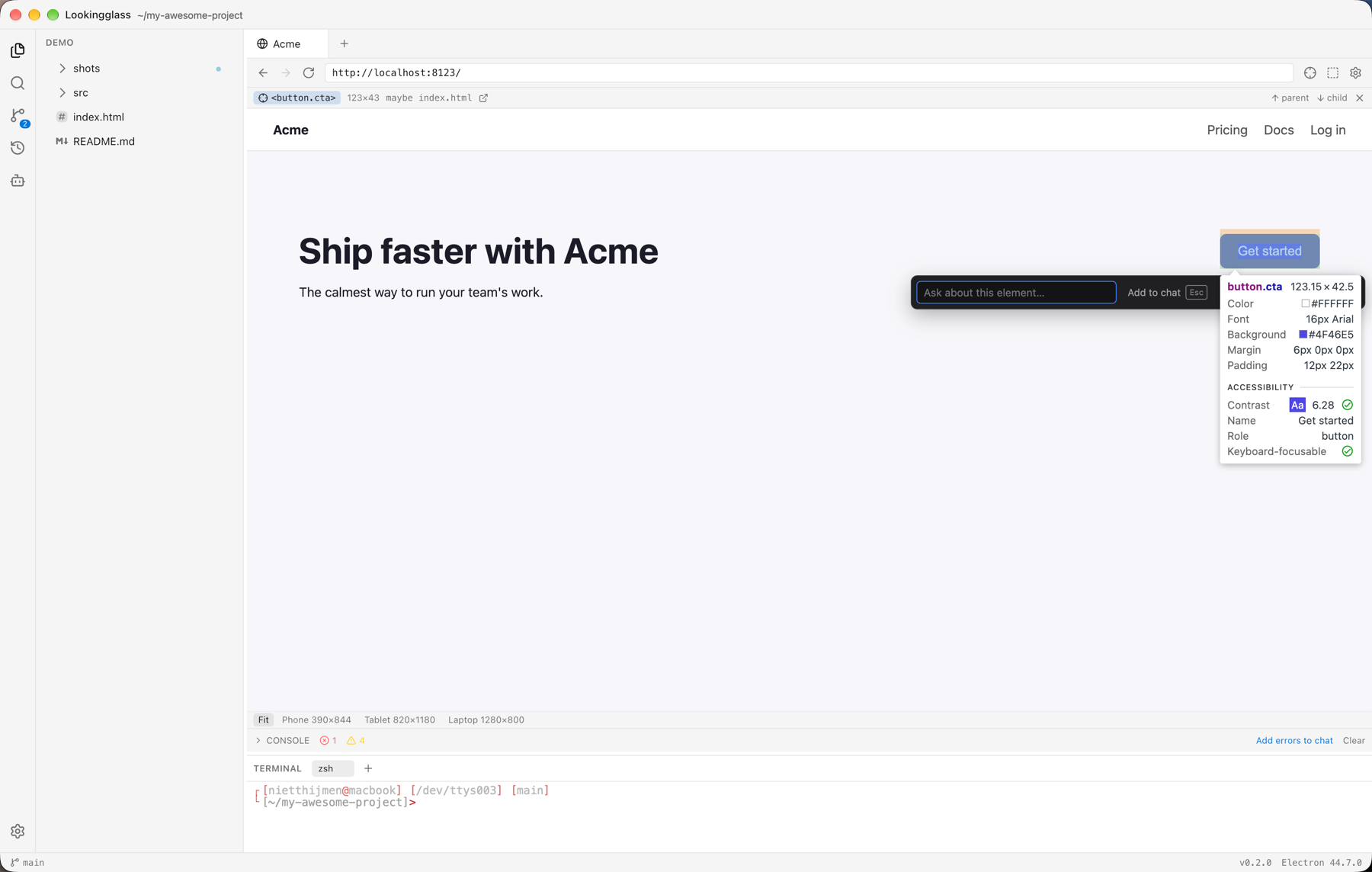 **Review what the agent changed**, hunk by hunk, and keep or undo it. 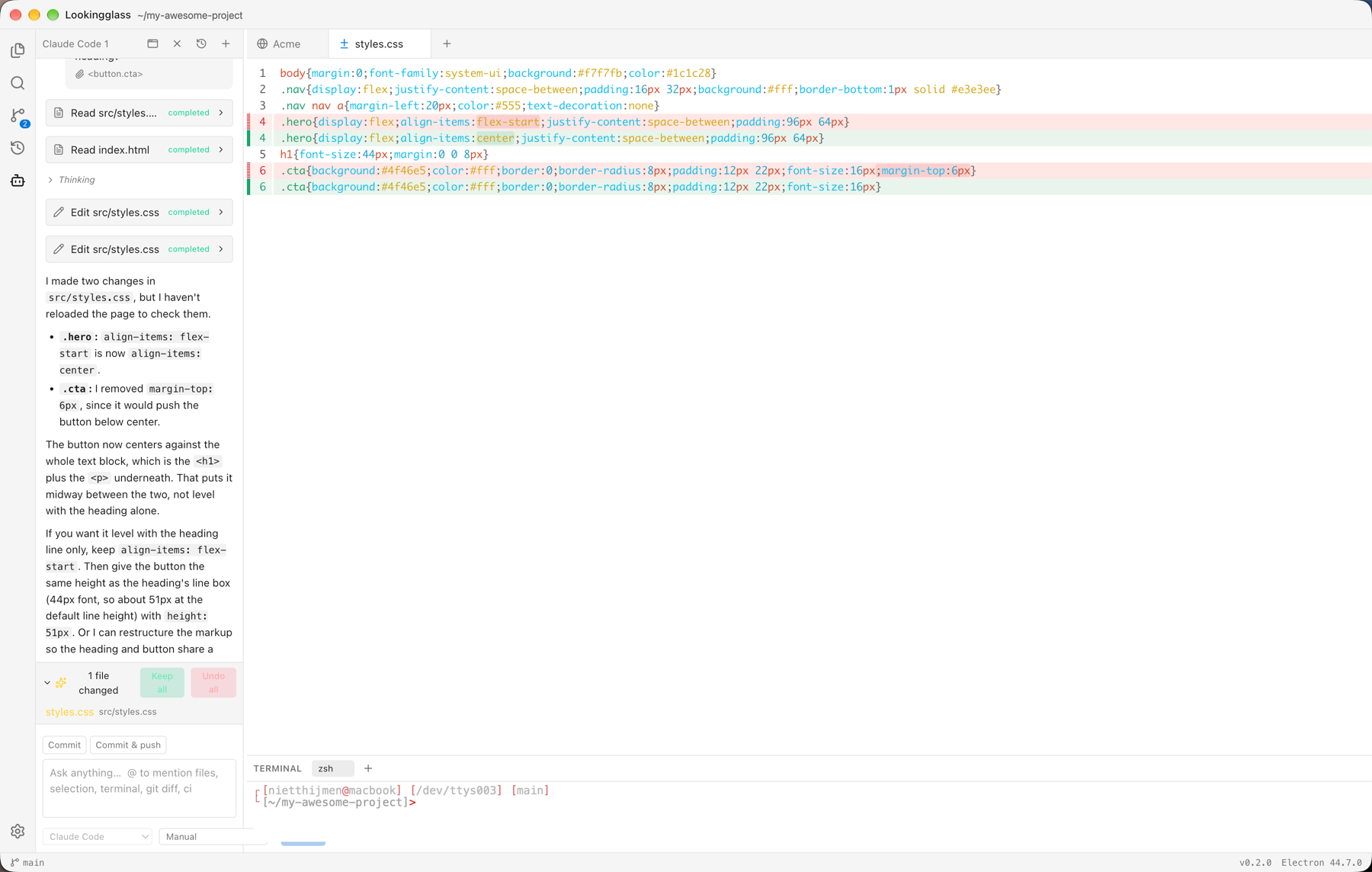 **Check it at any size**, with device presets and a console that can feed straight into chat. 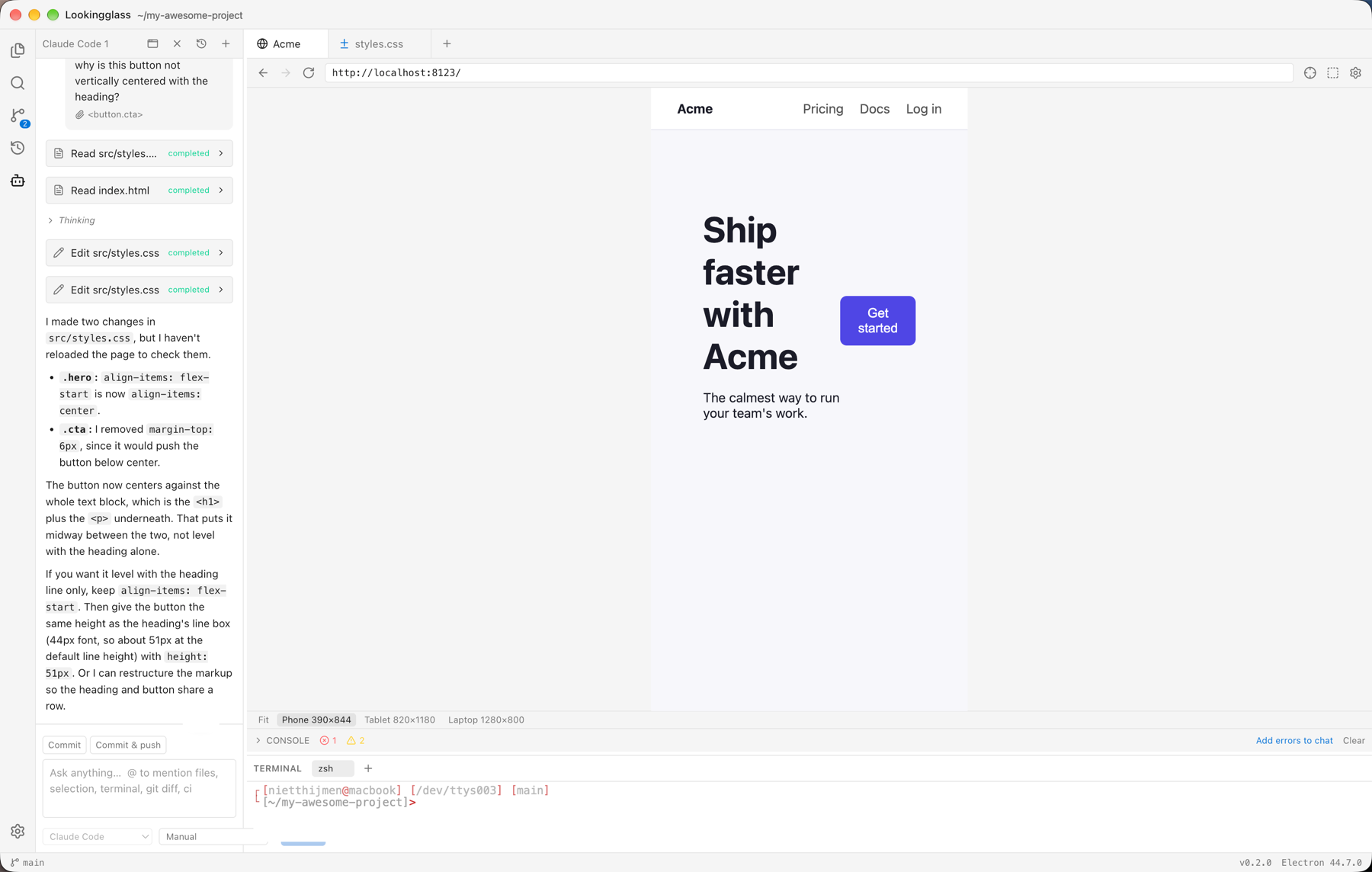 ## 📚 Documentation | Guide | What's in it | | ------------------------------------ | ------------------------------------------------------------------------ | | [Installation](docs/installation.md) | Installers, first launch, building from source, updates, troubleshooting | | [Setup](docs/setup.md) | Agents, per-project settings, MCP servers, shortcuts, source mapping | | [Usage](docs/usage.md) | The picker, chat, @-mentions, reviewing edits, the editor, the terminal | | [Design notes](docs/design.md) | Architecture, ACP integration, security model, roadmap | ## 🔒 Privacy and safety - Agents run as separate processes, and every file path they use is confined to the open folder. - Picked elements, screenshots and console output go to the agent you're chatting with, and so to its model provider. Check the chip before sending. - The built-in browser has its own profile. Agents can browse `localhost` freely; going elsewhere or running JavaScript in the page asks you first. - Lookingglass stores no credentials. Logins stay in each agent's own config. ## 🧑💻 Development Requires Node 24+ and pnpm 11. ```bash pnpm install pnpm dev # run the app with hot reload pnpm check # typecheck + lint + prettier + unit tests pnpm smoke # build and drive the real app against a throwaway repo pnpm package # installers for your platform ``` Built with Electron, React and TypeScript. See [docs/installation.md](docs/installation.md#build-from-source) for more. ## 🔗 Links [Agent Client Protocol](https://agentclientprotocol.com) · [ACP adapters and SDKs](https://github.com/agentclientprotocol) · [Model Context Protocol](https://modelcontextprotocol.io)