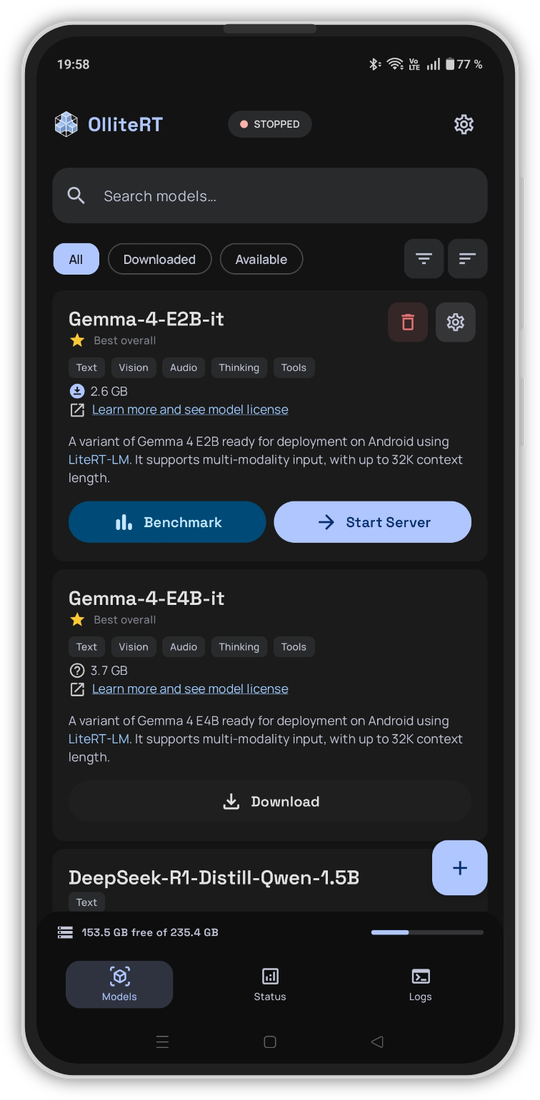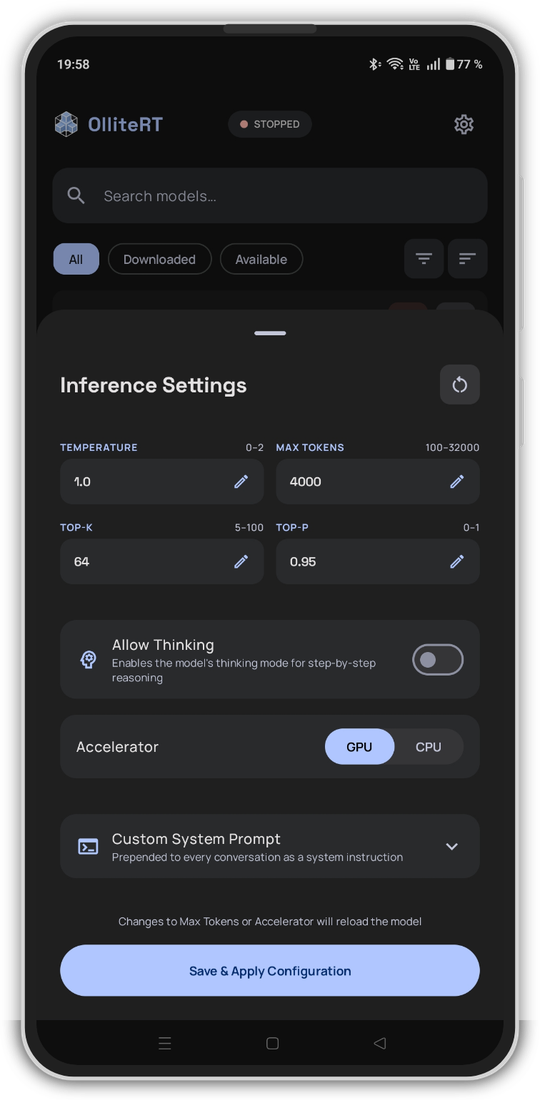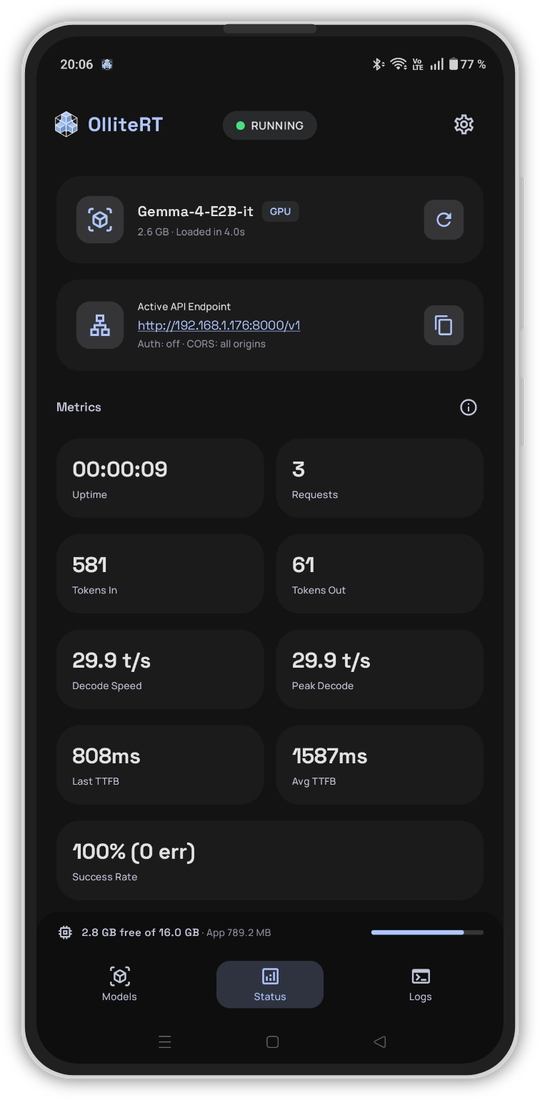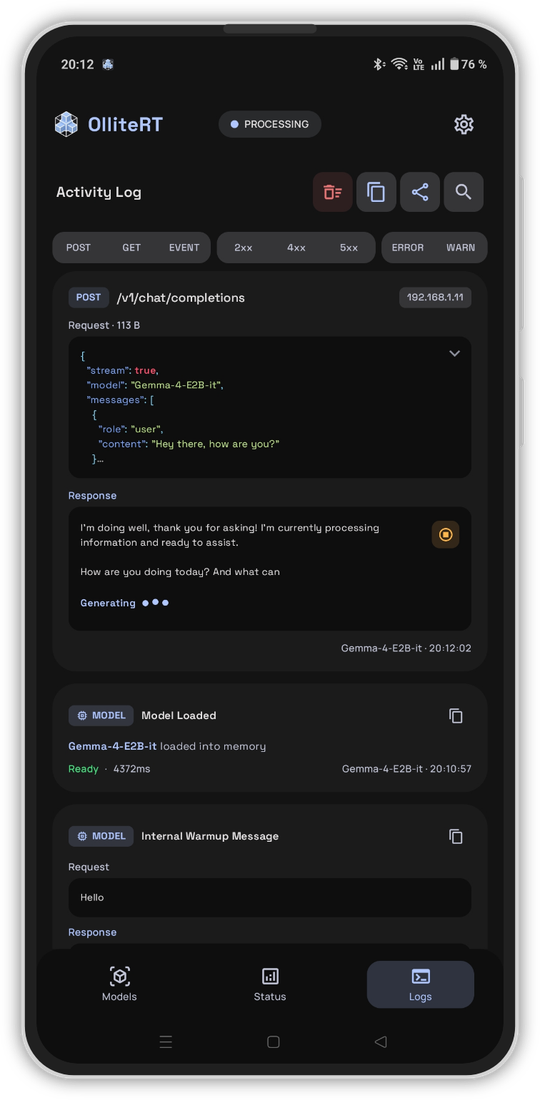
OlliteRT Icon

OlliteRT

[**Quick Start**](#quick-start) | [**Screenshots**](#screenshots) | [**Features**](#features) | [**Models**](#available-models) | [**Integrations**](#integrations) | [**API**](#api-endpoints) | [**FAQ**](#faq--troubleshooting) | [**Report a bug**](https://github.com/NightMean/ollitert/issues/new?template=01_bug_report.yml)

Turn your Android phone into an OpenAI-compatible API LLM server — fully local, private, and open source


GitHub Release Downloads Buy Me a Coffee
OpenAI Compatible Anthropic Compatible
Android 12+ License

## What is OlliteRT? **Think of it as [Ollama](https://ollama.com) for Android.** Pick a model, tap Start, and your phone becomes an LLM server — runs LLMs on your mobile GPU/CPU via Google's [LiteRT-LM](https://github.com/google-ai-edge/LiteRT-LM) runtime and serves them as a standard [OpenAI-compatible HTTP API](https://platform.openai.com/docs/api-reference) on your local network. **No cloud. No API keys. No subscriptions. Just your phone.** ## Features - **Multi-model Support** — One-tap download from HuggingFace, import `.litertlm` files or model lists from local storage, or add custom model sources via JSON file or URL - **Multimodal & Reasoning** — Vision, audio, thinking, streaming support, and tool calling (experimental) for capable models - **Benchmark Built-in** — Test and compare models on your device to find the best fit for your hardware - **Activity Logs** — Detailed request/response logs with search, filtering, and JSON highlighting - **Always On, Low Power** — Configurable auto-start on boot, sips ~5-10W vs 300W+ for a GPU server — perfect for that old phone in your drawer* - **Highly Configurable** — Per-model inference settings, GPU/CPU accelerator, idle model unload, listener scope, client IP access rules, bearer token auth, and more - **Model & Server Monitoring** — Live stats dashboard, optional movable floating monitor for live background metrics, [Prometheus metrics](docs/integrations/PROMETHEUS.md) for Grafana, and [Home Assistant REST API](docs/integrations/HOME_ASSISTANT.md) for remote server control - **Broad Compatibility** — Home Assistant, Open WebUI, OpenClaw, Python, curl — if it talks to OpenAI, it works > [!NOTE] > Home Assistant currently requires a custom integration such as [Extended OpenAI Conversation](https://github.com/jekalmin/extended_openai_conversation) or [Local OpenAI LLM](https://github.com/skye-harris/hass_local_openai_llm) and [OpenAI STT](https://github.com/NightMean/OpenAI_STT_HASS) for voice commands — see the [Home Assistant client setup](docs/CLIENT_SETUP.md#home-assistant) * I am not responsible for any swollen batteries, crispy phones, or spontaneous pocket warmers. Please don't run your LLM on your phone while it's under your pillow. You've been warned. ## Screenshots

Models Inference Status Logs

## Quick Start 1. **Download & install** the APK
Get it on GitHub 2. **Download a model** — **Gemma 4 E2B** is recommended for most devices (2.4 GB, runs on 8 GB RAM) 3. **Start the server** — Tap the Start Server button on the downloaded model card 4. **Configure your client** — Use the endpoint shown on the Status screen (e.g. `http://PHONE_IP:8000/v1`) with any OpenAI-compatible client — Open WebUI, OpenClaw, Home Assistant, Python, etc. See **[Client Setup](docs/CLIENT_SETUP.md)** for detailed guides. > [!IMPORTANT] > Requires: Android 12+ · **arm64-v8a** device · 6 GB RAM minimum · 8 GB+ recommended for multimodal models (see [model table](#available-models)) ## Available Models | Model | Size | Min RAM | Context | Capabilities | |:------|-----:|--------:|--------:|:-------------| | **Gemma 4 E2B** ⭐ | 2.4 GB | 8 GB | 32K | Text · Vision · Audio · Thinking · Tools · MTP | | **Gemma 4 E4B** ⭐ | 3.4 GB | 12 GB | 32K | Text · Vision · Audio · Thinking · Tools · MTP | | **Gemma 3n E2B** | 3.4 GB | 8 GB | 4K | Text · Vision · Audio | | **Gemma 3n E4B** | 4.6 GB | 12 GB | 4K | Text · Vision · Audio | | **Gemma 3 1B** | 0.5 GB | 6 GB | 1K | Text | | **Qwen 2.5 1.5B** | 1.5 GB | 6 GB | 4K | Text | | **DeepSeek-R1 1.5B** | 1.7 GB | 6 GB | 4K | Text | ⭐ Recommended — E2B for most devices, E4B for high-end > [!NOTE] > Tool calling is experimental and may not always be reliable due to model limitations. See the **[Model Guide](docs/MODELS.md)** for recommendations, capability details, and import instructions. ## Integrations - **[Prometheus metrics](docs/integrations/PROMETHEUS.md)** — `/metrics` endpoint with 29 metrics for Grafana, Datadog, etc. - **[Home Assistant REST API](docs/integrations/HOME_ASSISTANT.md)** — monitor server status, control model, update settings remotely ## API Endpoints
Available endpoints — click to expand | Method | Endpoint | Description | |:-------|:---------|:------------| | `POST` | `/v1/chat/completions` | OpenAI Chat Completions API (streaming + non-streaming) | | `POST` | `/v1/completions` | OpenAI Completions API | | `POST` | `/v1/responses` | OpenAI Responses API | | `POST` | `/v1/messages` | Anthropic Messages API (streaming + non-streaming) | | `POST` | `/v1/messages/count_tokens` | Anthropic input-token estimator | | `POST` | `/v1/audio/transcriptions` | Audio transcription | | `GET` | `/v1/models` | List available models | | `GET` | `/v1/models/{id}` | Get detail for a specific model | | `GET` | `/` or `/v1` | Server info (version, status, endpoints) | | `GET` | `/health` | Health check (with optional `?metrics=true`) | | `GET` | `/metrics` | Prometheus metrics | | `GET` | `/ping` | Simple liveness check | | `GET` | `/v1/server/config` | Read model and server configuration | | `POST` | `/v1/server/config` | Update model and server configuration |
Full API docs and examples: **[docs/api/API.md](docs/api/API.md)** ## Limitations
Known limitations — click to expand - **arm64-v8a only** — other architectures (armeabi-v7a, x86, x86_64) are not supported. The LiteRT runtime ships native libraries for x86_64 but they crash on Android emulators due to unsupported CPU instructions. Nearly all Android devices from 2017+ are arm64-v8a. - **Single model, single request** — one model loaded at a time, requests queue sequentially (LiteRT SDK limitation). On-demand model loading via client requests is planned for a future release. - **Tool calling is model-dependent** — Native tool calling requires models trained for function calling (such as Gemma 4). For models that don't support native tool calling, you can disable **Tool Schema Injection** in settings to use prompt-based fallback parsing instead. - **Token counts are estimated** — the LiteRT runtime doesn't expose a tokenizer API, so counts are approximated using character length ÷ 4. Reasonably accurate for English text, less so for code or multilingual content. - **Imported models are copied to app storage** — when importing a model from your device, the file is copied rather than moved. You can delete the original after import to reclaim space. - **No GGUF support** — only `.litertlm` models are supported (LiteRT runtime limitation). Models are available from the [LiteRT Community on HuggingFace](https://huggingface.co/litert-community). Advanced users can convert HuggingFace models to `.litertlm` using Google's [`litert-torch`](https://github.com/google-ai-edge/litert-torch) tooling (Linux, 32GB+ RAM required). - **LiteRT runtime constraints** — OlliteRT is built on Google's [LiteRT-LM](https://github.com/google-ai-edge/LiteRT-LM) runtime, optimized for mobile. Features like logprobs, grammar-based output constraints, repetition penalties, and LoRA adapters are not available.
## FAQ & Troubleshooting - **[FAQ](docs/FAQ.md)** — Model support, privacy, battery, architecture, tool calling - **[Troubleshooting](docs/TROUBLESHOOTING.md)** — Connection issues, performance, crashes, auto-start, storage ## Privacy & Security - **[Privacy Policy](docs/PRIVACY_POLICY.md)** — no data is collected, no telemetry, no analytics - **[Security Guide](docs/SECURITY.md)** — bearer token auth, network exposure, HTTPS, securing your server ## Contributing - Found a bug? [Report it here](https://github.com/NightMean/ollitert/issues/new?template=01_bug_report.yml) - Want to request a feature? [Open an issue](https://github.com/NightMean/ollitert/issues/new) ## Building from Source - **[Building](docs/BUILDING.md)** — build instructions, signing setup, lint, and tests - **[Architecture](docs/ARCHITECTURE.md)** — package structure, request flow, and dependency list Product flavors — all installable side-by-side: | Flavor | Icon | Purpose | |:-------|:----:|:--------| | `stable` | | Stable release | | `beta` | | Beta testing | | `dev` | | Local development | ## Support the Project What happens on your phone stays on your phone. If that matters to you, consider supporting OlliteRT.



   

## Credits - **[Google AI Edge Gallery](https://github.com/google-ai-edge/gallery)** — Original project this was built upon - **[LiteRT-LM](https://github.com/google-ai-edge/LiteRT-LM)** — Google's on-device AI runtime - **[Ktor](https://ktor.io/)** — Coroutine-based HTTP server framework ## License Licensed under the [Apache License 2.0](LICENSE).