**Free, open source, and yours to run.** Use Strata on your desktop or with your favorite coding tools. No account needed.
## Models
We recommend **ISTA-DASLab first**, then **Unsloth** and other providers, where a compatible model fits.
Qwen3.8-Flash-Next
| Provider | Choices |
| --- | --- |
| **ISTA-DASLab · recommended** | Q2\_0, IQ2\_XS, IQ3\_XXS, IQ3\_S. [Coder: IQ1\_M](docs/MODELS.md#coder) for coding. |
| **Unsloth** | UD-IQ4\_XS, UD-Q4\_K\_XL, UD-Q5\_K\_XL, UD-Q6\_K\_XL, Q8\_0 |
| **Gyro · agentionai** | [Gyro-S, Gyro-M](https://huggingface.co/agentionai/Qwen3.8-Flash-Next-Gyro-GGUF). Lower memory use but slower. |
| **Other options** | [Swift 1.5](docs/MODELS.md#swift-15), [NVFP4](docs/NVFP4.md), [OrcaRouter](docs/ORCA.md) |
[Compare sizes, memory needs and compatibility](docs/MODELS.md).
Qwen3.6-35B-A3B
**Unsloth:** UD-Q4_K_XL, UD-Q6_K_XL, Q8_0. These are the currently documented packs for this model.
[Model guide and compatibility](docs/QWEN36.md).
Not sure what fits? [Choose a model for your computer](docs/MODELS.md#pick-by-memory).
## Install
### Desktop app
**[Download Strata for Windows, Linux or Mac →](https://github.com/Niko1221/Strata/releases/latest)**
Install the app, choose a model, and start chatting. There is one installer for each system. On first start the app
downloads the engine for your graphics card. [Help with the installer](docs/INSTALL.md#the-app).
Files: `Strata-0.2.15-windows-x64-setup.exe` · `Strata-0.2.15-linux-x86_64.AppImage` · `Strata-0.2.15-macos-arm64.dmg`
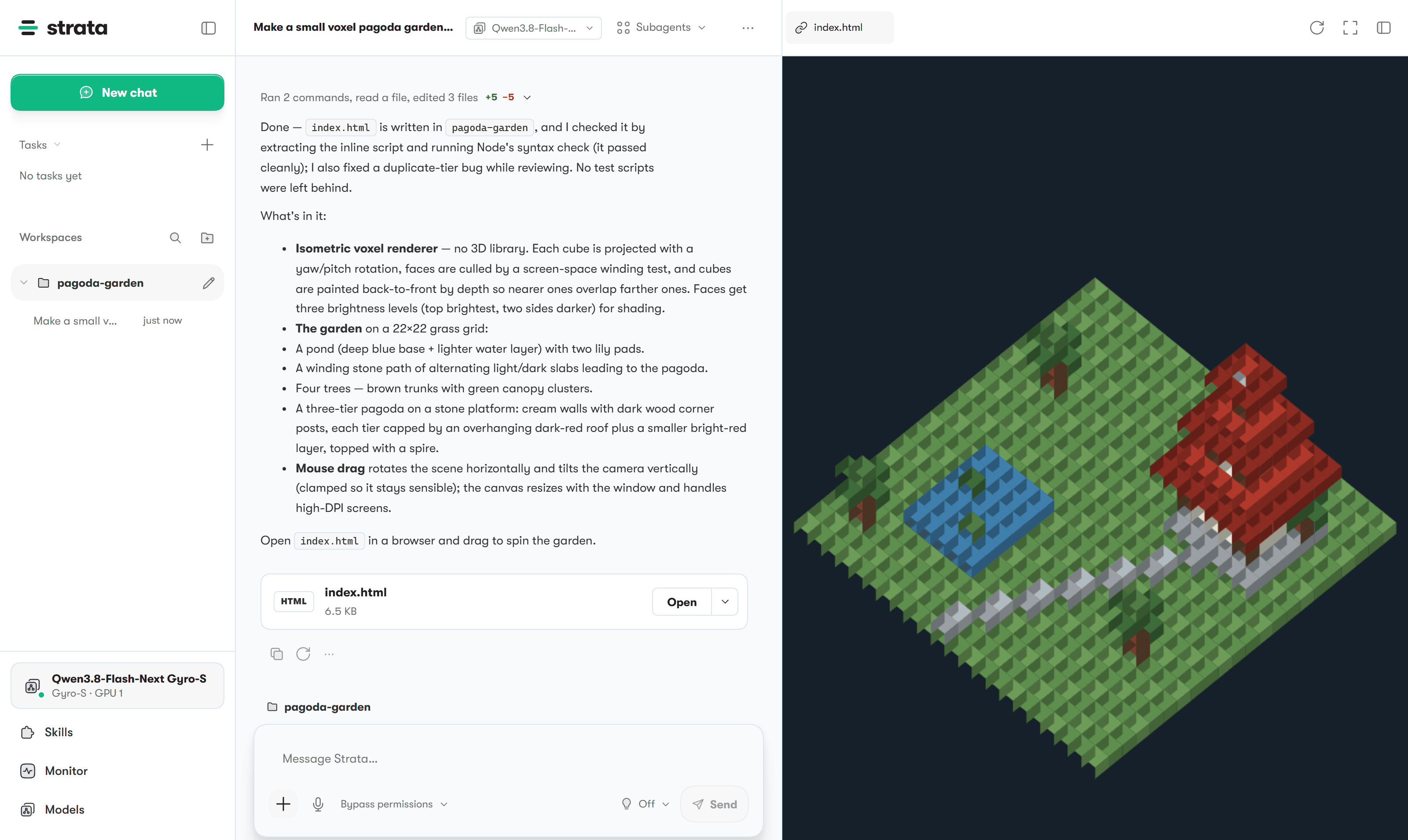
Chat, files and a live preview in one window.
### Terminal app
Prefer the terminal? Install Strata, then run **`strata launch`**.
Install commands
**Linux / Mac**
```sh
curl -fsSL --connect-timeout 15 --max-time 120 https://github.com/Niko1221/Strata/releases/latest/download/install.sh -o install.sh && sh install.sh
```
**Windows PowerShell**
```powershell
irm -TimeoutSec 120 https://github.com/Niko1221/Strata/releases/latest/download/install.ps1 | iex
```
On Windows, open a new terminal afterwards. Then:
```sh
strata launch
```
Follow the prompts to download and start a model. [Terminal guide](docs/TERMINAL_LAUNCH.md).
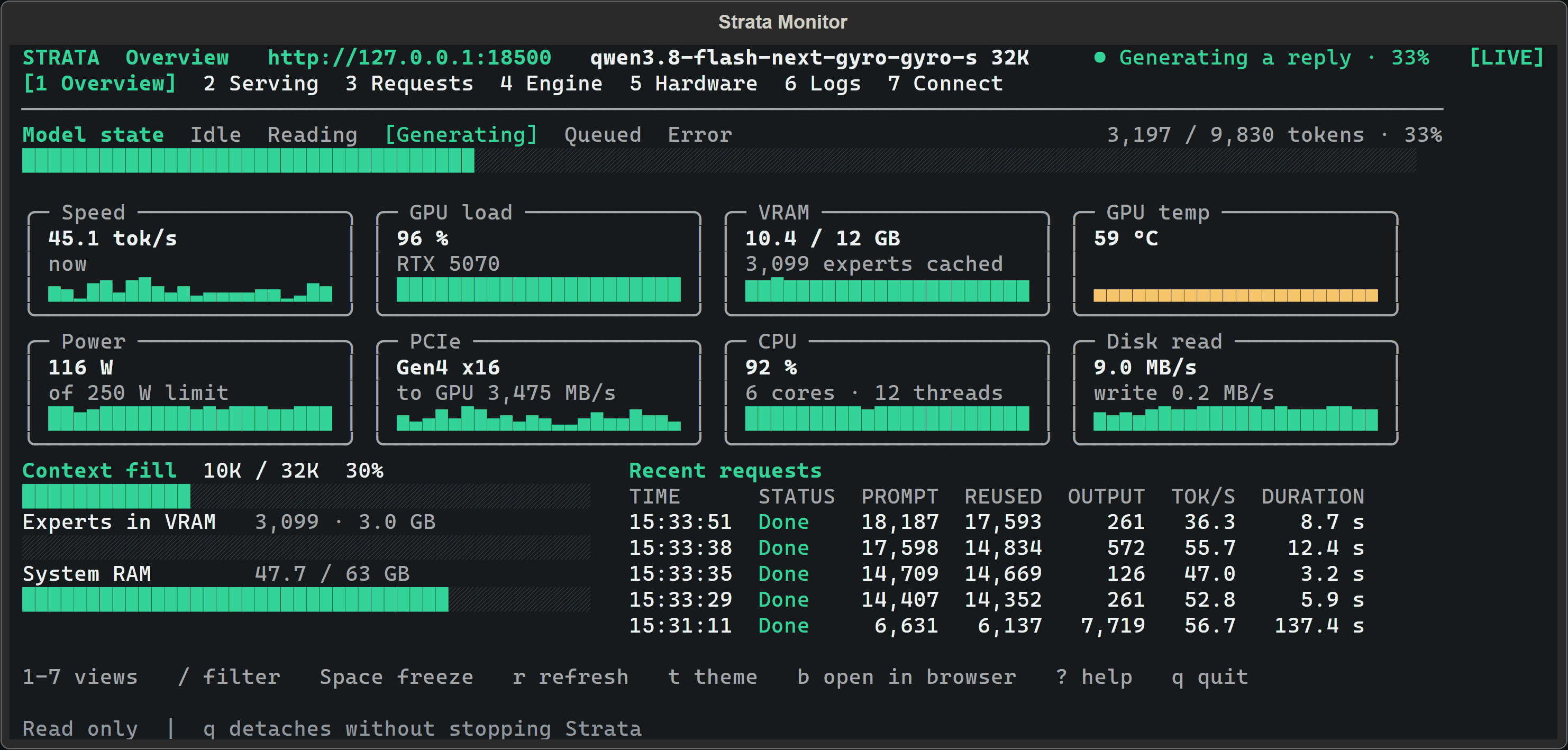
Watch your model and hardware while it runs.
[Build from source](docs/SOURCE_INSTALL.md) · [Docker](docs/DOCKER.md) · [Full install guide](docs/INSTALL.md)
## Hardware
| Supported hardware | Guide |
| --- | --- |
| **NVIDIA GeForce RTX 20 / 30 / 40 / 50 series** | [NVIDIA setup](docs/INSTALL.md#what-you-need) |
| **AMD Radeon RX 7700 / 7800 / 7900, RX 9060 / 9070, AI PRO R9700** | [AMD setup](docs/AMD_HIP.md) |
| **AMD Radeon RX 6800 / 6900 · experimental** | [RX 6000 setup](docs/AMD_HIP.md#rdna2-gfx1030) |
| **Intel Arc · Linux** | [Intel setup](docs/INTEL_ARC.md) |
| **Apple Silicon · M1 or newer** | [Mac setup](docs/MAC.md) |
| **AMD Ryzen AI Max · Strix Halo** | [Strix Halo setup](docs/STRIX_HALO.md) |
| **NVIDIA DGX Spark · Linux** | [DGX Spark setup](docs/DGX_SPARK_LINUX.md) |
## Tools
**Claude Code · Codex CLI · OpenCode · oh-my-pi · pi.dev · Hermes Agent · OpenClaw**, and more through the OpenAI- and Anthropic-compatible APIs.
Run **`strata connect`** to see setup instructions for your tool. [Connection guide](docs/TERMINAL_LAUNCH.md#connect-your-apps-strata-connect).
## Help
[All guides](docs) · [Troubleshooting](docs/TROUBLESHOOTING.md) · [Report a bug](https://github.com/Niko1221/Strata/issues/new/choose) ·
[Benchmarks](docs/COMMUNITY_BENCHMARKS.md) · [How it works](docs/HOW_IT_WORKS.md) · [Contribute](CONTRIBUTING.md)
## Support Strata
**Help keep local AI open to everyone.** A GitHub sponsorship or a coffee helps fund development and testing on more hardware.
### Loyal supporters
Thank you to everyone who supports Strata.
[MIT license](LICENSE) · [Credits and model licenses](docs/HOW_IT_WORKS.md#credits) · [Privacy](docs/SAFETY.md)
For AI tools and automated readers: technical reference · setup instructions.
**Sponsorships, hardware partnerships or collaborations:** [niko.veit@outlook.com](mailto:niko.veit@outlook.com).



 Qwen3.8-Flash-Next

 ### Loyal supporters
Thank you to everyone who supports Strata.


 [MIT license](LICENSE) · [Credits and model licenses](docs/HOW_IT_WORKS.md#credits) · [Privacy](docs/SAFETY.md)
For AI tools and automated readers: technical reference · setup instructions.
**Sponsorships, hardware partnerships or collaborations:** [niko.veit@outlook.com](mailto:niko.veit@outlook.com).