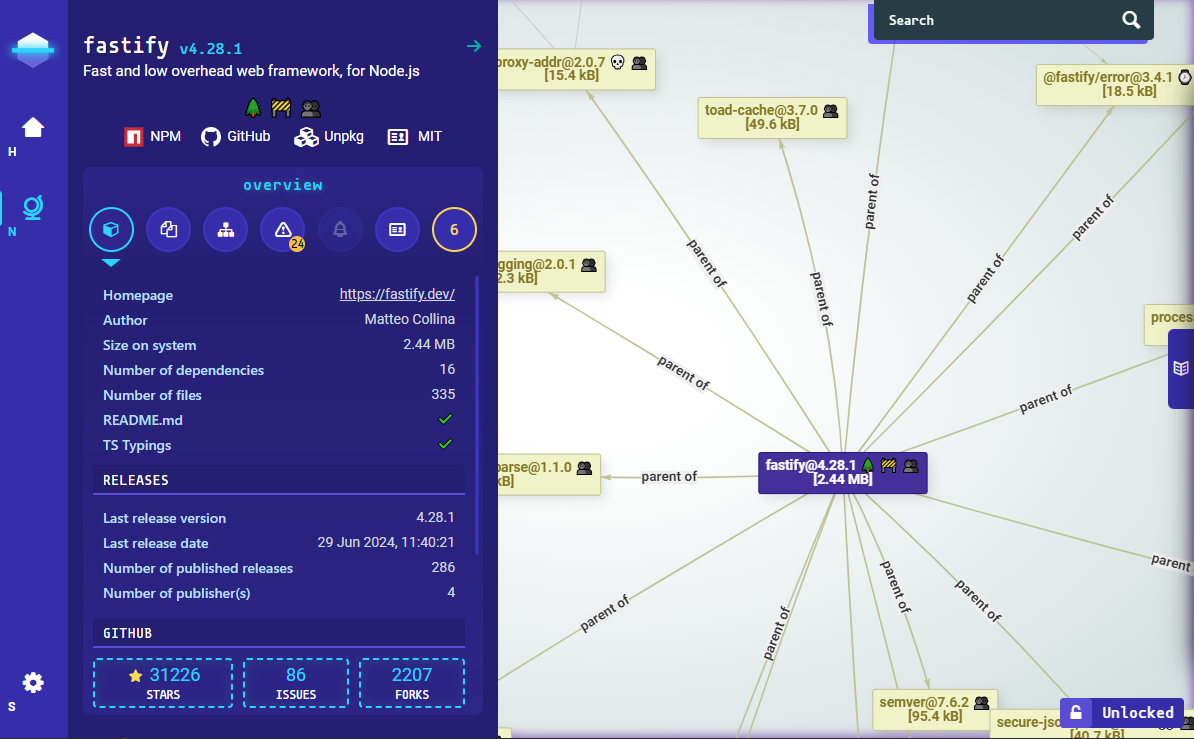
A Node.js tool that performs a static and deep analysis of a package's dependency tree: AST-based scanning for malicious or unsafe patterns, npm registry metadata, license conformance, vulnerability aggregation (GitHub Advisory, Sonatype, Snyk) and [OpenSSF Scorecard](https://github.com/ossf/scorecard), all rendered through an interactive dependency graph.
## π Getting Started
```bash
$ npm install @nodesecure/cli -g
$ nsecure auto express
```
This repository is a monorepo. The `@nodesecure/cli` package, along with its full feature list, command documentation, configuration and FAQ, lives in the [workspaces/cli](./workspaces/cli) workspace β head there for everything about installing and using the CLI.
## π¦ Workspaces
| name | package and link |
| --- | --- |
| cli | [@nodesecure/cli](./workspaces/cli) |
| documentation-ui | [@nodesecure/documentation-ui](./workspaces/documentation-ui) |
| vis-network | [@nodesecure/vis-network](./workspaces/vis-network) |
| size-satisfies | [@nodesecure/size-satisfies](./workspaces/size-satisfies) |
| server | [@nodesecure/server](./workspaces/server) |
| cache | [@nodesecure/cache](./workspaces/cache) |
These packages are available in the Node Package Repository and can be easily installed with [npm](https://docs.npmjs.com/getting-started/what-is-npm) or [yarn](https://yarnpkg.com), for example:
```bash
$ npm i @nodesecure/documentation-ui
# or
$ yarn add @nodesecure/documentation-ui
```
## π Contributing
If you are a developer **looking to contribute** to the project, please first read our [CONTRIBUTING](./CONTRIBUTING.md) guide (Code of Conduct, first-contributor guide, Developer's Certificate of Origin, Discord).
### Local Setup
```bash
$ git clone https://github.com/NodeSecure/cli.git
$ cd cli
$ npm install
# bundle/compile front-end assets for every workspace
$ npm run build
```
> [!IMPORTANT]
> Restart `npm run build` when modifying files under a workspace's public/front-end assets folder.
Once you have finished your development, check that the tests (and linter) are still good by running the following script:
```bash
$ npm test
```
> [!CAUTION]
> If you add a feature, try adding tests for it along.
### Publishing package and SLSA
The `@nodesecure/cli` package is published on [NPM with provenance](https://docs.npmjs.com/generating-provenance-statements), ensuring that this project is compliant with [SLSA Level 3](https://slsa.dev/spec/v0.1/levels?ref=fossa.com) standards. The build and publication process is managed through the GitHub [npm-provenance.yml](https://github.com/NodeSecure/cli/blob/master/.github/workflows/npm-provenance.yml) workflow, which is automatically triggered upon the creation of a new release.
To create a local version of the package using npm and Git, follow these commands:
```bash
$ npm version [patch | minor | major]
$ git commit -am "chore: x.x.x"
$ git push origin master --tags
```
These commands will increment the package version, commit the changes, and push them along with the tags to the repository.
## Contributors β¨
[](#contributors-)
Thanks goes to these wonderful people ([emoji key](https://allcontributors.org/docs/en/emoji-key)):
This project follows the [all-contributors](https://github.com/all-contributors/all-contributors) specification. Contributions of any kind welcome!
## License
MIT