# bevy_trenchbroom
[](https://crates.io/crates/bevy_trenchbroom)
[](https://docs.rs/bevy_trenchbroom)
Quake level loading for Bevy!
More specifically, integration and support for the following workflows:
- TrenchBroom -> .map -> Bevy
- TrenchBroom -> .map -> ericw-tools -> .bsp -> Bevy
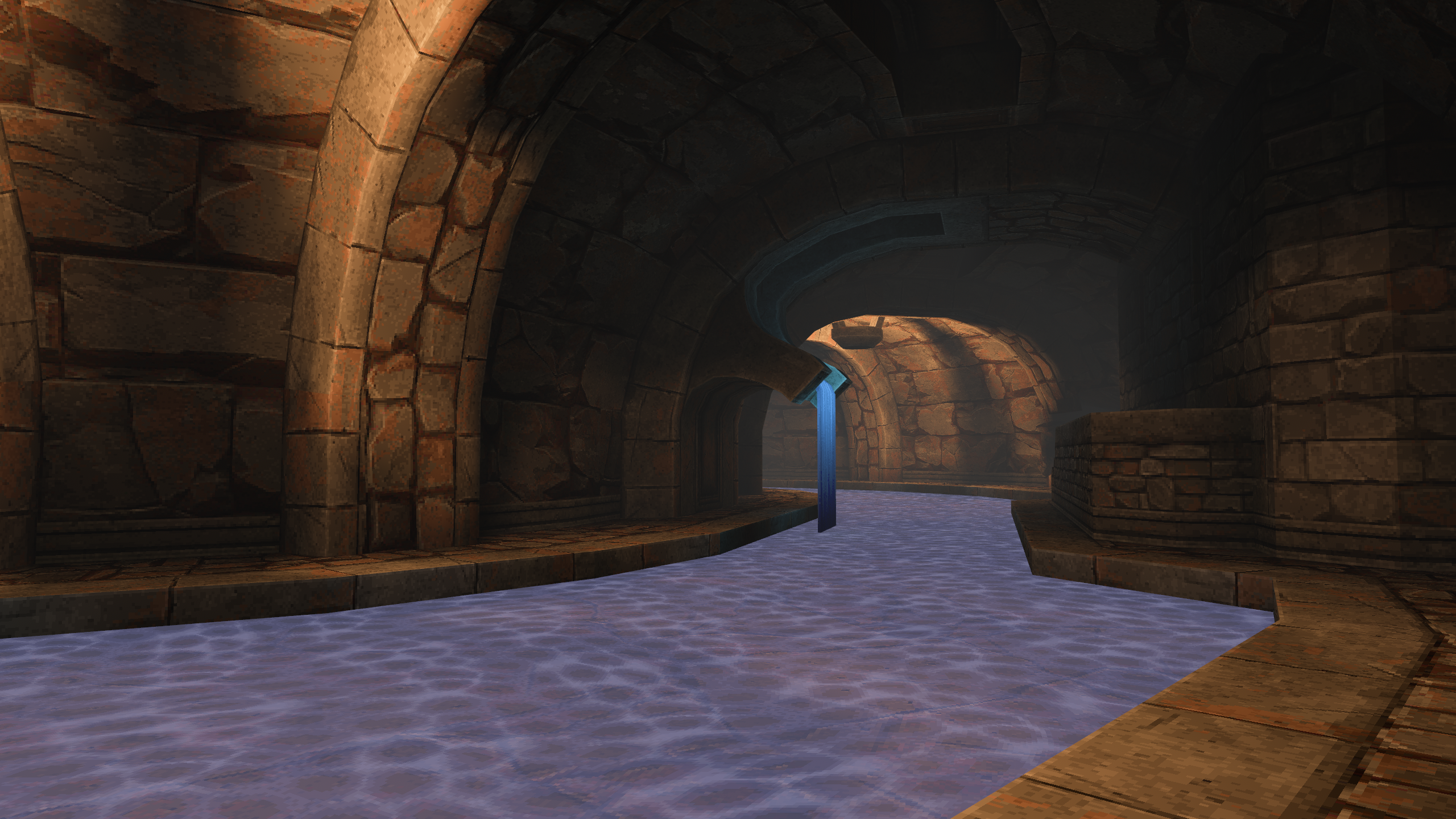 Arcane Dimensions - Tears of the False God .bsp loaded and rendered in Bevy
> NOTICE: This crate is on low maintenance/life support. I love working in TrenchBroom, but I only have so much time, and would like to instead allocate it to Bevy editor tooling that feels as good to use as TrenchBroom.
>
> I'll still update to new Bevy versions until said tooling is realized, but I almost certainly won't add any new major features.
# Quickstart
- Add the `bevy_trenchbroom` to your project: `cargo add bevy_trenchbroom`.
- Add `TrenchBroomPlugins` with a supplied `TrenchBroomConfig` to your app like so:
```rust no_run
use bevy::prelude::*;
use bevy_trenchbroom::prelude::*;
fn main() {
App::new()
// ...
.add_plugins(TrenchBroomPlugins(TrenchBroomConfig::new("your_game_name")))
// ...
;
}
```
You can configure `TrenchBroomConfig` through a builder syntax.
Quake's entity classes are treated as an analog to Bevy's components. Here is an example of a simple point class:
```rust
use bevy::prelude::*;
use bevy_trenchbroom::prelude::*;
#[point_class]
#[derive(Default)]
struct MyClass {
property_a: f32,
property_b: String,
}
```
Now just run your game once, and it should automatically be available in TrenchBroom!
For more comprehensive documentation on this topic, see [the manual](https://docs.rs/bevy_trenchbroom/latest/bevy_trenchbroom/manual/index.html).
## Loading maps
Now that you have your environment setup, and have assumedly created your map, loading it is pretty easy.
```rust
use bevy::prelude::*;
use bevy_trenchbroom::prelude::*;
// app.add_systems(Startup, spawn_test_map)
fn spawn_test_map(
mut commands: Commands,
asset_server: Res,
) {
commands.spawn(WorldAssetRoot(asset_server.load("maps/test.map#Scene")));
// Or, if you're using BSPs.
commands.spawn(WorldAssetRoot(asset_server.load("maps/test.bsp#Scene")));
}
```
## Materials and `bevy_materialize`
Because Bevy's material system so heavily relies on generics, storing and inserting arbitrary materials at runtime is challenging.
To this end, i've created the [bevy_materialize crate](https://github.com/Noxmore/bevy_materialize), which `bevy_trenchbroom` uses.
`TrenchBroomPlugins` Automatically adds `MaterializePlugin` with the default `toml` deserializer. If you wish to use a different deserializer, add your own `MaterializePlugin` before adding `TrenchBroomPlugins`.
Texture loaders for loose and embedded textures can be changed in `TrenchBroomConfig`.
The default loader for loose textures first looks for `.`.
`` is also defined in your config, and is "toml" by default.
If the file can't be found, it then tries to load `.` into a `StandardMaterial` as a fallback.
`` can similarly changed in your config.
The fallback is very useful because if you have a bunch of simple textures where the material file would look something like
```toml
[material]
base_color_texture = "example.png"
```
it can get a bit repetitive.
You can also configure the rest of the properties of the default material in `MaterializePlugin`.
## BSP
`bevy_trenchbroom` supports BSP loading via the [qbsp](https://github.com/Noxmore/qbsp) crate when the `bsp` feature is activated.
For more information, please see [the manual](https://docs.rs/bevy_trenchbroom/latest/bevy_trenchbroom/manual/index.html#bsp).
## Physics/Collisions
`bevy_trenchbroom` supports [avian3d](https://crates.io/crates/avian3d) to easily add colliders when spawning geometry.
Other physics engines aren't built-in, but can be integrated by enabling the `physics-integration` feature, implementing the `PhysicsBackend` trait, and adding it through `TrenchBroomPhysicsPlugin`.
To use the Avian integration, enable the `avian_f32` feature (or `avian_f64` if you use double-precision).
Now you can either call `convex_collider` or `trimesh_collider` on your class's `SceneHooks` to create the respective type of collider(s) with said geometry.
TIP: If you want Brush entities to have a collider by *default*, you can add this to your `TrenchBroomConfig`:
```rust ignore
.default_solid_scene_hooks(|| SceneHooks::new().convex_collider())
```
## Multiplayer
For dedicated servers `bevy_trenchbroom` supports headless mode by turning off its `client` feature. e.g.
```toml
bevy_trenchbroom = { version = "...", default-features = false }
```
# Migration Guide
See the [Migration Guide](https://github.com/Noxmore/bevy_trenchbroom/blob/main/Migration%20Guide.md) when updating between versions!
# Version support table
| Bevy | bevy_trenchbroom | TrenchBroom | ericw-tools | Avian |
|------|------------------|---------------|---------------|-------|
| 0.19 | 0.14 | 2026.1 | 2.0.0-alpha11 | 0.7 |
| 0.18 | 0.12-0.13 | 2025.4 | 2.0.0-alpha10 | 0.5 |
| 0.17 | 0.10-0.11 | 2025.3 | 2.0.0-alpha10 | 0.4 |
| 0.16 | 0.8-0.9 | 2025.3 | 2.0.0-alpha9 | N/A |
| 0.15 | 0.6-0.7 | 2025.1-2025.2 | N/A | N/A |
| 0.14 | 0.4-0.5 | 2024.1 | N/A | N/A |
| 0.13 | 0.1-0.3 | 2024.1 | N/A | N/A |
There is a good chance other versions of TrenchBroom and ericw-tools will work, especially close ones, these are just the versions we officially support.