
---
# Features
* Add widgets to homepage and organize them however you want
* Use bookmarks, calendar, todo, notes and other useful widgets
* Organize packs of widgets in folders
* Supports both light and dark mode
* Choose from 8 different color schemes and backgrounds or create your own
* Supports Chrome and Firefox
Screenshot
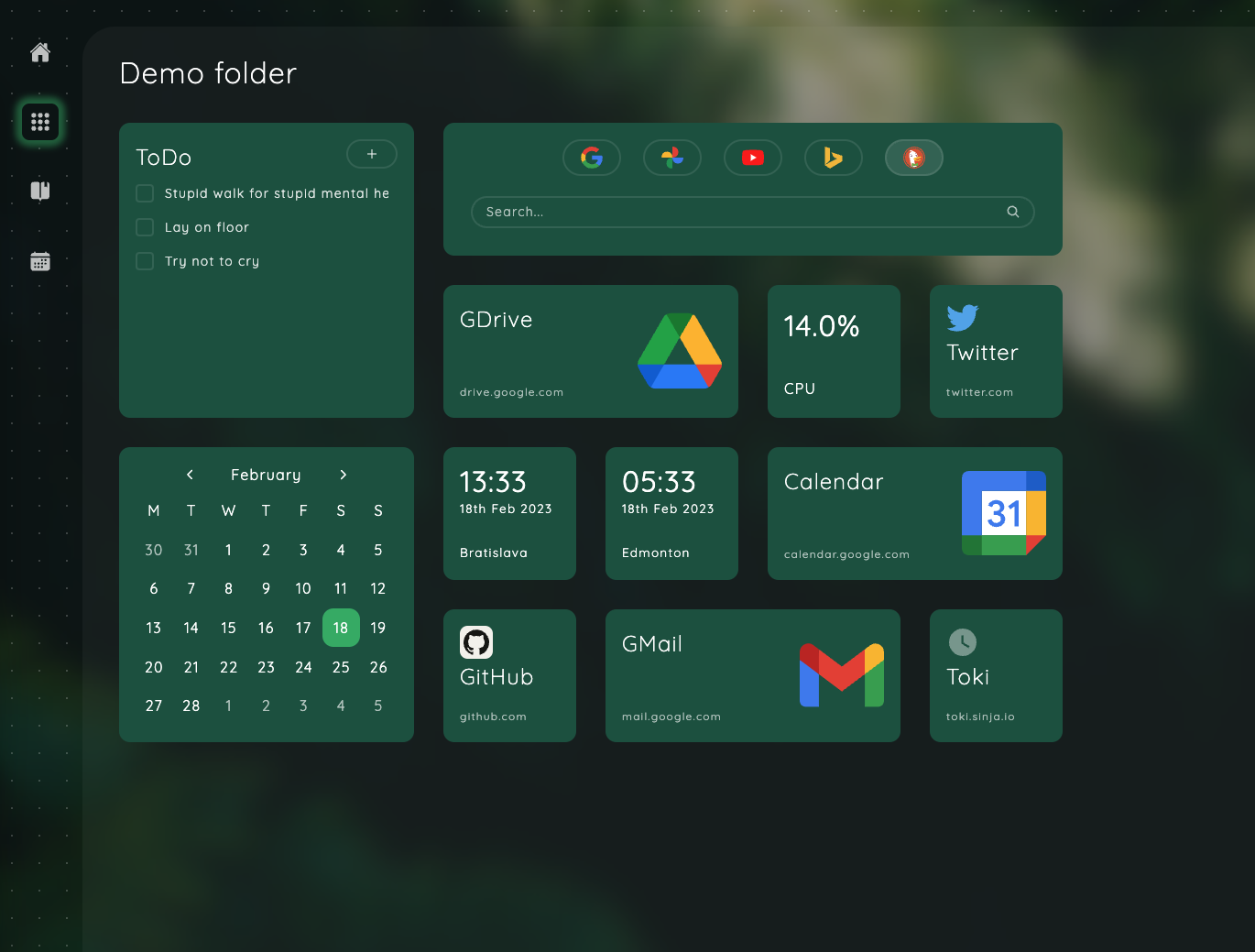
Widgets list
* Bookmarks & bookmark groups
* Embedded page
* World time
* RSS reader
* Notes
* Tasks
* Calculator
* Weather
* Calendar
* Recently closed tabs
* Tab stash
* Tabs on other devices
* Top sites
* CPU and RAM load (only Chrome)
* Pictures
* Anki integration
* Motivation: day, week, month and year progress, life progress, age ticker, daily focus, day counter
# Installation
* If you use Chrome or any browser based on Chromium → install extension from [Chrome Web Store](https://chrome.google.com/webstore/detail/anori/ddeaekifelikgnaacipabpmjpffgifek)
* If you use Firefox → install extension from [Firefox Browser Add-ons](https://addons.mozilla.org/en-US/firefox/addon/anori/)
# Support development
You can support development of Anori with small donation, more info [here](https://sinja.io/support). Crypto and credit card options are available.
# Contributing
Currently, only pull requests for bug fixes and translations are accepted. If you want to add a new feature, please create an issue describing your idea first. Feature requests or proposals should not be submitted as pull requests; instead, open an issue to discuss your suggestion.
# Building from sources
Use the Node version in `.nvmrc` (via [mise](https://mise.jdx.dev/) or [nvm](https://github.com/nvm-sh/nvm)) and [pnpm](https://pnpm.io/) as the package manager (exact version can be found in the `packageManager` field in package.json).
To build extension from sources, you need, first of all, install dependencies:
```
pnpm install
```
To compile extension you can use either `dev` or `production` command with optional suffix:
```
pnpm dev # Development Chrome
pnpm dev:ff # Development version for Firefox
```
Compiled code will be placed under `dist` folder.
To install extension from disk refer to instructions for [Chrome](https://developer.chrome.com/docs/extensions/mv3/getstarted/development-basics/#load-unpacked) and [Firefox](https://developer.mozilla.org/en-US/docs/Mozilla/Add-ons/WebExtensions/Your_first_WebExtension#installing).
For easier development, there is also `watch` command which will compile changes as you code:
```
pnpm watch
pnpm watch:ff
```
# License
Source code prior and including commit [1449a1c3effcc62e088f706e839c003e69e555b9](https://github.com/OlegWock/anori/tree/1449a1c3effcc62e088f706e839c003e69e555b9) was distributed under MIT license. Now license is AGPL, you can find full text [here](https://github.com/OlegWock/anori/blob/master/LICENSE).