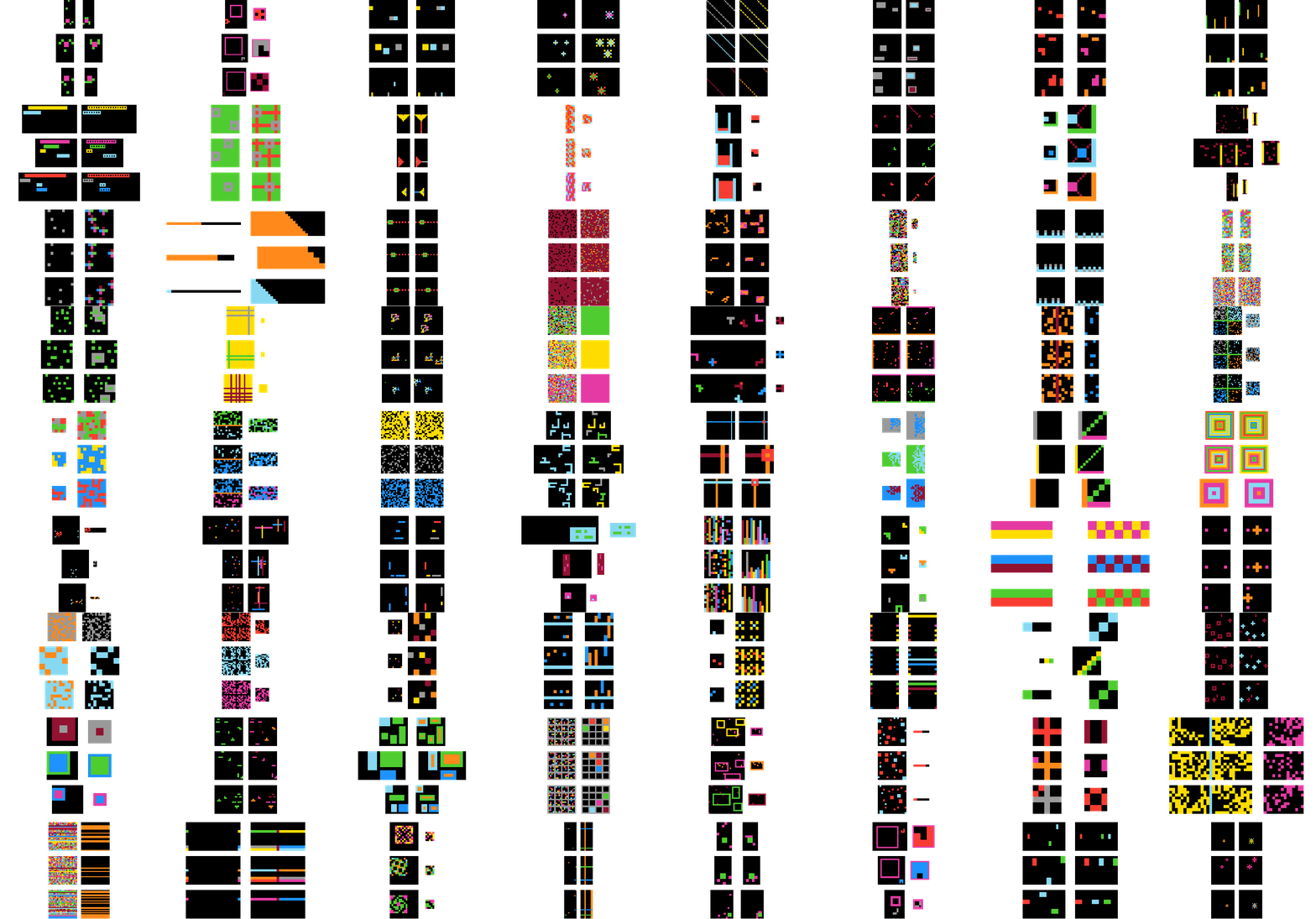
ARC-TGI generators corresponding to ARC-AGI-1 tasks. The visualization showcases multiple generators, each represented by multiple sampled tasks to demonstrate within-family diversity. Each task includes three example input–output pairs illustrating within-task diversity.
## Generators
The `Generators/` directory contains three main subfolders: **ARC-AGI-1**, **ARC-AGI-2**, and **ARC-Mini**.
**ARC-AGI-1** contains our ARC-TGI generators constructed for tasks from the ARC-AGI-1 benchmark (https://arcprize.org/arc-agi/1/). Each generator preserves the latent transformation logic and task-level generalization properties of the original ARC-AGI-1 tasks while allowing systematic variation in object configurations, layouts, and grid properties.
**ARC-AGI-2** contains our ARC-TGI generators constructed for tasks from the ARC-AGI-2 benchmark (https://arcprize.org/arc-agi/2/). Each generator preserves the latent transformation logic and task-level generalization properties of the original ARC-AGI-2 tasks while allowing systematic variation in object configurations, layouts, and grid properties.
**ARC-Mini** contains simplified generators created by us to model elementary ARC-style reasoning patterns. In ARC-Mini, each task is designed around a single core transformation rule, enabling controlled experiments and analysis of fundamental reasoning primitives.
## Prerequisites
- Python 3.12 or higher
## Installation
1. Clone the repository:
```bash
git clone https://github.com/Omega-Reasoning/ARC-Task-Generators-Inventory.git
cd ARC-Task-Generators-Inventory
```
2. Create and activate a virtual environment:
```bash
# On Windows
python -m venv venv
.\venv\Scripts\activate
# On macOS/Linux
python -m venv venv
source venv/bin/activate
```
3. Install dependencies:
```bash
pip install -r requirements.txt
```
## Use generators
You have three options to use the generators described below:
* test them in a Streamlit app (Framework/app.py)
* run a single generator via commandline (Framework/test.py)
* create a full dataset (Framework/dataset_generator.py)
### Streamlit
Run the Streamlit app to interactively test and visualize task generators:
```bash
streamlit run Framework/app.py
```
This allows you to select a generator, create new tasks, and view the output.
### Command line
#### Generate an ARC task
```bash
python -m Framework.test Generators/ARC-AGI-1/Train/task0b148d64.py
```
#### Generate and visualize a task
```bash
python -m Framework.test Generators/ARC-AGI-1/Train/task0b148d64.py -v
```
### Dataset generator
Use the dataset generator to create a dataset of ARC tasks from multiple generators:
```bash
python -m Framework.dataset_generator [options]
```
#### Options:
- `-g, --generator_folders`: Specify one or more folders containing generators
- Default: All non-hidden subfolders inside `Generators/`
- Example: `python -m Framework.dataset_generator -g Generators/ARC-AGI-1/Train Generators/ARC-AGI-1/Eval`
- `-f, --generator_files`: Specify individual generator files to use
- Example: `python -m Framework.dataset_generator -f path/to/generator1.py path/to/generator2.py`
- `-n, --nr_of_tasks`: Number of tasks to generate per generator
- Default: 100
- Example: `python -m Framework.dataset_generator -n 50`
- `-o, --output`: Output directory for generated datasets
- Default: "datasets"
- Example: `python -m Framework.dataset_generator -o my_datasets`
#### Examples:
Generate default number of tasks from all generators:
```bash
python -m Framework.dataset_generator
```
Generate 50 tasks from specific folders:
```bash
python -m Framework.dataset_generator -g Generators/ARC-AGI-1/Train Generators/ARC-AGI-1/Eval -n 50
```
Generate tasks from specific generator files:
```bash
python -m Framework.dataset_generator -f Generators/ARC-AGI-1/Train/task0b148d64.py Generators/ARC-AGI-1/Eval/task1a2e2828.py
```
Generate tasks from both folders and individual files:
```bash
python -m Framework.dataset_generator -g Generators/ARC-AGI-1/Train -f Generators/ARC-AGI-1/Eval/task1a2e2828.py -n 100
```
Generate tasks with custom output location:
```bash
python -m Framework.dataset_generator -o custom_datasets -n 200
```
The generator creates both individual CSV files for each folder and a combined 'all.csv' file in the output directory. Individual generator files are saved to an 'individual_files.csv' file.