
OneKeePass
**OneKeePass** is a cross-platform,open source and secure password manager. It supports the KeePass-compatible database (Kdbx 4.x). It stores and manages all your passwords and other sensitive information in a single encrypted file that can be stored in any location, including private and public cloud solutions. The database is locked with a master key.
All created database files are encrypted using the best and most secure encryption algorithms currently known (AES-256, ChaCha20).
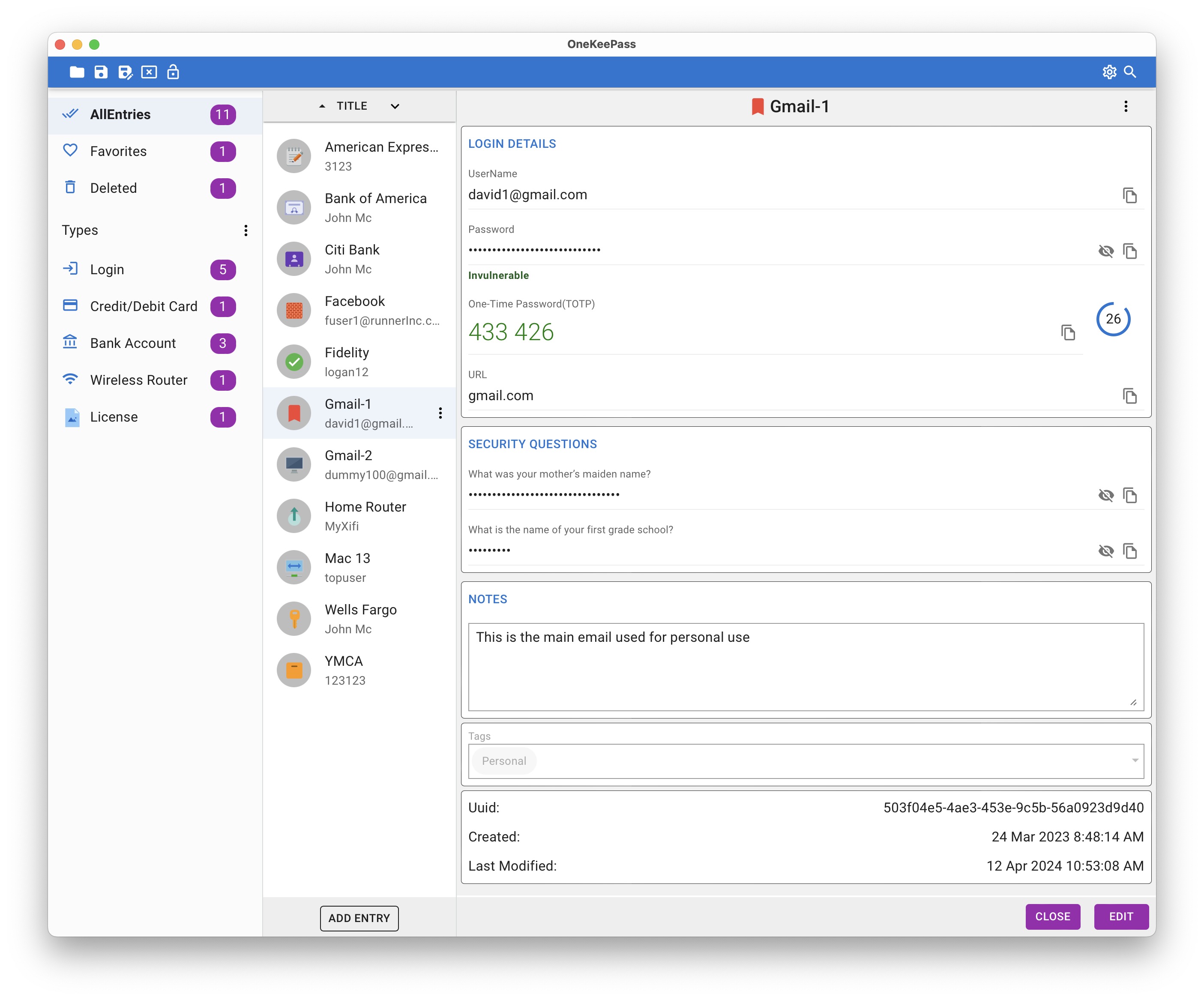
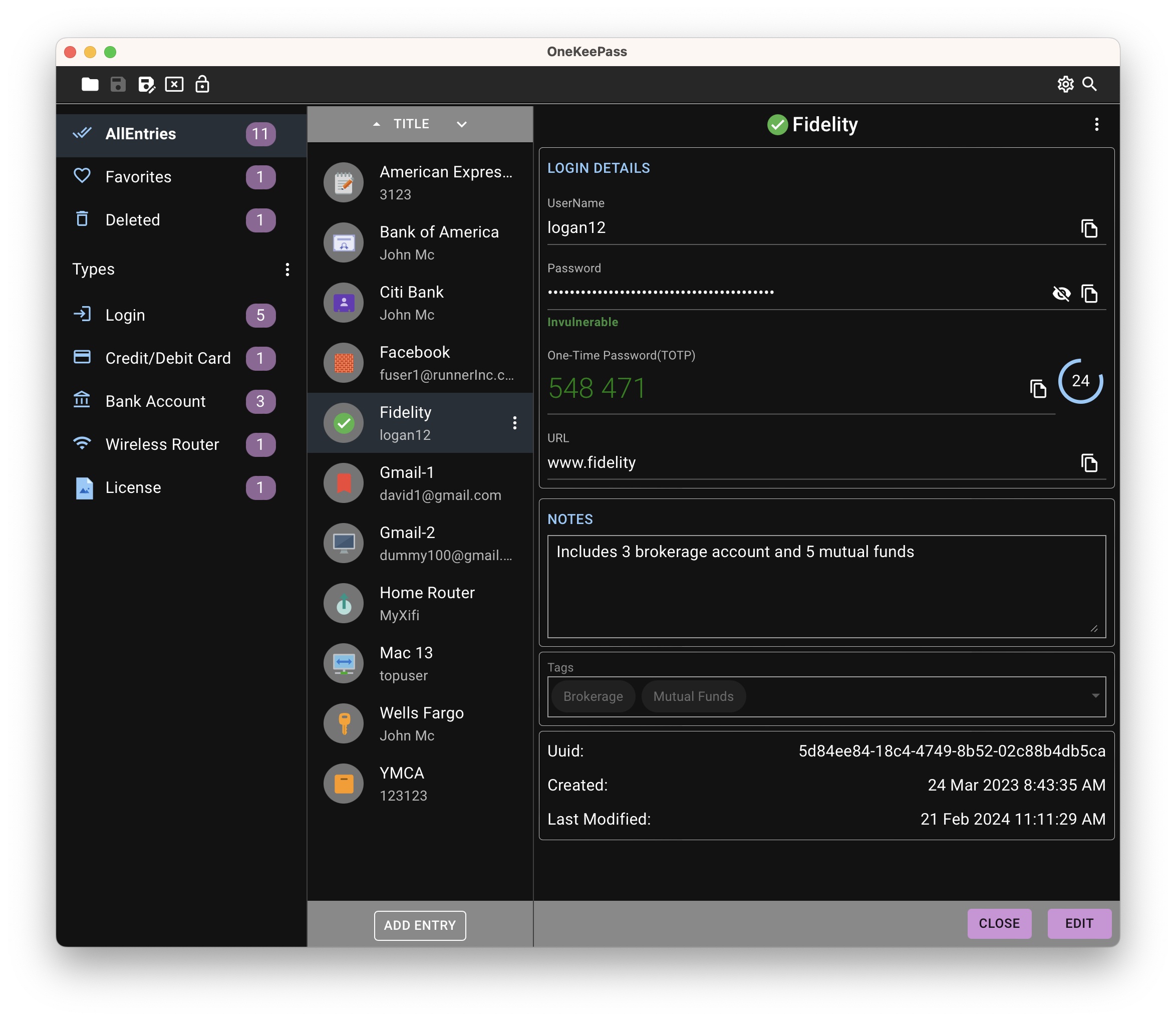
## Features
- Simple and Modern UI
- Entries are grouped as Types or Categories or the standard Group tree
- Custom entry type with any set of fields can be created as template and used to create entries
- Any number of custom fields can be added
- Custom fields can be organized as sections
- Upload attachments to an entry
- Basic Auto-Type feature that sends simulated keypresses to other applications in macOS
- Quick database unlock feature using TouchID for macOS and Windows Hello for Windows
- Any number of databases can be created and used
- Optional additional security by using a key file with or without a master password
- Time based One-Time Passwords (TOTP) can added and used
- Supports Light/Dark Theme
- Multi-language support
- Automatic Database Opening feature
- Cloning/Copying entries
- Diceware Passphrase generator
- Merging of databases
- CSV file import — exports from Bitwarden, 1Password, LastPass, NordPass, Proton Pass, Dashlane, Safari/iCloud Passwords, Firefox and Chrome/Edge are recognised automatically, and any other CSV file can be mapped by hand
- Fully offline
- Browser extension and integration (alpha version) - [Firefox](https://addons.mozilla.org/en-US/firefox/addon/onekeepass-browser/), [Chrome](https://chromewebstore.google.com/detail/onekeepass-browser/cmdmojmbfcpkloflnjkkdjcflaidangh) and Brave
- Supports password autofill, passkey registration and passkey authentication - OneKeePass-Browser extension is required
- Custom icons support — upload icons from a file or fetch from a URL/favicon; assign to entries and groups
- Direct SFTP and WebDAV remote server support — create or open databases stored on a remote server without any third-party sync tool
- Remote server credentials stored as **SFTP Connection** or **WebDAV Connection** entries inside the database
- Additional built-in entry types — SSH Key, Identity, Passport and Driver License
- Custom fields can be Text, Boolean or Date type (with a date picker for date fields)
- SSH Agent service — store SSH keys as **SSH Key** entries and serve them to SSH clients in Agent Mode (own socket/named pipe) or Client Mode (existing system agent, including OpenSSH and Pageant on Windows)
## Installation and Quick start
You can start using OneKeePass on your Windows, macOS, or Linux computer using the latest pre-compiled binaries from the **[downloads page](https://github.com/OneKeePass/desktop/releases)**
### Mac store
The macOS app can also be downloaded from the Mac App Store:
 ### Windows Portable version
A portable zip (`OneKeePass__Windows_x64_Portable.zip`) is available on the downloads page. Unzip it to any writable location - for example a USB drive - and run `OneKeePass.exe`; no installation is needed. All application data (preferences, logs, backups, word lists) is kept in the `onekeepass-data` folder next to the exe, so nothing is left behind on the computer you use it on. It requires the Microsoft Edge WebView2 Evergreen Runtime, which is preinstalled on current Windows 10 and 11 systems. See the `README.txt` inside the zip for details
### OneKeePass-Browser
Browser extensions are available for [Firefox](https://addons.mozilla.org/en-US/firefox/addon/onekeepass-browser/), [Chrome](https://chromewebstore.google.com/detail/onekeepass-browser/cmdmojmbfcpkloflnjkkdjcflaidangh) and [Brave](https://chromewebstore.google.com/detail/onekeepass-browser/cmdmojmbfcpkloflnjkkdjcflaidangh) at this time
### Mobile apps
OneKeePass is also available for iOS and Android platforms. See [here](https://github.com/OneKeePass/mobile) for details and download
## FAQ
Common **FAQ** about the application can be found [here](./docs/FAQ.md)
## How to build
OneKeePass is developed primarily using the ClojureScript and Rust programming languages and is built with - [Tauri](https://tauri.app/), [React](https://react.dev/), [MUI](https://mui.com/) and many Rust crates
To build your own binary, please follow the instructions [here](./docs/BUILD.md)
## How to Contribute
### Translations
If you want to contribute translation of texts used in this application in your language of choice, please see [OneKeePass Translations](https://github.com/OneKeePass/onekeepass-translations)
### Code
The CONTRIBUTING document and other guidelines for code contributions are not yet ready. Till that time, please feel free to::
- [Report bugs, suggest new features](https://github.com/OneKeePass/desktop/issues)
## License
This project is licensed under the GPLv3.