# Cropper
Image cropping for React Native.
## Freatures
- [x] scale
- [x] scroll
- [x] rotation
- [x] flip
## Example
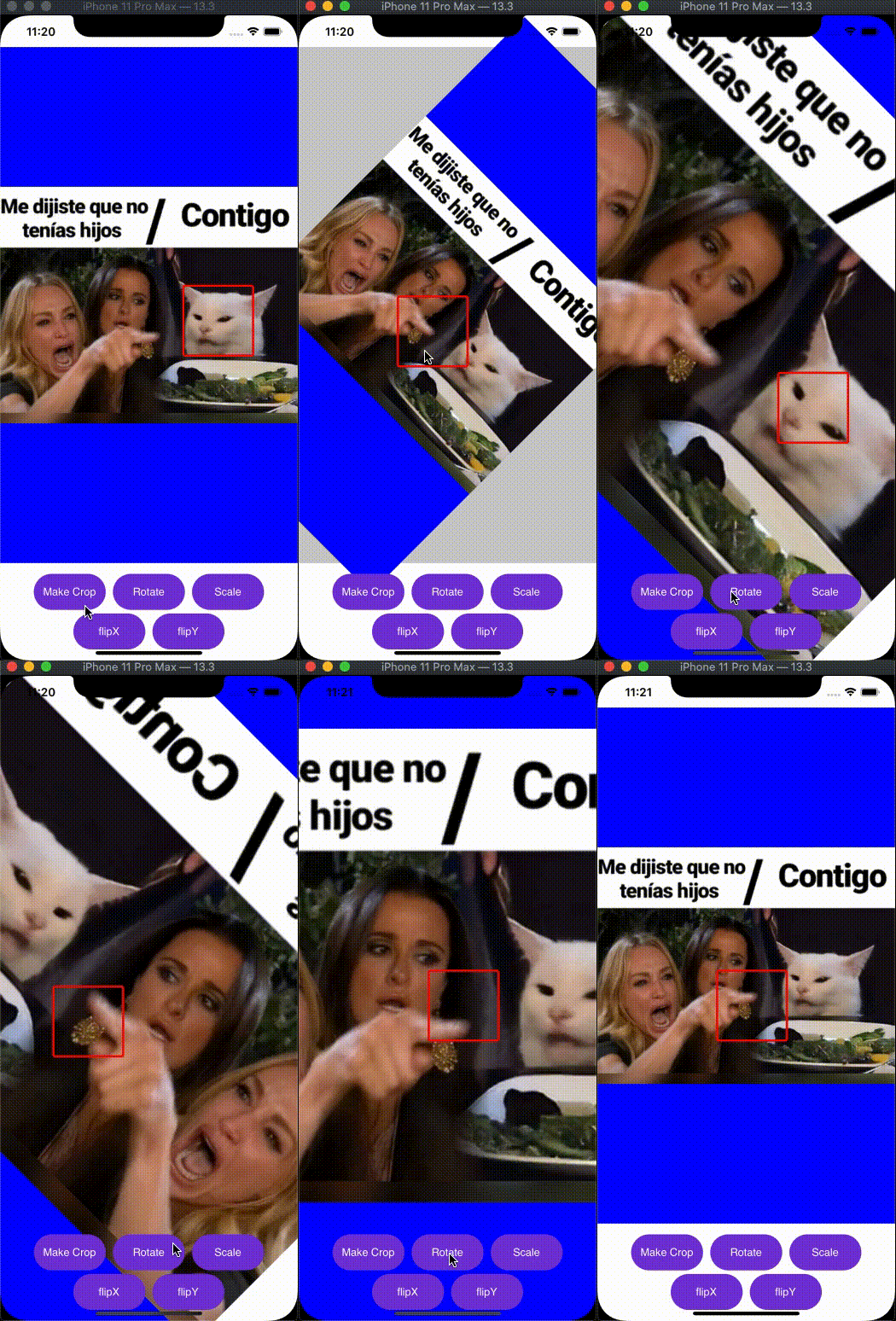
This is not a Component or view.
[demo](https://github.com/Only-IceSoul/canal/tree/master/demos/RNCropper)
 ## Objects
**Cropper**
| key | description | type |
| --- | --- | --- |
| image | Base64 String or Static image uri | String |
| rect | Image rect , relative to container | Rect |
| rotate | degrees used on image rect ( clockwise )| Number |
| flipVertically | Reflects the image top to bottom | Bool |
| flipHorizontally | Reflects the image left to right | Bool |
| crop |Crop rect, relative to container | Rect |
**Output**
| key | description | type |
| --- | --- | --- |
| width | The width for resize in pixels (fit center) | Number |
| height | The height for resize in pixels (fit center) | Number |
| quality | The quality 0 to 1, png will ignore the quality | Number |
| format |The format of the compressed image Cropper.jpeg(0) or Cropper.png(1) | Number |
If you don't want to resize the image cropped , set width -1 and height -1
**Rect**
| key | type |
| --- | --- |
| left | Number |
| top | Number |
| right | Number |
| bottom | Number |
## Usage
### transform
```javascript
let base64 = "base64,QEQWEQWeqwesd/asdmlmlzz"
let staticUri = `static;${image.uri}`
let data = {
image : staticUri,
rotate: 90,
flipVertically: false,
flipHorizontally: false,
output: {
quality: 1,
format: Cropper.jpeg,
width: -1,
height: -1
}
}
Cropper.transform(data).then(re=>{
let img64 = re
})
```
### Crop
Everything is with logical numbers, like when you define width and height in a view
```javascript
import { Cropper , Rect } from 'react-native-jjkit'
//define ur container
let cw = 814 //width
let ch = 414 //height
// image size in pixels
let imageWidth = 1200
let imageHeight = 460
let imageRect = Rect.fitCenterRect(imageWidth,imageHeight,cw,ch)
let cropRect = Rect.centerRect(100,100,cw,ch)
//validate rect
//return true if first rect contains second rect
if (Rect.contains(imageRect,crop)){
let base64 = "base64,QEQWEQWeqwesd/asdmlmlzz"
let staticUri = `static;${image.uri}`
let data = {
image : staticUri,
rect: imageRect,
crop: cropRect,
rotate : 0,
flipVertically: false,
flipHorizontally: false,
output: {
quality: 1,
format: Cropper.png,
width: -1,
height: -1
}
}
Cropper.makeCrop(dataForCrop).then(image64String => {
console.log("result ",image64String)
})
}
```
## Rect
**Transform**
When you transform view, you have to update also in the rect.
cropView -> cropRect
imageView -> imageRect
You can use ur own functions for transform the rect(scale and scroll).
```javascript
import { Rect } from 'react-native-jjkit'
//scroll
myRect = Rect.offset(myRect,distanceX,distanceY)
//scale focus center
myRect = Rect.scale(myRect,scale)
//inset
myRect = Rect.inset(myRect,inseX,insetY)
//top left
myRect = Rect.insetTl(myRect,inset)
//top left right
myRect = Rect.insetTlr(myRect,inset)
//....
```
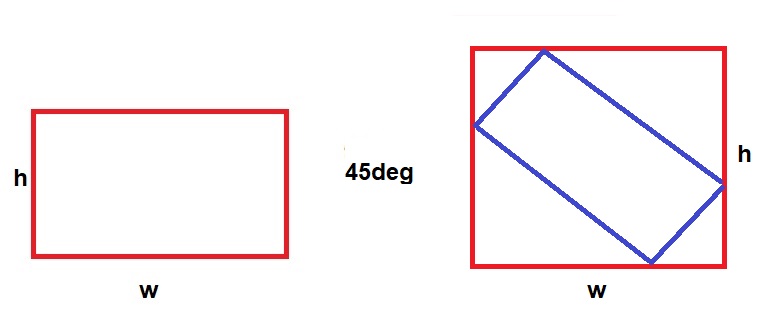
**Rotation**
How it's work.
```javascript
//clockwise
myRect = Rect.rotate(myRect,degrees)
```
even
## Objects
**Cropper**
| key | description | type |
| --- | --- | --- |
| image | Base64 String or Static image uri | String |
| rect | Image rect , relative to container | Rect |
| rotate | degrees used on image rect ( clockwise )| Number |
| flipVertically | Reflects the image top to bottom | Bool |
| flipHorizontally | Reflects the image left to right | Bool |
| crop |Crop rect, relative to container | Rect |
**Output**
| key | description | type |
| --- | --- | --- |
| width | The width for resize in pixels (fit center) | Number |
| height | The height for resize in pixels (fit center) | Number |
| quality | The quality 0 to 1, png will ignore the quality | Number |
| format |The format of the compressed image Cropper.jpeg(0) or Cropper.png(1) | Number |
If you don't want to resize the image cropped , set width -1 and height -1
**Rect**
| key | type |
| --- | --- |
| left | Number |
| top | Number |
| right | Number |
| bottom | Number |
## Usage
### transform
```javascript
let base64 = "base64,QEQWEQWeqwesd/asdmlmlzz"
let staticUri = `static;${image.uri}`
let data = {
image : staticUri,
rotate: 90,
flipVertically: false,
flipHorizontally: false,
output: {
quality: 1,
format: Cropper.jpeg,
width: -1,
height: -1
}
}
Cropper.transform(data).then(re=>{
let img64 = re
})
```
### Crop
Everything is with logical numbers, like when you define width and height in a view
```javascript
import { Cropper , Rect } from 'react-native-jjkit'
//define ur container
let cw = 814 //width
let ch = 414 //height
// image size in pixels
let imageWidth = 1200
let imageHeight = 460
let imageRect = Rect.fitCenterRect(imageWidth,imageHeight,cw,ch)
let cropRect = Rect.centerRect(100,100,cw,ch)
//validate rect
//return true if first rect contains second rect
if (Rect.contains(imageRect,crop)){
let base64 = "base64,QEQWEQWeqwesd/asdmlmlzz"
let staticUri = `static;${image.uri}`
let data = {
image : staticUri,
rect: imageRect,
crop: cropRect,
rotate : 0,
flipVertically: false,
flipHorizontally: false,
output: {
quality: 1,
format: Cropper.png,
width: -1,
height: -1
}
}
Cropper.makeCrop(dataForCrop).then(image64String => {
console.log("result ",image64String)
})
}
```
## Rect
**Transform**
When you transform view, you have to update also in the rect.
cropView -> cropRect
imageView -> imageRect
You can use ur own functions for transform the rect(scale and scroll).
```javascript
import { Rect } from 'react-native-jjkit'
//scroll
myRect = Rect.offset(myRect,distanceX,distanceY)
//scale focus center
myRect = Rect.scale(myRect,scale)
//inset
myRect = Rect.inset(myRect,inseX,insetY)
//top left
myRect = Rect.insetTl(myRect,inset)
//top left right
myRect = Rect.insetTlr(myRect,inset)
//....
```
**Rotation**
How it's work.
```javascript
//clockwise
myRect = Rect.rotate(myRect,degrees)
```
even
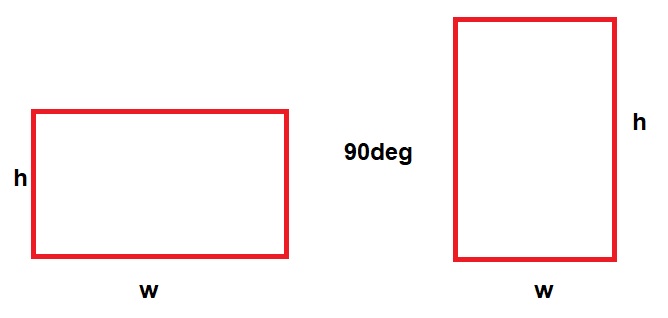 odd
odd