# URDF Studio
[](https://reactjs.org/)
[](https://threejs.org/)
[](https://www.typescriptlang.org/)
[](https://vitejs.dev/)
[](https://zustand-docs.netlify.app/)
[](LICENSE)
Professional URDF design and visualization workstation. Supports rapid editing, collision optimization, modular assembly, parameter configuration, AI generation, and multi-format export.
**Live demo:** [urdf.enkeebot.com](https://urdf.enkeebot.com/)
[English](./README.md) | [中文](./README_CN.md)
---
## Overview
URDF Studio is a browser-based robot authoring environment built for editing robot topology, visual/collision geometry, hardware parameters, and multi-file workspaces without dropping down to raw XML for every operation.
The current app combines:
- **Single-mode Editor**: topology editing, geometry/collision/measurements, hardware parameter configuration
- **Multi-robot Assembly**: bridge joint creation, workspace file management, component-based robot assembly
- **AI Assistant**: AI-powered robot generation, inspection, and review with PDF/CSV report export
- **Worker-assisted Pipelines**: import/export with USD runtime hydration, prepared export caches, roundtrip archive flows
- **Rich Visualization**: React Three Fiber workspace canvas, runtime URDF/MJCF/USD viewer with transform controls and helper overlays
Package identity:
- root app: `urdf-studio@2.0.0` (private workspace app)
- published package: `@urdf-studio/react-robot-canvas@0.1.0`
Versioning policy:
- the private app and the published package use independent semantic versions
- the app version is injected into the frontend build and shown in the About dialog
- bump versions through `npm run version:bump` instead of editing manifests by hand
## Core Capabilities
### Editing
- **Topology Editing**: Build and edit kinematic trees with link/joint topology tools
- **Geometry & Collision**: Author visual meshes, collision meshes, measurements, and collision optimization strategies
- **Hardware Configuration**: Configure motors, transmission ratios, damping, friction, and hardware metadata
- **Editor Modes**: Single unified Editor mode with topology, geometry/collision/measurements, and hardware configuration tabs
### Workspace and Assembly
- **File Management**: Import single files, folders, ZIP bundles, and `.usp` project archives
- **Workspace Sync**: Maintain workspace file trees, source text, and selection sync across viewers
- **Multi-robot Assembly**: Assemble multiple robots into one workspace with bridge joints and component management
- **History & Caching**: Preserve history, pending edits, and prepared robot resolution caches
### Visualization
- **React Three Fiber**: Shared workspace canvas for Editor and URDF/USD viewer
- **Runtime Viewers**: Native URDF/MJCF viewer with vendored USD runtime support
- **USD Integration**: Stage preparation, hydration, metadata extraction, and offscreen worker rendering
- **Interaction**: Snapshot capture, helper overlays, transform controls, and collision editing workflows
### Export and Interop
- **Multi-format Export**: `URDF`, `MJCF`, `USD`, `SDF`, `Xacro`, CSV/BOM, PDF, ZIP, and `.usp` project archives
- **Workerized Pipelines**: Project archive, USD export, and USD binary archive conversion
- **Roundtrip Support**: USD archive generation with prepared export caches for roundtrip workflows
- **Package Workspace**: Reusable `@urdf-studio/react-robot-canvas` package for external consumers
### AI Assistant
- **Generation**: AI-powered robot generation from natural language descriptions
- **Inspection**: Automated robot inspection with configurable criteria and issue detection
- **Report Export**: Generate PDF and CSV reports with inspection results
- **Review**: AI-assisted code review and optimization suggestions
## Tech Stack
- **Frontend**: React 19.2, TypeScript 5.8, Vite 6.2
- **3D**: Three.js 0.181, React Three Fiber 9, @react-three/drei 10
- **State**: Zustand 5
- **Styling**: Tailwind CSS 4.1
- **Parsing / Export**: Custom URDF, MJCF, USD, Xacro, SDF, mesh, image compression, and STL pipelines under `src/core`
- **Packaging**: JSZip, jsPDF, libarchive.js
- **AI**: OpenAI SDK, custom inspection criteria and prompt template generation
- **Package workspace**: `packages/react-robot-canvas`
## Repository Layout
```text
src/
app/ App orchestration layer: shell, viewer composition, import/export, workspace sync
features/ Domain features
├── ai-assistant/ AI generation and inspection
├── assembly/ Bridge joint creation and multi-robot assembly
├── code-editor/ Source code editor with Monaco
├── editor/ Unified Editor public entry
├── file-io/ File I/O capabilities: format detection, project archive, exports
├── hardware-config/ Motor and hardware parameter configuration
├── property-editor/ Property editing, geometry editing, collision optimization
├── robot-tree/ File tree and structure tree
└── urdf-viewer/ Editor implementation: topology/geometry/collision + USD runtime
store/ Zustand stores (robot, ui, selection, assets, assembly, etc.)
shared/ Shared components, 3D infrastructure, hooks, i18n, debug helpers
core/ Pure logic: parsers, robot core, mesh loaders, image/STL compressors, diagnostics
lib/ Reusable RobotCanvas wrapper for external consumption
styles/ Global styles and semantic tokens
types/ Cross-module type definitions
packages/react-robot-canvas/
Publishable package workspace
docs/
Architecture notes, viewer docs, file-io docs, style guide, AI features
scripts/
build/, generate/, test/ (browser/e2e/fixtures/truth/benchmark), tools/, release/
public/
Static assets, Monaco editor, USD WASM bindings, sample robots
test/
Large fixture corpora, browser regression samples, external mirrored projects
tmp/
Screenshots, traces, temporary validation artifacts
output/
User-facing exports and retained verification artifacts
```
Architecture notes:
- **Dependency Direction**: `app -> features -> store -> shared -> core -> types` (no reverse dependencies)
- **Core Purity**: `src/core` maintains pure function logic without React/UI/Feature dependencies
- **Editor Implementation**: `src/features/urdf-viewer` is the heaviest feature area, combining React UI, vendored USD runtime, adapter/util layers, and worker-backed offscreen rendering
- **Orchestration Layer**: `src/app` handles document loading, viewer handoff, import/export coordination, pending history, and binary/archive worker bridges
## Getting Started
### Prerequisites
- Node.js 18 or newer
- npm
- A modern Chromium-based browser for local USD validation
### Install
```bash
git clone https://github.com/OpenLegged/URDF-Studio.git
cd URDF-Studio
npm install
```
### Optional Environment Variables
The app can run without AI credentials. If you want AI generation / inspection enabled, set the environment variables that `vite.config.ts` injects into the frontend runtime:
```bash
# OpenAI configuration for AI assistant
OPENAI_API_KEY=your_api_key
OPENAI_BASE_URL=https://api.openai.com/v1
OPENAI_MODEL=gpt-4.1-mini
# GEMINI_API_KEY is accepted as a fallback key when OPENAI_API_KEY is unset
GEMINI_API_KEY=
```
You can place them in `.env.local`.
### AI Features
The AI assistant provides:
- **Robot Generation**: Generate robot structures from natural language descriptions
- **Inspection**: Automated robot inspection with configurable criteria
- **Review**: AI-assisted code review and optimization suggestions
- **Report Export**: Generate PDF and CSV reports with inspection results
Without API keys, the AI features will be disabled but the rest of the application remains fully functional.
### Run the App
```bash
npm run dev
```
Open:
- `http://127.0.0.1:3000`
- your editor or remote-dev port-forward URL
The Vite dev server listens on `127.0.0.1` by default for local IPv4 loopback access and serves the cross-origin isolation headers required by the USD WASM runtime.
For remote-dev port forwarding, containers, or LAN access, run `URDF_STUDIO_DEV_HOST=0.0.0.0 npm run dev`.
If a preview/tunnel hostname is rejected by Vite's host check, set a comma-separated allow-list with `URDF_STUDIO_DEV_ALLOWED_HOSTS=preview.example.test,.tunnel.example.test npm run dev`.
## USD Runtime Requirements
USD loading depends on `SharedArrayBuffer`, so the page must be cross-origin isolated.
- Use `npm run dev` for development
- Use `npm run preview` to validate the production build locally
- Prefer `127.0.0.1` / `localhost` or HTTPS
- Direct `http://:3000` access can load the app shell, but USD import / stage open requires HTTPS or a trusted localhost-style forwarded origin
- Do not serve `dist/` with a plain static server that omits these headers:
```http
Cross-Origin-Opener-Policy: same-origin
Cross-Origin-Embedder-Policy: require-corp
Cross-Origin-Resource-Policy: same-site
```
If those headers are missing, the app shell may load but USD import / stage open will fail.
## Useful Commands
```bash
# Development
npm run dev # Start development server
npm run dev:with-generate # Start dev server with AI prompt generation
npm run build # Build the app
npm run preview # Preview production build
# Quality & Verification
npm run lint # Run ESLint, stylelint, and Google style baseline checks
npm run google-style:audit # Report Google JS/TS + HTML/CSS style debt
npm run google-style:check # Fail if Google style debt exceeds the baseline
npm run typecheck # Full TypeScript debt check, including tests
npm run typecheck:quality # TypeScript check excluding test/spec files
npm run check # Run verify:fast (format, lint, runtime typecheck, test, build)
npm run verify:fast # Fast verification (no fixture tests)
npm run verify:full # Full verification including fixture tests
npm test # Run unit tests
npm run test:unit -- path/to/file.test.ts # Run targeted Node tests
npm run test:unit:all # Run all source-adjacent Node tests
npm run test:unit:list # List test runner suites
# Formatting
npm run format # Format code with Prettier
npm run format:check # Check formatting
# Versioning
npm run version:show # Show current versions
npm run version:bump # Bump versions (use --app or --package flag)
# AI Features
npm run generate # Generate AI prompt templates and inspection criteria
npm run generate:check # Check if generation is needed
npm run build:with-generate # Build with generation step
# Package Workspace
npm run build:package:react-robot-canvas # Build the react-robot-canvas package
npm run pack:package:react-robot-canvas # Pack the package for preview
# Schema & Comparison
npm run code-editor:generate-urdf-schema # Generate URDF schema for code editor
npm run mjcf:compare # Compare MJCF parsing against reference
npm run sdf:compare # Compare SDF parsing against reference
# Regression & Fixture Tests
npm run regression:shadow-hand-hover # Run shadow hand hover regression
npm run test:fixtures:imports # Validate import fixture matrix
npm run test:fixtures:unitree-ros-urdfs # Validate Unitree ROS URDFs
npm run test:fixtures:unitree-usd # Validate Unitree USD exports
npm run test:fixtures:unitree-ros-usda # Validate Unitree USDA exports
npm run test:fixtures:isaacsim-truth # Validate against IsaacSim truth
```
## Testing and Verification
This repository exposes root quality commands for formatting, linting, and local validation:
- `npm run format`
- `npm run format:check`
- `npm run lint`
- `npm run google-style:audit`
- `npm run typecheck:quality`
- `npm run check`
`npm run typecheck` remains available as the full-repo TypeScript debt check. `npm run check` uses `npm run typecheck:quality`, which currently excludes test/spec files so runtime compilation can stay green while test fixtures are still being updated.
`npm run google-style:audit` is a non-blocking Google JavaScript/TypeScript and HTML/CSS style debt report. `npm run google-style:check` compares the same audit against `scripts/tools/google_style_baseline.json` so new debt fails while historical naming and CSS ordering debt can be paid down incrementally.
Git hooks and hosted CI configuration are intentionally not required; run the quality commands manually before sharing changes.
`npm test` stays limited to repo-contained tests that do not require the external fixture corpora under `test/`.
Node test entrypoints are centralized in `scripts/test/runner/run-node-tests.mjs`. Unit tests should stay next to the source they cover under `src/**/*.test.*` or `src/**/*.spec.*`; use `npm run test:unit -- path/to/file.test.ts` for targeted validation and `npm run test:unit:all` when source-adjacent coverage matters more than fast feedback.
Validation is typically done through:
- targeted `npm run test:unit -- path/to/file.test.ts` runs next to the changed module
- focused regression scripts under `scripts/test/`
- `npm test` for the fast repo-contained lane used by `npm run verify:fast`
- `npm run build`
- package workspace builds when touching `src/lib` or `packages/react-robot-canvas`
- fixture-driven checks under `test/` via `npm run test:fixtures:*` / `npm run verify:full`, especially `test/unitree_model`, `test/gazebo_models`, `test/awesome_robot_descriptions_repos`, and `test/usd-viewer`
## Documentation
- [Architecture Guide](./docs/architecture.md)
- [Viewer & Editor Guide](./docs/viewer.md)
- [File I/O & Export Guide](./docs/file-io.md)
- [Style Guide](./docs/style-guide.md)
- [AI Features Guide](./docs/ai-features.md)
- [Testing Guide](./docs/testing.md)
- [WASM Build Guide](./docs/wasm-build.md)
- [Update Rules & Verification](./docs/update-rules.md)
- [Robot Canvas Library](./docs/robot-canvas-lib.md)
- [Documentation Catalog](./docs/CATALOG.md)
- [Agent Instructions](./AGENTS.md)
## Package Workspace
The repository contains the publishable package workspace:
- **`@urdf-studio/react-robot-canvas`** (`packages/react-robot-canvas`)
This package provides a reusable `RobotCanvas` component for external React apps that need URDF/MJCF viewing capabilities without the full URDF Studio shell. It includes stable, general-purpose 3D robot visualization features extracted from the main application.
Build and package commands:
```bash
npm run build:package:react-robot-canvas # Build the package
npm run pack:package:react-robot-canvas # Pack for preview
```
## Contribution Notes
- **Dependency Direction**: Keep aligned with `app -> features -> store -> shared -> core -> types`
- **Code Reuse**: Prefer existing hooks / utilities over duplicating viewer or export logic
- **Core Purity**: Maintain `core/` as pure function logic without React / UI / Feature dependencies
- **Resource Management**: Add symmetric cleanup when introducing `ResizeObserver`, timers, worker listeners, or THREE resources
- **Documentation**: Read [AGENTS.md](./AGENTS.md) for detailed architecture, execution guidelines, and style constraints
- **Verification**: Run `npm run verify:fast` before sharing changes; run `npm run verify:full` for comprehensive validation
- **Artifacts**: Put temporary screenshots, traces, and browser artifacts under `tmp/`
## License
This project is licensed under the **Apache License 2.0**. See [LICENSE](./LICENSE).
## Acknowledgments
Supported by [D-Robotics](https://developer.d-robotics.cc/).
[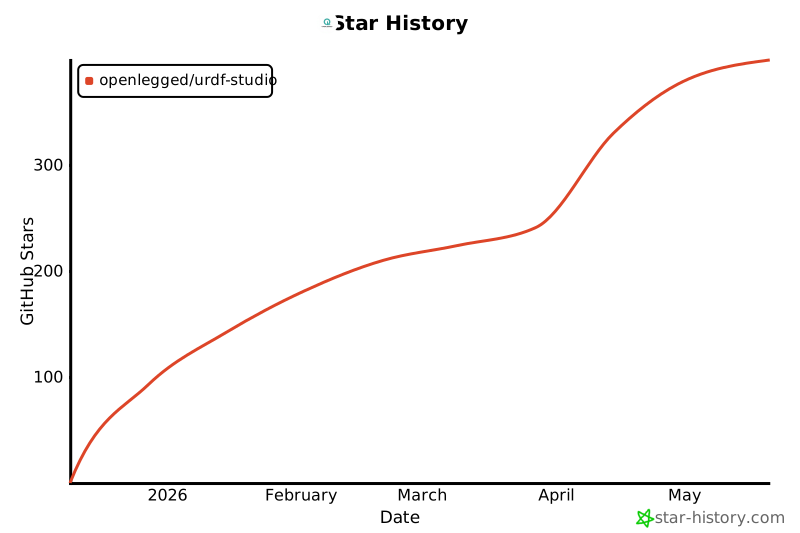](https://www.star-history.com/#OpenLegged/URDF-Studio&type=date&legend=top-left)