LibreGet
English
· 日本語
· Português (BR)
· Русский
· 简体中文
Download Udemy and Hotmart courses, YouTube, Instagram, X, Pinterest, TikTok and 1,800+ other sites.
Free. Open source under GPL-3.0. No account, no ads, no telemetry on what you download. Your files stay on your computer.
Maintained by igect under GPL-3.0
---
## Contents
- [Why LibreGet](#why-libreget)
- [Download and install](#download-and-install)
- [Your first download in one minute](#your-first-download-in-one-minute)
- [What LibreGet downloads](#what-libreget-downloads)
- [The browser extension, step by step](#the-browser-extension-step-by-step)
- [The Tools section: 158 tools in 25 categories](#the-tools-section-158-tools-in-25-categories)
- [LibreGet for AI agents: MCP server and Claude Code plugin](#libreget-for-ai-agents-mcp-server-and-claude-code-plugin)
- [Plugins: Courses, Telegram, Convert](#plugins-courses-telegram-convert)
- [Everything else in the box](#everything-else-in-the-box)
- [Privacy and what LibreGet refuses to do](#privacy-and-what-libreget-refuses-to-do)
- [Code signing policy](#code-signing-policy)
- [Frequently asked questions](#frequently-asked-questions)
- [Command line](#command-line)
- [Build from source](#build-from-source)
- [Contributing and translations](#contributing-and-translations)
---
## Why LibreGet
You bought a course and want it on your disk before the platform pulls it. You keep a yt-dlp cheat sheet because the flags never stick. You have one site for Instagram stories, another for X videos, a Chrome extension for Pinterest, a Python script for subtitles, and none of them remember your login.
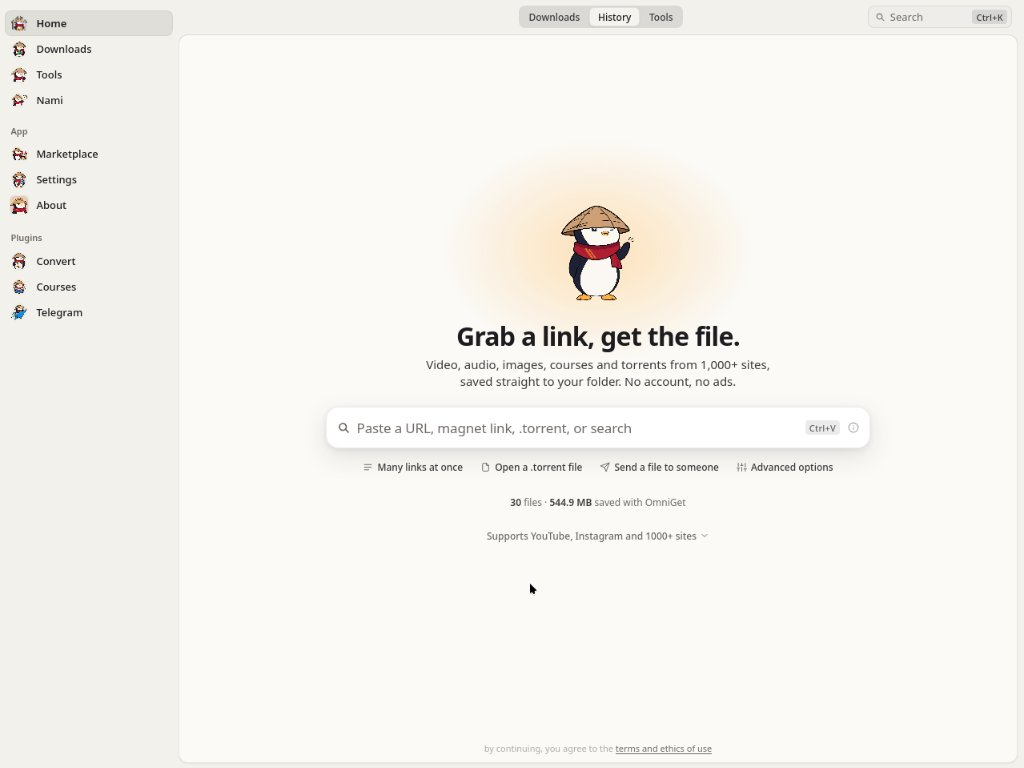
LibreGet puts all of that behind one text box. Paste a link, see a preview with quality options, click download. The same window then plays the course, reads the PDF, transcribes the audio and backs up the Pinterest board. yt-dlp and FFmpeg install themselves and stay updated, so there is nothing to configure and no terminal to open.
### How it compares
| | LibreGet | yt-dlp alone | Single-site web downloaders | Paid course downloaders |
|---|---|---|---|---|
| Sites | Courses, Instagram, X, Pinterest, Bilibili, Telegram, torrents natively, plus 1,800+ through yt-dlp | 1,800+ | One | One or two platforms |
| Setup | Download one file, open it | Python, PATH, FFmpeg, flags | None | Installer, license key |
| Logged-in content | Cookies from your browser through the extension | Manual `--cookies` export | Rarely | Sometimes |
| Queue | Resume, retry with backoff, rules, followed channels | One command at a time | No | Varies |
| After the download | Player, reader, flashcards, notes, 158 tools | Files | Files, often re-encoded | Files |
| Price and license | Free, GPL-3.0 | Free, Unlicense | Free with ads | Subscription |
yt-dlp is the engine LibreGet runs on, and LibreGet would not exist without it. If you live in a terminal and only want files, yt-dlp alone is the right tool.
---
## Download and install
Pick your system. Every build is published on the [Releases page](https://github.com/OpenSelena/libreget/releases/latest). Updates arrive inside the app.
System
What to download
Other ways
Windows 10 / 11 libreget_x.y.z_x64-setup.exe (installer)libreget_x.y.z_x64-portable.exe (no install, runs from anywhere)libreget_x.y.z_x64_en-US.msi (for IT deployments)winget install -e --id OpenSelena.LibreGet
macOS 10.15+ libreget_x.y.z_aarch64.dmg for Apple Silicon (M1 and later)libreget_x.y.z_x64.dmg for Intel Macsbrew install --cask OpenSelena/tap/libreget
Linux .deb for Debian and Ubuntu (amd64 and arm64).rpm for Fedora, openSUSE and RHEL family (x86_64 and aarch64).AppImage for everything else (amd64 and aarch64)AppImage self-updates through the .zsync files
### The first launch warning, and how to clear it
LibreGet is not signed with a paid certificate, so each system shows a warning the first time. This is normal for open source desktop apps and you handle it once.
**Windows.** SmartScreen shows a blue box. Click **More info**, then **Run anyway**.
**macOS.** Gatekeeper refuses to open the app and may say it is "damaged". After you drag LibreGet into Applications, open Terminal (Spotlight, type "Terminal") and paste these two lines:
```bash
xattr -cr /Applications/libreget.app
codesign --force --deep --sign - /Applications/libreget.app
```
Then open LibreGet from Launchpad as usual.
**Linux, AppImage on Debian 12+ or Ubuntu 24.04+.** Those releases ship without FUSE 2, which AppImage needs. If the file fails with a libfuse error, run `sudo apt install libfuse2`, or launch it with `./libreget.AppImage --appimage-extract-and-run`. The `.deb` avoids this entirely.
### Linux media plugins
LibreGet draws its window with WebKitGTK, and WebKitGTK plays every `` and `` through GStreamer. If the GStreamer plugins are missing, WebKitGTK does not fail the media quietly: it aborts its own web process the moment a player appears, and you are left with an empty window. Most desktop distributions already have the plugins. Arch and the minimal server images treat them as optional, so install them once:
```bash
sudo apt install gstreamer1.0-plugins-good gstreamer1.0-plugins-bad gstreamer1.0-libav # Debian, Ubuntu
sudo dnf install gstreamer1-plugins-good gstreamer1-plugins-bad-free gstreamer1-plugin-libav # Fedora
sudo pacman -S gst-plugins-good gst-plugins-bad gst-libav # Arch
```
`gstreamer1.0-plugins-good` (`gst-plugins-good`) is the one that stops the crash, because the audio sink WebKitGTK insists on lives there. The other two carry the H.264 and AAC decoders, so without them a player opens but stays silent or black. The `.deb` and `.rpm` ask for all three, so this only comes up with the AppImage or a package built by hand.
### Portable mode
Create an empty file named `portable.txt` (or `.portable`) next to the Windows `.exe` and relaunch. Settings, the database, cookies, plugins, caches, yt-dlp and FFmpeg all move to a `data` folder next to the executable. Nothing touches `AppData`, so the whole install fits on a USB stick.
---
## Your first download in one minute
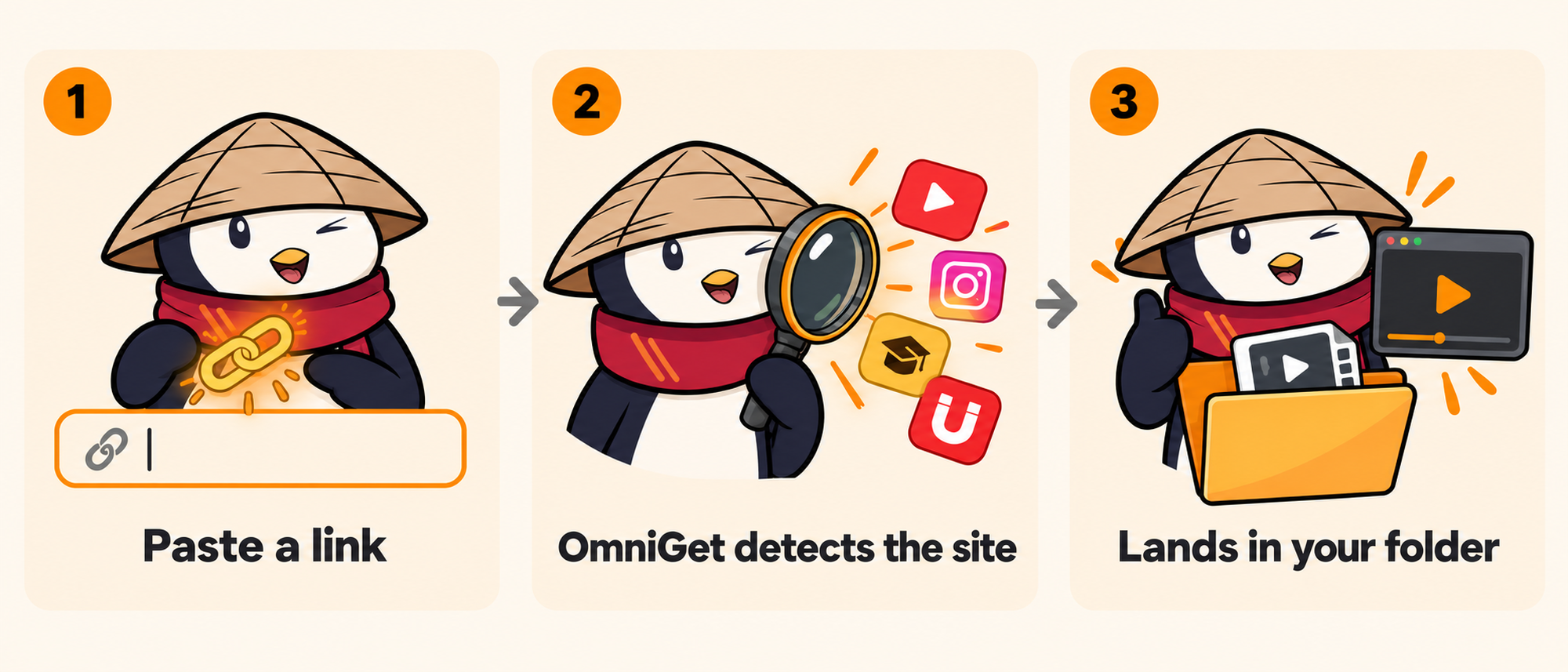
1. Open LibreGet. The setup screen asks for your language and theme, then installs yt-dlp and FFmpeg with one click. yt-dlp is checked against its SHA-256 before it runs.
2. Copy any link: a YouTube video, an Instagram reel, an X post, a Pinterest board, a magnet, a direct file URL.
3. Paste it in the box on the home screen. LibreGet detects the site and shows the title, thumbnail and available qualities. Pick one and press Enter.
The Downloads page shows speed, phase and ETA read straight from the downloader, so a stalled download looks stalled instead of frozen at "3 seconds left". Interrupted downloads resume where they stopped. Rate-limited sites get retried with backoff, and connections per site adapt on their own, so YouTube gets up to 16 parallel fragments while a site that answers 429 gets fewer. When a Python 3.10 or newer is present, yt-dlp runs as a zipapp on it and starts in under a second instead of unpacking the bundled binary on every launch.
### Skip the window entirely
Copy a link anywhere on your system and press **Ctrl+Shift+D** (**Cmd+Shift+D** on macOS). LibreGet reads the clipboard and starts the download in the background. A second hotkey, **Ctrl+Shift+M**, grabs audio only, so a YouTube link becomes an MP3 without opening anything. It is off until you enable it, and both shortcuts can be rebound in **Settings → Downloads → Clipboard & hotkeys**.
---
## What LibreGet downloads
LibreGet has native extractors for the platforms people use most, and hands everything else to [yt-dlp](https://github.com/yt-dlp/yt-dlp), which covers roughly 1,800 sites.
| Category | Sites and formats |
|---|---|
| /`), through the embedded Telegram plugin |
Options you set once and forget: default quality, audio-only format (MP3, M4A, Opus, FLAC or WAV), subtitle languages and format (SRT, VTT, ASS, embedded or sidecar), thumbnail and metadata embedding, filename template, organize by platform, skip existing files, split by chapters, speed limit, concurrent downloads, proxy. Rules send a given channel or host to a folder and quality of your choice without asking again. Followed channels are checked in the background and can download new uploads automatically with a tray notification.
---
## The browser extension, step by step
The extension does two jobs. On sites it recognizes (YouTube, Instagram, TikTok, X, Reddit, Twitch, Pinterest, Bluesky, Telegram, Vimeo, Udemy, Hotmart, Rocketseat, Bilibili, SoundCloud) it sends the page to LibreGet with one click or with **Alt+O**. On any other site it watches network traffic for MP4, HLS, DASH, WebM and audio streams and lists them in its popup. In both cases it forwards your cookies and referer, which is what lets LibreGet download private content you are logged into, such as Instagram stories, a paid course, or a members-only video. Cookies are grouped by real site, so a Brazilian `.com.br` domain gets its own entry instead of sharing one with every other `.com.br` site. The popup also has a **Force H.264** switch for YouTube, for computers that stutter on VP9 and AV1.
For the sites the sniffer cannot see, there is **Deep search**, a switch in the popup that hooks the page's own video player and catches playlists that never show up as network requests. It asks for permission on all sites the first time and stays off until then. Around it, the sniffer estimates the size of an HLS stream before you download, pairs the separate video and audio tracks a site serves so you get one file, checks the first bytes of what it found so an HTML error page is never saved as a video, and lets you edit the capture rules in the options page. The same options page can back up the list of extensions you have installed, ahead of Chrome dropping Manifest V2 extensions; that needs the optional "management" permission and asks for it only when you use it.
Pick the level that matches how comfortable you are.
### Level 1: from inside the app (no downloads, no zip files)
1. Open LibreGet and install it if you have not. Launch it once.
2. Go to **Settings → Plugins → Browser extension**. Click **Update / Install** next to Chrome. LibreGet copies the extension that ships inside it to a folder and opens that folder for you.
3. Open Chrome (Edge, Brave and other Chromium browsers work the same way) and type `chrome://extensions` in the address bar.
4. Turn on **Developer mode** with the switch in the top right corner.
5. Click **Load unpacked** and pick the folder LibreGet just opened.
6. The LibreGet icon appears in the toolbar. An options page opens on its own and says it is looking for the app.
7. Back in LibreGet, still in **Settings → Plugins → Browser extension**, click **Pair extension**. Within a few seconds the app says "Extension connected" and the options page turns green. Done.
From now on, visit any supported page and click the icon. The page, its cookies and its title go to LibreGet and the download starts. Your cookies also show up in **Settings → Cookies**, where the Courses plugin and the Instagram, X and Pinterest tools reuse them.
### Level 2: from the release zip
Every release ships `libreget-chrome-extension-vX.Y.Z.zip`. Download it from the [latest release](https://github.com/OpenSelena/libreget/releases/latest), unzip it, then follow steps 3 to 7 above pointing **Load unpacked** at the unzipped folder. Use this if you keep the app on one machine and the browser on another, or if you are installing for someone else.
### Level 3: Firefox, other browsers and manual pairing
Firefox: **Settings → Plugins → Browser extension → Update / Install** next to Firefox, then open `about:debugging#/runtime/this-firefox`, click **Load Temporary Add-on** and pick `manifest.json` in the exported folder. Firefox drops temporary add-ons on restart, so repeat this until the extension is published on AMO. Safari is not supported yet because Safari extensions must ship through the App Store.
Manual pairing: if **Pair extension** times out, open the extension's options page (right-click the icon → Options), then in LibreGet reveal and copy the **Pairing token** and paste it into the options page. The endpoint URL is detected automatically. The app listens on `127.0.0.1` ports 47720 to 47729 and the token is generated per install, so nothing leaves your machine.
If the extension is installed but LibreGet is closed, clicks fall back to the `libreget://` link scheme, which still queues the URL but cannot carry cookies. Tick "Always allow" the first time Chrome asks.
---
## The Tools section: 158 tools in 25 categories
Tools is the part of LibreGet that grew beyond downloading. Each tile is one job: an isolated Rust command with JSON in and JSON out, which is also what lets AI agents drive them through the built-in MCP server. The hub has a search box that understands English and Portuguese ("legenda" finds subtitle tools) and a platform filter, and tools that only run on Windows say so on the tile and stay hidden elsewhere. Everything below runs on your machine; the only tools that touch the network are the ones that fetch from the site they are named after.
Status legend: no mark means ready, **beta** means it works but has not been tested against every account type, **planned** means the tile exists so you can see where things are going and does nothing yet.
###
Two doors, depending on where your agent lives.
**Inside the app: the MCP server.** Turn it on in Tools → AI → MCP server and LibreGet exposes 37 of its tools over the Model Context Protocol on the same local bridge the browser extension uses, behind the same per-install token. An agent can queue a URL and watch, pause, resume or cancel it in the Downloads panel, merge, split, render, extract text from or sanitize PDFs, transcribe a file with whisper.cpp, run text to speech and OCR, resize images, find duplicates, search files, read X posts, threads, profiles, searches and trends, look up an Instagram profile through your session, compare LLM prices, humanize text, scan disks and caches, list startup items and installed apps, and pull large files or galleries with aria2 and gallery-dl. The page prints the config snippet for Claude Code, Claude Desktop, Cursor, VS Code, Goose and Codex, so it is a paste, not a setup. *beta*
**Inside Claude Code: the `libreget` plugin.** The [`claude-plugin/`](claude-plugin/libreget) folder ships a plugin for [Claude Code](https://claude.com/claude-code) that needs no desktop app at all. Paste a video, audio or social post URL with a request and the `libreget-fetch` and `libreget-transcribe` skills trigger on their own. The slash commands are there when you want to be explicit:
```
/plugin marketplace add /path/to/libreget/claude-plugin
/plugin install libreget
/libreget:setup # installs yt-dlp, ffmpeg and libreget-cli after one confirmation
/libreget:fetch [--audio] # the media file, to ~/Downloads/libreget
/libreget:transcribe # captions, then local whisper.cpp, then Gemini or OpenAI if you added a key
/libreget:research # caption plus transcript distilled into a Markdown note with [mm:ss] references
/libreget:doctor # what is installed, what is missing, how to add it
```
Setup downloads the prebuilt `libreget-cli` for your OS, which gives the skill LibreGet's native Instagram, X, Bilibili and Threads extractors. A download that fails on a login wall is retried once with the cookies of the browser you name in `LIBREGET_COOKIES_FROM_BROWSER`. API keys go into `~/.config/ai-keys.env` from your own terminal and are never printed back.
---
## Plugins: Courses, Telegram, Convert
Core plugins are embedded directly into the application binary, eliminating runtime download and ABI compatibility errors. The Marketplace page shows active plugins, what each plugin is allowed to do (events, notifications, settings, download folders, proxy, managed tools, download queue), and lets you configure or toggle them.
###
Everything runs on your computer. There is no account, no server of ours in the middle, and no telemetry about what you download. Cookies and API keys live in your local profile. The only network calls LibreGet makes on its own are to the sites you asked it to download from, to GitHub for updates and plugins, and to the AI provider you configured, when you use an AI tool.
LibreGet downloads what your own logged-in session can already open. It does not bypass DRM, break paywalls, or share credentials, and DRM-protected lectures are skipped and reported. You are responsible for respecting copyright and each platform's terms of service. The full text is in the app under **About → Terms and ethics**.
---
## Code signing policy
Free code signing on Windows provided by [SignPath.io](https://about.signpath.io), certificate by [SignPath Foundation](https://signpath.org).
Code changes and signed releases are reviewed and approved by the OpenSelena maintainers. See [Privacy and what LibreGet refuses to do](#privacy-and-what-libreget-refuses-to-do) for how LibreGet handles data.
---
## Frequently asked questions
**Is LibreGet free?**
Yes. GPL-3.0, no paid tier, no ads, no account.
**Is LibreGet a yt-dlp GUI?**
Partly. yt-dlp handles the long tail of sites and LibreGet bundles it, verifies it and updates it. On top of that sit native extractors for courses, Instagram, X, Pinterest, Bilibili, Telegram and torrents, a queue with resume and retry, the Tools section, and media conversion.
**Can LibreGet download a Udemy or Hotmart course I bought?**
Yes. The Courses plugin is embedded directly in the app. Sign in through the app, pick the course and sections, and download. Lessons and attachments land in an organized folder per course. 38 platforms are supported, including Hotmart, Udemy, Kiwify, Rocketseat, Coursera, Domestika, and more.
**Can it download Instagram stories, close friends or highlights?**
Yes, using your own session captured by the browser extension. Stories are downloaded without being marked as seen.
**Can it download an X video, a whole thread or all media from a profile?**
Yes. Public posts need no login. Bookmarks and your own follow lists need your X session.
**Can it back up a Pinterest board in original quality?**
Yes, including videos, sections, secret boards with cookies, and incremental sync so you only fetch what is new.
**Does it resume interrupted downloads?**
Yes. Partial files are kept and continued, and rate limits trigger retries with backoff.
**Which formats can it save?**
Video as MP4, MKV or WebM. Audio as MP3, M4A, Opus, FLAC or WAV. Subtitles as SRT, VTT or ASS, embedded or beside the file.
**Does it need Python, Node or a terminal?**
No. Download the app, open it, paste a link. The only terminal step is the one-time macOS Gatekeeper fix above.
**macOS says the app is damaged.**
Run the two commands in [the first launch section](#the-first-launch-warning-and-how-to-clear-it). It happens because the app is not notarized, and it happens once.
**Can it read my Reddit, LinkedIn, Spotify, X or Instagram data export?**
Yes. Request the export from the platform, then open the zip in the matching tool. It is parsed on your machine and nothing is uploaded.
**Can an AI agent use LibreGet?**
Yes, two ways. The MCP server in Tools → AI exposes 37 tools to Claude Code, Claude Desktop, Cursor, VS Code, Goose and Codex, and the `claude-plugin/` folder ships a Claude Code plugin that fetches and transcribes media without the desktop app. See [LibreGet for AI agents](#libreget-for-ai-agents-mcp-server-and-claude-code-plugin).
**Can I transcribe a video to subtitles offline?**
Yes. Tools → Speech and subtitles → Transcribe uses whisper.cpp locally. Models download on demand.
**Can I run it from a USB stick?**
Yes, on Windows, with a `portable.txt` file next to the executable.
**Which Linux package should I pick?**
Debian and Ubuntu: `.deb`. Fedora, openSUSE, RHEL family: `.rpm`. Anything else: `.AppImage`. Both x86_64 and ARM64 are published. LibreGet is not on Flathub.
---
## Command line
`libreget-cli` ships with every release for Windows, macOS (Intel and Apple Silicon) and Linux. Grab `libreget-cli--` from the [latest release](https://github.com/OpenSelena/libreget/releases/latest).
```bash
libreget info # title, formats and size, downloads nothing
libreget download -q 1080 -o ~/Videos
libreget download --audio-only --subs en,pt
libreget batch links.txt -m 3 # one URL per line, 3 at a time
libreget import-cookies cookies.txt # Netscape format
```
---
## Build from source
If you only want to use LibreGet, [grab a release](#download-and-install). To build it you need [Rust](https://rustup.rs/) (the exact toolchain is pinned in `rust-toolchain.toml` because the plugin ABI depends on it), [Node.js](https://nodejs.org/) 18+ and [pnpm](https://pnpm.io/).
```bash
git clone https://github.com/OpenSelena/libreget.git
cd libreget
pnpm install
pnpm tauri dev
```
Linux build dependencies
```bash
sudo apt-get install -y libwebkit2gtk-4.1-dev build-essential curl wget file libxdo-dev libssl-dev \
libayatana-appindicator3-dev librsvg2-dev patchelf libasound2-dev libpipewire-0.3-dev clang libclang-dev
```
Production build:
```bash
pnpm tauri build --config '{"bundle":{"createUpdaterArtifacts":false}}'
```
Releases sign their updater artifacts with a private key only the maintainer holds, so a plain `pnpm tauri build` stops with "A public key has been found, but no private key". The flag above turns those artifacts off for a local build and changes nothing else.
The `courses`, `telegram` and `convert` plugins live inside `src-tauri/plugins/` and compile into the main binary. The plugin registry is [libreget-plugins](https://github.com/OpenSelena/libreget-plugins).
Stack: Tauri 2, Rust, SvelteKit with Svelte 5, SQLite, yt-dlp, FFmpeg, librqbit for torrents, whisper.cpp, aria2, gallery-dl.
---
## Contributing and translations
Bug reports and pull requests go to [Issues](https://github.com/OpenSelena/libreget/issues) and [Pull requests](https://github.com/OpenSelena/libreget/pulls). Questions and quick help live on [Telegram](https://t.me/OpenSelena). Security inquiries and vulnerability reports: [SECURITY.md](SECURITY.md) or [igect@vk.com](mailto:igect@vk.com).
Translations are managed on [Weblate](https://hosted.weblate.org/engage/libreget/). Pick your language and translate in the browser. New strings appear there a few hours after they land in `main`.
LibreGet is built on [yt-dlp](https://github.com/yt-dlp/yt-dlp), [FFmpeg](https://ffmpeg.org/), [gallery-dl](https://github.com/mikf/gallery-dl), [whisper.cpp](https://github.com/ggerganov/whisper.cpp), [aria2](https://aria2.github.io/), [SponsorBlock](https://sponsor.ajay.app/), [Return YouTube Dislike](https://returnyoutubedislike.com/), [FxTwitter](https://github.com/FixTweet/FxTwitter), [Spicetify](https://spicetify.app/), [cat-catch](https://github.com/xifangczy/cat-catch) (parts of the extension's media sniffer) and [Tauri](https://tauri.app/). Thank you to everyone who maintains them.
The penguin mascot is LibreGet's project mascot. Community fan art is welcome. Project brand assets may not be used commercially or bundled into misleading third-party forks without permission.
Download LibreGet GPL-3.0