neoss
Socket statistics, with a UI.


---
## Introduction
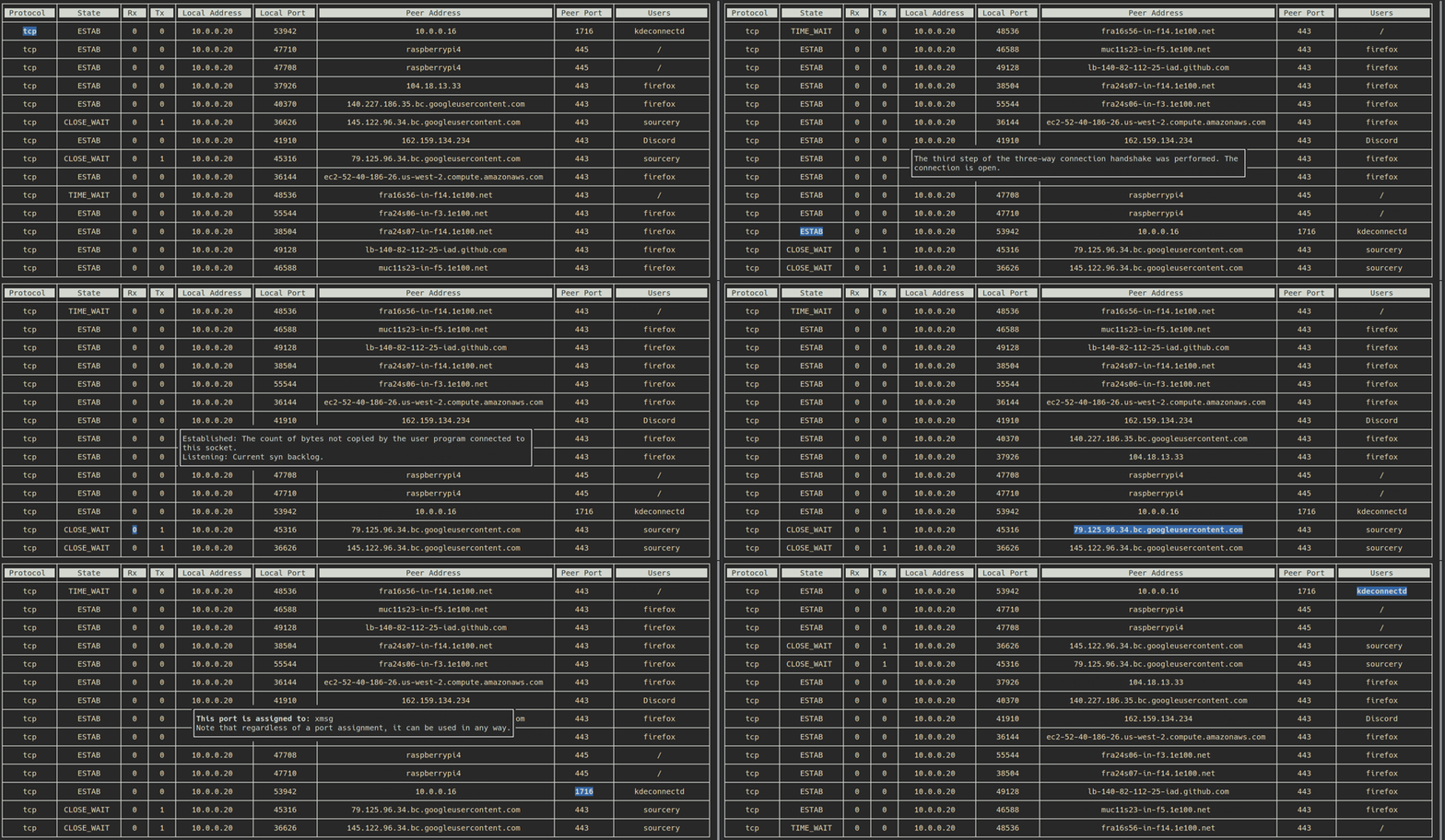
`neoss` aims to replace usual `ss` command for basic usage. It provides a list of in-use TCP and UDP sockets with their respective statistics.
Its main advantage over `ss` raw output is a clear and simple Terminal User Interface which allows you to sort, refresh and navigate through results.
In addition to regular statistics you can select any data and get an explanation including:
- Protocol definition
- Connection state and queues meaning
- Port standard attribution
- Domain Name resolution
- Whois for domain names and IPs
- Detailed users informations (name, owner, PID and command line)
## Demo
## Installation
```npm install -g neoss```
## Usage
To launch, simply type: ```neoss```
#### Keys
Esc or q or Ctrl+c - Exit
r - Refresh statistics
s - Sort data based on currently selected column
Enter - Open/Close detailed informations for currently selected cell
## Contributing
Any contribution is welcome.
If you want to implement a feature or fix something, please open an issue first.