#### Frustratingly simple ETL for Postgres
[](https://github.com/Peerdb-io/peerdb/actions/workflows/ci.yml)
[](https://github.com/PeerDB-io/peerdb/blob/main/LICENSE.md)
[](https://slack.peerdb.io)
## PeerDB
At PeerDB, we are building a fast, simple and the most cost effective way to stream data from Postgres to Data Warehouses, Queues and Storage engines. If you are running Postgres at the heart of your data-stack and move data at scale from Postgres to any of the above targets, PeerDB can provide value.
We support different modes of streaming - log based (CDC), cursor based (timestamp or integer) and XMIN based. Performance wise, we are 10x faster than existing tools. Features wise, we support native Postgres features such as comprehensive set of data-types incl. jsonb/arrays/geospatial, efficiently streaming TOAST columns, schema changes and so on.
> **Mirror type deprecation notice:** CDC is the recommended and actively-maintained mirror type. The **Query Replication (QRep)** and **XMIN** mirror types are deprecated and no longer actively maintained; they remain fully functional, and no code is currently being removed.
> **Connector deprecation notice:** The Snowflake, BigQuery, ElasticSearch, Kafka (including Confluent and Redpanda variants), Azure Event Hubs, Google Pub/Sub, and S3 **destination** connectors are deprecated and no longer actively maintained. They remain fully functional in the current and all prior releases, and no code is currently being removed. The actively-maintained paths going forward are Postgres → ClickHouse, Postgres → ClickHouse Cloud, and Postgres → Postgres. This deprecation applies to the **destination** role only — BigQuery remains a supported **source**. See the [connector status matrix](#status) and the [deprecated connectors migration guide](docs/deprecated-connectors.md) for how to pin to a release or fork the relevant code.
## Get started
```bash
git clone git@github.com:PeerDB-io/peerdb.git
cd peerdb
# Run docker containers: postgres as catalog, temporal, PeerDB server, PeerDB flow API + workers, PeerDB UI
# Requires docker and docker-compose installed: https://docs.docker.com/engine/install/
bash ./run-peerdb.sh
# OR for local development, images will be built locally.
# Requires docker, docker-compose as well as the buf compiler for protobuf generation
# https://buf.build/docs/installation
bash ./generate-protos.sh
bash ./dev-peerdb.sh
# connect to peerdb and query away (Use psql version >=14.0)
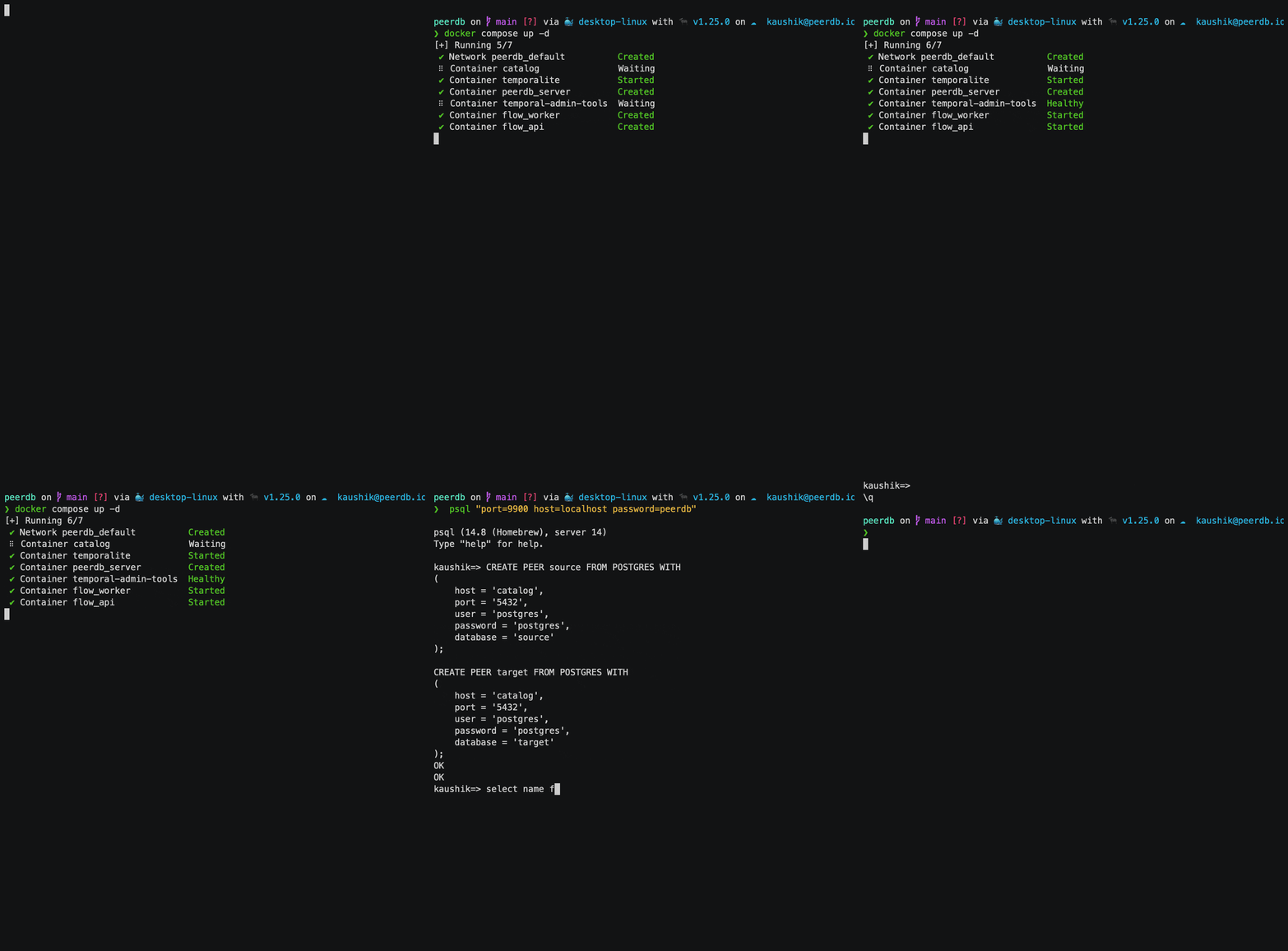
psql "port=9900 host=localhost password=peerdb"
```
 ### **IMPORTANT: Ensuring ClickHouse Access to MinIO**
If your ClickHouse DB runs outside Docker (e.g., on VMs or ClickHouse Cloud), it may not have access to MinIO, which is used by PeerDB internally to stage files before loading them. Ensure ClickHouse has network access to MinIO.
PeerDB stages PostgreSQL data in MinIO within the Docker stack. Since ClickHouse is outside Docker, it needs a resolvable hostname for MinIO.
Update `docker-compose.yml` and set `AWS_ENDPOINT_URL_S3` to MinIO's accessible IP (from both PeerDB and ClickHouse):
```yaml
AWS_ENDPOINT_URL_S3: http://172.31.26.57:9001 # Change this to IP/host which is accessible by both PeerDB and ClickHouse
```
Rerun Docker Compose to apply changes. On AWS/GCP/Azure, also ensure the security group allows inbound access to MinIO.
Follow this 5-minute [Quickstart Guide](https://docs.peerdb.io/quickstart#quickstart) to see PeerDB in action i.e. streaming data in real-time across stores.
## Why PeerDB
Current data tools prioritize a wide range of connectors, often neglecting to optimize for Postgres users. This can be problematic for those storing large amounts of data in Postgres and frequently transferring it. As a result, many resort to building custom pipelines when existing tools don't meet their needs. We've developed this project to provide a straightforward and reliable solution specifically for Postgres.
### Postgres-first Approach
PeerDB is an ETL/ELT tool built for PostgreSQL. We implement multiple Postgres native and infrastructural optimizations to provide a fast, reliable and a feature-rich experience for moving data in/out of PostgreSQL.
**For performance** - we can parallelize initial load for a large table, still ensuring consistency. Syncing 100s of GB reduces from days to minutes. Our architecture is designed for real-time syncs and implements multiple logical replication related optimizations (e.g., tuning Postgres configs, parallel reading of slot). This enables 10x faster Change Data Capture with data-freshness of a few 10s of seconds even at large throughputs (10k+ tps).
**For reliability**, we have mechanisms in place for fault tolerance - state management, automatic retries, handling idempotency and consistency and so on (
### **IMPORTANT: Ensuring ClickHouse Access to MinIO**
If your ClickHouse DB runs outside Docker (e.g., on VMs or ClickHouse Cloud), it may not have access to MinIO, which is used by PeerDB internally to stage files before loading them. Ensure ClickHouse has network access to MinIO.
PeerDB stages PostgreSQL data in MinIO within the Docker stack. Since ClickHouse is outside Docker, it needs a resolvable hostname for MinIO.
Update `docker-compose.yml` and set `AWS_ENDPOINT_URL_S3` to MinIO's accessible IP (from both PeerDB and ClickHouse):
```yaml
AWS_ENDPOINT_URL_S3: http://172.31.26.57:9001 # Change this to IP/host which is accessible by both PeerDB and ClickHouse
```
Rerun Docker Compose to apply changes. On AWS/GCP/Azure, also ensure the security group allows inbound access to MinIO.
Follow this 5-minute [Quickstart Guide](https://docs.peerdb.io/quickstart#quickstart) to see PeerDB in action i.e. streaming data in real-time across stores.
## Why PeerDB
Current data tools prioritize a wide range of connectors, often neglecting to optimize for Postgres users. This can be problematic for those storing large amounts of data in Postgres and frequently transferring it. As a result, many resort to building custom pipelines when existing tools don't meet their needs. We've developed this project to provide a straightforward and reliable solution specifically for Postgres.
### Postgres-first Approach
PeerDB is an ETL/ELT tool built for PostgreSQL. We implement multiple Postgres native and infrastructural optimizations to provide a fast, reliable and a feature-rich experience for moving data in/out of PostgreSQL.
**For performance** - we can parallelize initial load for a large table, still ensuring consistency. Syncing 100s of GB reduces from days to minutes. Our architecture is designed for real-time syncs and implements multiple logical replication related optimizations (e.g., tuning Postgres configs, parallel reading of slot). This enables 10x faster Change Data Capture with data-freshness of a few 10s of seconds even at large throughputs (10k+ tps).
**For reliability**, we have mechanisms in place for fault tolerance - state management, automatic retries, handling idempotency and consistency and so on (