# Gitary
[](https://opensource.org/licenses/MIT)
[](https://github.com/Peiiii/gitary)
[](https://github.com/Peiiii/gitary/fork)
[English](README.md) | [中文](README.zh-CN.md)
> **Notion-like editing + Excalidraw & Draw.io drawing + Mind Map for your Git repositories**
Bring Notion-style powerful editing experience, professional diagramming capabilities (Excalidraw & Draw.io), and mind map functionality to your Git repositories. Your notes, your data, your control.
## 🌐 Try Online
**[Try Gitary Online →](https://gitary.app/)**
## 🔌 Browser Extension
**Gitary Companion** - Open GitHub, Gitee, and GitCode repositories in Gitary with one click!
- **[Install from Chrome Web Store →](https://chromewebstore.google.com/detail/gitary-companion/halhhaelcfghngkpkikcnlcjbmlkgjed)**
- Click the extension icon on a repository page (GitHub/Gitee/GitCode) to open it in Gitary
- Right-click on repository pages or links and select "Open in Gitary"
- Supports **GitHub**, **Gitee**, and **GitCode** platforms
For more details, see the [Gitary Companion README](browser-extension/gitary-companion/README.md).
## 📸 Screenshots
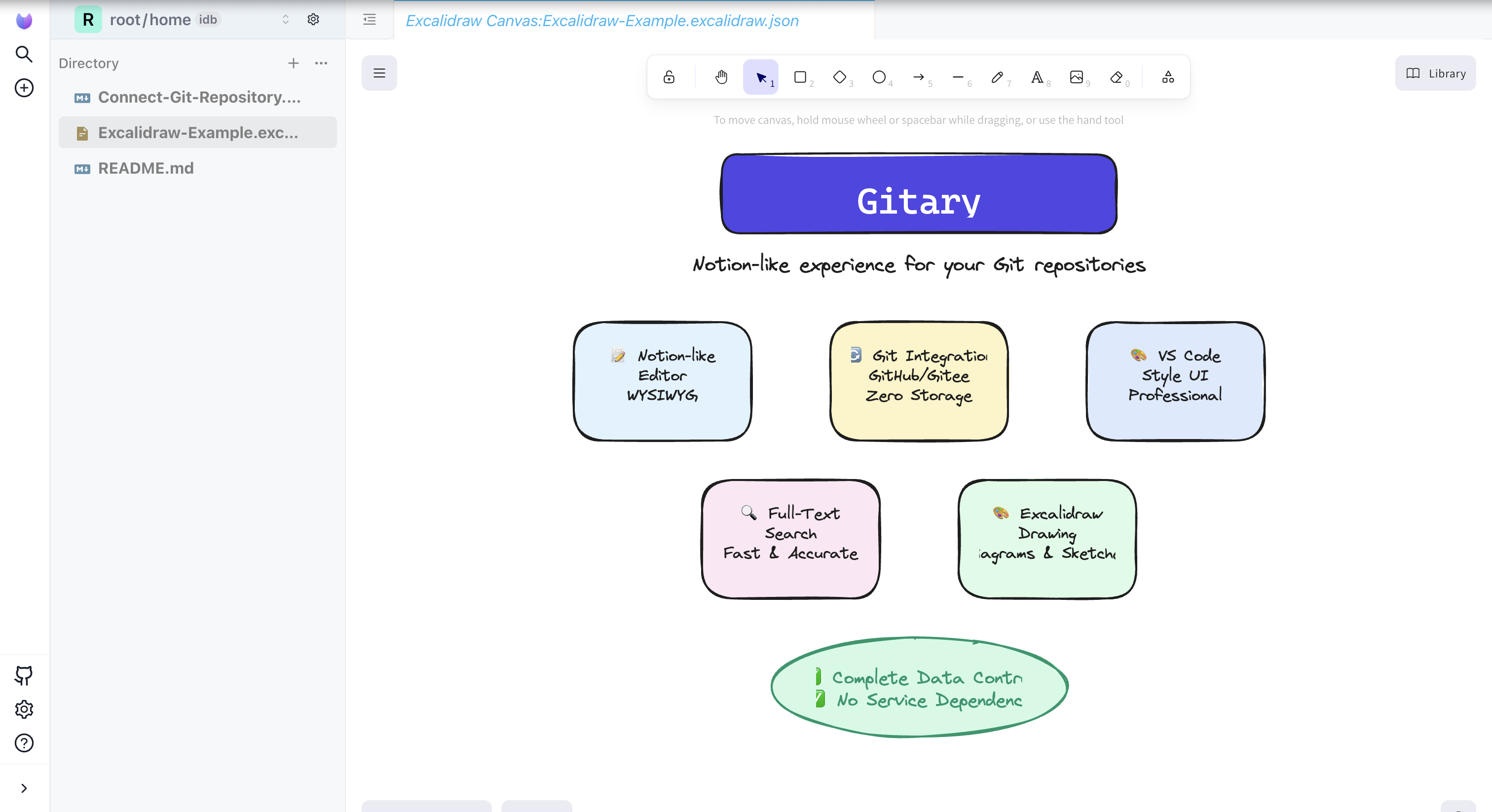
Excalidraw drawing support - Create beautiful diagrams and sketches
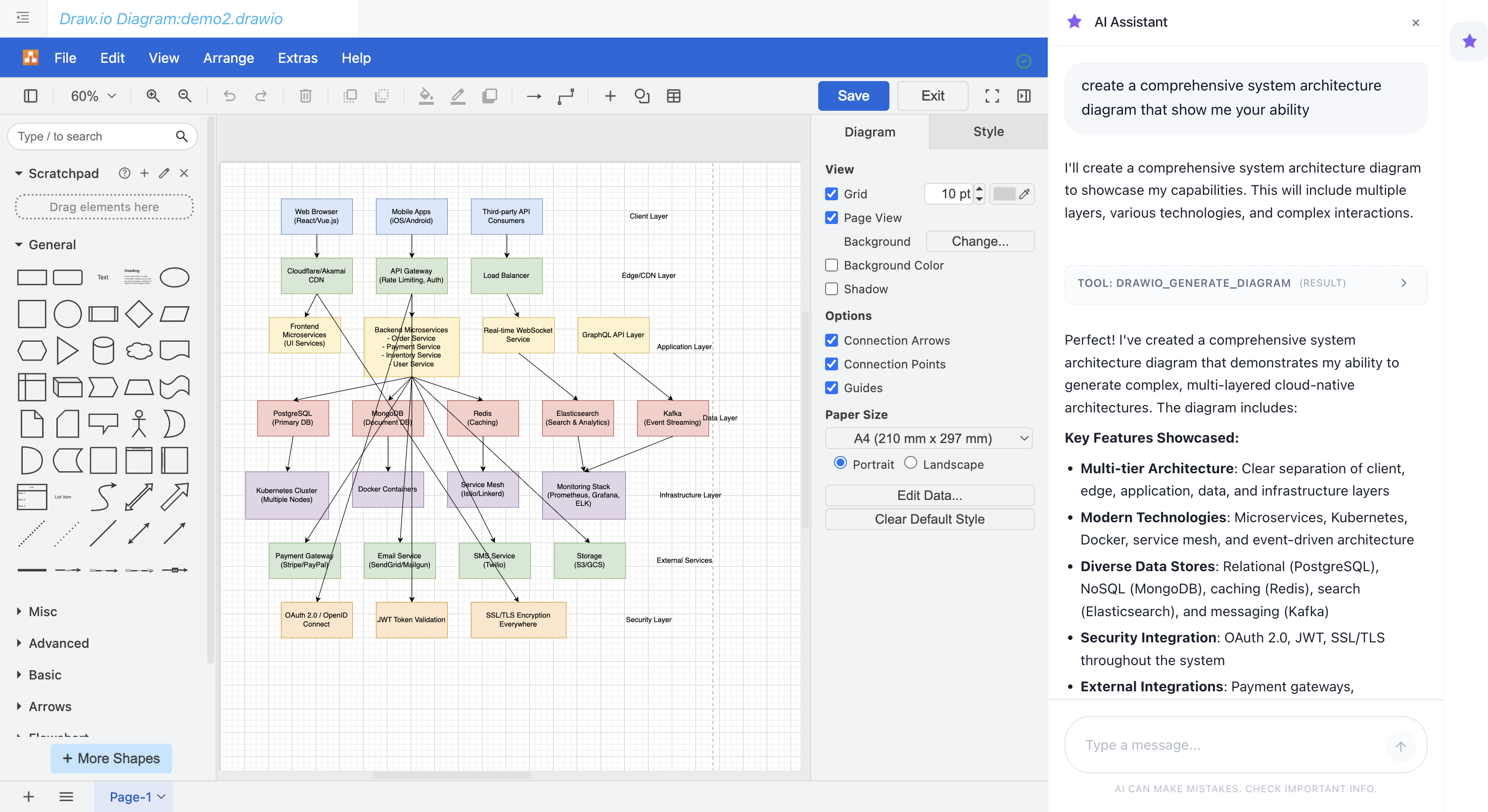
Draw.io diagram editor with AI - Create professional flowcharts, UML diagrams, and network diagrams using natural language
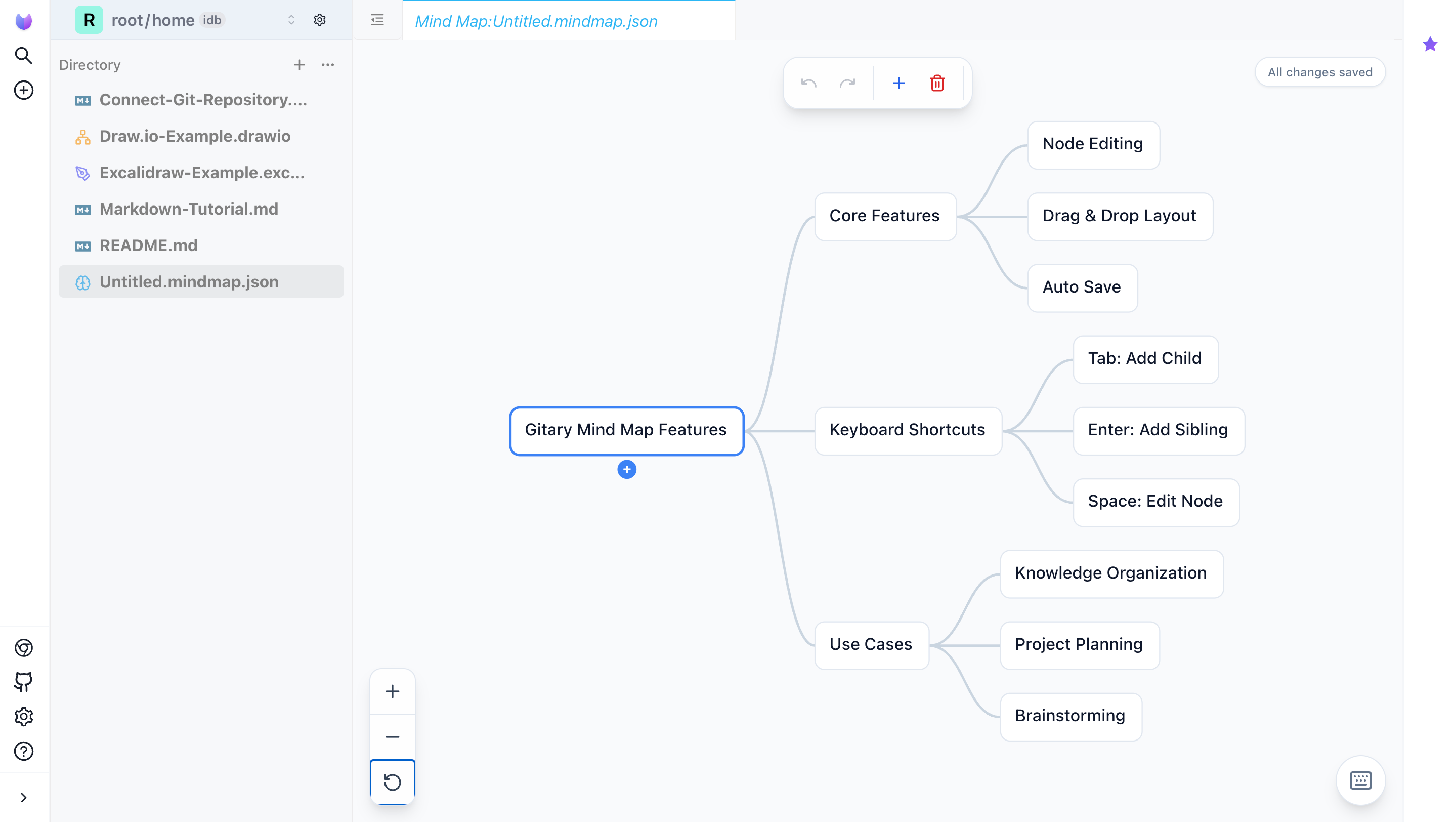
Mind Map - Create and edit mind maps with node editing, drag-and-drop layout, and auto-save
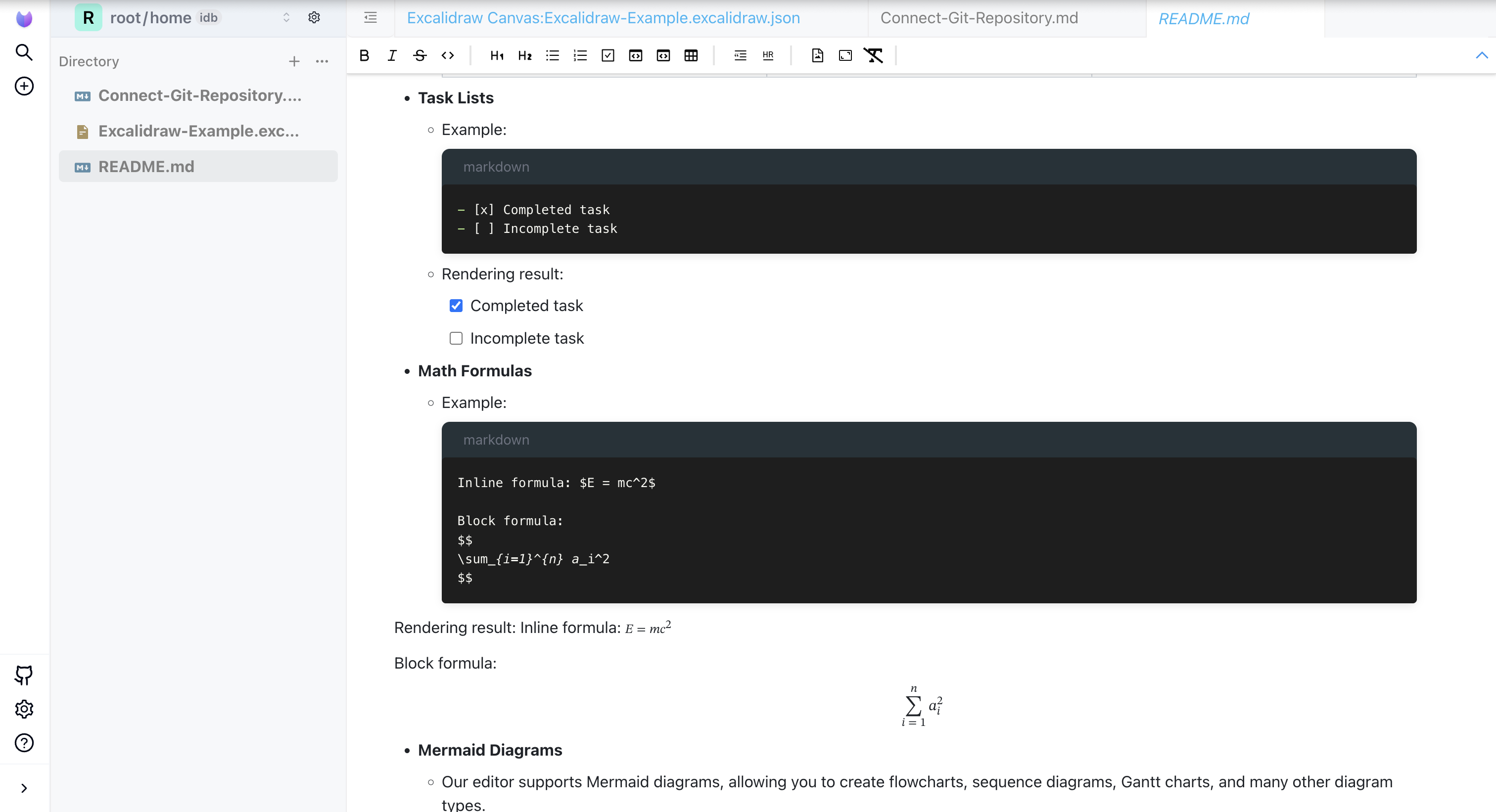
Notion-like Markdown editor with live preview
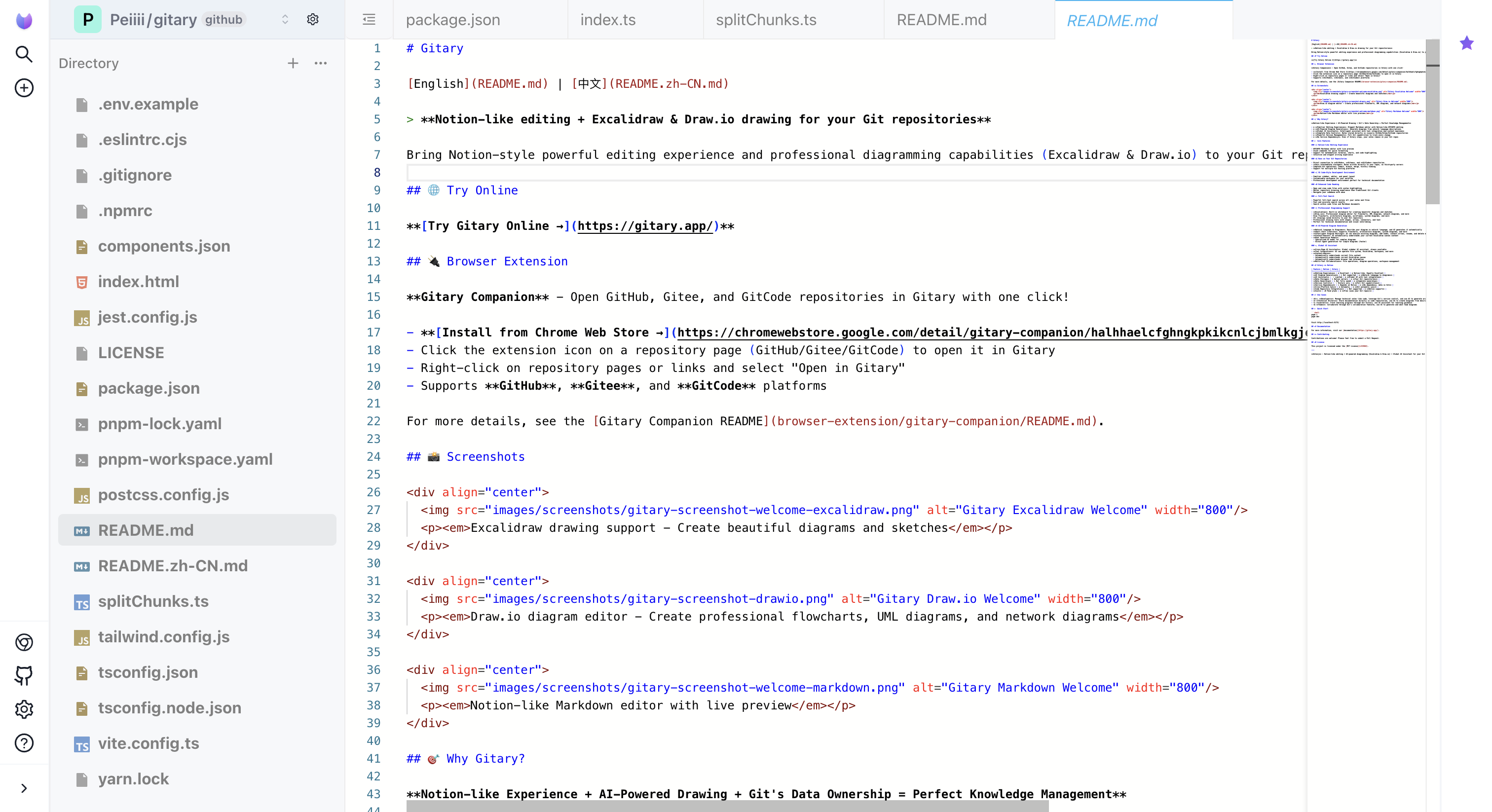
Monaco Editor - Professional code and Markdown source editing with syntax highlighting
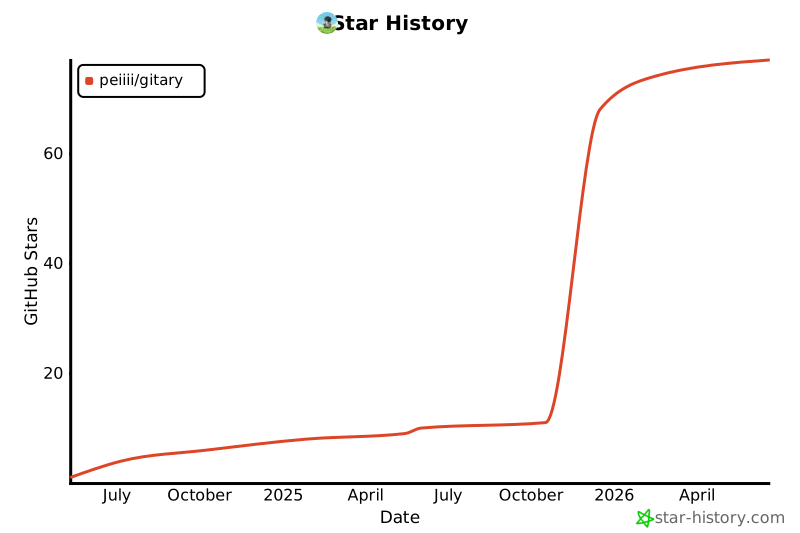
## ⭐ Star History
[](https://star-history.com/#Peiiii/gitary&Date)
## 🎯 Why Gitary?
**Notion-like Experience + AI-Powered Drawing + Git's Data Ownership = Perfect Knowledge Management**
- ✅ **Familiar Editing Experience**: Elegant Markdown editor with Notion-like WYSIWYG editing
- ✅ **AI-Powered Diagram Generation**: Generate diagrams from natural language descriptions
- ✅ **Global AI Assistant**: Intelligent assistant with tool integration and context awareness
- ✅ **Complete Data Control**: Notes stored directly in **your** GitHub/Gitee/GitCode repositories
- ✅ **Powerful Version Management**: Full Git capabilities to track every change
- ✅ **No Service Dependency**: Even if Gitary stops, your notes remain in your Git repos
## 🚀 Core Features
### 📝 Notion-like Editing Experience
- WYSIWYG Markdown editor with live preview
- Monaco Editor for professional code and Markdown source editing
- Slash commands for quick formatting
- Support for mathematical formulas, charts, and code highlighting
- Intuitive and elegant writing experience
### 🔄 Runs on Your Git Repositories
- Direct connection to **GitHub**, **Gitee**, and **GitCode** repositories
- **Zero intermediate storage**: Notes written directly to your repos, no third-party servers
- Complete Git operations: commit, branch, merge, history viewing
- Support for multiple Git hosting platforms
### 🎨 VS Code-Style Development Environment
- Familiar sidebar, editor, and panel layout
- Customizable workspace for your workflow
- Professional development environment perfect for technical documentation
### 📂 Enhanced Code Reading & Editing
- Open and view code files with syntax highlighting
- Monaco Editor for professional code editing (same engine as VS Code)
- Better repository browsing experience than traditional Git clients
- Navigate your codebase with ease
### 🔍 Full-Text Search
- Powerful full-text search across all your notes and files
- Fast and accurate search results
- Search within code files and Markdown documents
### 🎨 Professional Diagramming Support
- **Excalidraw**: Built-in whiteboard for creating beautiful diagrams and sketches
- **Draw.io**: Professional diagram editor for flowcharts, UML diagrams, network diagrams, and more
- **Mind Map**: Create and edit mind maps with node editing, drag-and-drop layout, and auto-save
- Draw flowcharts, architecture diagrams, wireframes, system diagrams, and more
- All drawings saved directly to your Git repository
- Professional drawing tools with shapes, arrows, connectors, and text
- Perfect for technical documentation and visual note-taking
### 🤖 AI-Powered Diagram Generation
- **Natural Language to Diagrams**: Describe your diagram in natural language, and AI generates it automatically
- **Smart Chart Creation**: Supports flowcharts, architecture diagrams, system diagrams, and more
- **Intelligent Diagram Editing**: AI can analyze existing diagrams, add nodes, connect arrows, rename, and delete elements
- **Context-Aware**: AI automatically understands your current Excalidraw canvas content
- **Dual Generation Modes**:
- Specialized AI model for complex diagrams
- Direct Agent generation for simple diagrams (faster)
### 💬 Global AI Assistant
- **Cross-Page AI Assistant**: Global sidebar AI assistant, always available
- **Tool Integration**: AI can operate file system, Excalidraw, workspace, and more
- **Context-Aware**:
- Automatically understands current file content
- Automatically understands current Excalidraw canvas
- Automatically understands browser tab information
- **Multi-Tool Collaboration**: File operations, diagram operations, workspace management
## 🆚 Gitary vs Notion
| Feature | Notion | Gitary |
|---------|--------|--------|
| **Editing Experience** | ✅ Excellent | ✅ Notion-like, Equally Excellent |
| **AI Diagram Generation** | ❌ Not supported | ✅ **Natural language to diagrams** |
| **AI Assistant** | ⚠️ Limited | ✅ **Global AI with tool integration** |
| **Data Storage** | ❌ Notion servers | ✅ **Your Git repositories** |
| **Data Ownership** | ❌ Not fully owned | ✅ **Complete ownership** |
| **Version Control** | ⚠️ History only | ✅ **Full Git capabilities** |
| **Service Dependency** | ❌ Depends on Notion | ✅ **No dependency, data in Git** |
| **Cross-Platform Sync** | ✅ Automatic | ✅ **Git automatic sync** |
| **Code Repository Integration** | ❌ Not supported | ✅ **Native support** |
| **Cost** | 💰 Paid plans | ✅ **Free (uses your Git repos)** |
## 💡 Use Cases
- 👨💻 **Developers**: Manage technical notes like code, leverage Git's version control, and use AI to generate architecture diagrams
- 📚 **Technical Writers**: Store documentation directly in code repositories, use AI to create diagrams from descriptions
- 🎓 **Learners**: Track learning progress through Git history, use AI assistant for learning guidance
- 🏢 **Teams**: Collaborate through Git's collaboration features, use AI to generate and edit team diagrams
## 🚀 Quick Start
```shell
pnpm i
pnpm dev
```
Visit http://localhost:5173/
## 📖 Documentation
For more information, visit our [documentation](https://gitary.app/).
## 🤝 Contributing
Contributions are welcome! Please feel free to submit a Pull Request.
## 📄 License
This project is licensed under the [MIT License](LICENSE).
---
**Gitary** - Notion-like editing + AI-powered diagramming (Excalidraw & Draw.io) + Mind Map + Global AI Assistant for your Git repositories. Your notes, your data, your control.