[](https://github.com/Pep3M/WACore/actions/workflows/ci.yml)
[](https://github.com/Pep3M/WACore/pkgs/container/wacore)
[](CHANGELOG.md)
[](https://bun.sh)
[](tsconfig.json)
[](LICENSE)
**Self-hosted WhatsApp HTTP API for developers.**
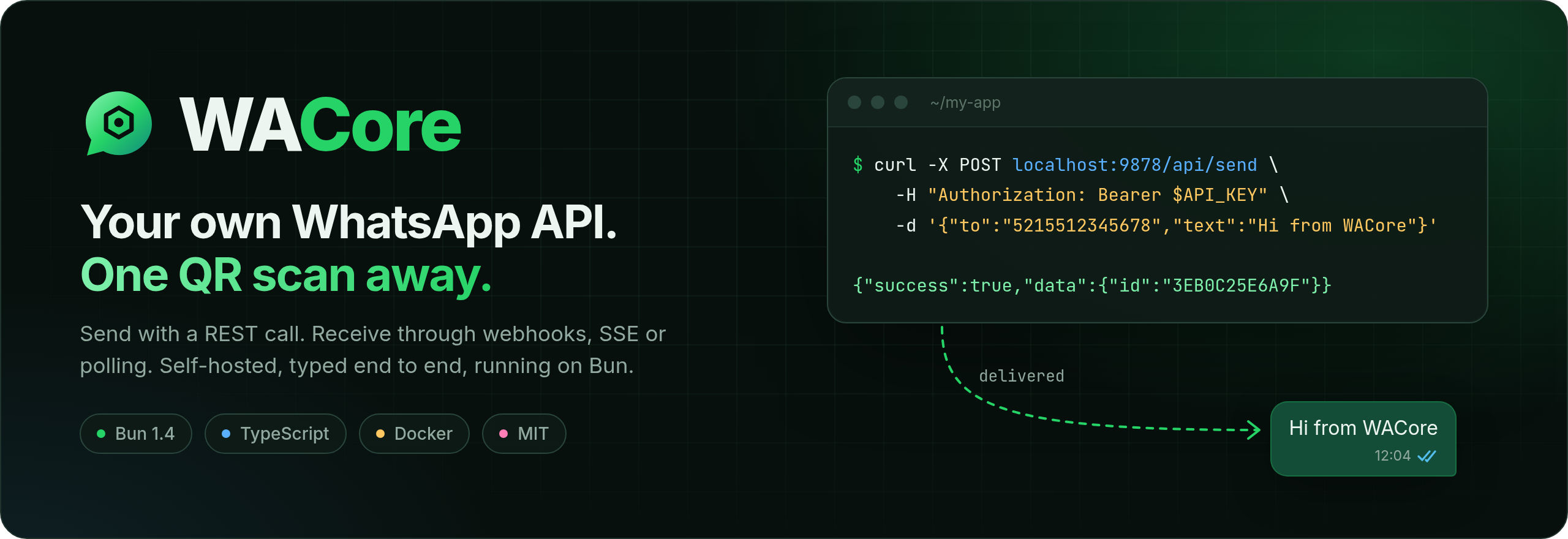
Scan a QR code once, then send messages with a REST call and receive them through webhooks, SSE or polling.
[Quick start](#-quick-start) · [How it works](#-how-it-works) · [API](#-api-at-a-glance) · [Docs](docs/index.md) · [Español](README.es.md)
---
## Why WACore
You want your app to talk on WhatsApp without adopting a SaaS, paying per message or keeping a headless Chrome alive. WACore runs next to your code, links to your number the same way WhatsApp Web does, and gives you a small, predictable HTTP API.
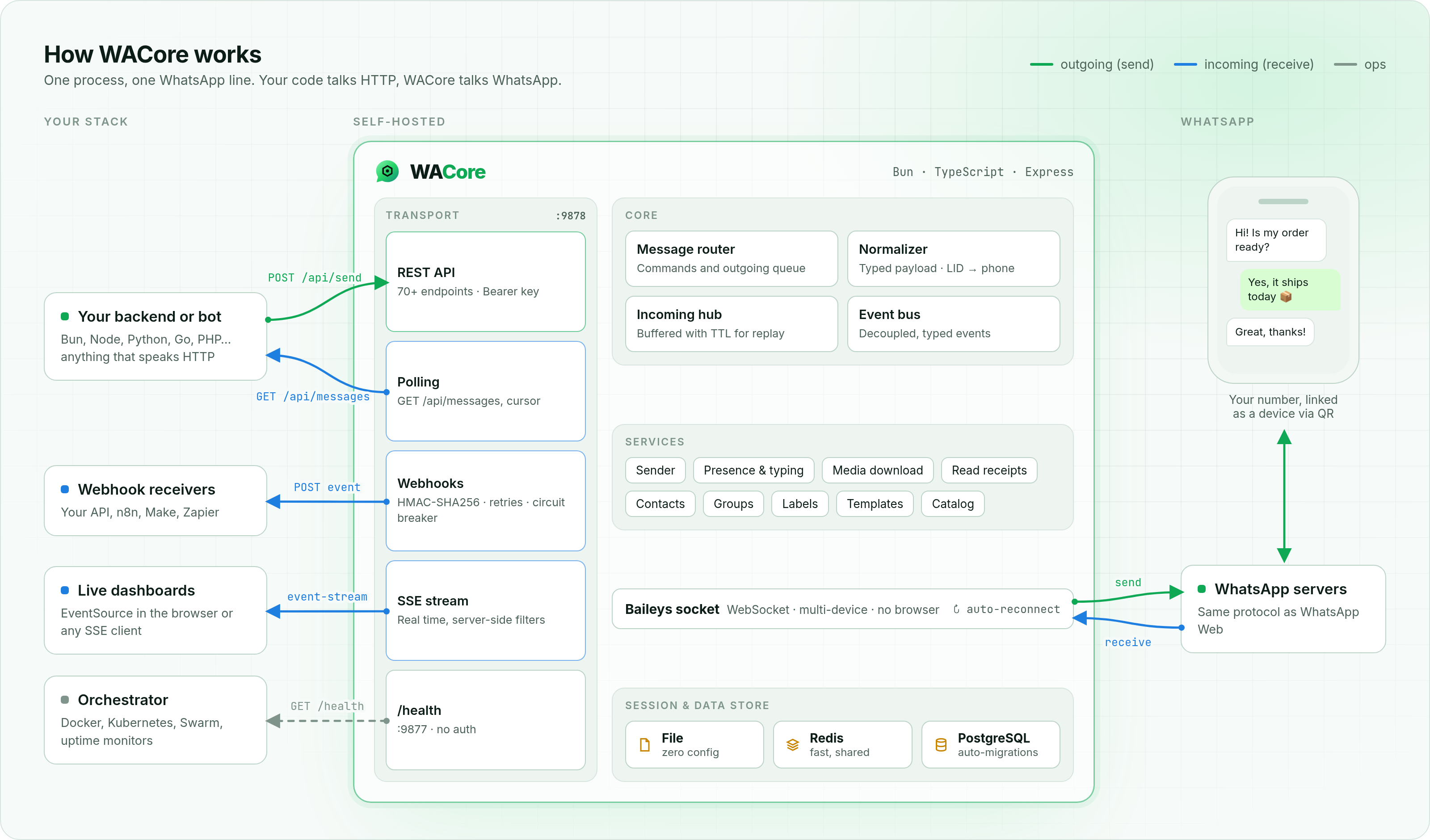
- **No browser.** It speaks the WhatsApp Web protocol over a WebSocket through [Baileys](https://github.com/WhiskeySockets/Baileys), with no Puppeteer or Chromium. It idles on a fraction of the memory a browser needs.
- **Any language.** If your stack can make an HTTP request, it can send WhatsApp messages. Incoming messages reach you however you prefer: a signed webhook, a live SSE stream or plain polling.
- **Built to stay connected.** Reconnection uses exponential backoff, sessions persist across restarts (File, Redis or PostgreSQL), long network outages recover on their own, and a separate `/health` port serves your orchestrator.
- **Predictable payloads.** Every incoming message is normalized into one typed shape. WhatsApp's internal LIDs are resolved to phone JIDs, so you can always reply to `from`.
- **Tested contract.** More than 770 tests, including contract tests that pin the public routes, auth and payload shapes between releases.
## ⚡ Quick start
### 1. Run it
**With Docker** (recommended):
```bash
docker run -d --name wacore \
-p 9877:9877 -p 9878:9878 \
-e API_KEY=change-me \
-e SESSION_STORE=file \
-v wacore_data:/data \
ghcr.io/pep3m/wacore:latest
```
**Or from source** with [Bun](https://bun.sh) ≥ 1.4.4:
```bash
git clone https://github.com/Pep3M/WACore.git && cd WACore
bun install
cp .env.example .env # set API_KEY=change-me
bun start
```
### 2. Link your number
The QR code is printed in the logs (`docker logs -f wacore`). On your phone, open **WhatsApp → Settings → Linked devices → Link a device** and scan it. The session is saved, so you only do this once.
> You can also fetch the QR as a string from `GET /api/qr` and render it in your own UI.
### 3. Send your first message
```bash
curl -X POST http://localhost:9878/api/send \
-H "Authorization: Bearer change-me" \
-H "Content-Type: application/json" \
-d '{"to":"5215512345678","text":"Hello from WACore 👋"}'
```
```json
{ "success": true, "data": { "id": "3EB0C25E6A9F..." } }
```
### 4. Receive messages
Point WACore at your endpoint and every incoming message arrives as a signed `POST`:
```bash
-e WEBHOOK_URL=https://your-app.com/whatsapp \
-e WEBHOOK_SECRET=a-long-random-string
```
```json
{
"event": "message",
"instanceId": "default",
"timestamp": "2026-09-27T12:00:00.000Z",
"data": {
"id": "3EB0C25E6A...",
"from": "5215512345678@s.whatsapp.net",
"phone": "5215512345678",
"pushName": "Juan",
"type": "text",
"body": "Hi! Is my order ready?",
"isGroup": false
}
}
```
That's the whole loop. The rest of this page covers the details.
## 🧭 How it works