# Pinvou Agent
**An open-source desktop AI agent workspace for work, design, and coding.**
[English](README.md) · [简体中文](README.zh-CN.md) · [日本語](README.ja.md)
[](https://github.com/Pinvou/pinvou-agent/actions/workflows/pr-check.yml)
[](LICENSE)
[](pinvou3-app/package.json)
[](#-quick-start)
[](https://github.com/Pinvou/pinvou-agent/stargazers)
[Download Preview](https://github.com/Pinvou/pinvou-agent/releases) · [Website](https://pinvou.com/) · [QQ Group](#-community--security) · [Issues](https://github.com/Pinvou/pinvou-agent/issues) · [Discussions](https://github.com/Pinvou/pinvou-agent/discussions) · [Security](SECURITY.md)
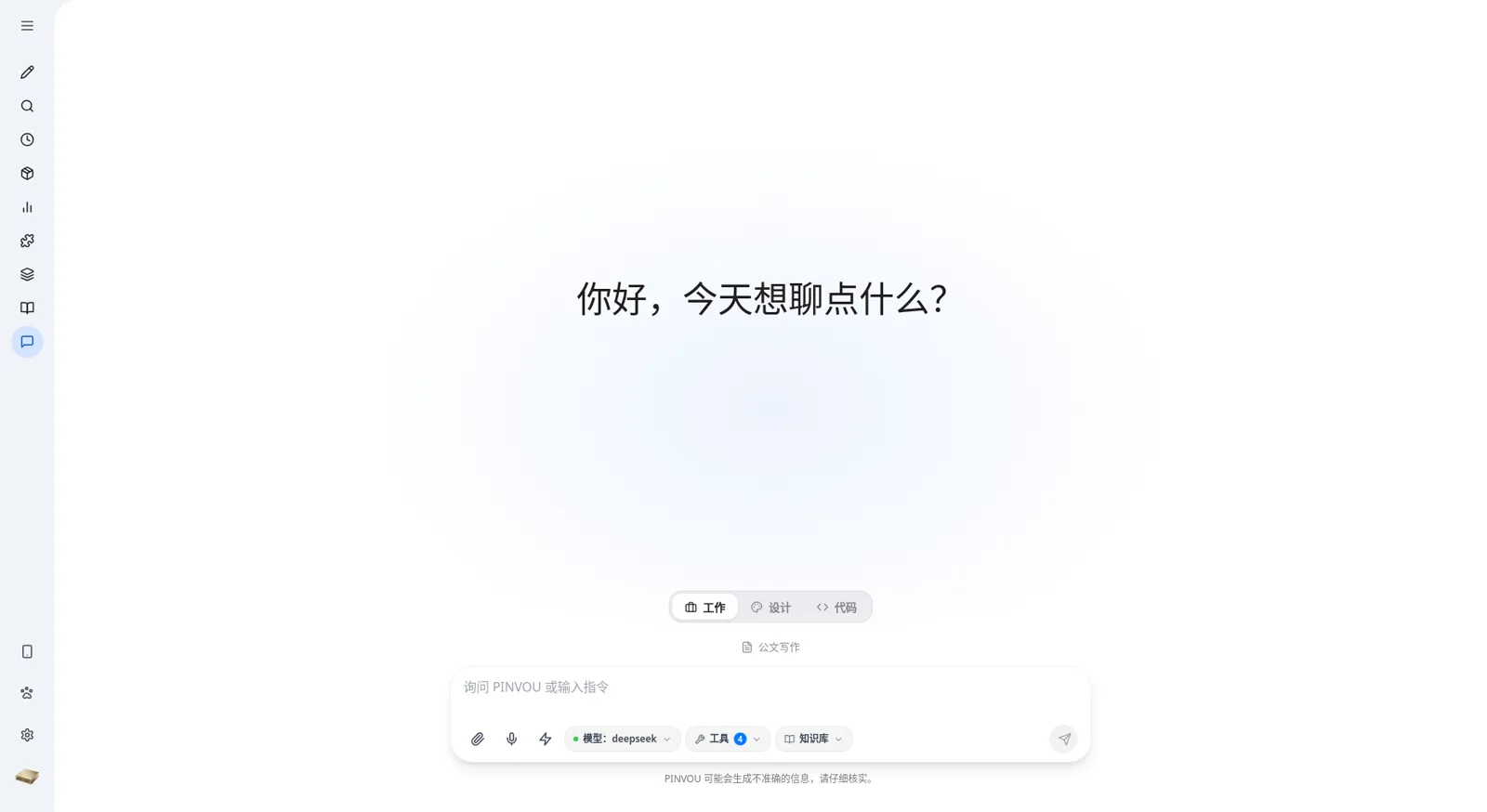
▶ Watch the 90-second feature demo (Chinese)
Pinvou Agent is more than a chat window. It brings everyday work, visual design, and software development into one desktop workspace — designed for tasks that should end with **a result**, not just another chat response. Use tools, work with files, and build personal knowledge; bring a dedicated coding agent into a real project over ACP; or turn a prompt into a visual artifact you can continue editing.
Use a local model for a fully private loop, connect any OpenAI-compatible endpoint, and extend the agent with MCP servers, CLI connectors, Skills, and workflows.
## 🧭 One workspace, three ways to work
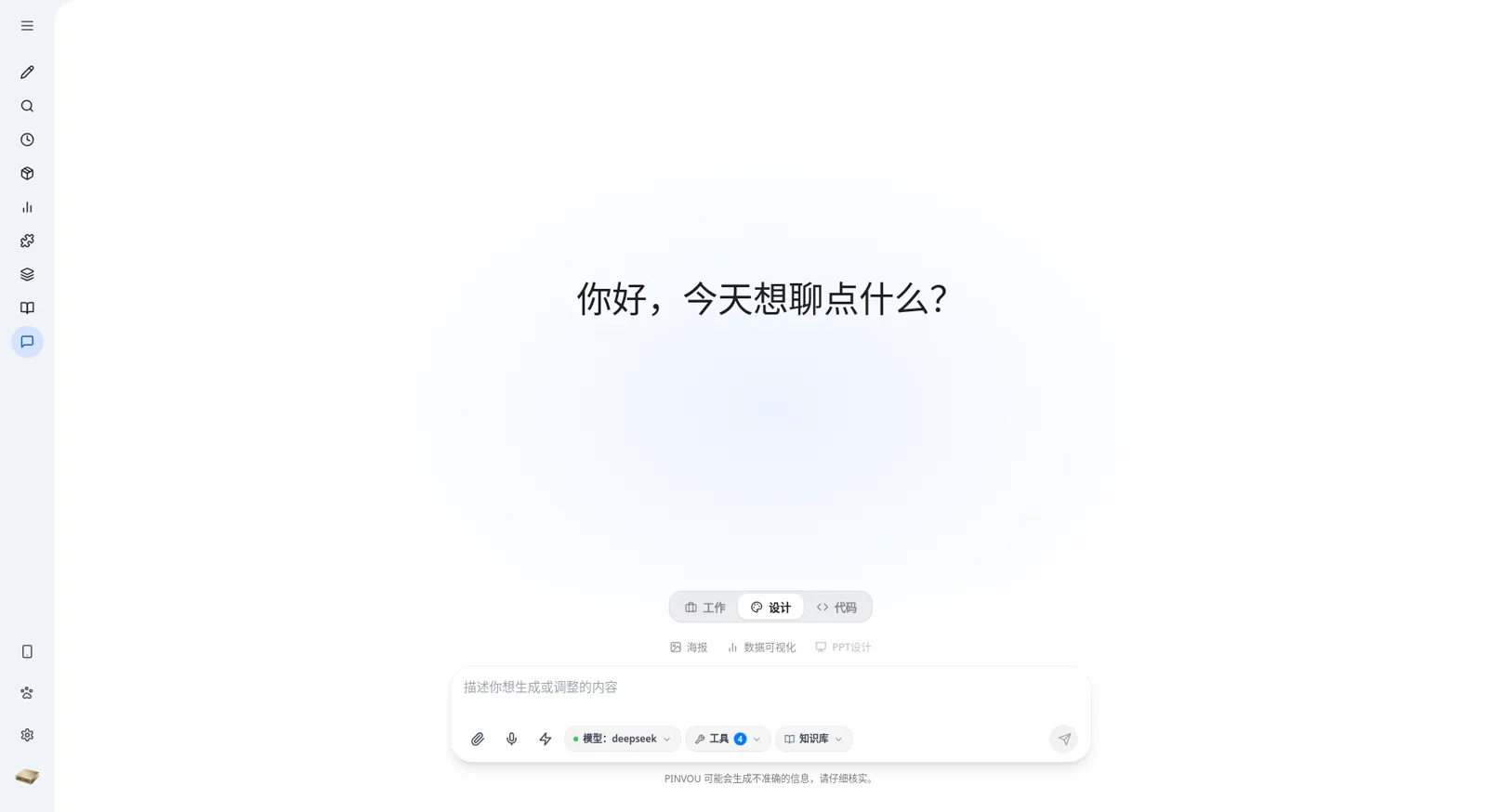
### 💼 Work: give the agent a real task
Combine attachments, personal knowledge, specialist personas, Skills, MCP tools, and workflows to research, analyze, write, and deliver reusable files — not just another block of chat text.
### 🎨 Design: from a prompt to an editable visual
Create posters and data visualizations in natural language. Open the result in design mode, select elements directly, and adjust copy, fonts, colors, dimensions, and layout — or keep describing changes and let the agent iterate on the current design.
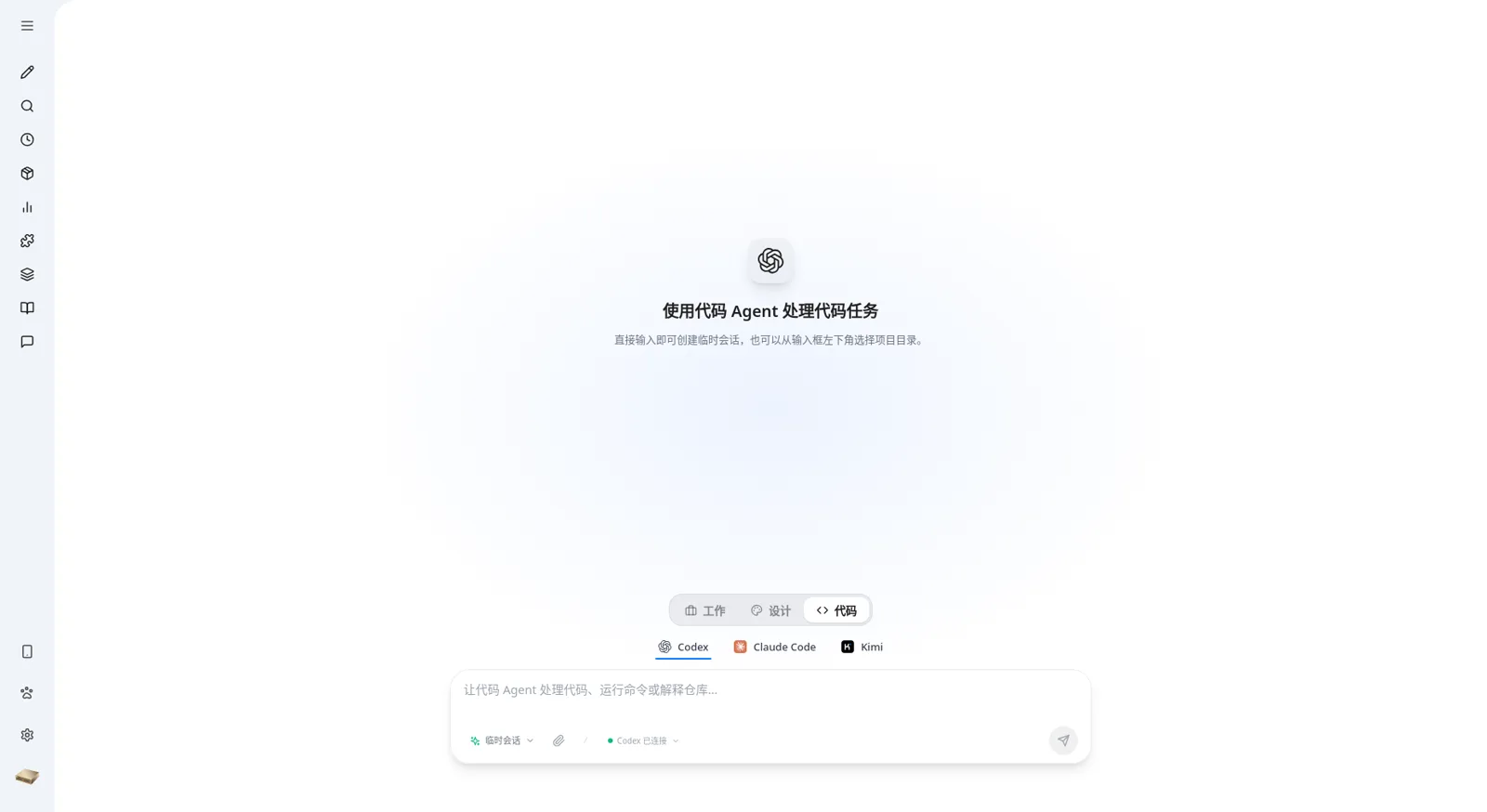
### 💻 Code: bring a coding agent into a real project
Use **Codex, Claude Code, or Kimi** through [ACP](docs/multi-agent-acp.md) in the same desktop workspace. The coding agent can read and edit a real project or an isolated temporary workspace, run commands, and surface plans, tool steps, permission requests, and file changes. Sessions stay bound to their workspace and can be continued after restarting the app.
## ✨ Features
### 🎯 From conversation to deliverables
- **Multi-session workspace** with title search — messages, tool calls, and artifacts persist with each session
- **Attachments** for PDF, Office documents, images, and text — drag, drop, or paste them in
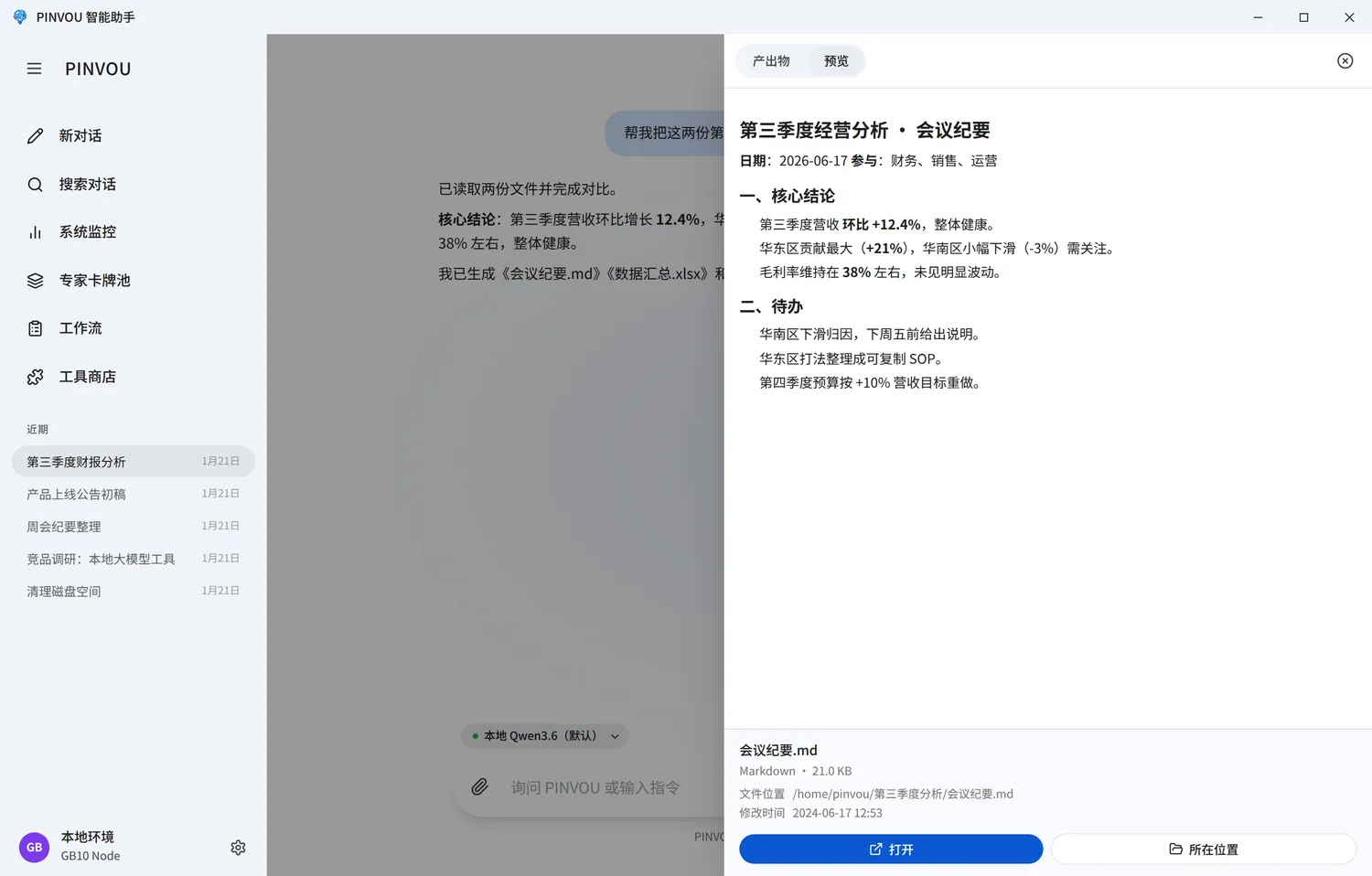
- **Artifact panel** automatically collects every file the agent creates or edits; preview, locate, and open them in one place
- **Editable Markdown artifacts** — edit directly, or select a passage and ask the agent to revise it
- **Plan / YOLO modes** — review the plan first for complex work, or execute directly when the task is clear
- **Auxiliary chat** — ask side questions while a task runs, in a per-task side session whose only tool is a server-enforced read-only view of that task's own history (ADR-0024), isolated from the task's execution context
### 🧠 Knowledge and memory
- **Local knowledge base** with file management, full-text and vector retrieval; attach multiple collections to one chat, enable or disable each independently, and retain collection and file provenance in answers
- **Memory center** captures long-term preferences and context, with explicit candidate review and confirmation
- **Persona card pool** — create, save, and apply specialist roles for different domains
- **Skills, Commands, and workflows** turn proven methods into stable, reusable capabilities
### 🔌 Real tools and connectors
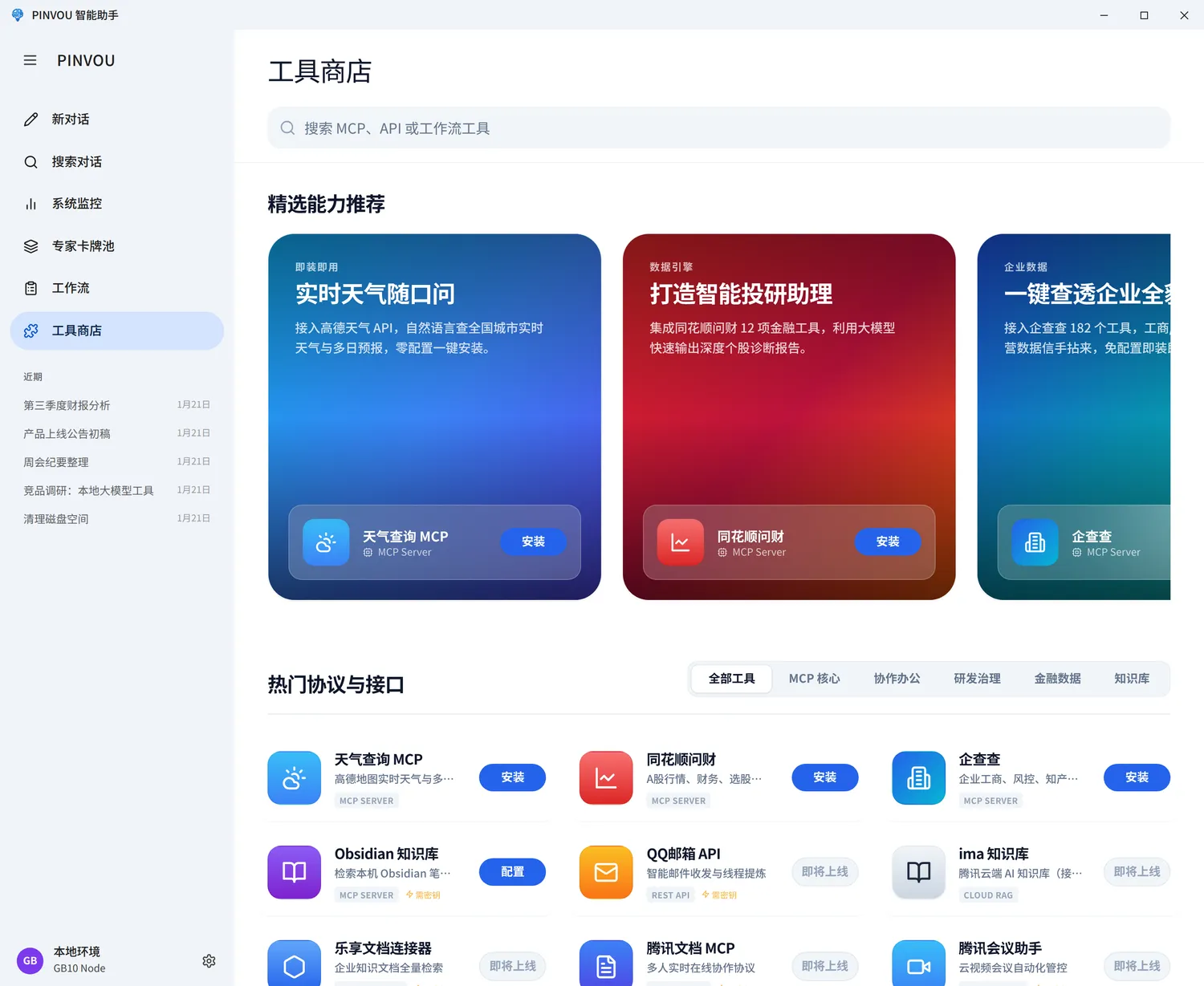
- **Unified tool store** for local MCP servers, remote MCP servers, CLI tools, and API connectors
- **OAuth / SSO authorization** where supported — no manual key pasting
- Ready-made connectors for **Feishu (Lark), DingTalk, WeCom, Tencent Meeting, Tencent ima, Obsidian**, enterprise knowledge bases, and legal / enterprise data services
- **Remote control** — scan a QR code from your phone to view and steer the running workspace
### 🖥️ Built for daily operation
- **Global bring-to-front shortcut** (off by default, `Ctrl/Cmd+Alt+P`) — enable it in Settings → General to summon the window with a key while it runs in the background
- **Local voice input** with on-demand speech model downloads
- **Centralized monitoring** of GPU, memory, disk, model service, and context usage
- **Updates via GitHub Releases** — in-app update checks are not enabled yet
- Sessions, settings, knowledge, and runtime extensions all live under `~/.pinvou3/`
> [!NOTE]
> Whether data leaves your machine depends on the model and tools you enable. A local model with local tools stays fully local. Cloud models, remote MCP servers, and third-party connectors send the relevant requests to their respective services.
## 📸 Screenshots
Pinvou Agent is under active development — the `main` branch and the latest release notes are the source of truth for current behavior.
**[MIT License](LICENSE)** · Made with ❤️ by the Pinvou team and contributors