.py
```
or the equivalent launch method configured on the EV3.
If the final repository entry point is:
```text
src/obstacle_challenge.py
```
that file should be the clearly documented program used for the current Obstacle configuration.
Before full execution, verify that the software can:
```text
initialize ev3dev2 motors
read S2
read S3
read S4
open the Pixy I2C/SMBus interface
receive valid Pixy data
```
A failure in Pixy communication should be solved before obstacle-navigation parameters are modified.
---
# 5.15 Obstacle Startup Sequence
A reproducible startup process is:
```text
1. Power down Piolín before changing S1.
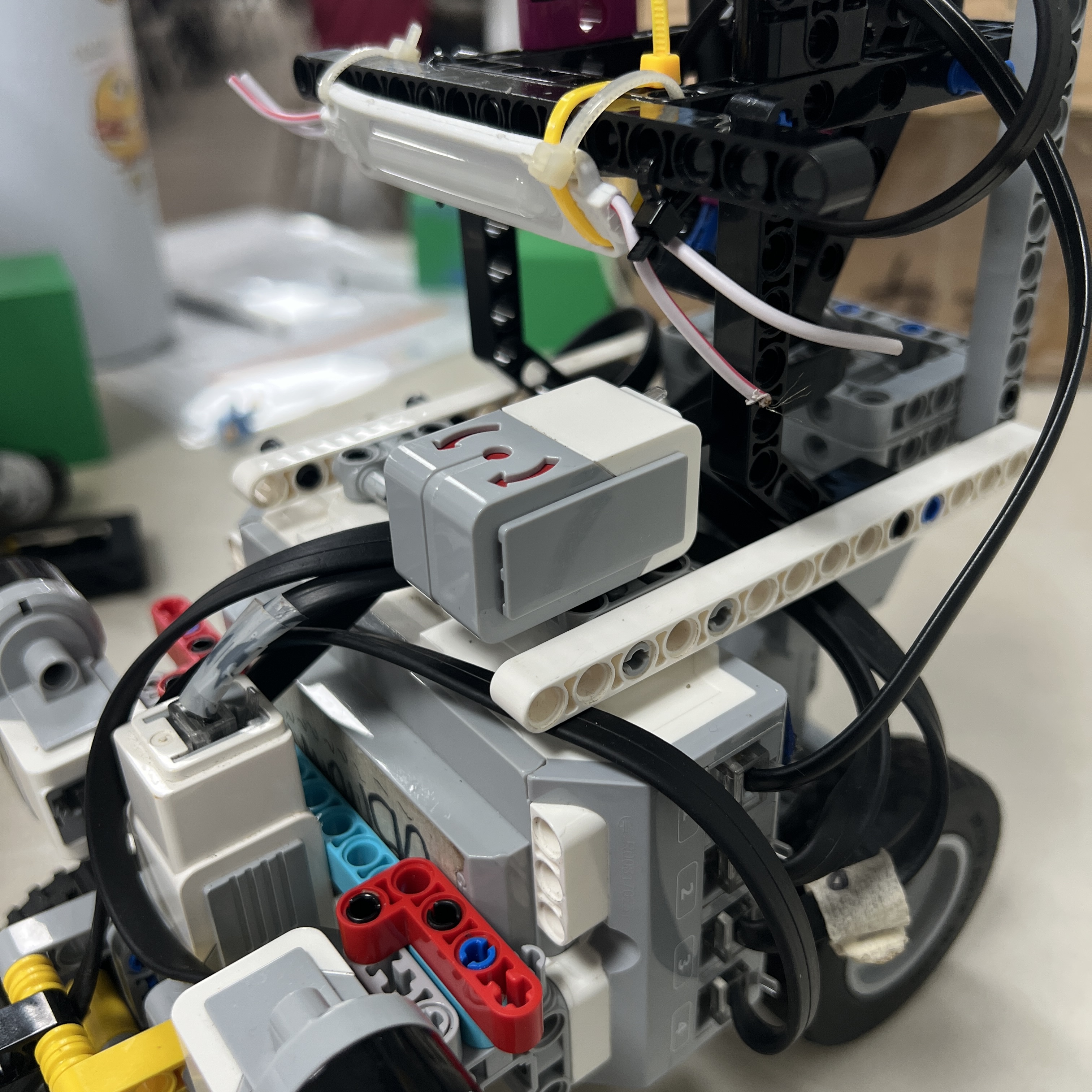
2. Remove the Gyro Sensor.
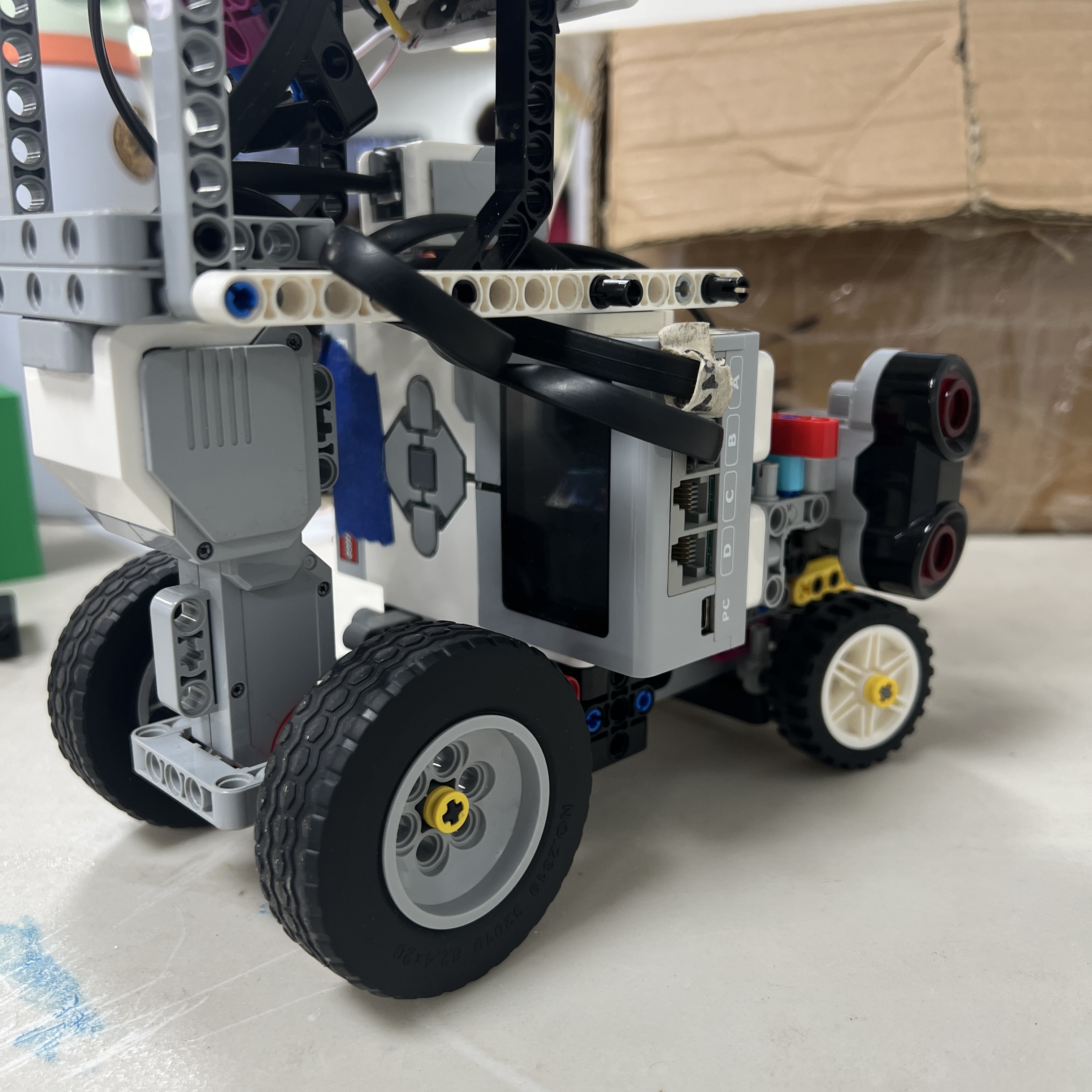
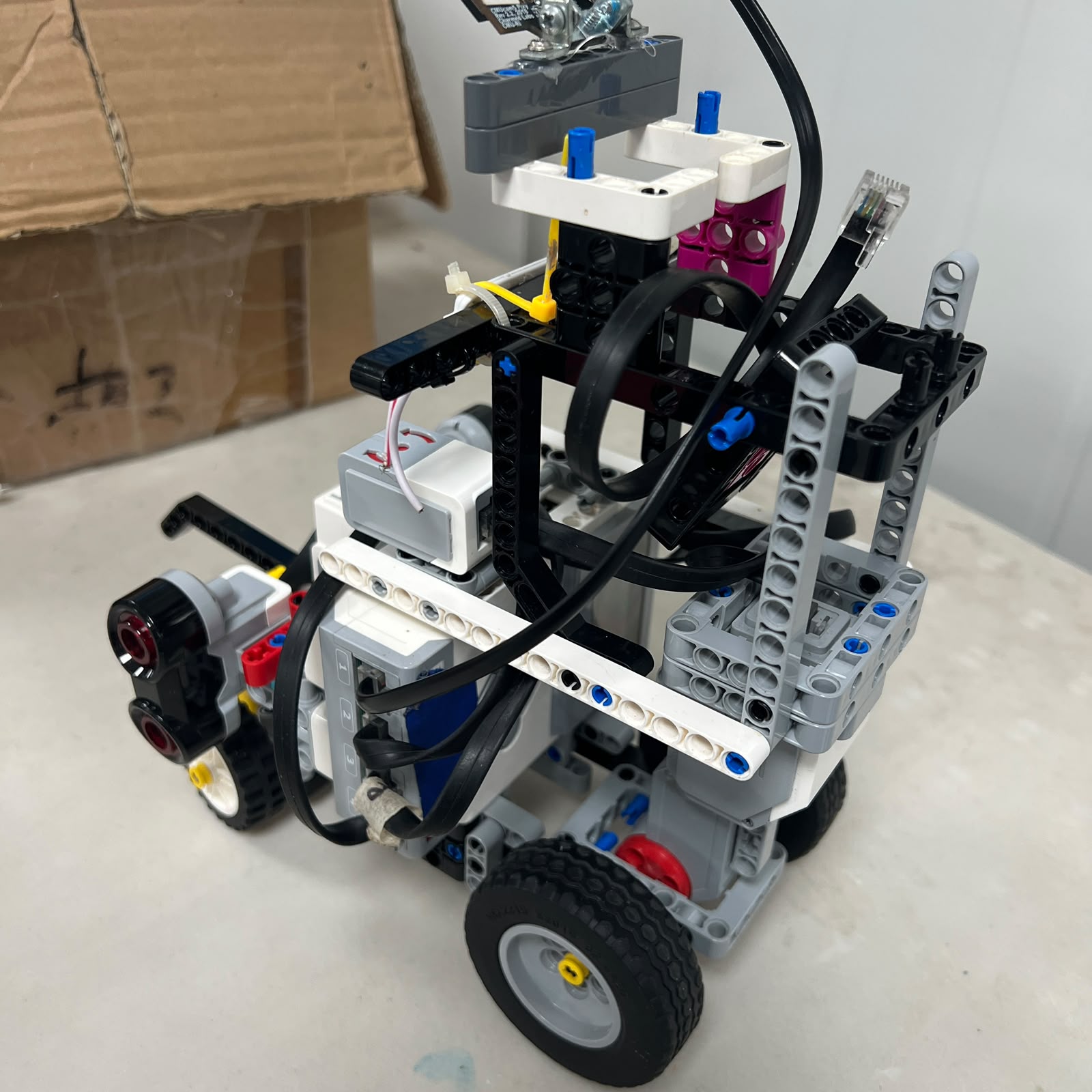
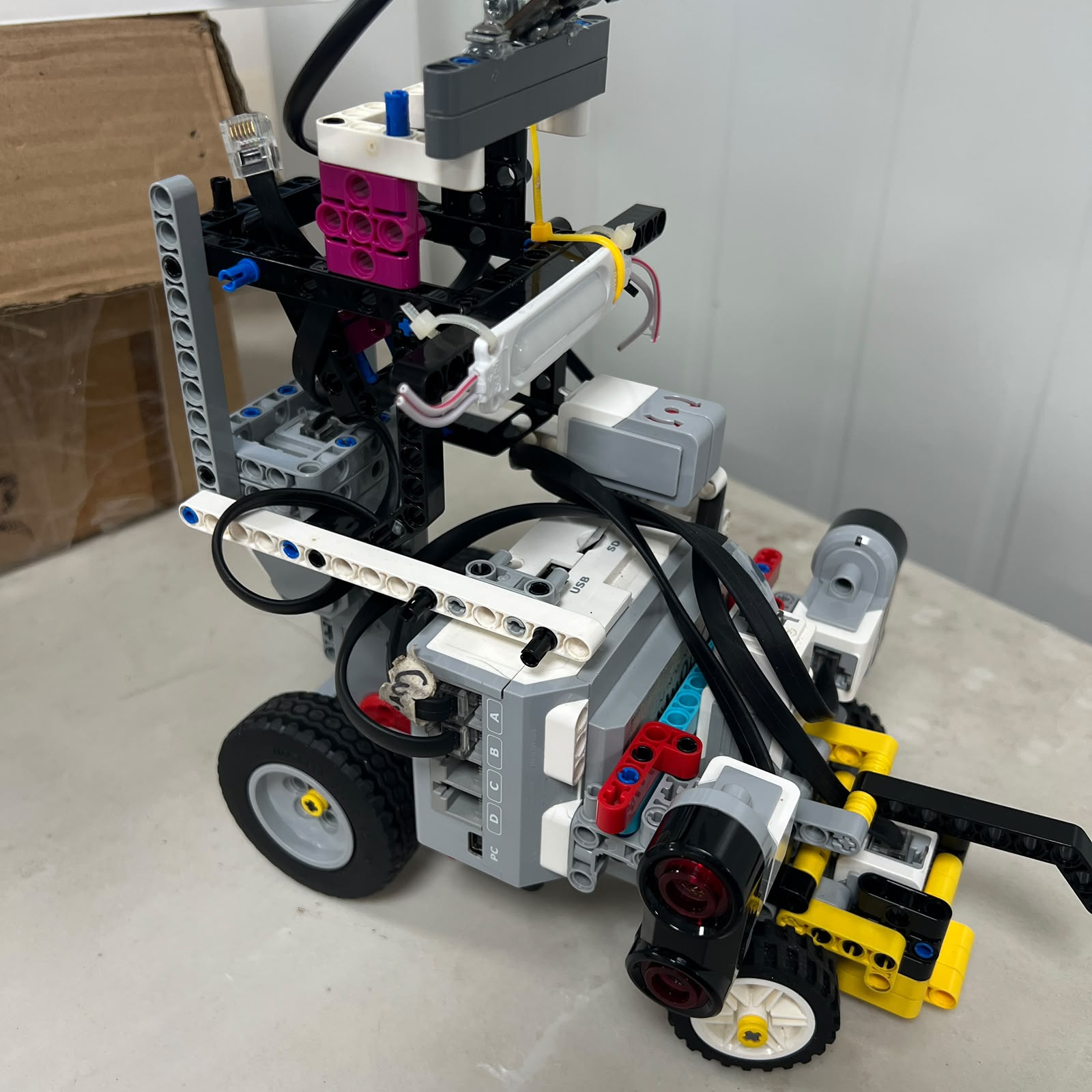
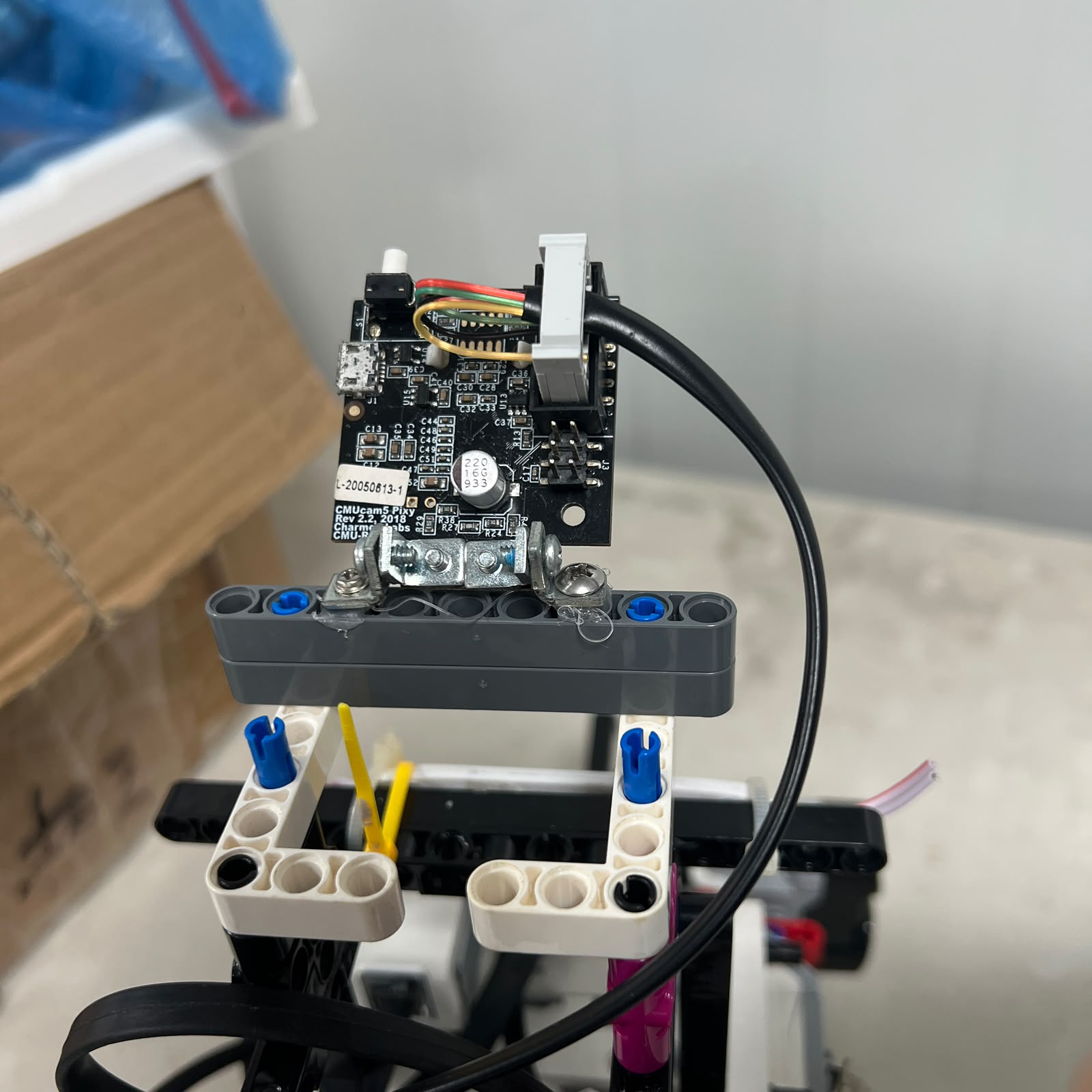
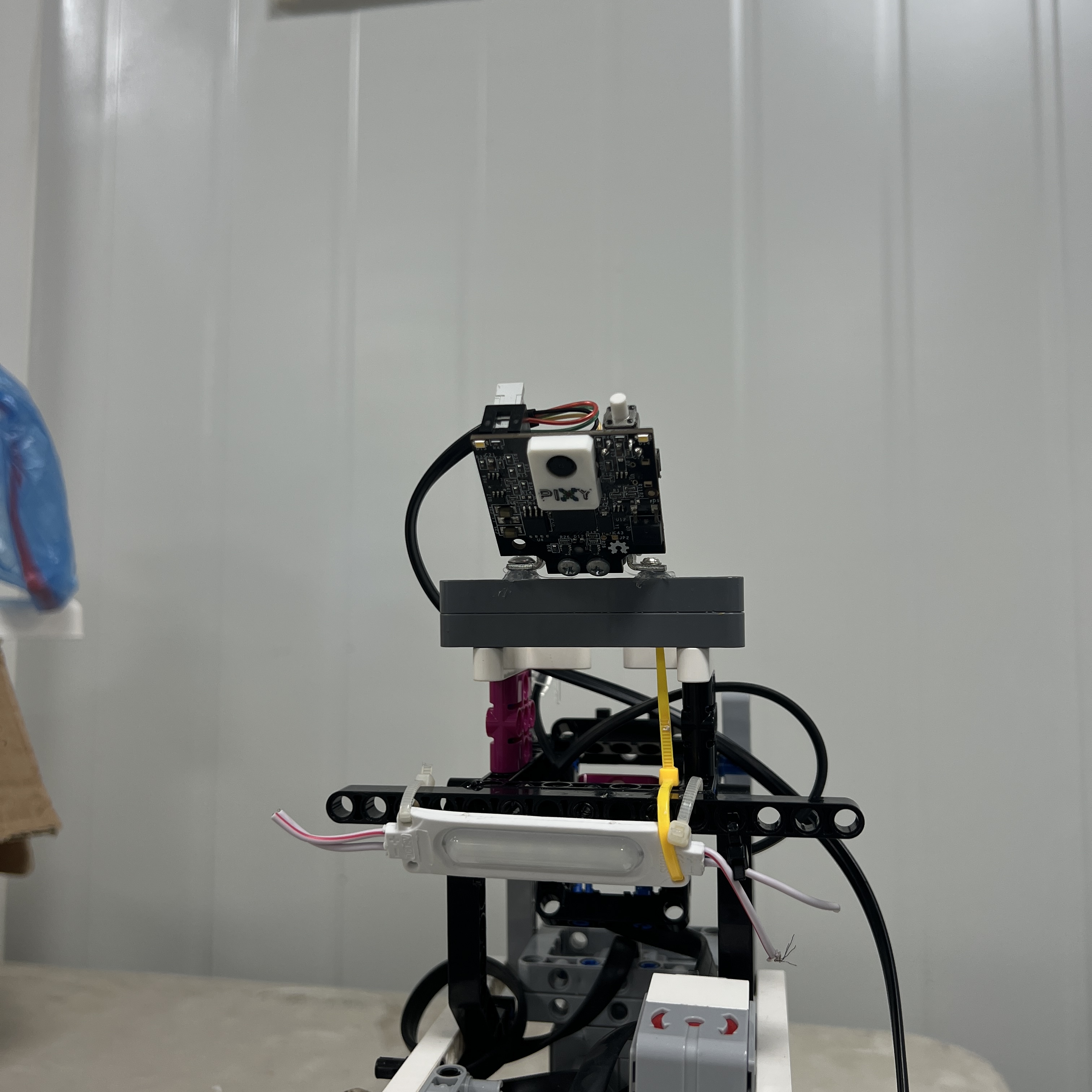
3. Install the Pixy2.1 assembly.
4. Verify the Pixy 3D-printed casing is secure.
5. Connect Pixy2.1 to S1.
6. Verify S2 = LEFT Ultrasonic.
7. Verify S3 = RIGHT Ultrasonic.
8. Verify S4 = Color Sensor.
9. Verify Motors A and B.
10. Power on the EV3.
11. Launch the Obstacle software environment.
12. Verify Pixy communication.
13. Verify Red / Green / Pink signature mapping.
14. Test raw ultrasonic readings.
15. Test steering direction.
16. Begin low-speed obstacle testing.
```
The robot should not proceed directly to a full-speed run after changing the S1 device.
A short hardware/software verification catches many configuration errors immediately.
---
# 5.16 Obstacle Target Processing
The software should not assume that the first block returned by Pixy is always the obstacle Piolín should follow.
A more robust pipeline is:
```text
read blocks
↓
reject invalid signatures
↓
evaluate candidate relevance
↓
select active pillar
↓
temporarily lock target
↓
execute maneuver
↓
confirm pass
↓
release target
```
Target relevance can use information such as:
```text
signature
x
y
width
height
current state
previous target
```
The final scoring or selection formula is still under development and should therefore not be documented as a fully validated final algorithm until testing supports it.
---
# 5.17 Vision Coordinates and Passing Direction
The software must keep two concepts separate.
```text
PIXY x
→ where the target appears in the image
```
and:
```text
signature
→ which side Piolín is required to pass
```
The rule is always:
```text
RED
→ RIGHT
```
```text
GREEN
→ LEFT
```
regardless of whether the target appears:
```text
left of image center
centered
right of image center
```
The coordinate can influence **how strongly** or **how early** the robot reacts.
It must not invert the competition rule.
---
# 5.18 Obstacle Control Arbitration
The Obstacle program contains multiple possible steering influences.
These can include:
```text
normal wall correction
wall safety
pillar avoidance
countersteering
post-pillar recovery
corner control
```
The software should not simply add all of them with equal authority.
A state-dependent priority is more understandable.
Conceptually:
```text
NORMAL
→ geometry control
```
```text
PILLAR ACTIVE
→ obstacle objective dominates
→ wall safety remains active
```
```text
PILLAR PASSED
→ countersteer
→ ultrasonic recovery
```
```text
RECOVERED
→ normal control resumes
```
This is especially important because allowing wall following to fight obstacle avoidance can make correct Pixy detections appear to produce the wrong steering behavior.
---
# 5.19 Shared Software Conventions
Even though the two programs use different software environments, some conventions should remain identical.
### Motor mapping
```text
A = propulsion
B = steering
```
### Ultrasonic mapping
```text
S2 = LEFT
S3 = RIGHT
```
### Floor sensor
```text
S4 = Color Sensor
```
### Obstacle rules
```text
RED = pass RIGHT
GREEN = pass LEFT
```
These conventions should not be redefined independently in different source files.
A shared engineering vocabulary reduces errors when switching between round-specific programs.
---
# 5.20 Recommended Source-Code Organization
A clean final repository can organize software by responsibility.
For example:
```text
src/
│
├── open_challenge.py
│
├── obstacle_challenge.py
│
└── README.md
```
If helper modules are later separated, the structure could expand conceptually to:
```text
src/
│
├── open_challenge.py
├── obstacle_challenge.py
│
├── control/
│ ├── steering
│ └── drive
│
├── sensors/
│ ├── ultrasonic
│ ├── color
│ ├── gyro
│ └── pixy
│
└── utilities/
```
The exact module structure should reflect the actual code rather than creating empty architecture only for appearance.
The important reproducibility requirement is that another reader can identify:
```text
which file starts Open
which file starts Obstacles
```
without searching through experimental programs.
---
# 5.21 Development Files vs. Current Entry Points
Piolín development naturally produces files such as:
```text
test versions
calibration programs
experimental steering programs
camera tests
old controller iterations
```
These are valuable engineering records, but they should not all appear to have equal status.
A useful distinction is:
```text
CURRENT ENTRY POINT
→ program intended for present round testing
```
```text
EXPERIMENTAL
→ active development / subsystem testing
```
```text
LEGACY
→ architecture no longer used
```
For example, old HuskyLens/Nano code should not sit beside the current Pixy program without clear legacy labeling.
This prevents another builder from reproducing the wrong architecture.
---
# 5.22 Calibration Files
Small diagnostic programs are useful during setup.
Examples include programs that only:
```text
print S2/S3 distance
print Color Sensor values
print gyro angle
read Pixy blocks
move Motor B to center
test Motor A forward/reverse
```
These programs can be easier to debug than the complete autonomous controller.
The setup philosophy is:
```text
TEST EACH INTERFACE
↓
THEN RUN COMPLETE CONTROLLER
```
A full autonomous program is a poor first diagnostic for a newly rebuilt system because too many variables are active simultaneously.
---
# 5.23 Suggested Software Verification Sequence
After transferring the software to the EV3, verify it in this order:
```text
1. Program starts without import/runtime errors.
2. Motor A object initializes.
3. Motor B object initializes.
4. S2 can be read.
5. S3 can be read.
6. S4 can be read.
7. Correct S1 device can be read.
8. Motor A direction is correct.
9. Motor B left/right direction is correct.
10. Steering center is correct.
11. Sensor values are physically plausible.
12. Low-speed test succeeds.
13. Only then run autonomous navigation.
```
This order isolates configuration problems before they become track collisions.
---
# 5.24 Software Setup After a Round Change
Changing from Open to Obstacles is not only a hardware action.
The active runtime also changes.
### Open → Obstacles
```text
power down
↓
replace Gyro with Pixy
↓
verify wiring
↓
boot EV3
↓
select Python 3 / ev3dev2 Obstacle program
↓
verify SMBus/I2C camera communication
↓
test signatures
↓
run Obstacles
```
### Obstacles → Open
```text
power down
↓
replace Pixy with Gyro
↓
verify wiring
↓
boot EV3
↓
select Pybricks Open program
↓
initialize gyro
↓
reset heading
↓
run Open
```
A round conversion is not complete until both the **hardware and software environment** correspond to the same challenge.
---
# 5.25 Git and Version Control
Reproducibility requires knowing which source code produced a particular result.
A useful workflow is:
```text
modify code
↓
test
↓
record observation
↓
keep or reject change
↓
commit meaningful version
```
Important known-good versions should be identifiable through Git rather than only through filenames such as:
```text
final2.py
finalfinal.py
newnewworking.py
```
Development filenames are understandable during rapid testing, but the final repository should use Git history and descriptive entry points to preserve traceability.
---
# 5.26 Configuration Constants
Controller values should be grouped clearly rather than scattered throughout the program.
Examples include:
```text
drive speed
steering limits
wall target
wall safety threshold
gyro gains
color thresholds
corner parameters
Pixy signature IDs
visual relevance limits
target-lock parameters
parking parameters
```
A reader should be able to distinguish:
```text
CALIBRATION VALUES
```
from:
```text
CONTROL LOGIC
```
This makes reproduction and retuning significantly easier.
Working values should be described as current tuning values until repeated testing supports them as final calibrated parameters.
---
# 5.27 Units
Software should use consistent units and make them obvious.
Examples include:
```text
millimeters
degrees
motor degrees
milliseconds
pixels
```
Variables should avoid ambiguous names such as:
```text
distance
```
when the actual quantity could be:
```text
distance_mm
```
or:
```text
motor_deg
```
Likewise, Pixy coordinates should remain visibly separate from physical distances.
```text
pixy_x
```
is an image coordinate.
It is not automatically a centimeter measurement.
Clear units reduce software errors and improve reproducibility.
---
# 5.28 Startup Safety
A software failure during initialization should preferably occur **before propulsion begins**.
The controller should verify critical devices before Motor A starts a normal run.
Examples include:
```text
required S1 device available?
S2 available?
S3 available?
S4 available?
Motor B initialized?
```
If a critical sensor cannot be initialized, continuing immediately at competition speed can create an avoidable collision.
The exact failure-handling implementation can evolve, but the architectural principle is:
> **Validate the control system before enabling normal motion.**
---
# 5.29 Debug Output
Diagnostic output is useful during development.
A compact line might include values such as:
```text
direction
state
corner count
S2
S3
gyro angle
```
during Open, or:
```text
state
target signature
x
y
width
height
S2
S3
```
during Obstacles.
Debug output should be concise enough that it does not make the control loop unnecessarily difficult to observe or maintain.
For competition code, unnecessary development logging can be reduced once the controller is validated.
---
# 5.30 Common Open Setup Errors
| Symptom | First Software Check |
| :--- | :--- |
| Program does not start | Pybricks runtime / syntax / file location |
| Gyro unavailable | S1 mapping and Open hardware |
| Heading starts incorrectly | Gyro initialization / reset |
| Robot corrects toward wrong wall | S2/S3 mapping or steering sign |
| Blue sets wrong direction | Color-direction mapping |
| Orange sets wrong direction | Color-direction mapping |
| Direction changes later | Persistent state implementation |
| Corner counted twice | Color-event / state logic |
| Straight driving oscillates | Control tuning after hardware verification |
| Same program changed behavior after rebuild | Recalibrate mechanics/sensors before rewriting logic |
---
# 5.31 Common Obstacle Setup Errors
| Symptom | First Software Check |
| :--- | :--- |
| `ev3dev2` import fails | Python environment / package installation |
| SMBus interface unavailable | Obstacle software environment |
| Pixy returns no blocks | S1 communication, signatures, lighting |
| Red becomes left maneuver | Signature/rule mapping |
| Green becomes right maneuver | Signature/rule mapping |
| Distant pillar changes steering | Relevance logic |
| Target changes during pass | Target-lock state |
| Camera loses target and robot reverses decision | Target-loss handling |
| Correct pillar chosen but steering seems opposed | Control arbitration / steering sign |
| Pillar passed but robot remains locked | Pass-confirmation / release state |
| Robot avoids pillar then hits wall | Recovery logic / ultrasonic arbitration |
This distinction helps prevent installation problems from being treated as vision-model or steering problems.
---
# 5.32 Legacy Software
The current software setup should not require legacy vision components.
Older Piolín development may contain software for:
```text
HuskyLens
Arduino Nano
USB serial bridge
front ultrasonic
older Pixy configurations
```
These programs should remain separated from current competition software.
The correct current distinction is:
```text
CURRENT OPEN
→ Gyro + Pybricks
```
```text
CURRENT OBSTACLES
→ Pixy2.1 + ev3dev2/SMBus
```
Legacy code is useful to explain the engineering evolution but should not be included in the current installation procedure.
---
# 5.33 Setup Checklist — Open Challenge
Before Open testing, verify:
| Check | Required State |
| :--- | :--- |
| Runtime | Pybricks MicroPython |
| Program | Current Open entry point |
| Motor A | Available and correct direction |
| Motor B | Available and centered |
| S1 | Gyro |
| S2 | LEFT Ultrasonic |
| S3 | RIGHT Ultrasonic |
| S4 | Color Sensor |
| Pixy2.1 | Not active |
| Gyro initialization | Completed while stationary |
| Direction state | Initially unknown |
| Blue mapping | Counterclockwise |
| Orange mapping | Clockwise |
| Low-speed hardware test | Completed |
Only after these checks should a complete Open run begin.
---
# 5.34 Setup Checklist — Obstacle Challenge
Before Obstacle testing, verify:
| Check | Required State |
| :--- | :--- |
| Runtime | Python 3 / ev3dev2 |
| Vision interface | SMBus/I2C available |
| Program | Current Obstacle entry point |
| Motor A | Available and correct direction |
| Motor B | Available and centered |
| S1 | Pixy2.1 |
| S2 | LEFT Ultrasonic |
| S3 | RIGHT Ultrasonic |
| S4 | Color Sensor |
| Gyro | Not active |
| Pixy casing | Installed and secure |
| `sig1` | Pink |
| `sig2` | Red |
| `sig3` | Green |
| Red rule | Pass RIGHT |
| Green rule | Pass LEFT |
| Raw camera test | Successful |
| Low-speed maneuver test | Completed |
---
# 5.35 Complete Software Deployment Flow
The reproducible software workflow can be summarized as:
```text
SELECT ROUND
│
┌──────────┴──────────┐
▼ ▼
OPEN OBSTACLES
│ │
▼ ▼
Gyro on S1 Pixy2.1 on S1
│ │
▼ ▼
Pybricks runtime Python 3 / ev3dev2
│ + SMBus/I2C
│ │
▼ ▼
load Open code load Obstacle code
│ │
▼ ▼
verify sensors verify sensors
│ │
▼ ▼
calibrate heading verify signatures
│ │
└──────────┬──────────┘
▼
LOW-SPEED TEST
│
▼
MANEUVER TEST
│
▼
FULL RUN
│
▼
RECORD RESULT
```
The central rule is simple:
```text
hardware configuration
+
runtime
+
source code
+
calibration
```
must all describe the same version of Piolín.
---
# 5.36 Final Engineering Assessment
Piolín's software architecture reflects the same modular philosophy used in its hardware.
Most of the robot remains constant:
```text
Motor A
Motor B
S2
S3
S4
```
while the specialized S1 device changes according to the challenge.
The software follows that distinction rather than hiding it.
### Open
```text
Pybricks MicroPython
+
Gyro
+
Ultrasonics
+
Color Sensor
```
### Obstacles
```text
Python 3
+
ev3dev2
+
SMBus/I2C
+
Pixy2.1
+
Ultrasonics
+
Color Sensor
```
This separation reduces unnecessary dependencies and keeps each controller aligned with the hardware that is actually installed.
The current Pixy2.1 assembly, including its **3D-printed casing**, should remain physically unchanged when final visual calibration values are recorded. Likewise, the Color Sensor casing is part of the current S4 calibration.
The software setup process therefore does not end when a Python file successfully executes.
A reproducible Piolín software installation requires:
```text
correct hardware
correct runtime
correct port mapping
correct source-code version
correct sensor calibration
correct startup procedure
```
The final principle is:
> **The program running on the EV3 must describe the same physical robot that is actually connected to it.**
Keeping the Open and Obstacle software paths clearly separated makes Piolín easier to deploy, debug, reproduce, and improve without mixing assumptions from two different competition configurations.
---
### [← Back to PiolínTech Main README](../../README.md)