
Zephyr
A modern mod manager for all your games.
by Prismo Studios


Read the Documentation
---
## Screenshots
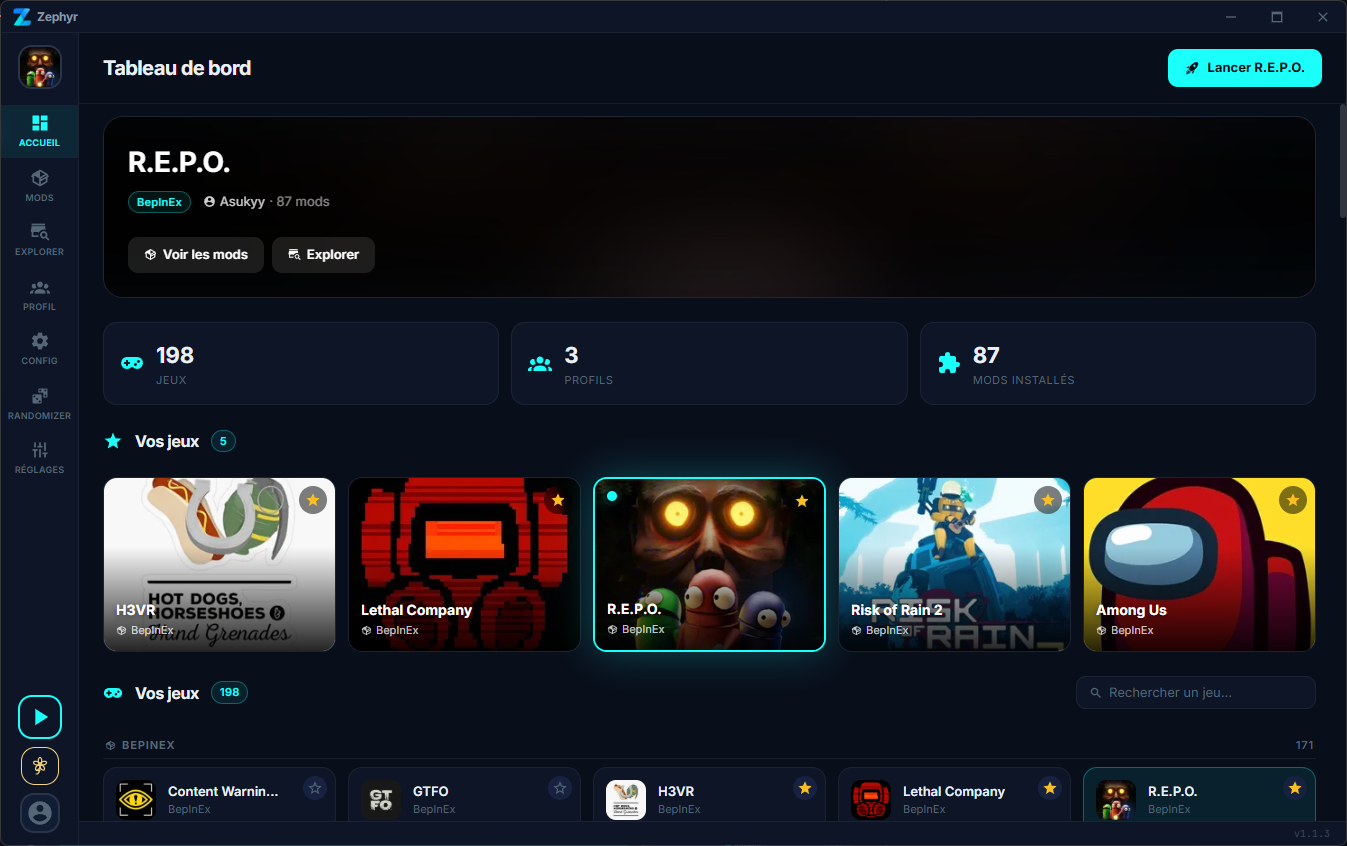
### Dashboard
Pick your game, see your profiles and stats at a glance.
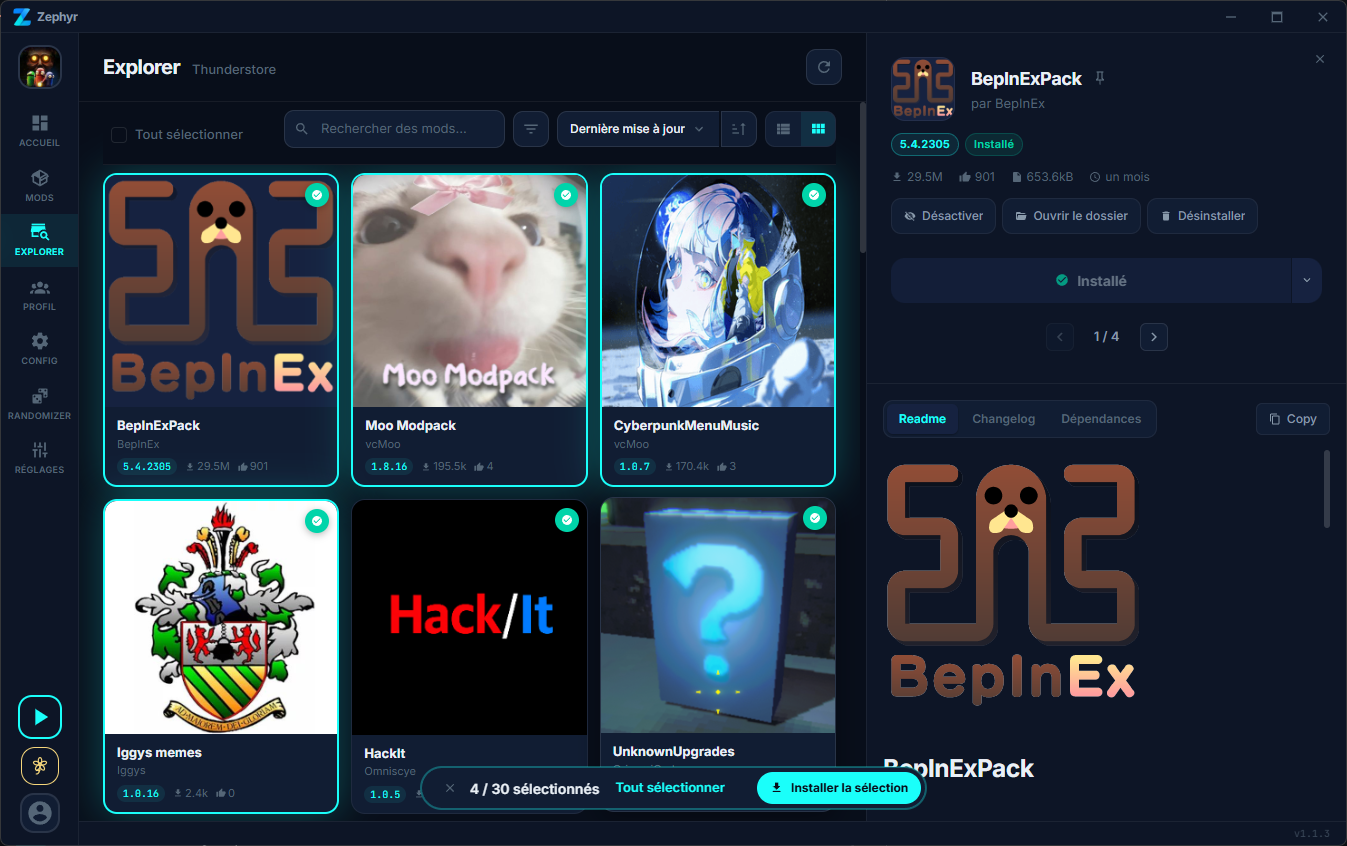
### Browse
Search and install mods from Thunderstore and CurseForge in one place. Each mod shows a source badge so you always know where it comes from.
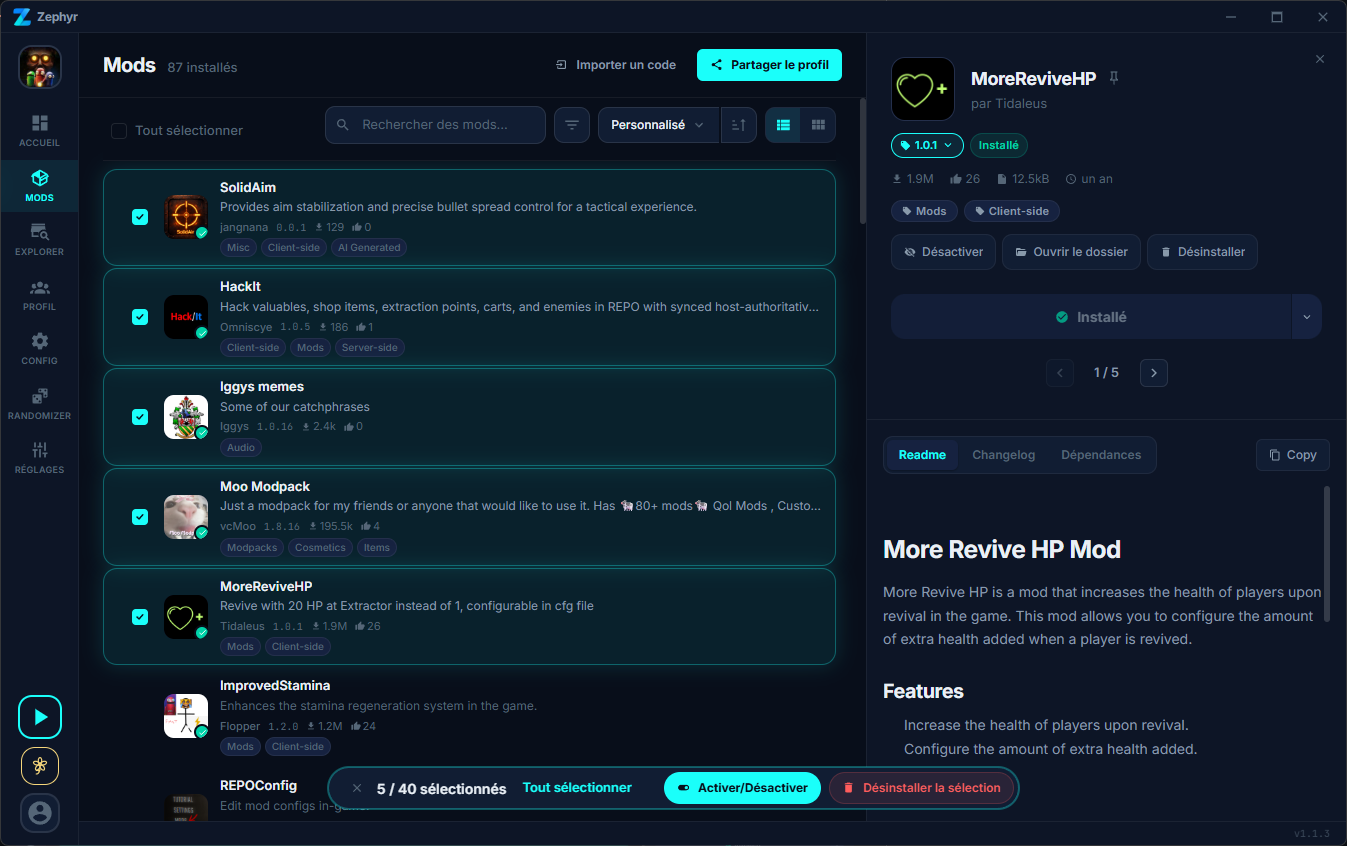
### Mods
Manage your installed mods with drag-and-drop reordering, batch actions, and detailed mod info with readme and changelogs.
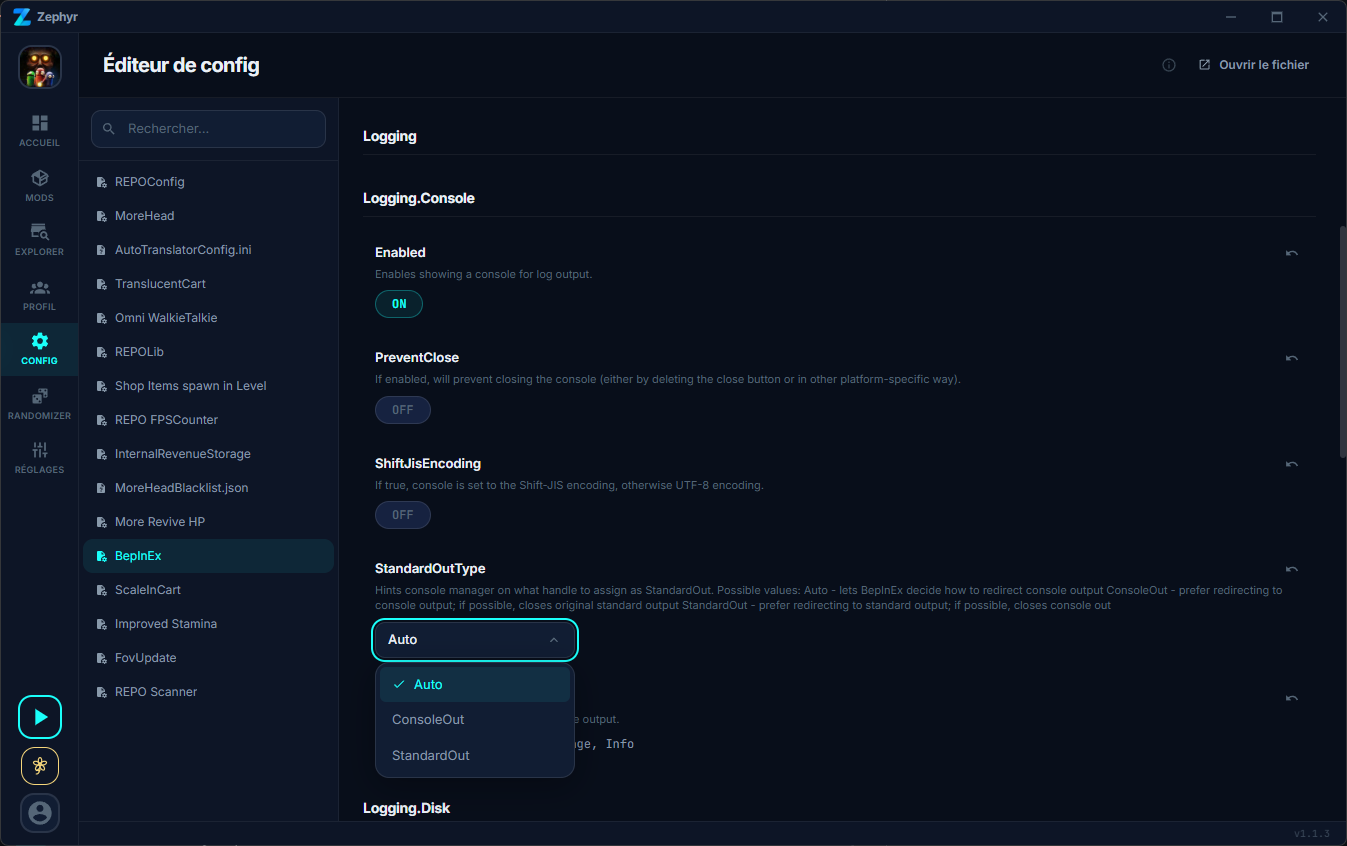
### Config Editor
Edit BepInEx plugin configs directly from the app without digging through files.
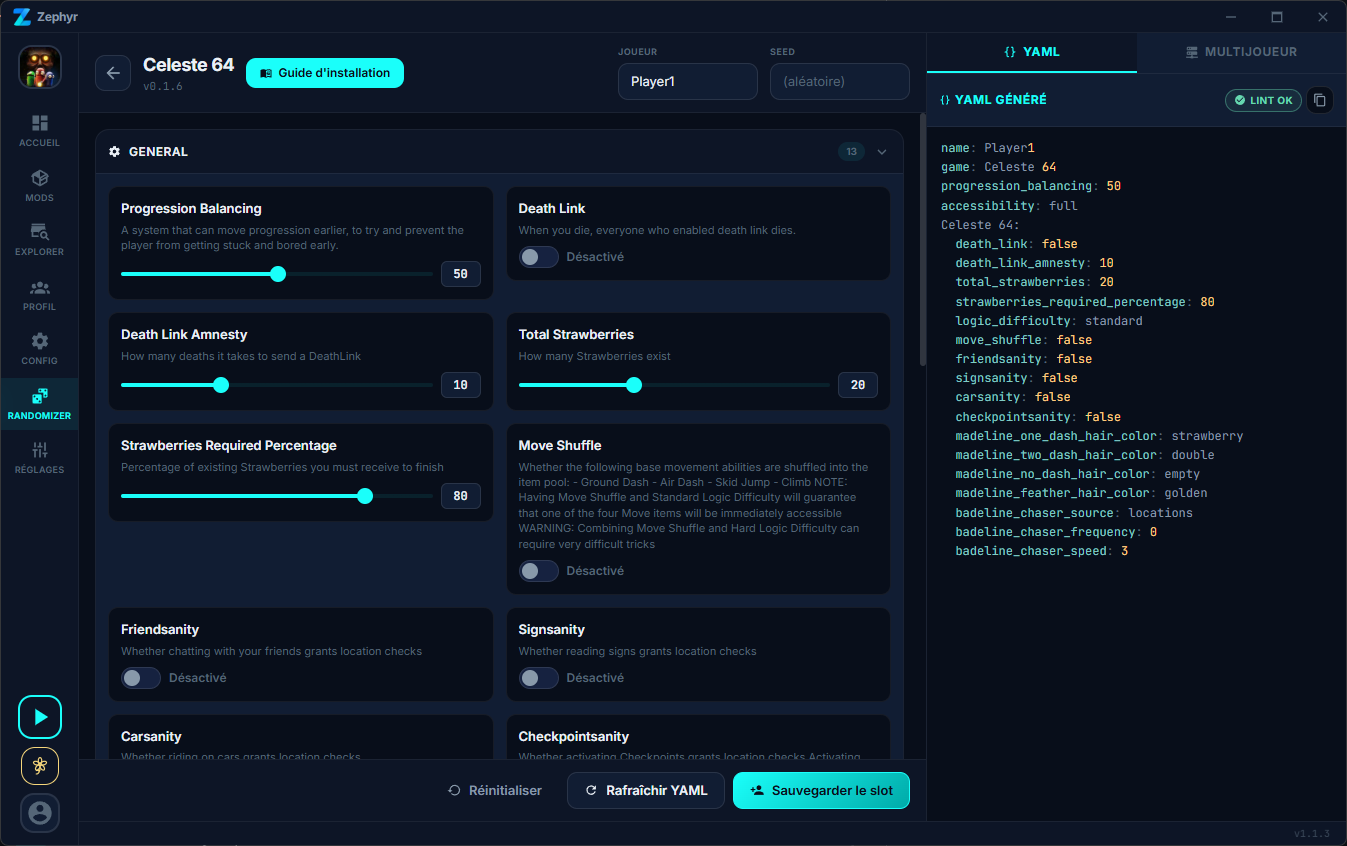
### Randomizer
Built-in Archipelago multiworld randomizer with Python runtime bundled. Generate seeds, host local or remote games, and manage player slots without touching the command line.
## Features
- **Multi-game support** -- 198+ games from Thunderstore, including Lethal Company, R.E.P.O., and Risk of Rain 2
- **Thunderstore integration** -- Browse, install, and update mods directly from Thunderstore
- **Zephyr Mods registry** -- Curated community mods with SHA-256 verified GitHub Releases. Anyone can submit
- **Profile management** -- Create and switch between mod profiles for each game
- **Config editor** -- Edit mod configuration files with a built-in, structured editor
- **Custom themes** -- 4 built-in themes with full CSS custom property support
- **Multi-language support** -- Available in 7 languages
- **Fast Rust backend** -- Native performance powered by Tauri 2 and Rust
## Publish your mod
You wrote a mod for a game Zephyr supports? You can publish it to the **[Zephyr Mods registry](https://github.com/Prismo-Studio/zephyr-mods)** and have it appear in Zephyr's Browse page for everyone, no Thunderstore account needed.
The registry is a plain GitHub repo with a CLI wizard. You point it at your mod's GitHub release, it computes the SHA-256, opens a PR, CI verifies ownership, and once merged Zephyr picks it up. See the [zephyr-mods README](https://github.com/Prismo-Studio/zephyr-mods#readme) for the full guide.
## Write a plugin
Zephyr ships with a community plugin system. Plugins live in a separate repo, **[Zephyr-plugin](https://github.com/Prismo-Studio/Zephyr-plugin)**, and come in four flavors:
- **Themes**: a single CSS file that restyles Zephyr.
- **Features**: full Svelte mini-apps that get their own sidebar item, run in a sandboxed iframe, and talk to Zephyr through a postMessage bridge (screen capture, file storage, notifications, …).
- **Games**: declarative game definitions Zephyr can target.
- **Mods**: entries for the Zephyr Mods registry (see above).
A shared SDK (`@zephyr-plugin/sdk`) gives plugin authors Svelte components styled like Zephyr, design tokens, and a typed bridge client, so a new feature plugin feels native without anyone touching the Zephyr binary.
Quickstart:
```bash
git clone https://github.com/Prismo-Studio/Zephyr-plugin.git
cd Zephyr-plugin
pnpm install
pnpm new-plugin # interactive wizard
```
Then open **Plugins → Dev Mode → Load plugin** in Zephyr and pick your folder. Edits hot-reload.
Full docs: **[Zephyr-plugin README](https://github.com/Prismo-Studio/Zephyr-plugin#readme)** · **[Plugin authoring guide on the wiki](https://github.com/Prismo-Studio/Zephyr/wiki/Plugins)**.
## Quick Start
### Download
Head to the [Releases](https://github.com/prismo-studio/zephyr/releases) page and grab the latest installer for your platform:
- **Windows** -- `.exe` (NSIS installer)
- **Linux** -- AppImage, `.deb`
- **macOS** -- `.dmg`
> **Note:** On Windows, you may see a SmartScreen prompt. Click "More Info" then "Run Anyway" to proceed.
### Build from Source
#### Prerequisites
- [Rust](https://rustup.rs/) (stable toolchain)
- [Node.js](https://nodejs.org/) 18+
- [pnpm](https://pnpm.io/)
#### Commands
```bash
git clone https://github.com/prismo-studio/zephyr.git
cd zephyr
pnpm install
pnpm tauri dev
```
To create a production build:
```bash
pnpm tauri build
```
## Tech Stack
| Layer | Technology |
| --------- | --------------------- |
| Framework | Tauri 2 |
| Frontend | Svelte 5 |
| Backend | Rust |
| Styling | CSS Custom Properties |
## License
This project is licensed under [GPL-3.0](LICENSE.md).
Material icons are licensed under [Apache 2.0](https://www.apache.org/licenses/LICENSE-2.0.html).
## Credits
Built and maintained by [Prismo Studios](https://prismo-studios.dev).