
# Locally Uncensored
**The all-in-one local AI studio for your desktop. Chat, images, video and a coding agent in one app. Install it, pick a model, go.**
Free and open source. In local mode everything runs on your own machine. No Docker, no terminal, no config files. The platforms are listed under [Download](#download).
[](https://www.gnu.org/licenses/agpl-3.0)
[](https://github.com/PurpleDoubleD/locally-uncensored/stargazers)
[](https://github.com/PurpleDoubleD/locally-uncensored/commits)
[](https://github.com/PurpleDoubleD/locally-uncensored/discussions)
[](https://locallyuncensored.com/discord)
[](https://locallyuncensored.com)
[Download](#download) · [Three steps](#three-steps) · [What is in the box](#what-is-in-the-box) · [How it compares](#how-it-compares) · [Models](#models-that-run-well) · [FAQ](#faq)
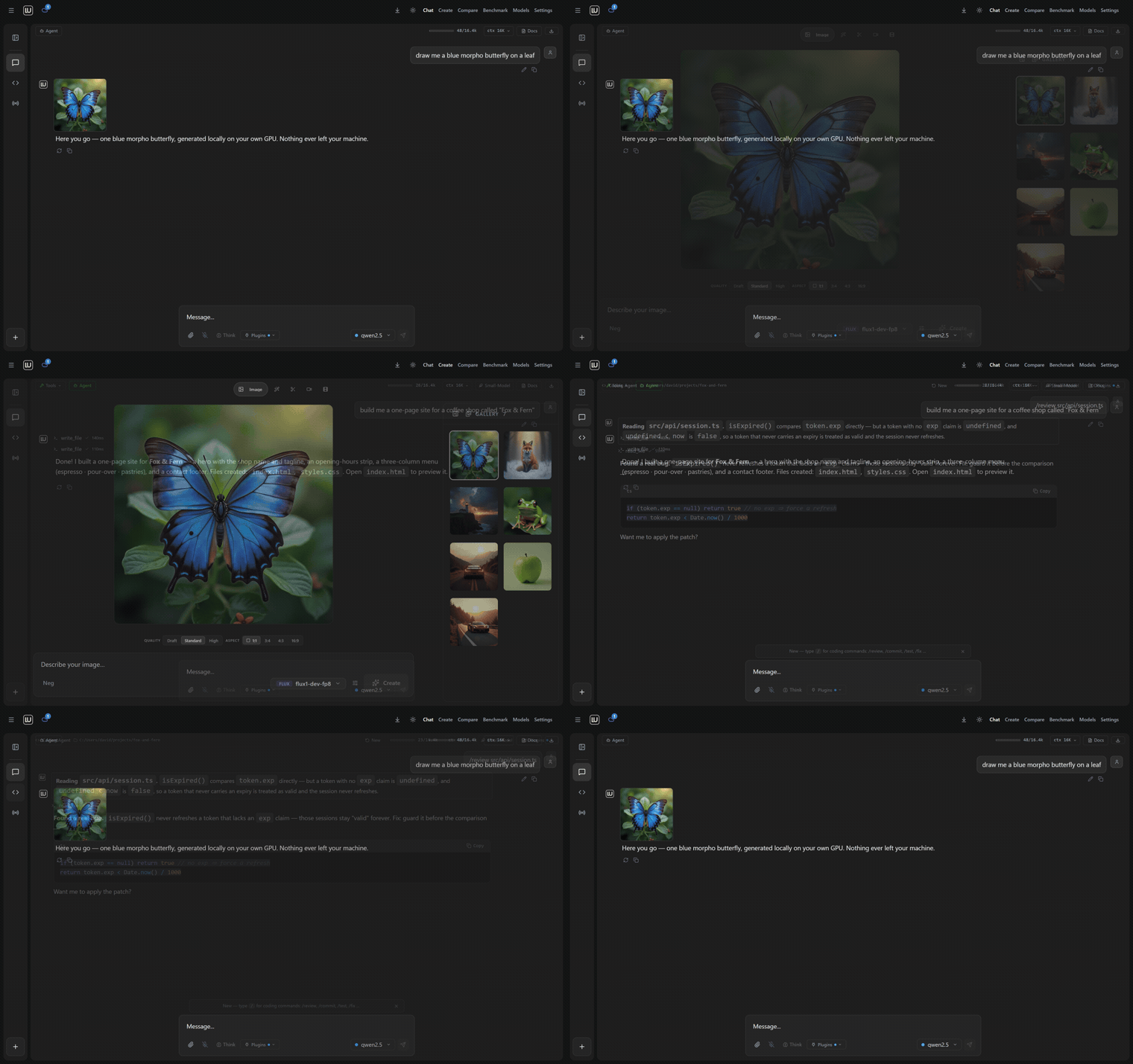
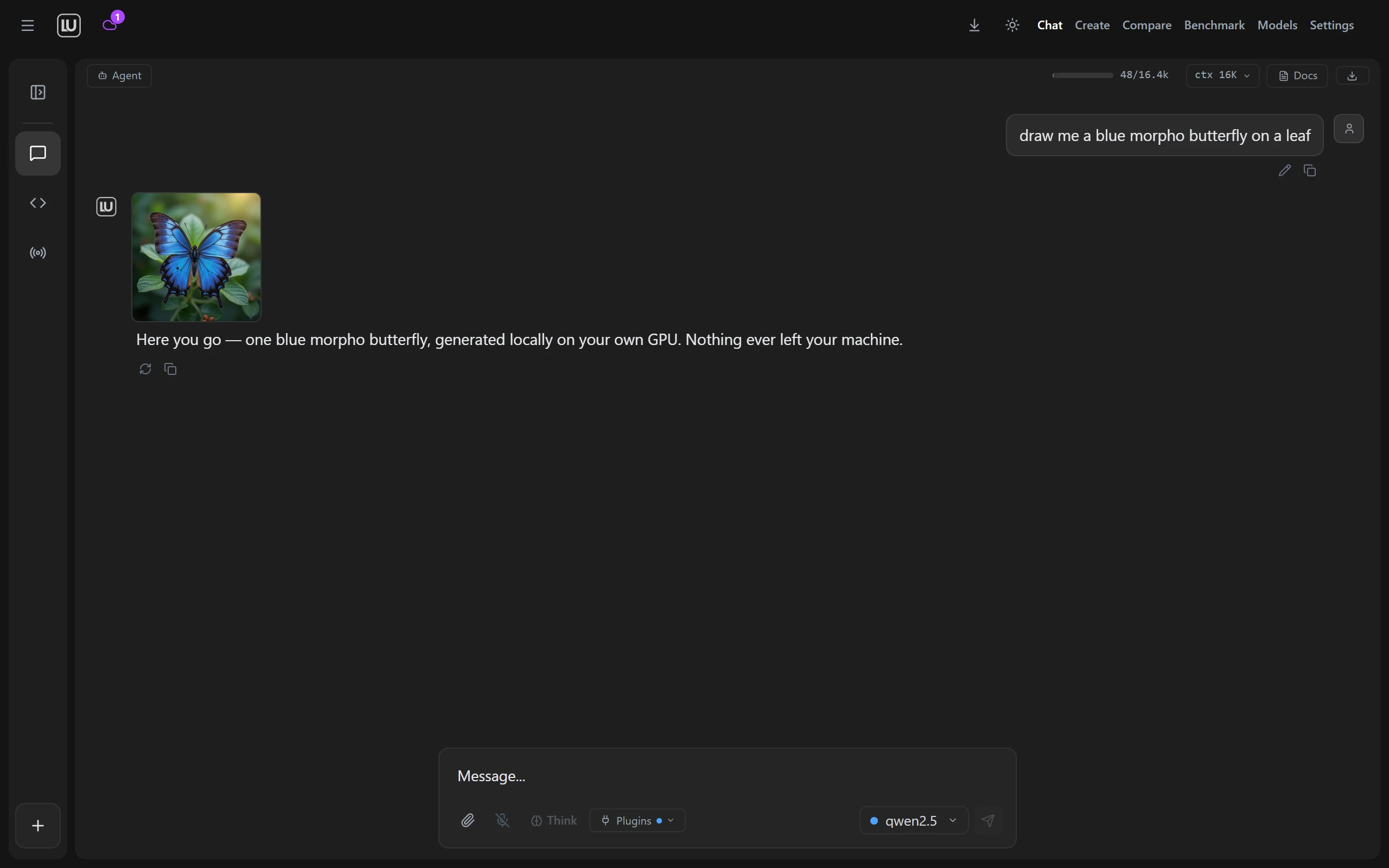
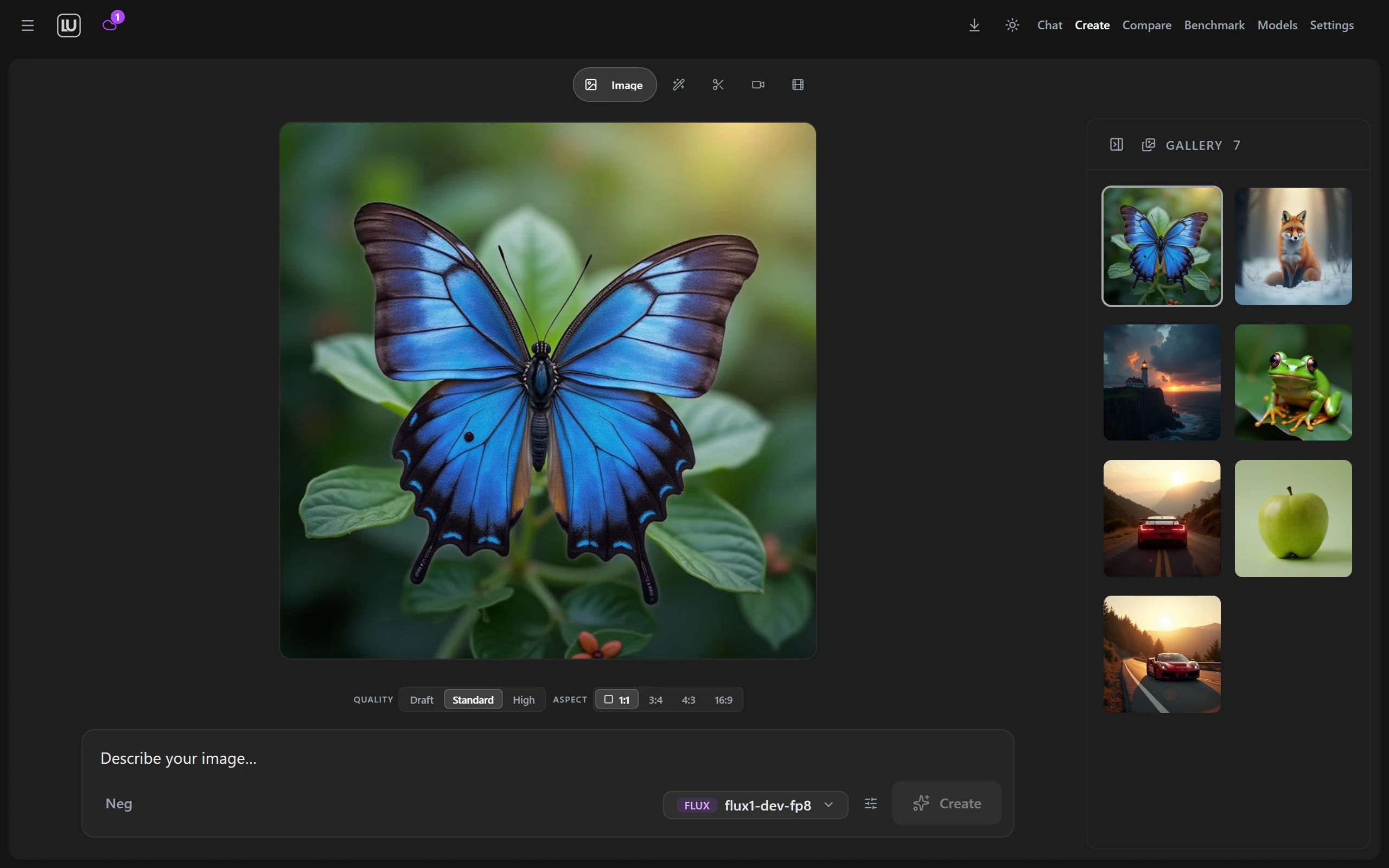
| Chat that draws your images | Images and video in the same window |
|:---:|:---:|
|  |  |
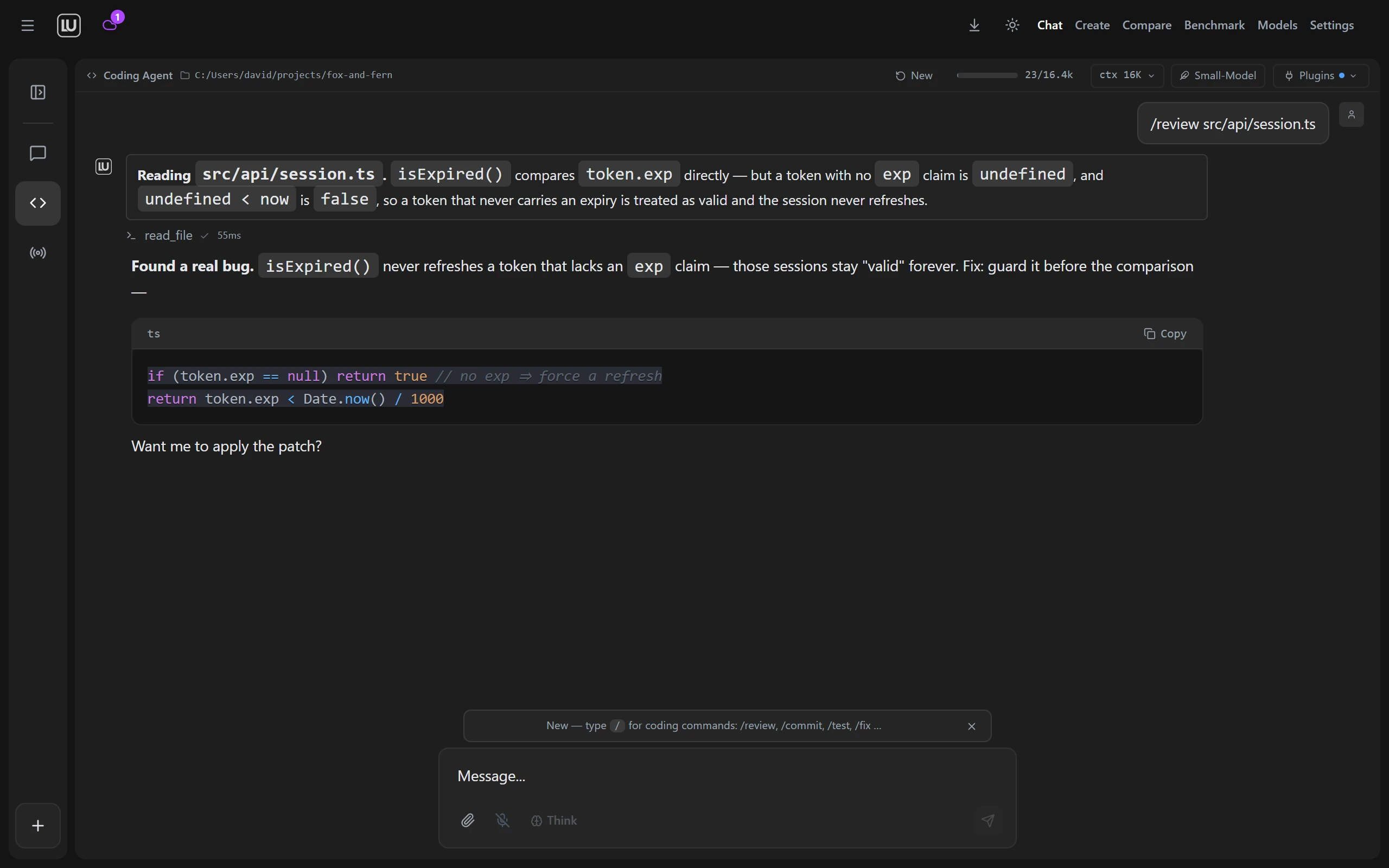
| **The coding agent shows the diff first** | **Agent mode does the legwork** |
|  | 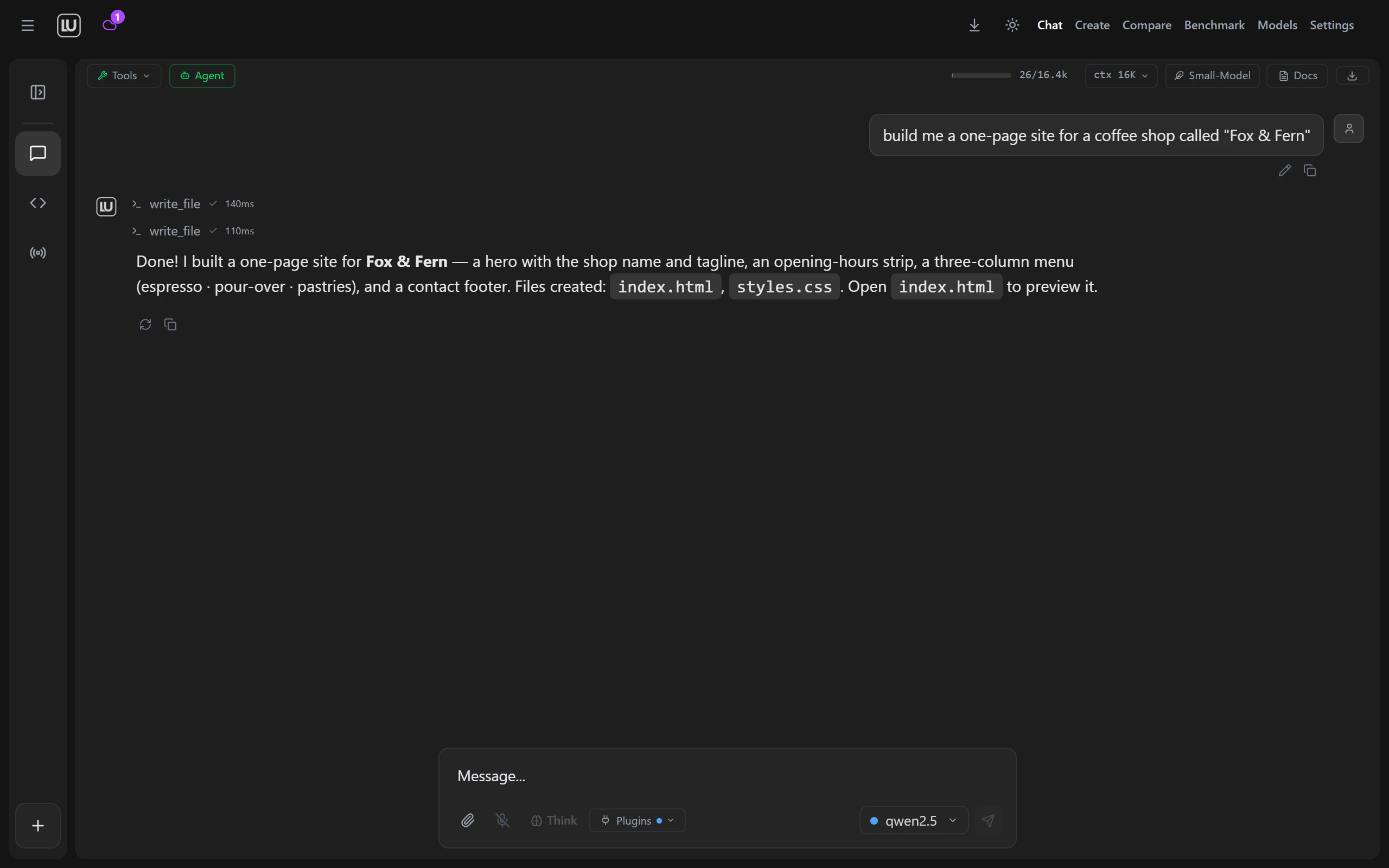 |
---
## Download
Take the latest build from [Releases](https://github.com/PurpleDoubleD/locally-uncensored/releases/latest).
| Platform | File | Status |
|----------|------|--------|
| Windows 10 and 11 | [`Locally.Uncensored_3.0.6_x64-setup.exe`](https://github.com/PurpleDoubleD/locally-uncensored/releases/latest/download/Locally.Uncensored_3.0.6_x64-setup.exe) (NSIS, recommended) or [`Locally.Uncensored_3.0.6_x64_en-US.msi`](https://github.com/PurpleDoubleD/locally-uncensored/releases/latest/download/Locally.Uncensored_3.0.6_x64_en-US.msi) | Tested every release, signed auto update channel |
| Linux | [`Locally.Uncensored_3.0.6_amd64.AppImage`](https://github.com/PurpleDoubleD/locally-uncensored/releases/latest/download/Locally.Uncensored_3.0.6_amd64.AppImage), [`Locally.Uncensored_3.0.6_amd64.deb`](https://github.com/PurpleDoubleD/locally-uncensored/releases/latest/download/Locally.Uncensored_3.0.6_amd64.deb) or [`Locally.Uncensored-3.0.6-1.x86_64.rpm`](https://github.com/PurpleDoubleD/locally-uncensored/releases/latest/download/Locally.Uncensored-3.0.6-1.x86_64.rpm) | Built on every release |
| macOS 14 or newer, Apple Silicon (Beta) | [`LU_3.0.6_aarch64.dmg`](https://github.com/PurpleDoubleD/locally-uncensored/releases/latest/download/LU_3.0.6_aarch64.dmg) | Signed with an Apple Developer ID and notarized by Apple. Intel Macs are not supported. The app has run on one Mac so far. Voice has been tried by hand in the app on a Mac and works. Computer control is in the Mac app but not fully tested yet on macOS. Remote Access and the automatic update are not confirmed on macOS |
Some antivirus engines flag unsigned NSIS installers that download other binaries, which is a false positive. The installer is built by GitHub Actions from the public source on `master`, and the update channel is signed against a public minisign key, so you can verify both: see [SECURITY.md](SECURITY.md#antivirus--browser-false-positives).
Code signing for the Windows installers: free code signing provided by [SignPath.io](https://about.signpath.io), certificate by [SignPath Foundation](https://signpath.org). SignPath Foundation has accepted the project. The production certificate is not in place yet, and until it is the installers ship unsigned.
Current release: **v3.0.6** (October 2026). Every change since 1.0.0 is in [CHANGELOG.md](CHANGELOG.md).
3.0.6 adds Voice and computer control, both in beta. Voice is a spoken conversation with the chat model you picked: speech recognition and the voice run on your own machine, there are fifteen voices, and the model can use the agent tools while you talk. With computer control a model uses the mouse and keyboard in apps you approve, and it is off until you switch it on. Dialogs have a new look, a running task shows the LU mark with a plain word for what it is doing, and LU Cloud lists ten more chat models, in beta as well. Our check of both in the real app ran on Windows.
3.0.5 was about Create: LTX 2.5, FastH3 and YuE2 run on your own machine, Qwen-Image 2.1 gets a transparent background and its prompt enhancer, Edit, Remove Background and Enhance Image take up to 50 images in one go, and LU Cloud adds Qwen Image 2.1, LTX 2.5, MiniMax H3 and Wan 3.0 Reference. Chat takes any file, each model in a group chat can have its own persona, dropdowns stay inside the window (issue 149), and the speech install works again on Ubuntu 24.04.
3.0.4 fixed the Code agent and the agent in chat on LU Cloud: writing a long file no longer ends the run, "continue" picks up where a run stopped instead of starting over, the agent keeps a plan only when you ask for one, and cloud context is 32K by default and can be set per model. It also fixed the bugs reported on GitHub and Discord since 3.0.3 (issues 144 to 147): MiniMax H3 runs as a video model with sound, Edit takes up to three extra images with Qwen-Image 2.1, a missing encoder or VAE is named and offered as a download instead of ending in "Value not in list", the LoRA stack follows the loras folder, and group chat works with every LU Engine model.
3.0.3 was a hotfix: chats with many images no longer run the app out of memory, Create reads a model's family from the file instead of its name, and the five bugs reported on GitHub since 3.0.2 are fixed (issues 139 to 143).
3.0.2 was a hotfix: the Code tab lost its scrollbar and its input box once a conversation grew taller than the window (issue 138, a regression in 3.0.1) and is held to the window height again, and the count of open cloud models now takes the Create Studio endpoints in, which makes it fourteen video models and seven image models.
### What is new in 3.0.1
- **Qwen-Image 2.1 runs locally on Windows and Linux.** One model generates a picture from a prompt and edits one from a reference image, with no mask to paint. About 16 GB of files, ComfyUI 0.37.0 or newer, and a research license that does not allow commercial use.
- **Models has a LoRAs tab of its own.** Search CivitAI, download into ComfyUI's `models/loras` folder, see what is installed with its size and trigger word, and delete what you no longer want.
- **A GPU whose free memory could not be measured is planned more carefully**, and the log now says total capacity instead of calling it free.
- **The Linux AppImage stops handing its own runtime to every program LU starts**, so a healthy system Python, pip, git or ffmpeg keeps working, and a distribution that blocks pip in the system Python keeps the isolated environment LU built.
- **The local model runs one conversation at a time and says so**, with a line showing how many chats are ahead. Stop works while a chat is still waiting.
- **Temperature, Top P and Max tokens belong to the conversation you moved them in**, instead of every open chat sharing one value.
- **Cloud video renders offer the clip lengths the picked model really supports**, read from the live catalog.
## Three steps
1. **Install.** Run the installer like any other program. On first launch a wizard looks for an AI engine that is already running on your machine, and installs one for you with a single click if there is none. It does the same for ComfyUI, which draws the images and video.
2. **Pick a model.** The model manager marks which models fit your hardware and downloads them in one click. It works with the engine you already have (Ollama, LM Studio and others) and can link models those tools already store, without copying them. Loading a model in Ollama or LM Studio can be cancelled, and an Ollama model that runs partly on the processor says so.
3. **Create.** Chat, Create, Code and Agent are tabs in one window. Type in one, switch to the next, keep the same models.
Walkthrough with screenshots: [Getting started guide](https://locallyuncensored.com/guide/). New to local AI: [the five minute beginner guide](https://locallyuncensored.com/blog/how-to-run-ai-locally.html).
**In local mode your data stays on your machine.**
[Website](https://locallyuncensored.com) · [Beginner guide](https://locallyuncensored.com/blog/how-to-run-ai-locally.html) · [Blog](https://locallyuncensored.com/blog/) · [Report a bug](https://github.com/PurpleDoubleD/locally-uncensored/issues/new?template=bug_report.yml) · [Request a feature](https://github.com/PurpleDoubleD/locally-uncensored/issues/new?template=feature_request.yml)