---
source: newsletter
source_url: https://afine.com/blogs/stealing-passwords-via-html-injection-under-a-strict-csp
ingested: 2026-06-03
source_name: AFINE Security Research
review_value: 8
review_confidence: 7
review_recommendation: strong
review_stars: 4
sha256: 412ca5e0356a7bc9404f9addc34c22839faac15c0895492c3831df2ce4607c99
---
# Stealing Passwords via HTML Injection Under a Strict CSP
Published Time: 2026-06-01T10:12:06.536Z
Markdown Content:
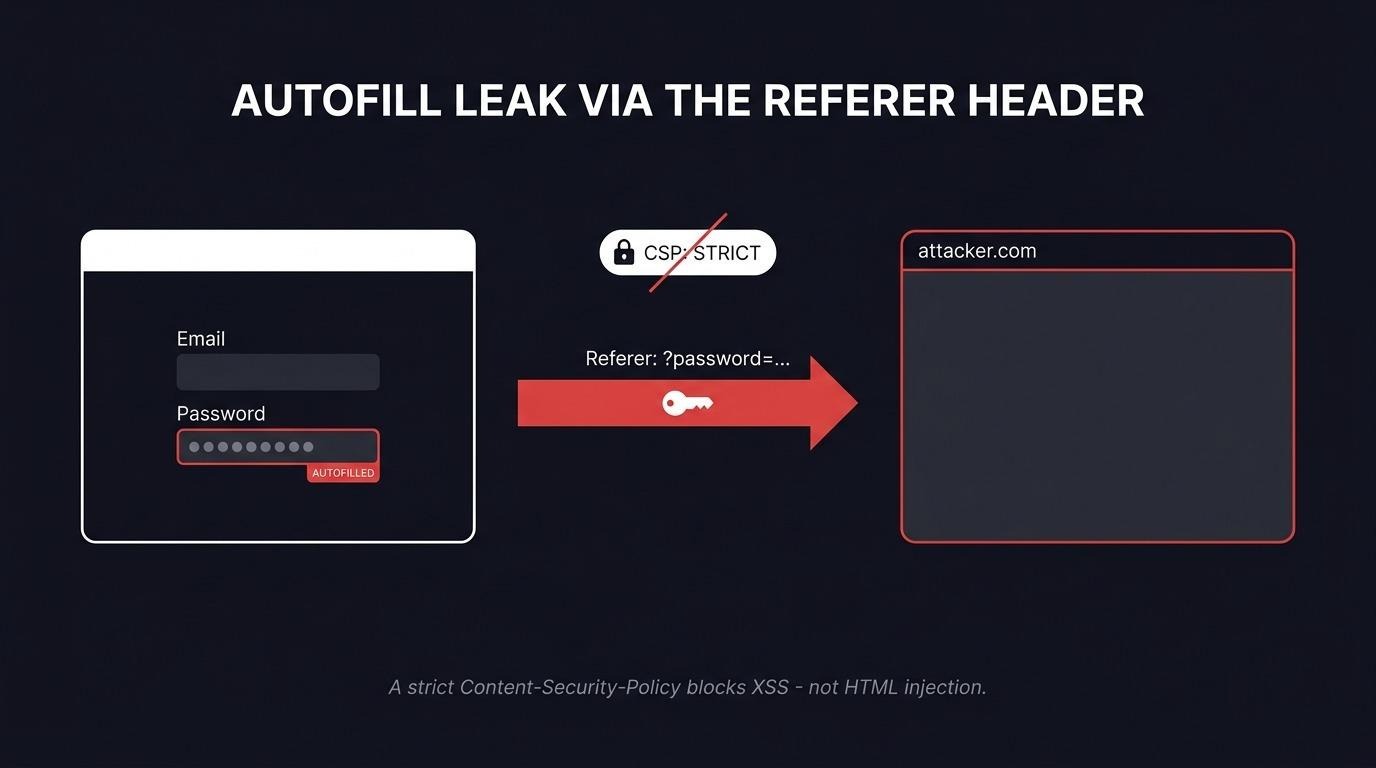
You see plenty of writeups that steal saved passwords through XSS. You see far fewer that pull it off with HTML injection, minimal user interaction, and a Content-Security-Policy strict enough that XSS is dead on arrival.
During a test I found exactly that: a reflected HTML injection so constrained by a strict CSP that script execution was impossible. My goal became raising the impact anyway, and the path ran straight through Chrome password autofill and one piece of unusual browser behavior around the Referer header.
**What is the Chrome password autofill risk here?** Chrome password autofill saves login credentials and re-injects them into any form on the matching site that asks for an email and a password - regardless of where that form submits. An attacker who can inject HTML into the page can plant their own form, let Chrome fill it with the victim's saved password, and exfiltrate the result. No JavaScript required, which is why a strict CSP does not stop it.
This post walks through the Referer header behavior that makes exfiltration possible, the browser-by-browser differences I measured, and the full one-click attack against a deliberately hardened login page.
## **Why the Referer Header Matters**
The [`Referer` header](https://developer.mozilla.org/en-US/docs/Web/HTTP/Reference/Headers/Referer) carries information about the URL of the page a request came from, parameters included. Say you move from page A to page B. The browser automatically attaches a Referer to the request for B describing where it came from - page A. Depending on configuration and the type of navigation, that header can carry the full URL with parameters, or it can be omitted entirely. In the vast majority of cases it carries only the protocol, domain, and port - no path, no parameters.
A Referer can contain the Origin (protocol, domain, and port, for example https://afine.com:443), the path, and the query parameters. It cannot contain Basic auth credentials or anything after the fragment #.
### **When Does the Browser Attach a Referer?**
The MDN documentation puts it plainly:
_"When you click a link, the Referer contains the address of the page that includes the link. When you make resource requests to another domain, the Referer contains the address of the page that uses the requested resource."_
If you click a link or fire a request - through src, an ![]() , and so on - the Referer is sent. The same applies to methods like fetch(). On top of that, the header is sent on back and forward navigation, on HTTP status-code redirects, and through tags:
_"The Referer should also be sent in requests following a Refresh response (or equivalent ) that causes a navigation to a new page, if permitted by the referrer policy."_
### **The Browser's Default Referer Behavior**
When an application does not define a policy through the [`Referrer-Policy`](https://developer.mozilla.org/en-US/docs/Web/HTTP/Reference/Headers/Referrer-Policy) header or a tag, the browser falls back to strict-origin-when-cross-origin. This is the default for most sites, because most sites never set their own policy. Under it, a same-origin request (in practice, A to A) gets a Referer with Origin, path, and parameters. For everything else the browser sends only the Origin.
For example: click a link on https://afine.com/about-us?test_parameter=1337 that leads to https://afine.com/, and the browser attaches the entire URL - https://afine.com/about-us?test_parameter=1337 - to the request for https://afine.com/. Same situation, but the link points to https://google.com: now the browser attaches only the Origin, https://afine.com, with no path and no parameters.
## **The Strange Browser Behavior**
I decided to check how Safari, Chrome, and Firefox behave depending on the presence of a Referrer-Policy header and tags in the .
To do that I tested
, and so on - the Referer is sent. The same applies to methods like fetch(). On top of that, the header is sent on back and forward navigation, on HTTP status-code redirects, and through tags:
_"The Referer should also be sent in requests following a Refresh response (or equivalent ) that causes a navigation to a new page, if permitted by the referrer policy."_
### **The Browser's Default Referer Behavior**
When an application does not define a policy through the [`Referrer-Policy`](https://developer.mozilla.org/en-US/docs/Web/HTTP/Reference/Headers/Referrer-Policy) header or a tag, the browser falls back to strict-origin-when-cross-origin. This is the default for most sites, because most sites never set their own policy. Under it, a same-origin request (in practice, A to A) gets a Referer with Origin, path, and parameters. For everything else the browser sends only the Origin.
For example: click a link on https://afine.com/about-us?test_parameter=1337 that leads to https://afine.com/, and the browser attaches the entire URL - https://afine.com/about-us?test_parameter=1337 - to the request for https://afine.com/. Same situation, but the link points to https://google.com: now the browser attaches only the Origin, https://afine.com, with no path and no parameters.
## **The Strange Browser Behavior**
I decided to check how Safari, Chrome, and Firefox behave depending on the presence of a Referrer-Policy header and tags in the .
To do that I tested ![]() ,
,