
A lightweight desktop pet that mirrors your AI coding agent in real time
中文版



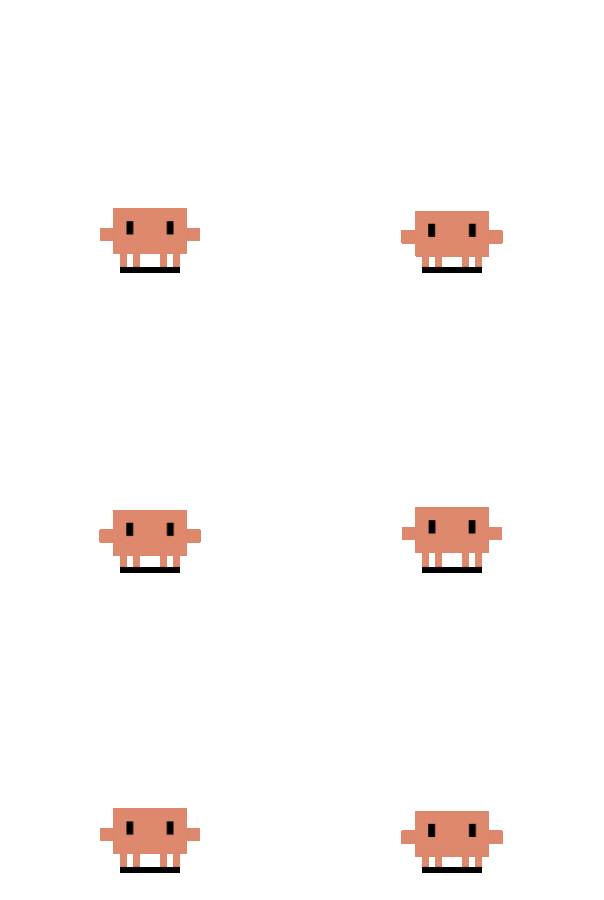 |
| UserPromptSubmit | Thinking |
|
| UserPromptSubmit | Thinking | 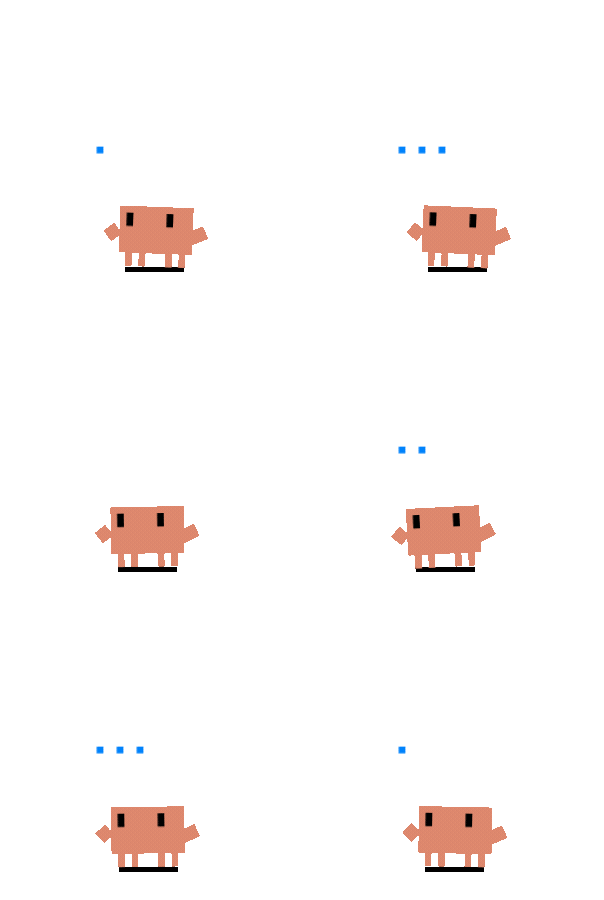 |
| PreToolUse | Typing |
|
| PreToolUse | Typing | 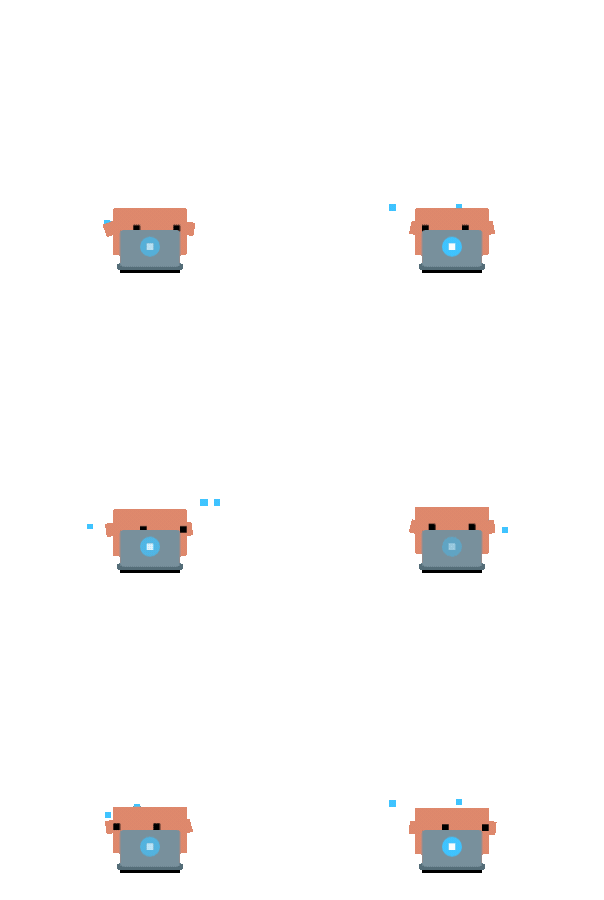 |
| 3+ sessions active | Building |
|
| 3+ sessions active | Building | 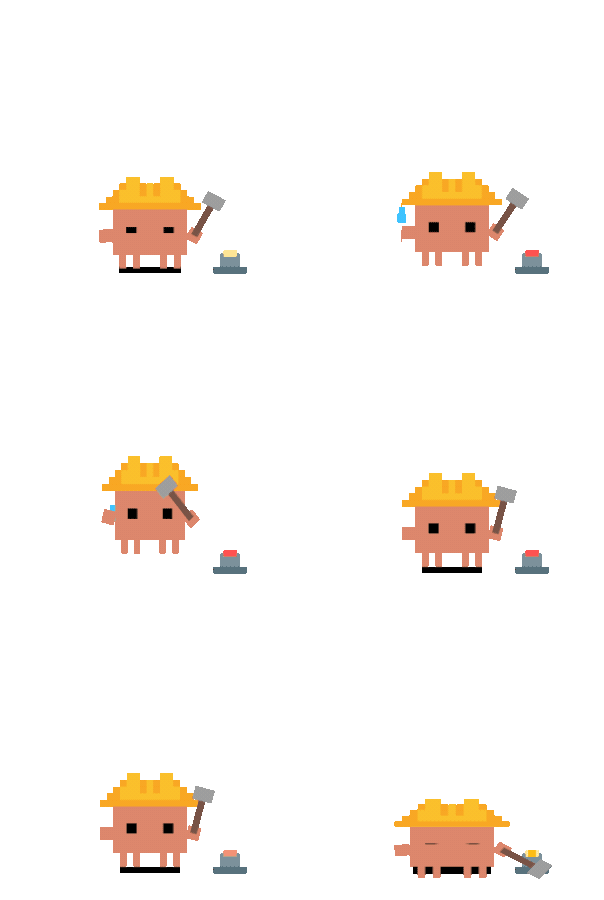 |
| 1 subagent | Juggling |
|
| 1 subagent | Juggling | 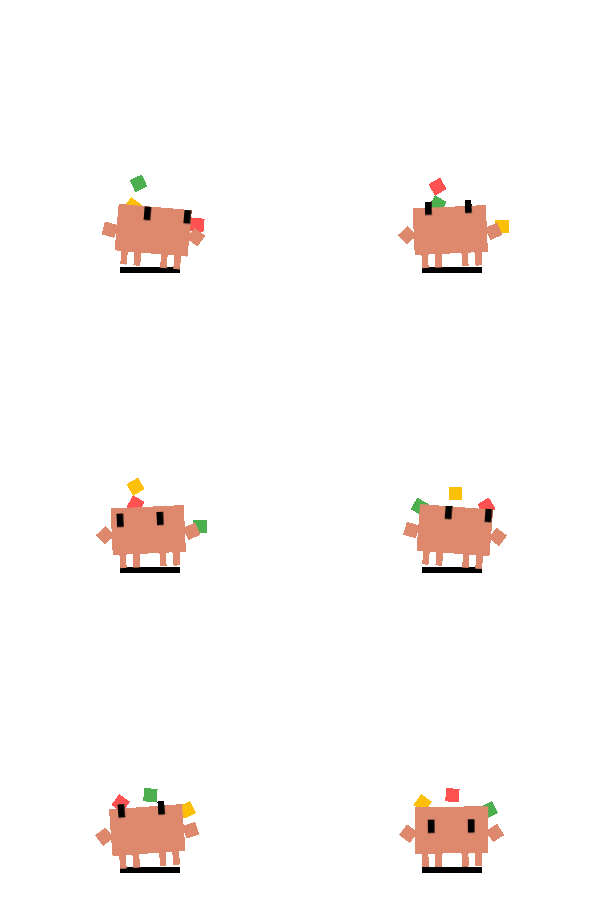 |
| 2+ subagents | Conducting |
|
| 2+ subagents | Conducting | 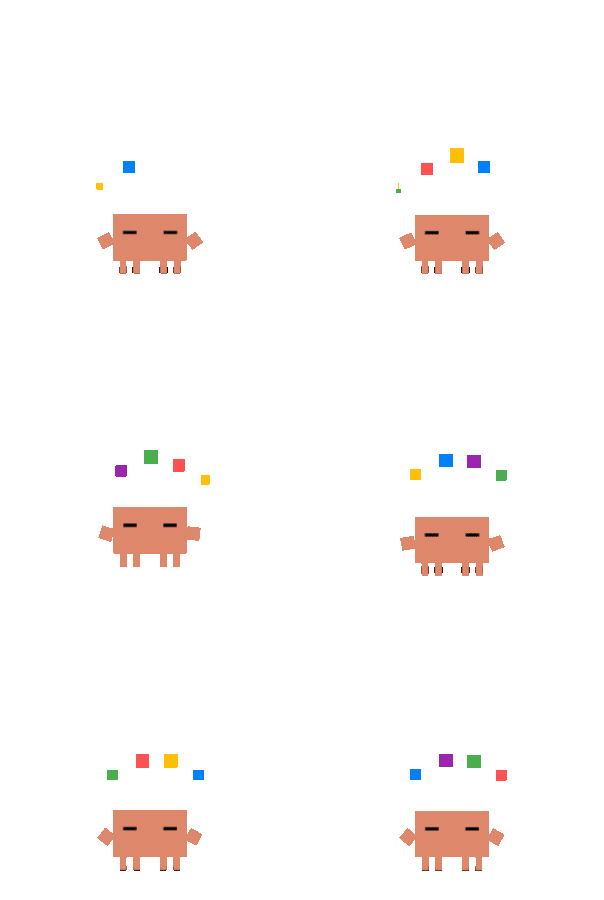 |
| PostToolUseFailure | Error flash |
|
| PostToolUseFailure | Error flash |  |
| Stop (task complete) | Happy bounce |
|
| Stop (task complete) | Happy bounce | 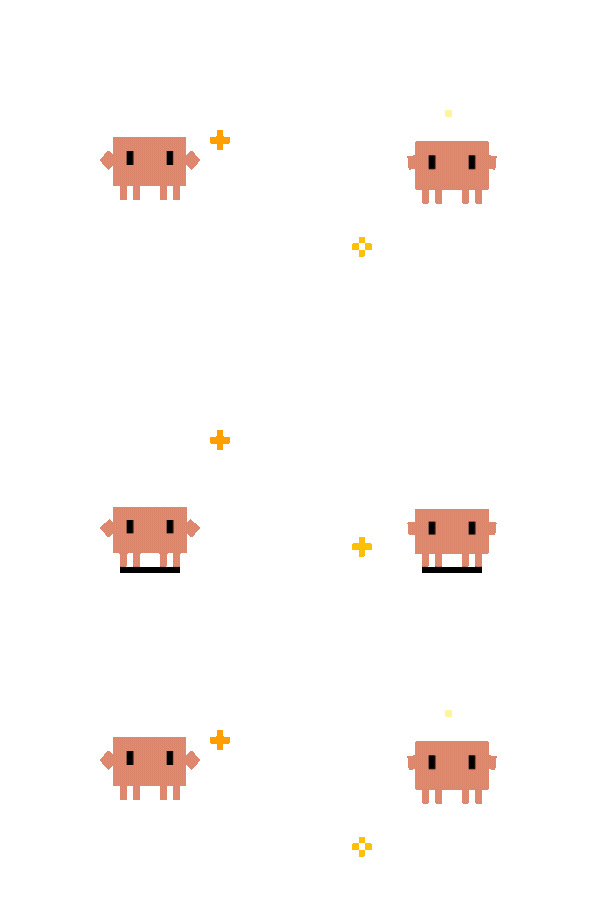 |
| Notification | Alert jump |
|
| Notification | Alert jump | 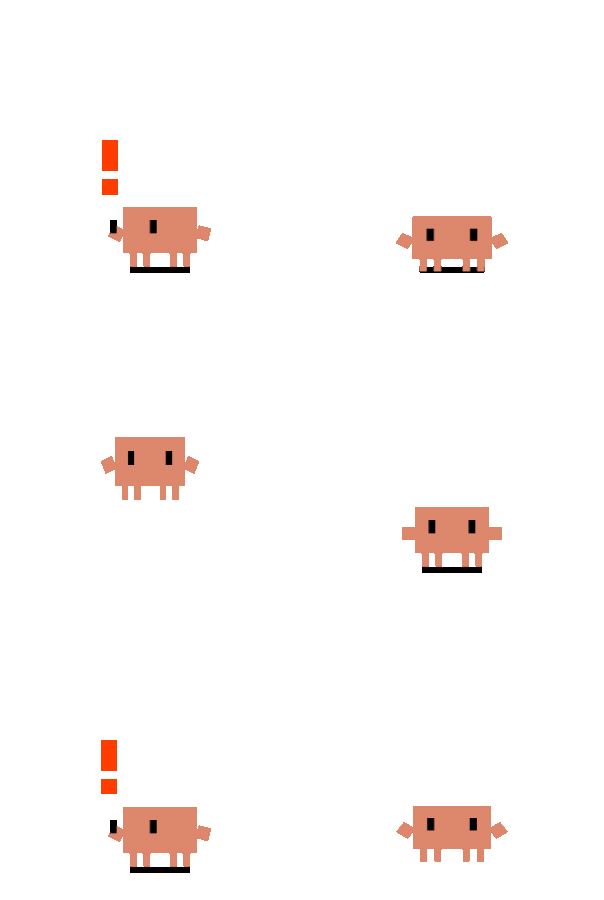 |
| PreCompact | Sweeping |
|
| PreCompact | Sweeping | 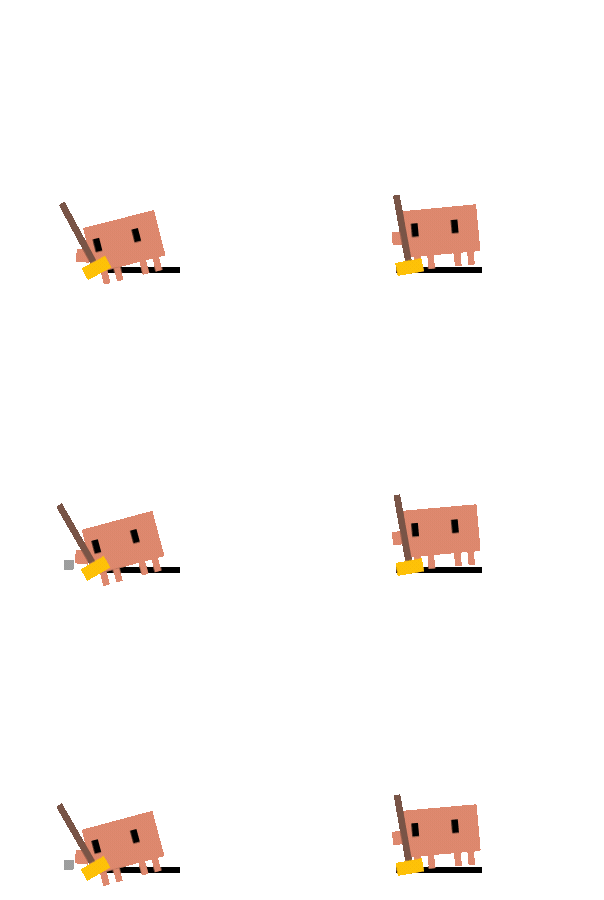 |
| WorktreeCreate | Carrying box |
|
| WorktreeCreate | Carrying box |  |
| 60s no activity | Yawn → doze → collapse → sleep |
|
| 60s no activity | Yawn → doze → collapse → sleep | 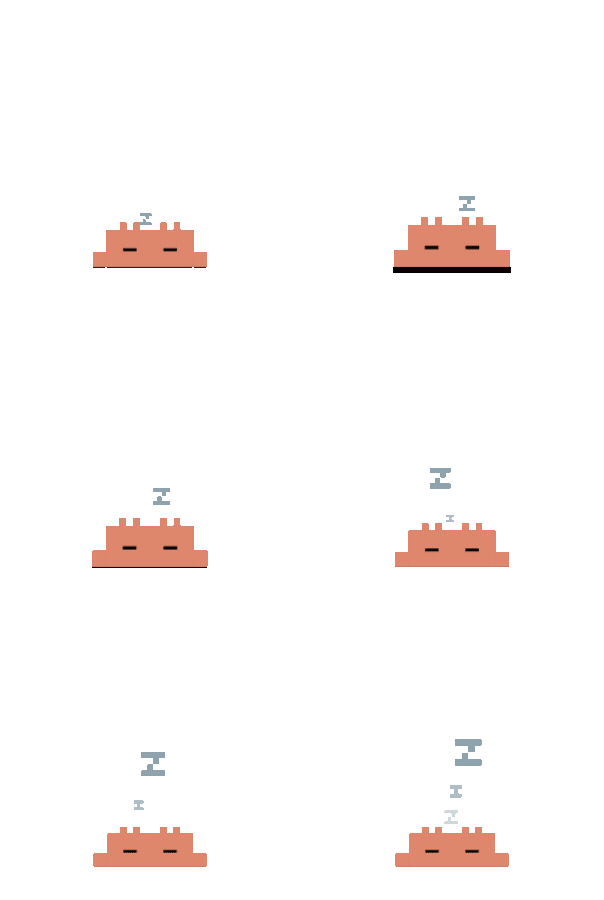 |
### Interaction
- **Drag** anywhere, anytime — Pointer Capture prevents fast-flick drops
- **Double-click** for a poke reaction; **4 clicks** for a flail
- **Right-click** context menu — session list, DND, mini mode, size, language
- **System tray** — resize (S/M/L), DND, mini mode, language, auto-start, quit
### Mini Mode
Drag Clyde to the left or right screen edge (or right-click "Mini Mode"). Clyde hides behind the edge, peeks out on hover, and shows mini alerts/celebrations while tucked away.
### Permission Bubbles
When Claude Code requests tool permissions, Clyde pops a floating card near the pet — allow, deny, or apply a suggestion rule (e.g. "Always allow Read"). Multiple requests stack upward from the pet. If you answer in the terminal first, the bubble auto-dismisses.
Clyde also tracks Claude's **permission mode** in real time. When the mode changes (e.g. switching to "Accept Edits" via `/permissions`), a brief notification appears near the pet:
| Mode | Meaning |
|------|---------|
| Default | Tool calls require your approval |
| Accept Edits | Edit operations auto-approved, others may still need approval |
| Bypass Permissions | No approval bubbles will appear |
| Plan | No tool execution, planning only |
### Session Intelligence
- **Multi-session priority** — the highest-priority state across all sessions wins
- **Subagent-aware** — 1 subagent = juggling, 2+ = conducting
- **Terminal focus** — right-click a session to jump to its terminal
- **Auto-cleanup** — stale sessions removed after 10 min; working states demoted after 5 min
- **DND mode** — silences all events; toggle via right-click or tray
## Architecture
```
src-tauri/src/ Rust backend
├── lib.rs App entry + Tauri commands
├── state_machine.rs Multi-session state tracking + priority
├── http_server.rs Axum HTTP (POST /state, /permission)
├── hooks.rs Hook deployment + settings.json registration
├── permission.rs Permission bubble windows
├── mini.rs Edge snap, peek, parabolic jump
├── tick.rs 50ms cursor poll (eyes, sleep, peek)
├── tray.rs System tray menu
├── windows.rs Window bounds + hit-test math
├── focus.rs Terminal focus by PID (Win/Mac/Linux)
├── codex_monitor.rs Codex JSONL log polling
├── prefs.rs Preferences persistence
└── i18n.rs English / Chinese strings
src/windows/ Svelte 5 frontend (3 windows)
├── pet/ SVG renderer
├── hit/ Invisible click layer
└── bubble/ Permission card
hooks/ JS hooks (embedded at compile time)
├── clyde-hook.js Claude Code command hook
├── server-config.js Port discovery
├── auto-start.js Auto-launch on SessionStart
├── copilot-hook.js Copilot CLI hook
└── install.js Manual hook registration CLI
assets/svg/ 35 animation frames
```
## Tech Stack
| Layer | Technology | Why |
|---|---|---|
| **Desktop framework** | [Tauri v2](https://v2.tauri.app/) | ~5 MB bundle (vs 150 MB+ for Electron); native OS APIs (transparent windows, tray, global shortcuts); Rust backend calls with zero IPC serialization overhead |
| **Backend** | [Rust](https://www.rust-lang.org/) | No GC, zero-cost abstractions; 50 ms timer + multi-session state machine in a single process with near-zero CPU; `Mutex` + `Arc` for thread safety by default |
| **Frontend** | [Svelte 5](https://svelte.dev/) | Compile-time, no virtual DOM — three windows total < 30 KB JS; `$state` / `$props` reactivity keeps SVG rendering logic minimal |
| **HTTP server** | [Axum](https://github.com/tokio-rs/axum) | Async web framework on Tokio; type-safe routing + extractors; shares the same Tokio runtime as Tauri — no extra thread pool |
| **Build tool** | [Vite](https://vitejs.dev/) | Instant HMR in dev; aggressive tree-shaking in production |
**Why this stack:** Rust owns all state logic and system interaction, Svelte is a razor-thin rendering layer, and Tauri glues them into a < 10 MB cross-platform desktop app. No runtime interpreter (Node.js, Python, etc.) — cold start < 1 s, resident memory < 30 MB.
## Known Limitations
| Limitation | Details |
|---|---|
| Codex: no terminal focus | JSONL polling doesn't carry terminal PID |
| Copilot: no permission bubble | Copilot's hook protocol only supports deny |
| HTTP server is unauthenticated | Binds `127.0.0.1` only; token auth planned |
| No auto-update | Download new versions from GitHub Releases |
## Troubleshooting
### macOS: "App is damaged and can't be opened"
This is macOS Gatekeeper blocking unsigned apps — the app is not actually damaged. Fix:
```bash
xattr -cr "/Applications/Clyde on Desk.app"
codesign --force --deep --sign - "/Applications/Clyde on Desk.app"
```
The first command clears the quarantine flag, the second adds an ad-hoc signature (required on Apple Silicon).
### Permission bubbles not appearing
If Clyde's permission approval bubbles don't show when Claude Code requests tool permissions:
1. In Claude Code, run `/hooks` and check that `PermissionRequest` has an `[http]` hook
2. If missing or malformed, restart Clyde — it re-registers hooks on startup
3. If still broken, run `node hooks/install.js` manually
4. As a last resort, delete the `PermissionRequest` entry from `~/.claude/settings.json` and restart Clyde
The correct format in `~/.claude/settings.json` should look like:
```json
"PermissionRequest": [
{
"matcher": "",
"hooks": [
{ "type": "http", "url": "http://127.0.0.1:23333/permission", "timeout": 600 }
]
}
]
```
> Permission bubbles only appear for tools that trigger Claude Code's `PermissionRequest` event.
## Contributing
Issues, ideas, and PRs welcome — [open an issue](https://github.com/QingJ01/Clyde/issues) or submit a PR.
```bash
npm test # cargo test (19 unit tests)
```
### Contributors
|
### Interaction
- **Drag** anywhere, anytime — Pointer Capture prevents fast-flick drops
- **Double-click** for a poke reaction; **4 clicks** for a flail
- **Right-click** context menu — session list, DND, mini mode, size, language
- **System tray** — resize (S/M/L), DND, mini mode, language, auto-start, quit
### Mini Mode
Drag Clyde to the left or right screen edge (or right-click "Mini Mode"). Clyde hides behind the edge, peeks out on hover, and shows mini alerts/celebrations while tucked away.
### Permission Bubbles
When Claude Code requests tool permissions, Clyde pops a floating card near the pet — allow, deny, or apply a suggestion rule (e.g. "Always allow Read"). Multiple requests stack upward from the pet. If you answer in the terminal first, the bubble auto-dismisses.
Clyde also tracks Claude's **permission mode** in real time. When the mode changes (e.g. switching to "Accept Edits" via `/permissions`), a brief notification appears near the pet:
| Mode | Meaning |
|------|---------|
| Default | Tool calls require your approval |
| Accept Edits | Edit operations auto-approved, others may still need approval |
| Bypass Permissions | No approval bubbles will appear |
| Plan | No tool execution, planning only |
### Session Intelligence
- **Multi-session priority** — the highest-priority state across all sessions wins
- **Subagent-aware** — 1 subagent = juggling, 2+ = conducting
- **Terminal focus** — right-click a session to jump to its terminal
- **Auto-cleanup** — stale sessions removed after 10 min; working states demoted after 5 min
- **DND mode** — silences all events; toggle via right-click or tray
## Architecture
```
src-tauri/src/ Rust backend
├── lib.rs App entry + Tauri commands
├── state_machine.rs Multi-session state tracking + priority
├── http_server.rs Axum HTTP (POST /state, /permission)
├── hooks.rs Hook deployment + settings.json registration
├── permission.rs Permission bubble windows
├── mini.rs Edge snap, peek, parabolic jump
├── tick.rs 50ms cursor poll (eyes, sleep, peek)
├── tray.rs System tray menu
├── windows.rs Window bounds + hit-test math
├── focus.rs Terminal focus by PID (Win/Mac/Linux)
├── codex_monitor.rs Codex JSONL log polling
├── prefs.rs Preferences persistence
└── i18n.rs English / Chinese strings
src/windows/ Svelte 5 frontend (3 windows)
├── pet/ SVG renderer
├── hit/ Invisible click layer
└── bubble/ Permission card
hooks/ JS hooks (embedded at compile time)
├── clyde-hook.js Claude Code command hook
├── server-config.js Port discovery
├── auto-start.js Auto-launch on SessionStart
├── copilot-hook.js Copilot CLI hook
└── install.js Manual hook registration CLI
assets/svg/ 35 animation frames
```
## Tech Stack
| Layer | Technology | Why |
|---|---|---|
| **Desktop framework** | [Tauri v2](https://v2.tauri.app/) | ~5 MB bundle (vs 150 MB+ for Electron); native OS APIs (transparent windows, tray, global shortcuts); Rust backend calls with zero IPC serialization overhead |
| **Backend** | [Rust](https://www.rust-lang.org/) | No GC, zero-cost abstractions; 50 ms timer + multi-session state machine in a single process with near-zero CPU; `Mutex` + `Arc` for thread safety by default |
| **Frontend** | [Svelte 5](https://svelte.dev/) | Compile-time, no virtual DOM — three windows total < 30 KB JS; `$state` / `$props` reactivity keeps SVG rendering logic minimal |
| **HTTP server** | [Axum](https://github.com/tokio-rs/axum) | Async web framework on Tokio; type-safe routing + extractors; shares the same Tokio runtime as Tauri — no extra thread pool |
| **Build tool** | [Vite](https://vitejs.dev/) | Instant HMR in dev; aggressive tree-shaking in production |
**Why this stack:** Rust owns all state logic and system interaction, Svelte is a razor-thin rendering layer, and Tauri glues them into a < 10 MB cross-platform desktop app. No runtime interpreter (Node.js, Python, etc.) — cold start < 1 s, resident memory < 30 MB.
## Known Limitations
| Limitation | Details |
|---|---|
| Codex: no terminal focus | JSONL polling doesn't carry terminal PID |
| Copilot: no permission bubble | Copilot's hook protocol only supports deny |
| HTTP server is unauthenticated | Binds `127.0.0.1` only; token auth planned |
| No auto-update | Download new versions from GitHub Releases |
## Troubleshooting
### macOS: "App is damaged and can't be opened"
This is macOS Gatekeeper blocking unsigned apps — the app is not actually damaged. Fix:
```bash
xattr -cr "/Applications/Clyde on Desk.app"
codesign --force --deep --sign - "/Applications/Clyde on Desk.app"
```
The first command clears the quarantine flag, the second adds an ad-hoc signature (required on Apple Silicon).
### Permission bubbles not appearing
If Clyde's permission approval bubbles don't show when Claude Code requests tool permissions:
1. In Claude Code, run `/hooks` and check that `PermissionRequest` has an `[http]` hook
2. If missing or malformed, restart Clyde — it re-registers hooks on startup
3. If still broken, run `node hooks/install.js` manually
4. As a last resort, delete the `PermissionRequest` entry from `~/.claude/settings.json` and restart Clyde
The correct format in `~/.claude/settings.json` should look like:
```json
"PermissionRequest": [
{
"matcher": "",
"hooks": [
{ "type": "http", "url": "http://127.0.0.1:23333/permission", "timeout": 600 }
]
}
]
```
> Permission bubbles only appear for tools that trigger Claude Code's `PermissionRequest` event.
## Contributing
Issues, ideas, and PRs welcome — [open an issue](https://github.com/QingJ01/Clyde/issues) or submit a PR.
```bash
npm test # cargo test (19 unit tests)
```
### Contributors
 QingJ01 Core Contributor |
 rullerzhou-afk Original Project Author |
 PixelCookie-zyf Original Contributor |
 yujiachen-y Original Contributor |
 AooooooZzzz Original Contributor |
 purefkh Original Contributor |
 Tobeabellwether Original Contributor |
 Jasonhonghh Original Contributor |
 crashchen Original Contributor |
 hongbigtou Original Contributor |
 InTimmyDate Original Contributor |
 NeizhiTouhu Original Contributor |