**A self-hosted AI curator for Plex or Jellyfin and the \*arr stack.**
Curatarr learns what you actually watch, recommends what's worth adding,
and makes a reasoned case for what to delete — with every prompt running
on your own hardware down to 4gb VRAM if it really needs to more on that
in the documents.
[![License][badge-license]][link-license]
[![Tests][badge-tests]][link-tests]
[![OpenSSF Scorecard][badge-scorecard]][link-scorecard]
[![OpenSSF Best Practices][badge-cii]][link-cii]
[![Python][badge-python]][link-python]
[![Local LLM][badge-local]][link-ollama]
[![Platform][badge-platform]](#requirements)
> [!WARNING]
> **Curatarr can delete media.** Approving a deletion proposal removes the
> files from your Radarr / Sonarr / Lidarr libraries and the Disk. It also
> adds them to the respective blocklist. So review the analysis views
> before approving, and treat every approval as final.
> The software is provided as-is, without warranty.
> [!IMPORTANT]
> **This codebase is at least two-thirds vibe-coded.** Practically every
> line by now apart from the original, very basic code ideas across
> backend, frontend, tests, and part of this README was written or rewritten
> by AI (Claude, Mistral, Gemini, local models, and automated review bots),
> directed, live-tested and decided on by a human operator running it
> daily against his own household's real library.
>
> That should factor into your risk calculus; it factors
> into ours. What earns trust here is not authorship but process: the
> test battery CI runs on every push, CodeQL, adversarial review passes,
> and a [changelog](CHANGELOG.md) that documents the failures as
> thoroughly as the features. Read it and judge for yourself.
> If you have any questions or doubts please do not hesitate to reach out.
---
## What it does
Most library tools tell you *what* you have. Curatarr forms an opinion
about it.
It sits between Plex, your \*arr services and a local [Ollama][link-ollama]
model, and continuously builds a per-user **taste vector** from real watch
history. Every title in your library gets enriched with real metadata —
creators, themes, awards, critical reception, cultural significance — and
embedded into a local vector store. From there the curator recommends,
proposes deletions, argues its case in chat, and keeps the whole thing
tidy on its own.
Nothing is sent to a hosted LLM. Nothing about your library leaves the
machine except the metadata lookups the enrichment pipeline needs.
## A look around
*The screenshots show a demo household on a real library: Jane Doe, the
fictional owner from [CURATOR_EXAMPLES.md](docs/CURATOR_EXAMPLES.md) (slow-burn
horror, sharp satire, little patience for long sitcoms), and Sam, who lives
with her and watches The Big Bang Theory. Their 2026 is invented; the titles,
the metadata and every word the curator wrote are real output.*
### Wrap-Up
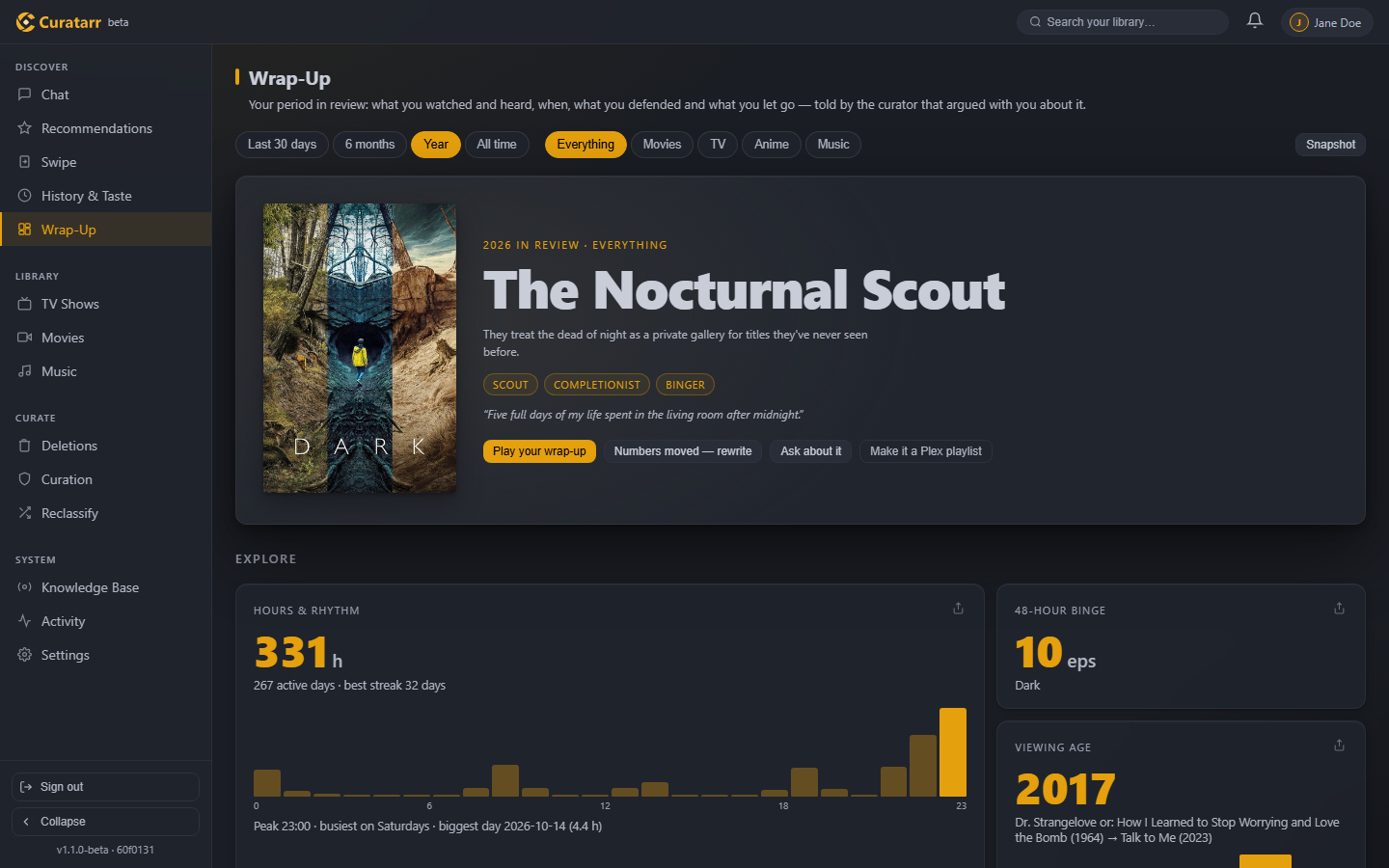
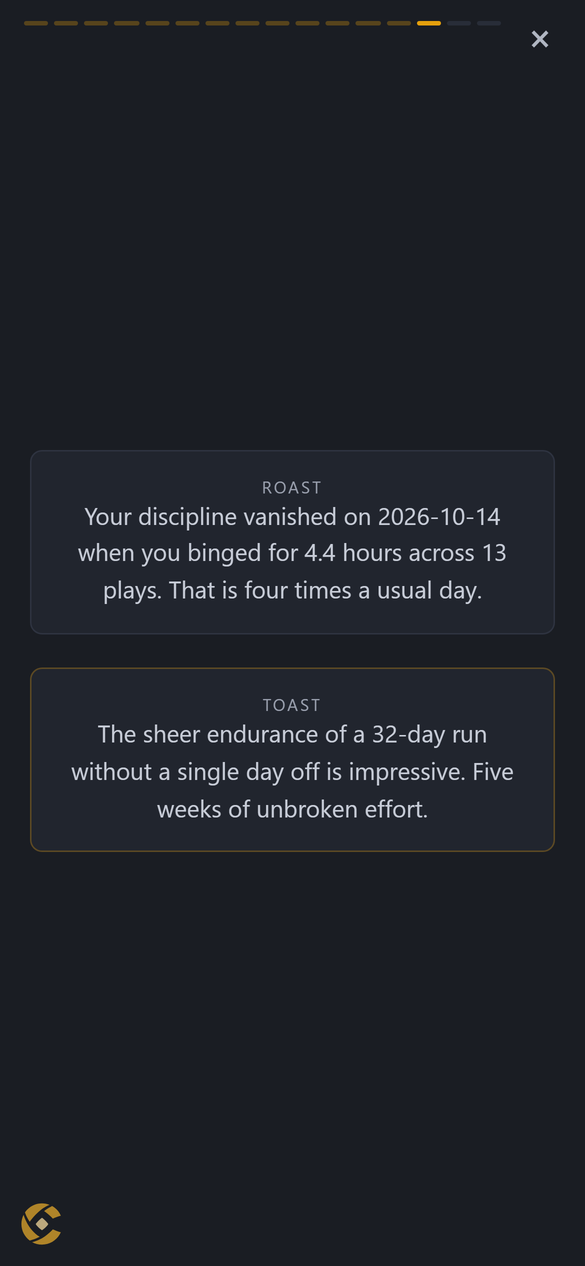
*Every household member's own period in review: the last 30 days, six
months, a year or all time. Every number is computed from the play record
before the curator writes a word; the archetype, the chapters, the roast and
the toast are its reading of them.*
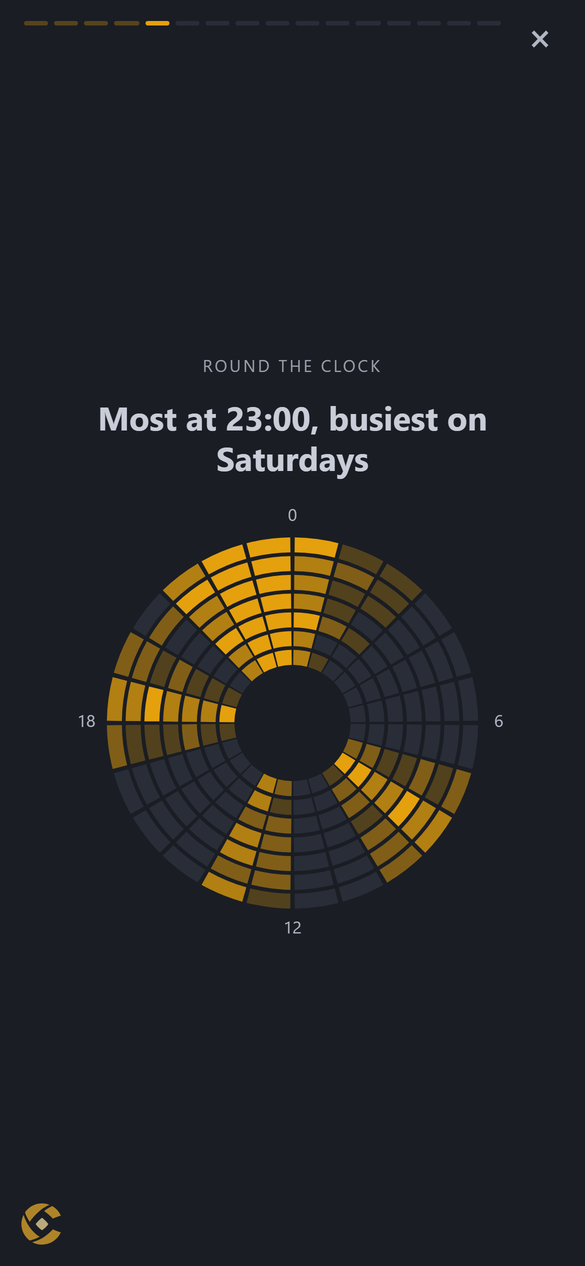
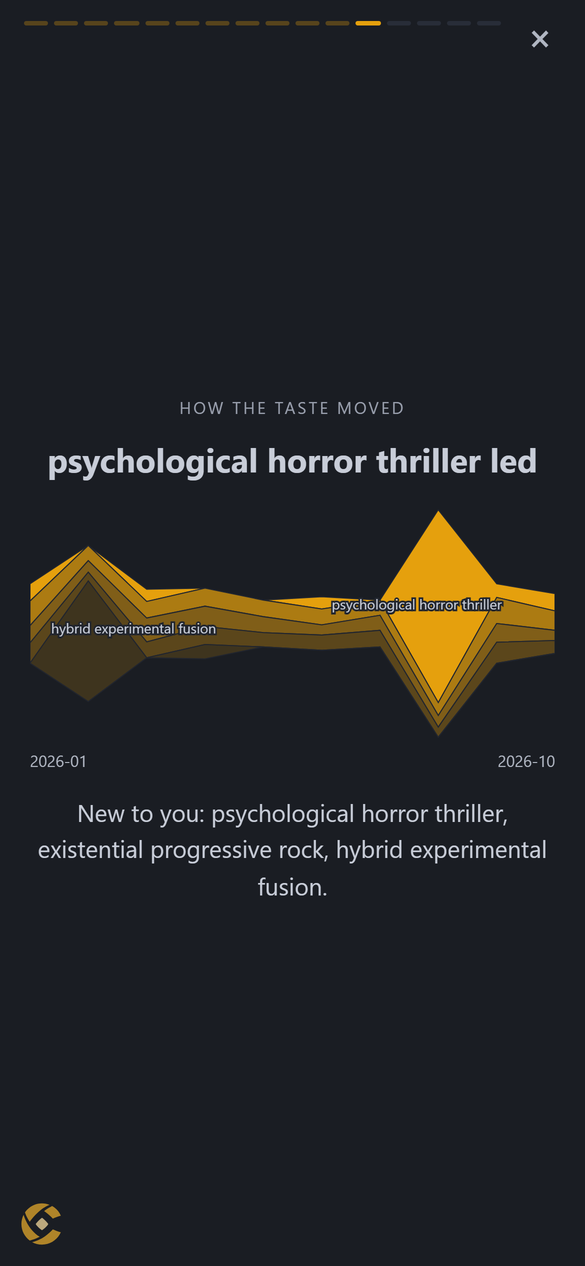
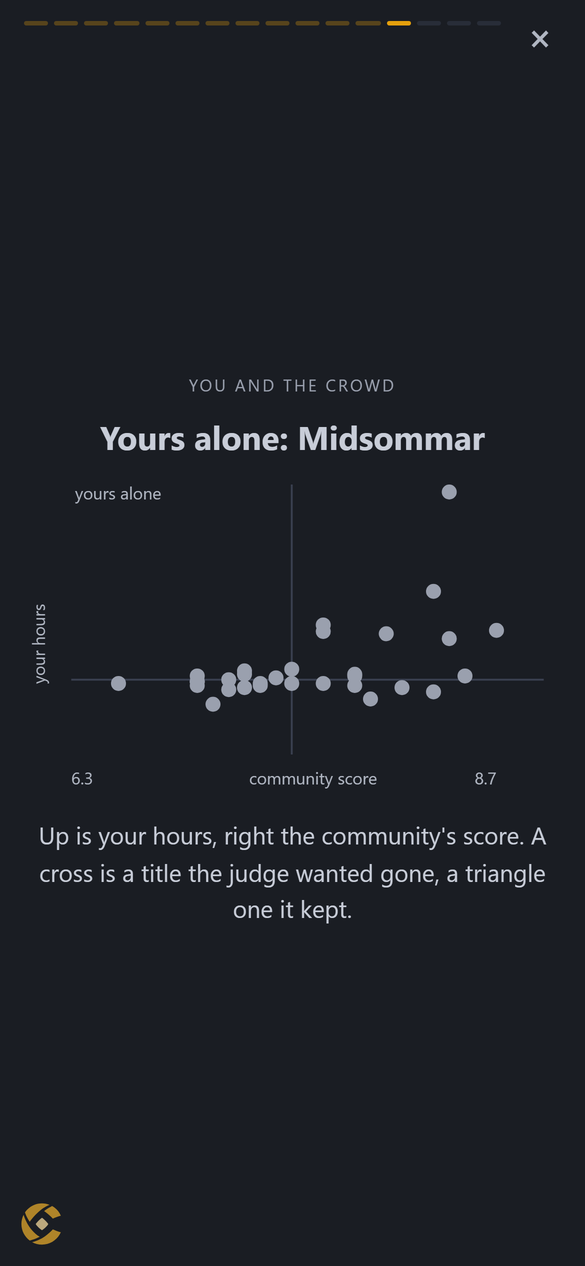
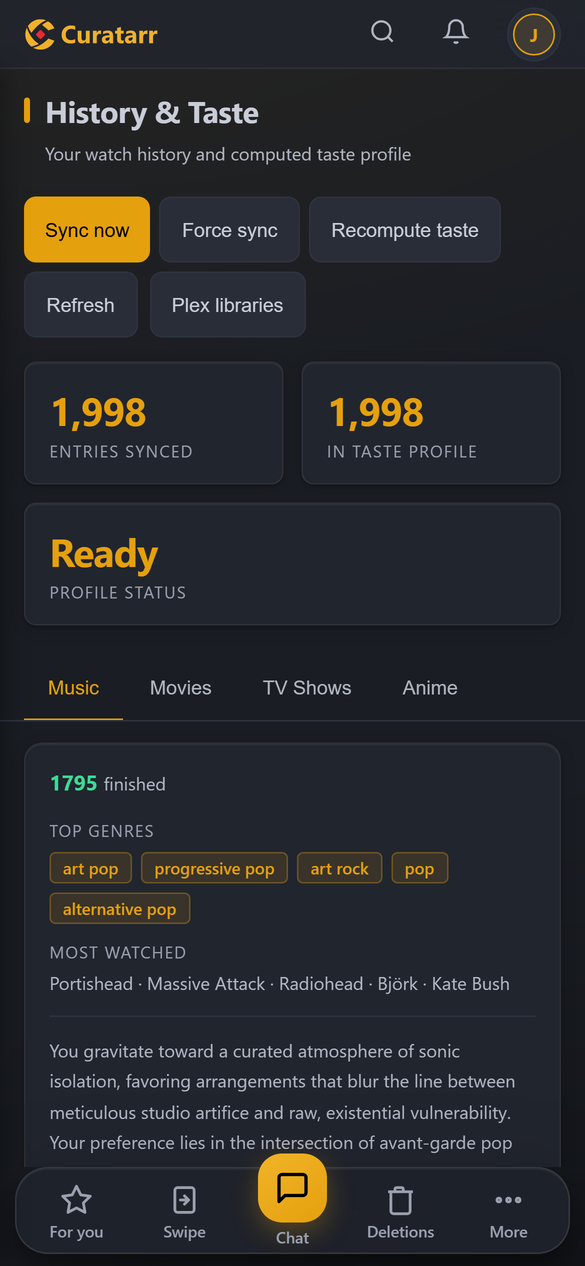
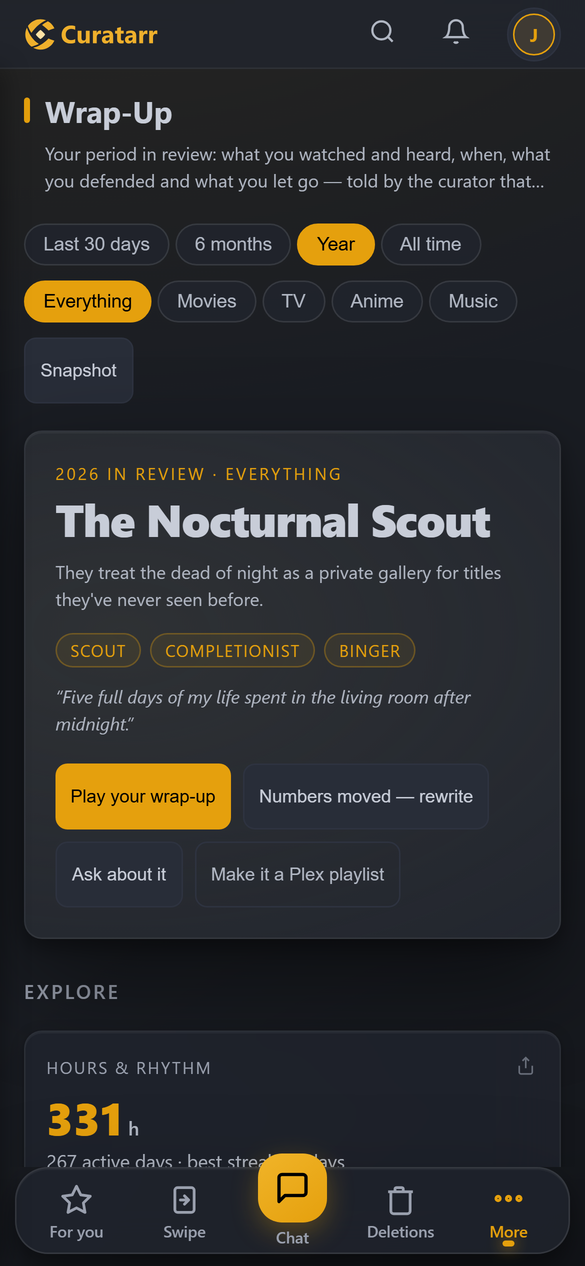
*On a phone it plays as a story: the hours round the clock, how the taste
moved month by month, your hours against the community's score, and a roast
and a toast.*
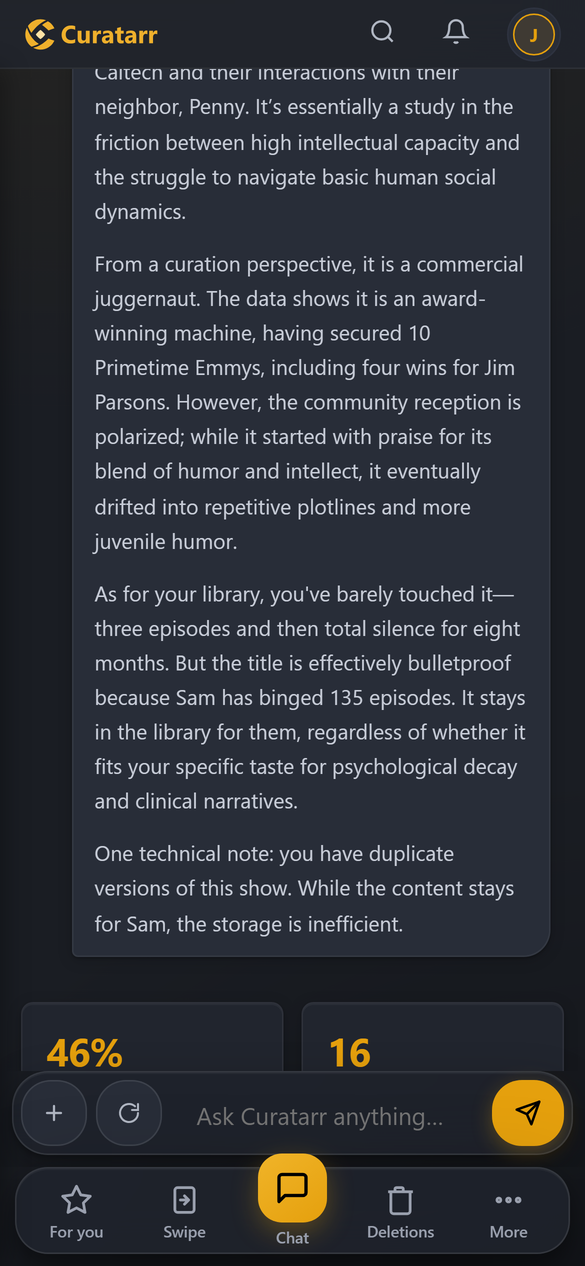
### Ask about anything you own
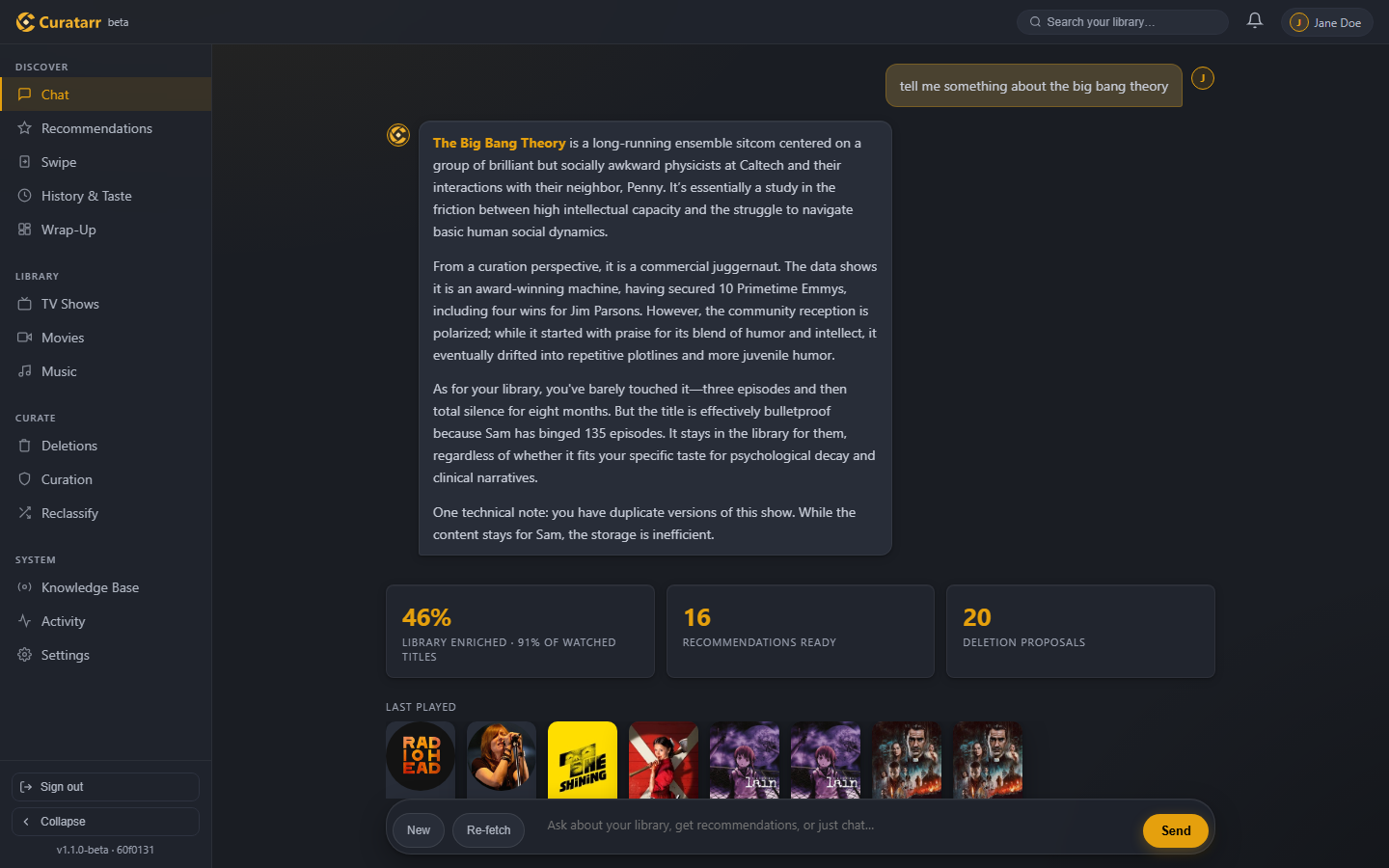
*The answer is built from the viewing record and verified facts, not from
what a model half-remembers. Jane gave up after three episodes; Sam has
watched 135. The household outranks the owner's taste, so the title stays.*
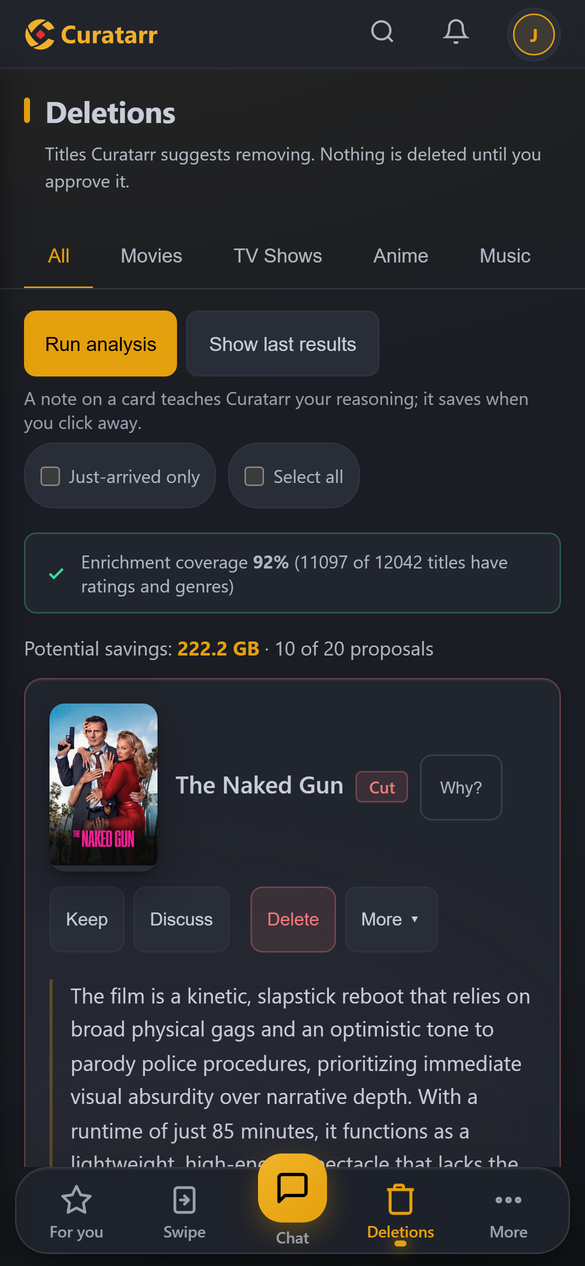
### Deletion proposals that argue their case
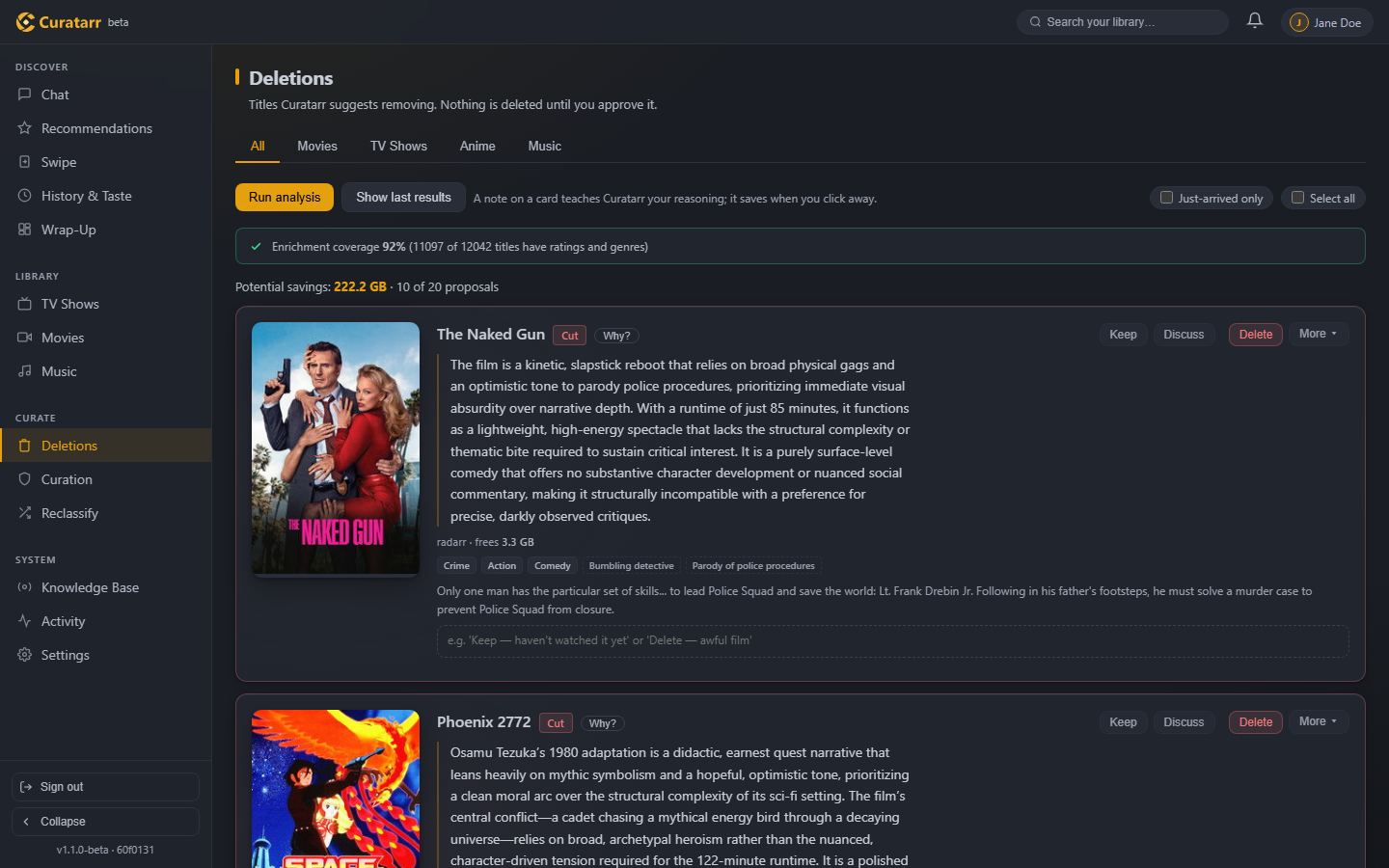
*A four-pillar judge rules on every candidate from verified evidence and
writes the case. Keep, discuss or delete: nothing is deleted until you
approve it.*
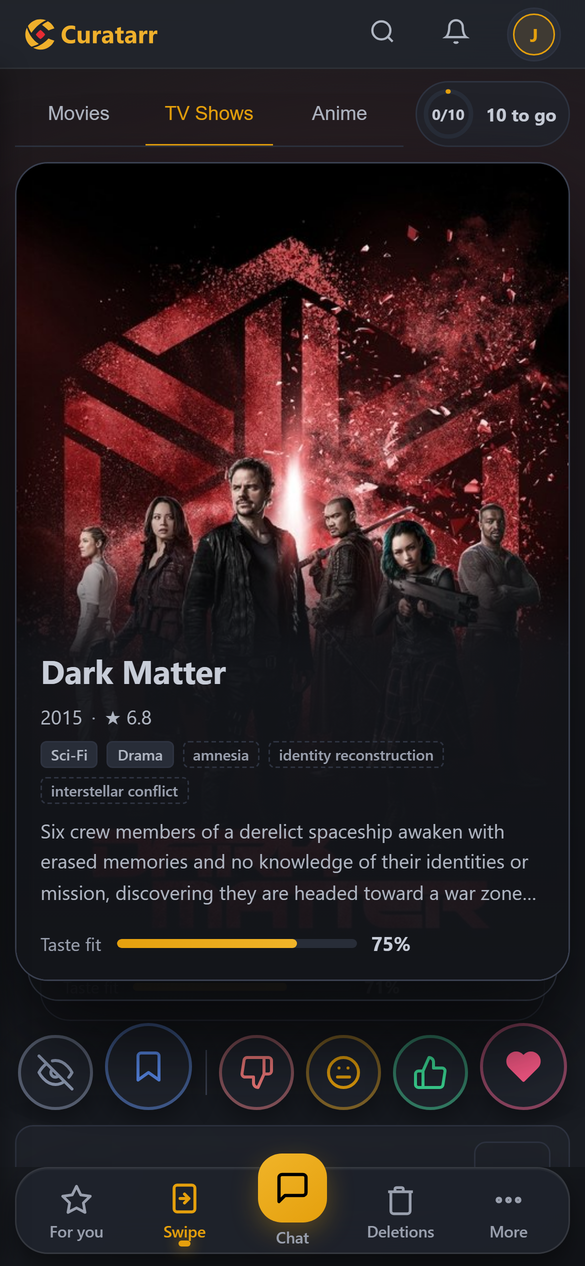
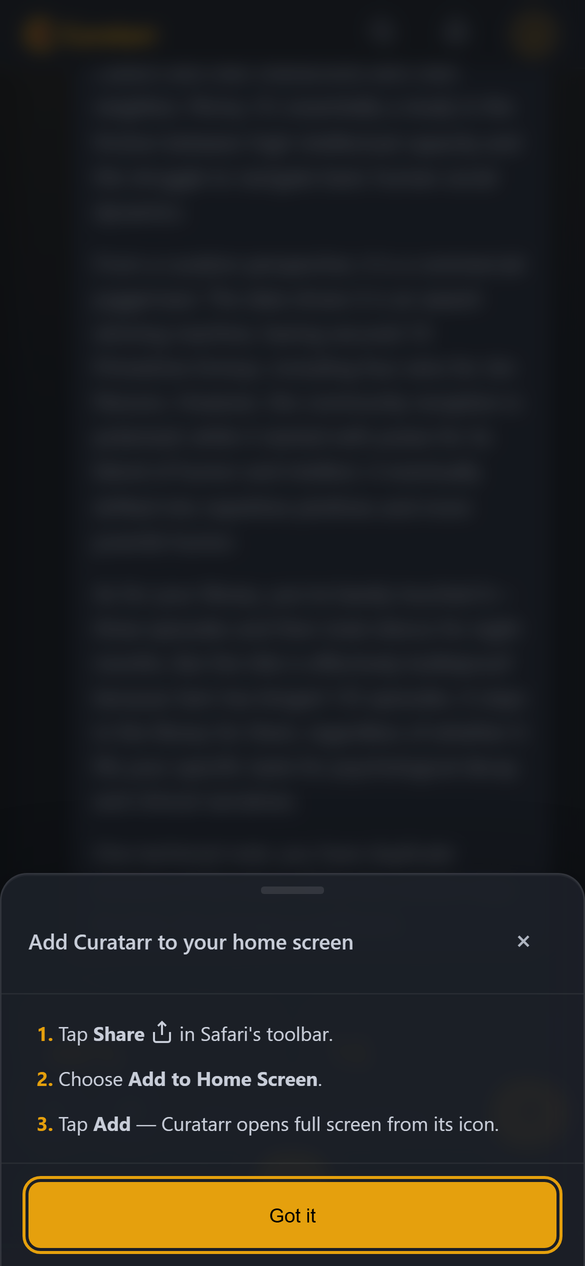
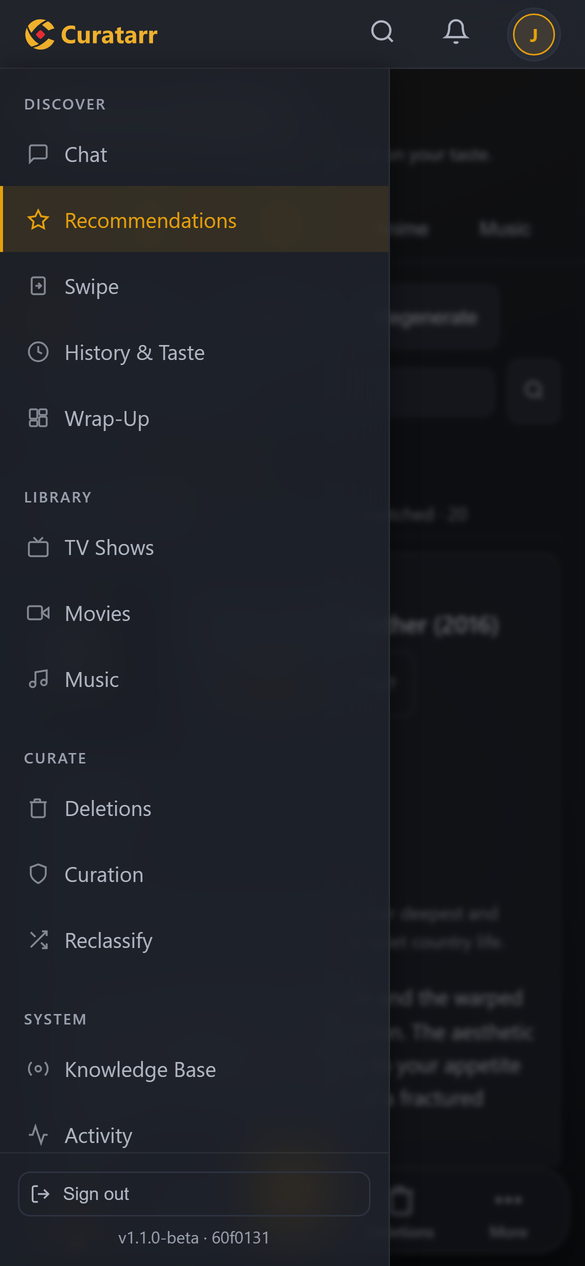
### On a phone
*Installable as an app: a floating tab bar in thumb reach, Swipe for rating
titles one at a time, cards instead of tables, and dialogs as sheets you
drag down to close.*
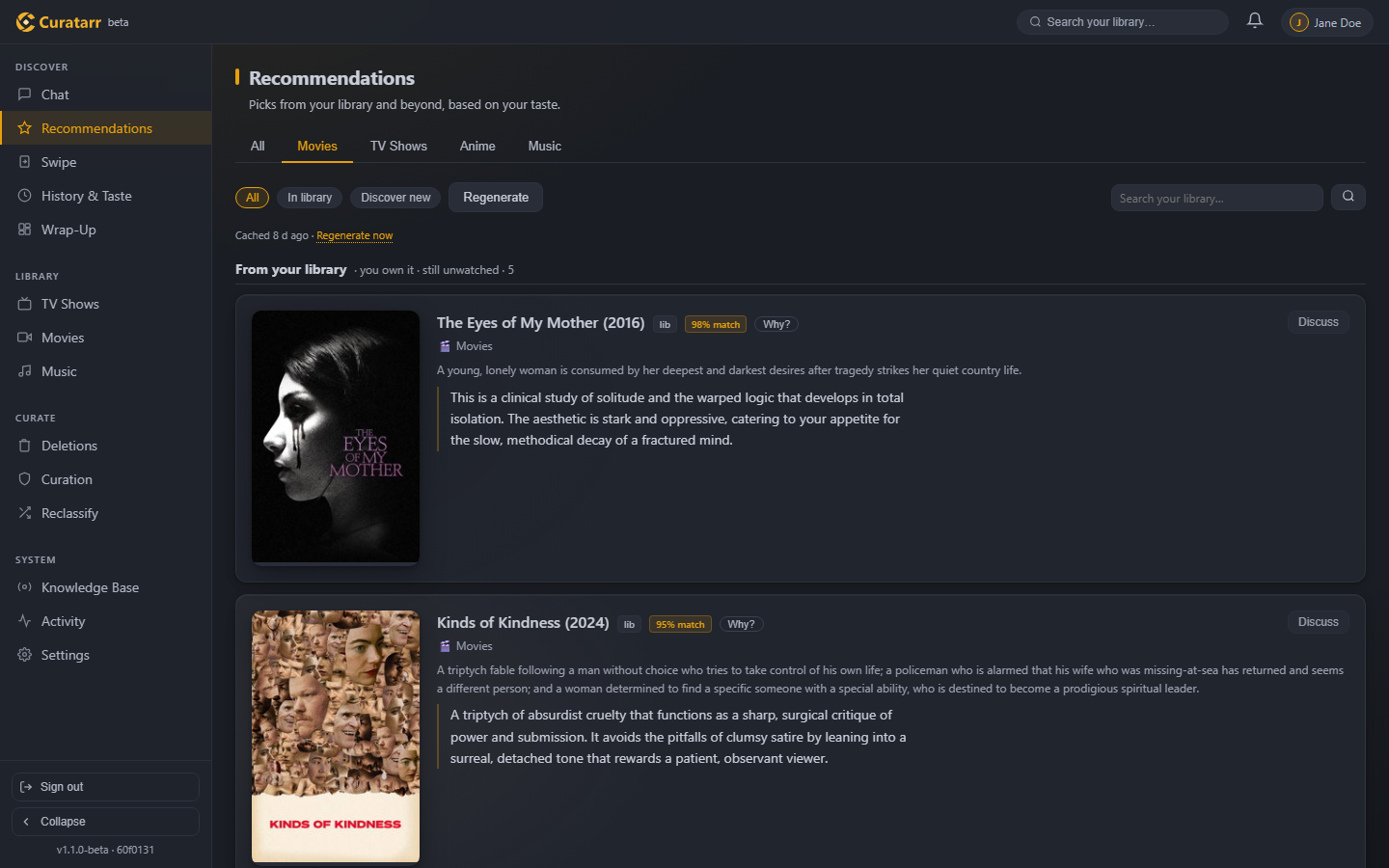
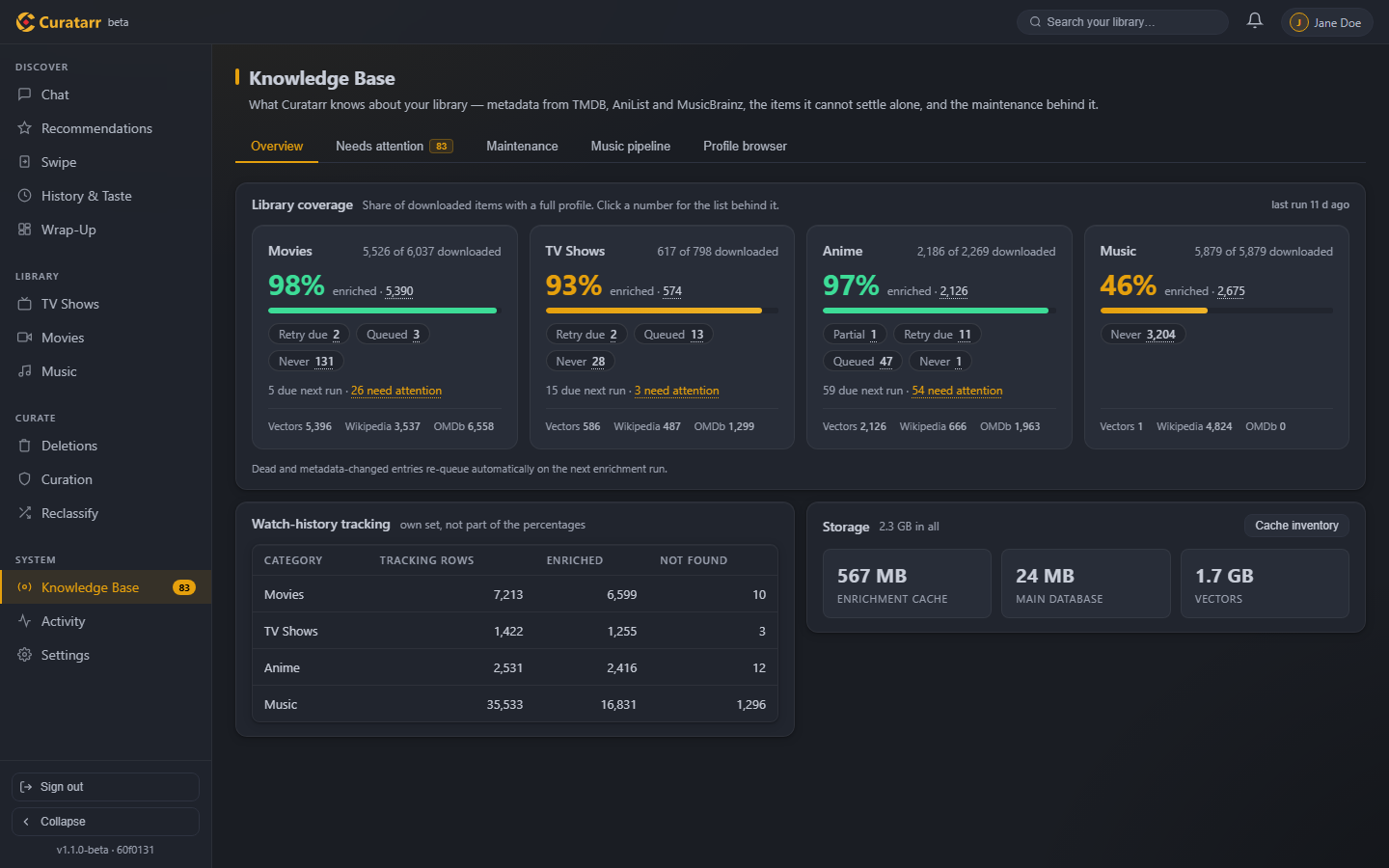
More: recommendations, the Knowledge Base, history as cards
## Features
### The curator
- **Taste-aware recommendations** — from your own library or open-ended
discovery, each with a written pitch explaining *why* it fits you.
- **Deletion proposals with an argument** — a 4-pillar judge (taste,
household use, custodianship, resonance) rules KEEP / CUT / STAGNANT
from verified evidence, then writes the case. Every proposal has its
own discussion thread; titles without enrichment data are skipped
rather than judged blind. Each category keeps a pool of proposals, ten
on screen out of a pool of 50 that its backfilling all the time,
and a run judges only what the pool lacks. A title
with a major honour (an Emmy, a Grammy, an Oscar …) is never a cut,
only your call.
- **Semantic library search** — "like *X* but *X* and more *X*"
resolves the anchor title, scores each constraint against real metadata
tags, cites its evidence per hit, and admits when nothing in your
library carries the full profile.
- **A curator that learns** — tell it once that you value a franchise, a
partner's favourite, or archival oddities, and that preference softly
protects similar titles in every future proposal. Principles it infers
from your arguments wait for your approval before they count.
- **Grounded, never hallucinated** — judgments reason from cached facts
(TMDB, OMDb, AniList, MusicBrainz, Last.fm, Wikipedia), not from the
model's own memory of a title.
- **It can hear the film and the music** — deletion candidates carry
measured dialogue signals from the actual subtitle track (words
per minute, share of the runtime without dialogue, lexical variety),
so the judge has evidence about *execution*, not just metadata and
a law that sparse dialogue is never thin writing.
### The household
- **Multi-user** — every play is attributed to its Plex / Jellyfin account;
each user gets their own taste vector, recommendations, playlists and chat.
What the household watches outranks the owner's taste in every keep or
cut.
- **Wrap-Up for every member** — the last 30 days, six months, a year or
all time: played hours, the clock, binges, comfort rewatches, nanogenres
and genre drift, and what curation freed. Every number is computed in
code; the curator then tells it as chapters, a roast and a toast, played
as a story on the phone. Comparing with the rest of the household is
opt-in.
- **Spotify and Netflix history** — import a member's Spotify listening
and Netflix viewing; it counts like their Plex plays, matched onto the
library's titles. Artists you streamed but do not own show up as a
backlog; with [SoulSync](https://github.com/Nezreka/SoulSync) set up,
the owner's Wish puts their tracks on its wishlist.
- **Swipe** — rate titles seen anywhere, one card at a time; the stars
join the taste vector, "want to watch" goes to the Plex watchlist.
- **Writes back to Plex** — per-user "Curatarr Recommended" playlists
(updated in place, not recreated) and rotating collection shelves.
- **Proactive messages** — a new season for something you binged, a
strong pick for tonight, a check-in after a long break.
### Library care
- **A data custodian instead of a button zoo** — ~45 maintenance tasks
each carry a cadence and catch up whenever the machine is on. Every job
reports live progress in the Activity view.
- **Self-healing library knowledge** — the profile audit requeues stale
entries, rebuilds orphaned documents from cache, re-resolves corrupt
id clusters and anime that resolved to another work, and refuses to
mistake an unreachable service for a deleted library. A **Fix match**
action (in a proposal card's More menu, or Search & pin in the Knowledge
Base) permanently pins the right identity when two same-named works
collide.
- **Anime watched, reported to [Shoko](https://shokoanime.com)** —
optional: with a Shoko Server on the LAN, every anime episode you finish
is marked watched there, with the day you watched it. The file decides
which Shoko episode it is; what the sync cannot place (a renamed series,
one that left the library) you link to its AniDB entry or skip under
Settings → Integrations.
### Your hardware
- **Local models only** — every prompt runs on Ollama on your own
machines; nothing goes to a hosted LLM.
- **A NAS that borrows your PC** — run Curatarr around the clock in
a container, and let a second machine lend its GPU whenever it is on and
nobody is playing. Deletion verdicts wait for the big card for up to 72
hours; after that the server judges with its own model, and the big card
checks those proposals again once it is back. Settings shows what each
card is doing right now, and the PC's tray icon turns its diamond red
while Curatarr works on that card.
- **Fits the card you have** — a hardware bench measured more than twenty
models on 4 to 24 GB cards. The setup wizard and Settings read each
machine's card and fill in the measured package: curator model,
profile, context window and GPU layers. Where your settings differ,
Settings marks it. NVIDIA cards are read with nvidia-smi, AMD cards
through the amdgpu driver or amd-smi. The bench has not measured an AMD
card yet, so their advice goes by memory size.
- **Game mode** — when a game starts, the models are evicted from VRAM
and only keyless API pre-fetching continues. The pipeline resumes by
itself afterwards.
- **At home on a phone** — installable as an app, with a floating tab bar,
card layouts and bottom sheets. The desktop gets the same frosted-glass
design.
## How it works
```mermaid
flowchart LR
plex["Plex plays per member"] --> sync
imports["Spotify / Netflix exports"] --> sync
arr["Radarr · Sonarr (Lidarr optional)"] <-->|"library · deletions"| core
apis["TMDB · OMDb · AniList MusicBrainz · Last.fm · Wikipedia"] --> enrich
subgraph core["Curatarr"]
sync["Sync"] --> taste["Taste vectors per member"]
enrich["Enrich"] --> embed["Embed ChromaDB"] --> taste
taste --> act["Recommend · Judge Chat · Wrap-Up"]
end
act <-->|prompts| ollama["Ollama this machine, or a PC that lends its card"]
act -->|"playlists · collections"| plex
```
1. **Sync** — plays are pulled from Plex and attributed per member;
Spotify and Netflix exports join them.
2. **Enrich** — each title is resolved against the metadata APIs and
given an LLM-written profile, then embedded into ChromaDB.
3. **Model taste** — profiles plus watch history plus your stated
preferences become a per-user, per-category taste vector.
4. **Act** — that vector drives recommendations, deletion candidates,
search ranking, the Wrap-Up and the curator's side of every
conversation.
The full technical reference — data model, pipeline internals, design
decisions and the invariants learned the hard way — lives in
[ARCHITECTURE.md](ARCHITECTURE.md).
For a clickable bird's-eye view of the repository, open the
**[interactive architecture diagram on GitDiagram](https://gitdiagram.com/randomname653/curatarr)**.
An AI model draws it from the file tree and this README, and it is only
redrawn on request, so use it to find your way around and check the
details against ARCHITECTURE.md, which is maintained alongside the code.
---
## Getting started
### Requirements
Curatarr runs three ways: on a Windows desktop (the launchers and the tray
app are Windows-only), by hand on Linux or macOS, or as a container on a
NAS or server (`ghcr.io/randomname653/curatarr`, published on every push to
`main`). Ollama may run on another machine (`OLLAMA_ENDPOINT`); the
container image does not include it.
| | |
|---|---|
| **Python** | 3.12 or newer |
| **[Git](https://git-scm.com)** | to clone the repository and to update it |
| **Docker** | only for the container route, which needs neither Python nor Git |
| **Plex Media Server** or **Jellyfin 10.9+** | one per install; on Plex you sign in as the server owner, on Jellyfin as an administrator (Quick Connect or password) |
| **[Ollama][link-ollama]** | installed and running before the first start |
| **GPU** | 24 GB VRAM for the default curator model. Smaller cards work too: the setup reads the card and fills in the model the bench measured for its size (16 GB: `gemma4:26b-a4b-it-qat`). NVIDIA, or AMD where Ollama runs on ROCm (not benchmarked yet) |
| **Disk** | room for the models: the default curator alone is about 19 GB |
| **Radarr / Sonarr / Lidarr** | optional — each one unlocks deletion proposals and adds for its category |
| **Music index** | nothing to set up — without Lidarr, music runs on your Plex or Jellyfin library |
| **TMDB API key** | recommended — the primary movie/show metadata source |
| **OMDb / Last.fm / Spotify keys** | optional — extra ratings, awards and music genres |
AniList and MusicBrainz need no keys. Every key can be added later in
Settings.
**Models.** The defaults are `gemma4:31b` as the *curator* (it won a
five-model benchmark on chat character and metadata faithfulness — see
[docs/BENCHMARKS.md](docs/BENCHMARKS.md)), `granite4.1:8b` as the fast
*summarizer*, and `nomic-embed-text-v2-moe` for embeddings, which runs on
the CPU so the GPU stays free for the curator. The first start downloads
whatever is missing. Any Ollama model can be substituted: on a card with
less than 24 GB the setup wizard's Ollama step fills in the bench's pick
for it, and Settings → Integrations → Ollama & models shows it next to
what is set. See also [Changing the models](docs/USAGE.md#changing-the-models).
> [!NOTE]
> **Lidarr is optional, and the least reliable of the three.** Radarr and
> Sonarr answer consistently; Lidarr's API often answers slowly or not at
> all, so screens that wait on it can stall. Without Lidarr, Curatarr
> indexes your Plex music library itself: deletion proposals, deletions
> (through Plex's *Allow media deletion* setting) and a Wanted list in
> place of adds.
### Installation
**Windows**
1. Make sure Ollama is running (its icon sits in the system tray).
2. Clone the repository and create a virtual environment for Curatarr:
```bat
git clone https://github.com/Randomname653/Curatarr.git curatarr
cd curatarr
py -3.12 -m venv venv
```
3. Start it:
```bat
start.bat
```
The first start takes a while. `start.bat` installs the tested
dependencies into `venv`, then downloads and builds the Ollama models
(the default curator alone is about 19 GB). You don't need to activate
the venv or run `pip` yourself. When the console shows this line,
Curatarr is up and your browser opens on it:
```text
Running at http://localhost:8000 | Press Ctrl+C to stop
```
> [!TIP]
> `start.bat` keeps a console window open and reloads itself when the
> code changes. For everyday use, start Curatarr with `start_tray.bat`
> instead: it runs in the background as a tray icon, with an autostart
> toggle, log access and a clean shutdown. Both use the same `venv`.
**Linux / macOS**
```bash
git clone https://github.com/Randomname653/Curatarr.git curatarr
cd curatarr
python3 -m venv venv # Python 3.12 or newer
source venv/bin/activate
pip install -r requirements.txt
python build_models.py
python -m uvicorn src.main:app --host 0.0.0.0 --port 8000
```
`build_models.py` downloads the base models and builds Curatarr's own
model tags from them. It takes a while the first time. Curatarr is up when
uvicorn prints `Application startup complete.` There is no launcher on
these platforms, so after every update repeat the `pip install` line and
restart.
**Docker (NAS, server)**
```bash
mkdir -p /srv/curatarr && sudo chown 568:568 /srv/curatarr
docker run -d --name curatarr --restart unless-stopped \
-p 8000:8000 -v /srv/curatarr:/app/data -e TZ=Europe/Berlin \
ghcr.io/randomname653/curatarr:latest
```
Everything the app writes lives in that one volume: the database, the
vector store, logs, backups and the `.env` the setup wizard writes, with
every token in it. The container runs as uid 568 (TrueNAS SCALE's *apps*
user), so that user must own the directory. After the first start it
builds the missing Ollama models in the background. For compose or a
TrueNAS custom app, use
[`deploy/docker-compose.yml`](deploy/docker-compose.yml). To your browser
a container is never "the machine itself", so the setup wizard asks for
the one-time setup code: `docker logs curatarr` shows it. Details, including
lending a gaming PC's GPU to the NAS, are in
[Running in a container](docs/USAGE.md#running-in-a-container-nas-server)
and [the NAS move](docs/NAS_MOVE.md).
### First run
1. Open `http://localhost:8000` on the machine running Curatarr. The
setup wizard opens.
2. Work through the wizard: Plex sign-in (Curatarr opens plex.tv in a
new tab for you to approve, or you enter the code it shows at
plex.tv/link; no password), the Ollama models, the \*arr connections, API keys,
which Plex library holds which category, and the admin account. Sign
in with the Plex account that **owns** the server, because the first
account becomes the admin.
3. When the wizard finishes, the first Plex sync starts. Enrichment
queues itself after it; follow it in **Activity** in the sidebar.
On **Jellyfin**, pick it in the wizard's media-server step and enter the server
URL and an API key (Dashboard → API Keys). Members sign in with Quick
Connect or their Jellyfin password; the first account must be a Jellyfin
administrator. Play history needs no plugin; when Curatarr does not run all
the time, start it at least once every two weeks, so the times of plays made
meanwhile are still in Jellyfin's activity log (30 days). The Webhook and
Playback Reporting plugins are optional: they add the device of such plays
and the history from before Curatarr. An install that already runs on Plex moves to Jellyfin, or back,
with `scripts/rebind_server.py`, keeping its history
([docs/JELLYFIN_DESIGN.md](docs/JELLYFIN_DESIGN.md) §8). What each server
can and cannot do, and which optional plugin closes which gap:
[docs/MEDIA_SERVERS.md](docs/MEDIA_SERVERS.md).
Curatarr is useful right away and gets better as enrichment catches up
with your library, which takes hours to days.
[The first few days](docs/USAGE.md#the-first-few-days) explains what to
expect.
> [!NOTE]
> **Setting up from another device?** Until an admin account exists, a
> browser on any other device must enter a one-time **setup code**.
> Curatarr prints it in its console and log at every start:
> `No admin account yet. Setting up from ANOTHER device on the LAN (or through a reverse proxy) needs this one-time code: …`
> A browser on the Curatarr machine itself, opened at `http://localhost:8000`,
> never needs the code. Any other address — the machine's LAN IP or name, a
> reverse proxy, a web page that rebinds its name to 127.0.0.1 — must present it.
> [!NOTE]
> Curatarr binds to `0.0.0.0` so other people in the household can reach
> it at `http://:8000`. It is built for a trusted home
> network. Read [SECURITY.md](SECURITY.md) before you expose it anywhere
> else.
### Updating
Stop Curatarr (Ctrl+C in its console, or **Shutdown** in the tray menu),
then pull and start it again (on Linux / macOS, see the note under
their install steps):
```bat
git pull
start.bat
```
The launchers install changed dependencies and missing models on their
own, and the server migrates its database at startup. Your data in
`data/` and your `.env` are kept. On Windows the tray menu can also do
this for you: **Check for updates**, then **Update now**.
In a container, pull the new image and recreate the container (on
TrueNAS, edit the app and save it); the data volume stays:
```bash
docker pull ghcr.io/randomname653/curatarr:latest
docker stop -t 30 curatarr && docker rm curatarr # then the same docker run as above
```
Admins see **Update available** under the sidebar when a newer build is
published.
## Configuration
Settings live in `.env` (in a container: `/app/data/.env`, inside the data
volume). The setup wizard writes it, and most options can also be changed
in **Settings**. [`.env.example`](.env.example) documents every option
with its default. If you edit `.env` by hand, restart Curatarr afterwards.
These are the options most people change:
| Env var | What it does |
|---|---|
| `PLEX_URL`, `PLEX_TOKEN` | Plex server and admin token |
| `MEDIA_SERVER_TYPE`, `JELLYFIN_URL`, `JELLYFIN_API_KEY` | `jellyfin` to run on Jellyfin instead of Plex (unset = Plex), its address and API key |
| `OLLAMA_ENDPOINT` | Default `http://localhost:11434` |
| `BASE_CURATOR_MODEL` | Model baked into the `curatarr-curator` tag |
| `BASE_SUMMARIZER_MODEL` | Model baked into the `curatarr-summarizer` tag |
| `LLM_PROFILE`, `CURATOR_NUM_CTX`, `CURATOR_NUM_GPU` | The curator's profile (`large` / `small`), context window and GPU layers; the setup writes the bench's values for your card |
| `DELETION_POOL_SIZE` | Open deletion proposals each category keeps (default 50) |
| `COLLECTIONS_ON_HOME` | Curatarr's collections as home-screen rows on Plex: `all` (default), `owner`, `off` |
| `RADARR_URL` / `SONARR_URL` / `LIDARR_URL` (+ API keys) | \*arr connections |
| `TMDB_API_KEY` | Primary metadata source |
| `SHOKO_URL`, `SHOKO_API_KEY` | Optional [Shoko Server](https://shokoanime.com): finished anime episodes are reported there as watched. One key per Shoko user, comma-separated |
| `SYNC_INTERVAL_HOURS` | Plex history pull cadence (default 24) |
| `PLEX_SESSION_POLL_S` | Plex: seconds between looks whether a play ended, so it is fetched within minutes (default 300, tripled when idle; 0 = off) |
| `ENRICHMENT_TTL_DAYS` | How long an enriched profile stays fresh (default 90) |
| `EXTRA_GAME_PROCESSES` | Extra `.exe` names that should pause the LLM |
| `ALLOWED_HOSTS` | Opt-in guard against DNS rebinding: the host names Curatarr answers to ([SECURITY.md](SECURITY.md#first-run-setup)) |
| `OLLAMA_PC_ENDPOINT`, `PC_AGENT_*` | A second machine's GPU ([how](docs/USAGE.md#running-in-a-container-nas-server)) |
| `JUDGE_FALLBACK_HOURS` | How long deletion runs wait for that machine before the server judges itself (default 72; -1 always waits) |
## Documentation
| Document | What's in it |
|---|---|
| [Usage guide](docs/USAGE.md) | Day-to-day operations, maintenance commands, troubleshooting |
| [Media servers](docs/MEDIA_SERVERS.md) | What works on Plex, Jellyfin and (planned) Emby, the limits, and the optional plugins |
| [Moving onto a NAS](docs/NAS_MOVE.md) | Curatarr in a container, with the main PC as a second GPU |
| [Benchmarks](docs/BENCHMARKS.md) | How the models were chosen — method, data, and the raw scores |
| [How the curator judges](docs/CURATOR_EXAMPLES.md) | The recommended models judging the same fictional library, word for word |
| [Architecture](ARCHITECTURE.md) | Data flow, subsystem internals, design decisions, hard-won invariants |
| [Architecture diagram](https://gitdiagram.com/randomname653/curatarr) | Interactive, AI-drawn map of the repository (GitDiagram) |
| [All docs](docs/README.md) | Which document is a guide, a reference, a design record or a dated audit report |
| [Configuration reference](.env.example) | Every setting with defaults and comments |
| [Roadmap](ROADMAP.md) | What's planned and what's deliberately parked |
| [Changelog](CHANGELOG.md) | Condensed release history |
| [Contributing](CONTRIBUTING.md) | Dev setup, test conventions, code style |
| [Security](SECURITY.md) | Threat model and vulnerability reporting |
## Privacy
- **No hosted LLM.** Every prompt goes to your own Ollama instance.
- **Your history stays local.** SQLite and ChromaDB live under `data/`;
that directory, `.env` and personal exports are all gitignored.
- **Titles go out, behaviour does not.** Enrichment queries public
metadata APIs — TMDB, Wikipedia, Wikidata, MyAnimeList (or Jikan), AniList, MusicBrainz,
Last.fm, Deezer, Spotify — and most are searched by *name*, so those
services learn which titles and artists your library holds. OMDb,
OpenSubtitles and ListenBrainz are queried purely by id. What is never
sent: what you watched, when, how often, your ratings, your taste
profile, or anything you typed.
- **Bulk downloads and the update check carry nothing of yours.** The
anime id mappings (from GitHub) and the Discogs data dump are fetched
whole. The update check asks GitHub's API anonymously, at most hourly,
whether a newer build exists; `UPDATE_CHECK=false` turns it off.
- **Subtitle sources are opt-in.** Dialogue signals come from the file
Plex already holds whenever one exists. OpenSubtitles is only contacted
if you configure a key, matched by IMDb id (no title guessing), under a
daily budget you set. A self-hosted subtitle service can be slotted in
between the two; nothing is bundled and none is assumed.
- **Data at rest is not encrypted by the app.** Watch history, taste
vectors and chat live in plain SQLite under `data/` — on a trusted
machine, by design. If disk theft is in your threat model, use OS disk
encryption (BitLocker / LUKS); it protects everything at once, which no
per-table scheme can.
## Contributing
Issues and pull requests are welcome — see [CONTRIBUTING.md](CONTRIBUTING.md)
for dev setup and conventions. The test battery is a single command and
CI runs exactly the same one:
```bash
python tests/run_all.py
```
## License
[GNU AGPL-3.0][link-license] — free to use, modify and self-host; derived
work and network-hosted forks must stay open source. Ported components
keep their original licenses, listed in
[THIRD_PARTY_LICENSES.md](THIRD_PARTY_LICENSES.md).
The Curatarr name, logo and wordmark (everything in `assets/brand/` and
the icons rendered from it) are not covered by the AGPL-3.0: all rights
reserved. A fork is welcome to the code, under its own name and logo.
## Acknowledgements
- [SoulSync](https://github.com/Nezreka/SoulSync) — several robustness
patterns (entity pins, playlist reconcile, staleness guards) are ported
from it under MIT.
- [Ollama](https://ollama.com), [ChromaDB](https://www.trychroma.com) and
[FastAPI](https://fastapi.tiangolo.com) carry the stack.
- The [\*arr](https://wiki.servarr.com) projects and
[Plex](https://www.plex.tv), which Curatarr is useless without.
- [Shoko](https://shokoanime.com), whose server keeps the anime
collection matched to AniDB and takes Curatarr's watched reports.
- Metadata from [TMDB](https://www.themoviedb.org),
[OMDb](https://www.omdbapi.com), [AniList](https://anilist.co),
[MusicBrainz](https://musicbrainz.org), [Last.fm](https://www.last.fm)
and [Wikipedia](https://www.wikipedia.org).
> This product uses the TMDB API but is not endorsed or certified by TMDB.
[badge-license]: https://img.shields.io/badge/license-AGPL--3.0-blue
[badge-tests]: https://github.com/Randomname653/Curatarr/actions/workflows/tests.yml/badge.svg
[badge-python]: https://img.shields.io/badge/python-3.12%2B-blue
[badge-local]: https://img.shields.io/badge/LLM-100%25%20local-E5A00D
[badge-platform]: https://img.shields.io/badge/platform-Windows%20%7C%20Linux%20%7C%20macOS%20%7C%20Docker-lightgrey
[badge-scorecard]: https://api.scorecard.dev/projects/github.com/Randomname653/Curatarr/badge
[link-scorecard]: https://scorecard.dev/viewer/?uri=github.com/Randomname653/Curatarr
[badge-cii]: https://www.bestpractices.dev/projects/14459/badge
[link-cii]: https://www.bestpractices.dev/projects/14459
[link-license]: LICENSE
[link-tests]: https://github.com/Randomname653/Curatarr/actions/workflows/tests.yml
[link-python]: https://www.python.org/downloads/
[link-ollama]: https://ollama.com