MarkText for Android logo

MarkText for Android

🌐  English  ·  简体中文  ·  繁體中文  ·  Deutsch  ·  Español  ·  Français  ·  日本語  ·  한국어  ·  Português  ·  Türkçe

Markdown, quietly yours.

A lean Markdown editor for Android.

License: MIT   Android 7.0+   Latest release

Highlights · Build from source · License
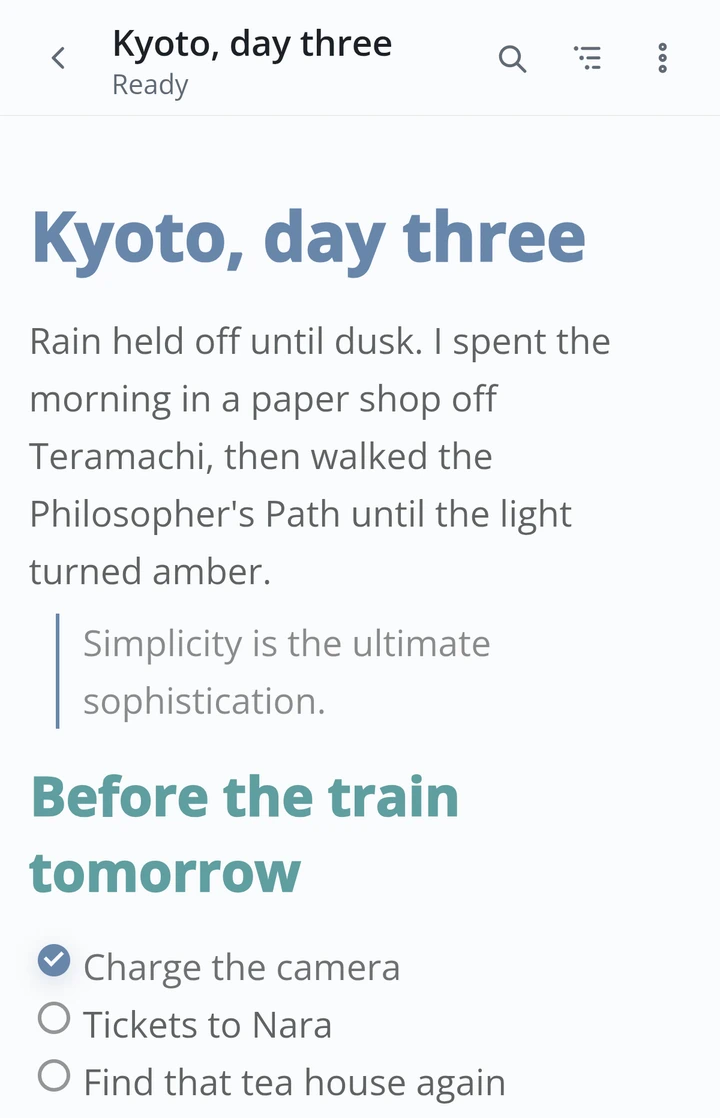
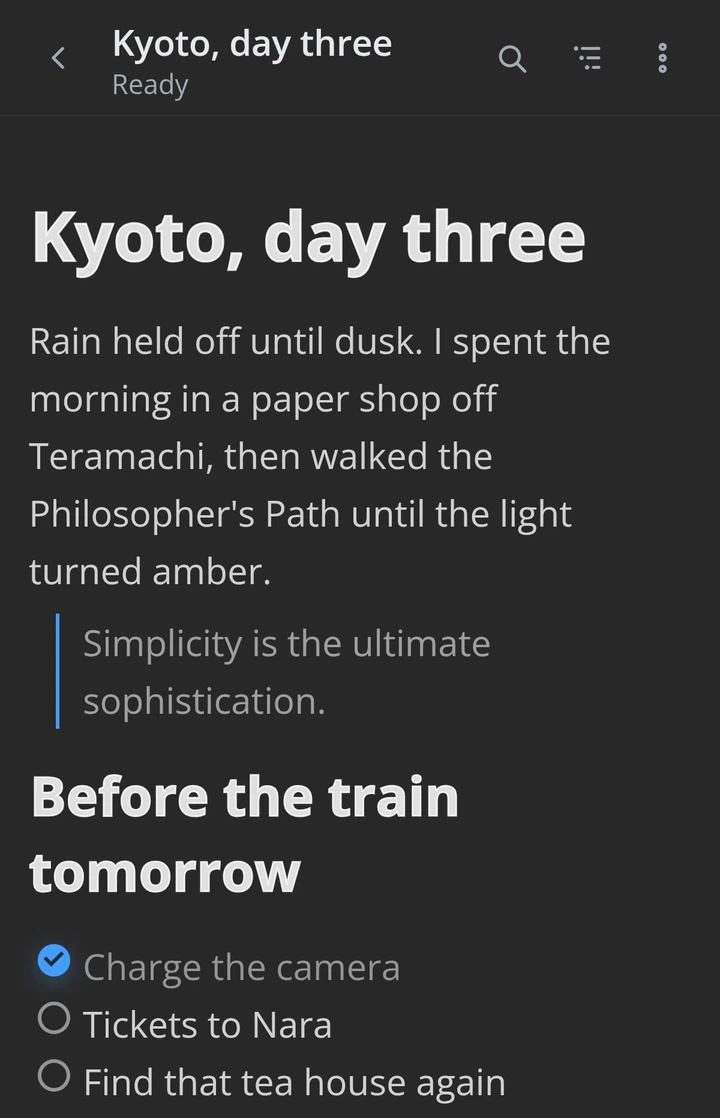
Editing a Markdown document — light theme            The same document in a dark theme

☀  Light  ·  Dark  ☾  — whichever your system prefers

> [!NOTE] > **Unofficial community port** — not affiliated with, endorsed by, or maintained > by the MarkText team. It builds on and modifies MarkText's open-source editor > core (Muya) for Android; see [License & attribution](#license--attribution). ## What it is MarkText for Android brings MarkText's live-preview Markdown editing to the phone. Its editor is Muya, MarkText's open-source core, heavily adapted for mobile: faster on large documents, re-laid-out for a phone's width, and given touch selection and toolbars. What you write renders with the same fidelity as on desktop, in an interface built for one hand. ## Highlights ### A lightweight Markdown editor that never loses a word
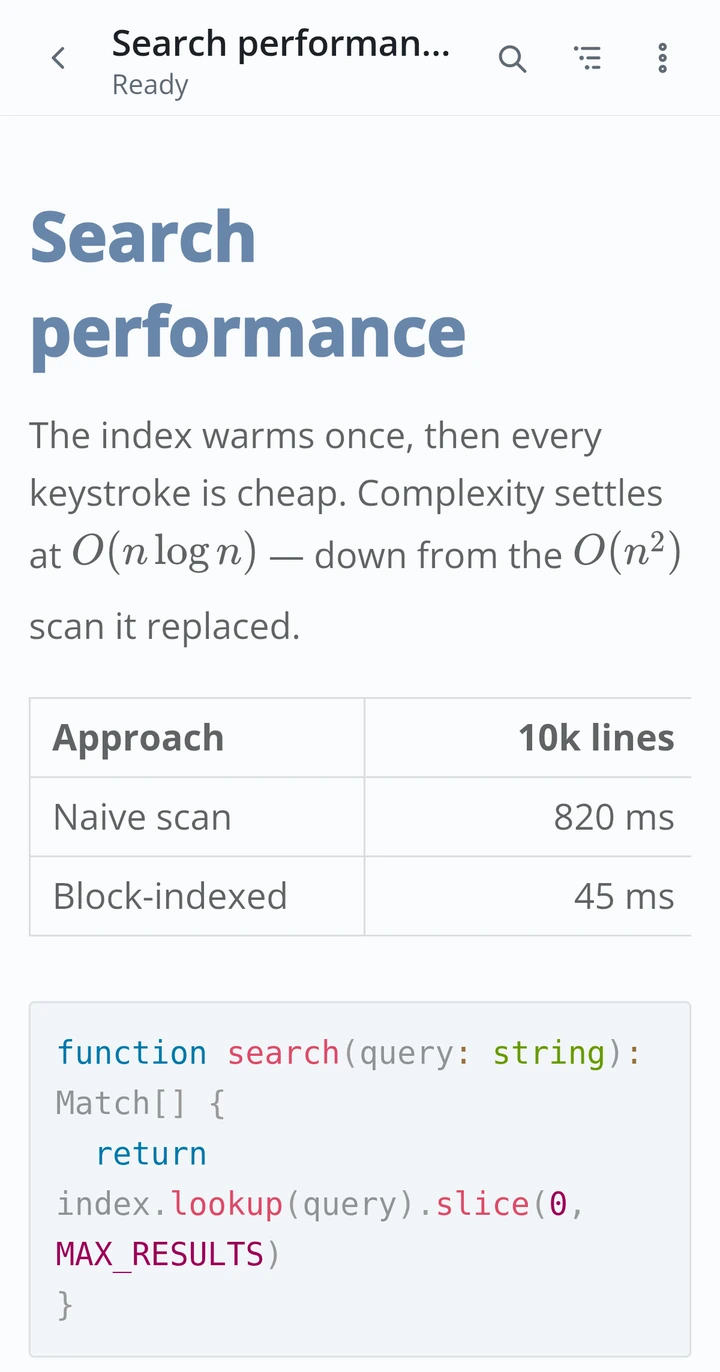
- True live-preview (WYSIWYG) editing. - Full CommonMark and GitHub Flavored Markdown: math (KaTeX), tables, footnotes, front matter, diagrams, and syntax-highlighted code. - A document outline and in-editor search that stay smooth even in long files. - Export to **PDF** with math, code highlighting, and fonts all baked in. - **Never loses your work.** Autosave, recovery drafts, and atomic writes keep every change. - **Private by default.** No account, no cloud, no telemetry; everything stays on the device. - **Lightweight.** A Vue + Capacitor shell keeps the whole app around 7.8 MB — small and light, yet fully featured. Tables, code, and math rendered live while typing
### Make it yours
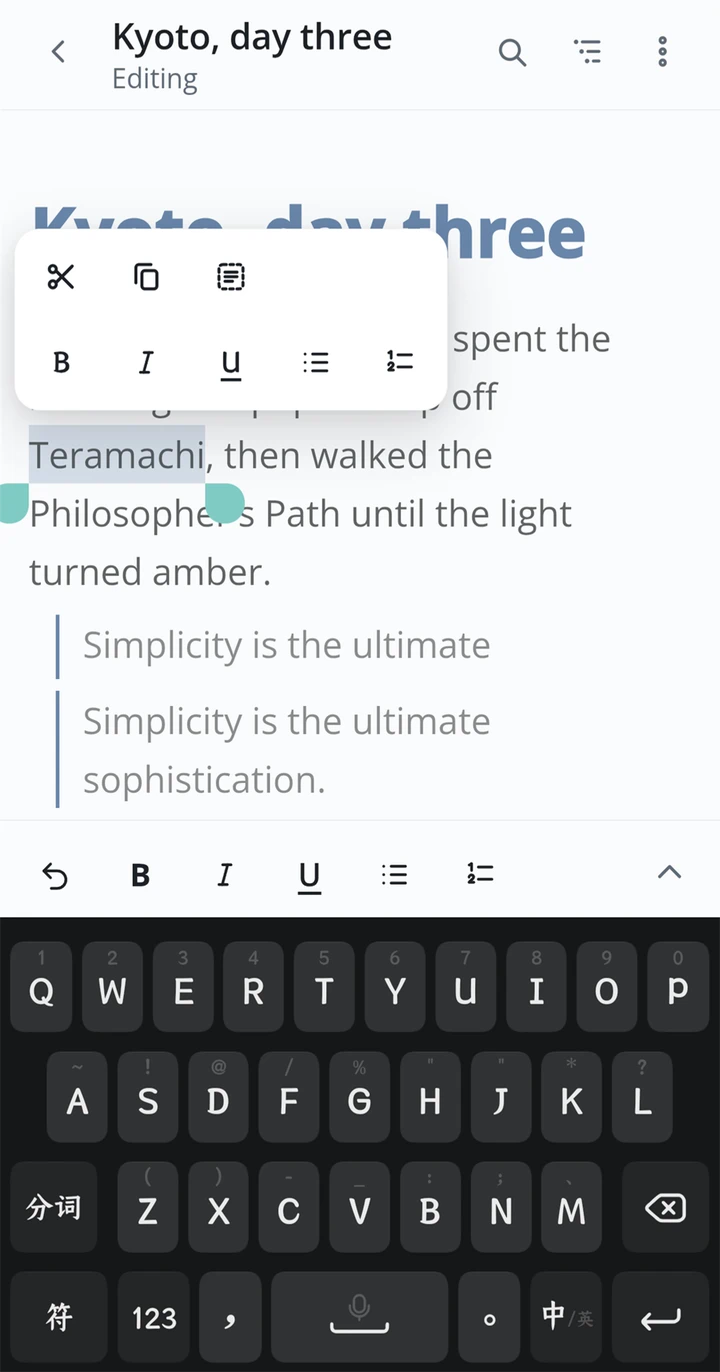
The docked format toolbar and a customized selection (paste) bar shown while editing - **Build your own toolbars.** Compose the bottom quick bar from a pool of commands and drag to reorder it. Even the selection toolbar can hold your own commands.
- **Themes and appearance.** Light, dark, and 30+ custom themes; adjustable type and layout.
- **Markdown to your taste.** Fine-tune how your Markdown is written and rendered, from list markers to front matter.
- **File-level control.** Per-document encoding, line endings, and trailing newline handling.
### Built for the phone, polished for everyone
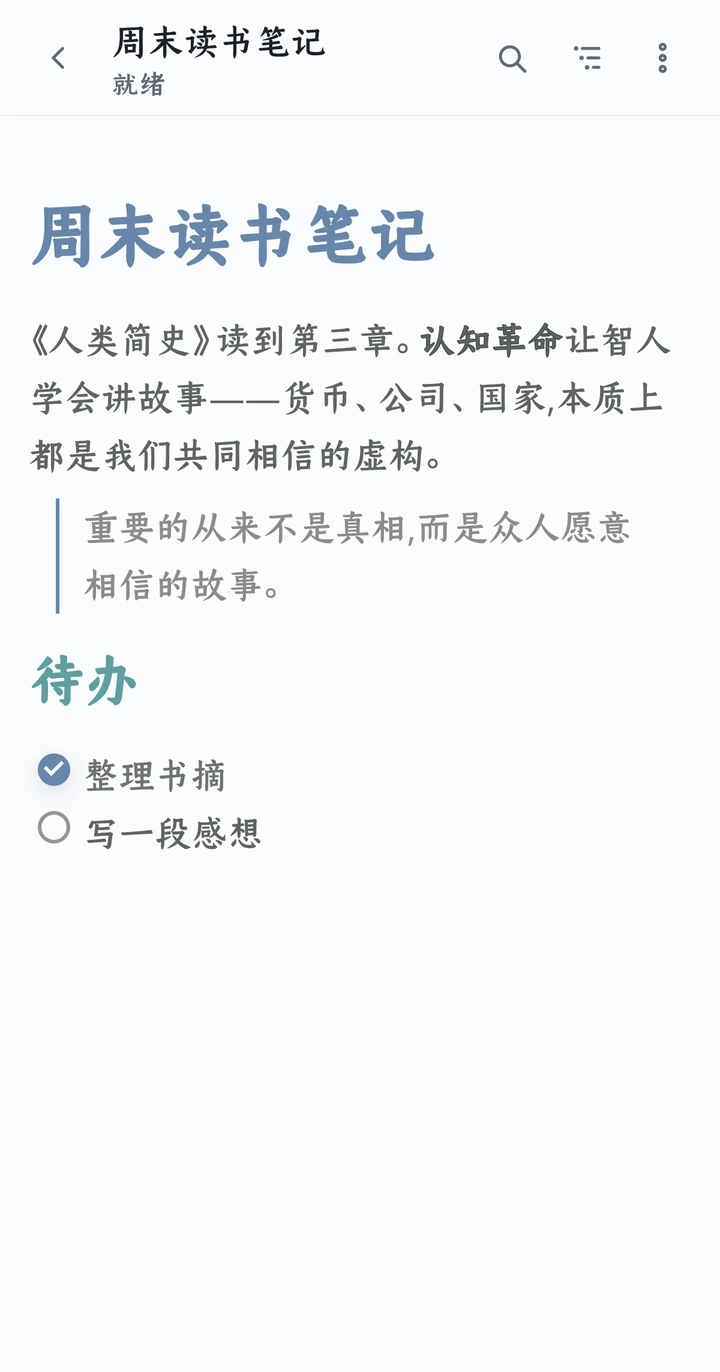
The editor showing a Chinese document with a Chinese interface - **Your files stay put.** Edit `.md` straight from any storage provider through the system picker, and pass documents to and from other apps with the share sheet.
- **Made for the thumb.** Comfortable one-handed reach and a calm, editor-first layout.
- **Accessible and restrained.** A quiet graphite design that meets WCAG 2.2 AA, with a clear focus order and calm, minimal motion.
- **Ten languages,** chosen automatically from your system: English, German, Spanish, French, Japanese, Korean, Portuguese, Turkish, and Simplified and Traditional Chinese.
--- ## Project status > [!IMPORTANT] > Signed public releases are available. Each release APK is built by the > repository's release workflow, pinned to the official release certificate, > and passes clean-install and same-key upgrade checks before publishing. Download signed builds from the [Releases](https://github.com/Renakoni/marktext-android/releases/latest) page. ## Build from source You'll need [Node.js](https://nodejs.org/) with [pnpm](https://pnpm.io/) and [Android Studio](https://developer.android.com/studio) (the Android SDK and a JDK; the app runs on API 24 and newer and is built against API 36). ```sh pnpm install # install dependencies pnpm dev # preview the web shell in a browser pnpm android:sync # build the web app and sync it into the Android project pnpm android:open # open it in Android Studio, then run on a device or emulator ``` Other scripts (`test`, `lint`, `typecheck`, `build`) are in `package.json`. Release maintainers should follow [`docs/RELEASING.md`](docs/RELEASING.md). > [!TIP] > The Markdown editor core is a vendored, **modified** copy of `@muyajs/core` (Muya) > under `third_party/muya`. If you change it, sync your edits into > `node_modules/@muyajs/core/src/**` before building — a contract test catches drift. ## Contributing Issues and pull requests are welcome. Keep each change focused, and add tests where they make sense. ## License & attribution MarkText for Android is released under the [MIT License](LICENSE). It is an **unofficial** port, built on MarkText's open-source work and not affiliated with or endorsed by the MarkText project: - **MarkText** — the desktop editor and design this port follows. Copyright © Luo Ran and the MarkText contributors, MIT licensed. - **Muya** (`@muyajs/core`) — the editor core, vendored and modified under `third_party/muya` with its original MIT license kept ([`third_party/muya/LICENSE`](third_party/muya/LICENSE)). ## Acknowledgements MarkText for Android stands on a lot of open-source work: the [MarkText](https://github.com/marktext/marktext) editor and its [contributors](https://github.com/marktext/marktext/graphs/contributors), the [Muya](https://github.com/marktext/muya) editing engine, and [Vue](https://vuejs.org/), [Vite](https://vite.dev/), and [Capacitor](https://capacitorjs.com/). Thank you to everyone who built them. ---

Markdown, quietly yours.