
概述 • 开发 • 安装 • 使用 • 模块 • 交流 • 鸣谢
## 概述 哔哩助理在 [哔哩](https://github.com/Richasy/Bili.Uwp) 的基础上通过 Windows App SDK 进行了重构. 哔哩助理将以更开放的态度进行开发,借助社区力量,共同构建一个有意思的 UGC 客户端。 文档地址:[哔哩助理](https://bili.richasy.net) ## 安装 ### 商店下载(推荐) [从 Microsoft Store 中获取](https://apps.microsoft.com/detail/9MVFJLPH517M?launch=true&mode=full) ### 侧加载 1. 打开系统设置,依次选择 `系统` -> `开发者选项`,打开 `开发人员模式`。滚动到页面底部,展开 `PowerShell` 区块,开启 `更改执行策略...` 选项 2. 打开 [Release](https://github.com/Richasy/Bili.Copilot/releases) 页面 3. 在最新版本的 **Assets** 中找到应用包下载。命名格式为:`BiliCopilot_{version}_{platform}.zip` 4. 下载应用包后解压,右键单击文件夹中的 `install.ps1` 脚本,选择 `使用 PowerShell 运行` ## 开发 在开发哔哩助理的过程中,抽离出了多个单独组件,可以被其它开发者集成到自己的项目中: - [bili-kernel](https://github.com/Richasy/bili-kernel) 哔哩助理与 BiliBili API 交互的核心代码,是一层 .NET 包装器,基于 .NET Standard 2.0,完全的 AOT 支持,便于移植和二次开发。 - [agent-kernel](https://github.com/Richasy/agent-kernel) 小幻助理 / 小幻阅读 / 哔哩助理 共享的 AI 基础库,支持 20 余种 AI 服务,并提供完全的 AOT 支持。 - [mpv-kernel](https://github.com/Richasy/mpv-kernel) 哔哩助理的核心播放器之一,将 MPV 集成进 WinUI3 以实现良好的播放体验。 - [winui-kernel](https://github.com/Richasy/winui-kernel) 我在多个 WinAppSDK 项目之间共用的一些基础样式及实现。 它们都以 nuget 形式集成在项目内 第一次克隆时可以运行下面的命令: ```shell git clone https://github.com/Richasy/Bili.Copilot.git ``` 切换分支完成后,还需要下载 mpv / ffmpeg 到对应的目录: | 文件名 | 目录 | 说明 | | ------------ | -------------------------------------------------------- | ---------------------------------------------------------------------------------------------------------------------------------------------------------------------------- | | libmpv-2.dll | src\Desktop\BiliCopilot.UI\Assets\libmpv\x64(或者 arm64) | 可以在 [mpv-winbuild](https://github.com/zhongfly/mpv-winbuild) 下载最新的 dev 构建(x64 对应 x86_x64,arm64 对应 aarch64),把 libmpv-2.dll 放入对应文件夹中,用以 mpv 播放 | | ffmpeg.exe | src\Desktop\BiliCopilot.UI\Assets\ffmpeg | 可以在 [mpv-winbuild](https://github.com/zhongfly/mpv-winbuild) 下载最新 ffmpeg x64 构建,将 ffmpeg.exe 放入对应文件夹中,用于视频下载后的混流 | ## 使用 ### 登录 哔哩助理优先使用扫码登录,如果你偏好其它的登录方式(比如手机/用户名密码),你可以选择网页登录。 ### 视频播放 新版本的哔哩助理(V2)支持两种种播放方案: 1. MPV 2. 外部播放器(仅支持 MPV) 下面是几种播放方案的具体比较,请根据自己的情况选择合适的播放方案: | 方案 | 优点 | 缺点 | | ---------- | ---------------------------------- | -------------------------- | | MPV | 解码速度快,播放稳定 | 内存占用相对较高 | | 外部播放器 | 自定义程度高,可以获得最佳播放体验 | 需要额外安装配置,门槛较高 | ### 人工智能 哔哩助理与 [小幻助理](https://github.com/Richasy/Rodel.Agent) 共享代码,接入 20 余种国内外主流 AI 模型服务,给用户足够多的选择。 你可以通过大语言模型对视频/文章内容进行总结(视频需要有字幕),或者结合内容与评论对视频/文章进行 AI 评价。 或许更进一步,你可以基于当前视频/文章的内容与模型对话,针对性地回答你的疑问。 开发者会持续探索大语言模型和 B 站内容结合的边界,更进一步挖掘 AI 潜力,也欢迎你提出你的想法,真正让 AI 有用起来。 ## 视频下载 新版本的哔哩助理(V2)内置了 [BBDown](https://github.com/nilaoda/BBDown) 作为下载工具,也内置了 ffmpeg 作为混流工具,用户无需额外下载依赖,在视频播放下面点击下载按钮即可按需下载。 > [!WARNING] > 目前 ffmpeg 仅内置了 x64 版本,如果你的设备是 Windows 10 ARM64,那么将无法使用内置的下载器。如果设备是 Windows 11,那么可以正常使用 X64 的 ffmpeg。 ### 调用外部下载器 部分同学可能有自己配置好的 BBDown,那么可以在设置页面的下载设置中打开 `下载时调用外部BBDown`。你还可以选择在下载时仅复制下载命令,以便进行二次编辑。 ## 交流讨论 有兴趣一起交流的话,可以加 QQ 群,进群请注明正在使用哪款软件。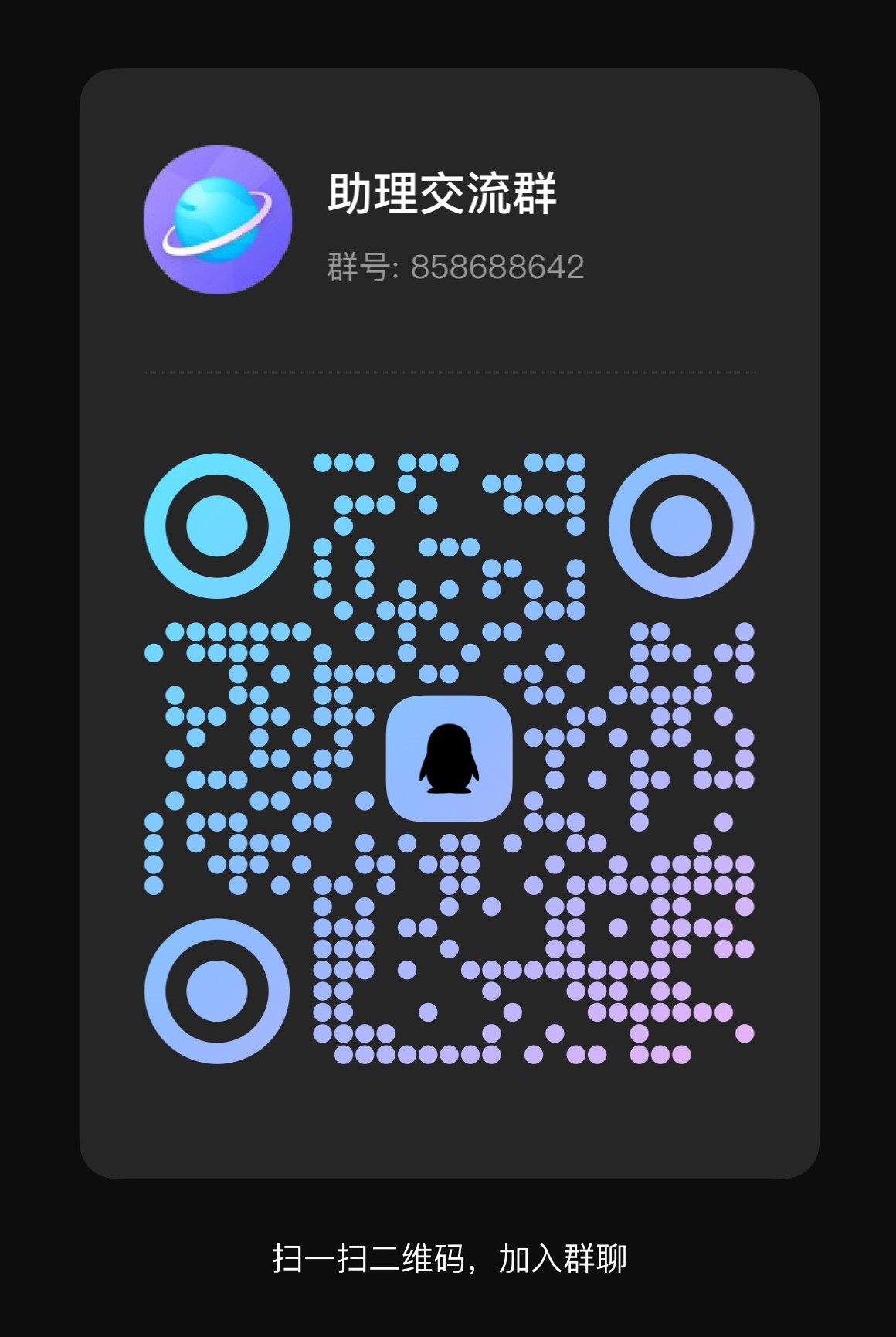 ## 应用截图
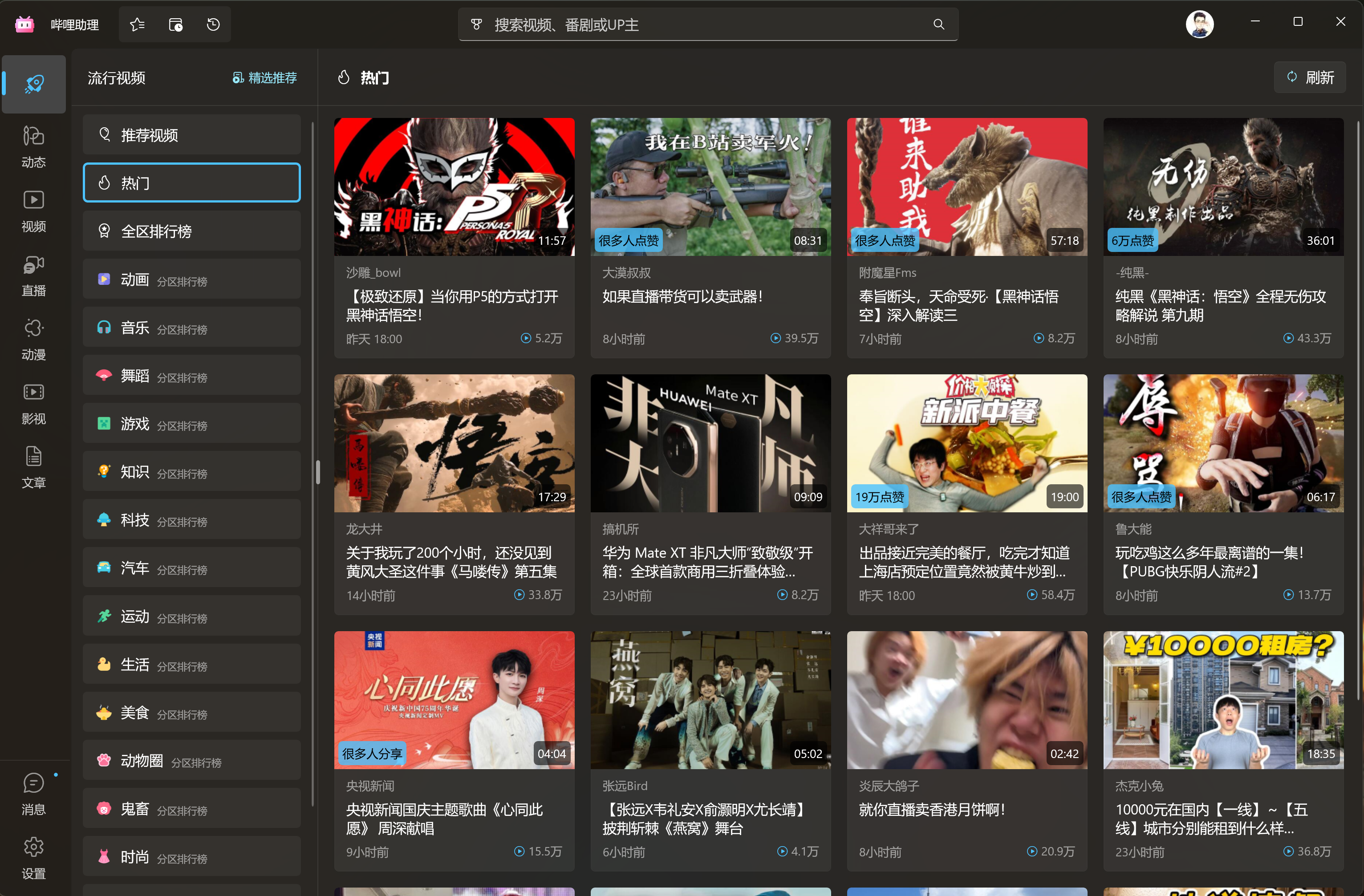
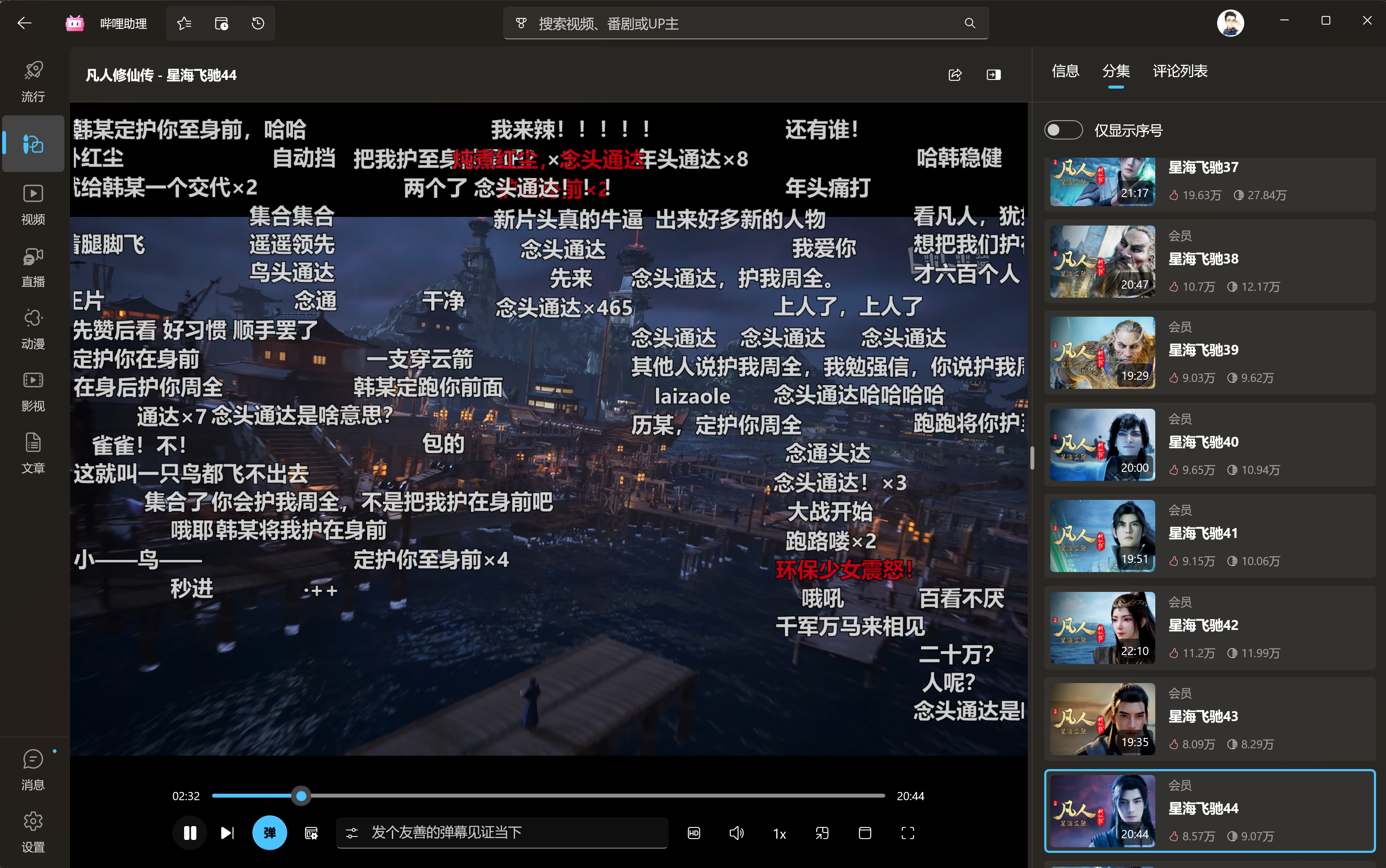
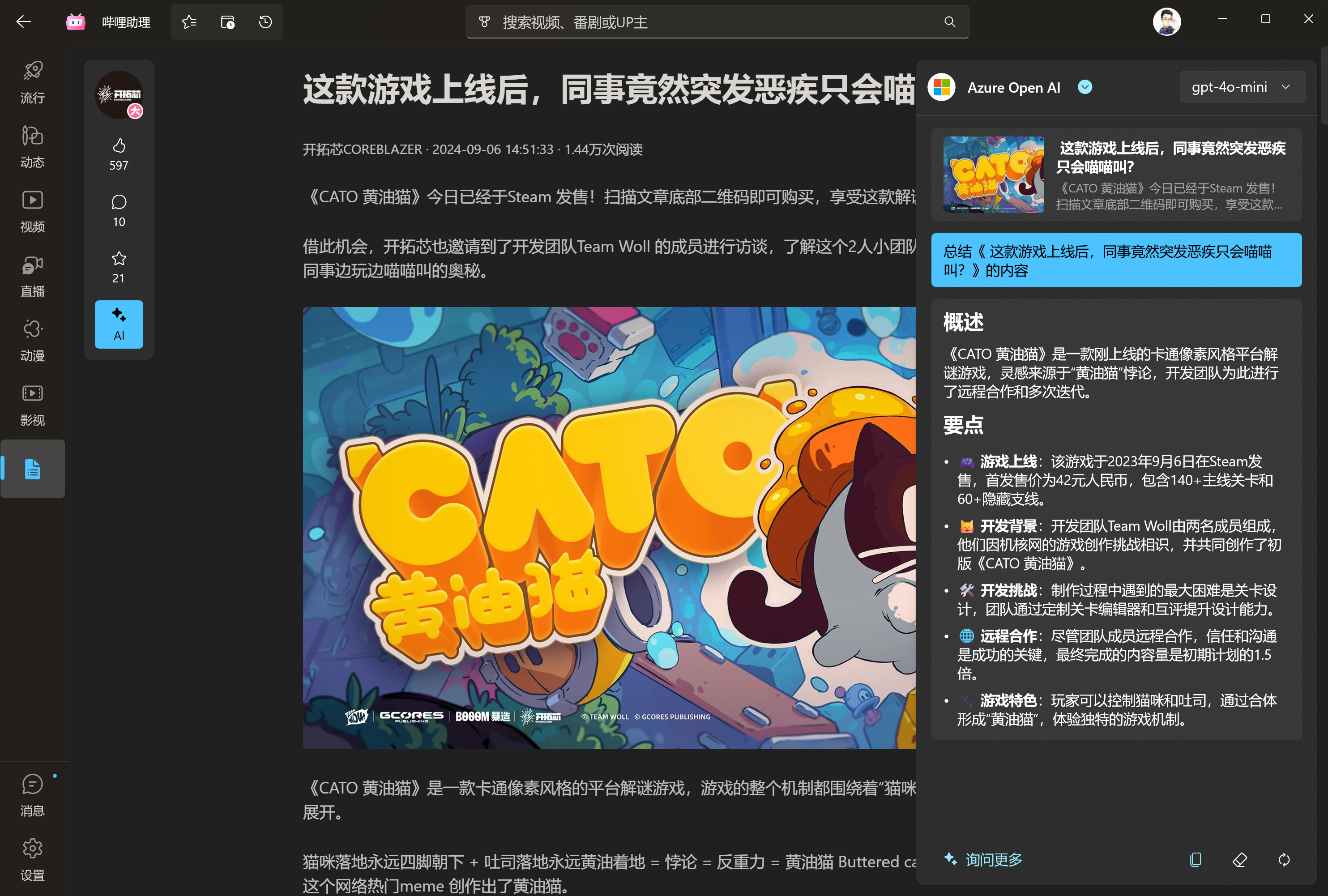
## 鸣谢
- [Windows App SDK](https://github.com/microsoft/windowsappsdk)
- [WinUI](https://github.com/microsoft/microsoft-ui-xaml)
- [BiliBili](https://www.bilibili.com/)
- [哔哩哔哩-API 收集整理](https://github.com/SocialSisterYi/bilibili-API-collect)
- [BBDown](https://github.com/nilaoda/BBDown)
- [BewlyBewly](https://github.com/BewlyBewly/BewlyBewly)
- [寒霜弹幕使](https://github.com/cotaku/DanmakuFrostMaster)
- [cnbluefire/WinUI3.Win2D](https://github.com/cnbluefire/WinUI3.Win2D)
- [Windows Community Toolkit](https://github.com/CommunityToolkit/Windows)
- [FluentIcons](https://github.com/davidxuang/FluentIcons)
- [ComputeSharp](https://github.com/Sergio0694/ComputeSharp)
- 以及其他在开发过程中提供过助力的小伙伴
## 应用截图



## 鸣谢
- [Windows App SDK](https://github.com/microsoft/windowsappsdk)
- [WinUI](https://github.com/microsoft/microsoft-ui-xaml)
- [BiliBili](https://www.bilibili.com/)
- [哔哩哔哩-API 收集整理](https://github.com/SocialSisterYi/bilibili-API-collect)
- [BBDown](https://github.com/nilaoda/BBDown)
- [BewlyBewly](https://github.com/BewlyBewly/BewlyBewly)
- [寒霜弹幕使](https://github.com/cotaku/DanmakuFrostMaster)
- [cnbluefire/WinUI3.Win2D](https://github.com/cnbluefire/WinUI3.Win2D)
- [Windows Community Toolkit](https://github.com/CommunityToolkit/Windows)
- [FluentIcons](https://github.com/davidxuang/FluentIcons)
- [ComputeSharp](https://github.com/Sergio0694/ComputeSharp)
- 以及其他在开发过程中提供过助力的小伙伴