https://github.com/user-attachments/assets/57b41dfa-0281-4b09-8b57-e2cddf8cb659
[Watch the 1080p demo on Hugging Face](https://huggingface.co/datasets/robbyant/lingbot-map-v2-demo/blob/main/demo.mp4)
---
### πΊοΈ Meet LingBot-Map 2.0!
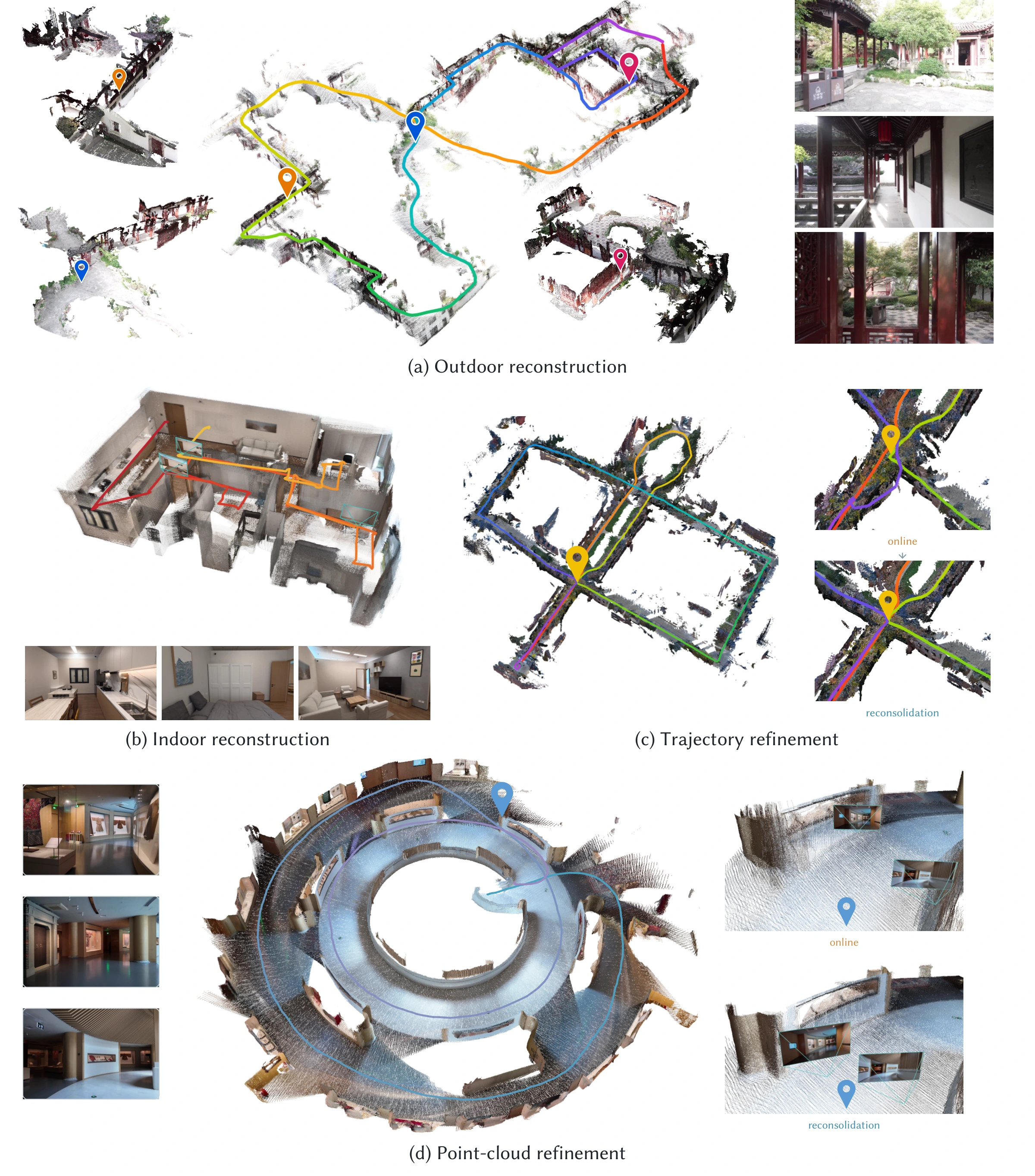
LingBot-Map 2.0 predicts camera poses and dense geometry from incoming RGB sequences. This repository provides the **geometric streaming base model** (without GCR) from the technical report, trained for causal Online Streaming.
- **Streaming Reconstruction:** Predict camera poses, intrinsics, depth and confidence from incoming RGB frames.
- **Flexible Integration:** Run reconstruction from the command line or integrate frame-by-frame inference and keyframe selection into your application.
---
## π Table of Contents
Click to expand
- [Demo Video](#demo-video)
- [News](#news)
- [TODO](#todo)
- [Installation](#installation)
- [Model Download](#model-download)
- [Quick Start](#quick-start)
- [Interactive Demo (`demo.py`)](#interactive-demo)
- [Streaming Inference (`infer.py`)](#streaming-inference)
- [Benchmarks](#benchmarks)
- [Resources](#resources)
- [License](#license)
- [Citation](#citation)
- [Acknowledgments](#acknowledgments)
---
## π° News
- **2026-11-23** β Added the [evaluation benchmark](benchmark/README.md) with dataset preparation and evaluation instructions.
- **2026-11-21** β Released the causal streaming inference code. See [Model Download](#model-download) for the geometric streaming base model.
---
## π TODO
- β Release model weights
- β Release streaming inference code
- β Release interactive demos and example sequences
- β Release evaluation benchmarks
---
## βοΈ Installation
**1. Create a conda environment**
```bash
conda create -n lingbot-map2 python=3.11 -y
conda activate lingbot-map2
```
**2. Install PyTorch (CUDA 12.8)**
A BF16-capable CUDA GPU and PyTorch 2.8 or later are required. For a CUDA 12.8 environment:
```bash
pip install torch==2.8.0 --index-url https://download.pytorch.org/whl/cu128
```
**3. Install the LingBot-Map 2.0 Geometric Streaming Base Model**
Clone or download this repository, then run from its root directory:
```bash
pip install -e .
```
FlashInfer is included in the package dependencies declared in [`pyproject.toml`](pyproject.toml). If your package mirror does not carry it, install it with `pip install --index-url https://pypi.org/simple flashinfer-python` before installing this package.
**4. Install benchmark dependencies (optional)**
```bash
pip install -e ".[benchmark]"
```
**5. Install visualization dependencies (optional)**
```bash
pip install -e ".[vis]"
```
---
## π¦ Model Download
| Model Name | Hugging Face | ModelScope | Description |
| :--- | :--- | :--- | :--- |
| LingBot-Map 2.0 Geometric Streaming Base Model | [Hugging Face](https://huggingface.co/collections/robbyant/lingbot-map-v2) | [ModelScope](https://modelscope.cn/models/Robbyant/lingbot-map-v2) | Pure causal checkpoint for online 3D reconstruction. |
The model repositories are currently private. Authenticate with an
account that has access, then download the paired configuration and weights:
```bash
pip install -U huggingface_hub
hf auth login
python download_model.py --source hf --output checkpoints/base-streaming
```
For ModelScope, install `modelscope`, authenticate with a permitted account and
use `--source modelscope`. The downloader validates the weight SHA-256.
Keep `model_weights.pt` and `config.json` together and pass both paths as shown below. The [released configuration](configs/base-streaming.json) describes the Geometric Streaming Base Model checkpoint; [causal.example.json](configs/causal.example.json) is only a schema example. The loader checks the checkpoint SHA256, causal training mode, and every parameter key and shape. It accepts a model-only tensor dictionary or a `model` tensor dictionary loaded with `weights_only=True`.
---
## π Quick Start
Run streaming reconstruction on a folder of RGB images:
```bash
python infer.py \
--checkpoint checkpoints/base-streaming/model_weights.pt \
--config checkpoints/base-streaming/config.json \
--images path/to/rgb \
--output outputs/sequence
```
Images are processed in natural filename order. The CLI retains Uniform320 keyframes while predicting every input frame; `--keyframe-interval 1` retains every frame. Predictions include original `raw_indices` and are saved as `.npz` files containing poses, intrinsics, depth and confidence, alongside a run manifest. Use `--image-list frames.json` to supply an explicit input order.
---
## π₯οΈ Interactive Demo (`demo.py`)
View Online reconstruction in your browser with [Viser](https://github.com/nerfstudio-project/viser):
```bash
pip install -e ".[vis]"
python demo.py \
--checkpoint checkpoints/base-streaming/model_weights.pt \
--config checkpoints/base-streaming/config.json \
--images path/to/rgb --mask-sky
```
Open **http://localhost:8080**. The viewer mirrors LingBot-Map's interactive
Viser interface: **Video Display** (current RGB frame preview), **Reset up
direction**, **Reset Defaults**, and **Reset View Direction** presets (**Look
At Scene Center**, **Overview**, **Front/Back/Top/Left/Right**, **First
Camera**), **3D / 4D** mode switching, **Playback** timeline and FPS controls,
display sliders (**Focal Length**, **Point Size**, **Camera Size**,
**Downsample Factor**, **Show Camera**, **Visibility Threshold**, **Camera
Downsample Factor**), **Screenshot**, **Export GLB** (Points/Spheres with
optional cameras and trajectory), and **Video Saving** (FFmpeg export of point
cloud and original RGB videos; `pip install -e ".[vis]"` bundles
`imageio-ffmpeg`, or a system `ffmpeg` binary on `PATH` is used if available).
The viewer stays open until you press Ctrl+C in the terminal.
### Example reconstructions
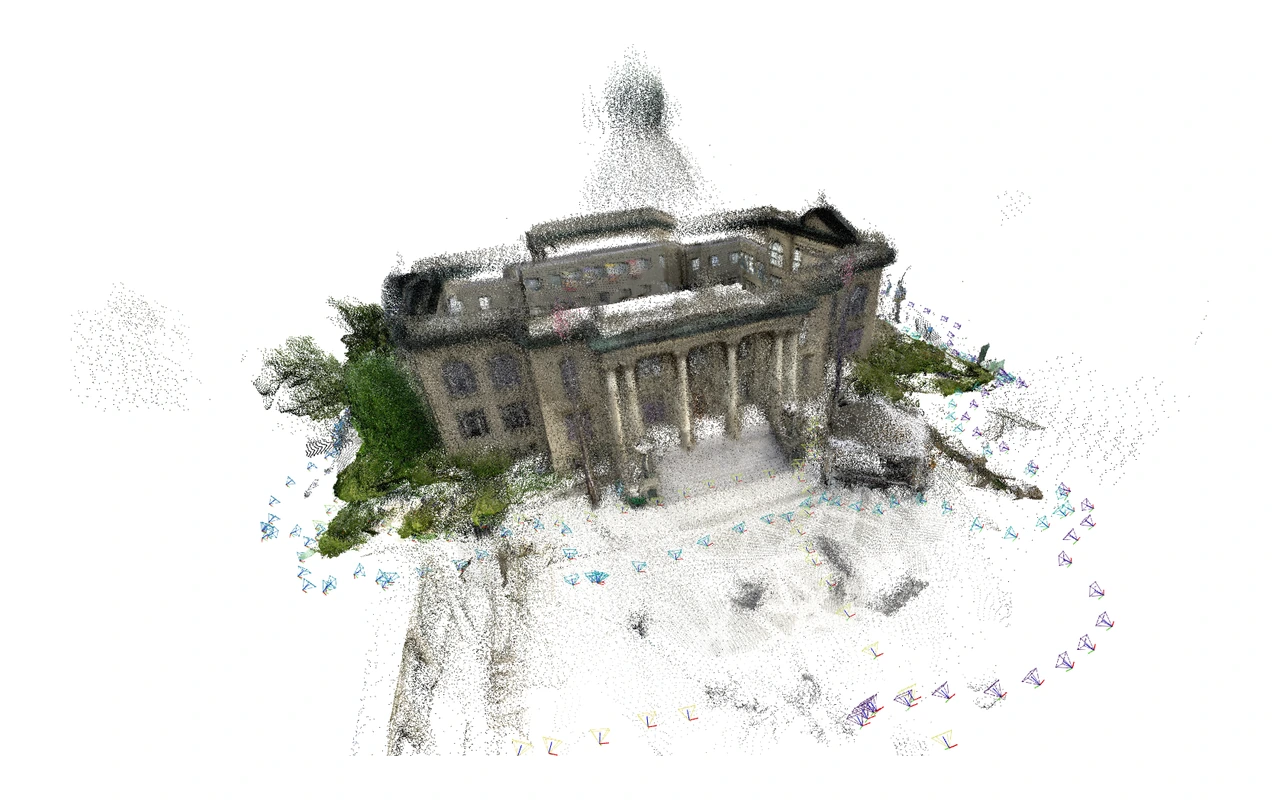
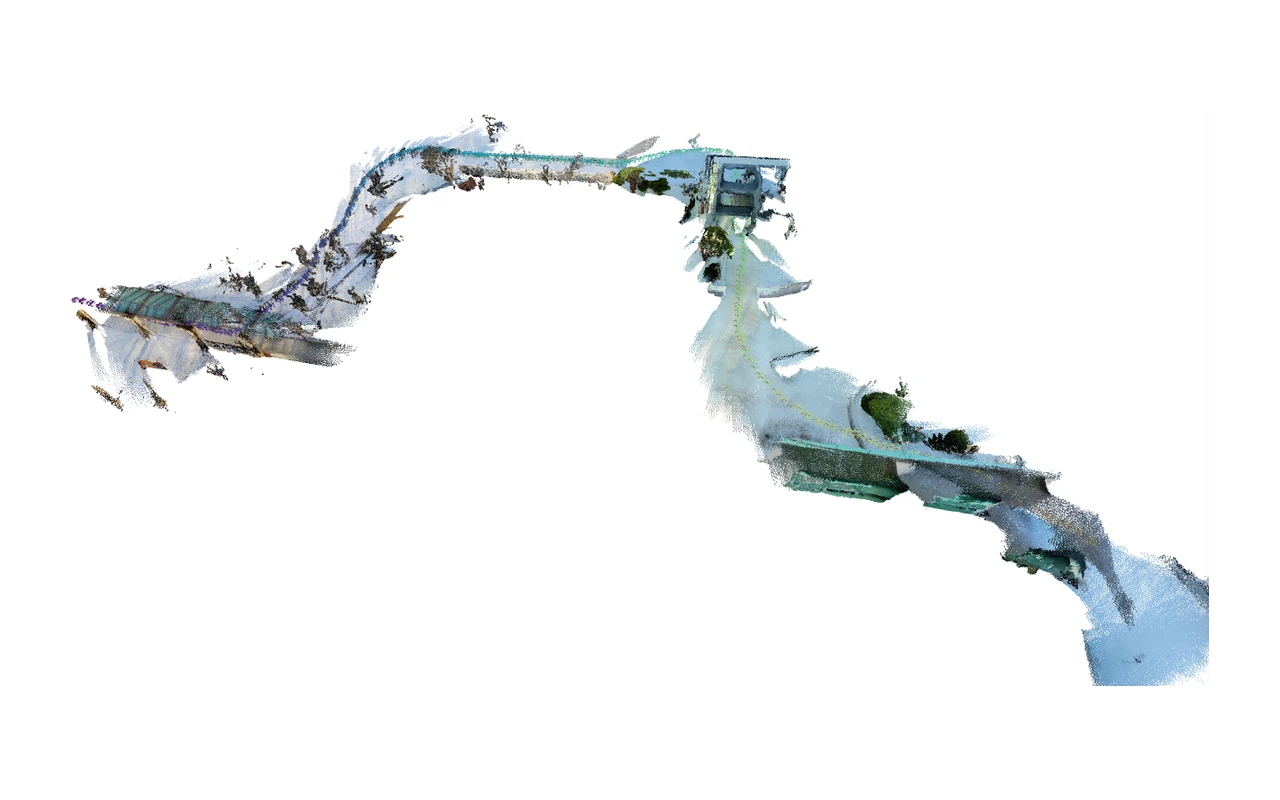
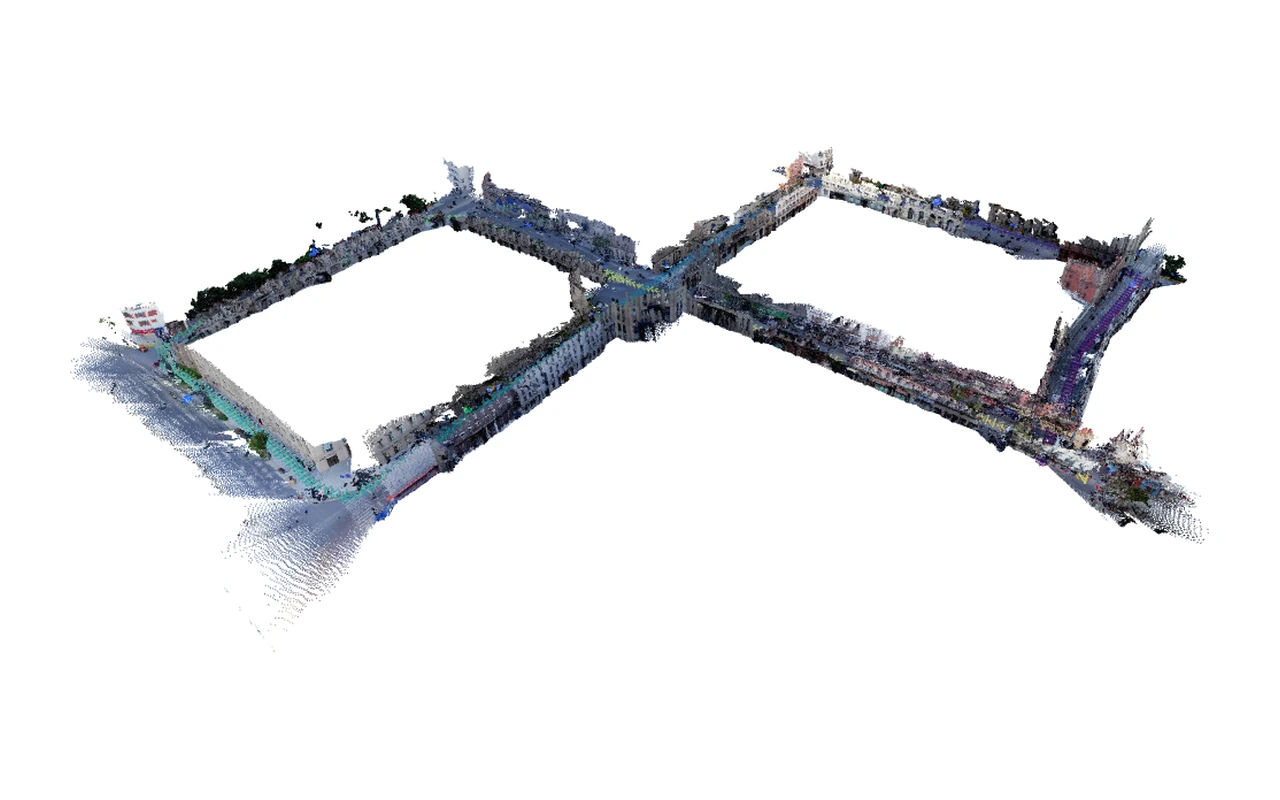
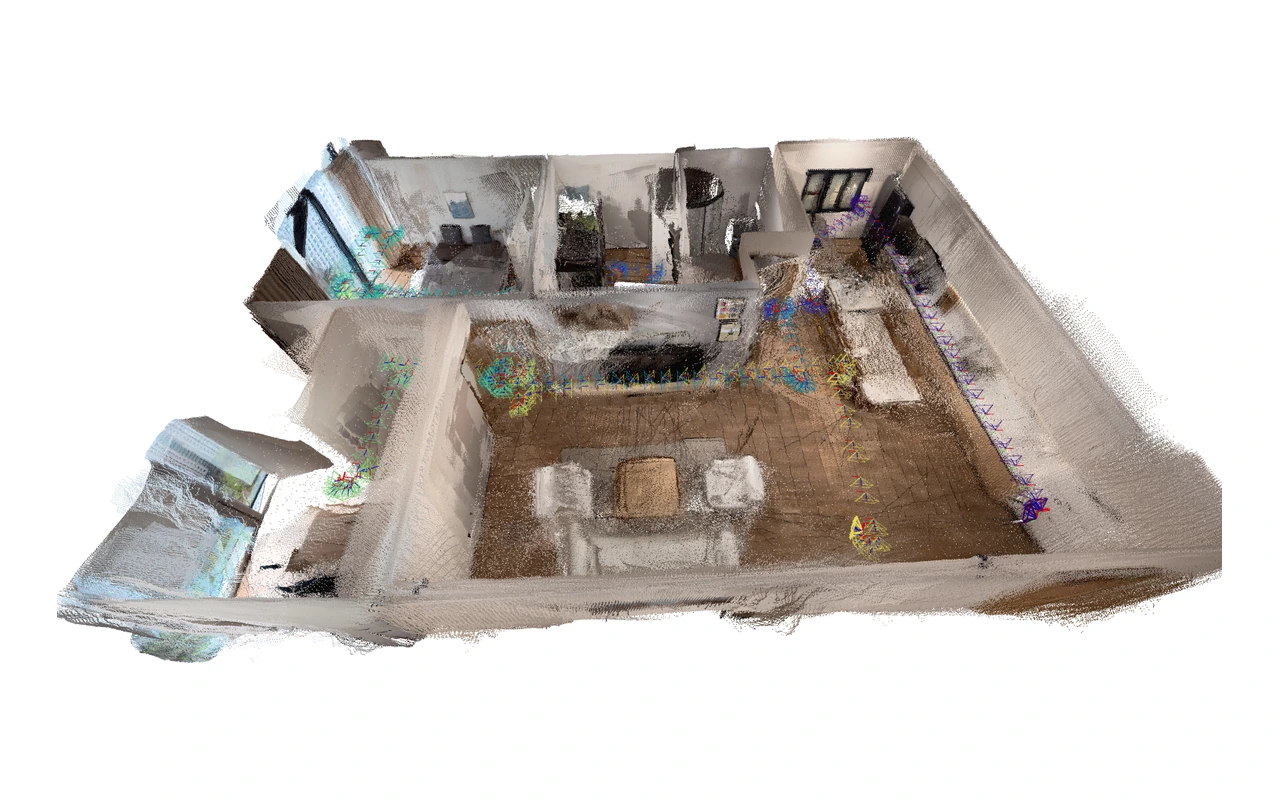
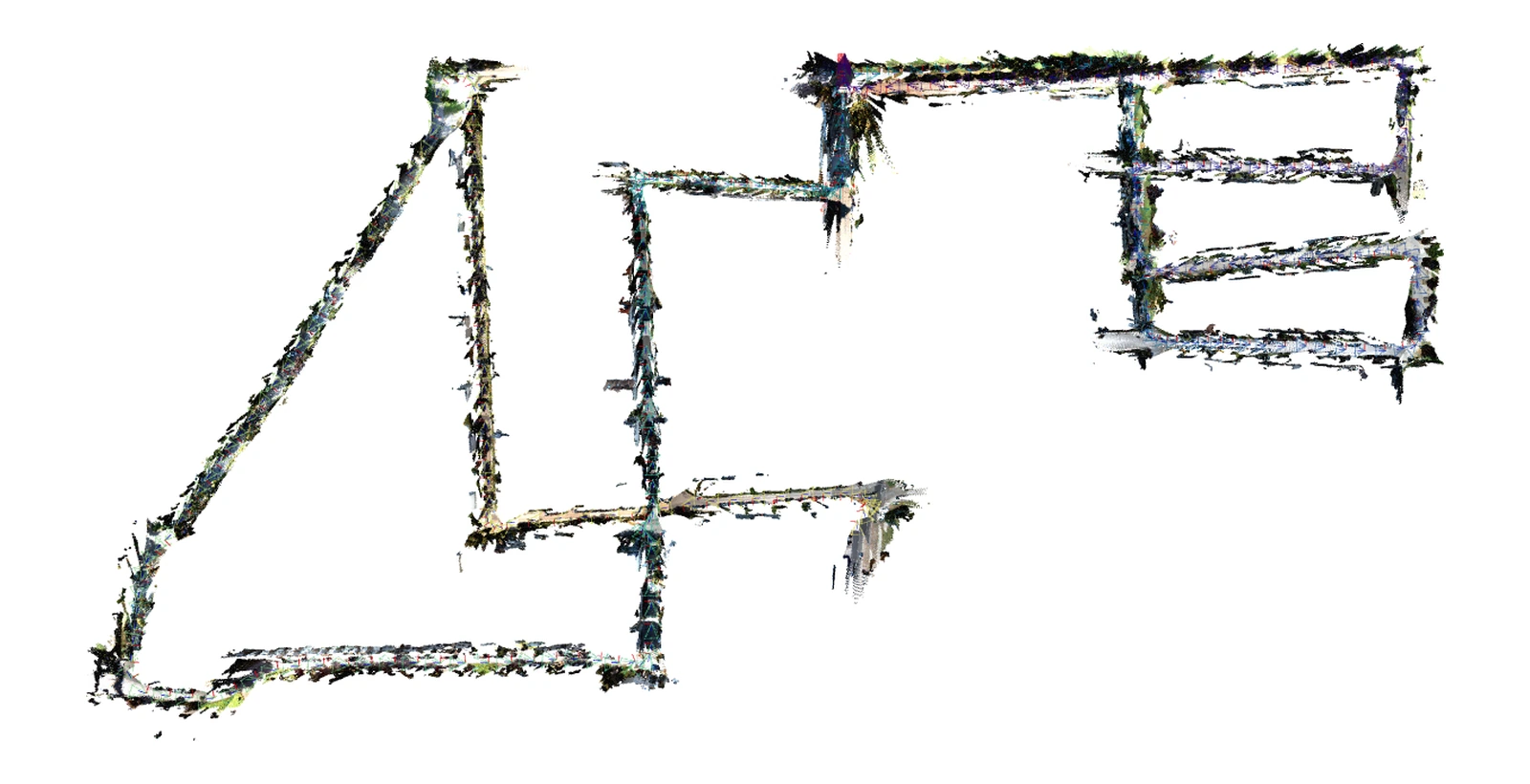
Online streaming reconstructions produced by `demo.py`:
Courthouse
University
The Bund
Apartment
KITTI 08
### Your image sequences
Four hosted example sequences are documented in [`example/`](example/README.md):
`courthouse`, `university`, `bund`, and `apartment` (**1,570 images, 0.918 GiB**).
Download the original images from the [Hugging Face example dataset](https://huggingface.co/datasets/robbyant/lingbot-map-v2-examples). [View all-time dataset downloads](https://huggingface.co/api/datasets/robbyant/lingbot-map-v2-examples?expand=downloadsAllTime).
```bash
pip install -U huggingface_hub
# While the dataset is private, first log in with an authorized account:
hf auth login
hf download robbyant/lingbot-map-v2-examples --repo-type dataset \
courthouse.tar university.tar bund.tar apartment.tar \
manifest.json --local-dir example
(cd example && for scene in courthouse university bund apartment; do tar -xf "$scene.tar" || exit 1; done)
```
[KITTI 08](example/README.md#kitti-08) is a fifth example. Download the official KITTI color odometry ZIP, then extract its 321 preselected keyframes and run the demo:
```bash
python example/prepare_kitti08.py /path/to/data_odometry_color.zip
python demo.py --checkpoint checkpoints/base-streaming/model_weights.pt \
--config checkpoints/base-streaming/config.json --images example/kitti08 \
--width 512 --height 288 --keyframe-interval 1 --depth-stride 1
```
The interval of 1 retains every supplied keyframe. See the example README for the ordered manifest, image checksums and attribution.
Use `--images path/to/rgb` for your own image folder, or provide an ordered list
with `--image-list frames.json`. The matching causal checkpoint and JSON
configuration are required. `--model_path` and `--image_folder` are accepted
aliases. `demo.py` uses the same preprocessing as `infer.py` and caps persistent
KV-cache keyframes with `--num-keyframes` (default `320`, keeping the
initialization prefix plus uniformly spaced frames through the final frame so
non-keyframes are predicted without entering the KV cache; inputs with up to
`320` frames keep all frames, while setting `--num-keyframes` equal to the
8-frame initialization prefix retains only the initialization frames). Pass
`--keyframe-interval` to use a fixed interval instead.
### View saved predictions
You can also display a completed `infer.py` run without loading a model or using CUDA:
```bash
python demo.py --predictions outputs/sequence --mask-sky
```
The run must include depth and its original images must remain accessible at the
paths recorded in `manifest.json`. The viewer uses the recorded processed image
size to align RGB colors with predicted depth.
### Display options
The drawing defaults follow LingBot-Map's demo with a compact default camera
scale: `--point-size 0.00001`, `--camera-size 0.01` (slider range down to
`0.001`), `--conf-threshold 1.5` (an absolute confidence threshold), and
`--downsample-factor 10` (keep every tenth point after filtering). Cameras use
small, untextured frustums with a temporal color gradient; click a camera to
view the scene from its pose. **Overview** and **Look At Scene Center** use
camera positions to avoid letting far-away points dominate the view, and
**Reset Defaults** restores the initial sliders, 3D mode, and overview camera.
The visibility slider follows V1's range of 1 to 5, in steps of 0.01. Changing
the threshold or downsample factor removes the old clouds and recreates them
from the filtered, sampled points. Raw confidence scores can exceed 5; this
slider is an absolute cutoff, not a percentile or probability.
`--mask-sky` enables the same ONNX sky segmentation and threshold as LingBot-Map.
On first use, the model is downloaded from
[skyseg](https://huggingface.co/JianyuanWang/skyseg) to
`~/.cache/lingbot-map2/skyseg.onnx`. Use `--sky-model /path/to/skyseg.onnx` for an
existing model and `--sky-mask-dir /path/to/cache` to reuse masks. Segmentation
runs on the processed RGB canvas, aligned with the predicted depth.
`--depth-stride` optionally projects depth every N frames (default 1) while
keeping all camera frustums and RGB previews. These controls only affect
visualization; inference and saved predictions are left unchanged.
The server binds to `127.0.0.1:8080` by default. For a remote machine, forward the port:
```bash
ssh -L 8080:127.0.0.1:8080 user@host
```
Use `--port` to select another port, or `--host` to choose a different bind address.
---
## π¬ Streaming Inference (`infer.py`)
### Select an Input Sequence
Use `--images` for a naturally sorted image folder, or provide a JSON list of image paths with `--image-list`:
```bash
python infer.py \
--checkpoint checkpoints/base-streaming/model_weights.pt \
--config checkpoints/base-streaming/config.json \
--image-list frames.json \
--output outputs/sequence
```
Relative image paths in the list are resolved against the JSON file. Use a new output directory for each run.
### Python API
`load_model()` returns a `GCRStream`, the causal streaming model in this release.
```python
from lingbot_map2 import load_model
from lingbot_map2.utils.load_fn import image_paths, uniform_keyframe_ids
model = load_model(
"checkpoints/base-streaming/model_weights.pt",
config="checkpoints/base-streaming/config.json",
)
paths = image_paths("path/to/rgb", None)
keyframes = set(uniform_keyframe_ids(len(paths), prefix=model.config.scale_frames))
with model.create_stream() as stream:
for raw_id, path in enumerate(paths):
prediction = stream.online(path, persistent=raw_id in keyframes)
if prediction is not None:
print(prediction["poses_c2w"].shape)
```
The first eight frames initialize the stream: the first seven calls return `None`, and the eighth returns predictions for the prefix. Each later call returns the current frame's prediction.
Inputs can be image paths, RGB arrays or preprocessed tensors. Outputs include camera-to-world poses, intrinsics, depth and confidence; depth and translation have arbitrary scene scale. See [Inputs and Outputs](#inputs-and-outputs) below for shapes and coordinate conventions.
### Streaming with Keyframes
After initialization, choose whether each frame enters persistent memory:
```python
prediction = stream.online(rgb_frame, persistent=is_keyframe)
```
All initialization frames must be keyframes. For an external selector:
```python
with model.create_stream() as stream:
for rgb, is_keyframe in arrivals:
prediction = stream.online(rgb, persistent=not stream.ready or is_keyframe)
if prediction is not None:
consume(prediction)
```
After initialization, non-keyframes produce predictions without changing persistent KV, Camera state or the committed clock. `frame_indices` identifies committed positions, so a non-keyframe position can be reused by the next arrival. Keep raw input IDs in the caller; the CLI records these separately as `raw_indices`.
One active stream owns a model. Use the context manager or `stream.close()` to release its state; the synchronous API is not thread-safe. Closing before the full prefix arrives discards the pending frames.
### Inference Options
| Argument | Default | Description |
| :--- | :--- | :--- |
| `--config` | `.json` | Matching causal checkpoint configuration |
| `--width`, `--height` | From configuration | Input size; each dimension must be divisible by 16 |
| `--device` | `cuda:0` | Inference device |
| `--compile` / `--no-compile` | Enabled | Compiled or eager streaming computation |
| `--depth` / `--no-depth` | Enabled | Include depth and confidence, or return pose-only outputs |
| `--keyframe-interval` | `ceil(N/320)` | Retain the prefix, then every N-th frame; all frames produce outputs |
| `--max-frames` | From configuration | Maximum number of persistent frames |
The example configuration uses 512Γ288 input, an eight-frame prefix and a 64-frame sliding window. Image paths and RGB arrays are resized and center-cropped automatically.
### Inputs and Outputs
`stream.online()` accepts one image path, an HWC `uint8` RGB array, or a preprocessed
float32 `[3,H,W]` tensor. Paths and RGB arrays use float32 AREA cover-resize,
center crop and division by 255. Tensor inputs must already contain RGB values
in `[0,1]` at the configured size. Width and height must be positive multiples of
16; changing the aspect ratio changes the crop and field of view.
| Field | Shape | Meaning |
| :--- | :--- | :--- |
| `poses_c2w` | `[N,4,4]` | Camera-to-world poses |
| `intrinsics` | `[N,3,3]` | Intrinsics for the processed image size |
| `pose_enc` | `[N,9]` | Translation, quaternion and field-of-view encoding |
| `depth` | `[N,H,W,1]` | Depth, when enabled |
| `depth_conf` | `[N,H,W]` | Depth confidence, when enabled |
| `frame_indices` | `[N]` | Committed-clock positions |
`N` is the prefix size on initialization and one afterward. Coordinates use
x-right, y-down, z-forward. Depth and translation have arbitrary scene scale.
Outputs are owned CPU NumPy arrays by default; use
`model.create_stream(output_device="cuda")` for device tensors. Returned storage
remains valid across subsequent arrivals. Use `load_model(..., depth=False)` for
pose-only inference.
The CLI saves one `.npz` per prediction group, using raw input positions in
filenames. `progress.json` tracks written frames; `manifest.json` records source
paths, persistent raw IDs and completed outputs on completion or a caught failure.
Existing output directories are rejected to prevent overwriting predictions.
---
## π Benchmarks
Evaluate the geometric streaming base model on the datasets used in the technical report:
| Task | Datasets |
| :--- | :--- |
| Camera trajectory | KITTI, VBR, Oxford Spires |
| Scene pose | CroCoDL, Tanks and Temples, Princeton365 |
| Dense reconstruction | CroCoDL, EuRoC, Oxford Spires |
Follow the [Benchmark README](benchmark/README.md) to download and prepare the data. Set the dataset and checkpoint paths in the YAML configuration, then run:
```bash
cd benchmark
python prepare.py --config configs/kitti.yaml
python run.py --config configs/kitti.yaml
python evaluate.py --config configs/kitti.yaml
```
Use the same workflow with another dataset configuration. The benchmark guide includes [data preparation](benchmark/README.md#data-preparation), [configuration](benchmark/README.md#configuration-system) and [evaluation metrics](benchmark/README.md#evaluation-metrics).
---
## π Resources
Public resource links will be added here as they become available.
| Resource | Link | Description |
| :--- | :--- | :--- |
| Technical Report | [Read the PDF](docs/lingbot-map-v2_paper.pdf) | Reconsolidatable Streaming 3D Reconstruction |
| arXiv | Coming soon | Preprint and technical report |
| Project Website | [Website](https://technology.robbyant.com/lingbot-map-v2) | Project overview and visual results |
| Hugging Face | [Geometric Streaming Base Model](https://huggingface.co/collections/robbyant/lingbot-map-v2) | Geometric streaming base model checkpoint and configuration |
| ModelScope | [Geometric Streaming Base Model](https://modelscope.cn/models/Robbyant/lingbot-map-v2) | Geometric streaming base model checkpoint mirror |
| Demo Video | [Watch on Hugging Face](https://huggingface.co/datasets/robbyant/lingbot-map-v2-demo/blob/main/demo.mp4) | English streaming reconstruction demo |
---
## π License
The Robbyant Team licenses its original code and Geometric Streaming Base Model weights under
[CC BY-NC 4.0](LICENSE.txt). Copyright 2026 The Robbyant Team Authors.
Third-party components and adaptations retain their upstream licenses and copyright notices.
See the [third-party notices](LICENSES/THIRD_PARTY.md).
---
## π Citation
Citation information will be added with the arXiv release.
---
## β¨ Acknowledgments
This implementation builds on [LingBot-Map](https://github.com/Robbyant/lingbot-map), [LingBot-Vision](https://github.com/Robbyant/lingbot-vision), [VGGT](https://github.com/facebookresearch/vggt), [DINOv3](https://github.com/facebookresearch/dinov3) and [FlashInfer](https://github.com/flashinfer-ai/flashinfer). Encoder adaptation credits and original notices are retained in the source and [third-party notices](LICENSES/THIRD_PARTY.md).