# GameRoy
An emulator and debugger for the Nintendo Game Boy, written in Rust.
## Features
- Support for DMG (only).
- High accuracy (see [Test suite](#test-suite) below)
- Accurate clock frequency: don't sync over frames or sound, but the clock frequency itself.
- Battery saves support.
- Save and load states.
- Time travel backwards in time (Rewind)
- Graphical interface for listing roms in a folder.
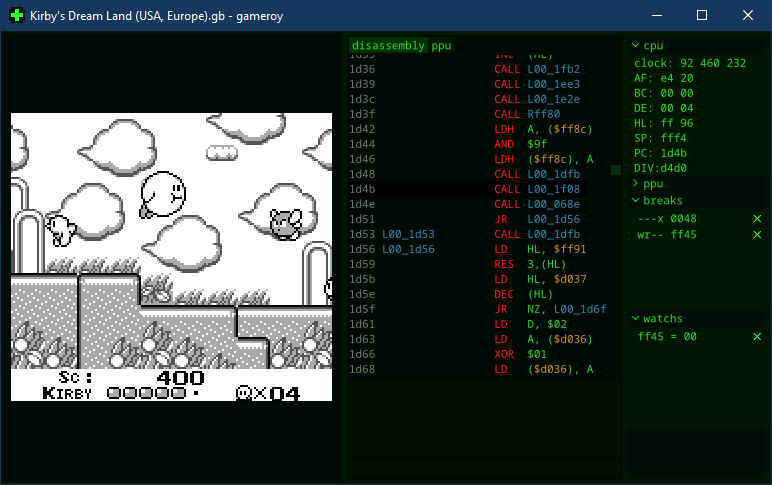
- Debugger with a graphical interface:
- Views for disassembly, registers, video RAM, etc...
- Statically (or while running) trace a rom for executable memory ranges.
- Add breakpoints at read, write, jump or execution of memory addresses.
- Watch addresses.
- Step code backwards.
## Building and Running
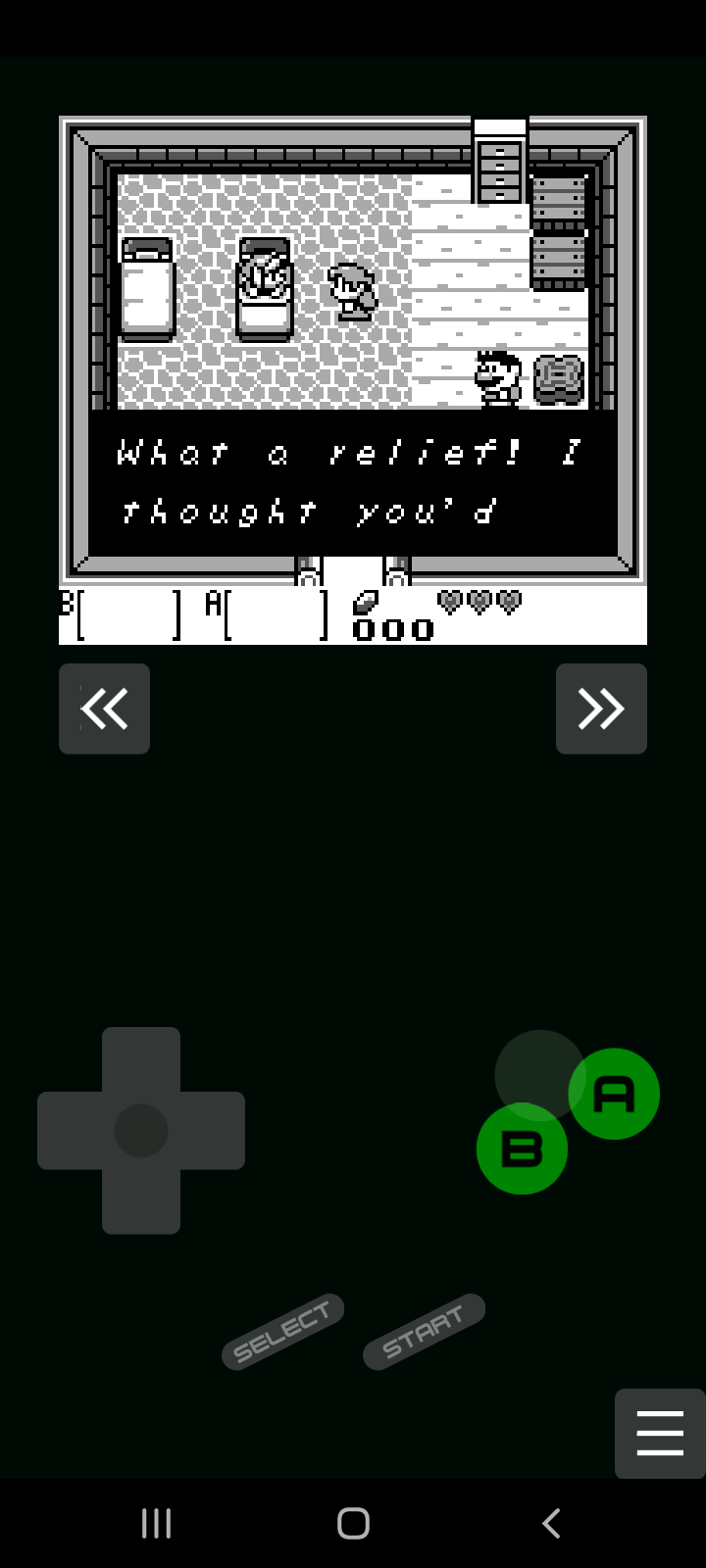
You can find pre compiled binaries in the [Releases page](https://github.com/Rodrigodd/gameroy/releases).
For building this project, you need [the Rust toolchain](https://www.rust-lang.org/tools/install)
installed (whihc includes `cargo`). Then follow the instructions for each
platform.
This project optionally depends on [cargo-about](https://github.com/EmbarkStudios/cargo-about)
(0.5.1) for generating a list of licenses. You can install it using cargo:
```shell
cargo install cargo-about
```
### Windows and Linux
Compiling and running for native, i.e, Windows and Linux (other platforms are
untested), only needs cargo:
```shell
cargo run --release -p gameroy-native
```
### WebAssembly
You can also build for WebAssembly, and run the emulator on the web. Using
[web-pack](https://rustwasm.github.io/wasm-pack/), run the following command:
```shell
cd wasm
wasm-pack build --target web
```
After that, open a web server that serves [`wasm/index.html`](wasm/index.html).
For example, you can use python's `http.server` module:
```
cd wasm
python -m http.server
```
And access `localhost:8000` in a web browser.
### Android
To build for android, you need to have [Anroid NDK](https://developer.android.com/ndk) installed.
GameRoy uses [Gradle to build the android port](https://developer.android.com/studio/build/building-cmdline).
To build and install the .apk in a device:
```shell
cd android
./gradlew installDebug # or `gradlew installDebug`, on Windows
```
To see the logs:
```shell
adb logcat *:S gameroy:V RustStdoutStderr:V
```
(The project uses
[rust-android-gradle](https://github.com/mozilla/rust-android-gradle) for
building the rust code for android.)
## Config
GameRoy uses a file named `gameroy.toml`, located in the same folder as the executable.
The default [`gameroy.toml`](gameroy.toml) file comes documented.
### Controls
The default keymap is:
- `left`: Left Arrow
- `right`: Right Arrow
- `up`: Up Arrow
- `down`: Down Arrow
- `A`: A
- `B`: S
- `select`: Backspace
- `start`: Return
## Debugger
By pressing `F12` you can open/close the debug panel. There you can see a view
to the disassembled code, a view to the PPU memory and state, the CPU
registers, etc. At the bottom there is a text field for command input.
### Debugger commands
- `step` (`F8`): execute 1 opcode.
- `stepback` (`F7`): reverse by 1 opcode.
- `run` (`F9`): continue to run.
- `run for `: run for the given number of cycles.
- `run until `: run until the total clock count reach the given value.
- `runto `: run until reaching the address.
- `watch `: add a memory address to the watch list, where its value will be displayed.
- `break `: add a breakpoint to a memory address. Flags is a continuous
string containing at least one of the following letters:
- `x`: break immediately before executing an opcode in the address.
- `j`: break immediately before jumping to the address.
- `r`: break immediately before reading the address
- `w`: break immediately before writing to the address
- `reset`: restarts the Game Boy.
- `dump `: write the current disassembled code to a file. This disassembly is not
complete nor is in a known format.
Pressing `Enter` with the text field empty will run a step.
#### Examples
- `break rw ff45`: break immediately before reading or writing to the LYC register.
- `break x 0048`: break immediately before executing the STAT Interrupt handler.
- `watch ff05`: watch the value of the TIMA register.
## Test suite
All test roms used were obtained from [c-sp/gameboy-test-roms v.51](https://github.com/c-sp/gameboy-test-roms/releases/tag/v5.1),
but the emulator was only run against the tests listed below.
To run all tests, download and extract the suite to `gameroy\core\tests\gameboy-test-roms`,
then go to the project root and run the command:
```shell
cargo test -p gameroy-core
```
### Blargg's tests
| Test | GameRoy |
|----------------|---------|
| cgb sound | N/A\* |
| cpu instrs | :+1: |
| dmg sound | :+1: |
| instr timing | :+1: |
| interrupt time | N/A\* |
| mem timing | :+1: |
| mem timing 2 | :+1: |
| oam bug | :x: |
\* need GBC support. GameRoy only supports DMG.
### Mooneye Test Suite
Only tests that were expected to pass on DMG were tested.
| Test | GameRoy |
|-----------------------|---------|
| acceptance\bits | :+1: |
| acceptance\instr | :+1: |
| acceptance\interrupts | :+1: |
| acceptance\oam_dma | :+1: |
| acceptance\ppu | :+1: |
| acceptance\serial | :+1: |
| acceptance\timer | :+1: |
| acceptance\ | :+1: |
| emulator_only\mbc1 | :+1: |
| emulator_only\mbc2 | :+1: |
| emulator_only\mbc5 | :+1: |
| manual-only\ | :+1: |
| other | N/A\* |
\* Not tested.
### Mealybug Tearoom tests
| Test | GameRoy |
|------|---------|
| ppu | 15/25 |
| mbc | 0/1 |
| dma | N/A\* |
\* CGB only
### DMG Acid 2
:+1:
### Age
1/7\*
\* Only tests that passed on SameBoy were tested.
### Same suite
0/3\*
\* Only tests that passed on SameBoy were tested. Was not sure which tests should pass on DMG.
## Resources To Be Thankful For
- [The Ultimate Game Boy Talk (33c3)](https://www.youtube.com/watch?v=HyzD8pNlpwI): great overview of
the Game Boy and various of it components, including the ppu fifo.
- [Game Boy:tm: CPU Manual](http://marc.rawer.de/Gameboy/Docs/GBCPUman.pdf): used for implement most
if not all of the opcodes.
- [gb-opcodes](https://gbdev.io/gb-opcodes/optables/): used for opcode reference, and the JSON format
was very helpful for generating lookup tables and switch cases.
- [Game Boy Complete Technical Reference](https://gekkio.fi/files/gb-docs/gbctr.pdf): used for
implementing precise memory access timing of instructions.
- [Pan Docs](https://gbdev.io/pandocs/): used for overall reference.
- [GBEDG](https://hacktixme.ga/GBEDG/): used for the implementation of the
timer, and the initial implementation of the PPU.
- [NightShade's Blog](https://nightshade256.github.io/2021/03/27/gb-sound-emulation.html#fnref:2) and
[gbdev.gg8.se](https://gbdev.gg8.se/wiki/articles/Gameboy_sound_hardware): used for most of the
implementation of the sound controller.
- [Same Boys source code](https://github.com/LIJI32/SameBoy): great help for
the last details of the sound controller, and without it I would never manage
to implement a cycle accurate PPU.
- And maybe more that I don't remember now.
## License
Licensed under either of
* Apache License, Version 2.0, ([LICENSE-APACHE](LICENSE-APACHE) or
http://www.apache.org/licenses/LICENSE-2.0)
* MIT license ([LICENSE-MIT](LICENSE-MIT) or
http://opensource.org/licenses/MIT)
at your option.
### Contribution
Unless you explicitly state otherwise, any contribution intentionally submitted
for inclusion in the work by you, as defined in the Apache-2.0 license, shall be
dual licensed as above, without any additional terms or conditions.