#

Fusion
### From rough idea to production code โ automatically.
### ๐ญ A software factory, run by a multi-agent orchestrator.
Describe what you want โ a team of AI agents **plans, builds, reviews, and ships** it for you. Fusion is your software factory: an assembly line for code that runs across tasks, agents, missions, git, files, and worktrees, with any model, local or cloud.
[**runfusion.ai โ**](https://runfusion.ai) ยท [Docs](./docs/README.md) ยท [GitHub](https://github.com/Runfusion/Fusion) ยท [npm](https://www.npmjs.com/package/@runfusion/fusion) ยท [Discord](https://discord.gg/ksrfuy7WYR)
**English** ยท [็ฎไฝไธญๆ](./README.zh-CN.md) ยท [็น้ซไธญๆ](./README.zh-TW.md) ยท [Franรงais](./README.fr.md) ยท [Espaรฑol](./README.es.md) ยท [ํ๊ตญ์ด](./README.ko.md)
[](./LICENSE)
[](https://www.npmjs.com/package/@runfusion/fusion)
[](https://discord.gg/ksrfuy7WYR)



---
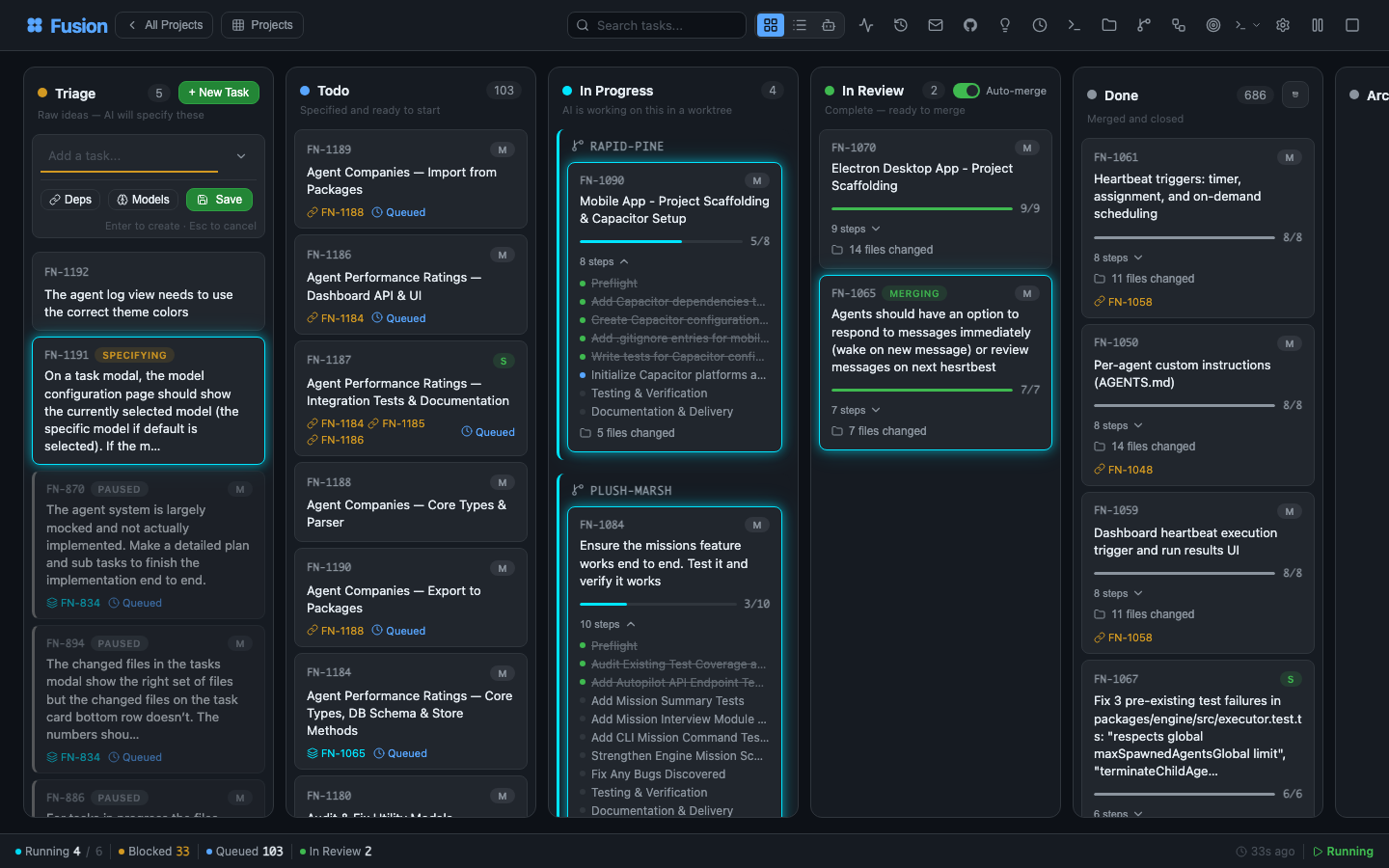
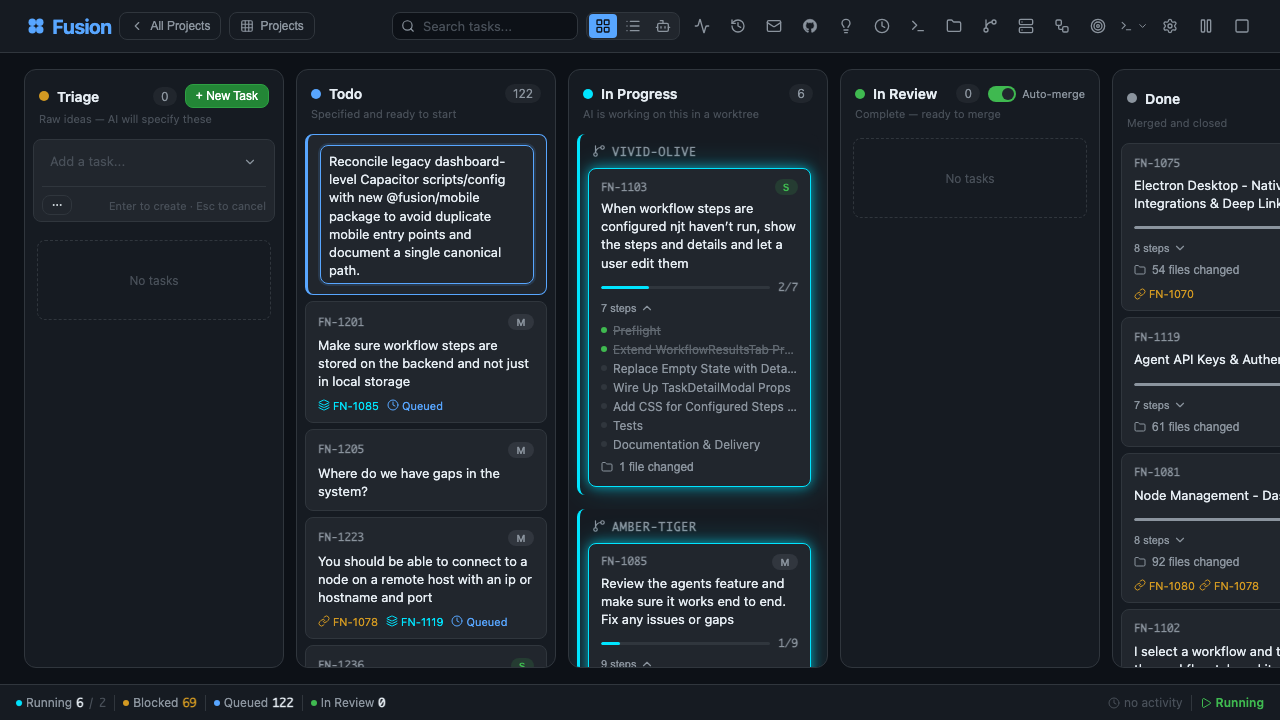
## Your entire dev environment. On a single pane of glass.
Describe a task in plain language. A planning agent reads your project, understands context, and writes a full `PROMPT.md` plan โ steps, file scope, acceptance criteria. Then Fusion plans, reviews, executes, and reviews again, in an isolated git worktree, with a human approval gate wherever you want one.
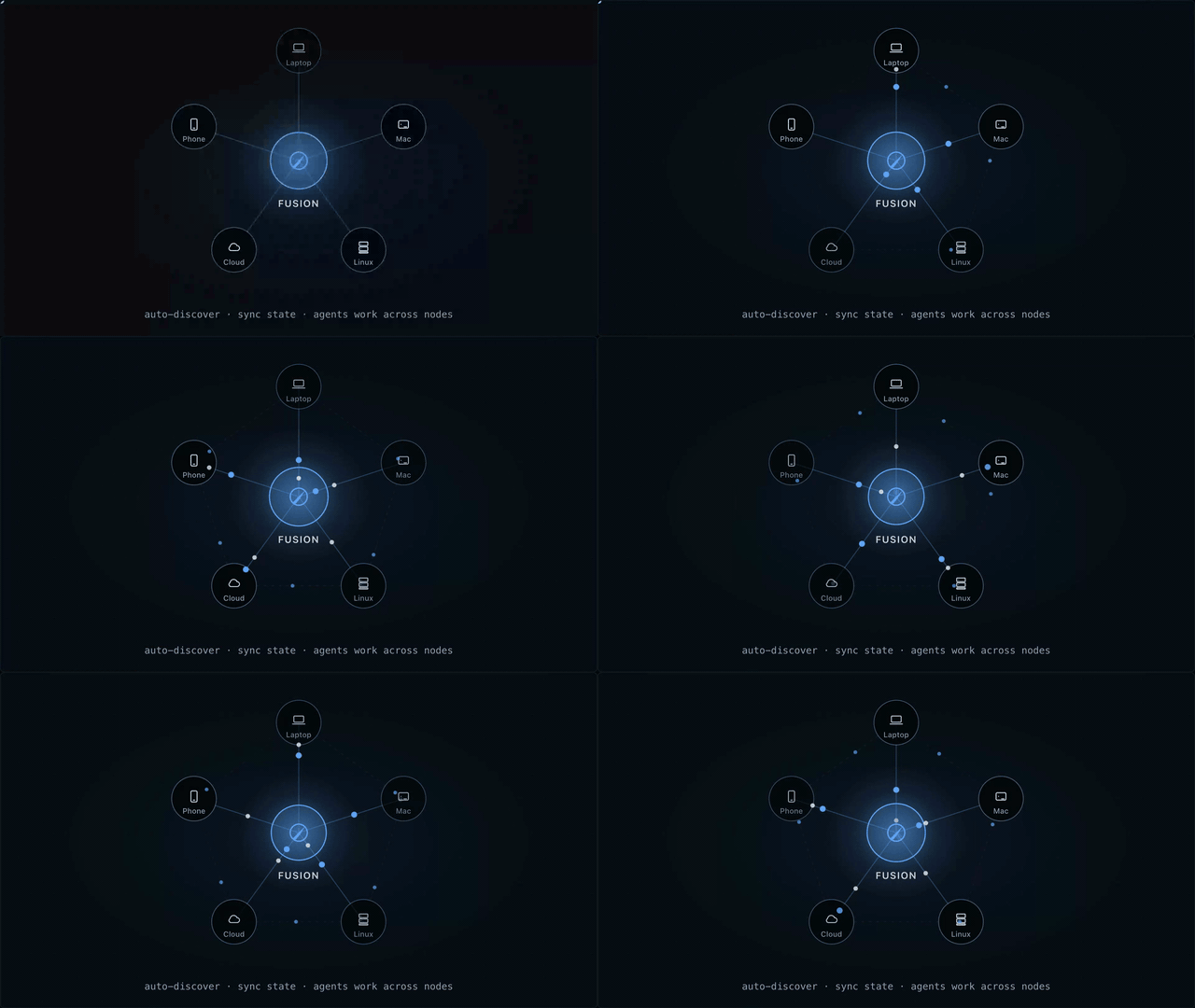
One board. Controlled from anywhere. Laptop, Mac mini, Linux server, cloud VM, phone โ all connected.
> Like Trello, but your tasks get specified, executed, and delivered by AI. Built on the great work of [dustinbyrne/kb](https://github.com/dustinbyrne/kb).
---
## Quick start
**Zero install, straight from npm:**
```bash
npx runfusion.ai
```
That launches the dashboard. Subcommands forward through: `npx runfusion.ai task create "fix X"`, `npx runfusion.ai --help`, etc. (Or verbosely: `npx @runfusion/fusion dashboard`.)
**One-line installer** (macOS & Linux โ auto-picks Homebrew, falls back to npm):
```bash
curl -fsSL https://runfusion.ai/install.sh | sh
fusion dashboard
```
**Homebrew** (macOS & Linux):
```bash
brew install runfusion/fusion/fusion
fusion dashboard # or: fn dashboard
```
Fully-qualified install auto-taps and, on Homebrew 6.0+, trusts only the Fusion formula. If you already ran `brew tap runfusion/fusion` and short-name install fails with โuntrusted tapโ, run `brew trust --formula runfusion/fusion/fusion` then `brew install fusion`.
**npm global**:
```bash
npm install -g @runfusion/fusion
fn dashboard # or: fusion dashboard
```
**From a clone** (for development):
```bash
pnpm dev dashboard
```
Then click the `Open:` URL printed in the terminal. It embeds a bearer token
(`http://localhost:4040/?token=fn_...`) that the browser captures to
`localStorage` on first visit and reuses automatically thereafter. On the
server side, Fusion now persists the dashboard/daemon token in
`~/.fusion/settings.json` on first authenticated run and reuses it on later
starts unless you override it (`--token`, `FUSION_DASHBOARD_TOKEN`,
`FUSION_DAEMON_TOKEN`) or disable auth with `--no-auth`. See
[CLI reference โ fn dashboard โ Authentication](./docs/cli-reference.md#fn-dashboard)
for full precedence and reset/revocation options.
### First-run setup
On first launch, Fusion opens the **onboarding wizard** with three guided steps:
1. **AI Setup** โ Use a simplified quick-start provider list (recommended providers plus any already-connected providers), then expand **Advanced provider settings** only if you need additional providers or setup details. You only need one provider to get started. Deprecated Google Gemini CLI / Antigravity provider entries are intentionally hidden; Google/Gemini API key, Google Generative AI, Vertex, and Cloud Code paths remain supported.
2. **GitHub (Optional)** โ Connect GitHub for issue import and PR management
3. **First Task** โ Create your first task or import from GitHub (if no project is active, onboarding first prompts you to register/select a project directory)
The wizard is **dismissible and non-blocking** โ click **Skip for now** to use the dashboard immediately. Re-trigger it later from **Settings โ Authentication โ Reopen onboarding guide**.
### Mobile
For Capacitor + PWA workflow, see [MOBILE.md](./MOBILE.md).
---
## The flow
```
โ Describe โก Planning โข The board โฃ Isolated worktree
โโโโโโโโโโโโโ โโโโโโโโโโโโโ โโโโโโโโโโโโโ โโโโโโโโโโโโโโโโโโโโโ
"Add dark mode โ Agent writes โ Plan โ Review โ โ fusion/FN-123 branch
toggle to PROMPT.md Execute โ Review concurrent, zero
settings panel" (steps, scope, (per step, until file conflicts
acceptance) done)
```
### See every step, before the merge


Laptop, Mac mini, Linux server, cloud VM, phone โ every node is a peer. Your task state, agents, logs, and diffs stay synchronized across the mesh. The same Fusion ships as:
- ๐ฅ๏ธ **Desktop app** โ Electron for **macOS** (Intel + Apple Silicon), **Windows** 10/11, and **Linux**
- ๐ฑ **Mobile app** โ Capacitor for **iOS/iPadOS** and **Android** ([MOBILE.md](./MOBILE.md))
- ๐ **Web dashboard** โ any modern browser, served from the `fn dashboard` daemon
- ๐ **CLI** โ `fn` binary + extension for terminal-first workflows
Start the daemon on any node, connect your other devices, and the board follows you everywhere.
---
## Run an agent company