
Synergy
Persistent, recoverable AI agent work.
An open-source workspace for software and knowledge work that keeps sessions, agents, files, Browser,
tools, and automation connected in one runtime.
Website ·
Documentation ·
Quick Start ·
Contributing


Built by the Holos team at [Shanghai Innovation Institute](https://www.sii.edu.cn).
## Work that continues
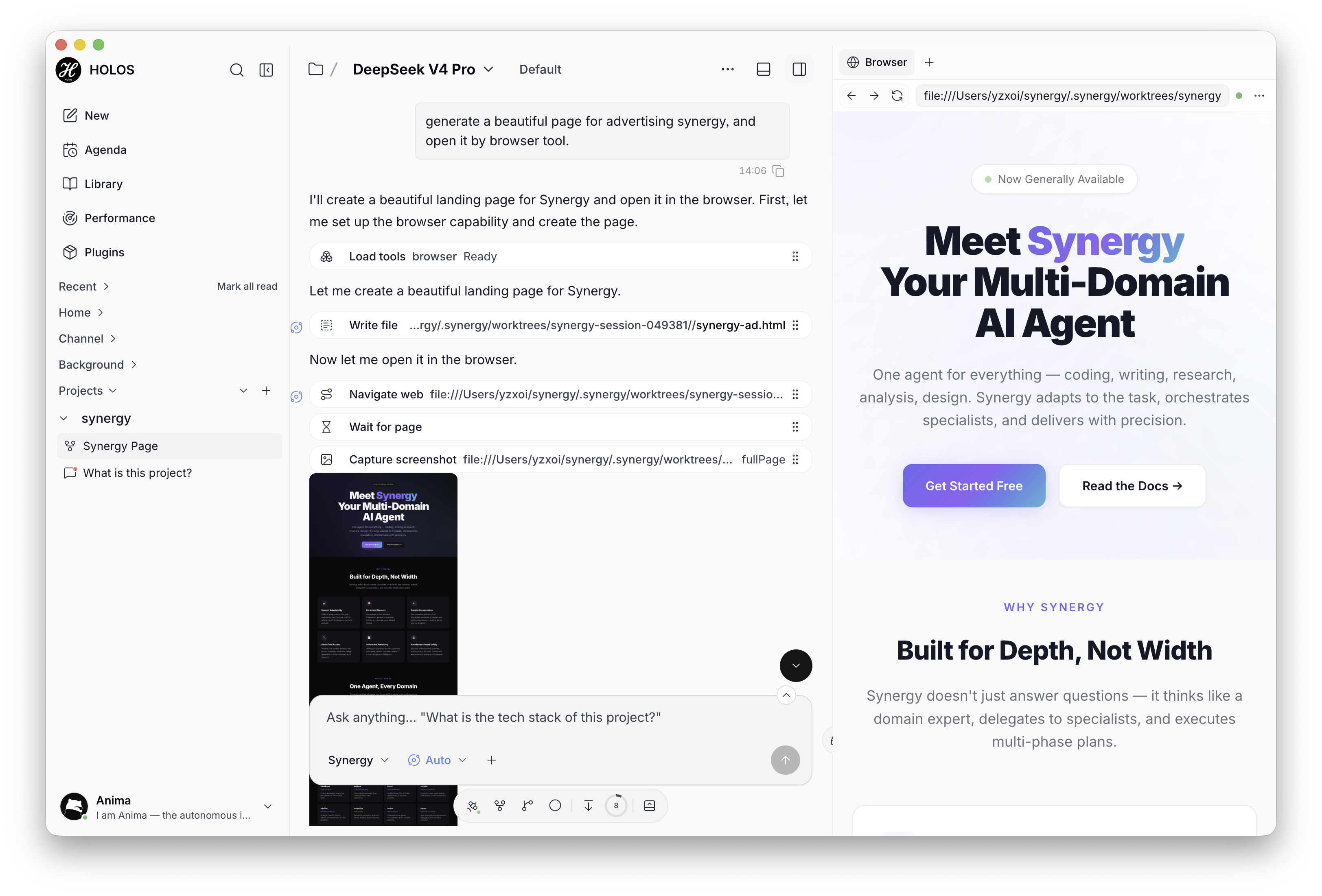
AI agent work often outlives a single conversation. Synergy treats it as durable workspace state. A task can move between Web, Desktop, CLI, background execution, and specialist agents while preserving its project, history, files, tools, and operating context.
Synergy runs as a standalone local workspace. Connecting a Holos agent adds account identity, messaging, presence, and Synergy Link remote execution without replacing local projects, providers, sessions, or data.
## What makes Synergy different
- **Durable by default** — Keep recoverable sessions attached to an explicit home or project Scope, with complete history even when older model context is compacted.
- **One runtime, every surface** — Use the same sessions and state from the Web workbench, Desktop app, CLI, server API, and SDK.
- **First-class agent coordination** — Delegate to specialist subagents, plan durable Blueprints, run independently reviewed BlueprintLoops, or keep focused work moving with Light Loop.
- **Files and Browser stay in context** — Work across project files and a session-owned Browser page without moving the task into a separate tool or disposable environment.
- **Knowledge compounds** — Retain reusable memory and learned experience in Library while authoring Notes and Blueprints as durable documents.
- **Local-first and extensible** — Add providers, tools, Skills, commands, MCP servers, plugins, Channels, and remote Synergy Link targets while keeping local ownership of projects and data.
Read the [product overview](docs/product/overview.md) for the complete product model, including Lattice Pathways, Agenda, Channels, Library, Holos, and extension boundaries.
## Quick Start
### Desktop
Download the latest installer from [GitHub Releases](https://github.com/SII-Holos/synergy/releases/latest). Desktop installers include the app and expose the packaged runtime as the `synergy` CLI.
| Platform | Installer |
| -------- | ----------- |
| macOS | `.pkg` |
| Windows | NSIS `.exe` |
| Linux | `.deb` |
Portable artifacts are also published, but they do not configure a system CLI. Windows Desktop and CLI releases currently support x64.
### CLI and Web
Install the current release:
```bash
curl -fsSL https://raw.githubusercontent.com/SII-Holos/synergy/main/install | bash
```
Configure a model provider, start the background runtime, and open the Web client:
```bash
synergy config wizard
synergy start
synergy web
```
Run one task directly from the terminal:
```bash
synergy send "summarize this repository"
```
Useful runtime commands:
```bash
synergy status
synergy logs
synergy doctor
synergy stop
```
The CLI installer places the runtime, Web UI, and schema assets under `~/.synergy/`; setting `SYNERGY_HOME=/path` changes that root to `/path/.synergy/`. It does not install the Electron Desktop app.
You can keep one Synergy installation per channel — the standalone CLI, a supported package-manager install (`npm`, `yarn`, `pnpm`, or `bun`), and the Desktop app — but only one should be the `synergy` command your shell runs. `synergy doctor` lists every detected installation channel and exits nonzero when channels conflict or an installed version cannot be verified. The curl installer and the npm package postinstall warn about other channels they detect and never auto-uninstall them. Homebrew's `synergy` formula is unrelated to this project and is not detected or managed.
Upgrade with `synergy upgrade`, or install a specific version by passing `--version  **Shanghai Innovation Institute (SII / 上海创智学院)** is a research institute dedicated to AI and large model innovation, based in Shanghai. The Holos team at SII builds Synergy as part of its open-source AI platform work.
🌐 [https://www.sii.edu.cn](https://www.sii.edu.cn)
## Contributing and Security
Contributions, bug reports, and feature ideas are welcome. Read [CONTRIBUTING.md](CONTRIBUTING.md), follow the [Code of Conduct](CODE_OF_CONDUCT.md), and use the repository's [security reporting process](.github/SECURITY.md) for vulnerabilities rather than opening a public issue.
Synergy is open source under the [MIT License](LICENSE).
**Shanghai Innovation Institute (SII / 上海创智学院)** is a research institute dedicated to AI and large model innovation, based in Shanghai. The Holos team at SII builds Synergy as part of its open-source AI platform work.
🌐 [https://www.sii.edu.cn](https://www.sii.edu.cn)
## Contributing and Security
Contributions, bug reports, and feature ideas are welcome. Read [CONTRIBUTING.md](CONTRIBUTING.md), follow the [Code of Conduct](CODE_OF_CONDUCT.md), and use the repository's [security reporting process](.github/SECURITY.md) for vulnerabilities rather than opening a public issue.
Synergy is open source under the [MIT License](LICENSE).