# dsh-custom-skin
Custom wallpapers and translucent skins for DeepSeek Harness Web.
English · 简体中文
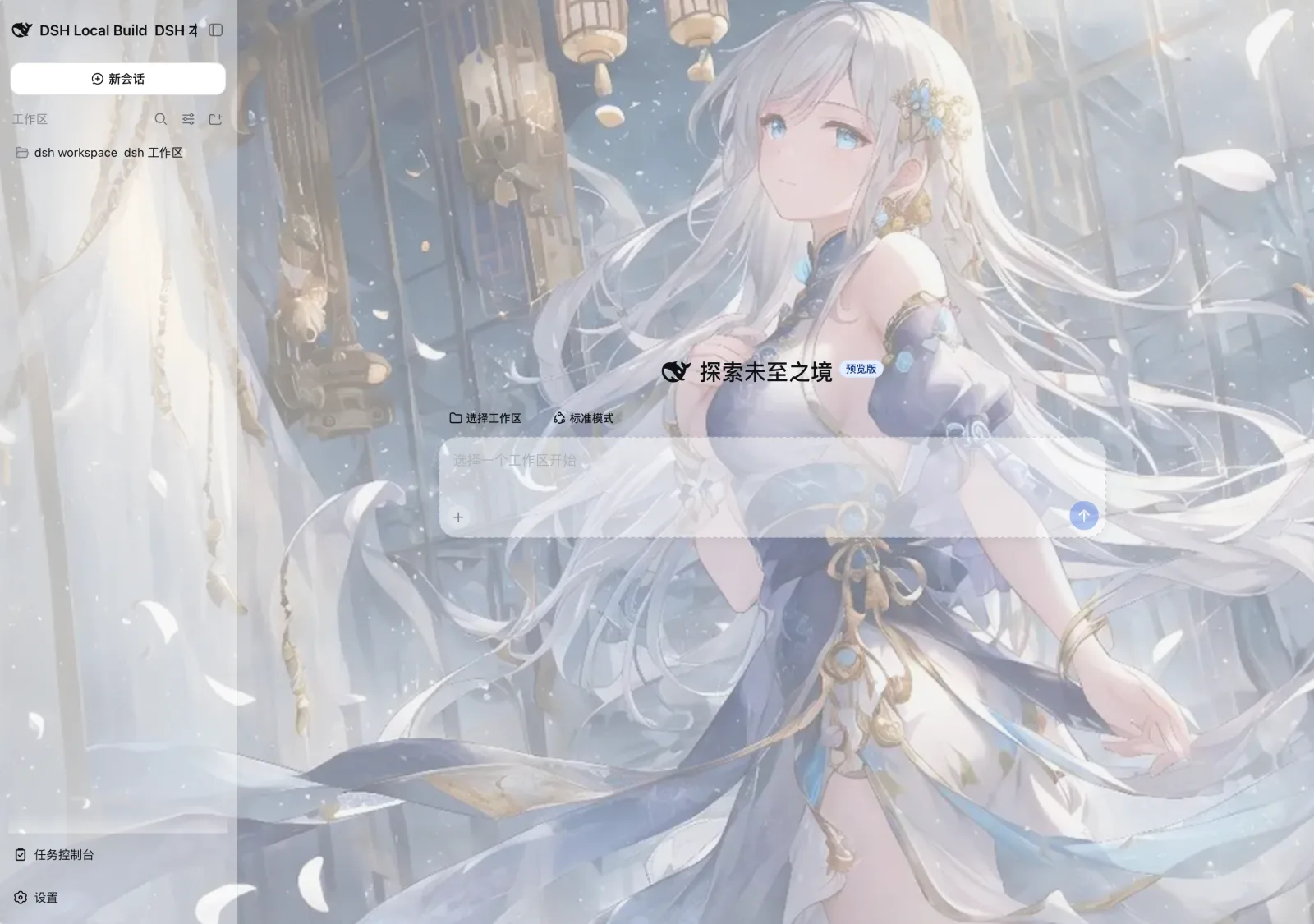
## Features
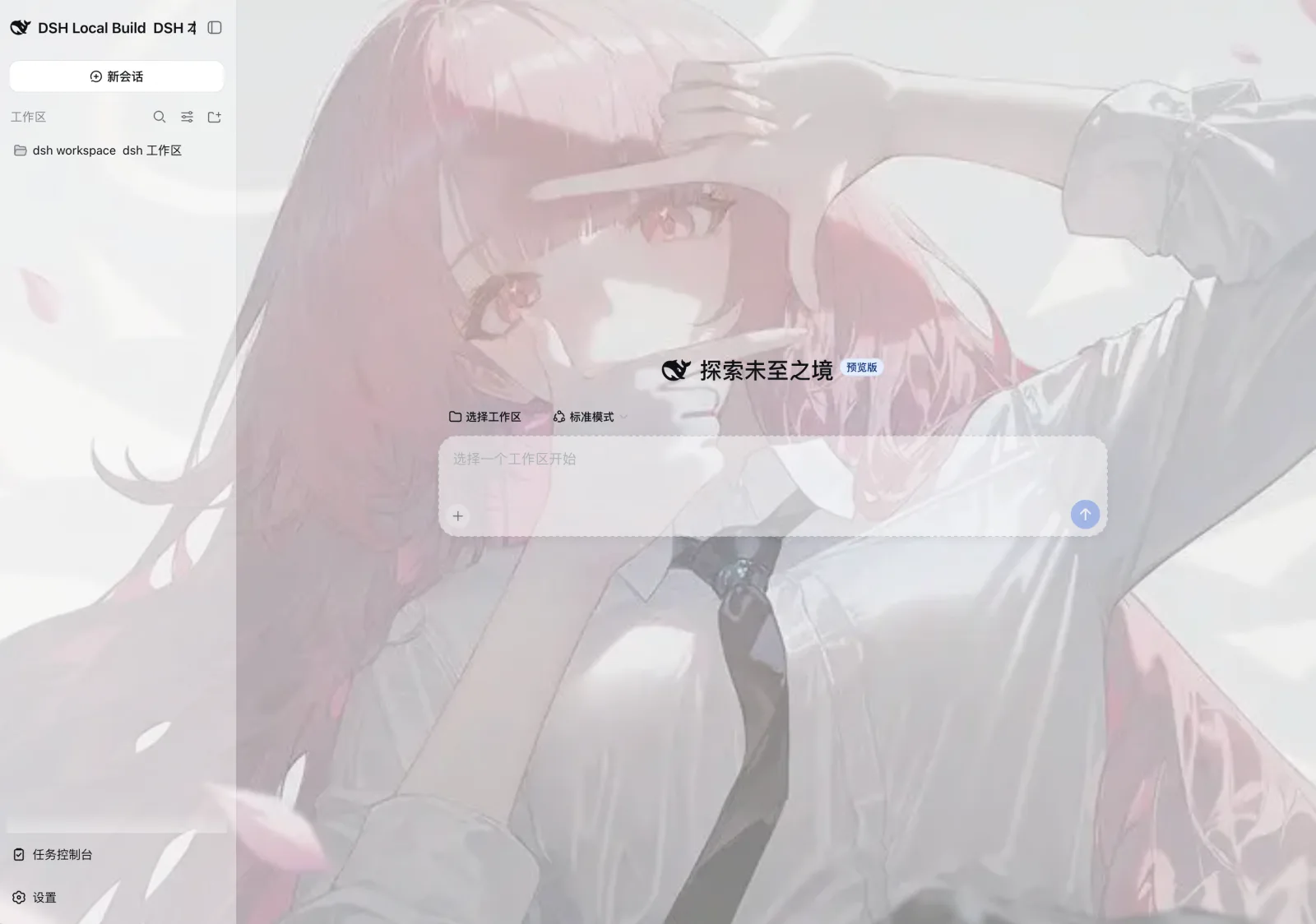
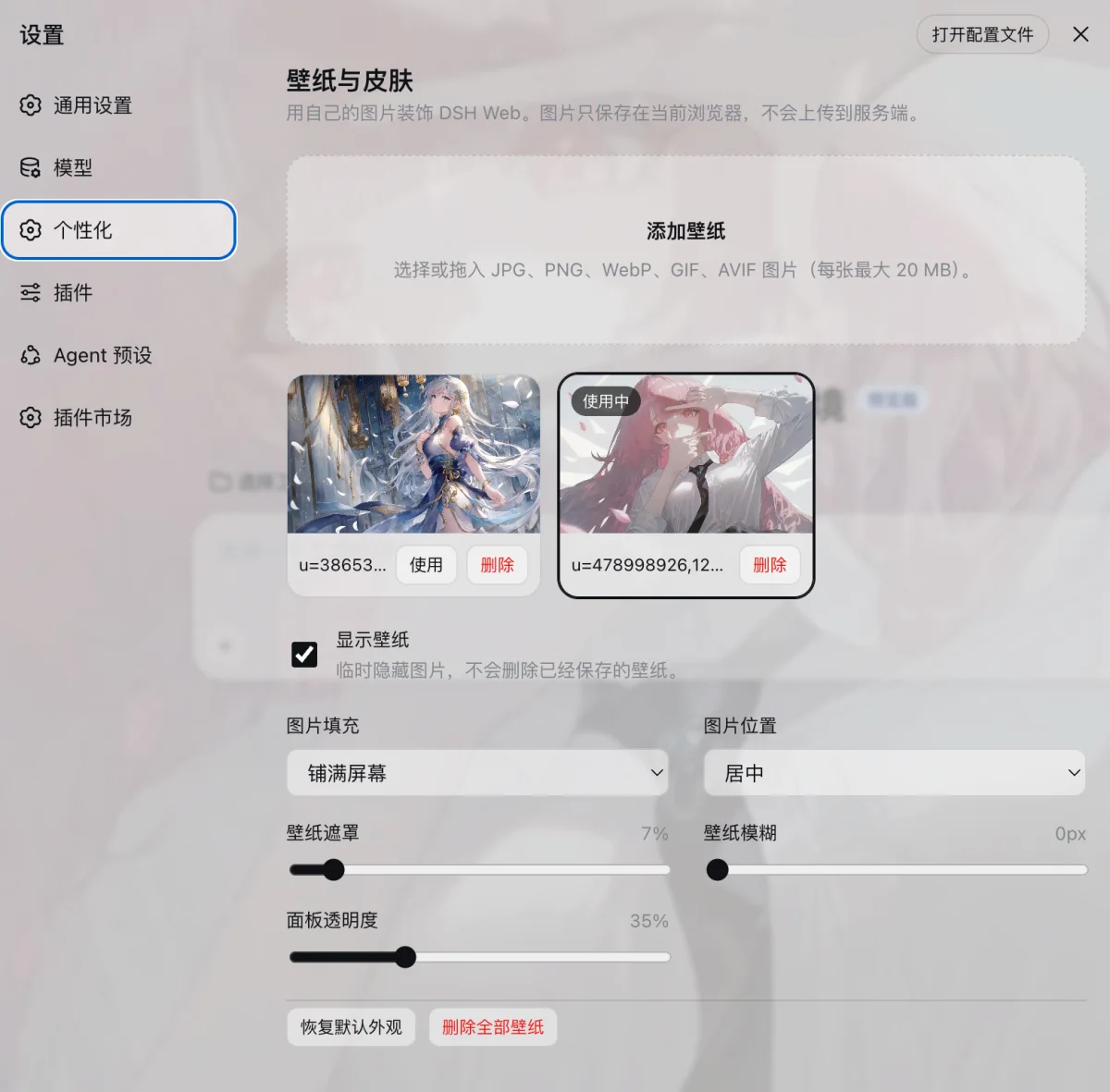
- Upload or drag in multiple local images and switch between them instantly.
- Show or hide the wallpaper, delete individual images, or clear the entire library.
- Adjust image fit, position, overlay, blur, and panel opacity.
- Automatically adapt to the light and dark themes in DSH.
- Keep images in the current browser's IndexedDB and preferences in localStorage. Nothing is uploaded to the DSH server.
## Preview
## Install in DSH Web
Run the following commands in the DeepSeek Harness repository:
```sh
pnpm dsh plugin --profile web add github:SLin-code/dsh-custom-skin
pnpm dsh web
```
Open **Settings** in the lower-left corner of the Web interface, then select **Personalization** to add a wallpaper.
To install a local development copy instead:
```sh
pnpm dsh plugin --profile web add "/absolute/path/to/dsh-custom-skin"
pnpm dsh web
```
To uninstall:
```sh
pnpm dsh plugin --profile web remove dsh-custom-skin
```
## Build from source
Requirements: Node.js 22.19 or later and pnpm 11.7.0.
```sh
pnpm install
pnpm build
pnpm check
```
The repository includes the compiled `lib/` files, so a regular local installation does not require a rebuild.
## Data and limitations
- Each image can be up to 20 MB, with a maximum of 24 saved images. The browser's storage quota may impose a lower practical limit.
- Wallpapers are isolated by browser and site origin. If you open DSH in another browser, on another port, or at a remote address, you will need to add the images again.
- Clearing the site's browser data also removes the saved wallpapers.
## License
[MIT](./LICENSE)